Introduction
Odoo Jaan SMS Gateway helps integrate the Jaan SMS service with your Odoo system. As a result, businesses can send SMS messages directly from the Odoo backend using API integration.
Moreover, Odoo Jaan SMS Gateway allows you to send SMS to customers, partners, or any contacts stored in Odoo. This makes communication simple and easy to manage from one place.
Additionally, the module supports sending SMS individually or in bulk. Therefore, businesses can reach multiple users quickly while managing all SMS activity inside Odoo.
Prerequisites for using Odoo Jaan SMS Gateway
Odoo module name works in conjunction with the following module:
Odoo SMS Notificaiton
You must install the above-mentioned module to use Odoo Jaan SMS Gateway.
FEATURES
- Send SMS notifications automatically for important events like order confirmation and invoice validation.
- Connect the SMS service securely using API keys for safe and reliable communication.
- Create and manage custom SMS templates directly from the Odoo backend.
- Reuse templates for different business actions to maintain clear and consistent messaging.
- Send SMS to individual customers whenever needed.
- Send bulk SMS to multiple customers at the same time for faster communication.
- Check real time SMS delivery status directly inside Odoo.
- Monitor whether messages are sent successfully or if any issue occurs.
- Reduce manual calls and emails by automating customer notifications.
- Improve customer engagement by reaching users directly on their mobile phones.
- Manage all SMS activities from one centralized system in Odoo.
Installation
- Once you purchase the App from Webkul store, you will receive a link to download module’s zip file.
- Extract the file on your system after download finishes. As a result, you will be able to see a folder named “ jaan_sms_gateway”.
- Copy and paste this folder inside your Odoo Add-Ons path.
- Now, open Odoo App and click on the Settings menu. Here, click on Activate Developer Mode.
- Then, open Apps menu and click on ‘Update Modules List.’
- In the search bar, remove all the filters and search ‘jaan_sms_gateway’
- You will be able to see module in the search results. Click on ‘Activate’ to install it.
Workflow
Configuration
1. After installing the module, go to Settings> click on SMS in order to configure the sms gateway.
2. Enable the checkbox if you are managing country calling code with customer’s mobile number.
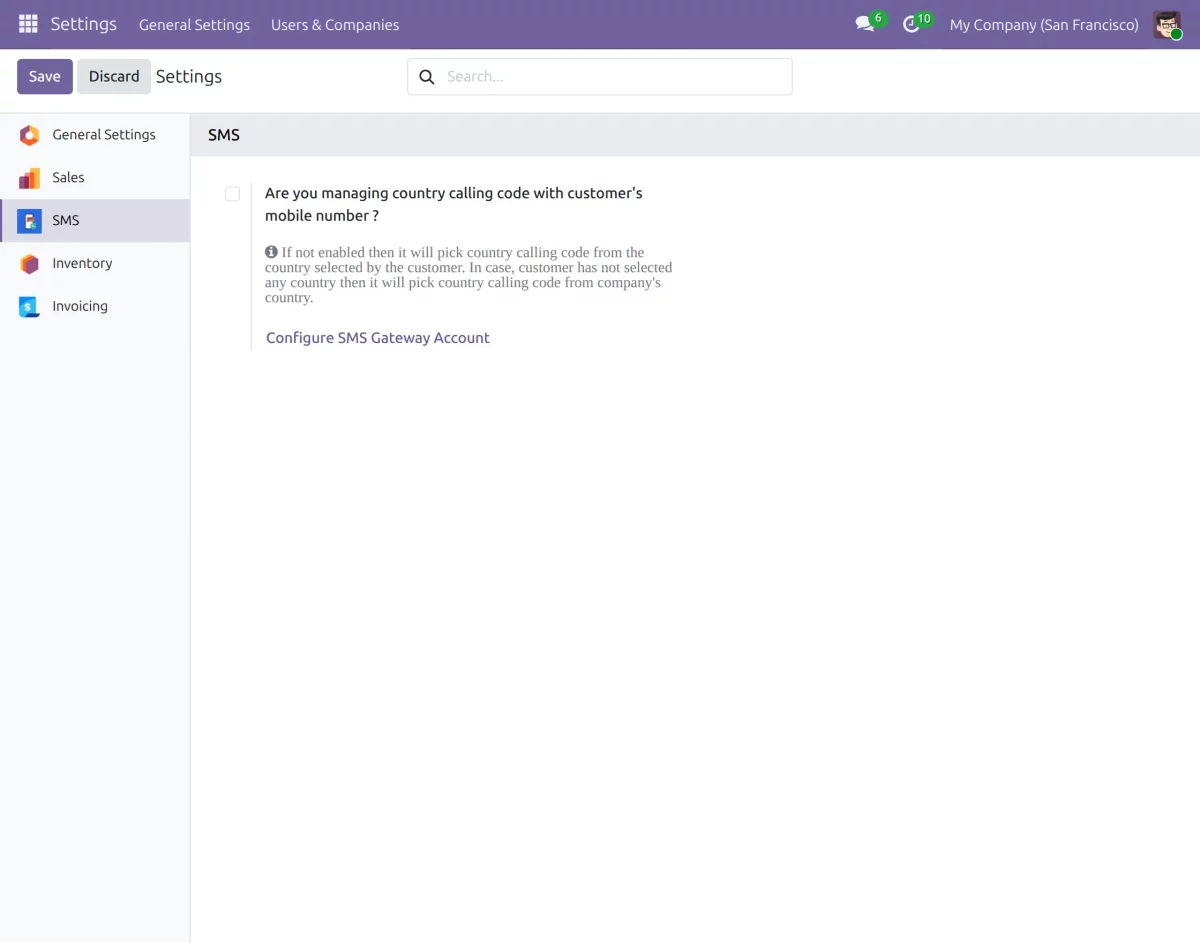
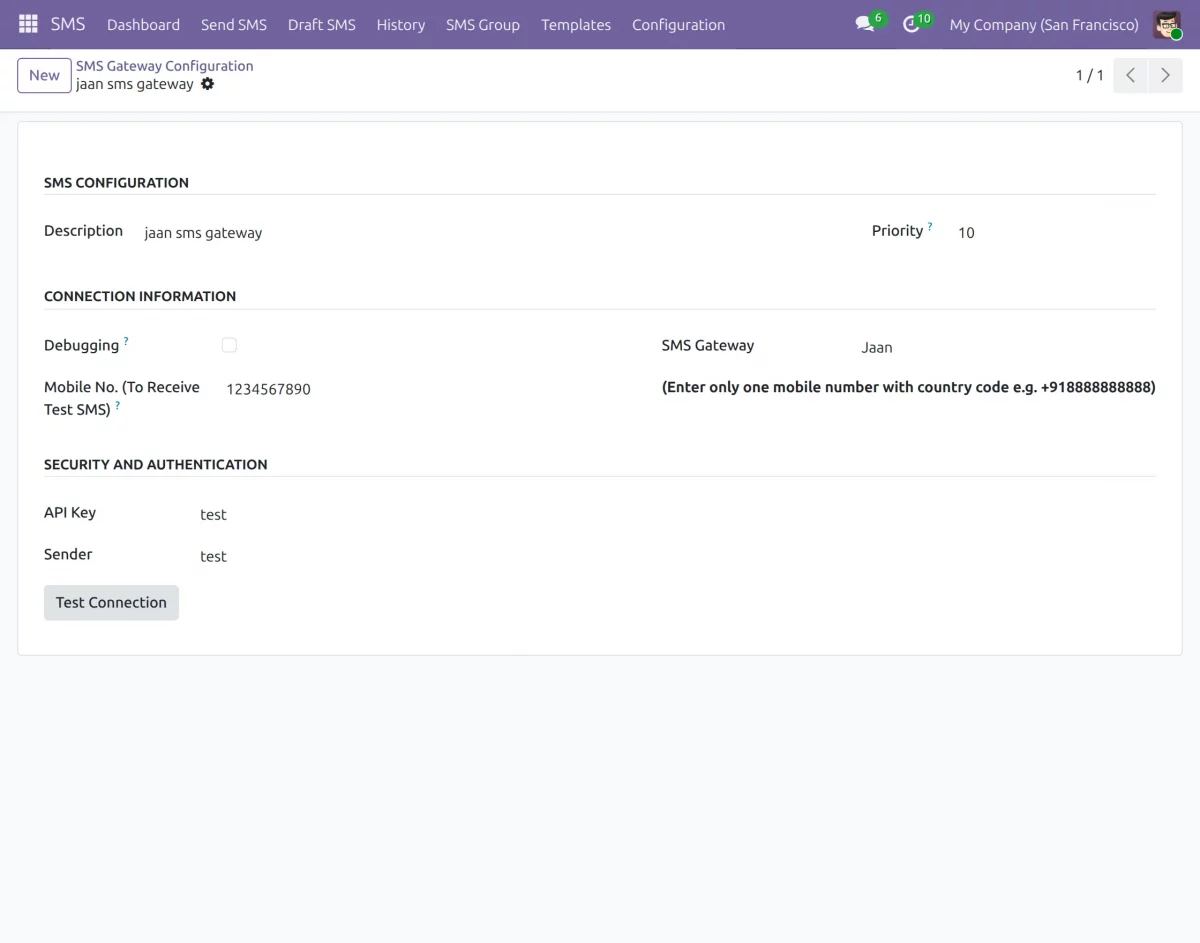
3. Click on the Configure SMS Gateway Account, then click on the New button, and follow the below-mentioned steps:
a) Add the Description, set the priority of the gateway, enable the ‘Debugging’ checkbox to write error message of SMS Gateway to the log file, add mobile number with country code to receive test SMS and select the SMS Gateway.
b) Add Jaan SMS Gateway, Sender detail, and Jaan API key
c) Save the changes
Creating SMS Templates
4. Once the gateway is configured, go to the SMS → Templates menu and click on Create to add a new SMS template.
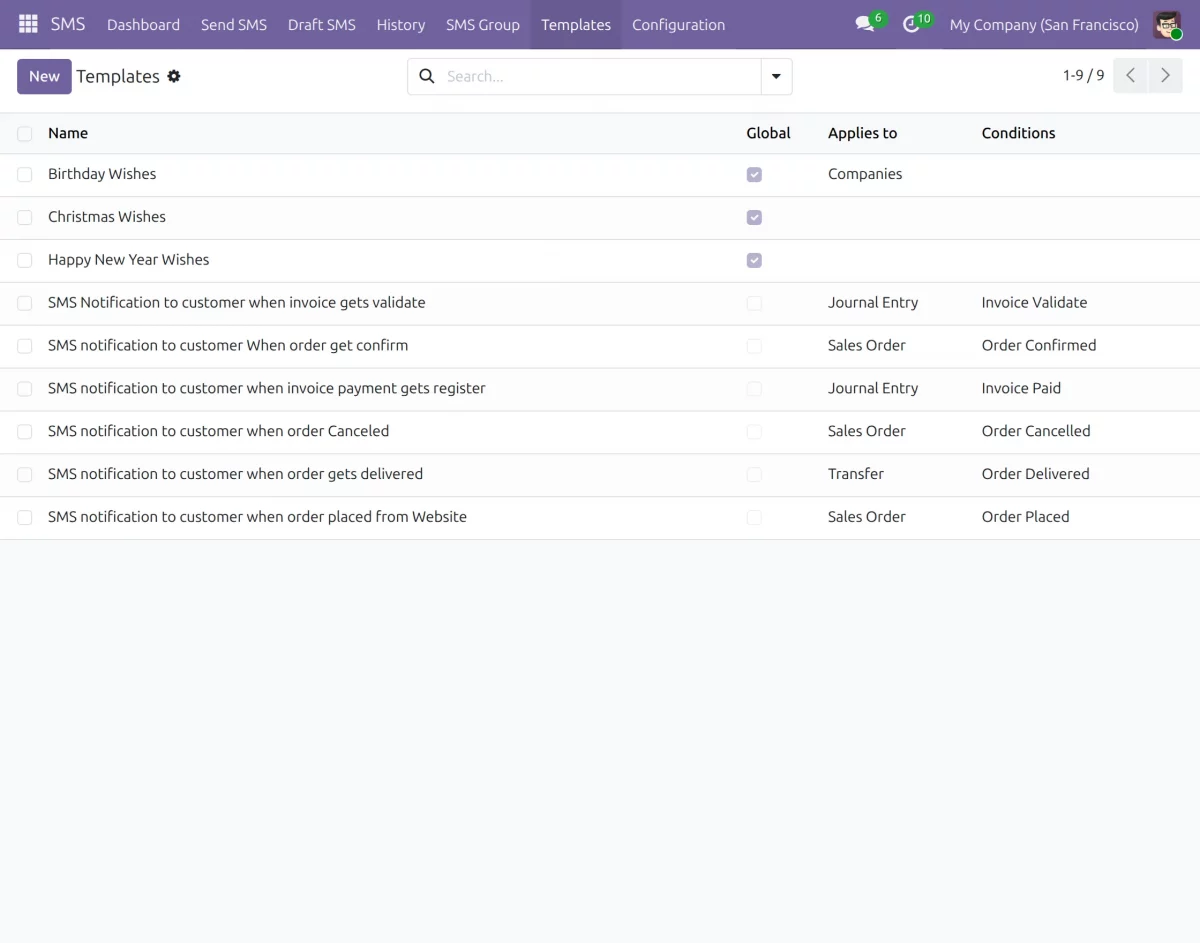
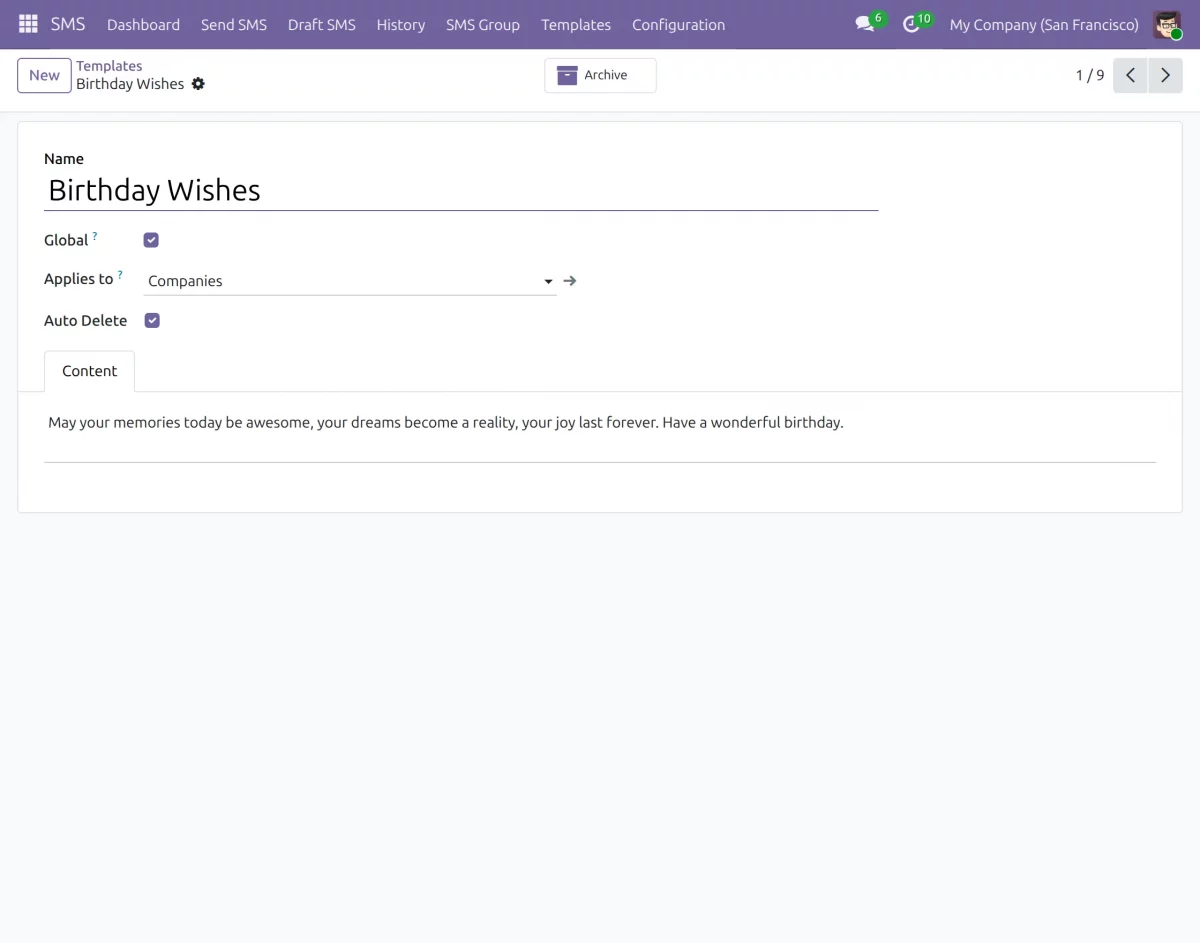
5. Enter the template name, message content, and select the related model if needed. Then, click Save to store the template for future use.
Sending SMS
6. Now, go to the Send SMS menu and create a new message. Select a customer, choose the SMS template, and click Send Now to send the message instantly.
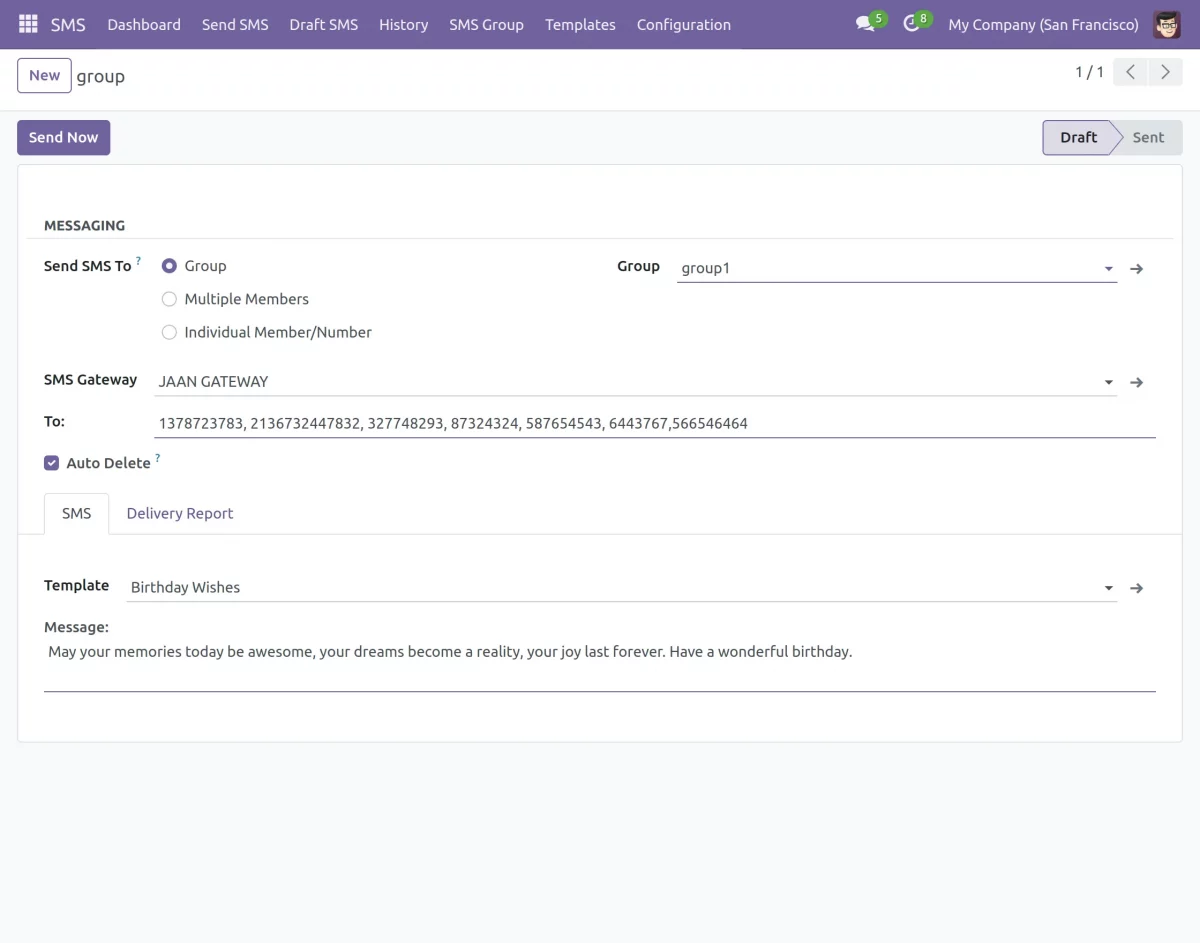
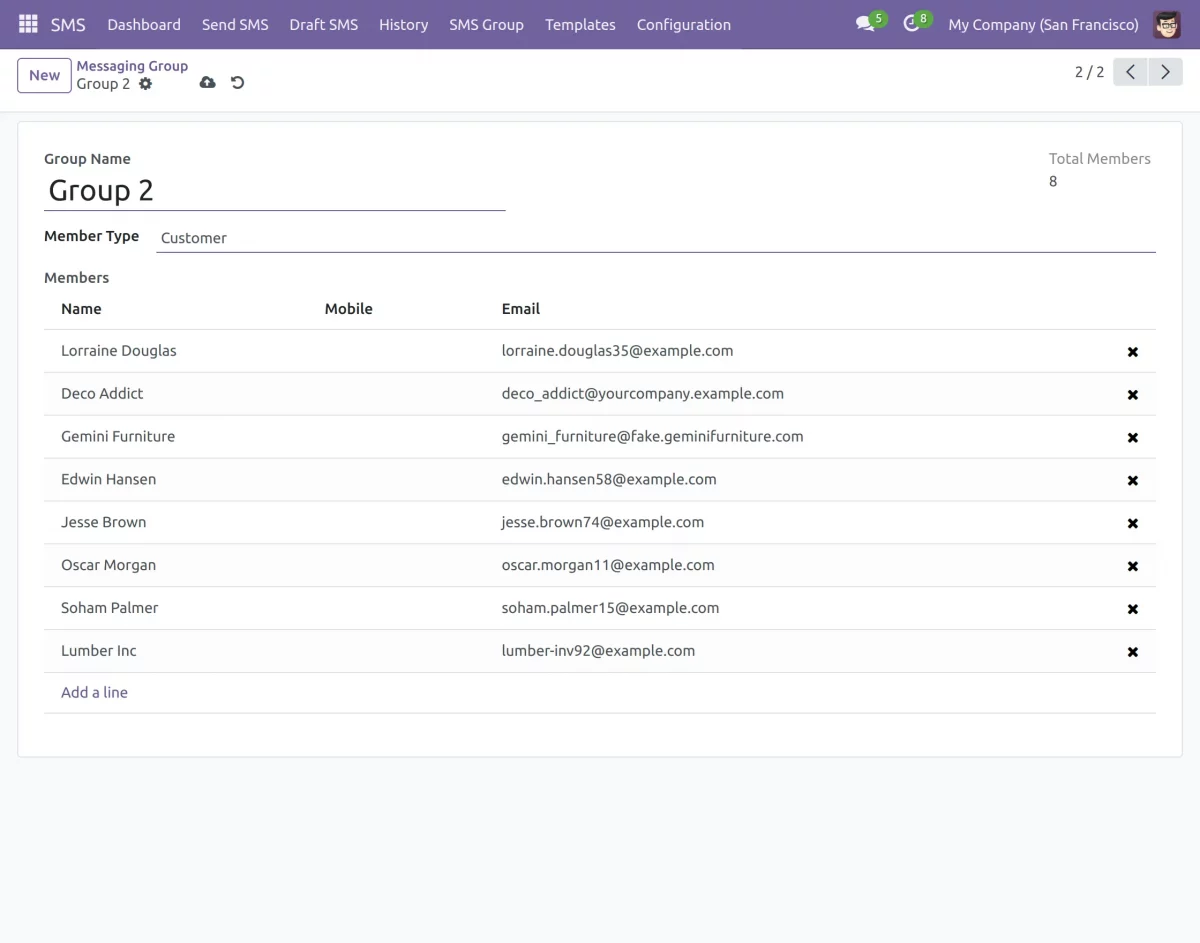
7. Additionally, you can send SMS to multiple customers or groups at once by selecting multiple contacts. This helps during bulk communication.
You can use SMS Group menu to create multiple groups with your preferred members and use it in future for ease.
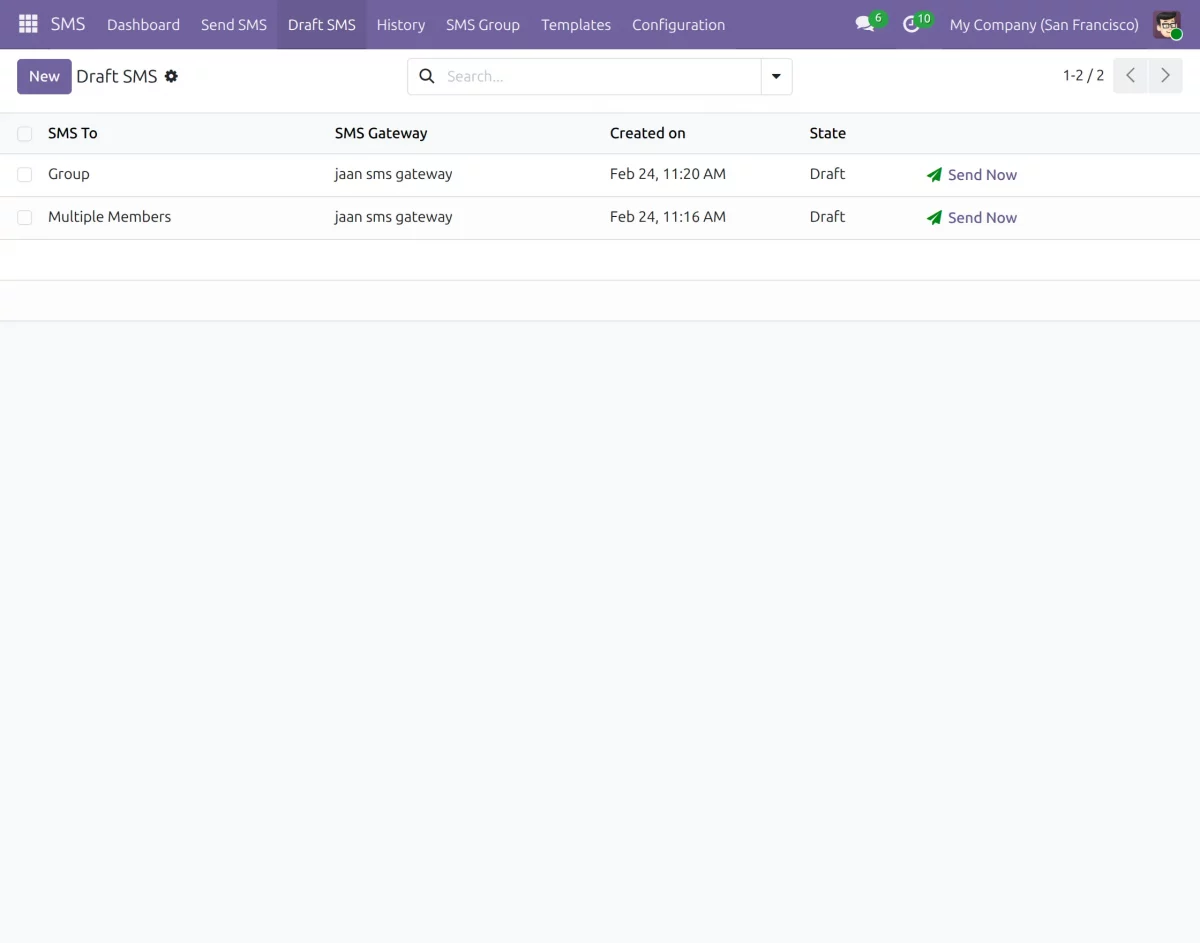
8. If needed, click Save as Draft to send the message later. You can view all draft messages from the Draft SMS menu.
Track SMS Status
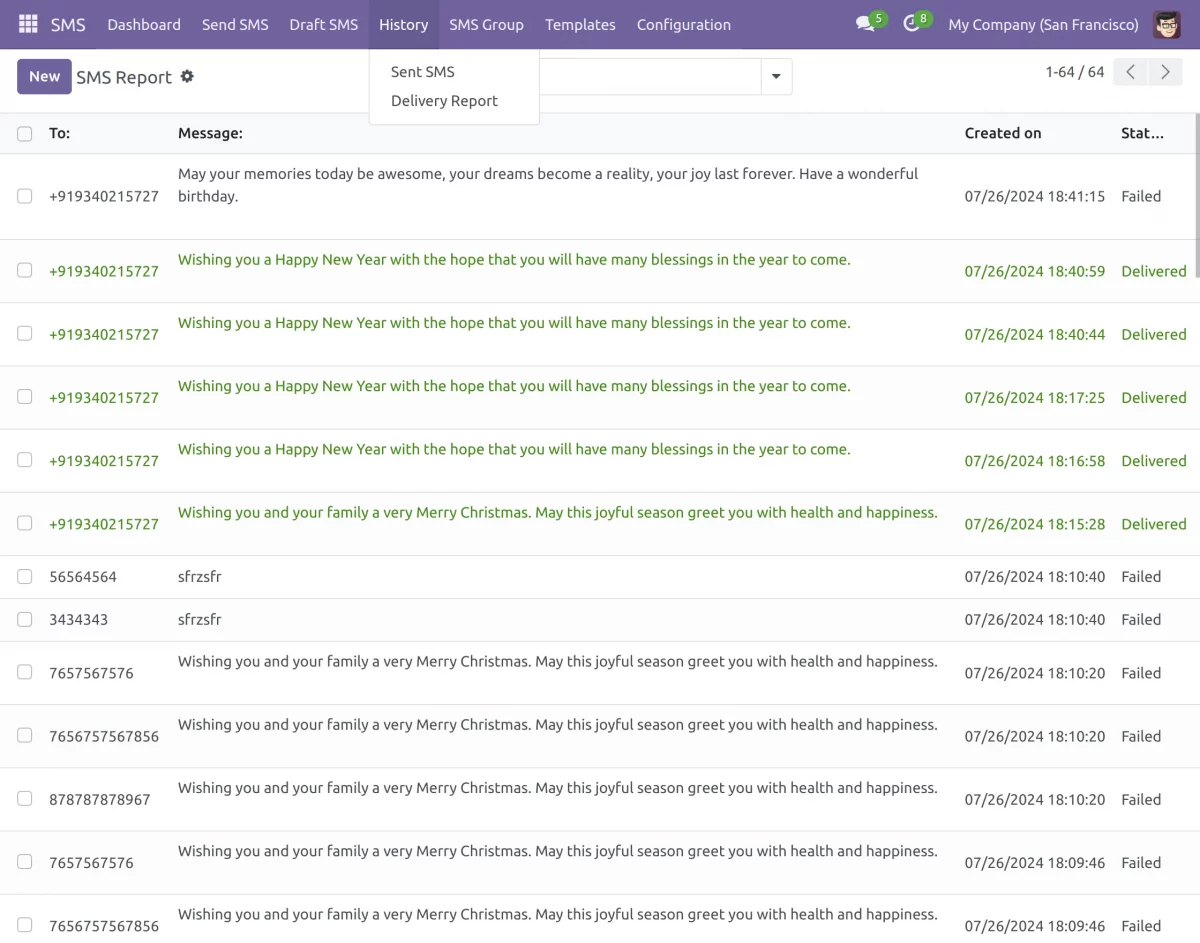
9. Finally, go to the SMS History section to view all sent messages and delivery reports. Here, you can check whether the message is sent, delivered, or failed.
Other Odoo SMS Gateway Modules
- Odoo Twilio SMS Gateway
- ClickSend SMS Gateway
- Odoo Nexmo SMS Gateway
- Odoo Netelip SMS Gateway
- Skebby SMS Gateway
- Odoo MessageBird SMS Gateway
Need Help?
Hope you find guide helpful! Please feel free to share your feedback in the comments below.
If you still have any issues/queries, please create a ticket at the UV Desk.
I hope this helps. In case of any further queries, contact us at our support mail.
Thanks for paying attention!!
Current Product Version - 1.0.0
Supported Framework Version - Odoo V19, Odoo V18, Odoo V17


Be the first to comment.