INTRODUCTION
Add your customer’s address automatically in the Odoo backend!
Odoo Customer Address Autocomplete helps you quickly fill in customer addresses in your Odoo system. It uses the Google address database to suggest and fill in complete addresses to save time and reduce mistakes.
Odoo Customer Address Autocomplete tool is helpful for businesses that want to make managing customer information easier and working more efficiently.
Odoo Customer Address Autocomplete can automatically fill in address fields like street, city, and country.
Want to go global effortlessly? Odoo Google Auto Translation tool translates your website and content into multiple languages, saving you time and money while making it easy for non-native speakers to buy from you.
FEATURES
- Odoo Customer Address Autocomplete provides relevant address suggestions to ensure accuracy and speed.
- Automatically fills in address fields, reducing manual entry efforts.
- Odoo Customer Address Autocomplete uses Google API for precise and validated address suggestions.
- Enables fast and efficient addition of new customers in Odoo’s backend.
- Offers detailed backend configuration to start using the autocomplete feature effectively.
- Odoo Customer Address Autocomplete supports addresses from around the world, making it easy to enter customer addresses globally.
- Odoo Customer Address Autocomplete minimizes manual entry mistakes, ensuring data accuracy and saving time.
Looking to implement ERP in your system? Check out Odoo Implementation! It’s your go-to solution for seamless integration and enhanced efficiency.
INSTALLATION
- Once you purchase the App from the Webkul store, you will receive the link to download the zip file of the module.
- Extract the file on your system after the download finishes. As a result, you will be able to see a folder named- ‘wk_customer_address_autocomplete’
- Copy and paste this folder inside your Odoo Add-Ons path.
- Now, open the Odoo App and click on the Settings menu. Here, click on Activate the Developer Mode.
- Then, open the Apps menu and click on ‘Update Modules List.’
- In the search bar, remove all the filters and search ‘wk_customer_address_autocomplete’
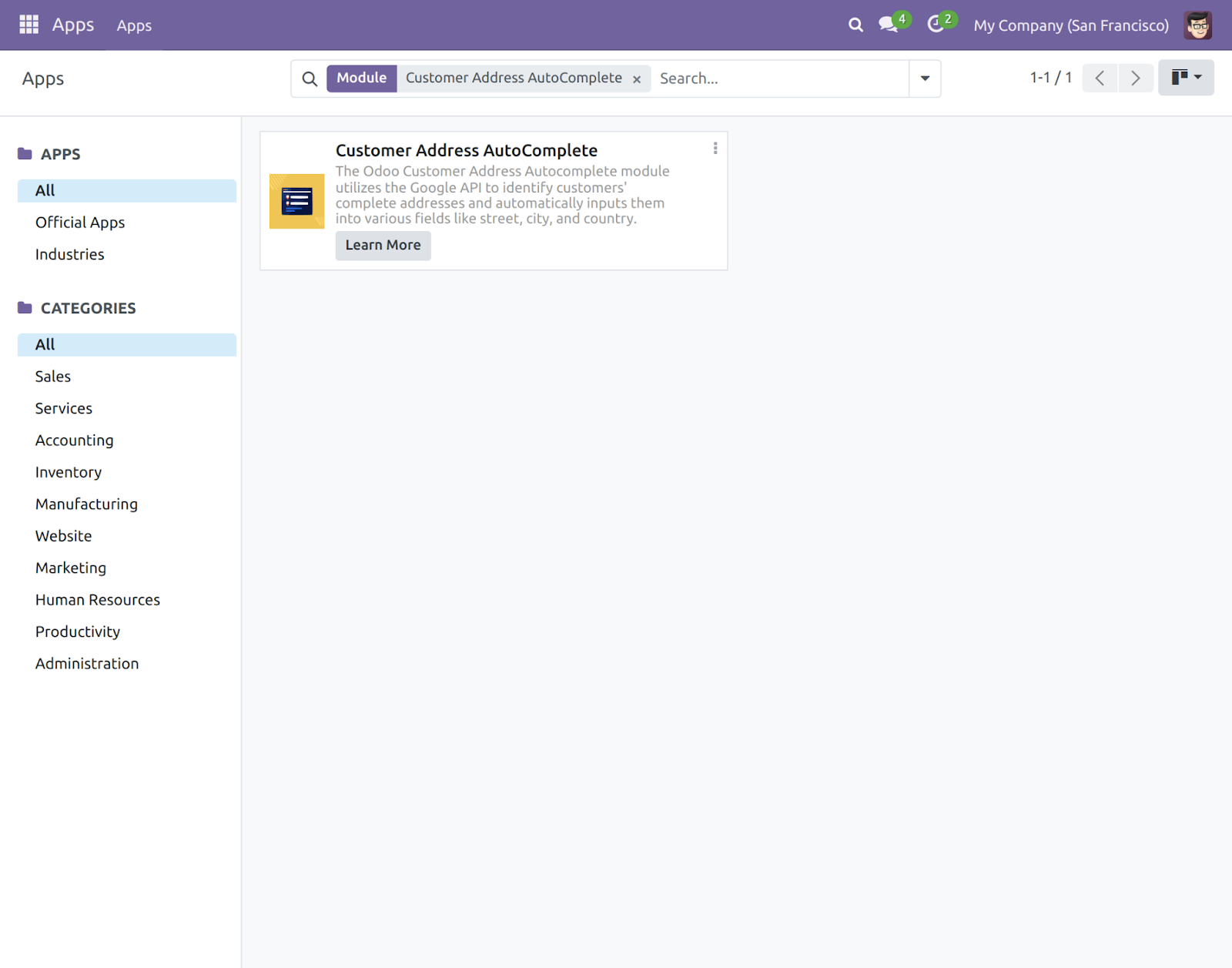
- You will be able to see the module in the search results. Click on ‘Install’ to install it.
Before moving further, explore our Odoo development services & an extensive range of quality Odoo Apps.
WORKFLOW
- Firstly you are required to install the module in your Odoo backend to integrate Google Address Book.
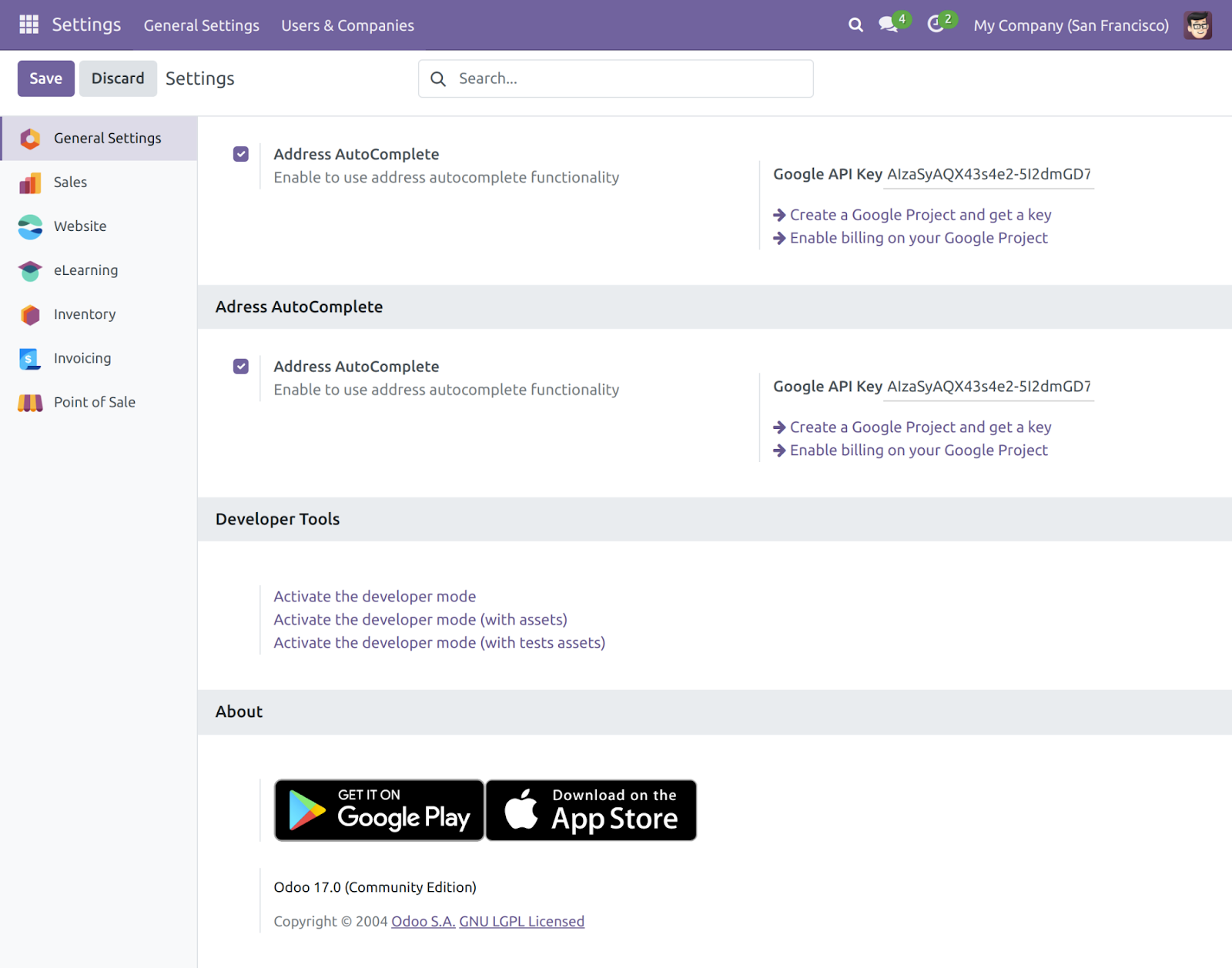
- Go into the “General Settings”, now enable the “Address AutoComplete” and enter the Google API key for integrating with Google Address Book.
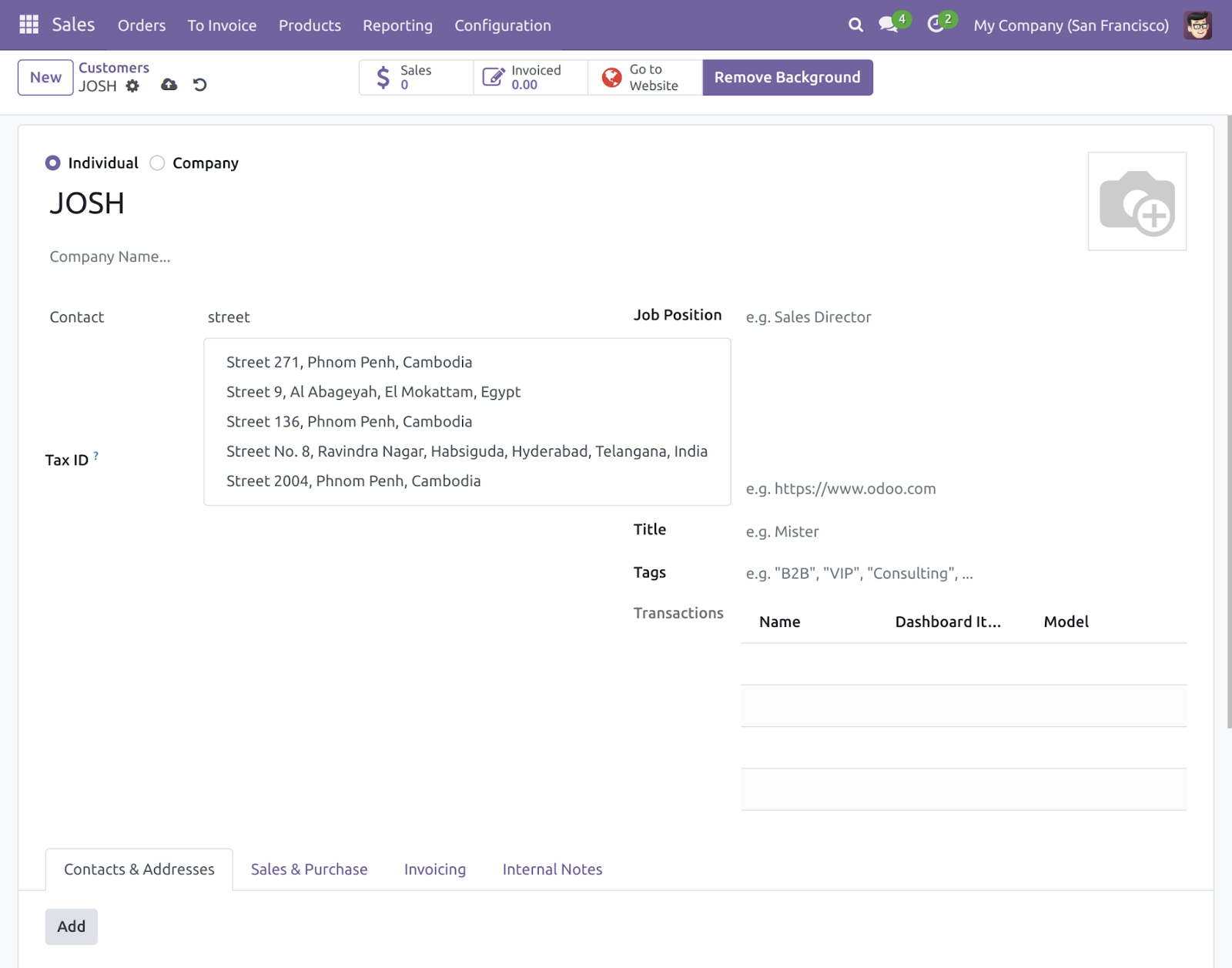
- At the time of creating or modifying a customer in the Odoo backend, you only need to enter a few characters of address then with the help of the module, you will able to see the different suggestions for address.
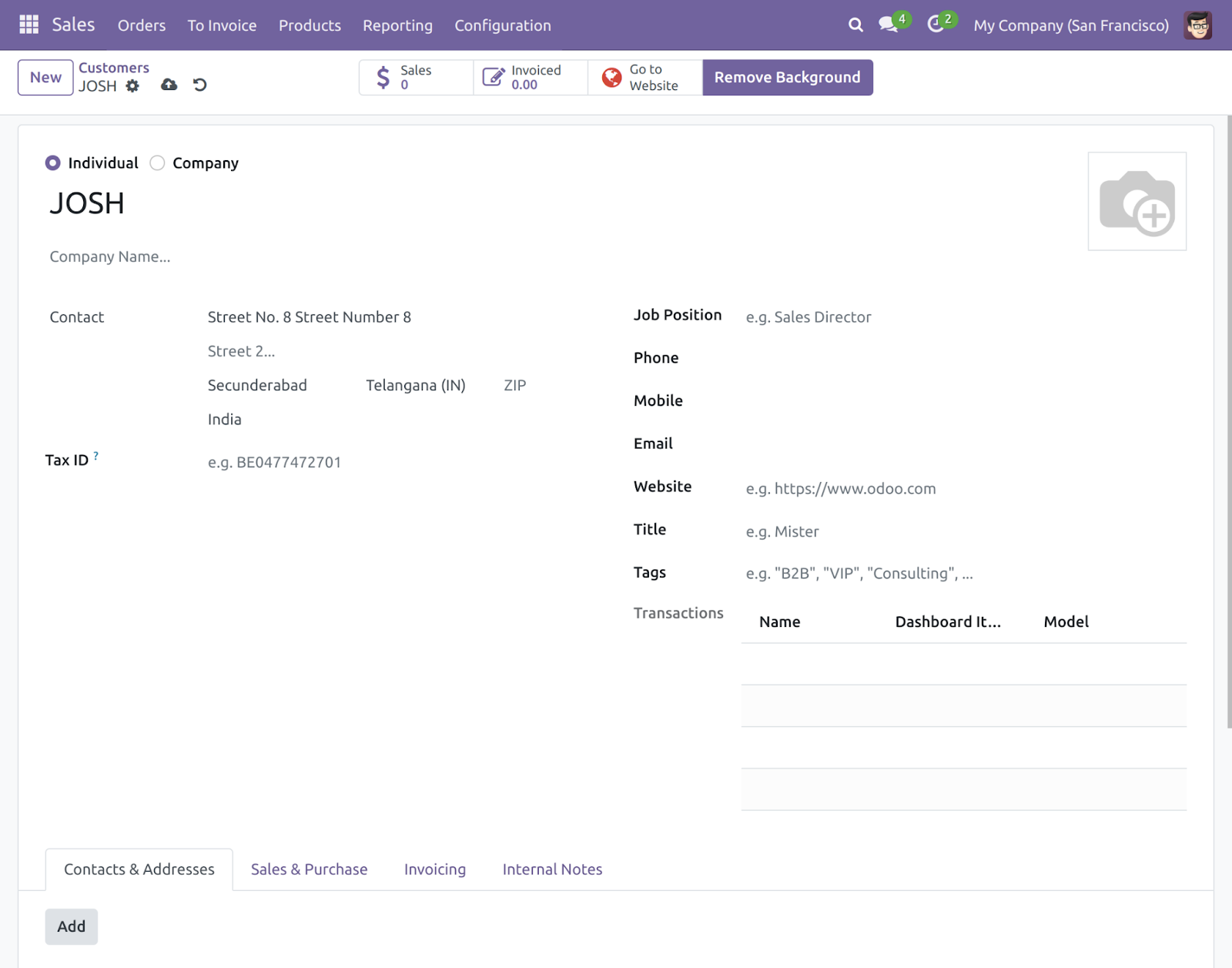
- Now choose an address from suggestions, the full address will automatically fill in the different fields of address.
NEED HELP?
Hope you find the guide helpful! Please feel free to share your feedback in the comments below.
If you still have any issues/queries regarding the same, please raise a ticket at the UV Desk.
I hope this helps. In case of any further queries, contact us at our support mail.
Thanks for paying attention!!
Current Product Version - 1.0.0
Supported Framework Version - V17, V16, V15, V14


Be the first to comment.