You might be using the Mobikul Mobile App for Shopify to provide your customers with an incredible & seamless mobile app experience.
Due to the great success of this app, we worked on the app’s enhancement and came up with a few good features. One of them is the Deep Linking Feature App.
Deep linking in the Mobikul Mobile App refers to a method that allows users to navigate to a specific page within the app directly from a link of any product and collection of the merchant.
This can help enable faster navigation, and create a more seamless user experience.
Activate the Feature
To enable this feature, you need to visit the Mobikul Mobile App backend & then, click on the Feature Apps section. From here Install the app.
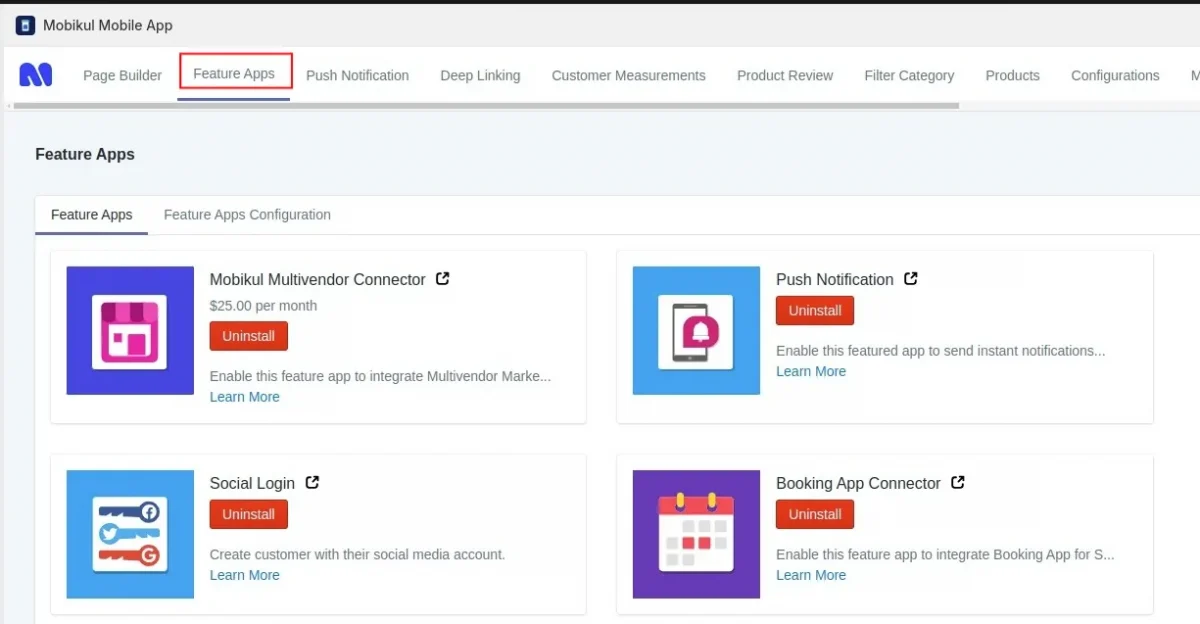

Then, Enable the app from the feature app configuration.

Further, visit Configurations > Deep Linking > Paste the link of the iOS app store and Android Play Store of your app to complete the configuration.


Once done, save the details.
Then go to the Deep Linking menu, here you have 3 options for which can create a direct link.
- Product Deep Links
- Collection Deep Links
- Seller Page Deep Links

To create a deep link for any product, click the deep link button and then add the product.
To share the product link directly, click the copy button to copy the URL.
Now anyone who clicks on the link in mobile, will be redirected directly to the product page, but if the app is not installed, the link will open in the default browser.
Refer to the screenshots below:


After Adding the product, the product will be listed below, then you can copy the deep link or you can share the QR code.


We can do the same for a collection of deep links.
For the Seller page, deep links function the same way, but the Multivendor connector must be installed.
Need Help?
You can drop your query/suggestion at [email protected] or create your ticket at Webkul UV Desk.


Be the first to comment.