Introduction
Shipping Restriction for Magento 2 extension facilitates the admin to create shipping condition rules to block certain methods of the shipping carrier.
The extension supports various limitation criteria based on customer group and store view.
Furthermore, the admin can restrict the shipping method based on the payment method, cart attribute, shipping postcode, etc.
Watch the video tutorial below to understand the extension workflow:
Feature List
- Allows admin to block certain shipping methods.
- Admin can add rules to restrict the shipping method.
- Rules are customizable based on the requirement.
- Admin can add multiple shipping restriction rules.
- Make use of customer groups and store views as a restriction base.
- Admin can restrict the shipping method based on the payment method, cart attribute, shipping postcode, etc.
- Option to activate the restriction for admin-end.
- The admin can show or hide a restriction message to the user.
- Allows admin to compose the restriction message.
- Disable or allow shipping with coupon/discount.
- Shipping restrictions get applied on the frontend and admin end.
Installation
Customers will get a zip folder. Then they have to extract the contents of this zip folder on their system. The extracted folder has an src folder, inside the src folder you have the app folder.
You need to transfer this app folder into the Magento2 root directory on the server as shown below:

After the successful installation, you have to run these commands in the Magento2 root directory.
php bin/magento setup:upgrade
php bin/magento setup:di:compile
php bin/magento setup:static-content:deploy
php bin/magento indexer:reindex
php bin/magento cache:flush
Language Translation
For translating the module language, navigate through src/app/code/Webkul/ShippingRestrictions/i18n/ and edit the en_US.csv file.
Thereafter, rename the CSV as “en_SA.csv” and translate all right side content after the comma in the Arabic language. After editing the CSV, save it.
Then upload it to the path src/app/code/Webkul/ShippingRestrictions/i18n/ where the Magento2 is installed on the server.
Hence, the module gets translated into the Arabic Language. It supports both RTL and LTR languages:

Shipping Restriction Configuration
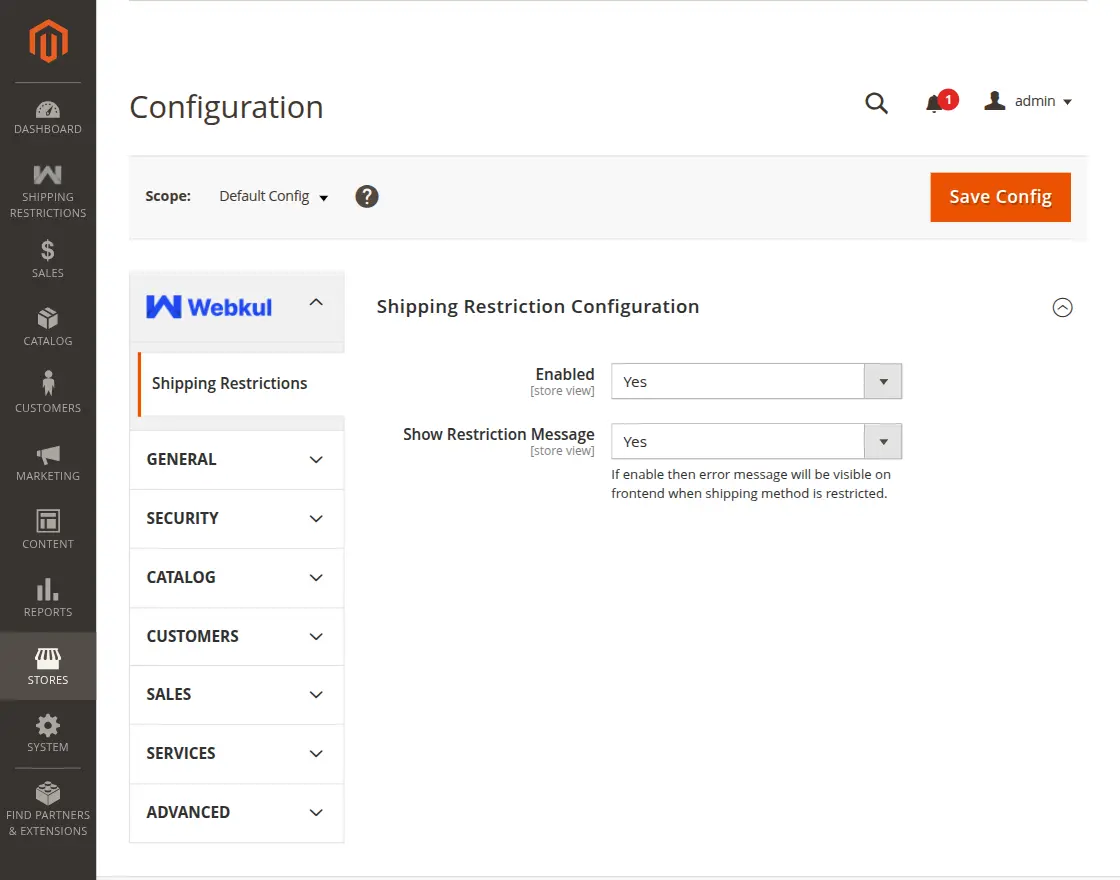
- Enable/Disable – Allows admin to enable/disable the module.
- Shipping Restriction Message – If enabled then error message will be visible on frontend when the shipping method is restricted.
Shipping Condition Rules
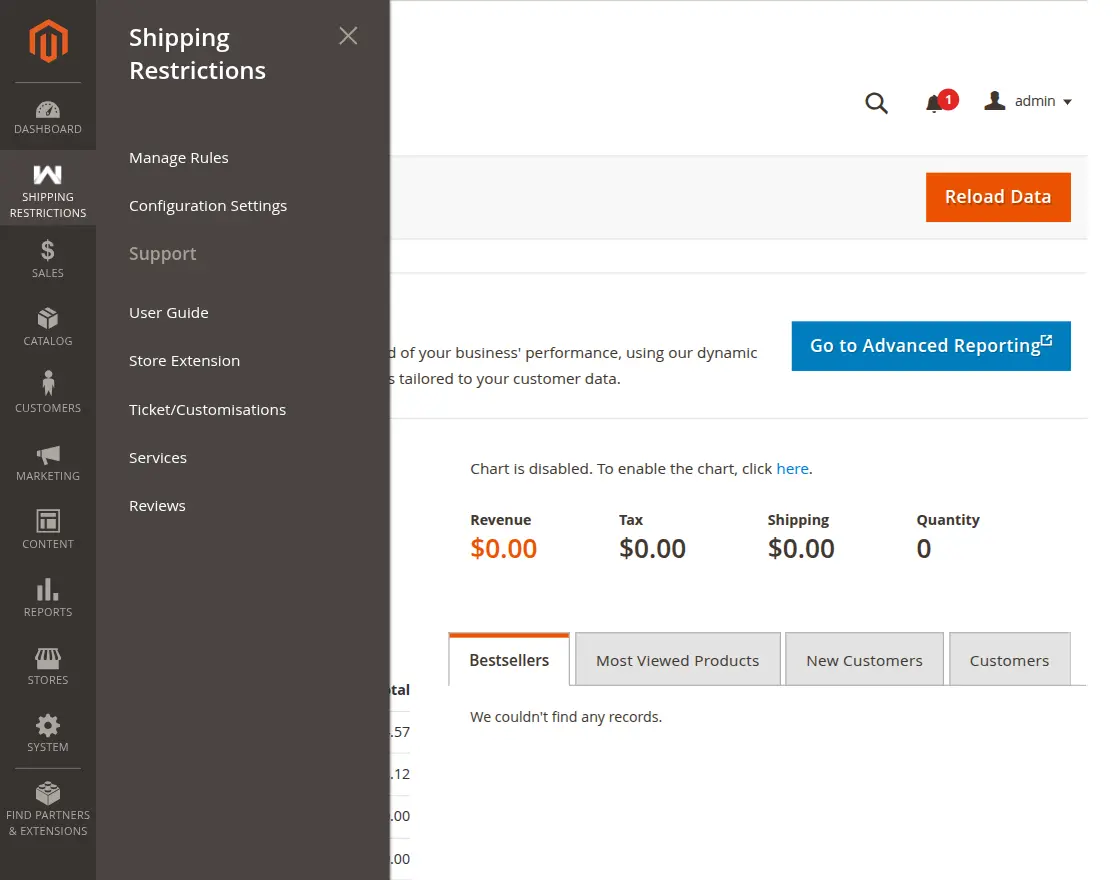
Furthermore, this section allows the admin to manage customizable rules to navigate through – Shipping Restrictions => Manage Rules. For more details check-below given image:
Manage Shipping Condition Rules
Add Shipping Condition Rules
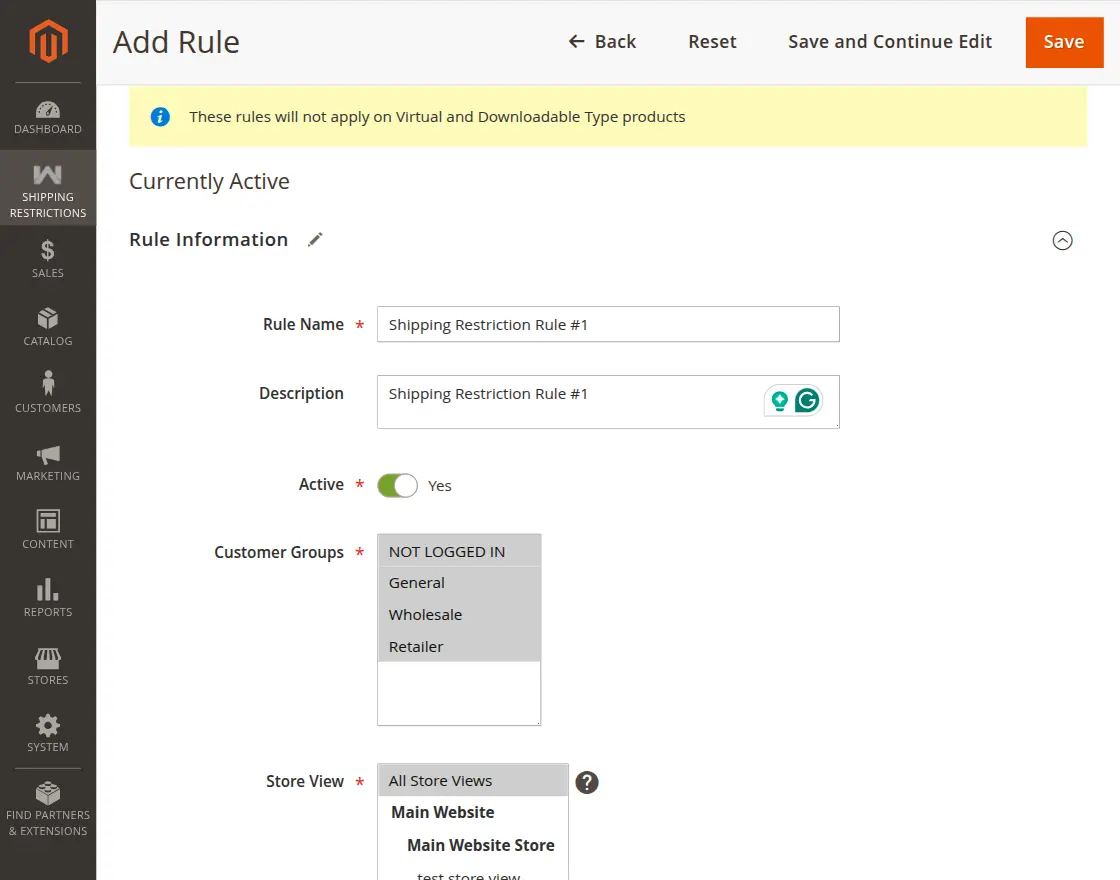
Rule Information
- Rule Name – First of all write down the rule name.
- Description – Then put the description.
- Active – Now select the status as per the requirement.
- Customer Group – Also choose shipping restriction based on customer group
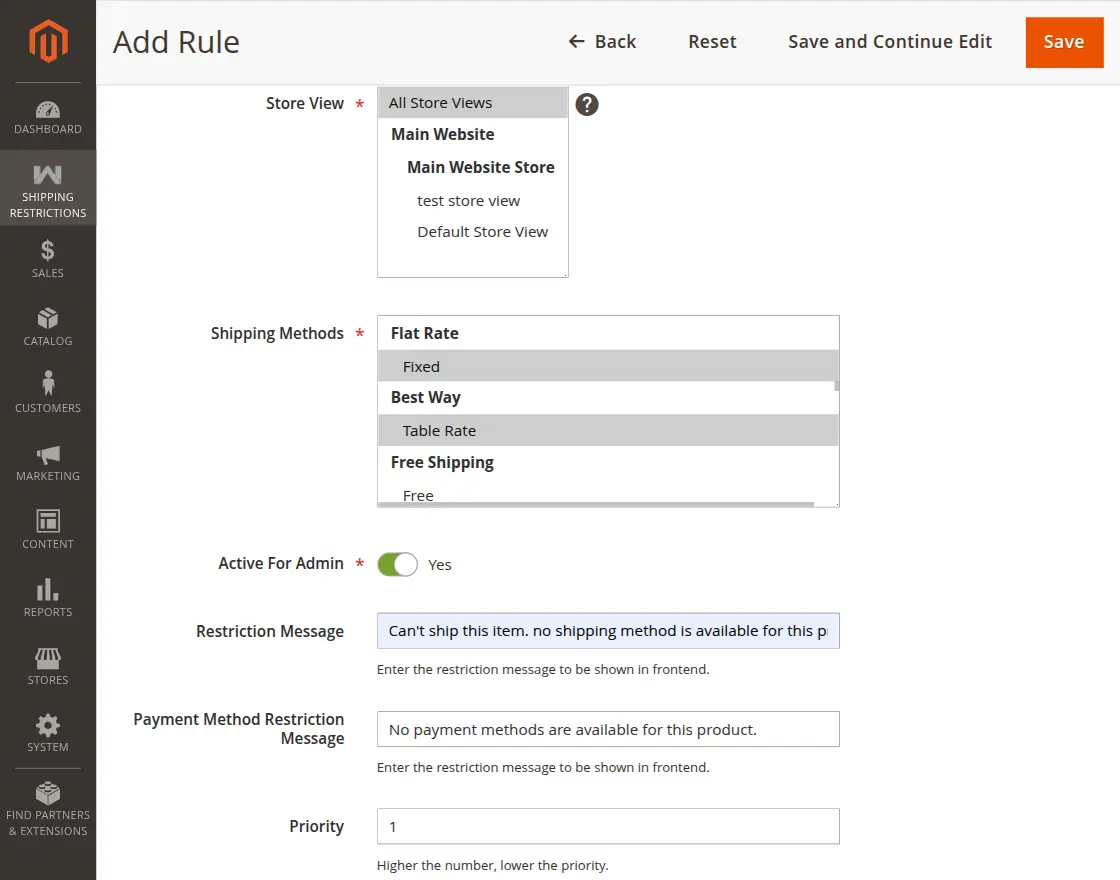
- Store View – Additionally, restrict shipping based on store view
- Shipping Methods – Now select the shipping restriction to restrict.
- Active for Admin – Then activate shipping restriction for admin
- Restriction Message – Further compose the restriction message to show
- Payment Method Restriction Message – Write the message shown when a rule restricts payment methods.
- Priority – In the end, set the preference to get the rules applied.
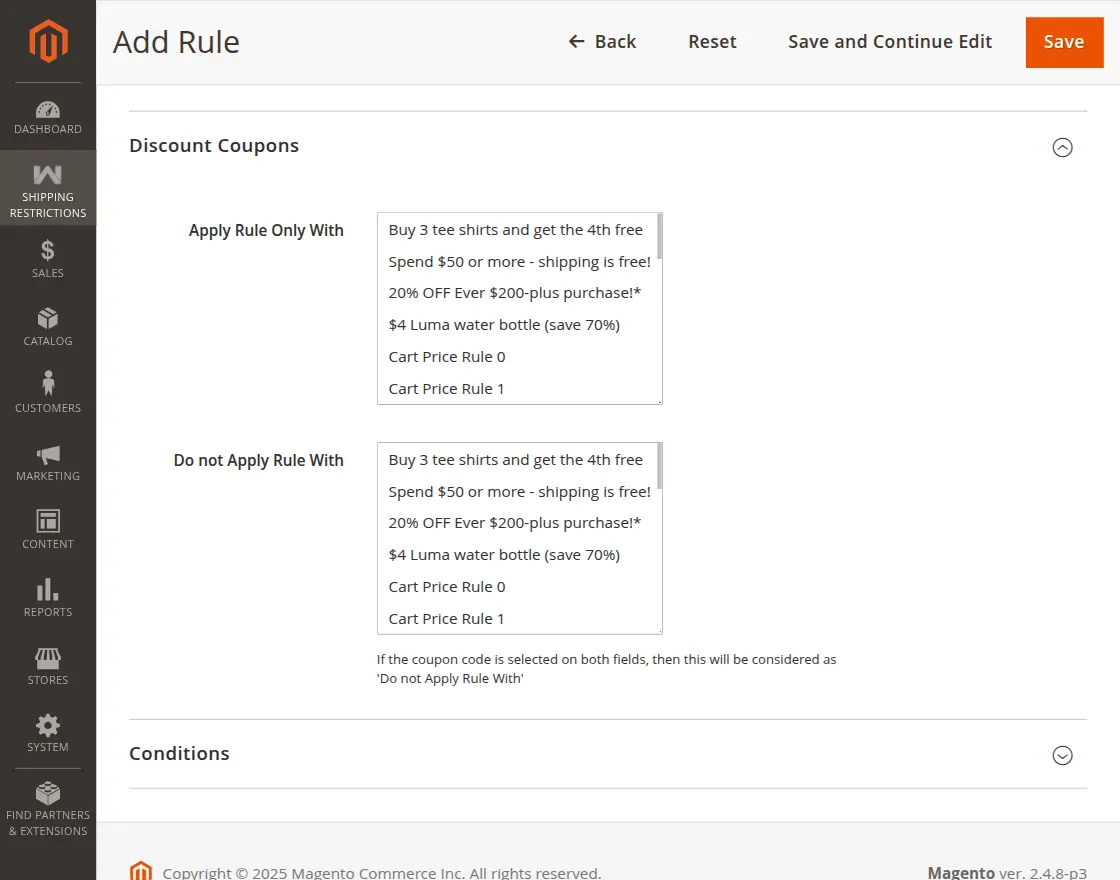
Discount Coupons
Consequently, this section defines the discount coupons to apply the rule only with. Moreover, select the discount coupons do not apply the rule with.
Conditions
This section allows admin to apply the rule only if the defined conditions are met.
Furthermore, the condition gird contains product attribute combination, product subselection, conditions combination, and cart attributes.
Cart attribute contains subtotal, total item quantity, total weight, payment method, shipping postcode, Country, province, and region-wise shipping restriction)

Shipping Condition Rules Create New Order
Whenever the admin creates an order using Shipping Condition Rules extension, shipping method functions as shown in the below-given image:
When Shipping Condition Rule Disabled

When Shipping Rule Applied

Storefront Function
Shipping Condition Rules When Restricted

When Rules Not Applied

Support
Thus, that’s all for the Shipping Restriction for Magento 2.
If you face any issue, feel free to add a ticket at our HelpDesk system.
Current Product Version - 5.0.3
Supported Framework Version - Magento 2.0.x, 2.1.x, 2.2.x,2.3.x, 2.4.x


We are planning to purchase your extension as requires on one of our websites. Please find the requirement below:
The checkout options are confirmed below and the customer should only be able to see one shipping option (whichever one they are eligible for) at checkout.
·General Public – Free Shipping when Order Total Incl. Tax is €30.00 or more
·Not Logged In/Guest – Free Shipping when Order Total Incl. Tax is €30.00 or more
·Trade – Free Shipping when Order Total Incl. Tax is €200.00 or more
·Practitioner – Free Shipping when Order Total Incl. Tax is €200.00 or more
·Flat rate shipping for all orders outside of this remains the same at €6.00
Can it be possible based on the above requirement?
Thanks,
Sheba