Magento 2 Cache Warmer preloads store pages in advance so visitors always experience fast page loading.
Magento stores page data in cache to improve loading speed. However, when the cache is cleared, the first visitor must wait for the page to regenerate. This delay can affect user experience and conversion rates.
Magento 2 Cache Warmer solves this problem by automatically preloading store pages in the background. Pages are cached before customers visit them, so the store always loads quickly.
The extension uses message queue–based asynchronous processing to warm pages without affecting live storefront performance.
Features
- Automatically warm up the cache for store pages
- Preload homepage, category, product, CMS, and custom URLs
- Add URLs directly from the URL Rewrite grid
- Message queue–based background processing
- Admin dashboard to track warming progress
- CLI commands to manage URL pools
- Manual start or restart warming process
Installation
Customers will get a zip folder then they have to extract the contents of this zip folder on their system.
The extracted folder has an src folder, inside the src folder you have the app folder. You need to transfer this app folder into the Magento 2 root directory on the server, as shown below.
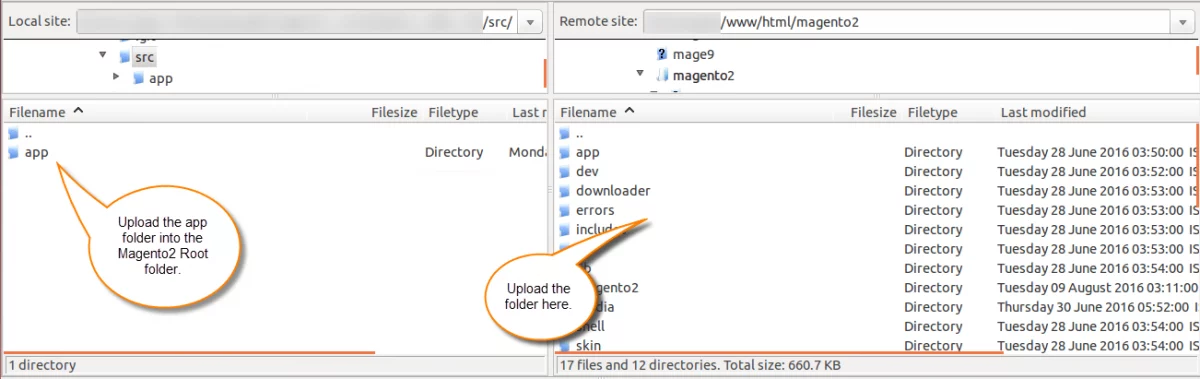
After the successful installation, you have to run these commands in the Magento 2 root directory:
php bin/magento setup:upgrade
php bin/magento setup:di:compile
php bin/magento setup:static-content:deploy
php bin/magento indexer:reindex
php bin/magento cache:flush
php bin/magento queue:consumers:start url.cache.warmer &
Multi-lingual Support
For the multilingual support, the admin will navigate through Store->Configuration->General ->Locale Options and select the locale as German
(the language into which the admin wants to translate his store content).
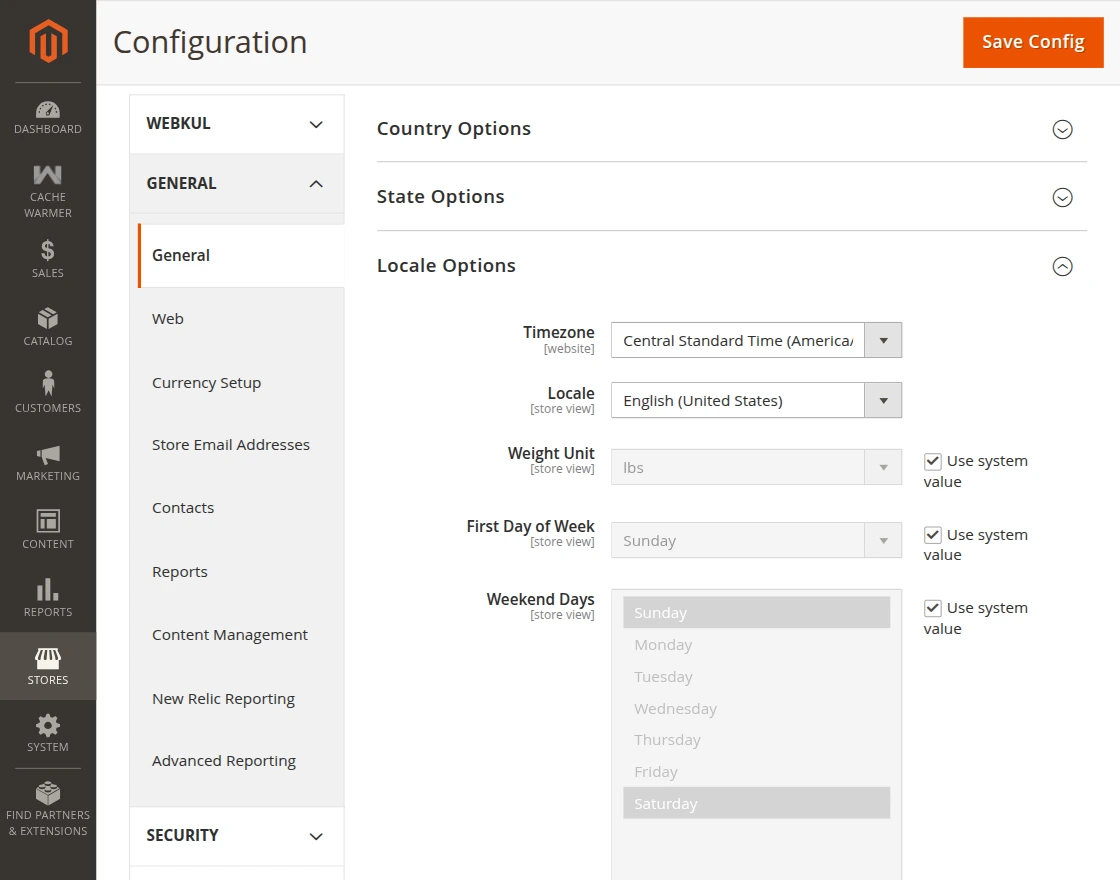
Language Translation
For Magento 2 Cache Warmer translation, navigate to the following path in your system src/app/code/Webkul/CacheWarmer/i18n.
Open the file named en_US.CSV for editing as shown in the below screenshot.
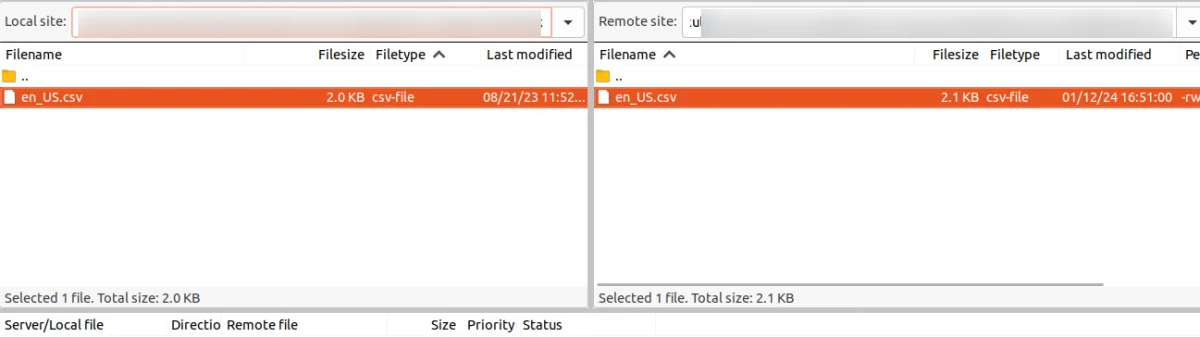
Now, upload it to the path src/app/code/Webkul/CacheWarmer/i18n where the installation of Magento 2 is on the server. The module gets translated into the desired language.
The user can edit the CSV like the image below.
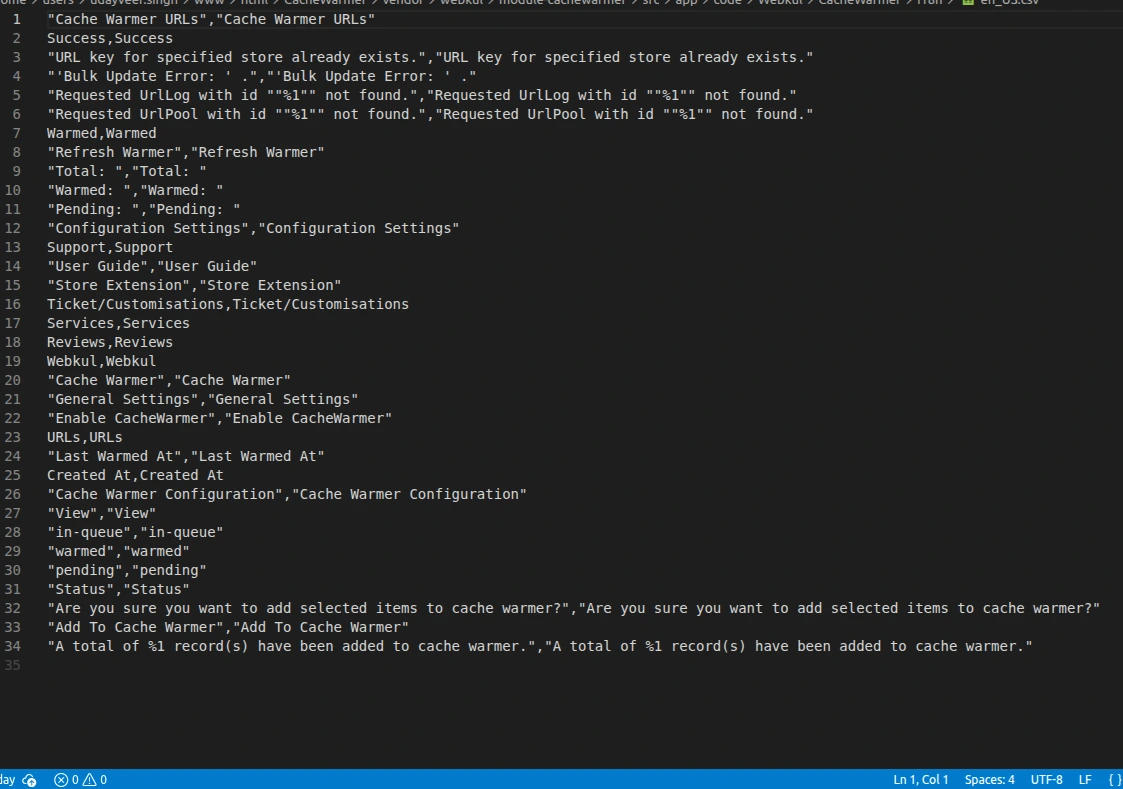
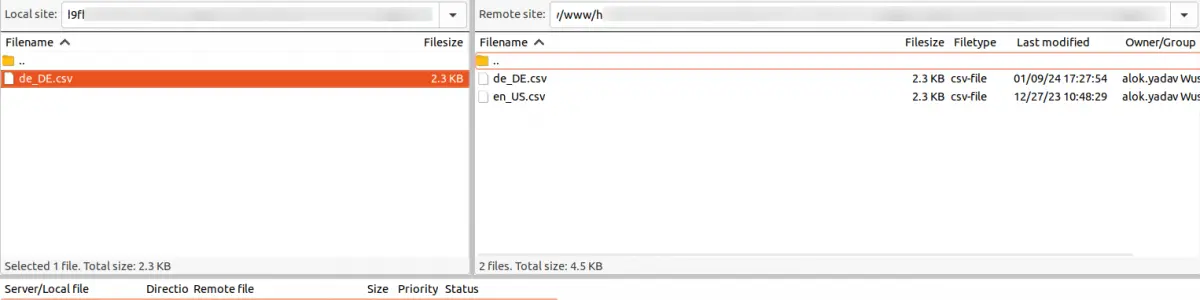
After editing and translating the CSV file, you need to save the translated file name according to your region, language, and country code, such as – de_DE.CSV.
Followed by uploading the translated file to the same folder from where you have obtained it. Now your module translation is complete.
Module Configuration
To configure the extension, navigate to: Store → Configuration → Cache Warmer
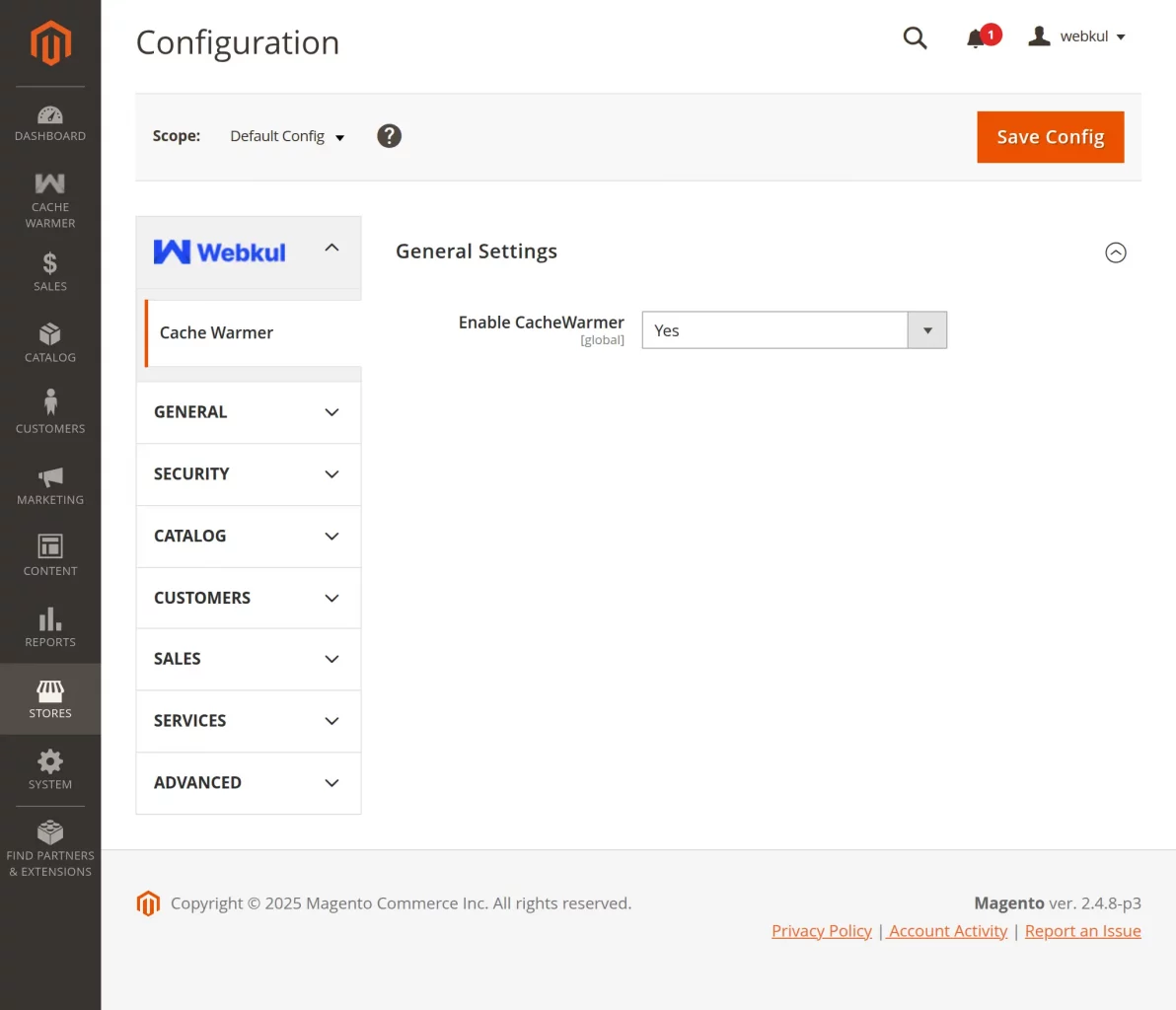
From here, the admin can enable the module
Manage Cache Warming
Admins can monitor and manage the cache warming process from the backend panel.
System provides clear status indicators for all URLs.
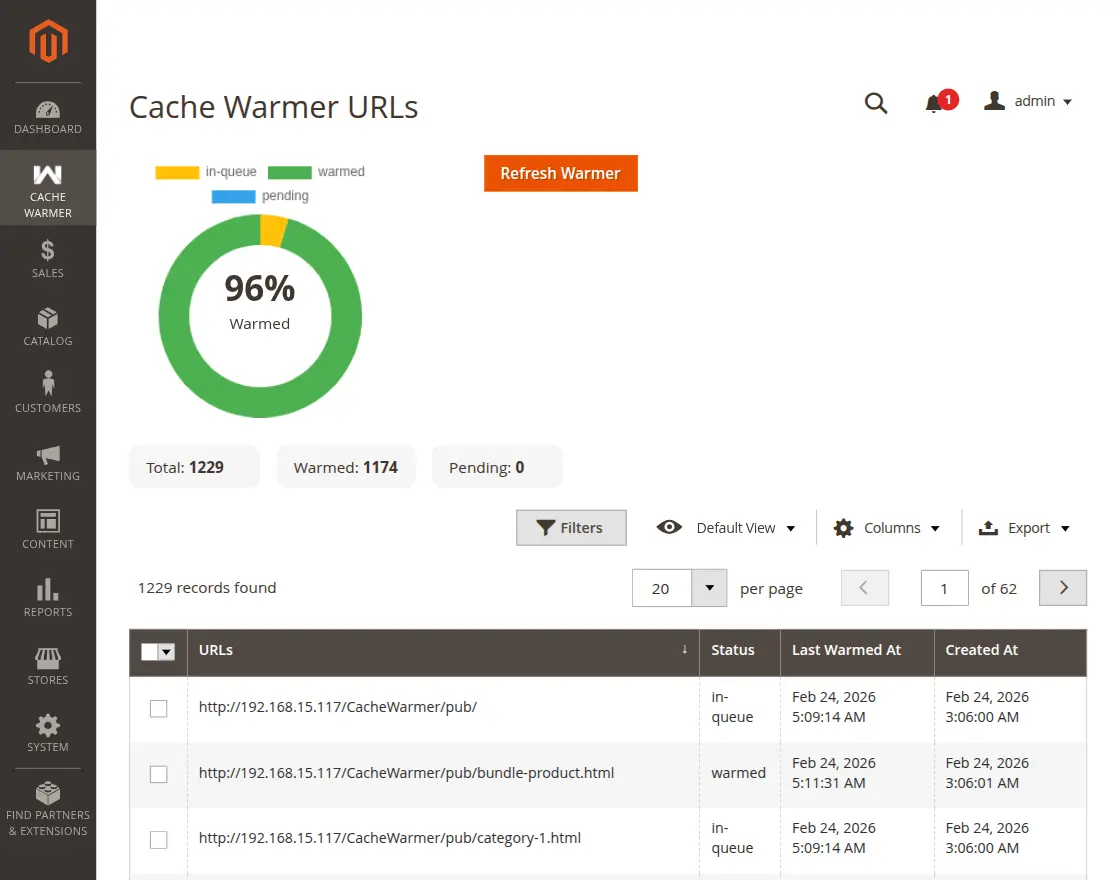
Refresh / Restart Warmer: Refresh Warmer button allows the admin to manually restart the cache warming process.
Admins can view the following statuses:
- Warmed URLs
- Pending URLs
- In-Queue URLs
This helps track which pages are already cached
Add URLs to Cache Pool
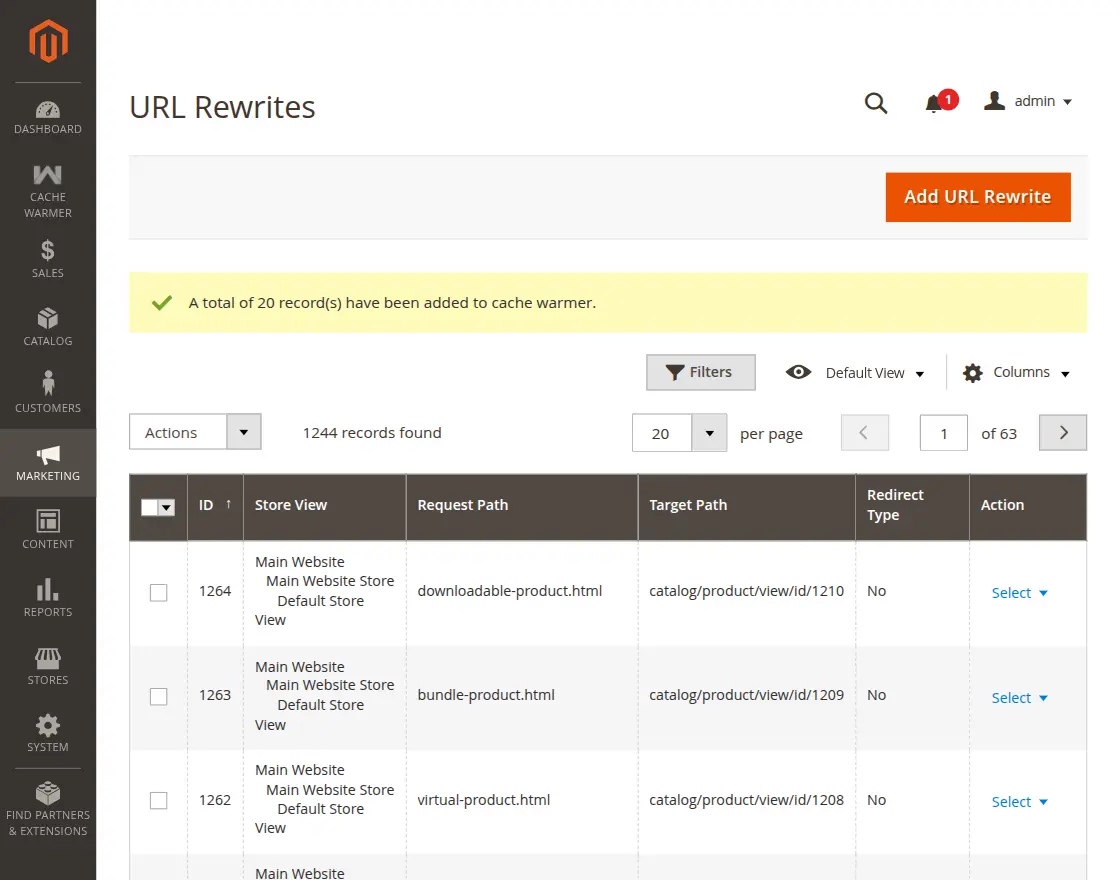
Admins can easily add URLs to the warming pool from the URL Rewrite grid.
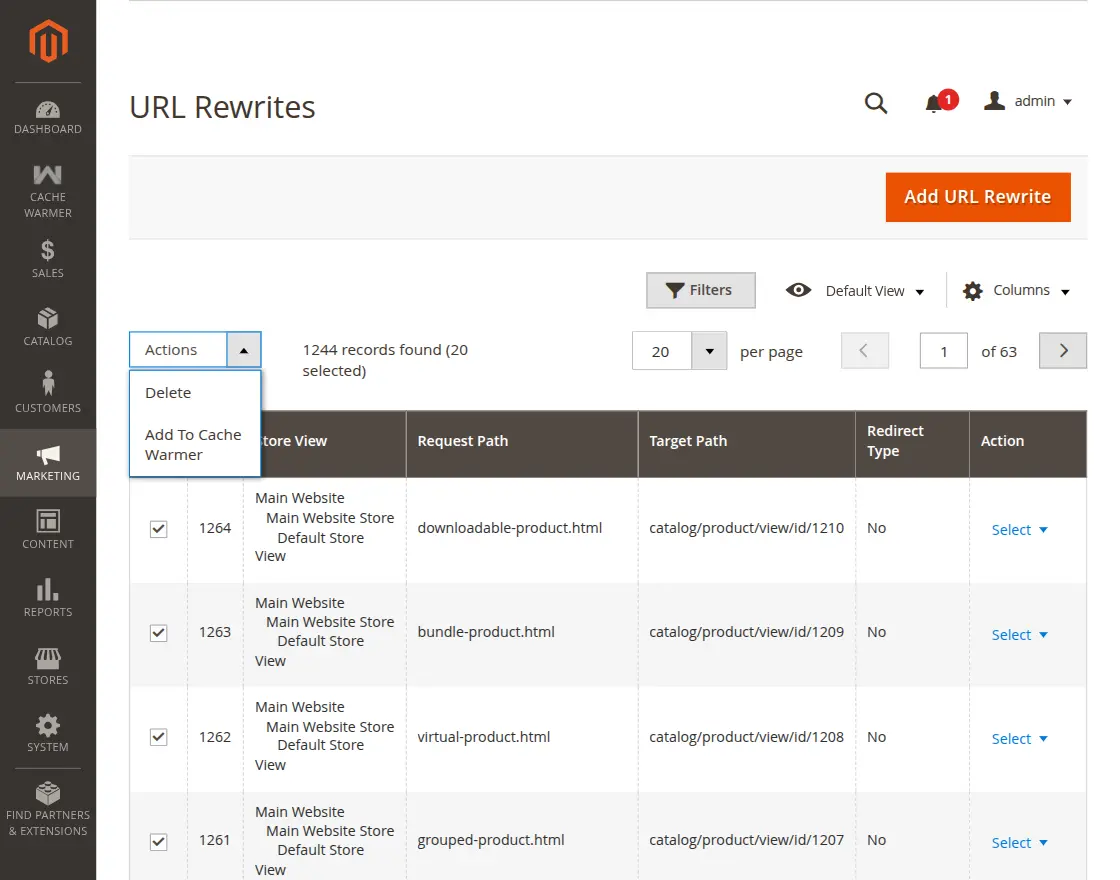
Admin can select one or multiple URLs using the admin mass action.
Supported URL types include:
- Product pages
- Category pages
- CMS pages
- Custom URLs
This ensures important store pages are cached quickly.
CLI Commands for URL Pool Management
php bin/magento cachewarmer:truncate:urlpool
php bin/magento cachewarmer:generate:urlpool
That’s all for Magento 2 Cache Warmer. However, if you still have any issues, feel free to add a ticket and let us know your views to make the module better at webkul.uvdesk.com
Current Product Version - 4.0.0
Supported Framework Version - Magento 2.0.x, 2.1.x, 2.2.x,2.3.x, 2.4.x


Be the first to comment.