Magento 2 IndexNow Integration helps your store send updates to search engines whenever pages are added or changed, allowing your content to appear in search results sooner.
It supports both automatic and manual submissions and keeps a log of submitted URLs for reference.
This module suits stores that regularly update content and want to improve visibility in search results.
To improve the store’s visibility and ranking in search engines, check Magento 2 SEO extension.
To check the plugin working at the storefront with the setup as well –
Features
- Sends new and updated page URLs directly to search engines
- Detects content changes automatically without manual steps
- Let’s you add and manage the IndexNow API key from the admin panel
- Keeps a log of submitted URLs for easy tracking
- Helps search engines find new content faster
- Works quietly in the background without slowing your site
- The admin uses the CLI command to submit URLs to IndexNow for a specific entity (product, category, page) or for all of these entities.
- The admin can delete the indexed URLs using mass action.
- The admin can resubmit the indexed URLs using the mass action feature.
- Upon deletion, the system will automatically submit the URLs of the product, category, and page to IndexNow.
- If a URL is disallowed in robots.txt, it won’t be sent to IndexNow.
Installation
Customers will first receive a ZIP folder, which they need to extract on their system.
After extraction, you’ll find an src folder containing the app folder.
Move this app folder to the Magento 2 root directory on your server, as shown below.

Once the installation is complete, run the following commands from the Magento 2 root directory –
php bin/magento setup:upgrade
php bin/magento setup:di:compile
php bin/magento setup:static-content:deploy
php bin/magento indexer:reindex
php bin/magento cache:flush
Multi-Lingual Configuration
To enable multilingual support, go to Store > Configuration > General > Locale Options, and choose your preferred language from the Locale dropdown.

Language Translation
Next, to translate the module, navigate to the following path on your system: src/app/code/Webkul/IndexNow/i18n/en_US.csv
Open the file named en_US.CSV for editing as shown in the screenshot below.

Then, replace the text after the comma on the right side of the file with your translated content.

IndexNow API Endpoint Integration
Magento 2 IndexNow module uses the official API endpoint provided by IndexNow.org to submit URLs: https://api.indexnow.org/indexnow?url=&key=
How It Works:
- The module sends a GET request to this endpoint whenever a selected entity (like product, category, or CMS page) is added or updated.
- The
<url-changed>is replaced by the full page URL of your Magento site. - The
<your-key>is the API key configured in the module settings under Stores > Configuration > IndexNow.
Once submitted, the URL is shared across all IndexNow-supported search engines (such as Bing, Naver, Yandex, etc.), so notifying one endpoint is enough.
This helps search engines pick up new or updated content without waiting for traditional crawlers.

Magento2 IndexNow Integration – Configuration
After installing the Magento2 IndexNow Integration module, the admin can configure its settings by going to Stores > Configuration > Webkul > IndexNow, as shown below.

General Settings:
- Enabled: Turn the feature on or off as needed.
- IndexNow API Key: Enter your key to connect with supported search engines. The key must have 8–128 characters and can include letters, numbers, and dashes.
Note:
You can generate the IndexNow API Key yourself, but it must be between 8 and 128 hexadecimal characters. The key can only contain the following characters: lowercase letters (a-z), uppercase letters (A-Z), numbers (0-9), and dashes (-). - Select Entity Types: Choose the page types for automatic URL submission:
- CMS Page
- Product
- Category
Changes to these types will trigger URL submission automatically.
- Save Config: Click this button to apply your configuration.
Admin can also navigate to Indexnow>Configuration Settings, shown in the image below.

Magento 2 IndexNow Integration- Indexed URLs
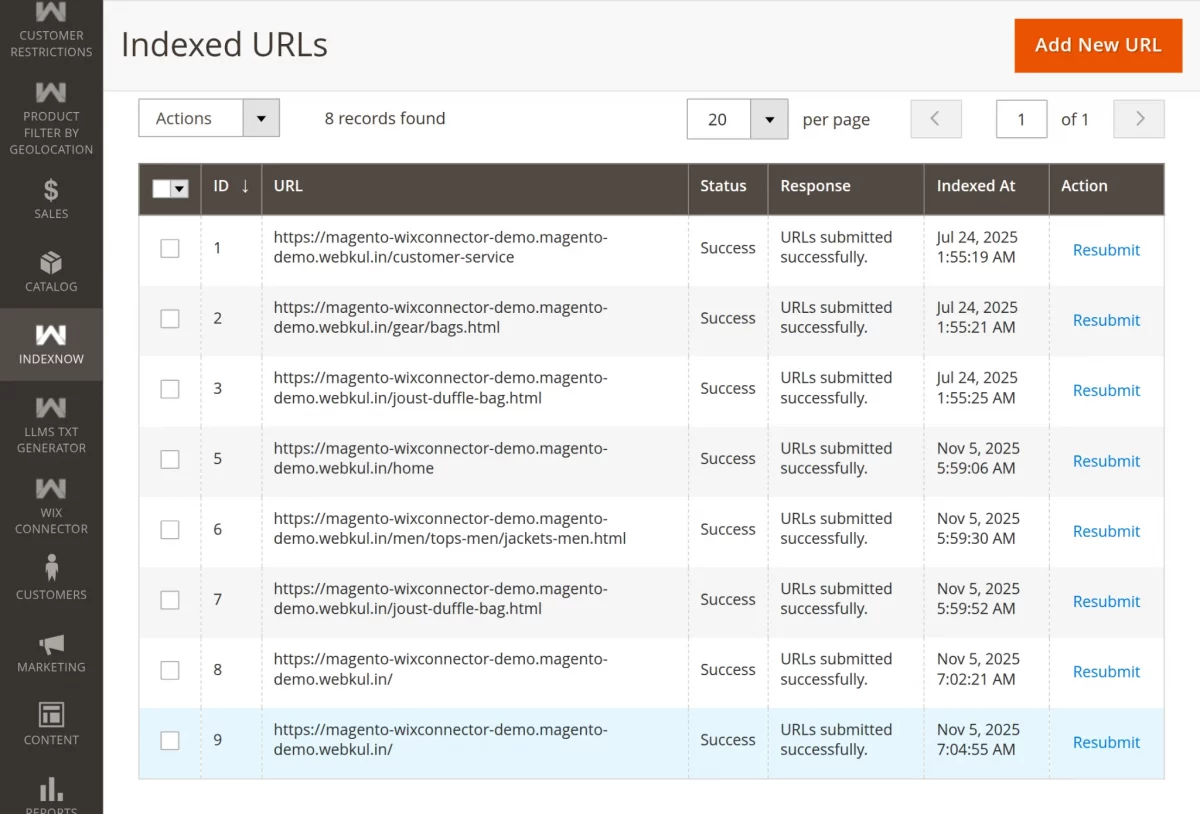
Admins can review which URLs were submitted to search engines through IndexNow, check their status, and resubmit if necessary.
Admins can check indexed URLs by navigating to IndexNow > Indexed URLs (see the screenshot for reference).
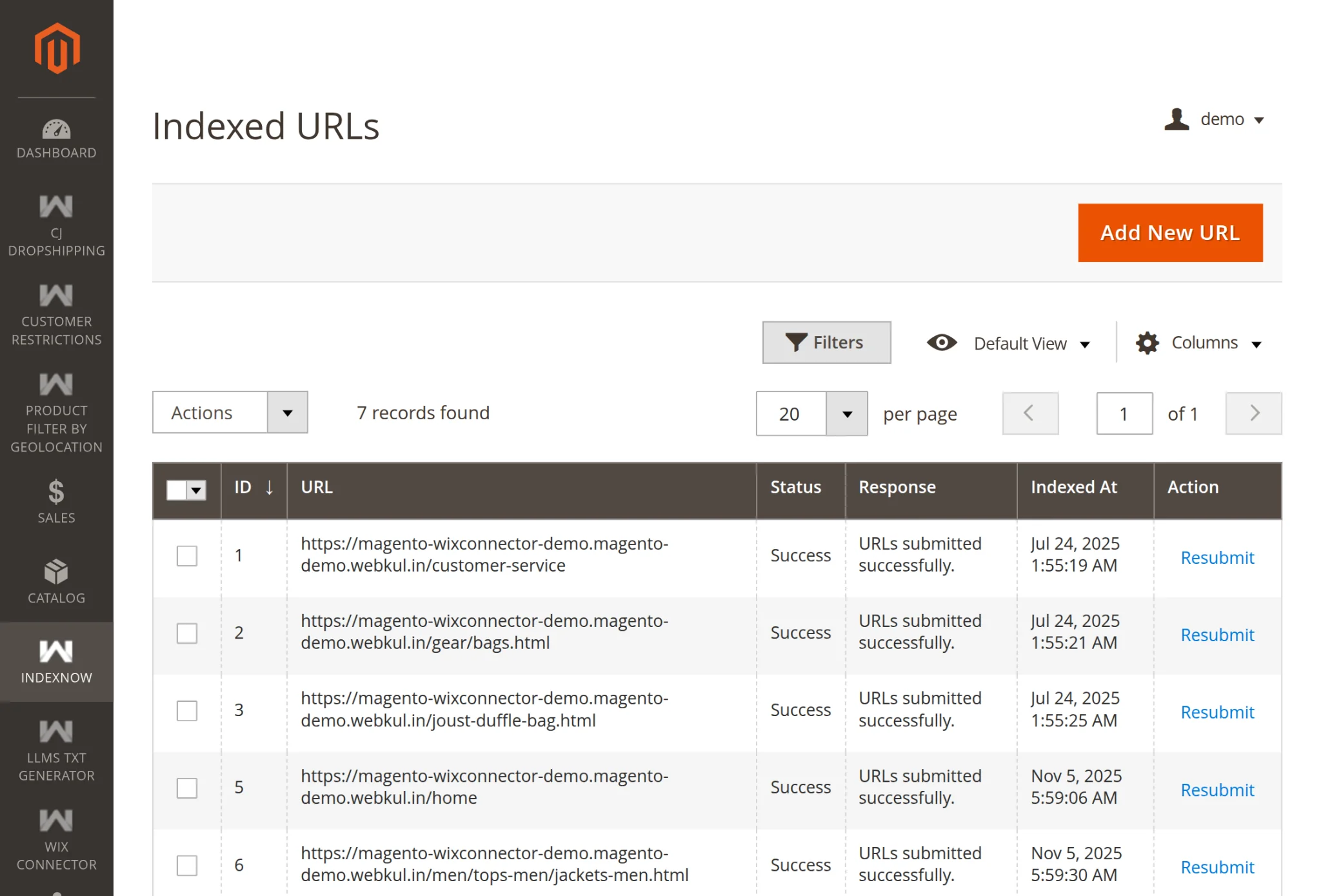
CMS Indexing Admin End
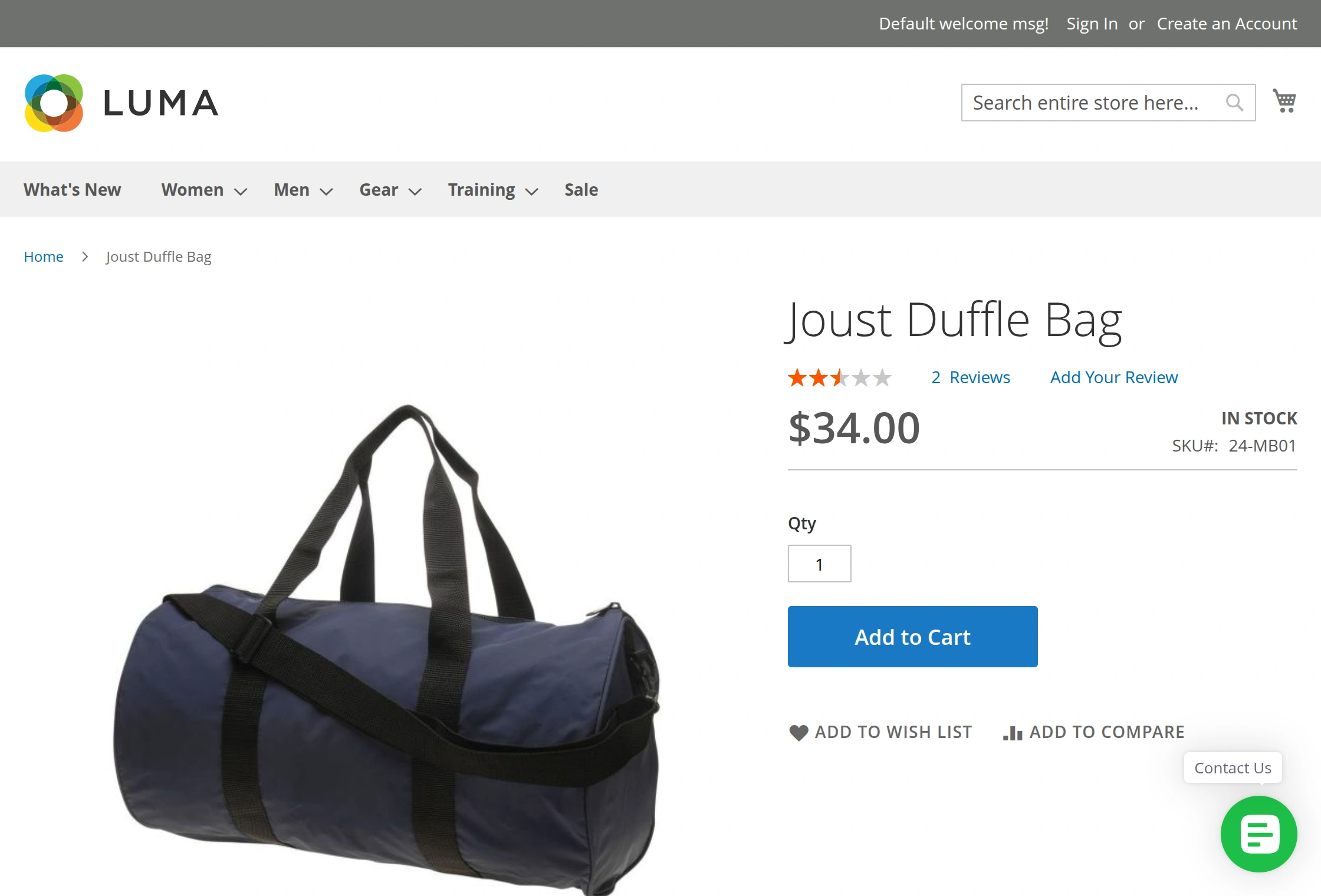
This screenshot displays the frontend setup of Magento 2 IndexNow integration, where admins can directly update products by visiting the respective product pages.

The image below displays the product page, where administrators can copy the product URL.
Admin adds new URL
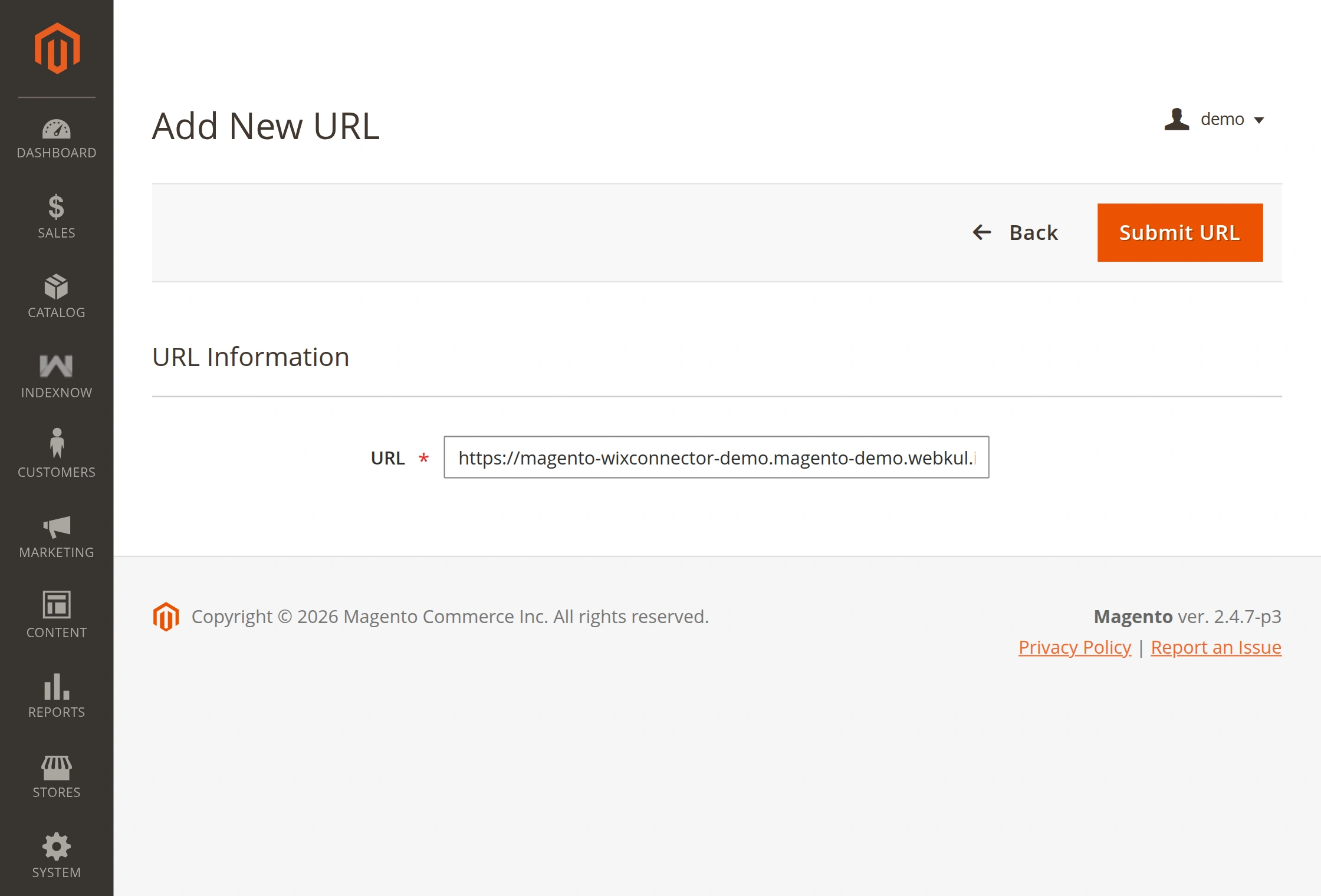
For IndexNow URL submission: Start from your Admin Dashboard and access the IndexNow module under IndexNow> Indexed URLs.
Click “Add New URL”, then paste the product URL you copied from the frontend product page. Finally, click “Submit URL” to complete the process.
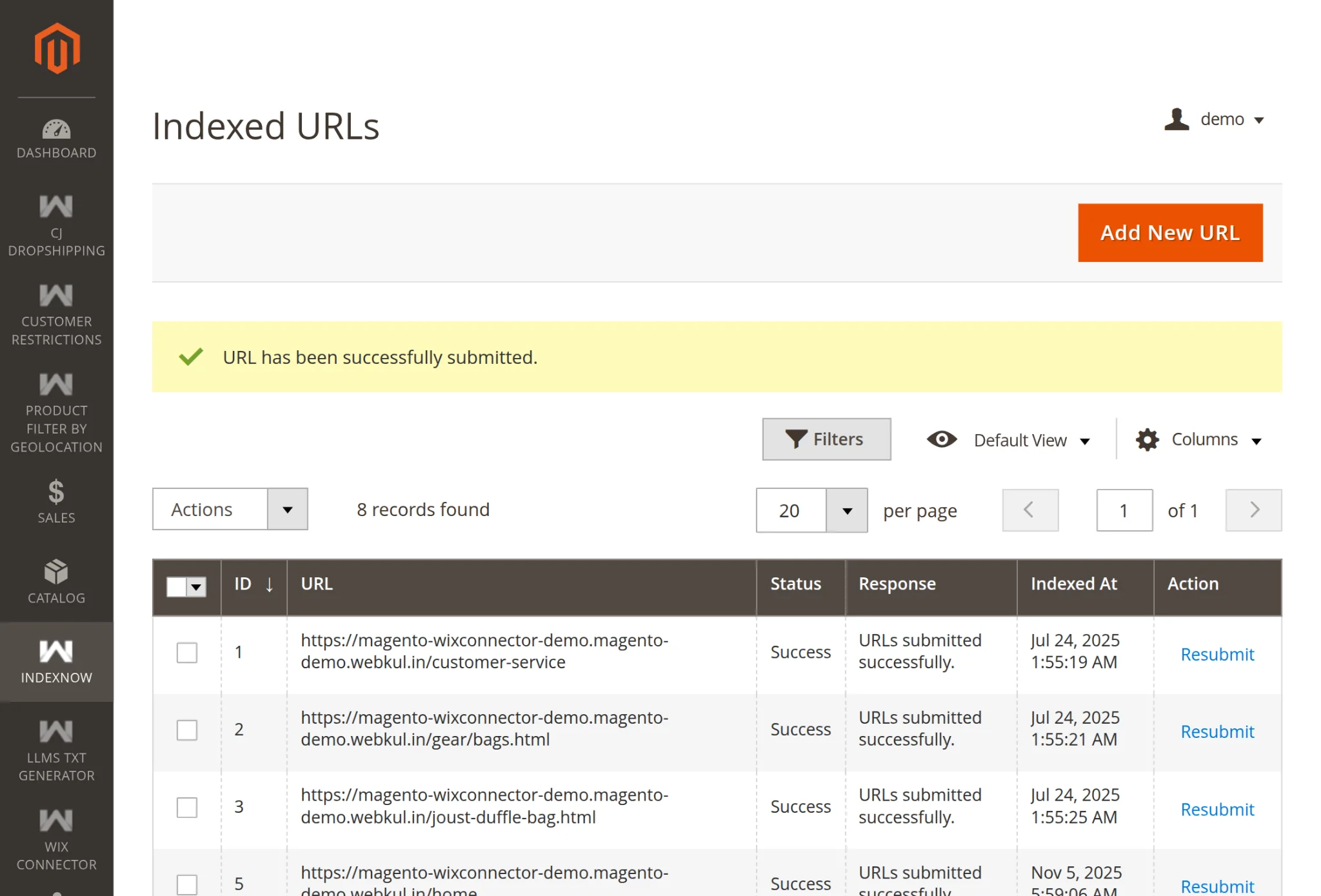
The URL has been successfully submitted to search engines via the IndexNow module, as shown in the image below.
Product Indexing Admin End
Admins can update products directly through the admin panel by navigating to Catalog > Products, as shown in the image below.
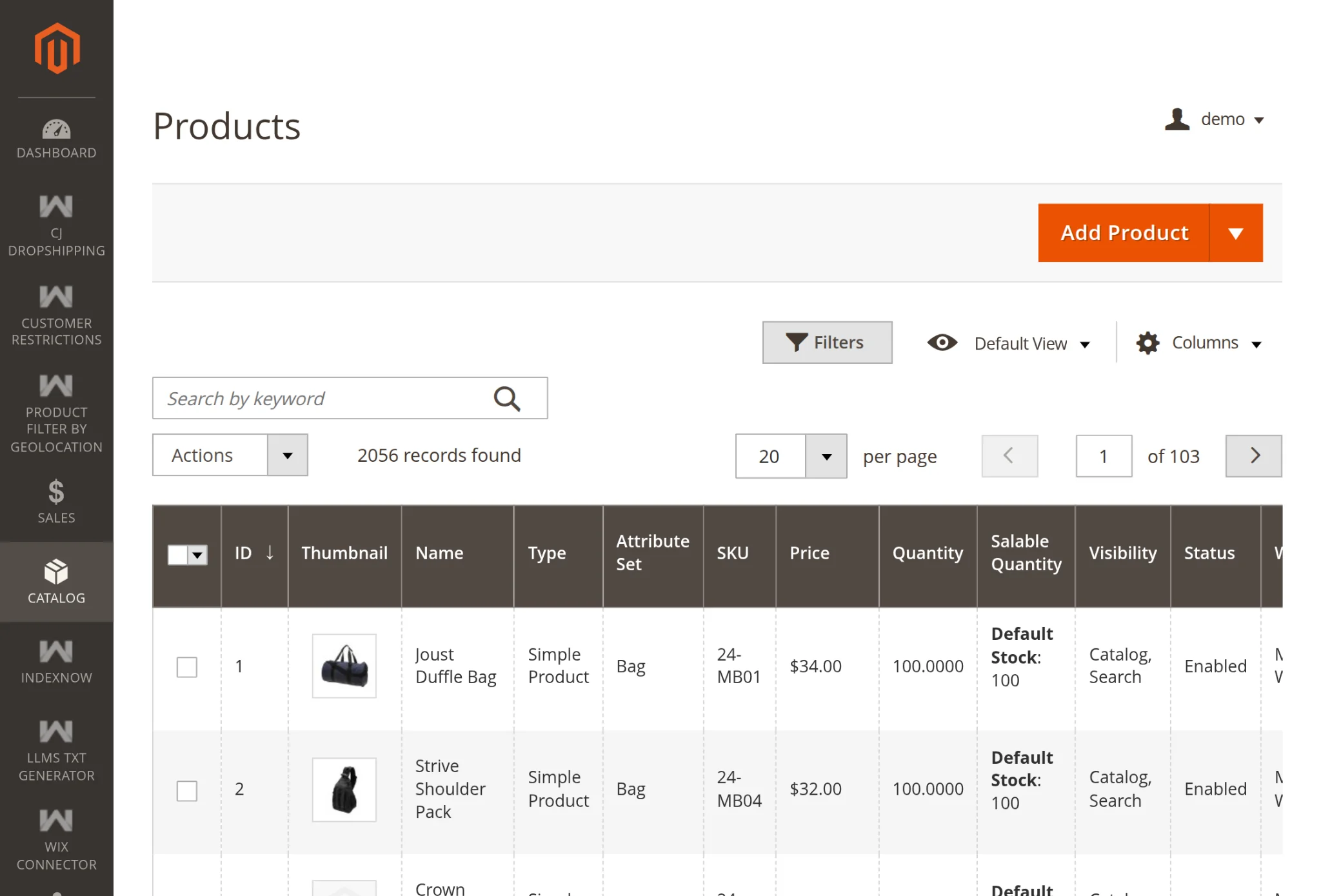
Admins can directly update product details by clicking the ‘Edit‘ button. After making changes, they can save them by clicking the ‘Save’ button, as shown in the image below.

After saving the product details, a confirmation notification will appear at the top of the screen, as shown in the image below.

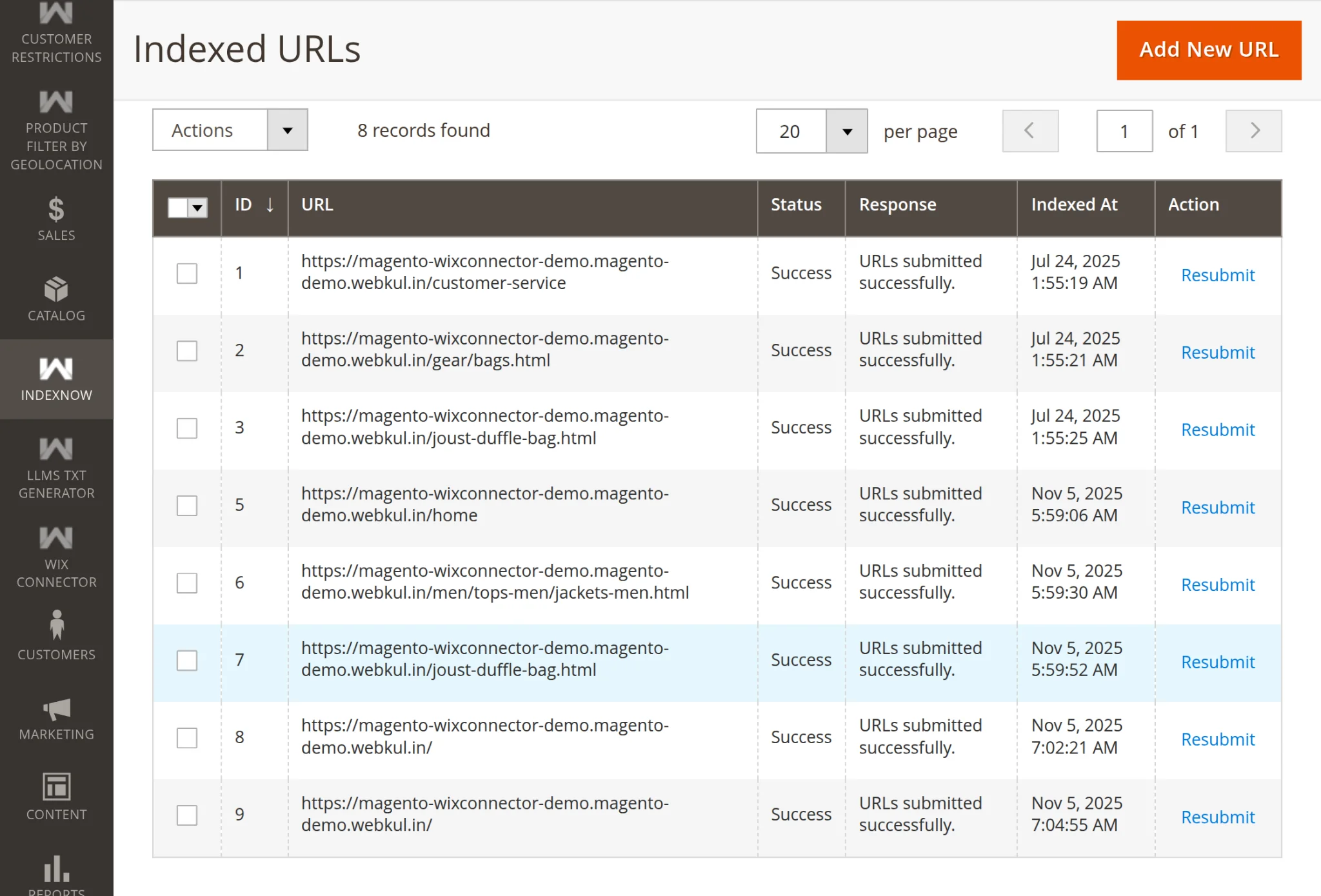
When product details are updated, the indexed URL refreshes automatically. Refer to the image below for a visual example.
Category Indexing Admin End
Admins can update categories directly by navigating to Catalog > Category, then selecting the category they wish to modify. The process is illustrated in the image below.

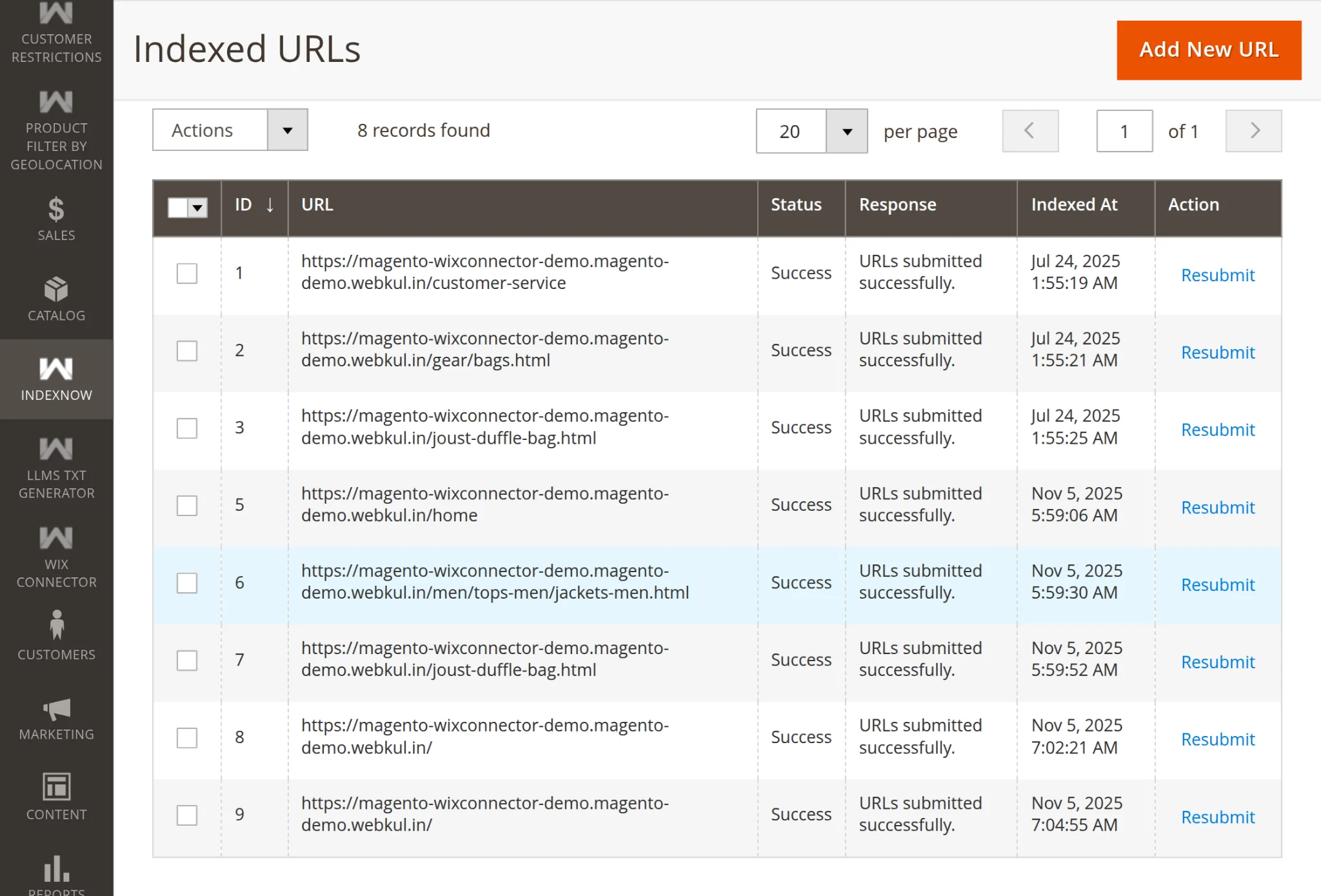
The admin updated the Jacket category. After making the necessary changes, they saved the updates, triggering a confirmation notification on-screen, as shown in the image below

After the confirmation notification, the admin can view the automatically updated indexed URL, as displayed in the image below.”
Page Indexing Admin End
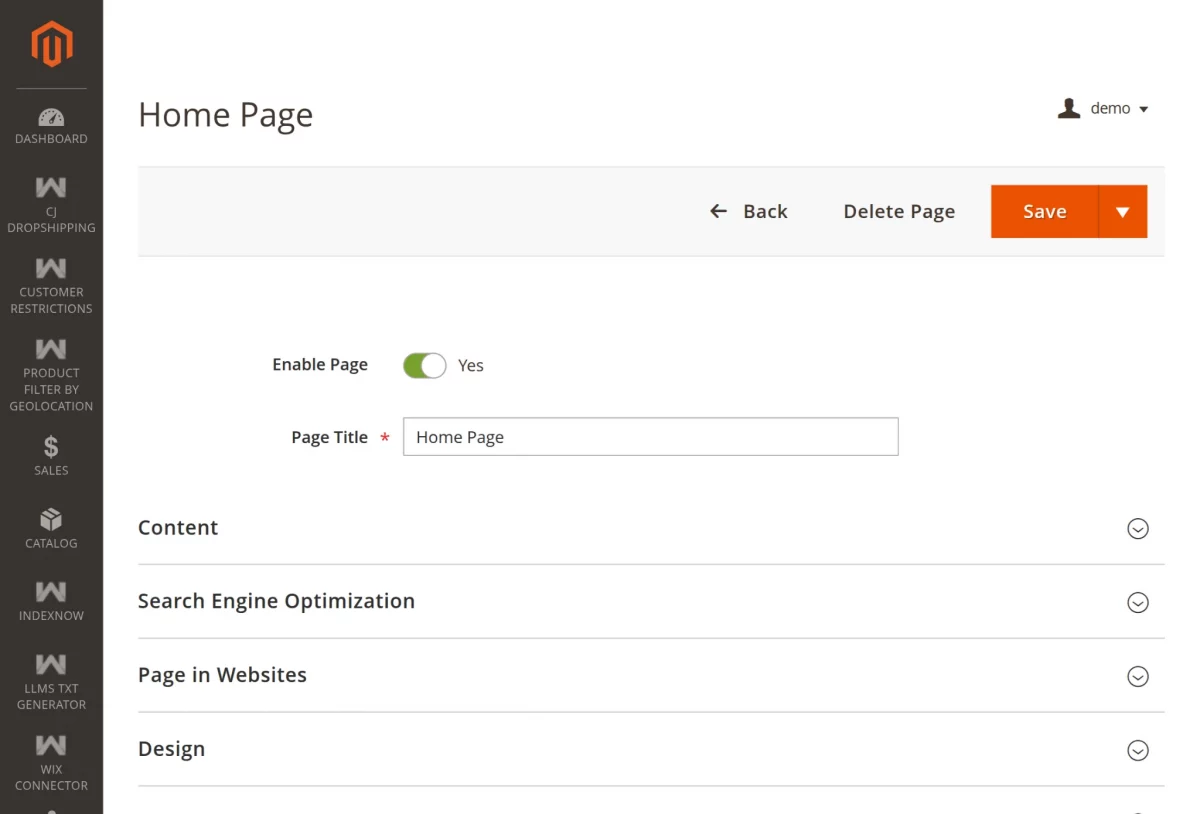
To update pages, admins can access the admin panel and navigate to Content > Pages, as shown in the image below.
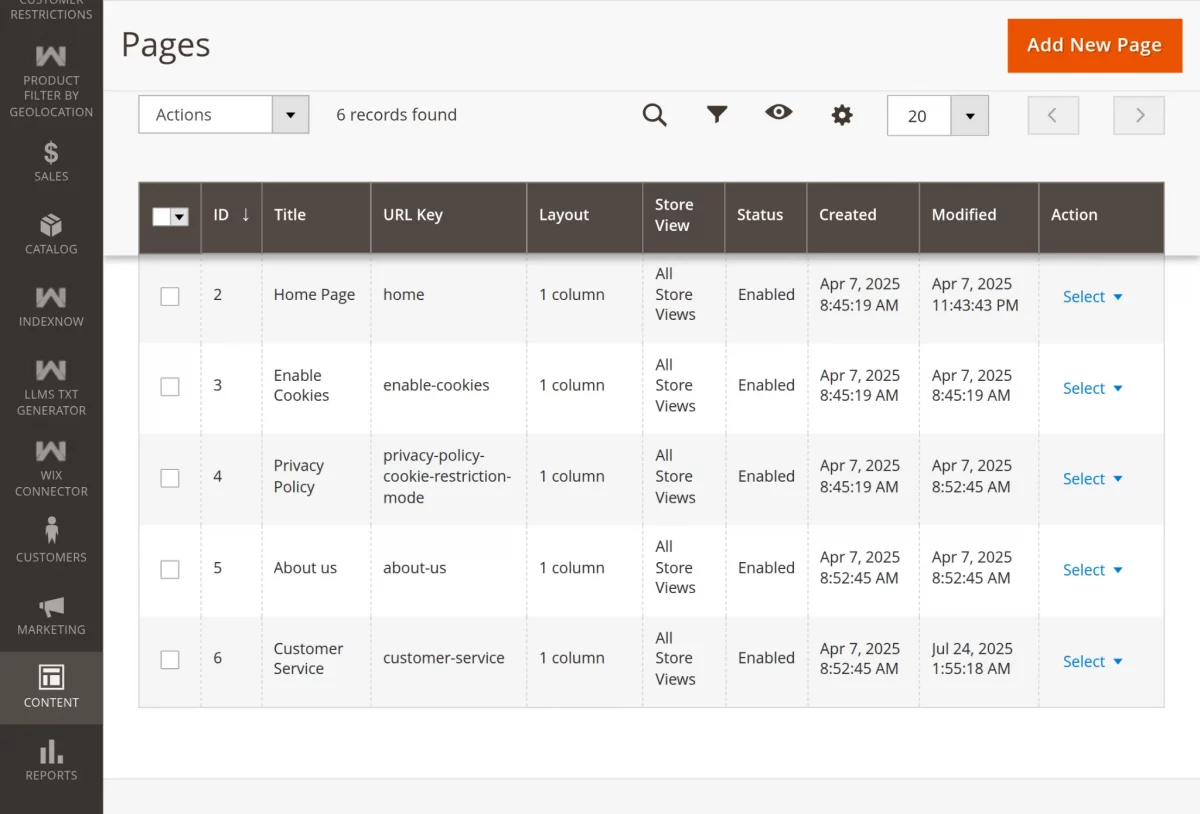
Admins can update page details using the Edit button and save their changes by clicking Save, as shown below.
Updating page details automatically refreshes the indexed URL, as shown in the image below.
Indexing using CLI
Admins can submit URLs to IndexNow via a CLI command for specific entities like products, categories, or pages. They can also choose to submit URLs for all entities at once.
php bin/magento indexnow:run

#Command Options

--all To submit all URLs of products, categories, and CMS pages.
--page To submit only CMS page URLs.
--product To submit only product page URLs.
--category To submit only category page URLs.
Support
So that’s all about the Magento 2 IndexNow Integration. If you have any other queries or require further assistance, please email us at [email protected] or create a ticket.
Current Product Version - 4.0.1
Supported Framework Version - Magento 2.0.x, 2.1.x, 2.2.x,2.3.x, 2.4.x


Be the first to comment.