Configure and organise the backend fields of Wedgecommerce. After installing the application, go to “Sales” tab. Click on Wedgecommerce to view the admin end. To administer the Wedgecommerce articles, customers, orders, coupons, reviews and wishlist go through the blog.
MANAGE YOUR CUSTOMERS
Display of customers at store end and via Customer portal.

- 1. An advance search functionality is available.
- 2. Functionality to create customer from admin end is available.
CREATE AND MANAGE ARTICLES

- 1. To create an article, click on “+”.
- 2. Option to edit/delete article is available.

To create an article
- 1. Enter the name.
- 2. Set the article content.
- 3. Click on “save” button. Option to “delete” the article is also available.
VIEW AND MANAGE ORDERS
View, manage and process orders created from store end.

- 1. Advance search option functionality is provided.
- 2. Click on “+” to create order at Salesforce end.
- 3. Option to edit/delete orders is provided.
CREATE AND MANAGE COUPONS
Allot coupons globally on basis of user.
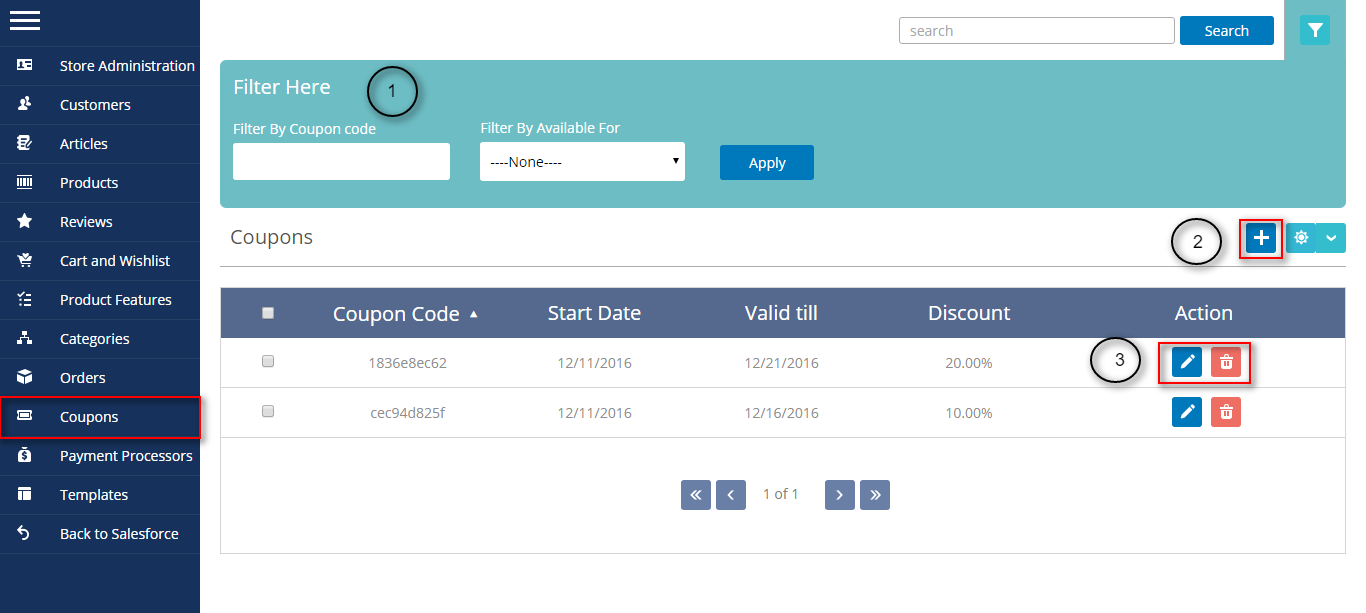
- 1. Advance filter option is available.
- 2. Click “+” to create a coupon.
- 3. Feature to edit/delete coupon is provided.
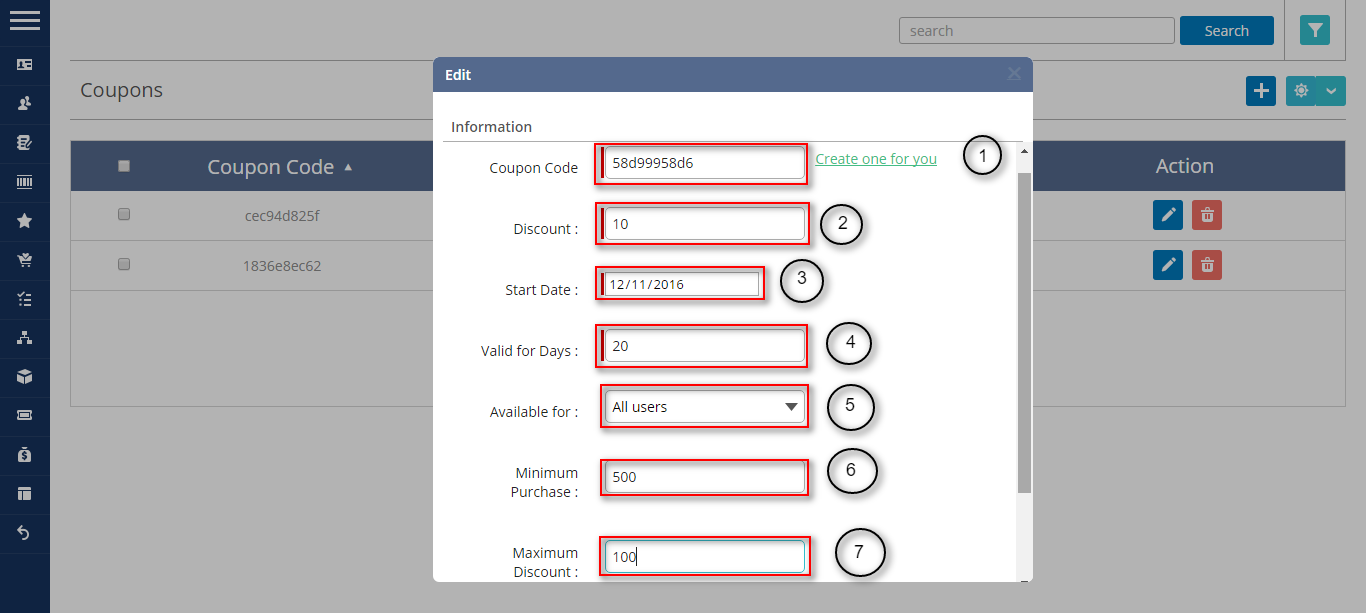
- 1. Click “create one for you” to generate a coupon code.
- 2. Set discount rate in percentage.
- 3. Select a start date for users to avail the coupon.
- 4. Set the validity of coupon on basis of days.
- 5. Select the type of user who can avail the coupon.
- 6. Set the minimum purchase.
- 7. Set the maximum the discount in absolute value.
REVIEW
Manage and administer the reviews of products, categories and orders.

CART AND WISHLIST
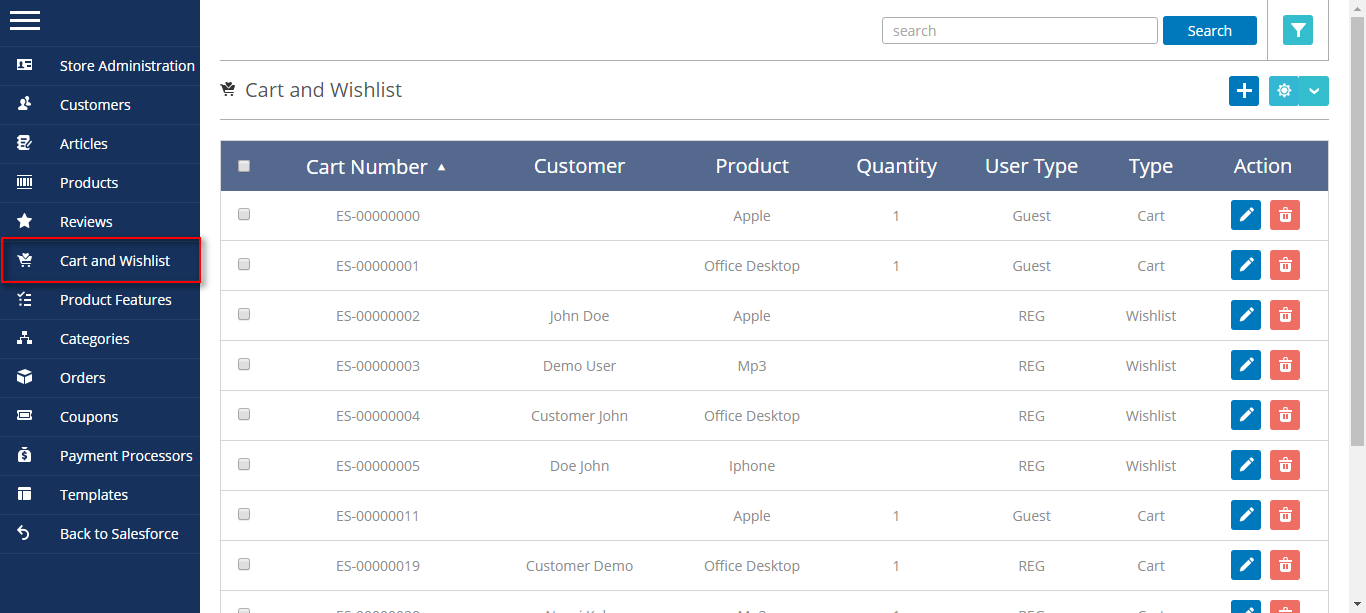
Admin can view the details of cart that has been left without purchase. The details of wishlist of individual customer is being also listed.
To know more about Salesforce Wedgecommerce please view the site http://wedgecommerce.com/. For further any query please create a ticket at http://webkul.uvdesk.com


Be the first to comment.