Laravel eCommerce Per Product Shipping Module allows the admin to add different shipping prices for every product.
This module helps the admin to manage the delivery of their products from a common shipping method.
The admin can edit the product from the admin panel and under the shipping option can set the shipping price for that product.
The total price for the shipment will be calculated based on the per-product shipping price.
Complete Features List
- The tax rate can be calculated based on Per Product shipping.
- The admin can also set the shipping price for each product individually.
- Total shipping cost will be calculated based on Per Product shipping price.
Installation of Module
- Unzip the respective extension zip and then merge “packages” folder into project root directory.
- Goto bootstrap/providers.php file and add following line under ‘providers’
Webkul\PerProductShipping\Providers\PerProductShippingServiceProvider::class
- Then go to the composer.json file and add the following line under ‘psr-4‘
"Webkul\\PerProductShipping\\": "packages/Webkul/PerProductShipping/src"
- Also, run these commands below to complete the setup
composer dump-autoload
php artisan db:seed --class=Webkul\\PerProductShipping\\Database\\Seeders\\AttributeSeeder
php artisan vendor:publish --provider="Webkul\PerProductShipping\Providers\PerProductShippingServiceProvider" --force
That’s it, now just execute the project on your specified domain.
Admin configuration of the Laravel e-commerce per product shipping
Once you have successfully executed the module, you will see the Per Product Shipping under the Configuration->Sales->Shipping Methods.
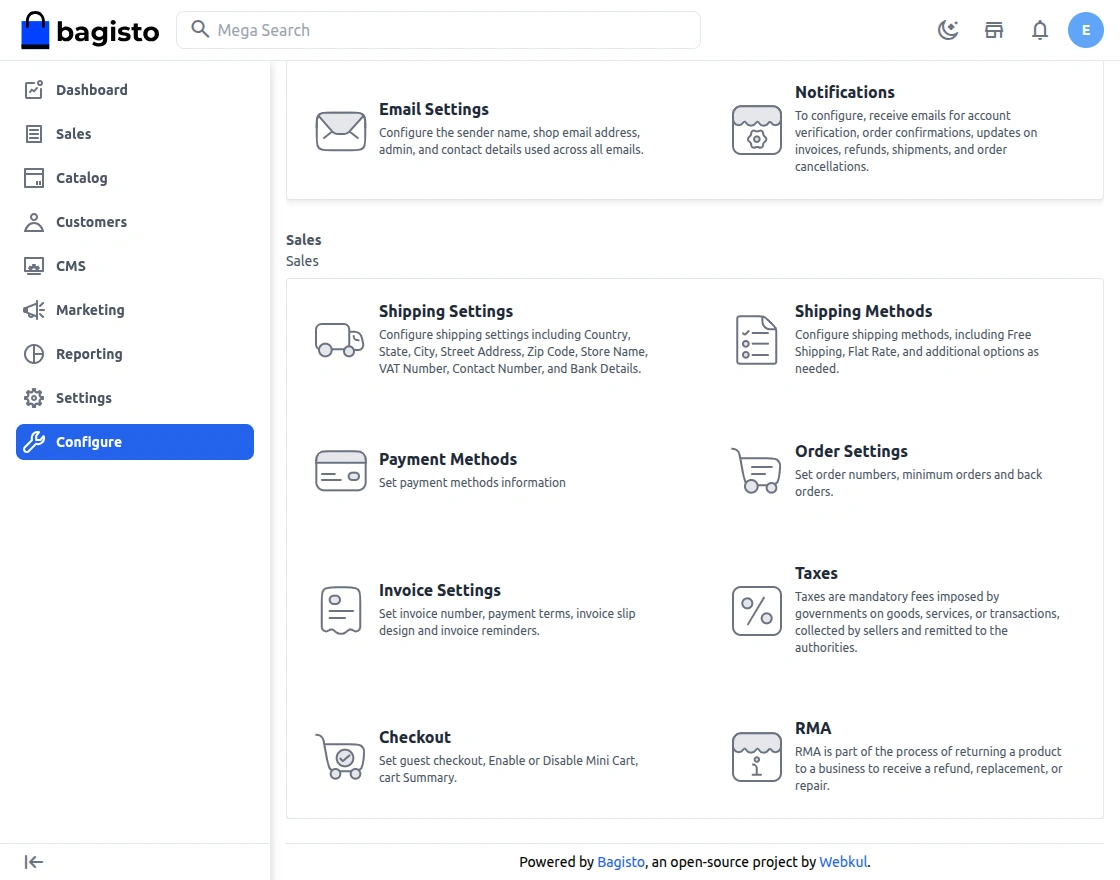
Admin can easily configure the Per Product Shipping by navigating to Shipping Methods>Per Product Shipping.
However, there are a few options such as title, description, rate and status.
- Admin can “Active” or “Inactive” this module by clicking on status.
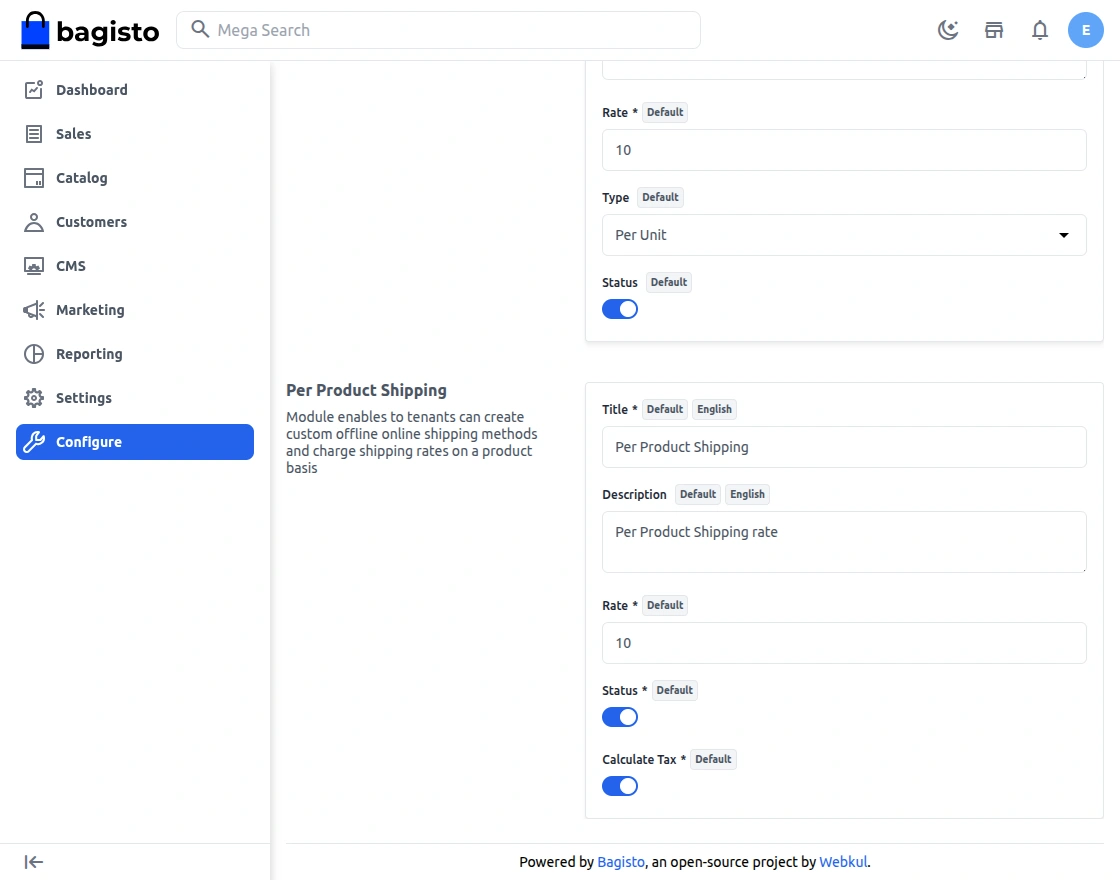
Rate: This is a default rate whenever the admin or seller does not mention any shipping rate to their product, then this “Default Rate” will be applicable.
How to Use
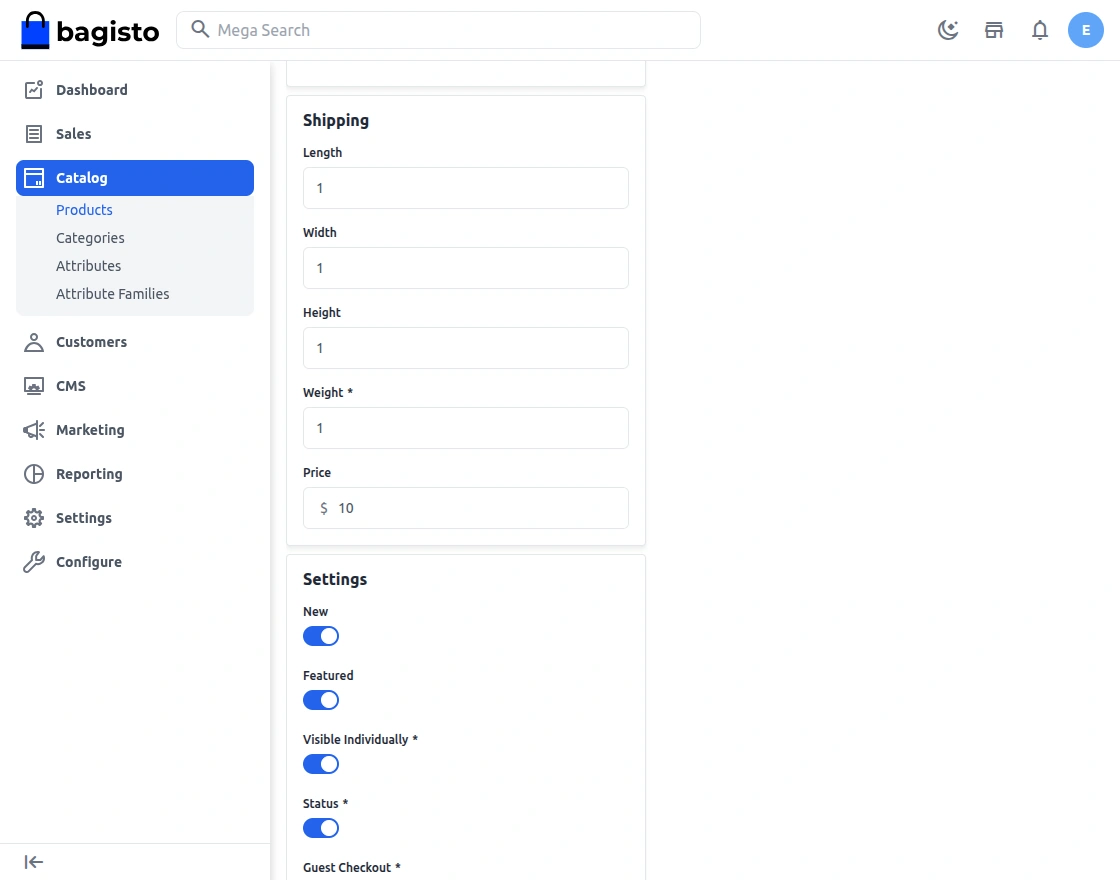
On the completion of the above flow, Admin will find a shipping price field under Catalog->Product->Add Product->Shipping. Here admin will set the shipping price of the product.
Customer panel/Front end option
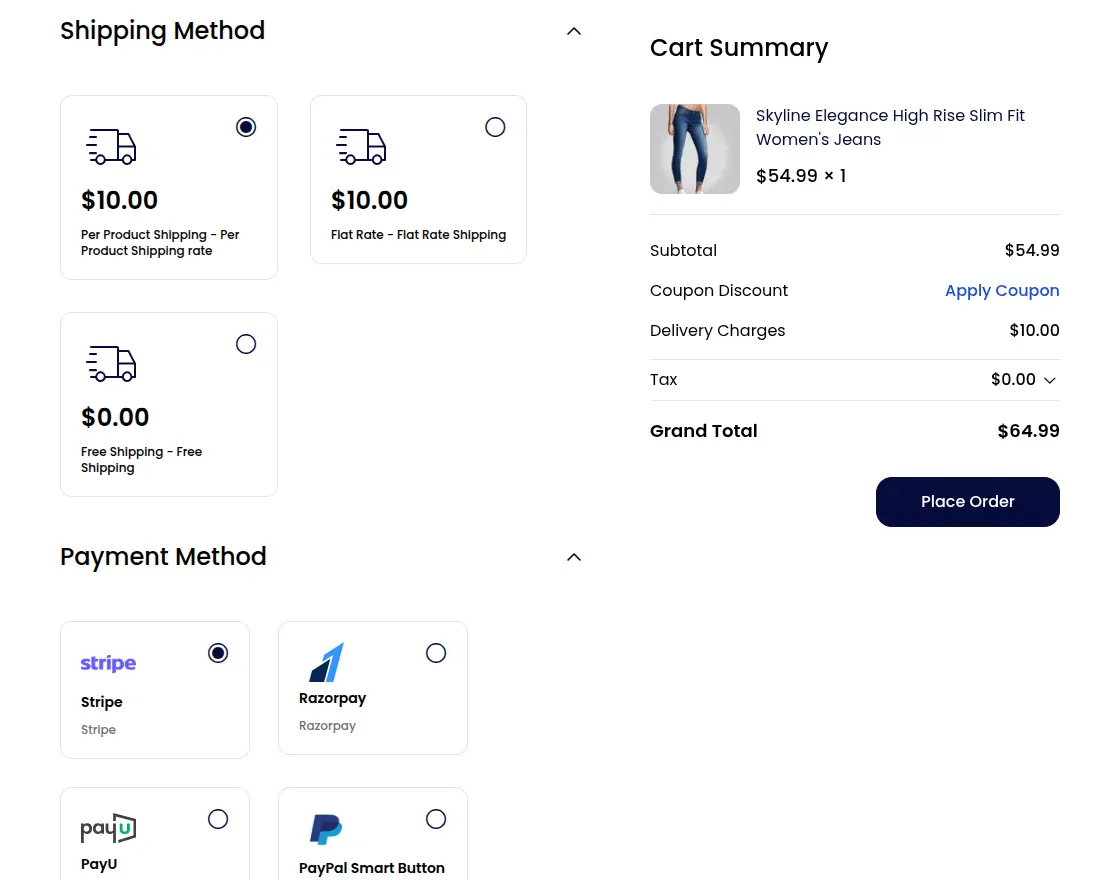
The customers are able to see the features in the front-end panel. When customers purchase the product and do the add-to-cart function then there will be an option for shipping.
However, pricing of the shipping depends on the shipping option customer is choosing for the delivery of the product as shown below:
That’s all for Laravel eCommerce Per Product Shipping module.
If you have any issue please feel free to add a ticket then let us know your views to make the module better https://bagisto.uvdesk.com/en/
Current Product Version - v2.4.0
Supported Framework Version - v2.4.0


Be the first to comment.