This is not a guide on the theoretical overview of the REST API in Salesforce. It’s a hands-on, developer-friendly walkthrough of how to run REST API calls using Workbench REST Explorer.
If you work with Salesforce long enough, you will eventually hit a moment when clicking the UI doesn’t count.
You need to inspect raw data, test an API call, or debug an integration issue. And that’s usually when Salesforce Workbench enters the picture.
What Is Salesforce REST API (And Why Developers Actually Use It)
Salesforce REST API is used to interact with the Salesforce data programmatically. Developers could perform CRUD operations, run SOQL queries, and access metadata.
All this could be done using standard HTTP methods like GET, POST, PATCH, and DELETE.
Unlike SOAP, REST is:
- Lightweight
- JSON-first
- Easier to debug
- Better suited for modern integrations
In real projects, Salesforce REST API is used for:
- Syncing Salesforce with eCommerce platforms
- Connecting ERP or accounting systems
- Triggering data updates from external apps
- Debugging integration issues during development
What Is Salesforce Workbench (And Why It’s Still Relevant)
Salesforce Workbench is a browser-based tool built specifically for developers and administrators. Think of it as a Swiss Army knife for inspecting and interacting with your Salesforce org.
Workbench is especially useful when:
- You want to test a REST API endpoint quickly
- You need to validate a SOQL query at the API level
- You’re debugging a third-party integration
- You want to inspect raw API responses without writing code
Running Salesforce REST API Calls Using Workbench REST Explorer
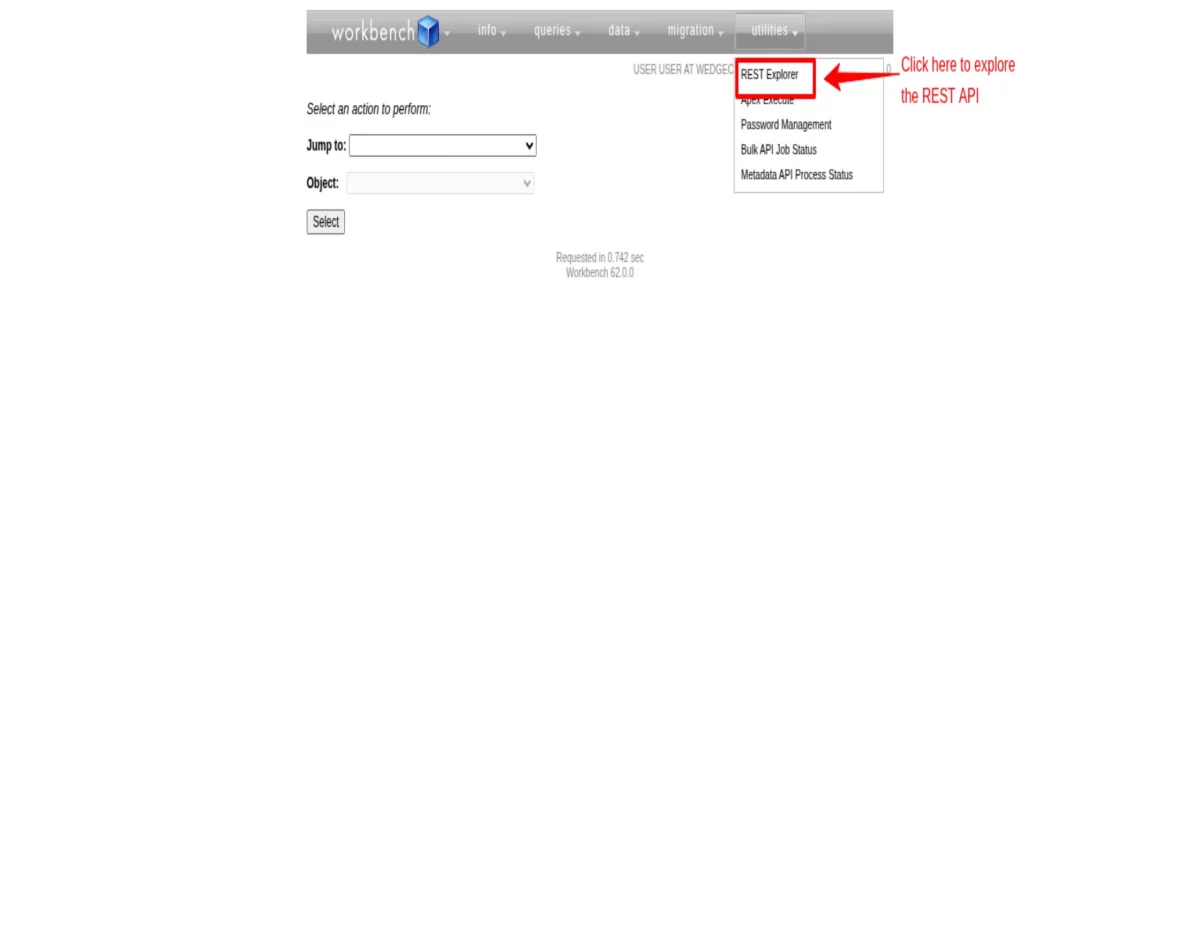
1. Once logged into Workbench, navigate to Utilities → REST Explorer.
2. Select the HTTP Method to GET if you want to fetch data or run a SOQL query.
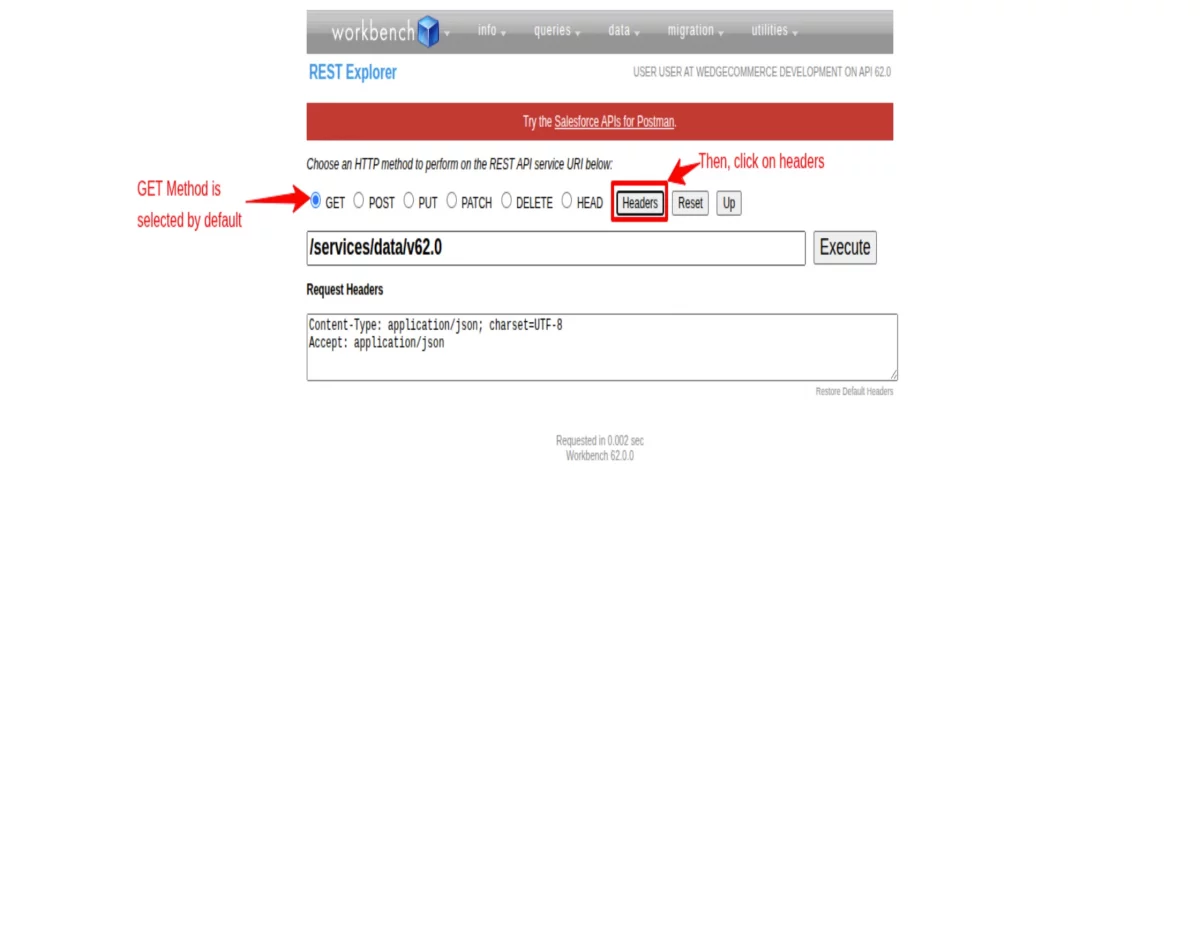
3. URI set to the following:
/services/data/v62.0
4. When you click on the Headers button, you will find that Request Headers is set to the following code by default:
Content-Type: application/json; charset=UTF-8
Accept: application/json
5. Through the above header, you can get a JSON response. If you want to receive your response in XML format, set the code in Request Headers
Content-Type: application/json; charset=UTF-8
Accept: application/xml
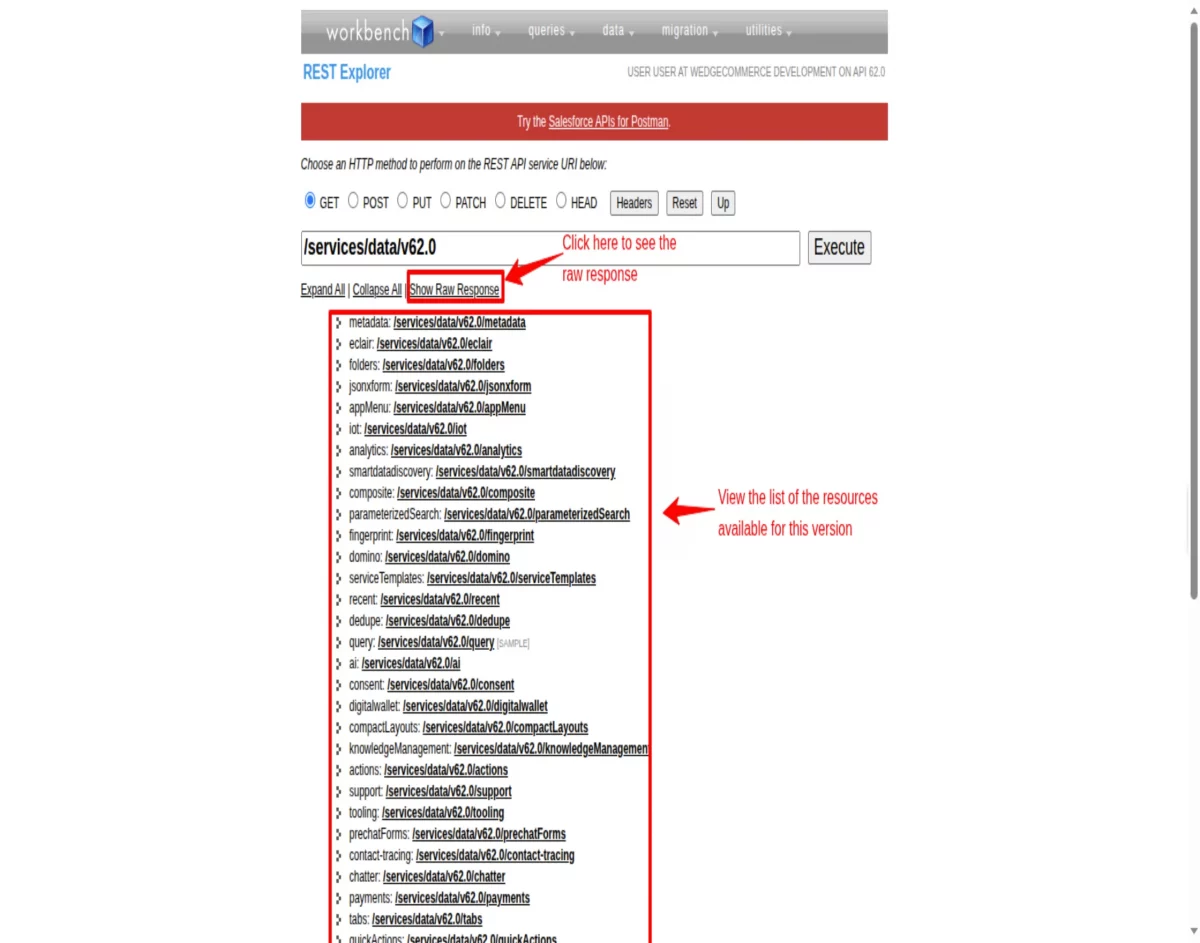
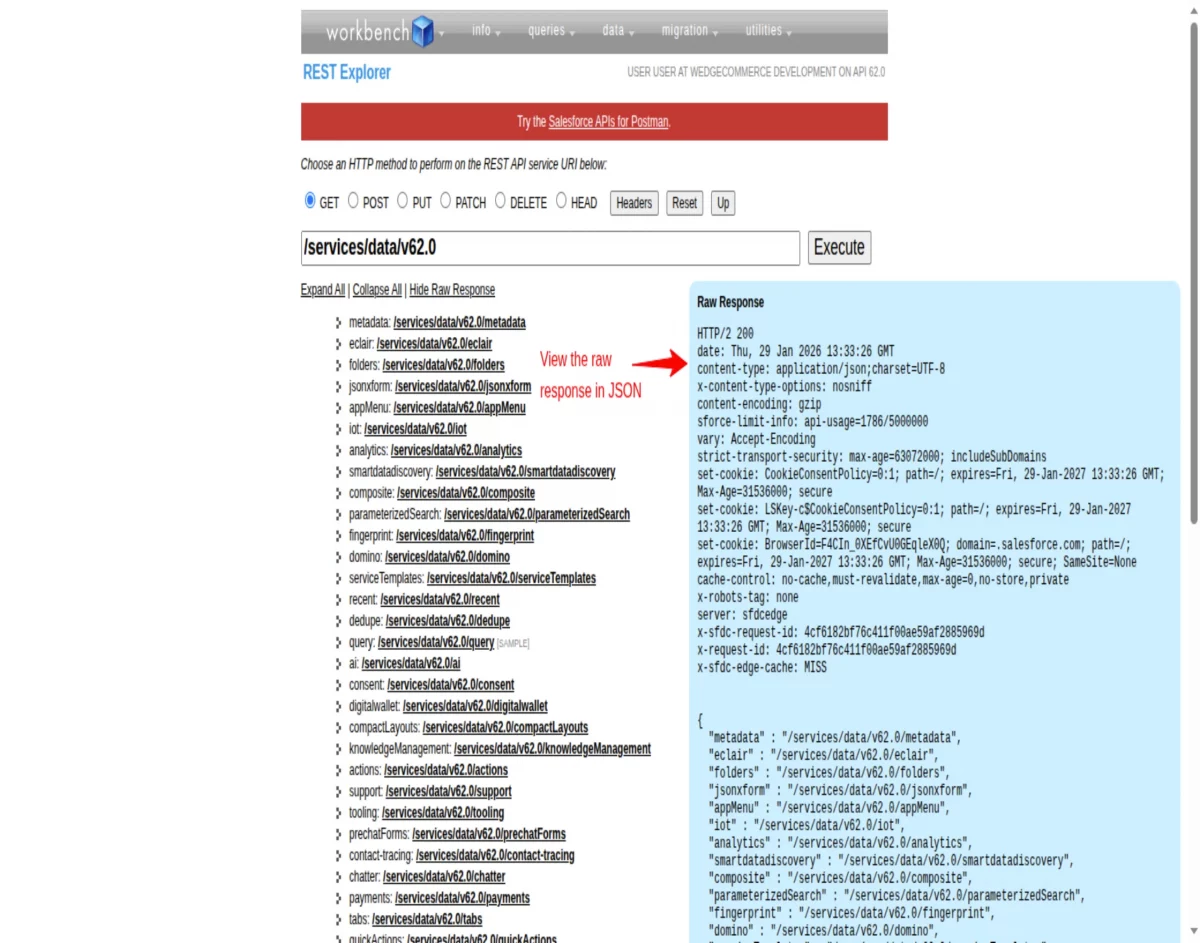
Let us execute the default set URI. You’ll get the output as below:
CRED operations using REST API
Let us perform the CRED operations using the REST API:
Create Records
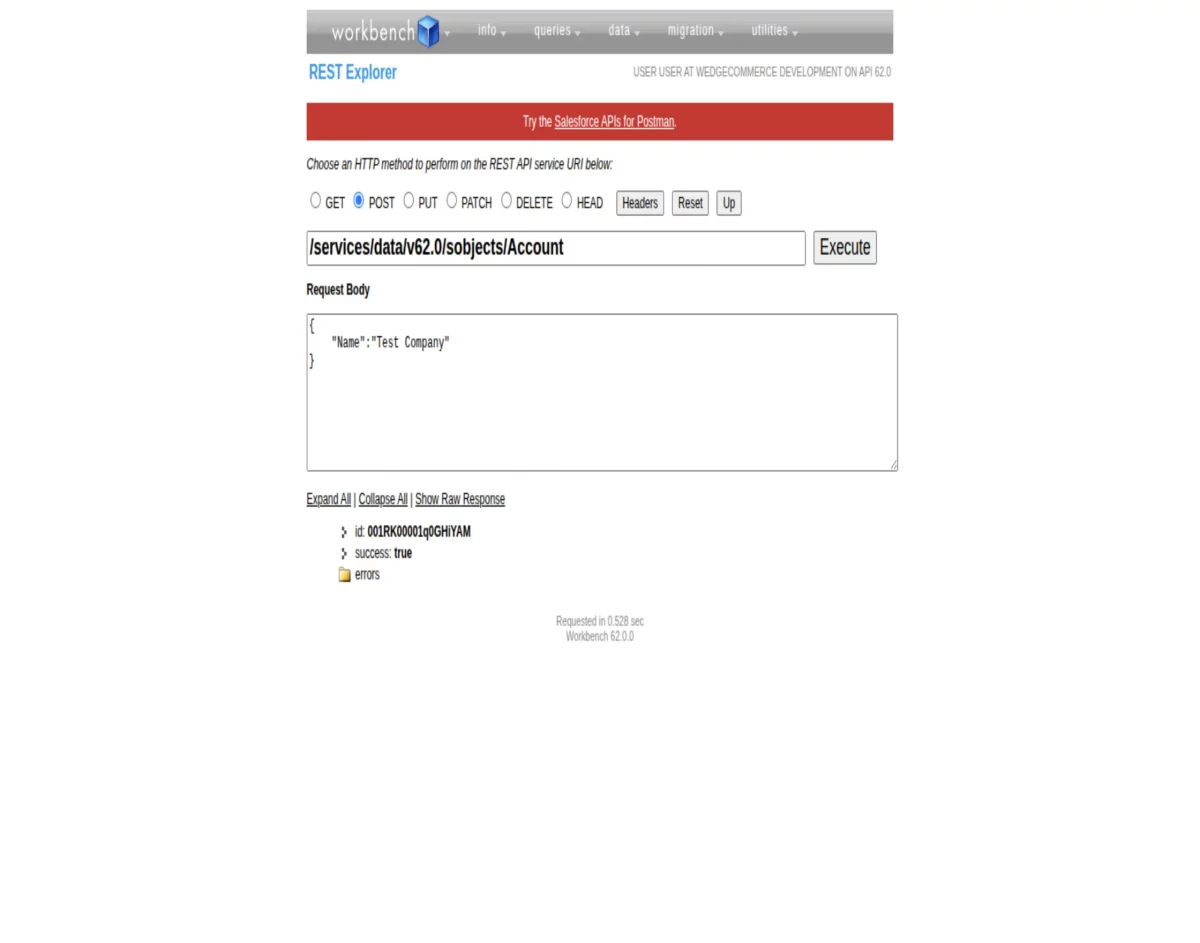
To create records through the REST API, use the /sobjects/URI. And make sure the HTTP method is set to POST.
Step 1: Set the URI according to the object you want to insert.
/services/data/v62.0/sobjects/Account
Step 2: Set the request body with fields and their values
{

    "Name":"Test Company"

}
Step 3: Execute, then you will get the following result
READ Operation
To perform the READ operation through SOQL query using REST API, please make sure that the HTTP method is set to GET.
Follow the resources to request an SOQL query through the REST API:
1) /query: It returns all the records present in the org according to the query.
/services/data/v62.0/query/?q=Select+Id,Name+from+Account+LIMIT+10
2) /queryAll: It returns all the records present in the org, including the deleted records that are present in the “recycle bin”, according to the query.
/services/data/v62.0/queryAll/?q=Select+Id,Name+from+Account+LIMIT+10
EDIT Records
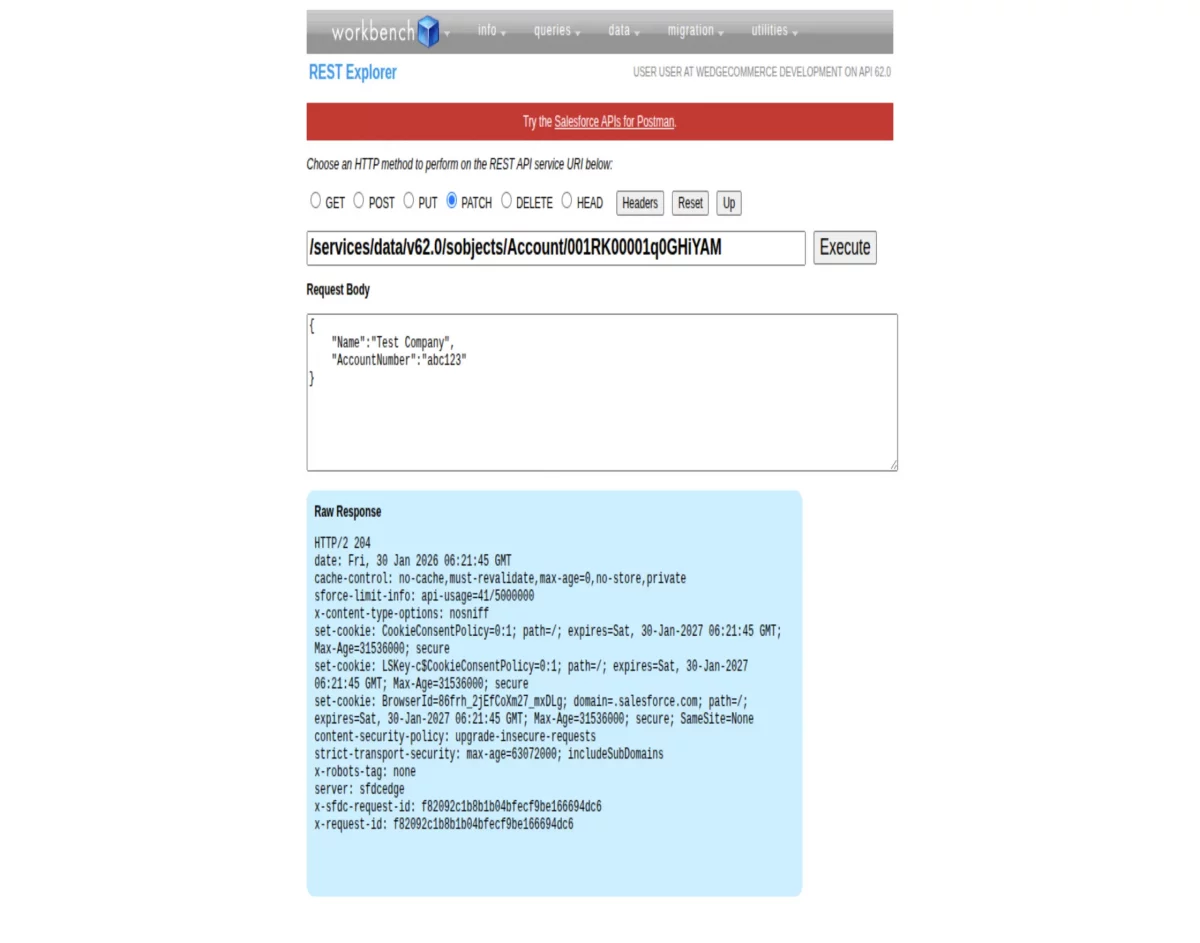
The editing and updating of records through the REST API requires the use of the /sobjects/URI. And make sure to select the HTTP method to PATCH.
Step 1: Set the URI according to the object you want to edit, and also mention the related Id.
/services/data/v62.0/sobjects/Account/001RK00001q0GHiYAM
Step 2: Set the Request Body with fields and their values
{

    "Name":"Test Company",

    "AccountNumber":"abc123"

}
DELETE Records
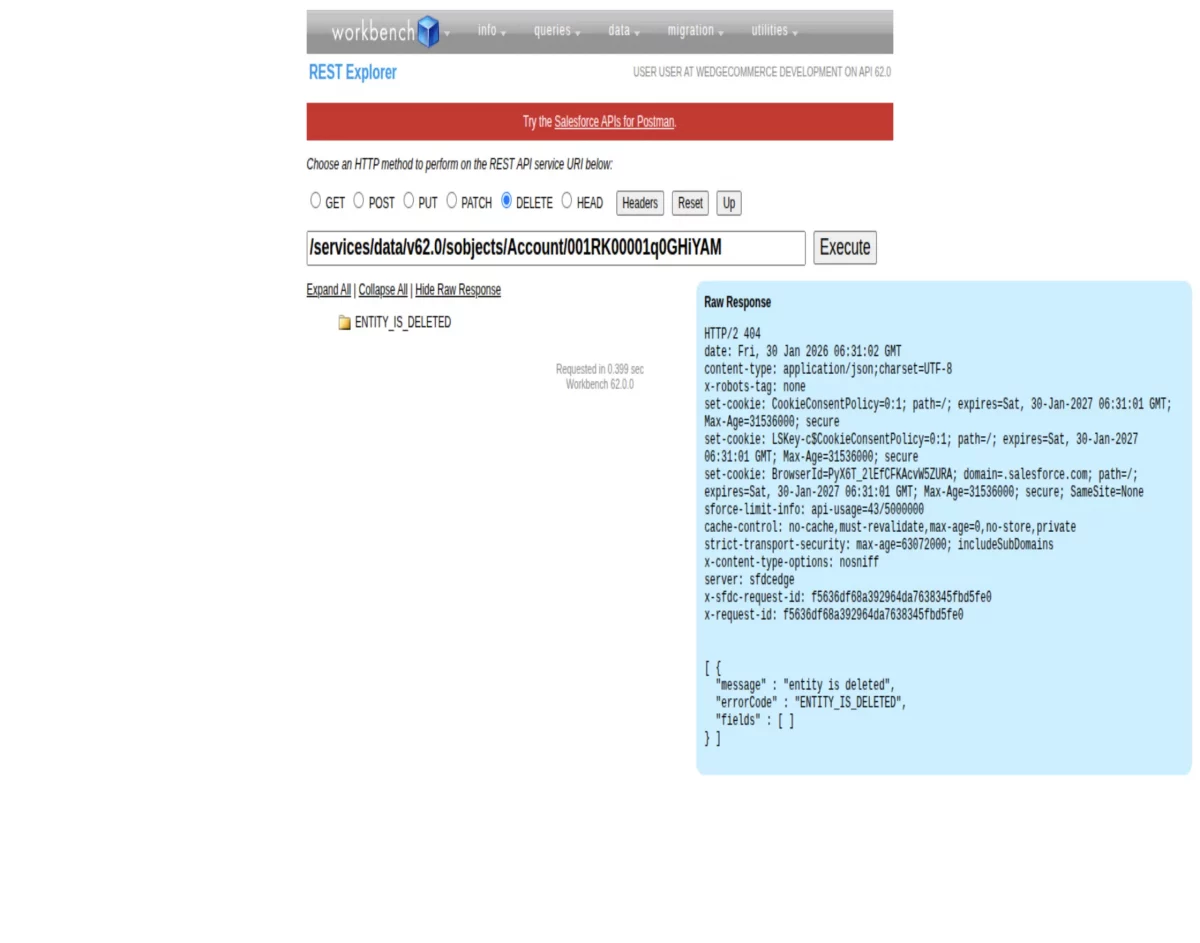
Deleting the records requires the use of the /sobjects/URI. And make sure to set the HTTP method to DELETE.
Step 1: Set the URI according to the object you want to delete, and also mention the related Id.
/services/data/v62.0/sobjects/Account/001RK00001q0GHiYAM
Step 2: Execute.
You will get the following result:
Conclusion
Salesforce Workbench is a powerful tool for not just admins but also for developers. It’s one of the most practical tools for testing, debugging, and understanding the Salesforce REST APIs.
If you work on Salesforce integrations and know how to use REST Explorer properly, it will save you hours, and sometimes days of debugging.
Support
If you’re planning a Salesforce integration or refactoring an existing one, email us at [email protected]
You can also hire Salesforce Developers to help your business deliver more by providing expertise and resources for all kinds of Salesforce development projects.


Be the first to comment.