Performing various testing on the WooCommerce store helps us to ensure that it functions correctly and provides a positive user experience.
Here’s a general approach to testing on woocommerce Plugins and maintaining quality code on a WooCommerce store.
Ensure that WooCommerce is installed correctly on your website, and verify that all required plugins and dependencies are installed and activated. Perform various testing on WooCommerce confirms that settings are properly configured.
Perform various testing on WooCommerce
- Functional Testing
- Performance Testing
- Security Testing
- User Interface Testing
- Plugin compatibility
- Web Compatibility & Responsive Testing
There are other testing methods available for testing a WooCommerce store, we focus on above listed testing methods.
Functional Testing on WooCommerce
Perform functional testing on woocommerce to test the basic functionality like tax, shipping, adding products to the cart, updating quantities, placing an order, checkout and removing items.
Verify that the product categories and tags are working correctly. Test different types of payment gateways and make sure that they are processing transactions accurately. Check the tax calculations and shipping options for accuracy.
To test the checkout process, including guest checkout and user account registration followings are some basic steps.
- WooCommerce General Setting

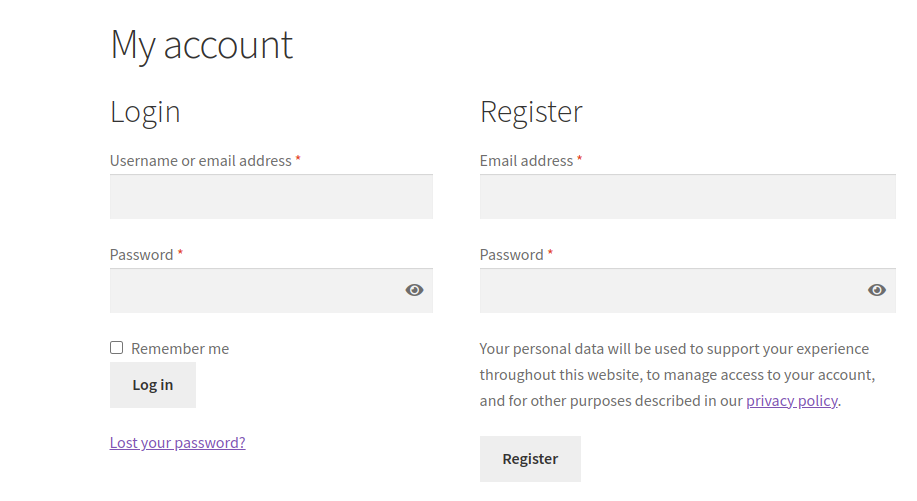
2. User registration and login
3. Adding products to the cart

4. Applying discounts or coupon codes
On the Cart page, you have to check to add products, remove products, add & remove coupons, update the cart, etc.

5. Proceeding through the checkout process
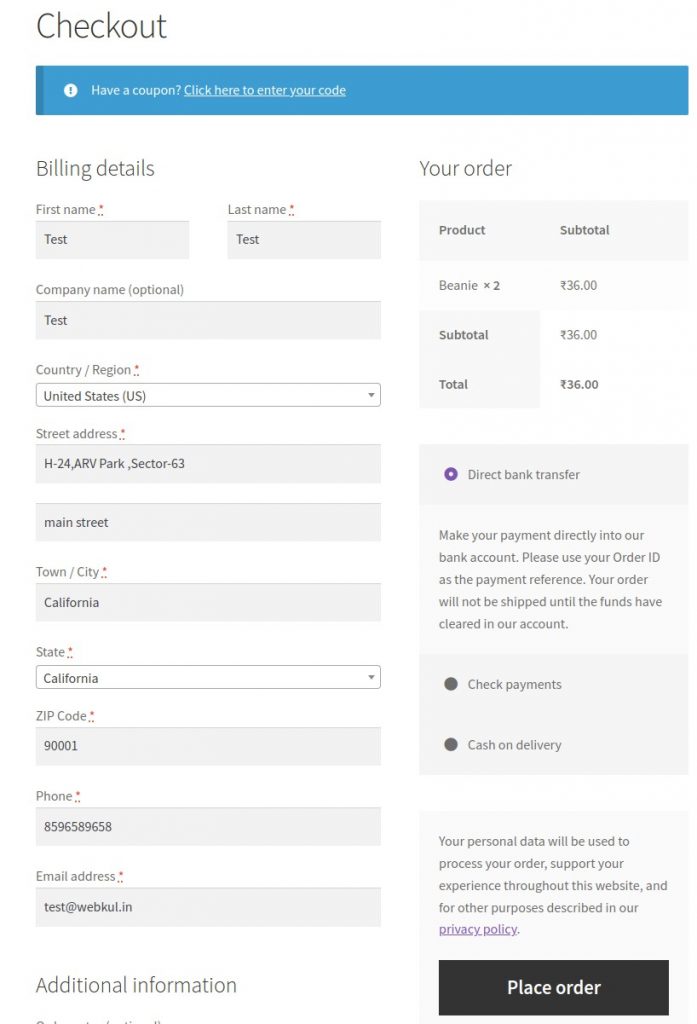
6. Placing orders successfully
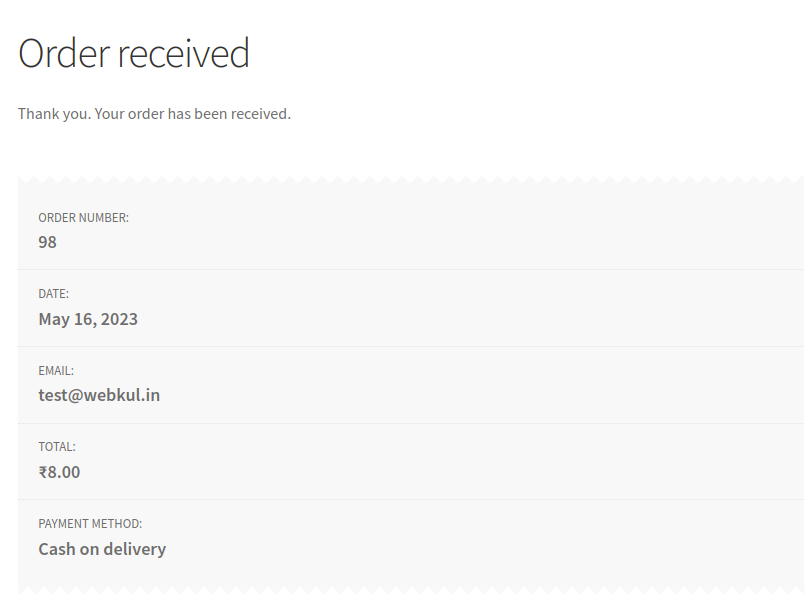
After placing a complete order you have to check the order status on the admin end.

In order detail you have to check billing& shipping addresses, order amount (like coupon amount tax amount, shipping amount etc.), customer detail, order status etc.
Performance Testing on WooCommerce
Performance testing makes sure that a WooCommerce store performs well under various load conditions. The followings are some key aspects to test performance testing:
- Response time for page loading & sending data
- Simulating concurrent users and monitoring server resources
- Stress testing by generating high-user traffic
- Testing scalability to handle increasing numbers of products or customers
For more details regarding Jmeter Performance Testing visit JMeter for Performance and Load Testing
Security Testing on WooCommerce
Security is the main aspect critical for any e-commerce store. By performing security testing on woocommerce we can identify vulnerabilities and protect sensitive customer information.
- Secure transmission of data (SSL/TLS encryption)
- Protection against SQL injection and cross-site scripting (XSS) attacks
- User authentication and authorization
- Secure storage of customer data like card details, addresses and passwords
For more details regarding Security Testing, you should visit Glimpse Of Security Testing.
User Interface Testing
User Interface testing measures the ease of using a woocommerce store measuring the overall experience by identifying potential pain points & areas for improvement.
In its simplest form, user interface testing is the act of testing how easy a website, application, or program is.
- Clear, attractive and intuitive navigation
- Responsive design for mobile & other devices
- Proper error/successful message and validations
- User-friendly item searching and filtering options
- Guest checkout option
Plugin Compatibility
If you have additional plugins installed on your website, test plugin compatibility with WooCommerce.
Ensure that plugins related to payment gateways, shipping methods, and other WooCommerce Plugins core functionality are functioning correctly.
Web Compatibility & Responsive Testing
- Compatibility Testing on WooCommerce store across different web browsers (Chrome, Firefox, Safari, etc.) to ensure consistent functionality and appearance.
- Test on different operating systems (Windows, macOS, Linux) and mobile devices (iOS, Android) to ensure compatibility.
With Responsiveness Check you can simulate different devices and check the responsiveness of your website directly in your backend.
To “Check responsiveness” on the WooCommerce store, Go to Appearance => Customize => Responsiveness Check

For more details regarding Compatibility Testing, you can visit Best Practises for Web Testing
Conclusion
Perform various testing on WooCommerce concludes that the platform is a flexible, stable and reliable e-commerce solution.
It is a user-friendly interface, extensive personalization options, and a broad range of features & community support which make it suitable for various businesses.
WooCommerce provides seamless integration, allowing for easy management of products, inventory, orders, etc. WooCommerce is a powerful tool for creating and managing online stores.
Support
For any technical assistance, please raise a ticket or reach us by mail at [email protected]


Be the first to comment.