ISSUE:
Getting error while Converting a Lead Due to Installed Package:
Record type unavailable
Cannot find default record type of the appropriate type.
Click here to return to the previous page.
Steps To Reproduce:


STEPS TO RESOLVE:
1. Go to your name on the top left corner and Click on it.
2. Select My Settings option.
3. Go To Personal-> Advanced User Details
4. check your Profile and click on it.
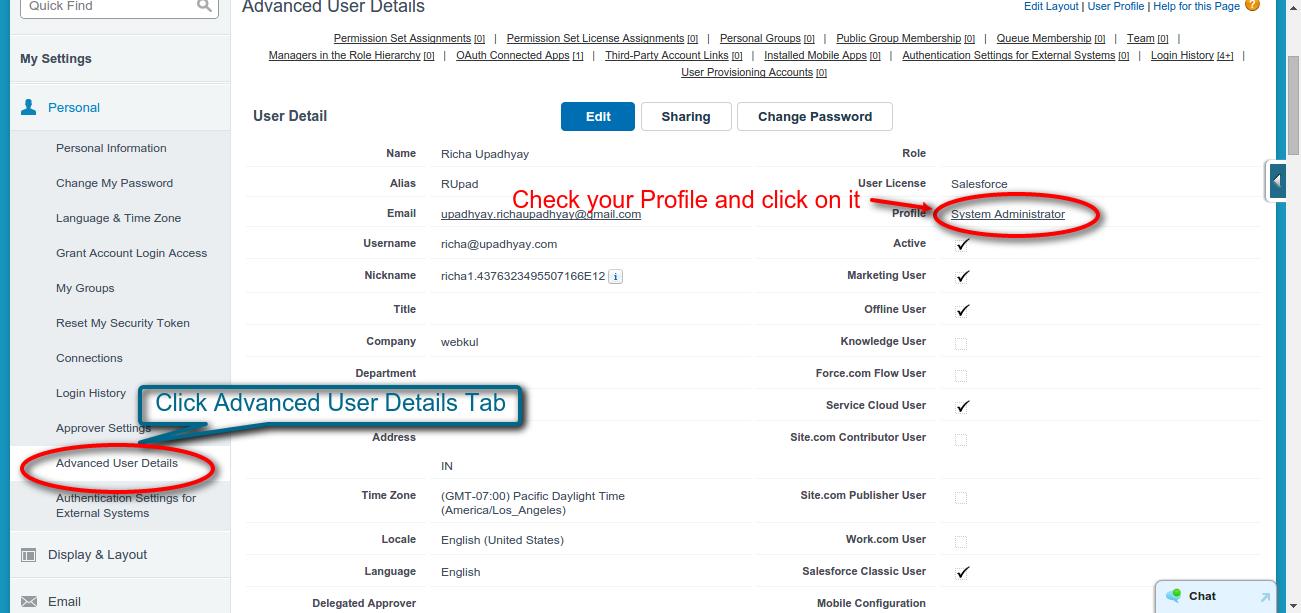
5. Go to Record Type Settings in the list and look for the objects where installed package’s record types has effects. Click Edit.

6. Check the Selected Record Type list and remove the available record type from package.
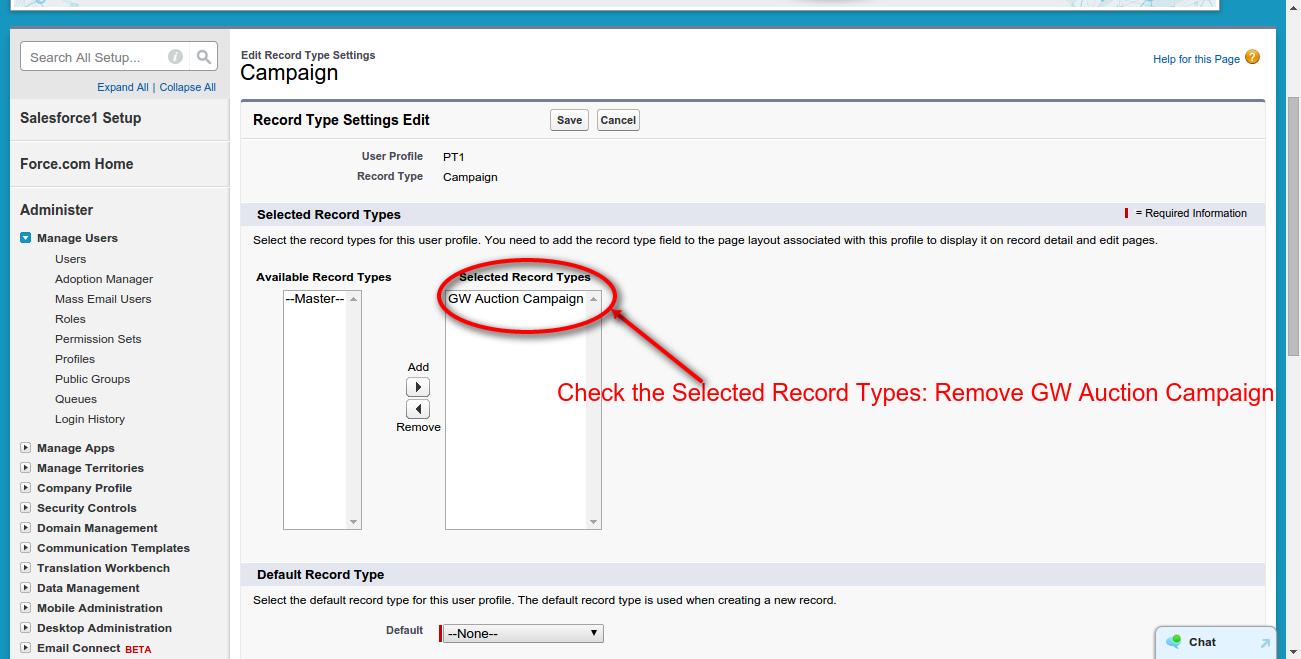
7. Add the default Master Record type to the Selected Record Type list. Save.

8. Go back to Leads, try to convert the same Lead again.
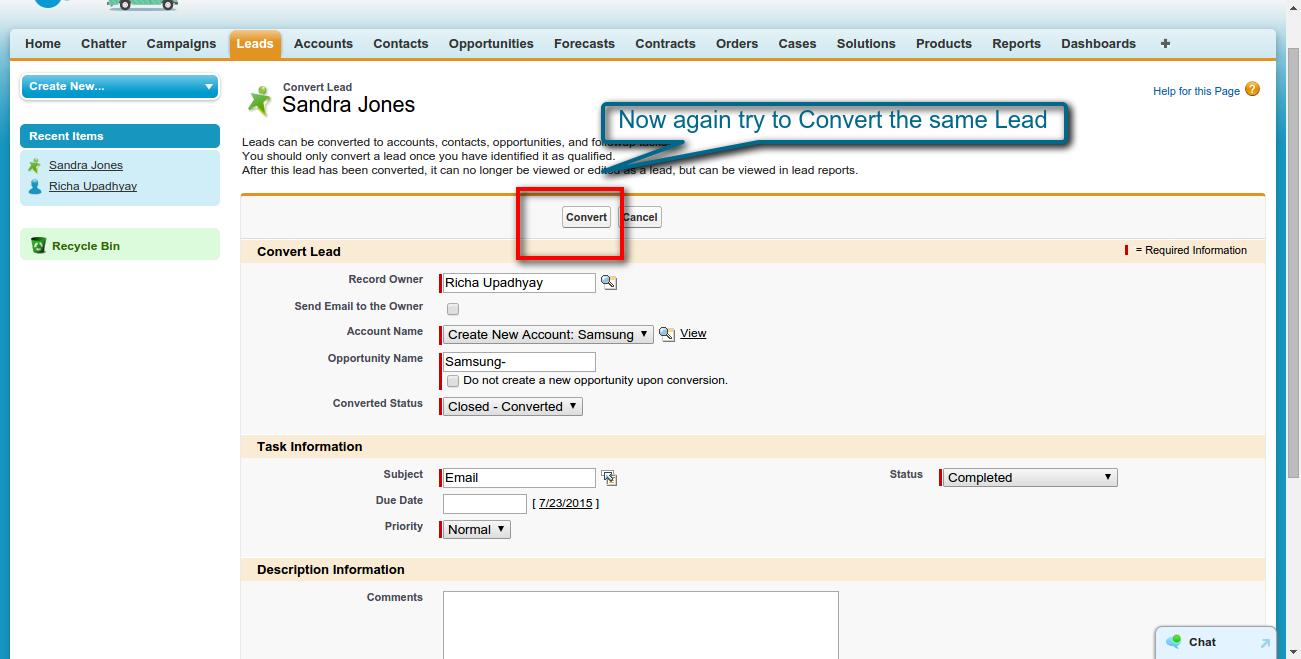
9. Now you are able to Convert the Lead into an Account.

10. Issue Resolved.


Be the first to comment.