eBay Item Compatibility for Magento 2 module allows the admin to import compatible items on the Magento store from the eBay store.
The customer can view all the compatible items of the selected product.
The admin can select any eBay imported product and can import all the compatible items to it with a single click.
Important Notes:
- This module is an add-on of the Magento 2 eBay Connector so for using it you need to install eBay Connector for Magento 2 first.
- Item Compatibility for Magento 2 module works for eBay motors only.
Features
- Import compatible items of any product to the Magento store from the eBay store.
- Use filters to check the compatible items.
- Import products by a single click.
- Enables to map the eBay attribute with Magento2.
- Product compatibility check and advance filtration for end-user.
Module Installation
The customers will get a zip folder and they have to extract the contents of this zip folder on their system.
The extracted folder has an src folder, inside the src folder you have the app folder.
You need to transfer this app folder into the Magento 2 root directory on the server as shown below:

After the successful installation, you have to run these commands in the Magento2 root directory:
# Run Commands
You need to run the following commands:
php bin/magento setup:upgrade
php bin/magento setup:di:compile
php bin/magento setup:static-content:deploy
php bin/magento indexer:reindex
php bin/magento cache:flush
Multi-Lingual Configuration
For the multilingual support, the admin will navigate through Store->Configuration->General ->Locale Options
Select the locale as German (the language into which the admin wants to translate his store content).

Language Translation
If the user wants to translate their module from English to German then they need to follow the path
app/code/Webkul/EbayItemCompatibility/i18n in their unzipped EbayItemCompatibility folder and will get a CSV file with name “en_US.csv”.
Now they will rename that csv as “de_DE.csv” and translate all right side content after the comma in the German language. After editing the CSV, save it and then upload it to the
path app/code/Webkul/EbayItemCompatibility/i18n where they have installed Magento2 on their server.
The module will get translated in the German Language. It supports both the LTR and RTL languages
Module Configuration
After installing the module, you will be able to see the Item Compatibility panel under the Stores-> Configuration-> Webkul-> eBay Magento Connect -> Item Compatibility
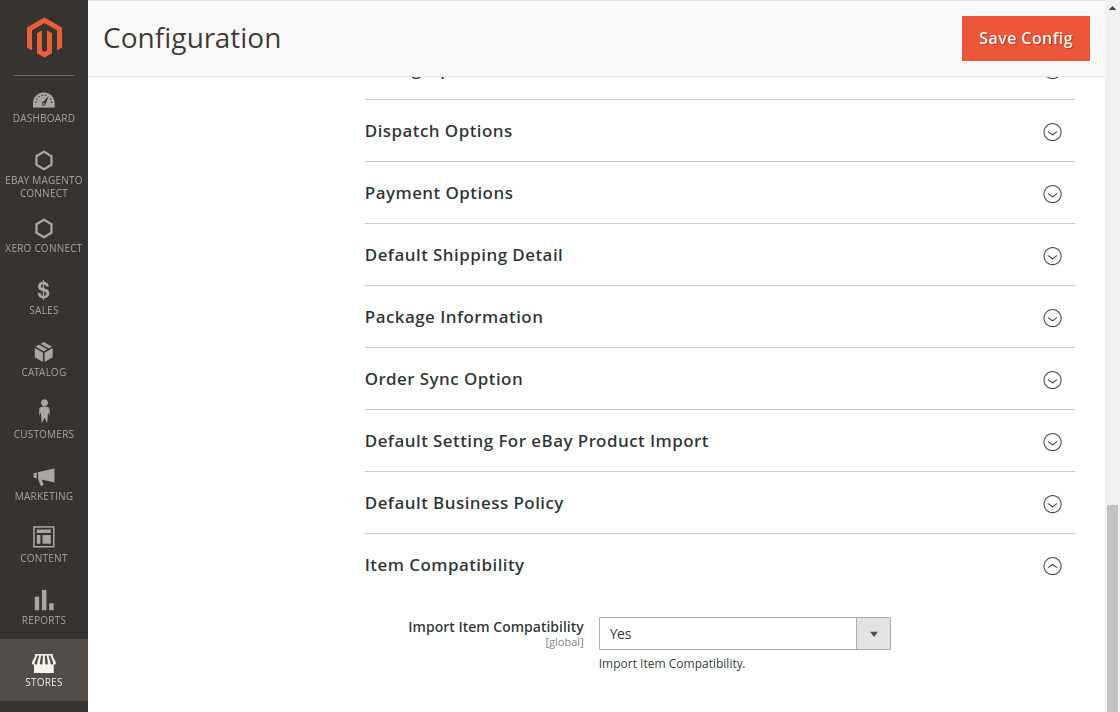
Here the admin needs to choose Yes from the Import Item Compatibility dropdown to enable the module and to provide better compatibility check features on the storefront for the end-user.
How to import products from eBay?
To Import Product From eBay to Magento 2 store admin needs to follow the path given below:
eBay Magento Connect => Map Product => Sync From eBay => Import Product From eBay
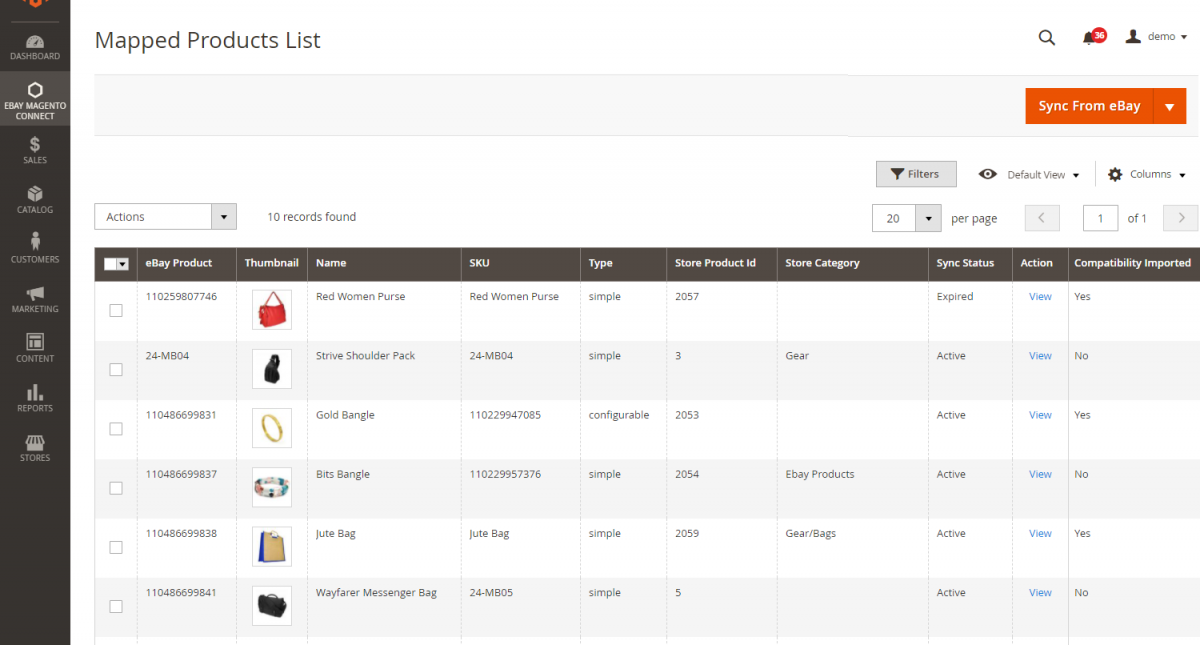
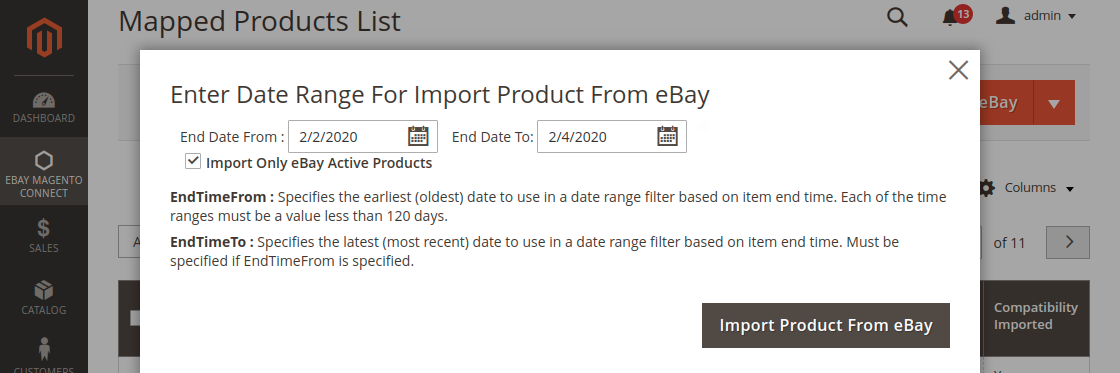
After clicking on Import Product From eBay a window will open where an admin needs to follow below-given points:
- Enter Date Range For Import Product From eBay
- Click on the checkbox to Import Only Active Products
- Click on Import Product From eBay to complete the process
Once the products have been imported from eBay to Magento 2 store it will show the success message as shown in below screenshot:
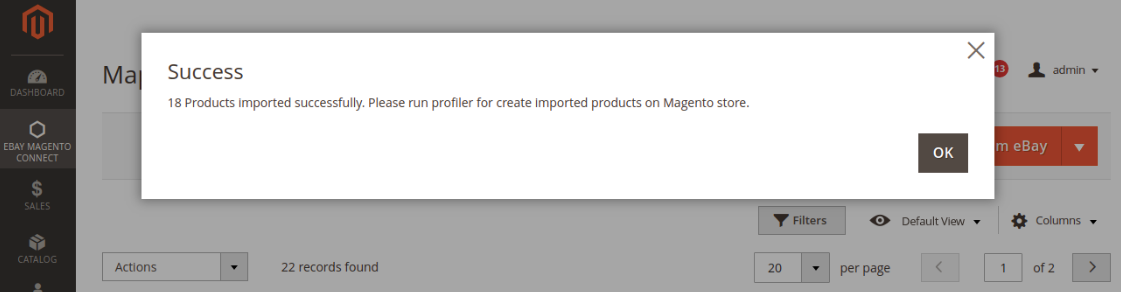
Now the admin needs to add all the imported products into Magento 2 store by running profiler drafting out the path below:
eBay Magento Connect => Map Product => Sync From eBay => Run eBay Product Profiler

After this process, the admin can view all the import/export products on the map product list.
How to Import Compatibility?
Follow the below-given path to import the compatibility, check below given image for more details:
eBay Magento Connect => Map Product => Select the eBay Product => Open the Action Dropdown => Import Product Compatibility
If the compatibility has been successfully imported then it will show Yes in the column Imported section otherwise it will show No in the column.
Attribute Mapping
After importing the products admin needs to map the eBay Attributes with Magento 2 store follow the path to get it done:
eBay Magento Connect => Options

Now admin needs to click on the Option and then select the attribute and Save to map.
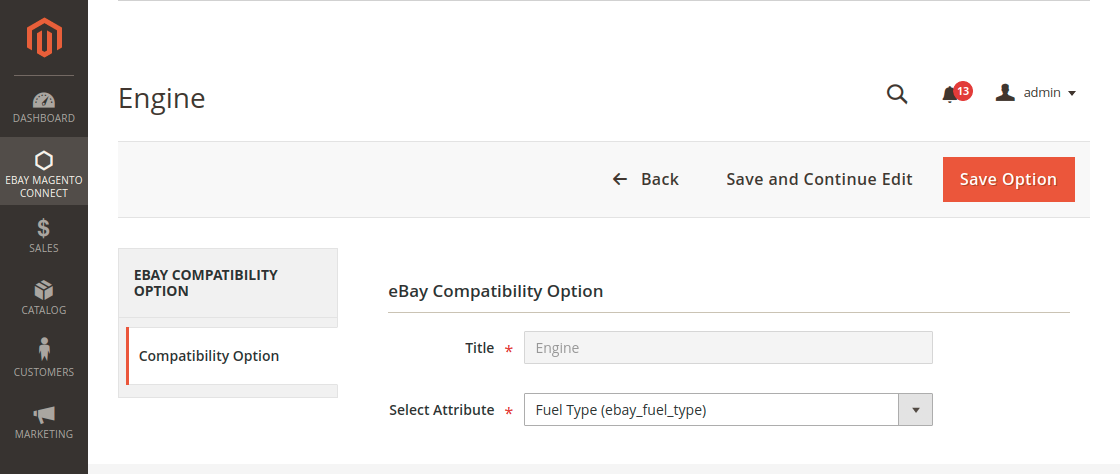
After mapping the attribute admin need to update the values of that attribute by clicking on the update value from the select dropdown as shown in the below-given image:

eBay Item Compatibility Front End Functionality
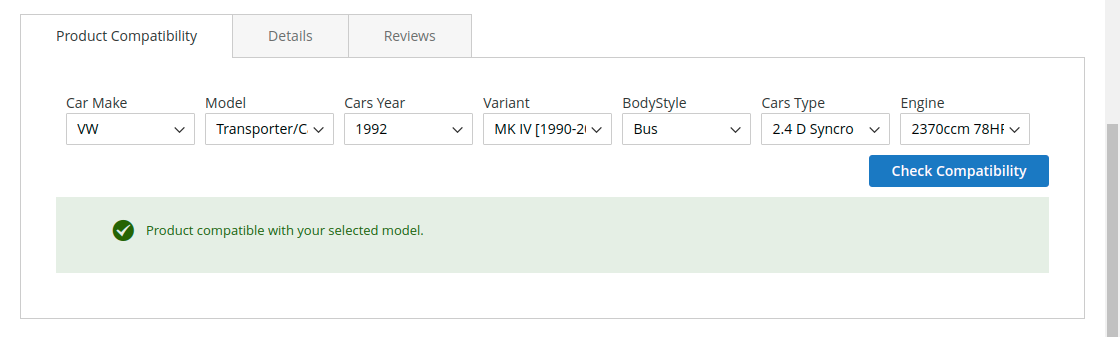
On the storefront, customers will be able to see all the compatibility models related to the product using standard filters as shown in the above image:

If the compatible items are available then the customer will see the success message that Product compatible with your selected model.
When the compatible item is not available for the selected product then the customer will get this type of message while checking compatibility as shown in the below-given image:

Support
That’s all for the eBay Item Compatibility for Magento 2, if you still have any issue feel free to add a ticket and let us know your views to make the module better at webkul.uvdesk.com.
Current Product Version - 4.0.1
Supported Framework Version - Magento 2.0.x, 2.1.x, 2.2.x,2.3.x, 2.4.x


Be the first to comment.