In this blog, we are going to learn how to display some information according to our needs on the BO render list page.
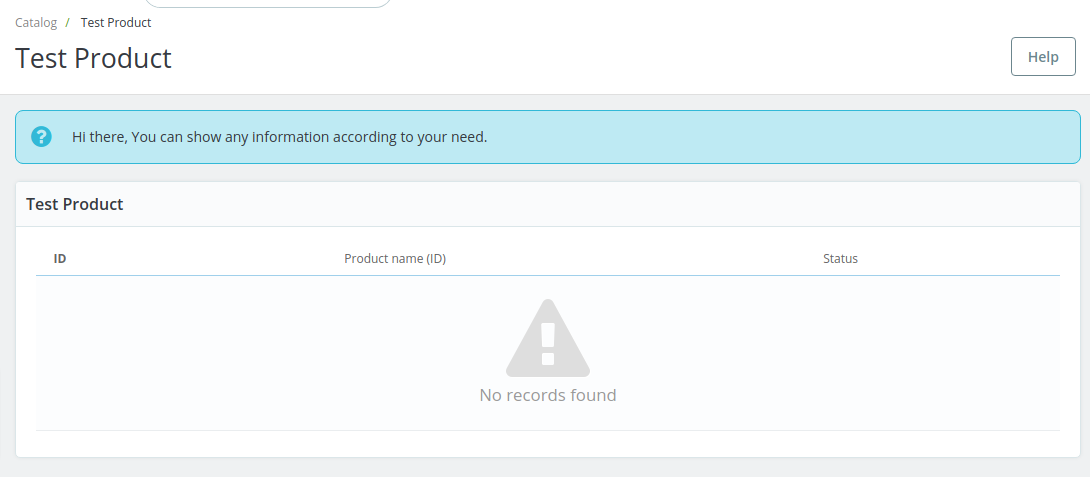
So let’s understand how to achieve it:
We will get it only by one file change.
We will use PrestaShop extends tpl file and override the block content of tpl file feature.
Now, We will create list_header.tpl file at the below path in your module directory.
modules/your-module/views/templates/admin/your-controller-name/helpers/list
After creating the file, We will add the below code to this file.
{extends file="helpers/list/list_header.tpl"}
{block name=leadin}
    <div class="alert alert-info">{l s='Hi there, You can show any information according to your need.' mod='wktestproduct'}</div>
{/block}
In the above code, We are extending list_header.tpl file from admin theme and also override leadin block content by our needed information content.
That’s all about this blog. Hope it will help you.
If you are facing any issues or doubts in the above process, please feel free to contact us through the comment section.
Also, you can explore our PrestaShop Development Services & a large range of quality PrestaShop Modules.
For any doubt contact us at [email protected].


Be the first to comment.