What’s New in Odoo 19?
Odoo 19 takes business automation to the next level with AI-powered tools, better reporting, and smoother workflows, making daily operations smarter and more efficient.
With new automation tools and smarter features, Odoo 19 becomes an even stronger all-in-one business platform.
From POS to Accounting, every Odoo app now works better and feels simpler to use.
These updates help teams finish their daily work quickly and keep everything organized. Let’s see what’s new and how it helps businesses work more easily.
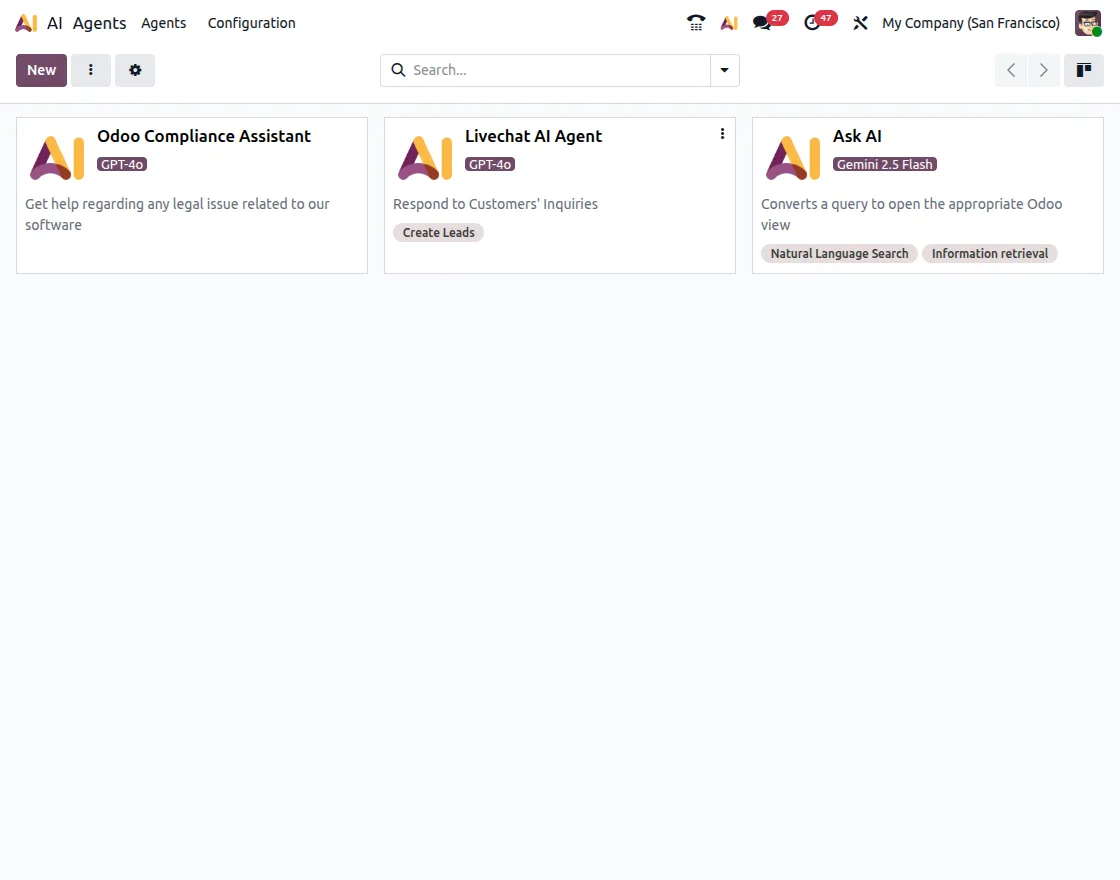
1. AI Is Now Part of the Odoo
Odoo 19 adds Artificial Intelligence (AI) to help you work smarter. It’s not just for chatting, but AI can also now write, organize, and make better decisions for you inside Odoo.
Key Highlights:
- AI App and Assistant: Ask questions, get quick summaries, or update your data using the AI helper.
- AI-Powered Server Actions: Let AI write text, fill in details, or read documents automatically.
- File-Based Knowledge: Upload PDFs or files, and AI will read them and give answers from the content.
- Automation-Ready AI: Use AI to perform tasks automatically in emails, templates, or workflows.
- Provider Flexibility: Choose between Odoo’s built-in AI or connect it with Gemini.
With AI in Odoo 19, teams save time and avoid boring, repetitive work through smart automation.
2. Smarter and Simplified Accounting
Odoo 19 makes accounting faster and easier to handle. The updates help accountants save time, make fewer mistakes, and understand company finances better.
What’s Improved:
Easier reconciliation: New UI for the reconciliation
Simpler Tax Setup: A new “individual tax applicability” system replaces complex settings, making tax setup faster and more accurate.
Better Follow-Up Reports: Follow-up reports are now separate from account statements, making it easier to track and remind customers about payments.
Easier OCR Corrections: Users can check and fix OCR-detected data before posting vendor bills to avoid errors.
Improved Reports and Filters: Reports have clearer filters and insights for invoices and reconciliations, helping during financial reviews.
Overall, accounting in Odoo 19 is easier to use, more accurate, and better for reports and audits.

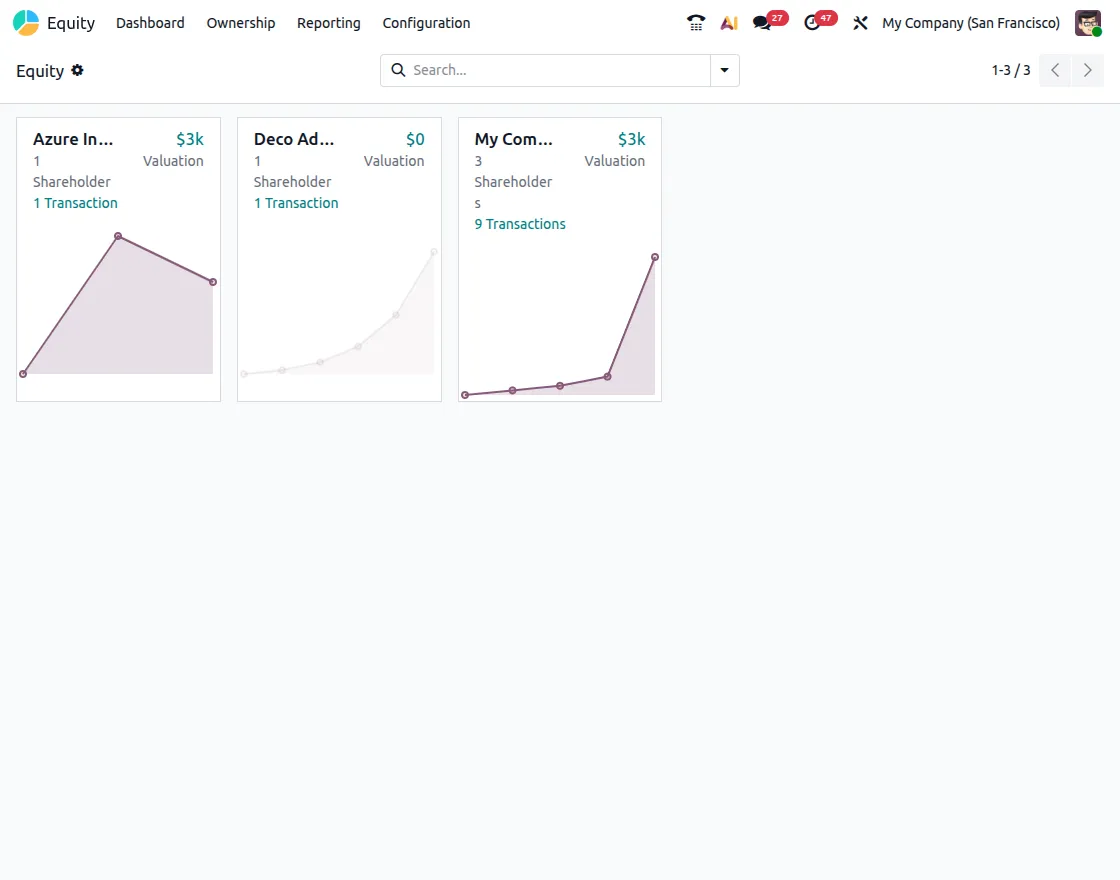
3. New Official App: Equity
Odoo 19 adds a new app called Equity, designed for managing company ownership and compliance.
Equity App:
It helps track shareholders, option plans, and valuation data right inside Odoo. Users can record share classes, ownership, and capital movements digitally.
The Equity app helps organizations handle corporate governance and compliance in a modern, organized way.
4. CRM & Marketing Updates
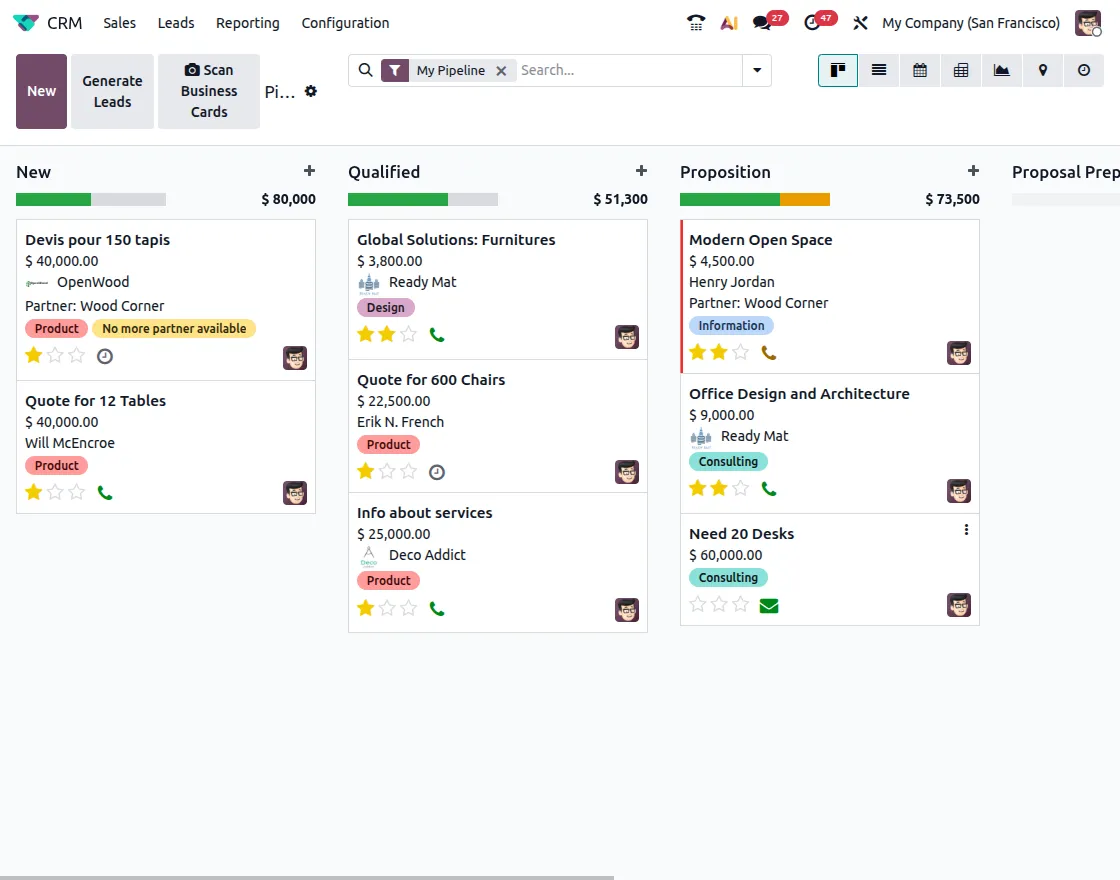
Odoo 19 enhances CRM and Marketing workflows, helping teams capture leads faster, manage customer information efficiently, and collaborate seamlessly.
Upgrades Include:
Business Card Scanning:
Scan business cards in the Odoo mobile or web app to capture leads instantly. The system fills in details like name, email, phone, and company automatically.
Customer Contact Properties:
Add extra fields like alternate emails or phone numbers to customer records for complete contact details.
CC Replies in Chatter:
Now CC’d users can reply directly inside the Chatter thread, keeping communication smooth and connected.
Improved Win-Rate Analysis:
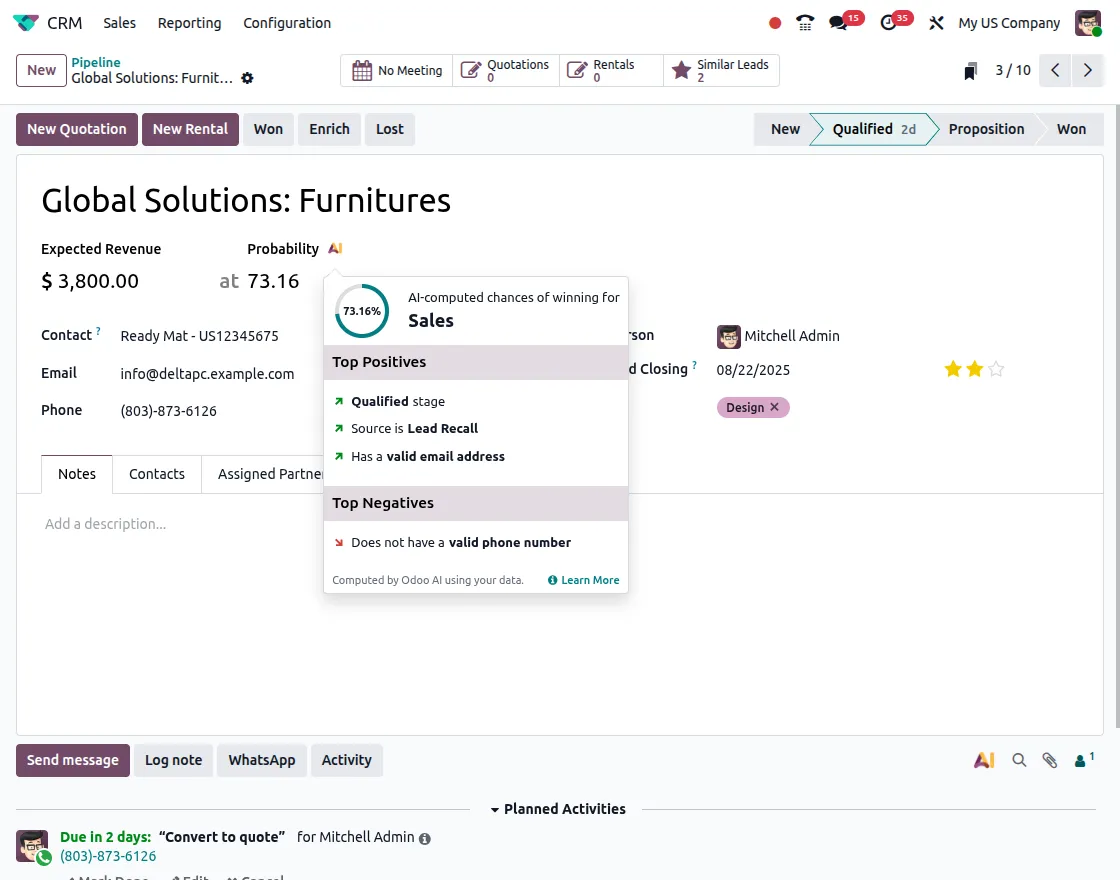
Get clear charts, trends, and success data to analyze leads and campaigns easily.
Enhanced Lead & Chatter Management:
The CRM interface looks cleaner and works faster. Teams can chat and share updates inside Odoo without switching between apps.
Odoo 19 CRM and Marketing help teams capture leads, manage data, and collaborate faster and more effectively.
5. Updated POS Functionalities in Odoo 19
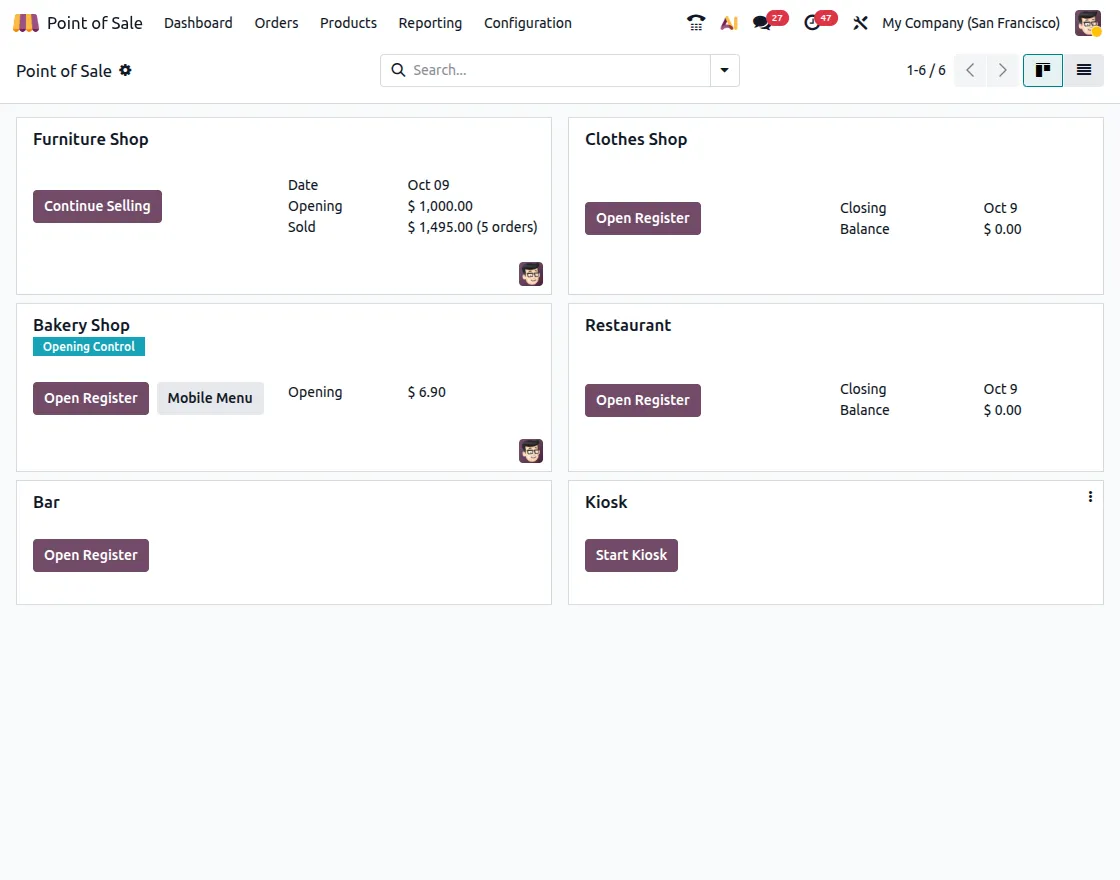
Major Additions:
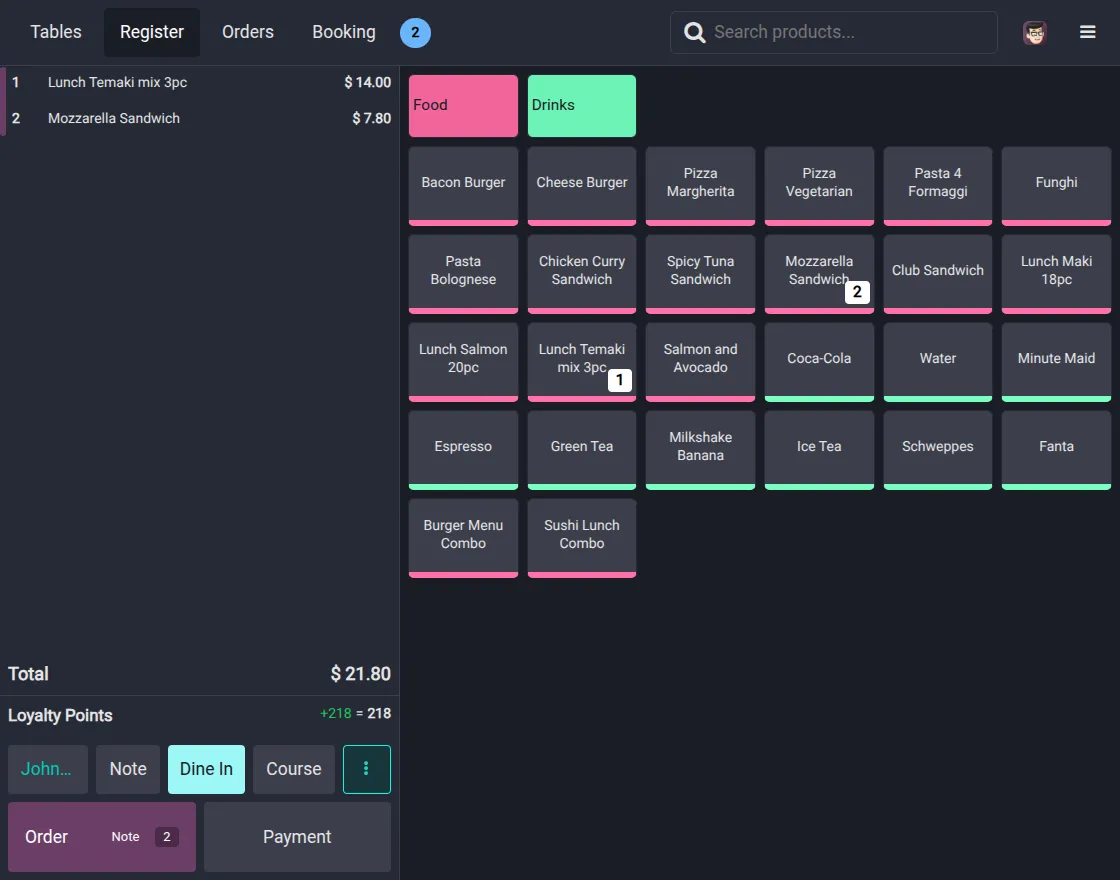
Presets: Switch quickly between Delivery, Take-Out, and Dine-In using simple POS presets.
Bill Preview: Each POS bill now shows a QR code that links to the customer invoice.
Order Tab in POS: View, load, and manage all orders directly from the POS screen, even across tables.
Multi-Employee Login: Give staff different access rights (Minimal, Basic, or Advanced) for better control.
Bookings & Reservations: Manage table bookings and orders directly in the POS screen.
One-Click Payment: Approve payments instantly with one click. Ideal for fast-paced checkout environments.
Dark Mode: Work comfortably with the new Dark Mode for long hours on POS screens.
6. Inventory Enhancements
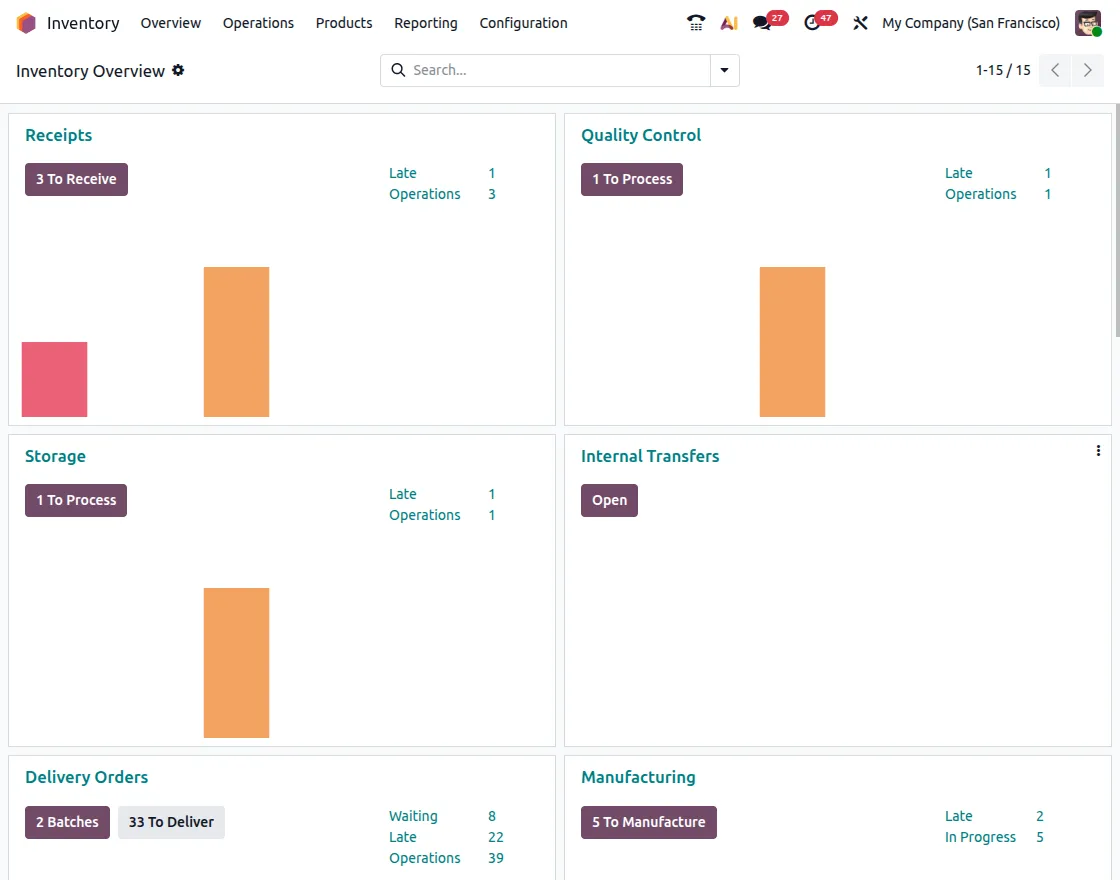
Odoo 19 upgrades Inventory Management to make warehouse work quicker, simpler, and more accurate. These updates help track items better and reduce mistakes during operations.
Highlights:
- Inline Lot/Serial Editing: View or edit lot and serial numbers directly in barcode operations without switching screens.
- Manual Source Location Selection: Select or update the source location while processing pickings for better control.
- Simplified Batch and Wave Picking: Create and process batch or wave pickings easily to save time and effort.
- Improved Cycle Counting: Count full locations or sections more accurately without stopping warehouse work.
- Multi-Level Packages: Add packages inside other packages and track them all with unique Odoo or pre-printed numbers.
These changes help warehouse teams work faster, stay organized, and reduce picking errors.
7. Manufacturing Upgrades for Shop Floor Teams
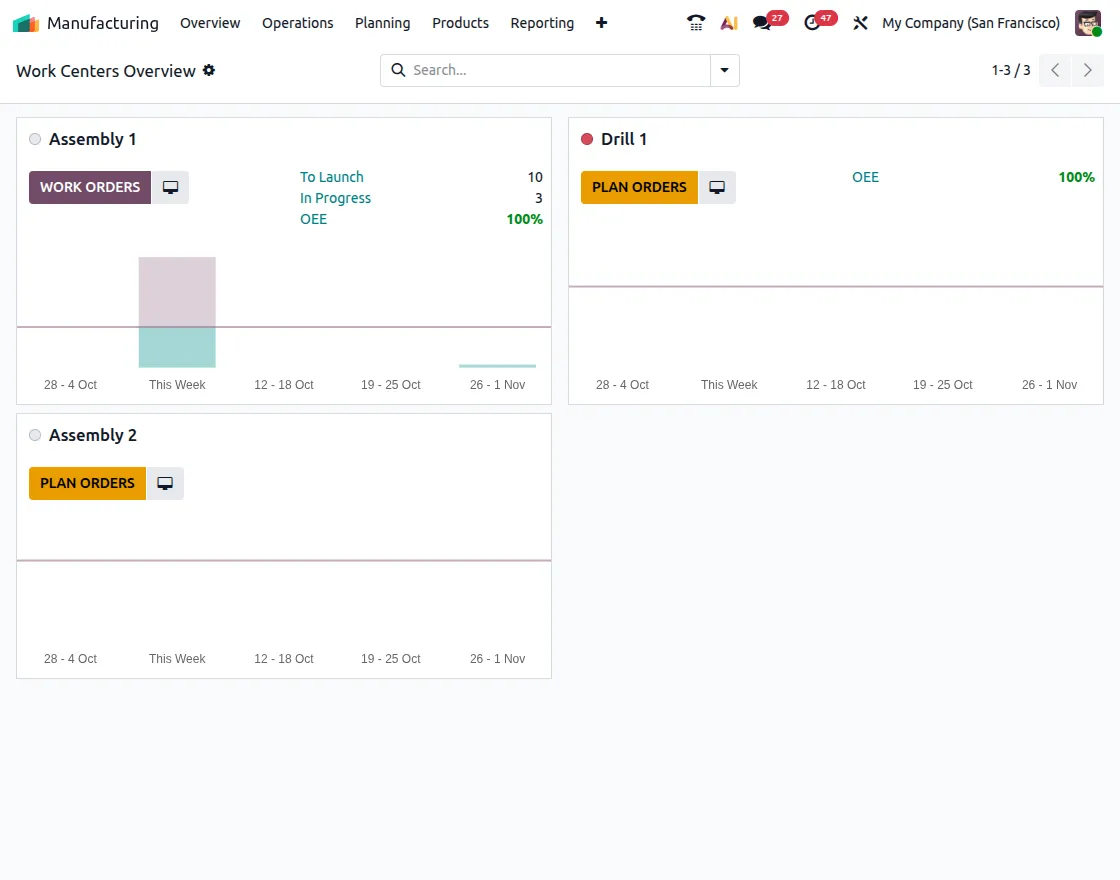
Odoo 19 brings helpful changes to make factory work easier and more organized. These updates give better control and a clearer view of what’s happening during production.
Main Improvements:
- Shop Floor Actions: Workers can update or finish work orders right from the shop floor screen.
- Smarter MPS: The production schedule is now easier to understand with clearer steps and links between tasks.
- Dependency Control: Manage waiting times better when one job depends on another.
These updates help supervisors check progress in real time and make tracking orders simpler for everyone.
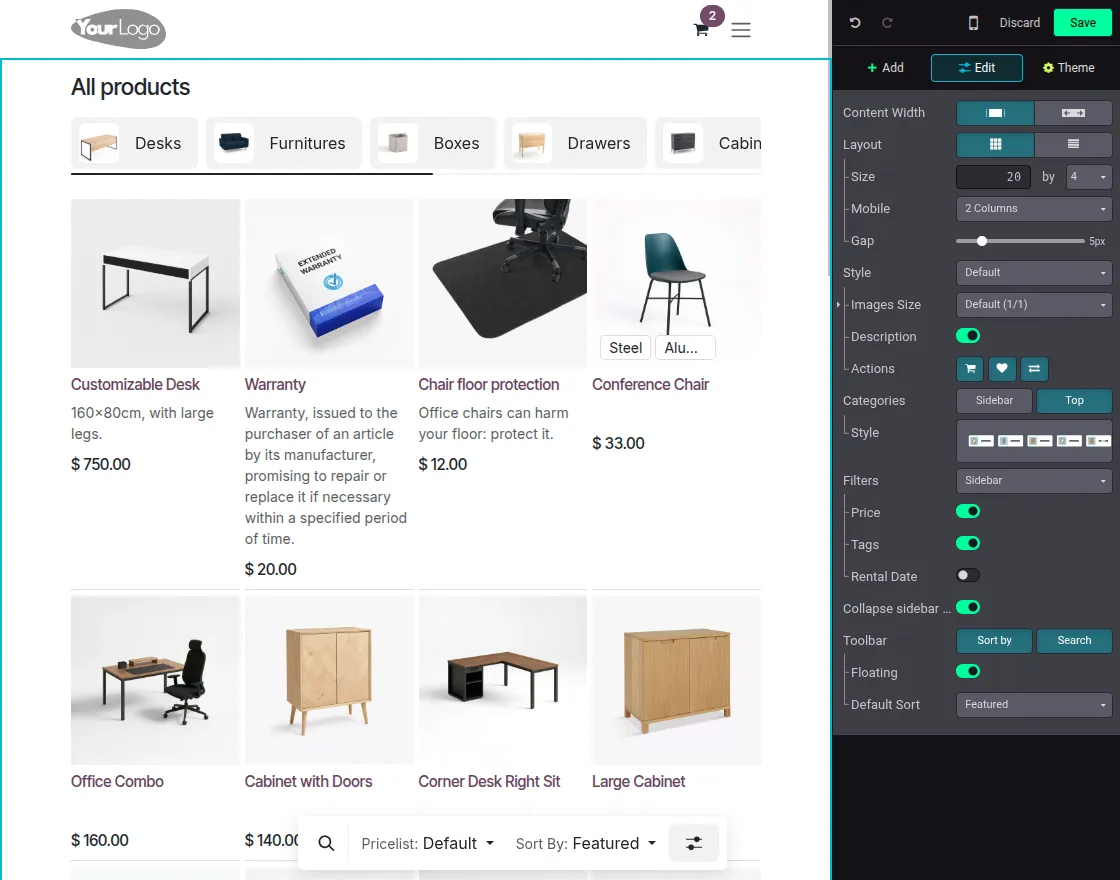
8. Website and eCommerce Improvements
Odoo 19 brings big updates to the Website Builder and eCommerce modules.
These updates make websites look cleaner, load faster, and work smoothly on any device, whether it’s a phone, tablet, or computer.
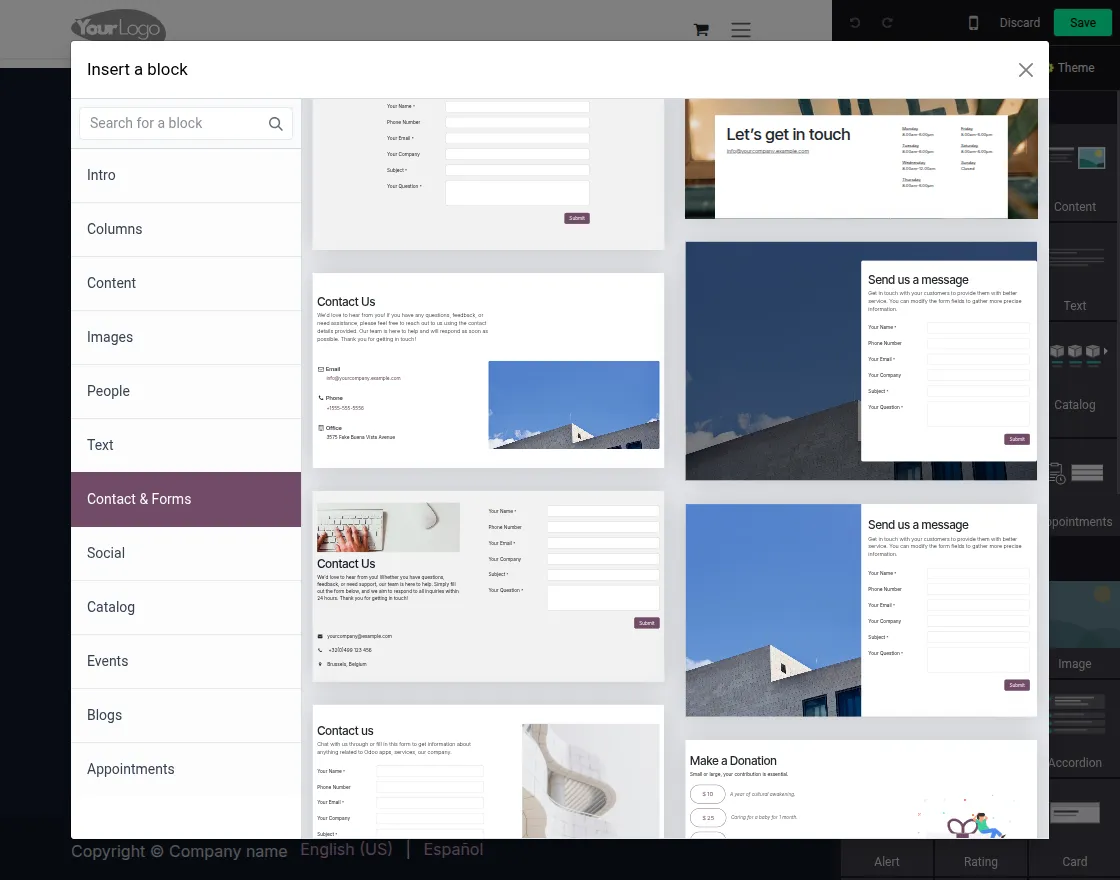
Main Upgrades:
- Attractive Layout: The store has a new, modern design with clean product pages and themes that look great on any device.
- Dynamic Product Displays and Ribbons: Special labels automatically show offers, popular items, and categories to help highlight products.
- Google Merchant Feeds: Easily share products on Google to help more people find them.
Mobile Checkout Experience: A faster and simpler checkout on phones with a clear view of the cart.
9. User Interface and Productivity Improvements
Odoo 19 introduces several small but meaningful UI enhancements that together make the system feel smoother.
Main UI Changes:
- Drag & Drop in Lists: Move items easily from one group to another.
- Edit Filters Quickly: Change or save your favorite filters right from the search bar.
- Manage Followers Together: Add or remove many followers at once.
- Better Gantt & Kanban Views: Zoom happens automatically, and steps are easier to see.
- Easier Data Imports: Ready-made templates help new users get started faster.
All these small changes make Odoo 19 feel smoother, simpler, and friendlier for everyone, both new and experienced users.
Current Product Version - 1.0.0


forwoocommere