CS-Cart PayUMoney Payment Gateway module works with checkout for payment in Cs Cart. It works in test and as well as in Live mode.
Also admin can install PayU Money in his/her site and User/Customer can make payment.
Features
- Admin can integrate PayUMoney Payment Gateway into CS Cart site.</li></li> <li>Admin has to provide Details Provided by PayUMoney for making Payment.
- Besides this any user/customer can make payment.
- Moreover automatic currency converter according to admin currency.
- Admin can choose to save details to save in response from PayUMoney.
- Also helps minimizing costs and risks.
- PayUMoney is verified by Visa & Master Card Secure Code enabled gateway.
Video Tutorial
CS-Cart PayUMoney Payment Gateway
</div>
When you download the Cs cart PayU Money Payment Gateway you’ll get one zip files (unzip_Cs_cart_Payumoney_Payment_Gateway) unzip it.
Firstly Goto Add-ons-> Manage Add-ons
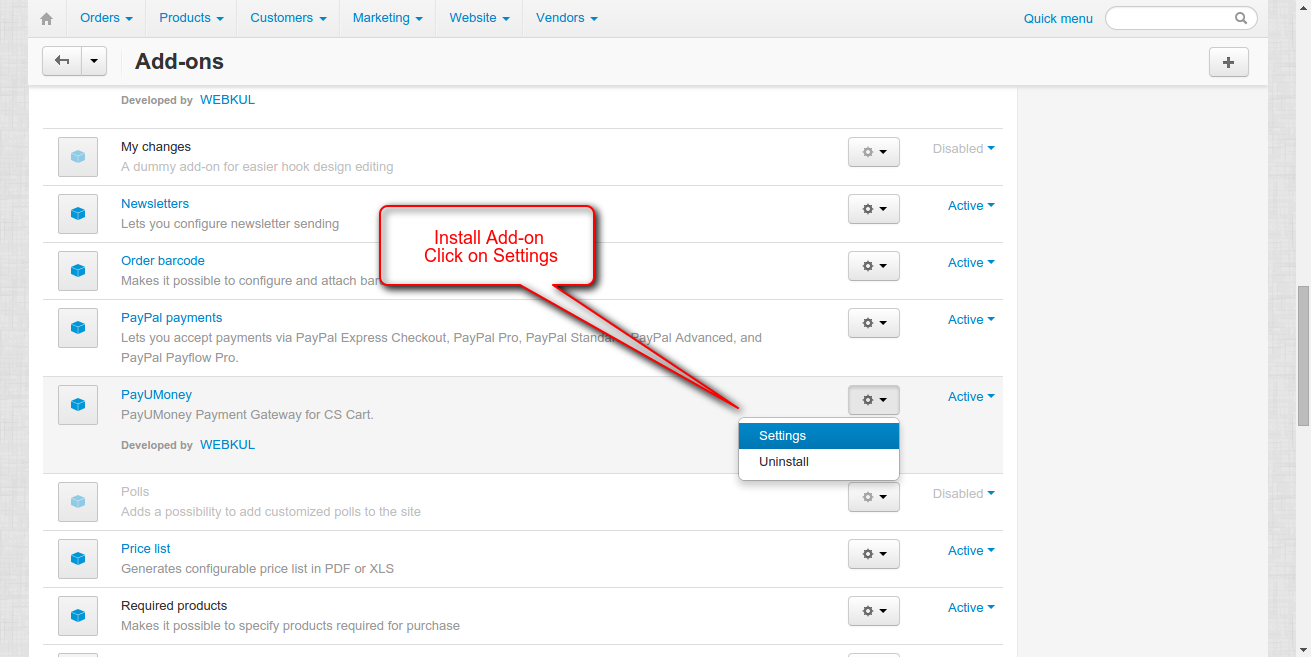
2. Save PayUMoney Details.

Note: PayUMoney Credentials in the Live Demo are not working.
3. Secondly go to Administration -> Payment Methods.
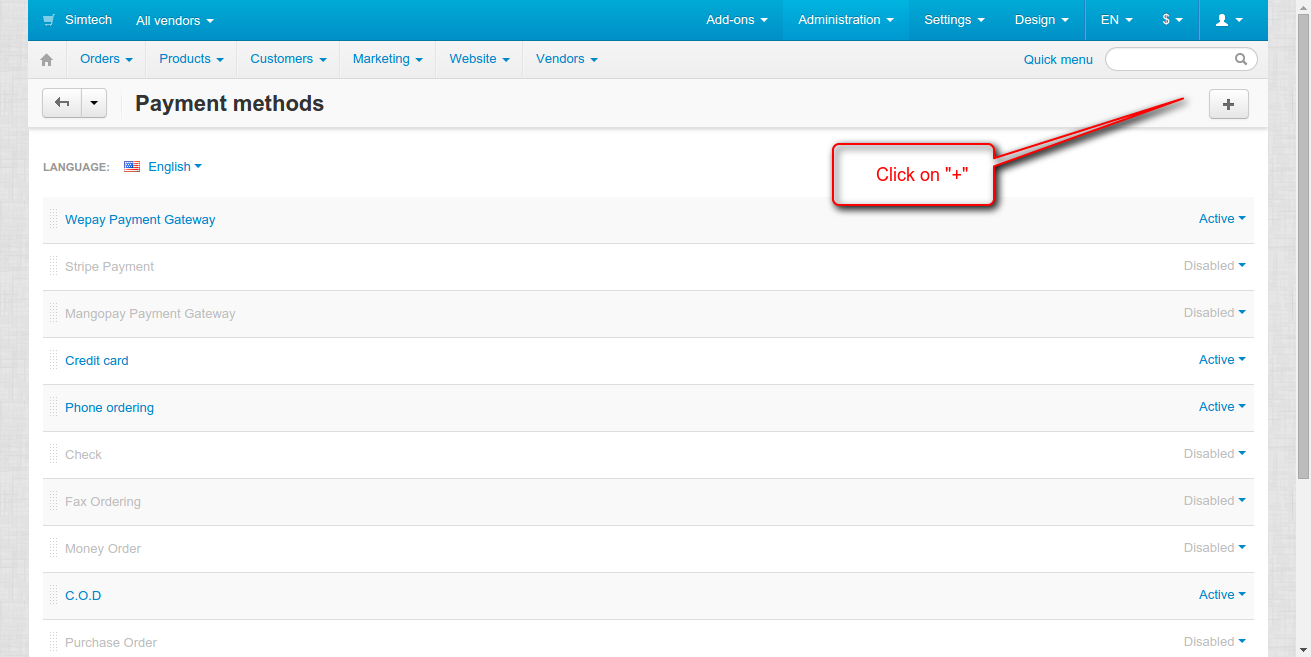
4. Select PayUMoney Payment Gateway.
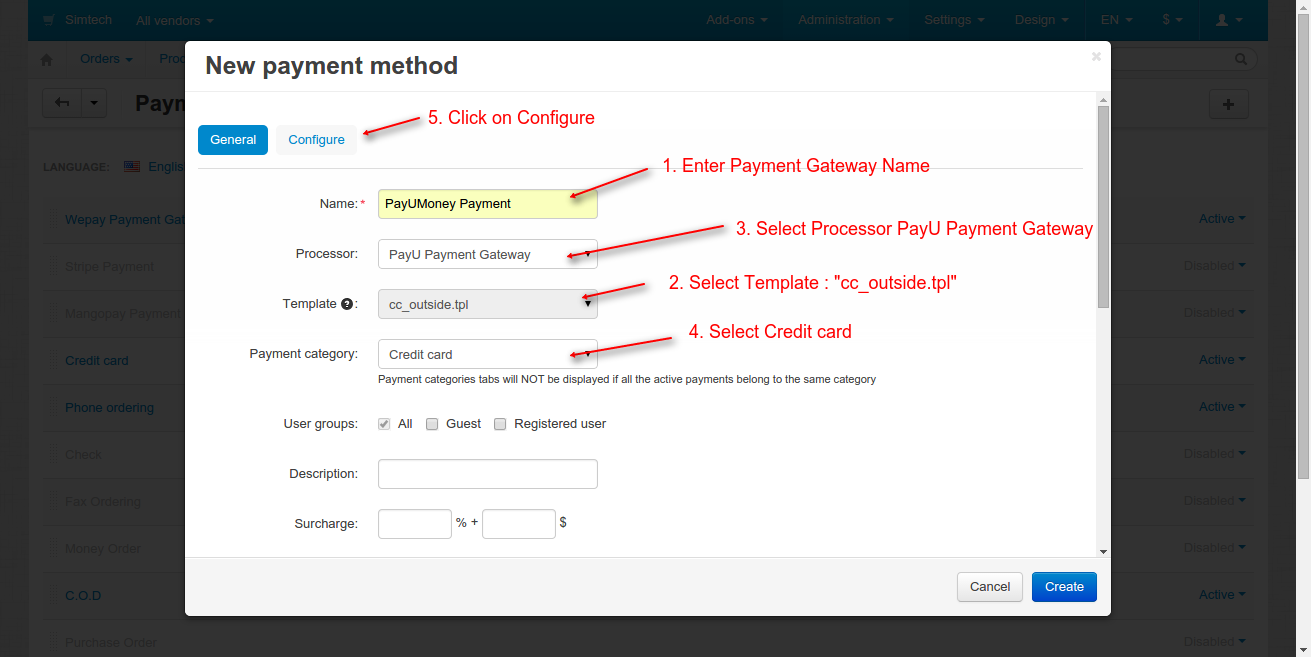
5. Configure payment gateway.

Make Payment Using PayUMoney
Now, lets check how a customer can make payment using the PayUMoney payment gateway,


View Order Details
1. Firstly Login as Admin and view order details.

PayUMoney Details
- Also user can Login at PayUMoney site.

2. View All Transactions.

NOTE : Also you can discover cs-cart other payU Payment gateways like CS-Cart PayU (Poland) Payment Gateway, CS-Cart PayUbiz Payment Gateway.
Support
Current Product Version - 2.0
Supported Framework Version - 4.18



http://developers.payulatam.com/es/web_checkout/