CS-Cart MSG91 SMS Notification: The impressive addon is designed for SMS alerts to Admin, Vendors, and customer on customer registration, new order placement and new shipment creation. This add-on helps to keep customers, admin, and vendor updated through SMS notifications on the registered mobile numbers.
Features (Version 1.0)
- Well integrated with CS-Cart Multi-vendor.
- Functionality to send SMS alerts to the customer for the events which include “Customer Registration, Order Placement, and Shipment Creation”.
- In addition Functionality to send SMS alerts to the Admin for the events which include “Customer Registration, Order Placement, and Shipment Creation”. Option to send same notification to Vendor as well.
- Also has feature to set SMS templates for different events.
- Necessary placeholders for setting SMS templates for different events are provided.
- Supports MSG91 as a communication platform.
- Moreover Easy to use and manage at admin end.
Features Added in Version 2.0
- Provided a functionality to send the notifications to vendor separately on different events.
- Also Option to send User Status change notification to the customer.
- Moreover Option to send Vendor Status change notification to the customer.
- Functionality to send the low stock notification to admin/vendor.
- In addition Functionality to set SMS templates for different events on which the SMS will be sent to a vendor. These events include Order Placement, Shipment Creation, Vendor Status Change.
- Necessary placeholders for setting SMS templates for different events are added.
Video Tutorial Version 1.0
How To Upload And Install
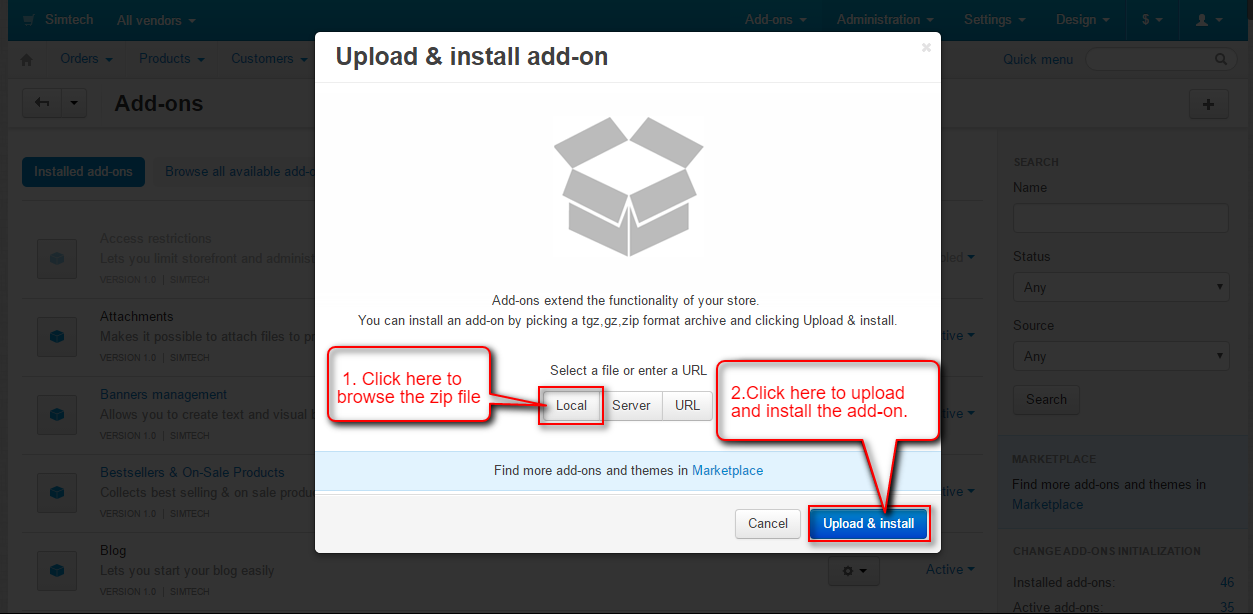
- After downloading CS-Cart MSG91 SMS Notification, you will get a zip file and install.txt . Read the install.txt carefully and configure it accordingly.Firstly Go to “Manage add-ons”, click on “+” to upload and install the zip file as shown below.

Secondly Click on “Local” to browse the zip file and then click on “Upload & Install” as shown below in snapshot.
Configuration
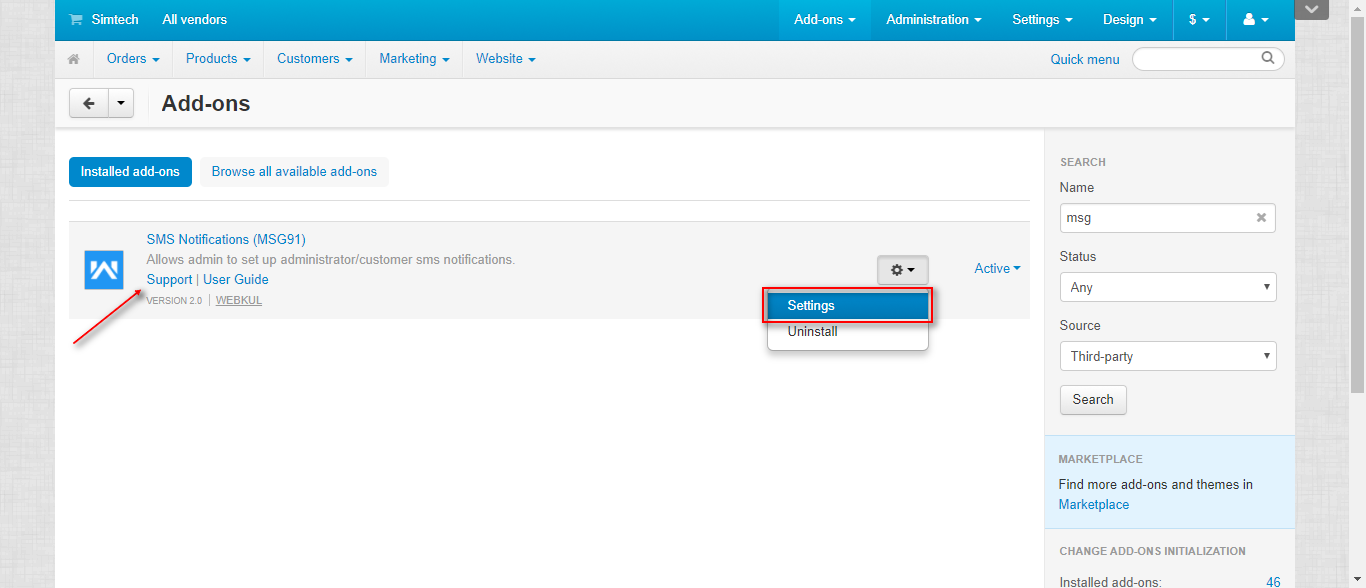
After successful add-on installation, Click on “Settings” to configure it.
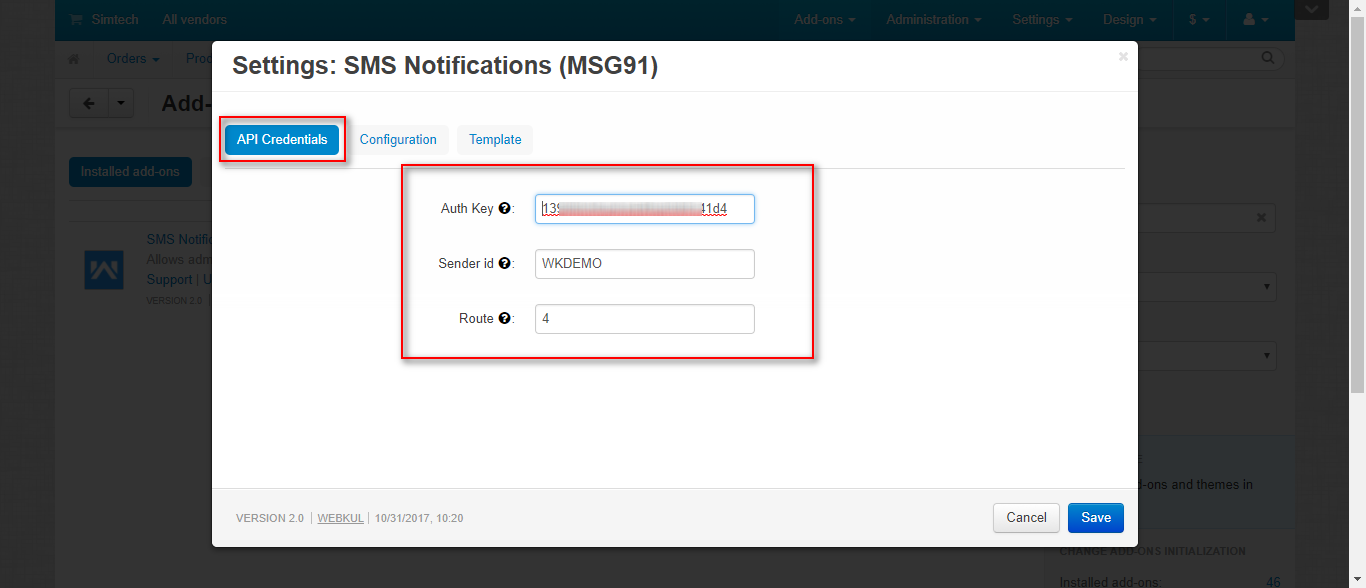
Set the below-mentioned parameters under API Credentials Tab.
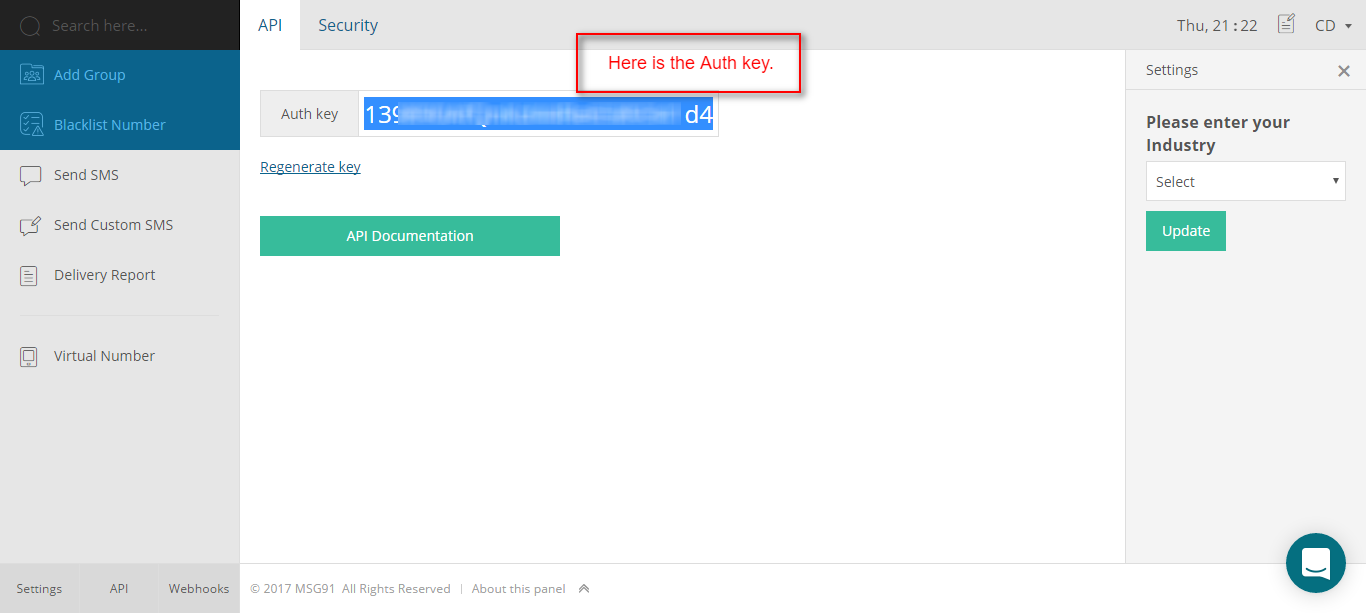
- Enter the MSG91 credentials i.e. Auth Key.
- Set a sender id with which the SMS alert will be sent.
- Enter the route id for sending notifications.
- Click on Configuration Tab.
- Also Select the events for which SMS notification will be sent to the customer under Customer SMS Setting option available. The events include “User Registration, Order Placement, Shipment Creation, User Status Change” as shown below.

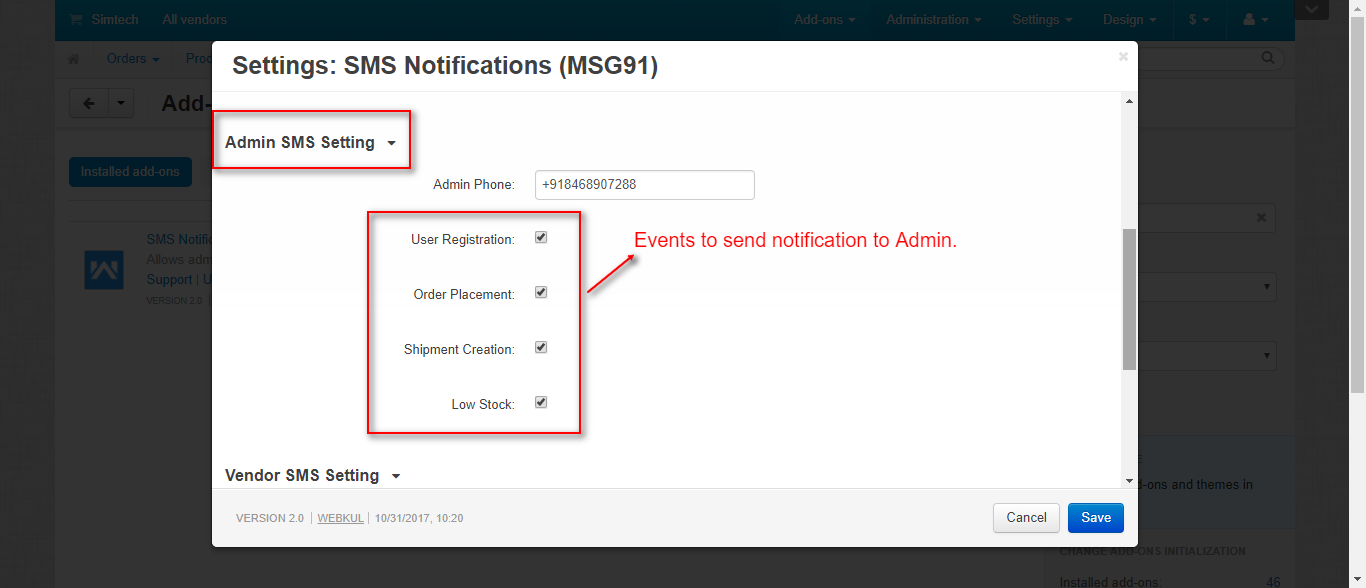
Next configuration is for Admin SMS Setting.
- Enter the contact number of admin to send the SMS alert.
- Select the events to send SMS notification to admin under Admin SMS Setting option available. The events include “User Registration, Order Placement, Shipment Creation, Low Stock” as shown below.
Next configuration is for Vendor SMS Setting.
- Select the events to send SMS notification to admin under Admin SMS Setting option available. The events include “ Order Placement, Shipment Creation, Vendor Status Change, Low Stock” as shown below.

Click on Template to set the SMS template for alerts. Necessary placeholders have been provided as shown below.

Choose SMS template for customers for the events i.e; User Registration, Order Placement, Shipment Creation, and User Status Change.

Set SMS template for admin for the events i.e; User Registration, Order Placement, Shipment Creation and Low Stock.

Set SMS template for Vendor for the events i.e; Order Placement, Shipment Creation, Vendor Status Change, Low Stock. And Save the changes.

Now the Customers, Admin, and vendors will get the SMS Alerts as per the settings saved at the backend.
How To Get MSG91 API Key
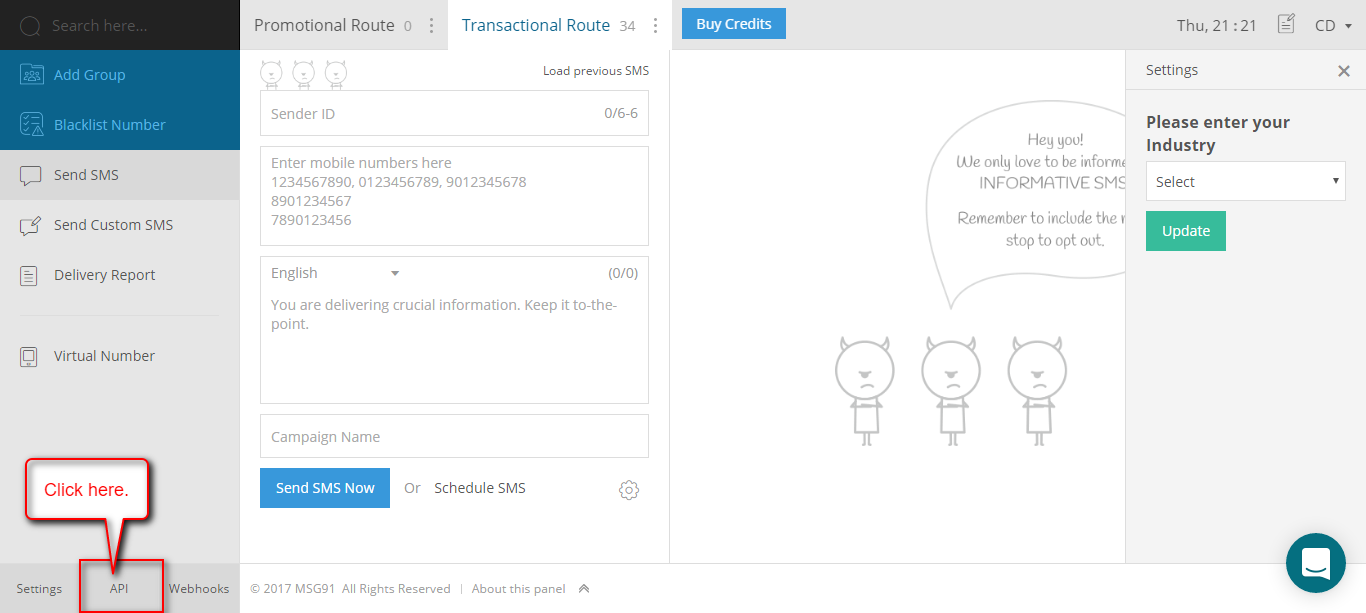
Here you can get the Auth Key required to configure the MSG91 at your store.
Support
This is all about CS-Cart MSG91 SMS Notification. Still, have any issues, feel free to contact us at http://webkul.uvdesk.com and let us know your views to make the module better.
Besides this you can explore our cs-cart Development Services and Quality cs-cart add-ons
Current Product Version - 2.0
Supported Framework Version - 4.18


Be the first to comment.