CS-Cart Accordion Slider lets you attractively display slideshows using various themes and effects.
Features
-
Works seamlessly across all major browsers.
-
Fully configurable from the admin panel.
-
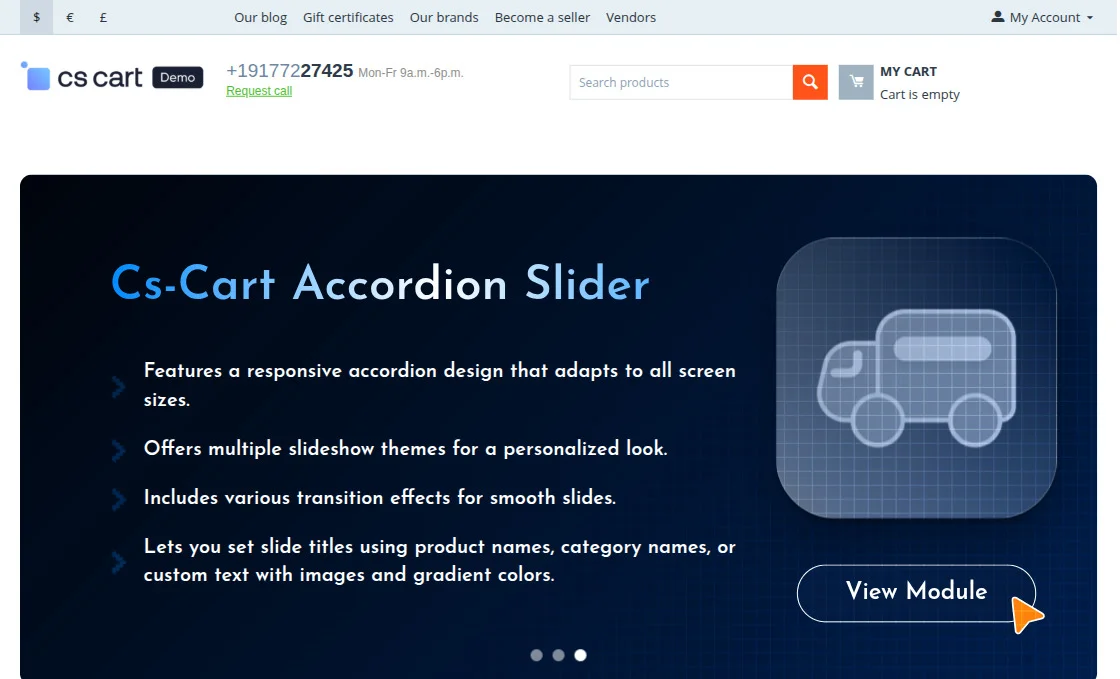
Features a responsive accordion design that adapts to all screen sizes.
-
Offers multiple slideshow themes for a personalized look.
-
Includes various transition effects for smooth slides.
-
Allows enabling or disabling of autoplay as needed.
-
Let’s you set slide titles using product names, category names, or custom text with images and gradient colors.
-
Enables adding background colors or images to banners.
-
Allows customizing heading colors for better design consistency.
-
Supports adding icons to enhance visual presentation.
Video Tutorial
Installation
After downloading the CS-Cart Accordian Slider add-on, you’ll get one zip file, one install.txt file, and a relevant User Guide manual doc.
Please read it carefully for proper configuration.
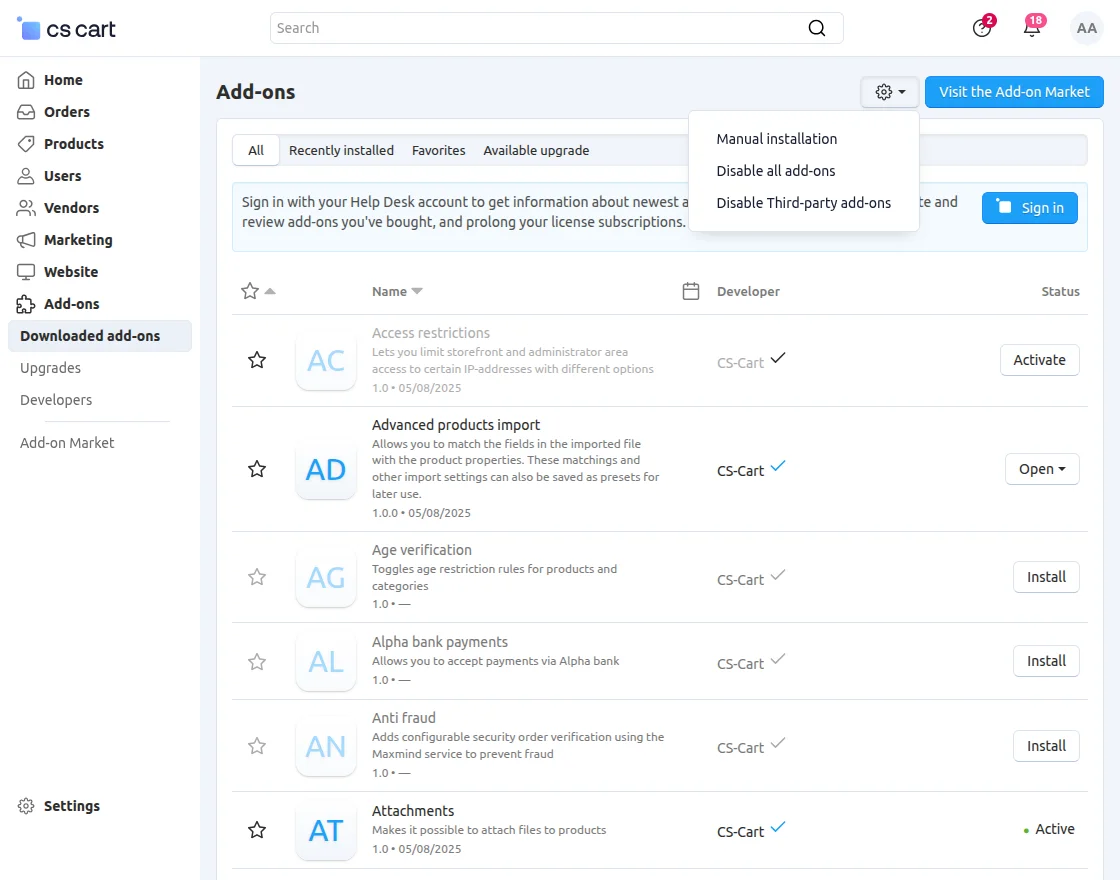
Go to Manage Add-ons, and click on “Manual Installation” as shown below in the snapshot.
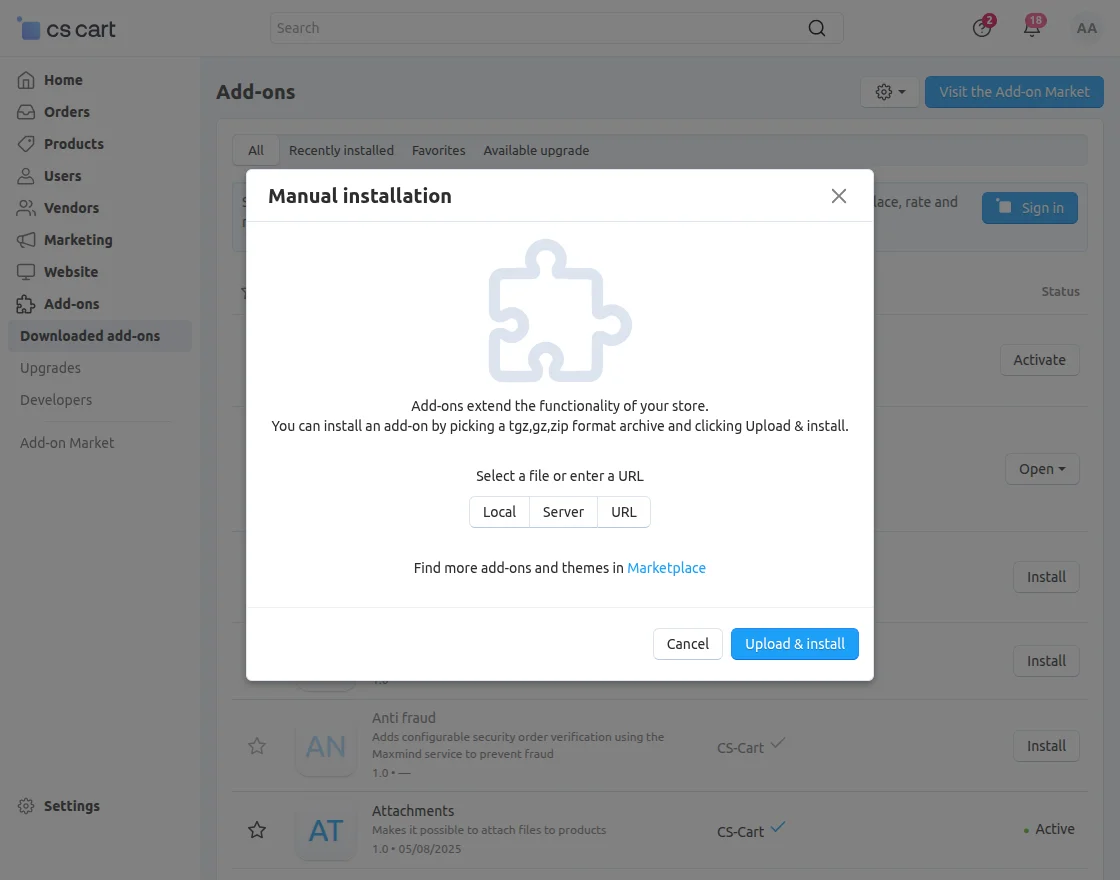
Click on “Local” to browse the zip file, and then click on “Upload & Install” as shown below in the snapshot.
Module Configuration | Admin
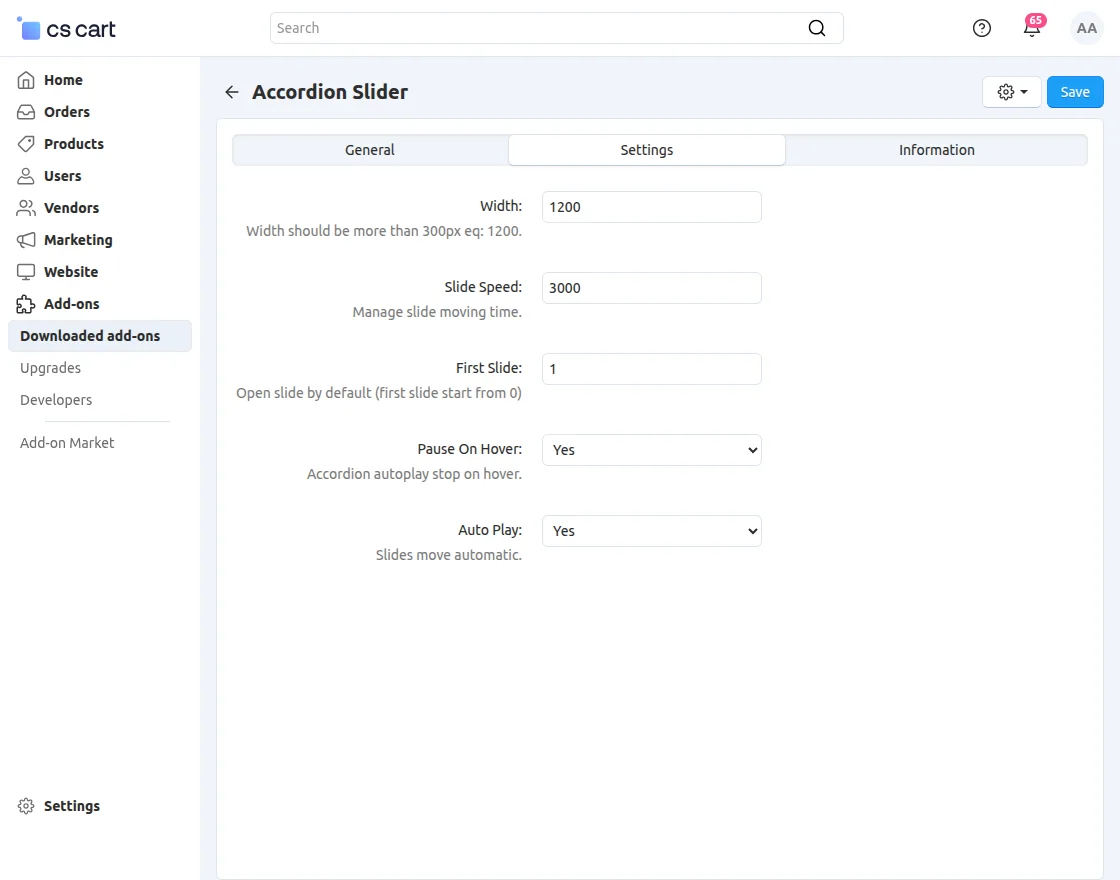
To configure the module, go to the Add-Ons >> Developers >> Webkul Software Pvt Ltd. >> Accordian Slider >> Settings
Slide Creation
-
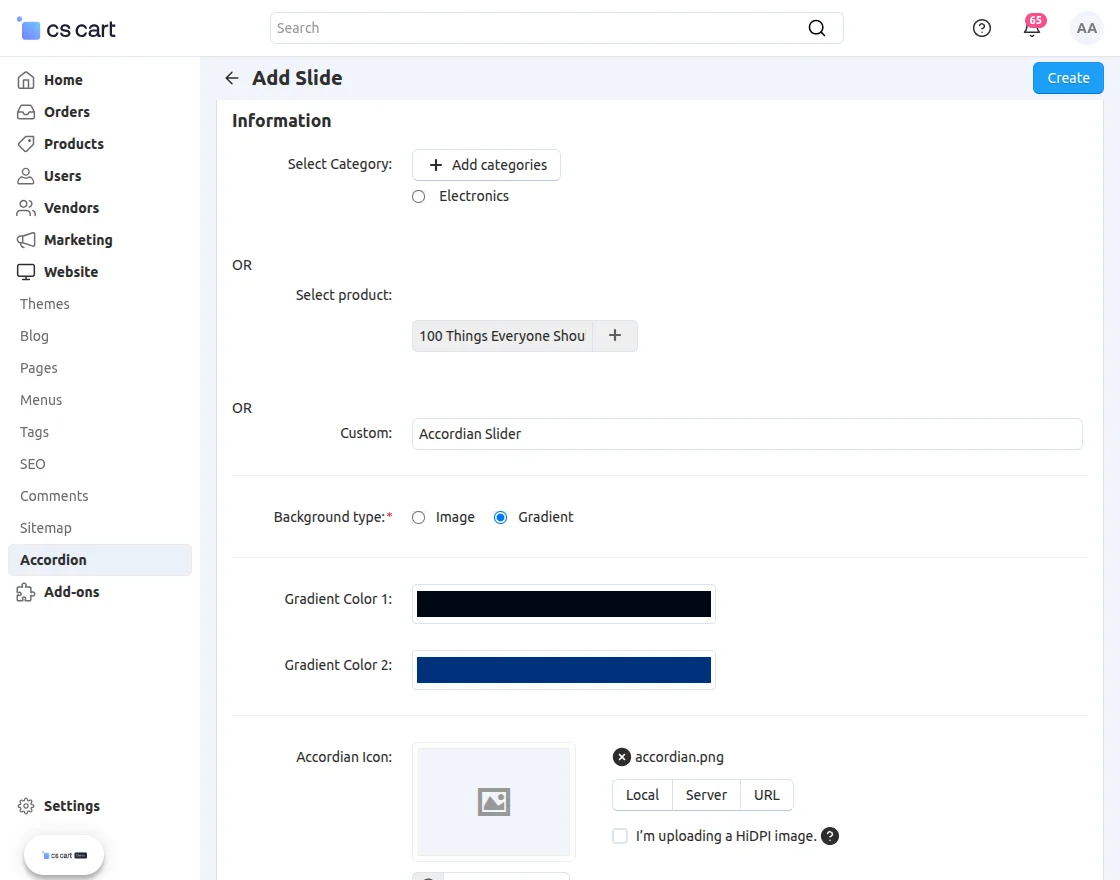
Select Category: Pick the categories you want to showcase in the slideshow.
-
Select Product: Choose specific products to feature in the slide display.
-
Select Custom: Enter your preferred custom title or content to display in the slide.
-
Background Type: Choose either an image or your preferred color for the background.
-
Accordion Icon: Select an icon to display on the banner.
-
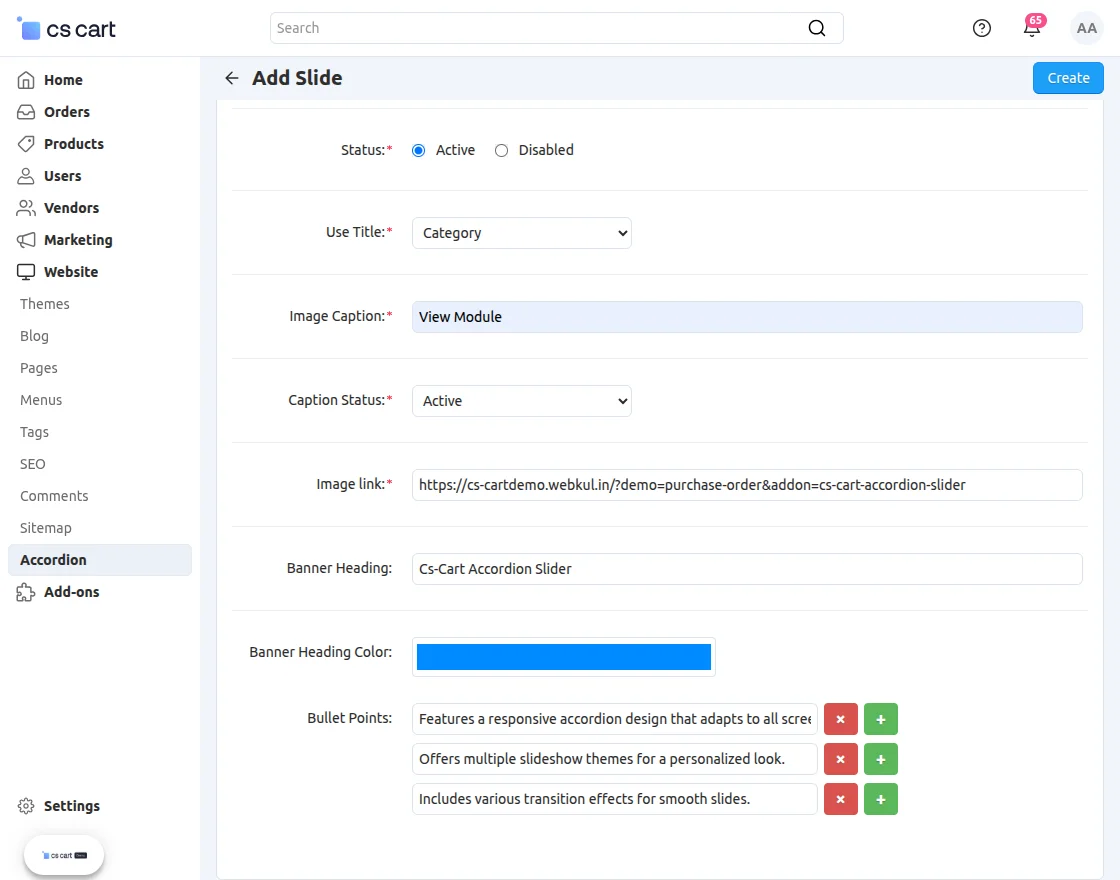
Status: Select the status to activate or disable the slide.
-
Use Title: Enable this option to display the title in the slide list.
-
Image Caption: Add a caption for the image.
-
Caption Status: Activate this option to display captions on the slide.
-
Image Link: Provide a link to redirect users to the desired page or add-on.
-
Banner Heading: Enter the heading for the banner.
-
Banner Heading Color: Choose a color for the banner heading.
-
Bullet Point: List the key features or highlights of the add-on.
Support
If you have any questions, suggestions, or customization requests, feel free to contact us at [email protected] or submit a ticket at webkul.uvdesk.com.
Explore our premium-quality CS Cart Extensions to enhance your store functionality.
You can also explore our CS-Cart Development Services and Quality CS-Cart add-ons.
Current Product Version - 1.6
Supported Framework Version - 4.16.x, 4.17.x, 4.18.x


Be the first to comment.