Cache System:- Cache system is a technique in which we stores the information for future request by which the data can be delivered faster for the next request.
By using cache you can reduce the load time, because when you request for a page first time system will take some time to load the page but if you are using cache, then on second request system will take less time to load the same page because it will fetch the requested data from cache files.
By default Opencart provides three type of Cache Driver, by which you can create cache in different way.
- File Cache Driver
- Apc Cache Driver
- Mem Cache Driver
you can use these driver according to your need. File Cache Driver mostly used to maintain the cache for small section of data like in opencart we stored the cache for the currency and language by using File Driver. By using Mem Cache Driver we can store the Full Page Cache.
We used the blackfire.io profiler to monitor the performance with cache system and without cache system. In the below screen shot we profile the dresses category page, which have total 3999 products and 250 products in each page.
Without Cache System:-
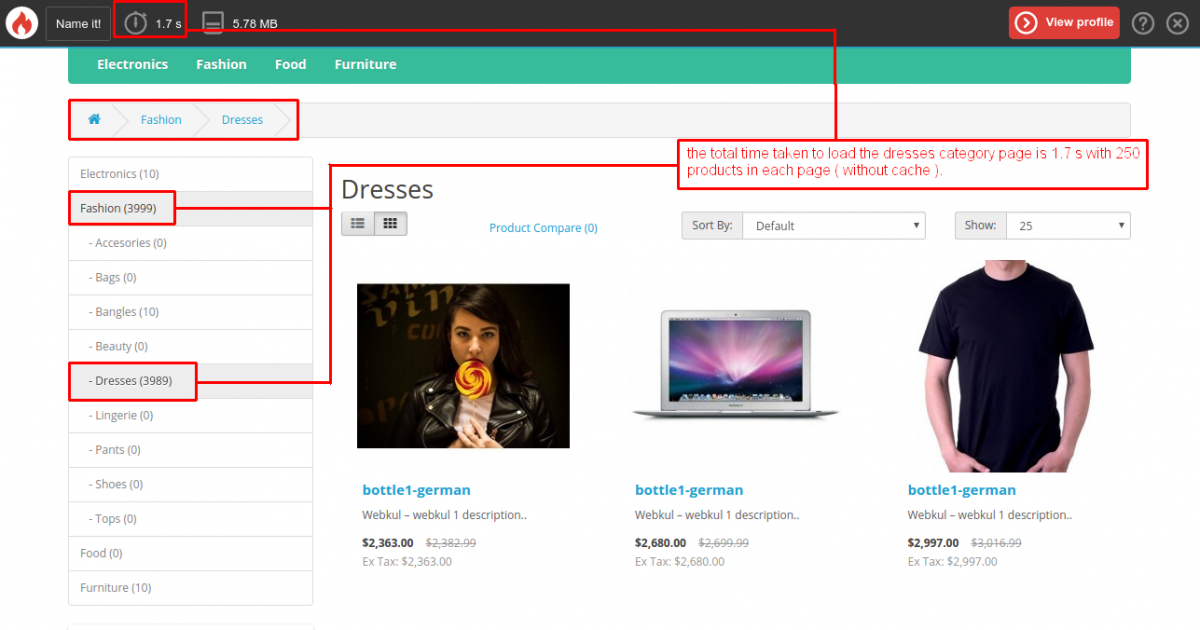
In the above image the total time taken to load the dresses category page is 1.7 second without using cache system, which having total 3989 products and 250 products in each page.
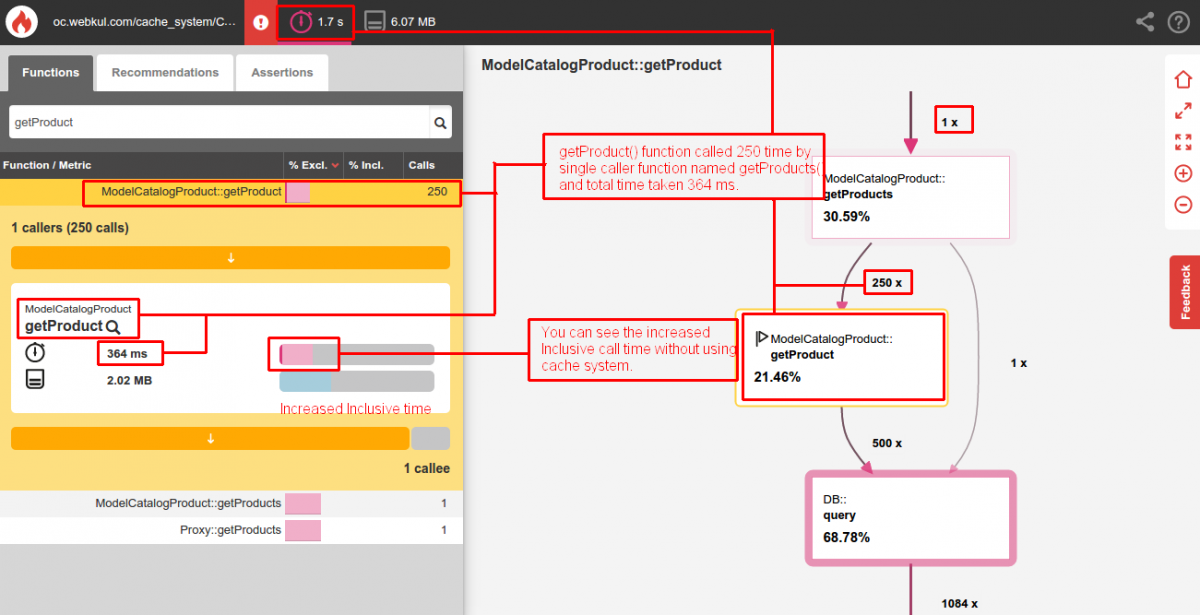
After complete profiling, you can see the total calls to getProduct() function is 250 time by 1 caller named getProducts(). The total time to fetch the 250 products is 364 milisecond and also increased the inclusive time.
With Cache System (Using File Driver):-
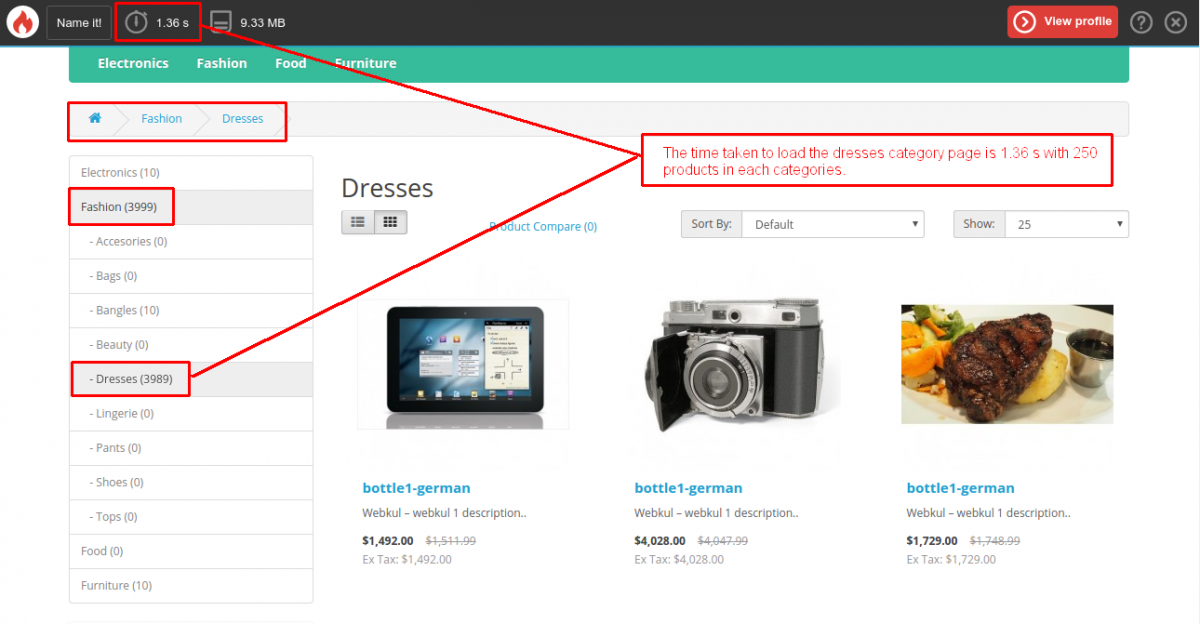
By using the cache with file driver, the total time taken to load the same dresses category’s product page is 1.36 second with 250 products in each page.
After monitor the complete profiling you can see the time taken to call the getProduct() function is 42.2 milisecond only by single caller named getProducts().

Also the reduce the inclusive time for getProduct() function call.
Thanks.


Be the first to comment.