Check a brief overview of the plugin –
Features & Benefits
- Well integrated with CS-Cart & CS-Cart Multi-Vendor.
- Adds “Buy Now” button along with the “Add To Cart” Button.
- Integrates the Buy Now button at product view and quick view page on the CS-Cart store.
- Buy Now allows the user to directly buy a product and redirect to the checkout page.
- Enhances customers’ experience & makes the shopping process seamless.
- Easily configurable – Just set some settings and it is ready to use.
- Easy to manage at the admin end.
- Choose the product and category to show the buy-now button.
- Enable/Disable the buy-now button if the customer is not logged in.
- The admin should be given the choice to make the buy-now button either replace with add to cart, or display both buttons at the frontend
- The admin can create the buy button for single or multiple products. He can edit the text and can customize the view(font color, button background color) of the buy button.
Installation
After downloading the CS-Cart Buy Now button module, you will get the zip file of the installer, a pdf, and an install.txt file.
Read the PDF carefully for configuration.
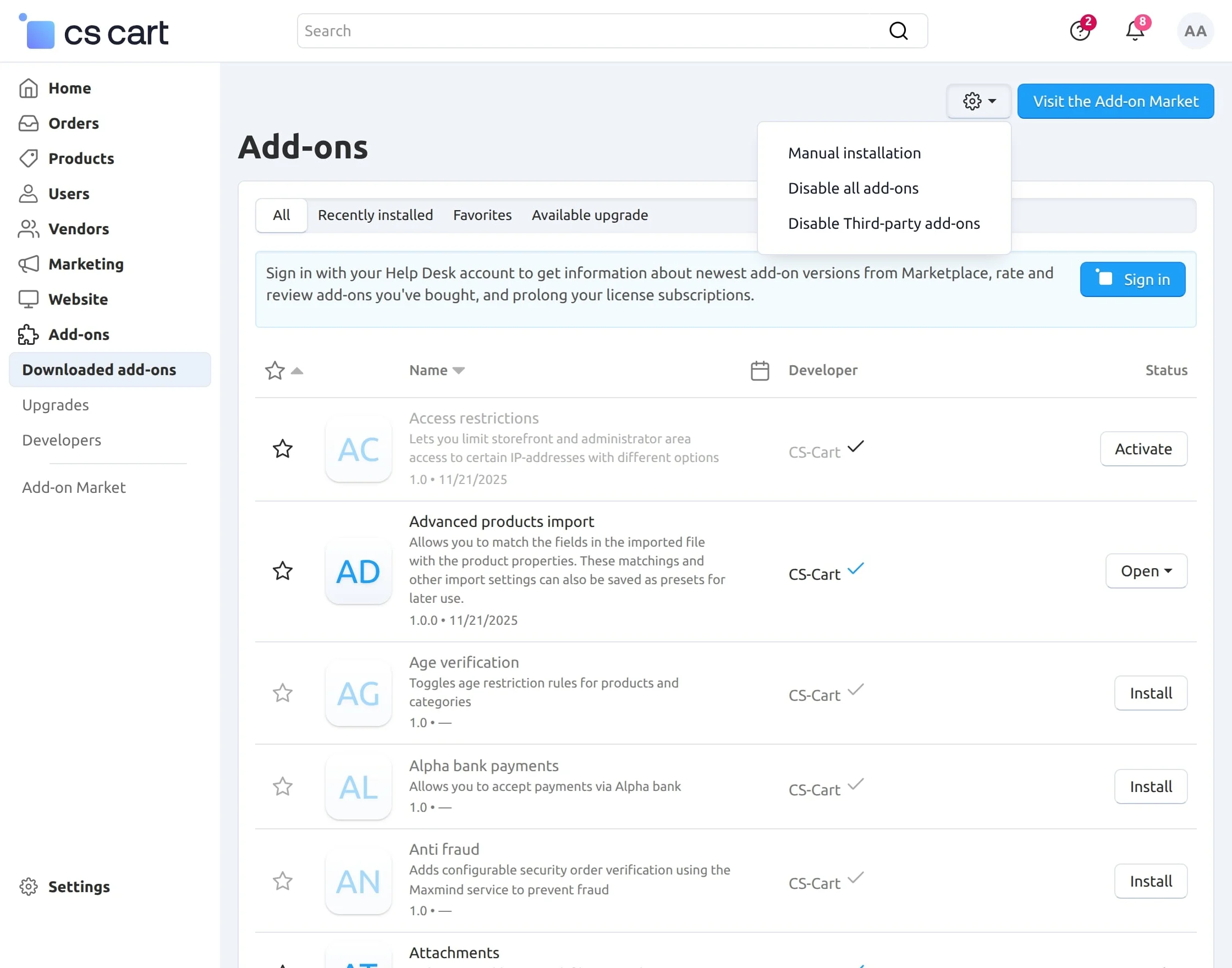
Navigate to Add-ons –> Downloaded add-ons and click on the settings icon, from here you can manually install the zip file as shown below:
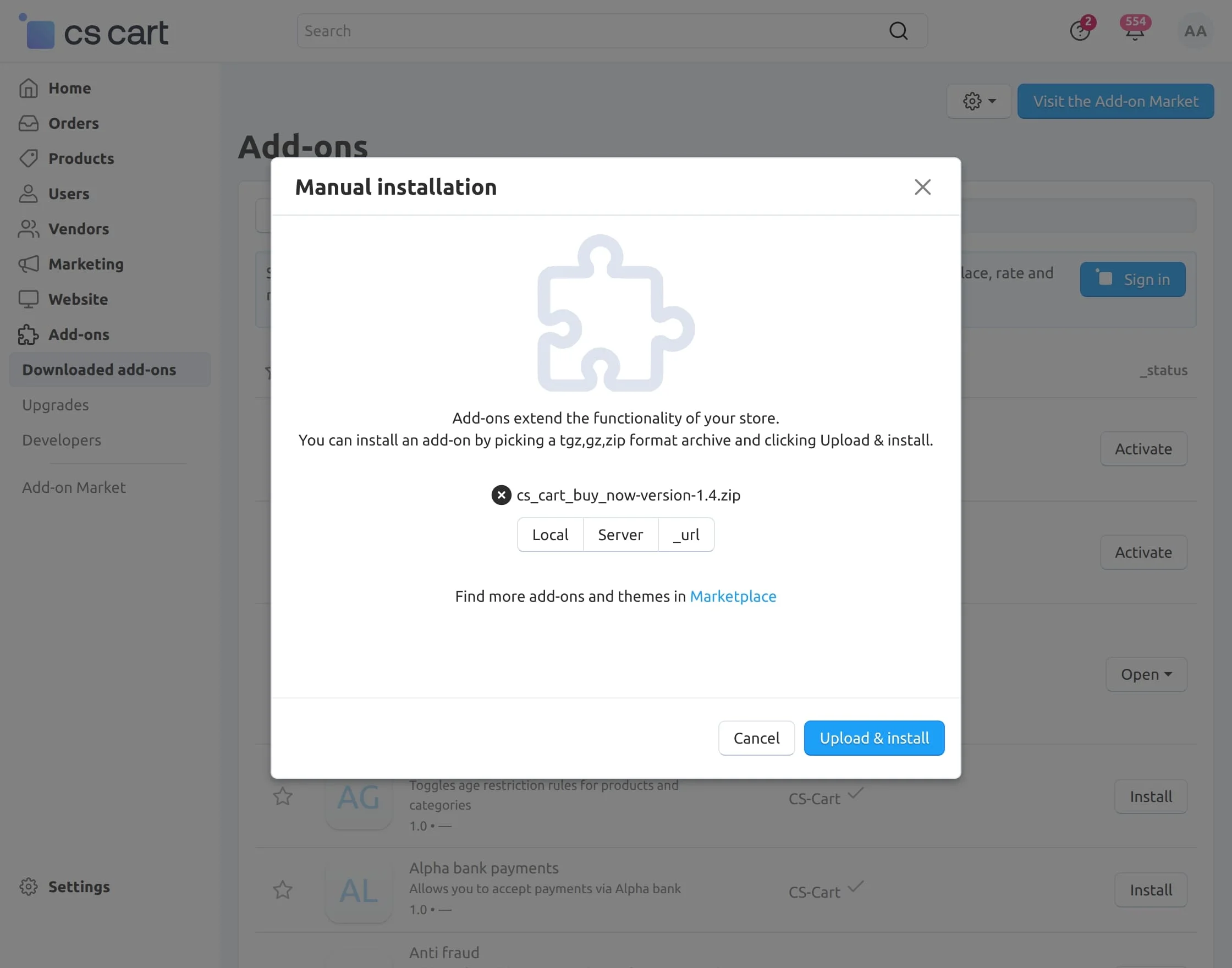
Click on “Local” to browse the zip file and then click on “Upload & Install” as shown below in the snapshot.
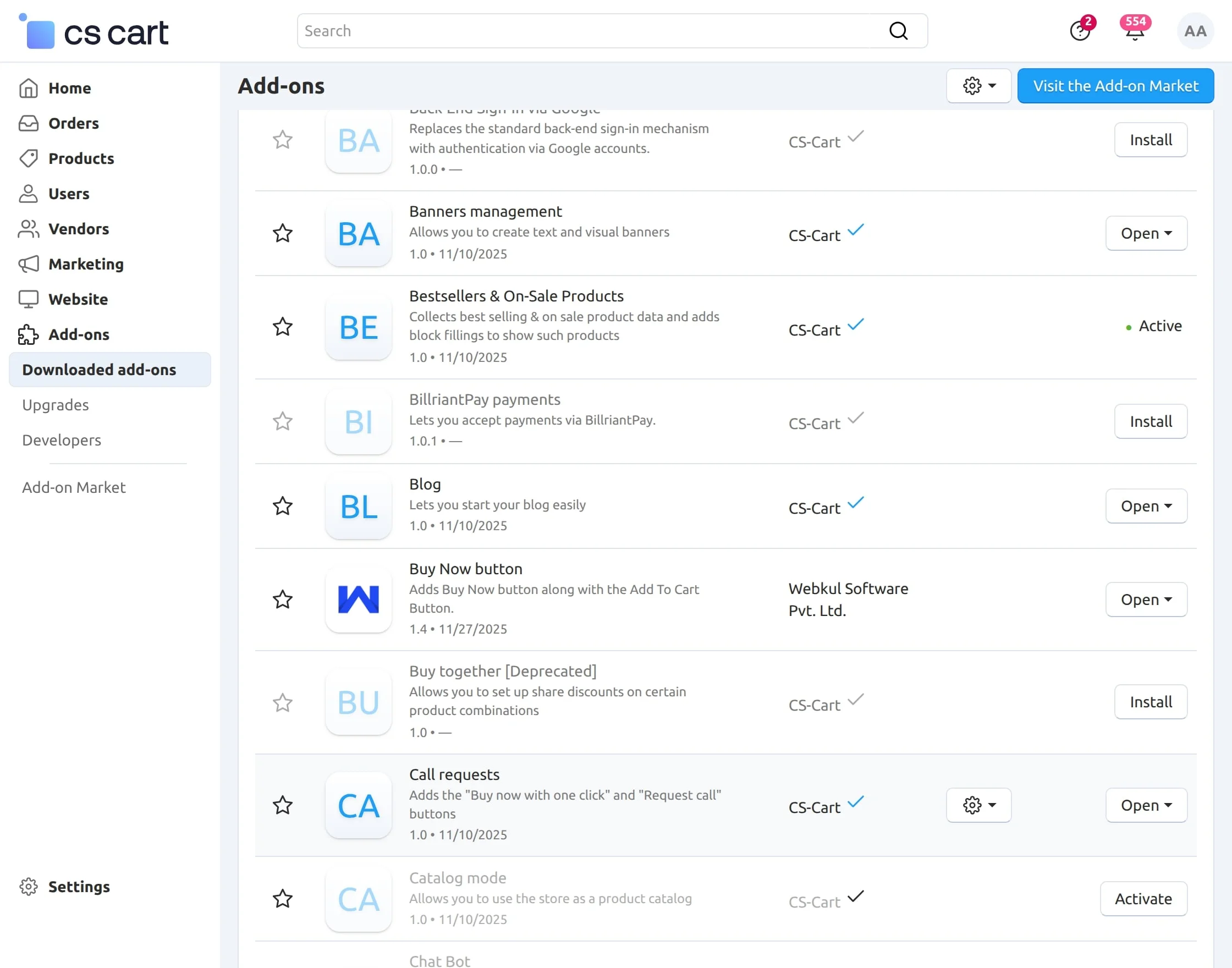
Activate Add-on
Once you install and activate the CS-Cart Buy Now Button add-on, you can begin configuring its settings.
Module Configuration
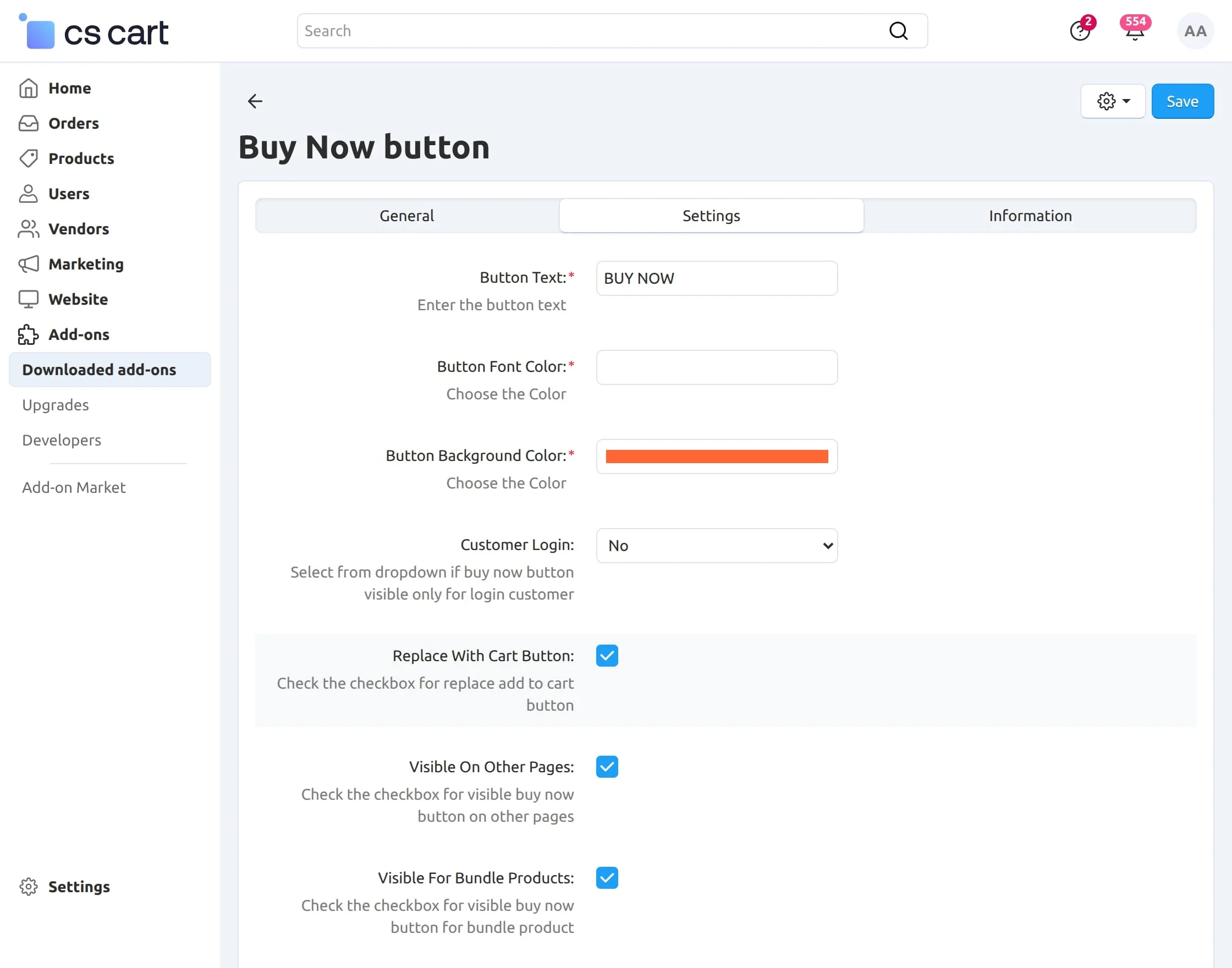
After opening the CS-Cart Buy Now button add-on, click on the ” Settings” tab to begin the configuration process.
1 – Button Text: Enter the text you want to display on the Buy Now button.
2 – Button Font Color: Select the font color for the button text.
3 – Button Background Color: Choose the background color for the button.
4 – Customer Login: Choose from the dropdown—select Yes if the Buy Now button should be visible only to logged-in customers, otherwise select No.
5 – Replace With Cart Button: Enable this option if you want the Buy Now button to replace the Add to Cart button.
6 – Visible on Other Pages: Check this option to display the Buy Now button on additional pages.
7 – Visible for Bundle Products: Enable this setting to show the Buy Now button on bundle products.
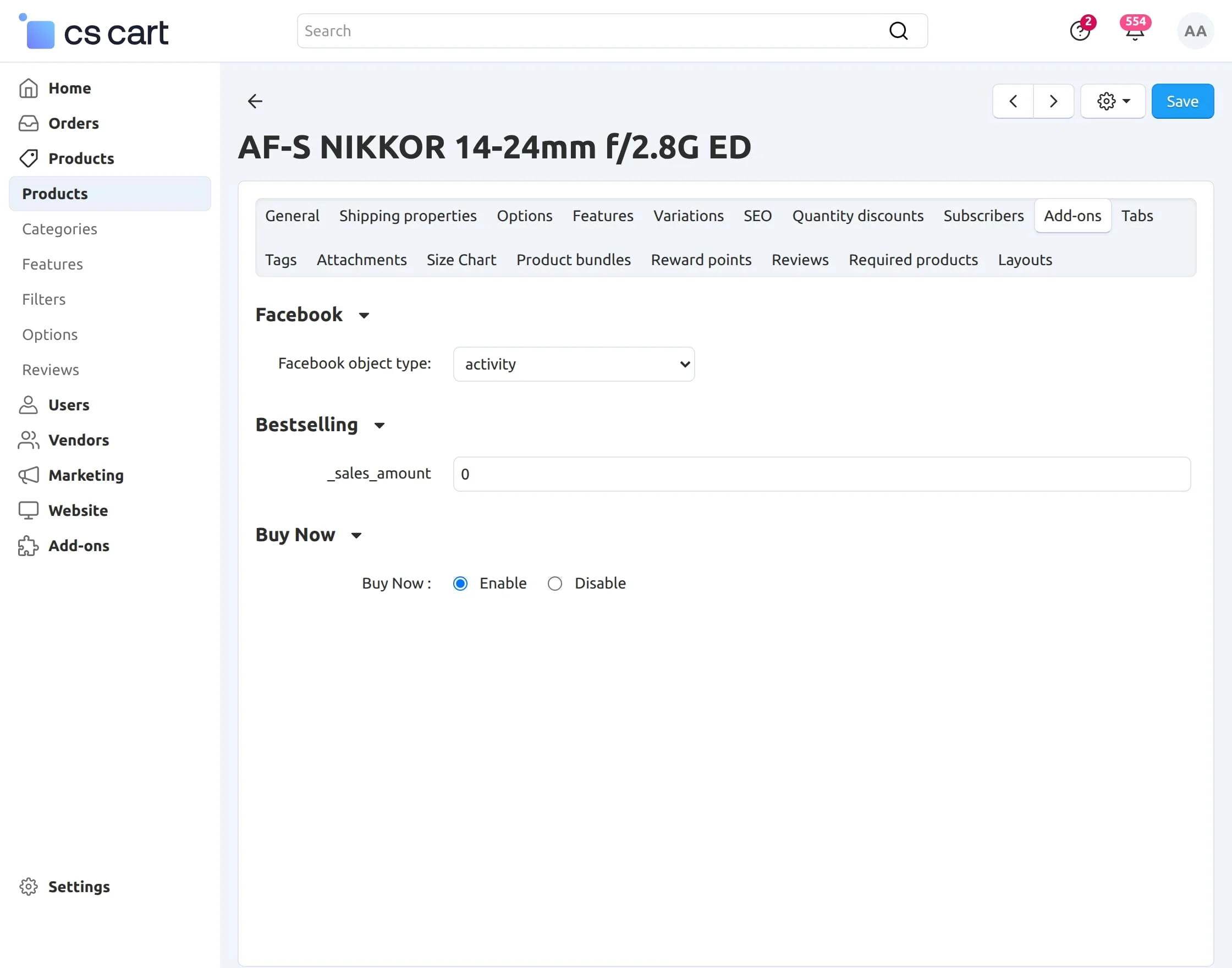
Admin Configuration on Product Page
Select the product, go to the Add-on tab, and enable or disable the Buy Now button from there.
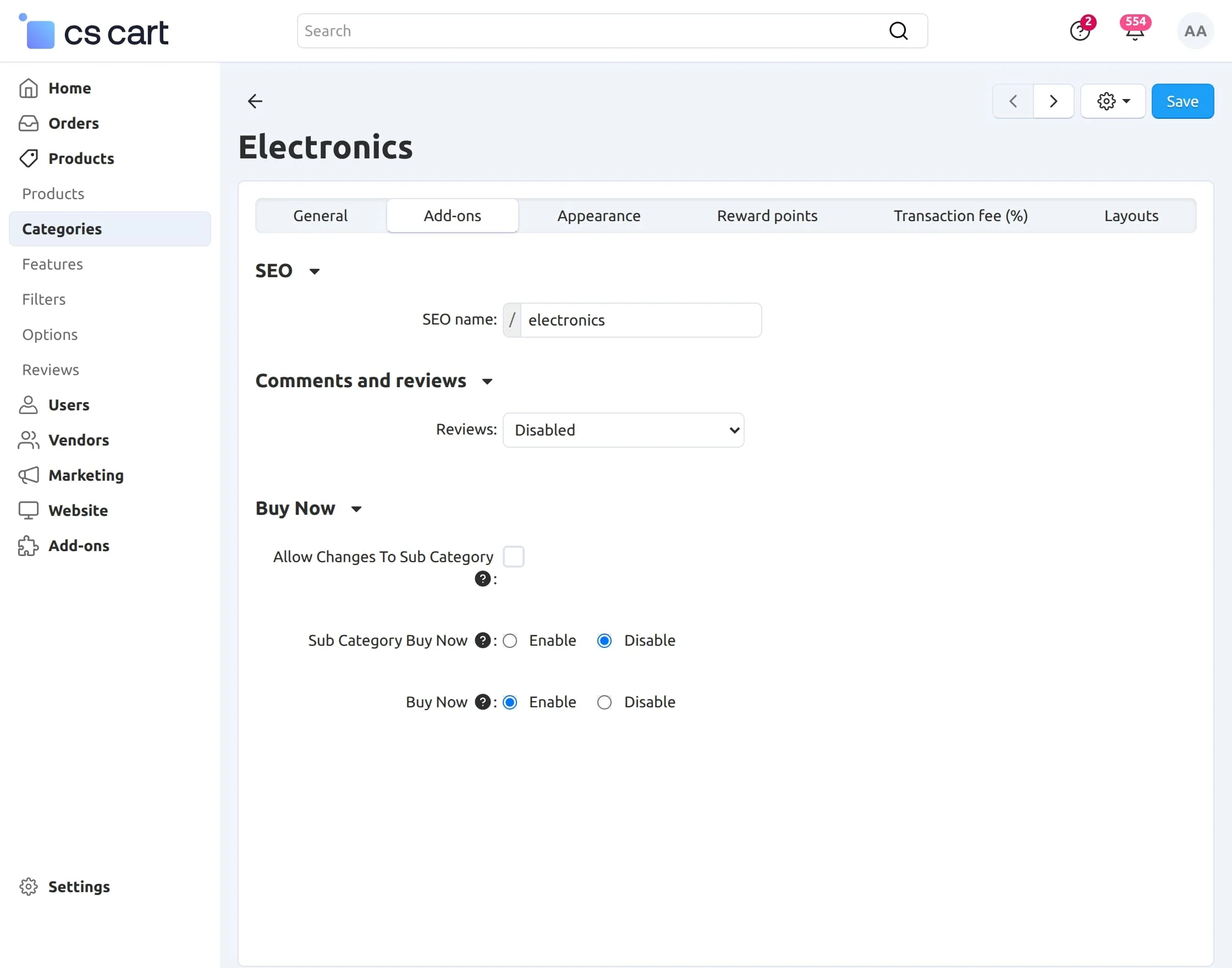
Admin Configuration on Category Page
Select the category, open the Add-on tab, and configure the Buy Now button settings.
From here, you can enable or disable the Buy Now button for that specific category.
Front End View
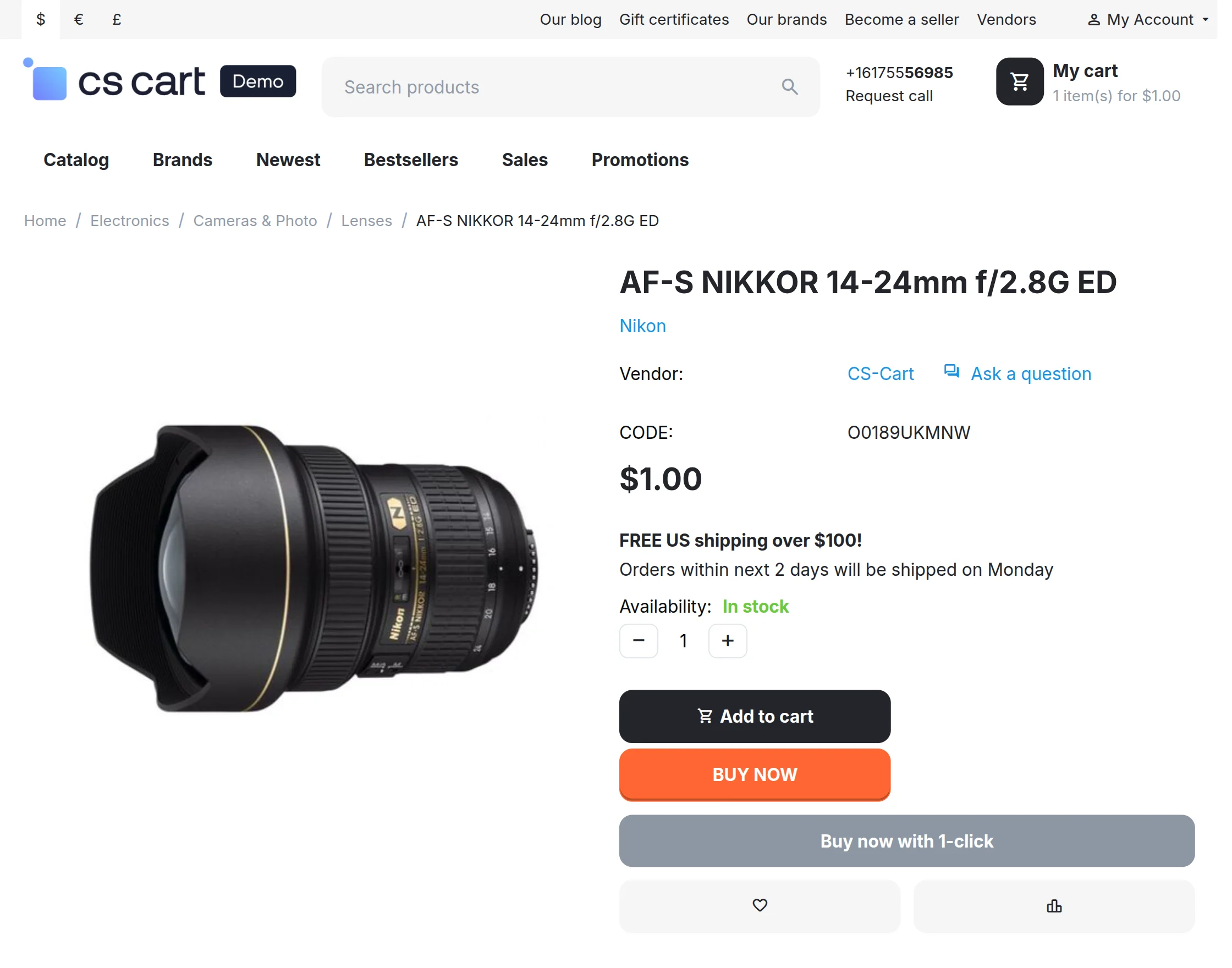
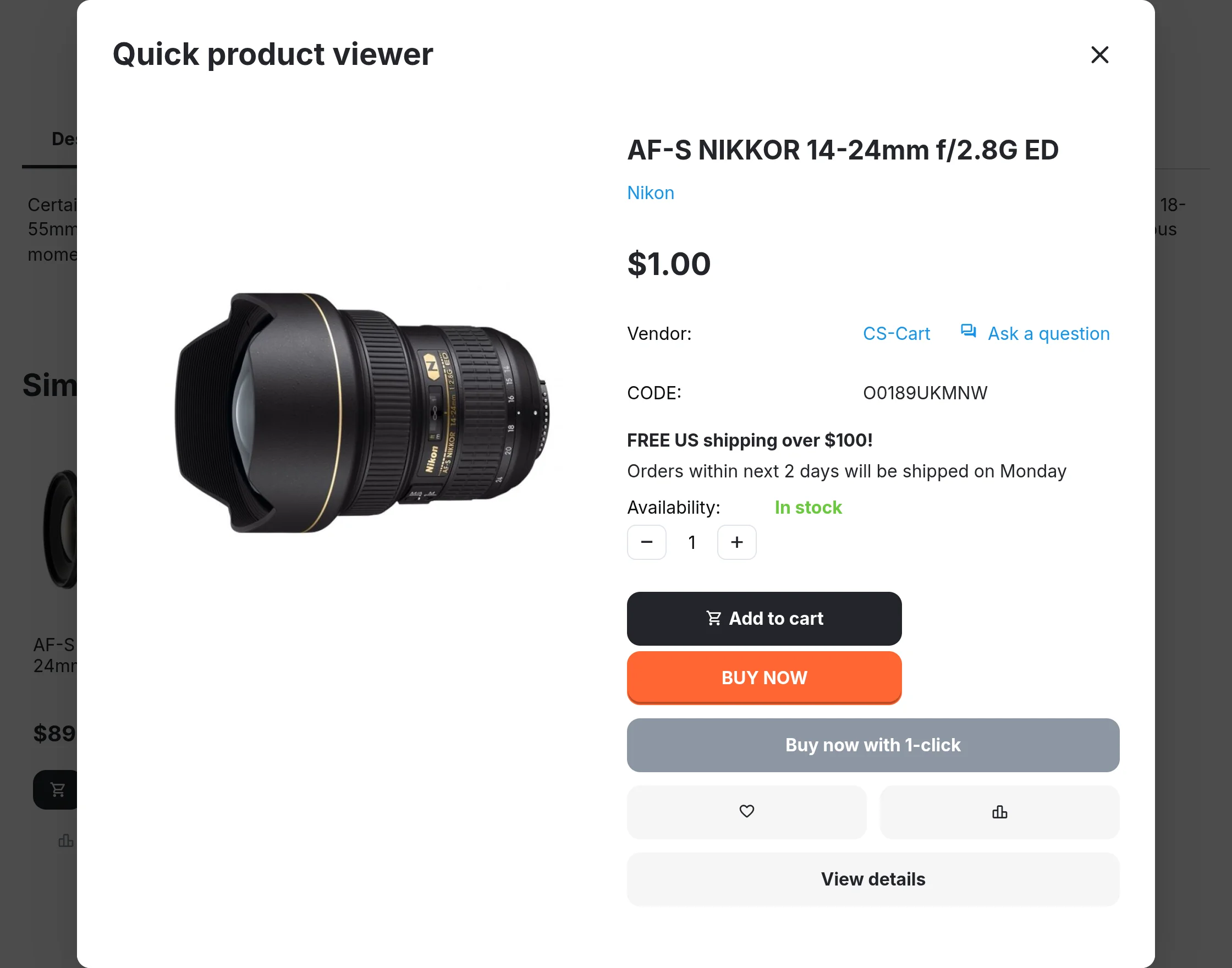
Simply by installing the addon, Buy Now button will be visible on the Product Details page and Quick View page as shown below :
Product Details Page :
Quick View Page :
Support
This is all about Buy Now Button Add-on For CS-Cart. Still, have any issues, feel free to contact us at http://webkul.uvdesk.com and let us know your views to make the add-on better.
Besides this, you can explore our CS-Cart development services and Quality CS-Cart add-ons.
Current Product Version - 1.4
Supported Framework Version - 4.16.x to 4.19.x


Be the first to comment.