Security of a website has become a major concern now a days. Hence, it becomes very important to keep an eye in each and every activity going around in the website. Around 70% of the websites in the world are built in WordPress. We have to keep on searching the ways from which we can keep our website safe and secure from unwanted users.
One such feature is to block unwanted IP addresses from which we don’t want any kind of activity in our site. WordPress provides a feature to blacklist malicious IP addresses.
We can blacklist any IP address we want in two ways:-
From Comments Menu
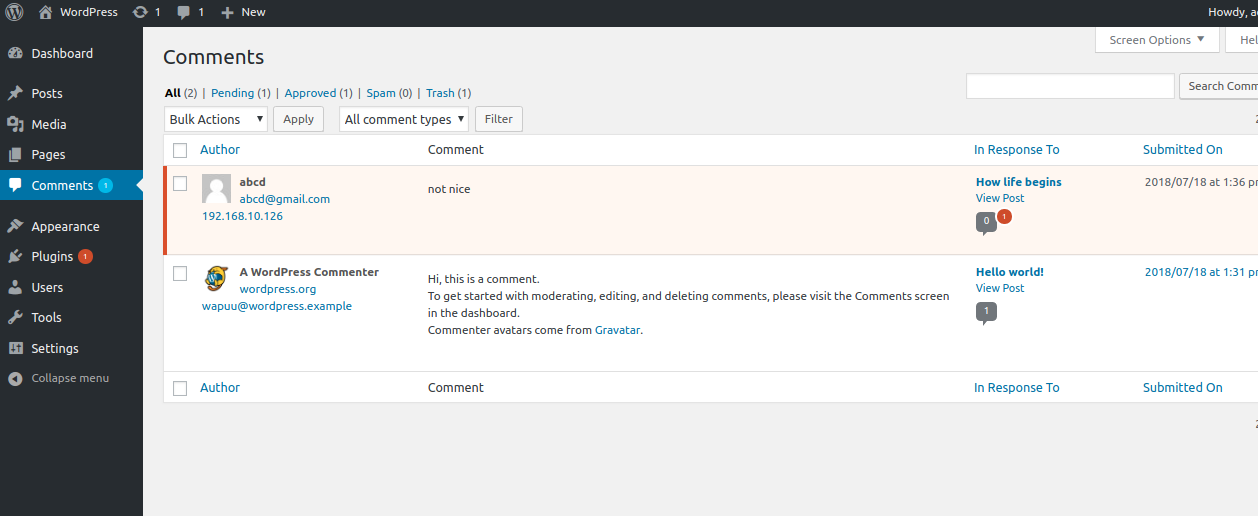
In WordPress when we visit the comments menu, under each comment an IP address is visible from which the comment has been posted as shown in snapshot below:-
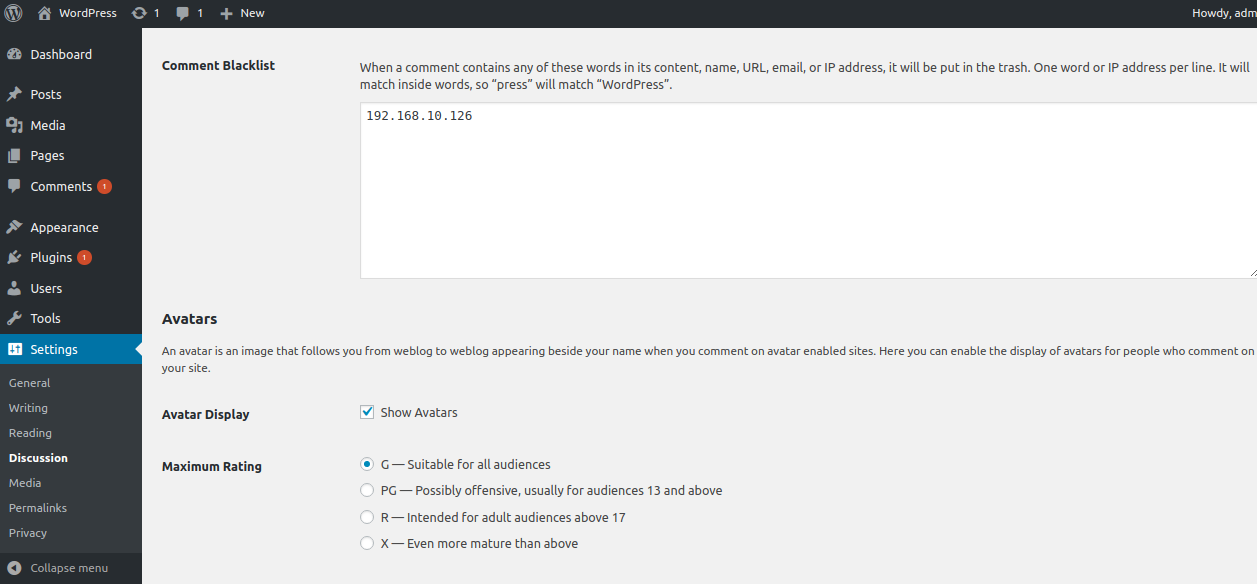
For blacklisting the IP address go to WordPress Settings ->Discussion ->Comment Blacklist. Here we can fill unwanted IP addresses as shown in below snapshot :-
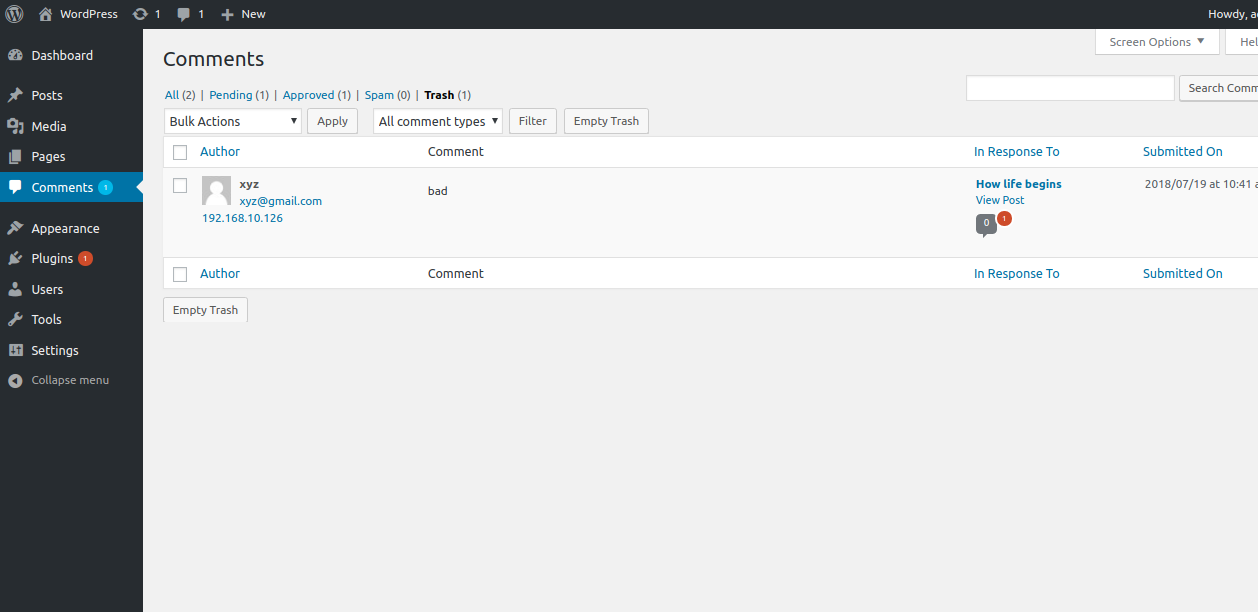
After that WordPress will not allow comments from these IP addresses and automatically move them in trash as shown in below snapshot:-
From .htaccess File
Another way is from .htaccess file. Every WordPress folder contains a file named .htaccess. In this file by adding below lines we can ban the IP address from entire site. By doing so user will not be able to make spam comments in the entire site.
Order Allow, Deny
Deny from 111.111.111.111
Likewise, we can block multiple IP address from the site just by adding different IP addresses one by one.
Deny from 111.111.111.111 122.122.122.122 123.123.123.123
Similarly, we can also ban the specific domain, entire subnet and IPv6 addresses to secure our website even more. For banning a specific domain we use below lines in .htaccess file.
Deny from 123.123.123.123/255.255.255.255
For findings information of IP we can use our hosting control panel and from logs we can see the IPs which are malicious for our site and ban them from any of the above method.
That’s all about Blacklisting IP address from WordPress sites.
Thanks for reading this blog.


Be the first to comment.