Bagisto Verified Reviews helps you manage product feedback. It makes your store more trusted by showing real reviews from real buyers.
It helps collect real feedback and build trust.
Features
- Only customers who purchased the product can submit a review.
- Users can like or dislike reviews to show which ones are helpful.
- Admins can control which reviews appear on the website.
- Customers can quickly find the newest or best reviews.
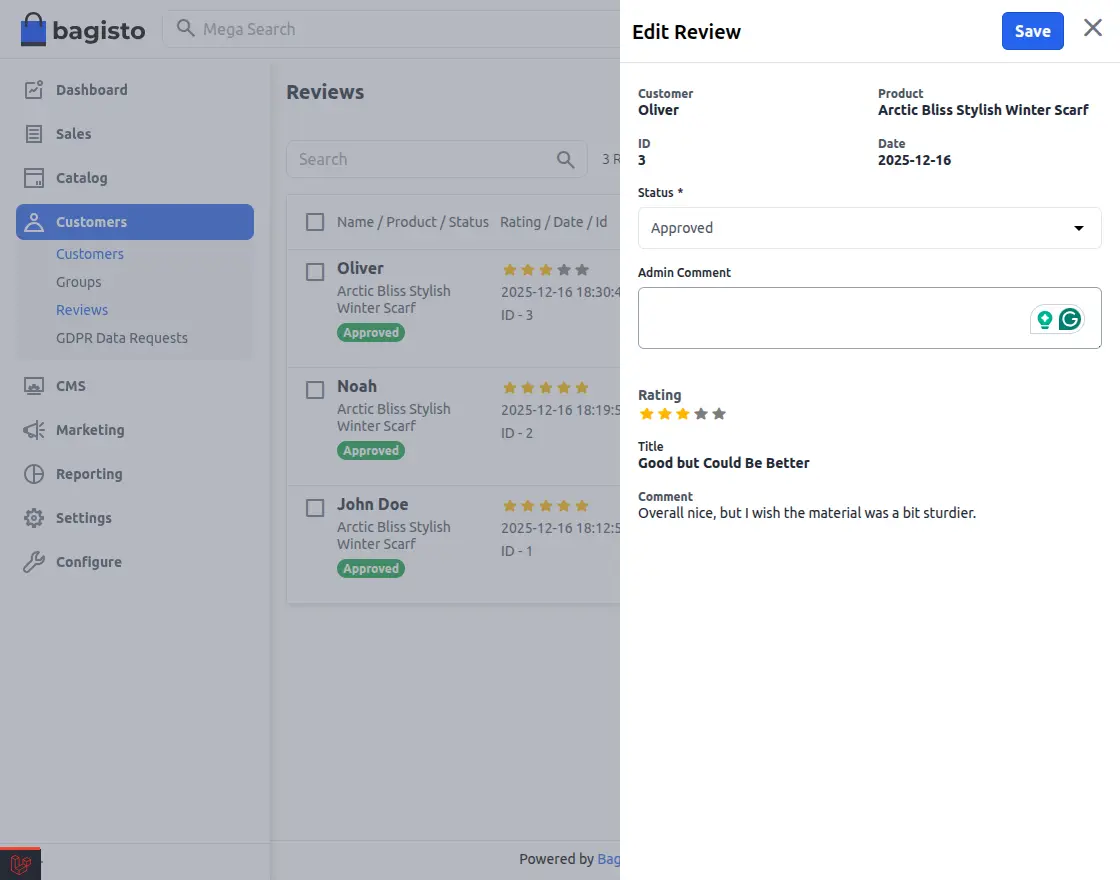
- Admins can approve, disapprove, or partially approve reviews.
Explore the Bagisto ChatGPT AI Review Translator to unlock multilingual product feedback.
Note: This extension integrates OpenAI and LangChain, ensuring accurate translations and seamless moderation for global customers.
Requirements
Installation
Download and unzip the extension, then merge the “packages” folder into the project’s root directory.
- Open the composer.json file and add the following line under the ‘psr-4’ section:
"Webkul\\Review\\": "packages/Webkul/Review/src"
- Goto bootstrap/providers.php file and add following line under ‘return’
Webkul\Review\Providers\ReviewServiceProvider::class,
- Run the following commands to complete the setup:
composer dump-autoload

php artisan review:install
- After following these steps, Bagisto Verified Reviews should be successfully installed and ready for use in your Bagisto v2.3.6 project.
Configuration of Bagisto Verified Reviews
To configure the Bagisto Verified Reviews, go to:
Admin Dashboard → Configure → Products → Review
Here you can manage all settings for the extension.
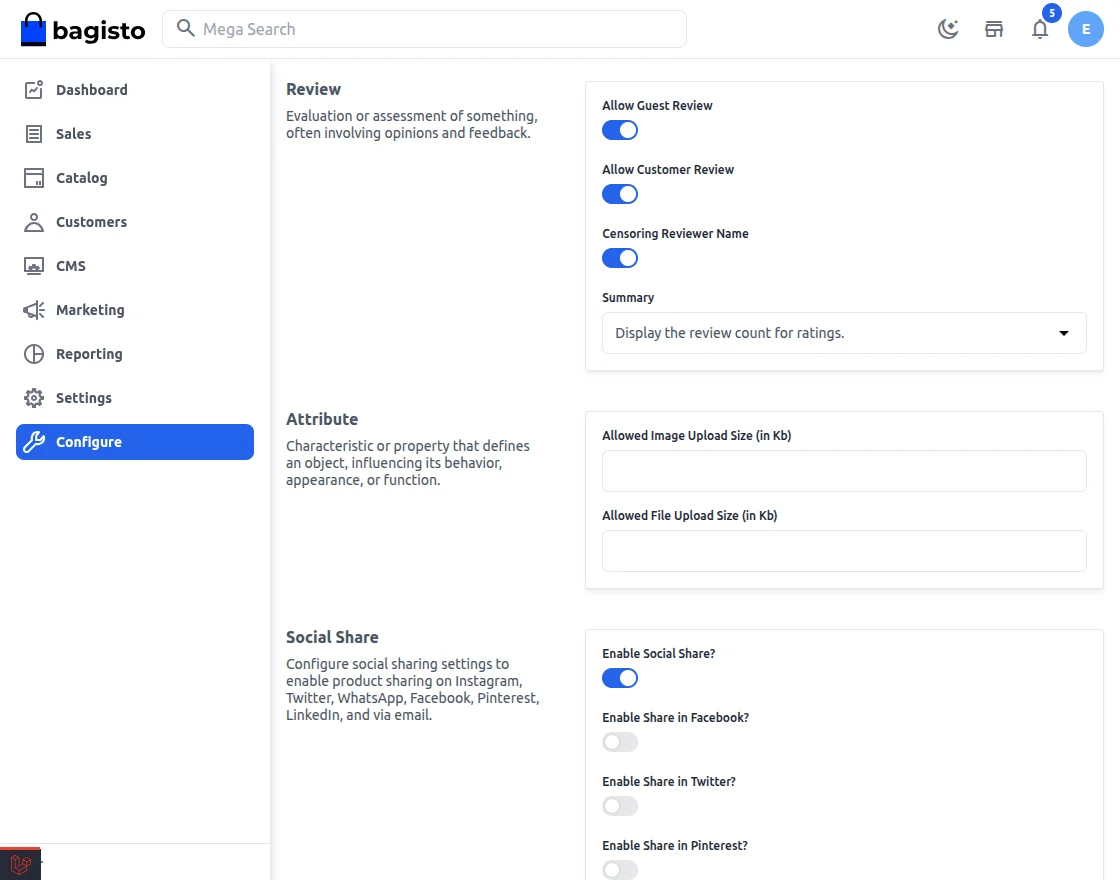
Admin Review Configuration
Allow Guest Review:
- Turn this ON to let guests submit reviews.
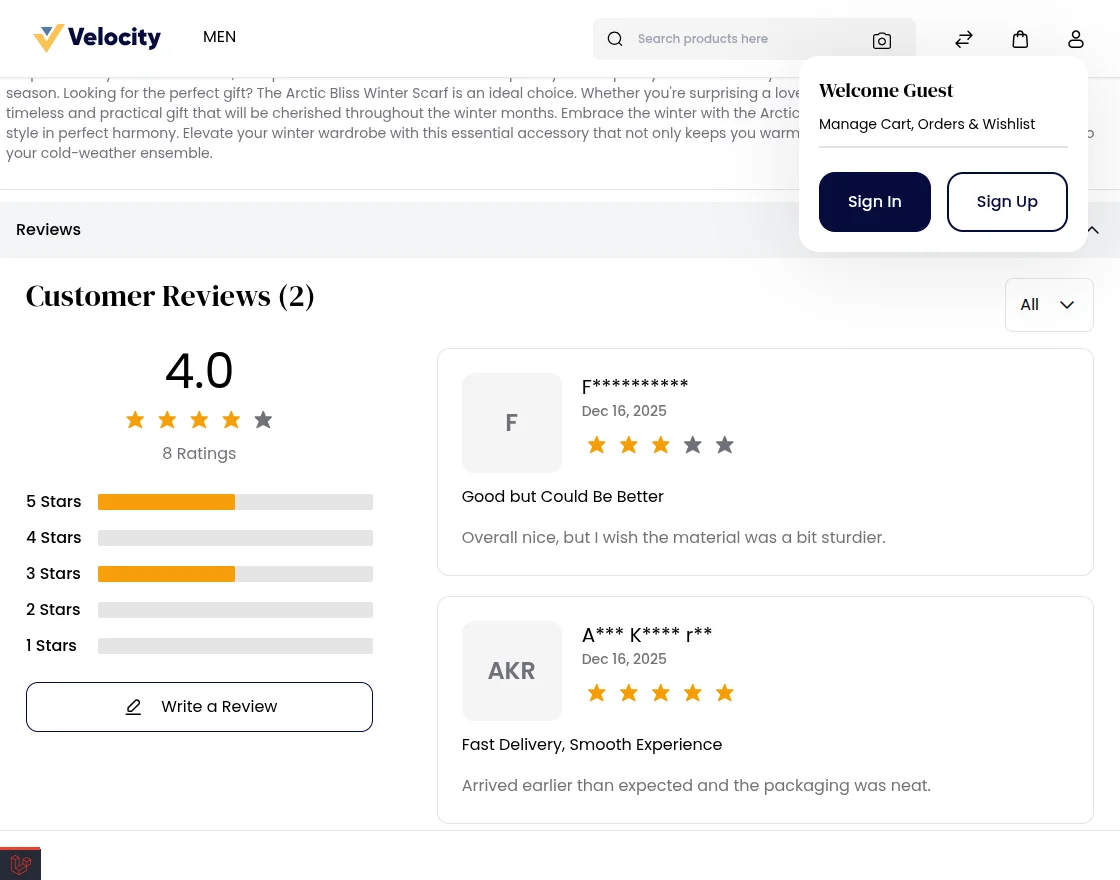
- Turn this OFF to allow only registered customers.
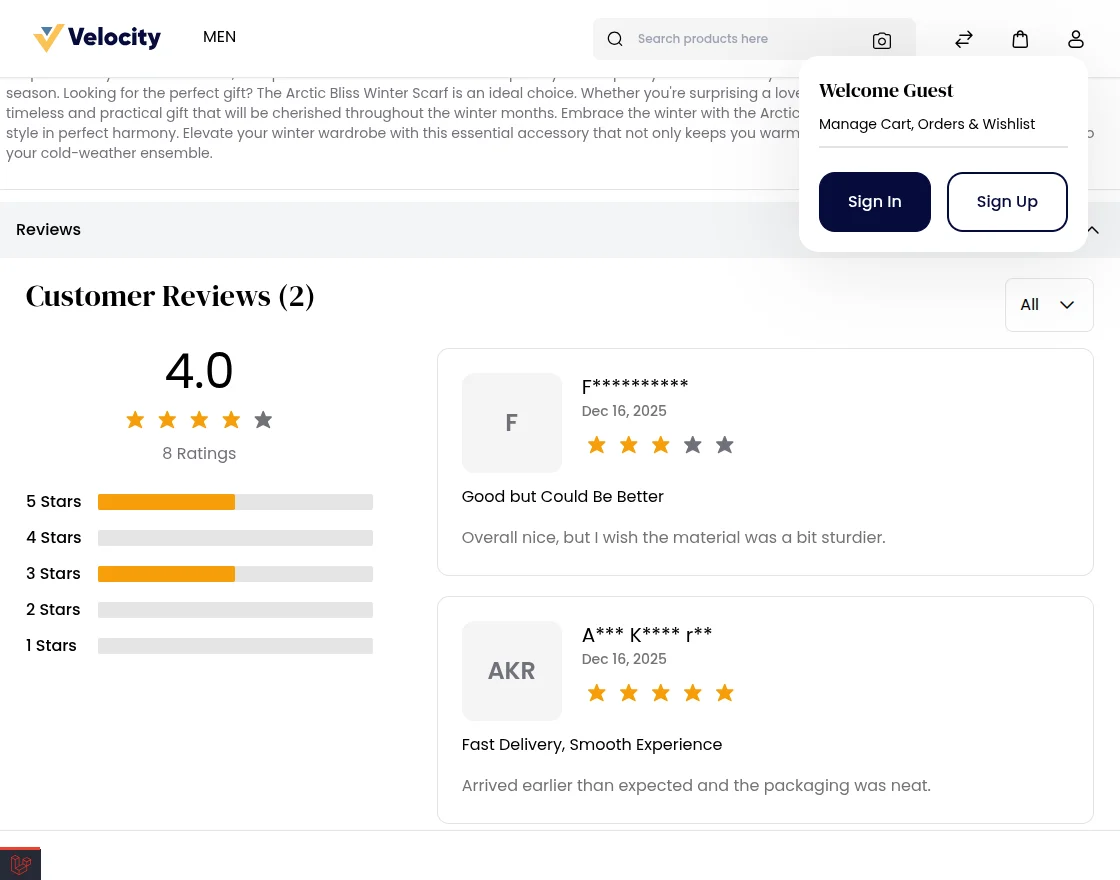
Allow Customer Review
- Enable this to let registered customers submit reviews.
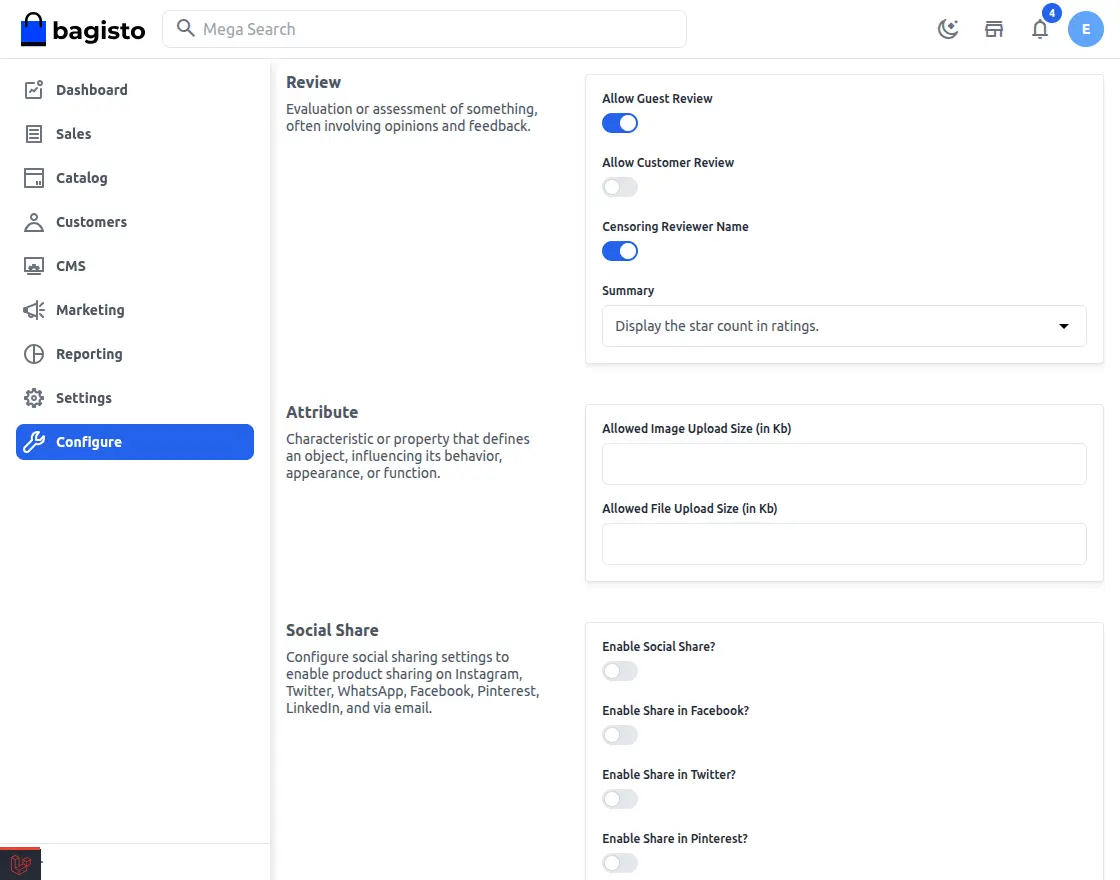
- Disable this to block all customer reviews.
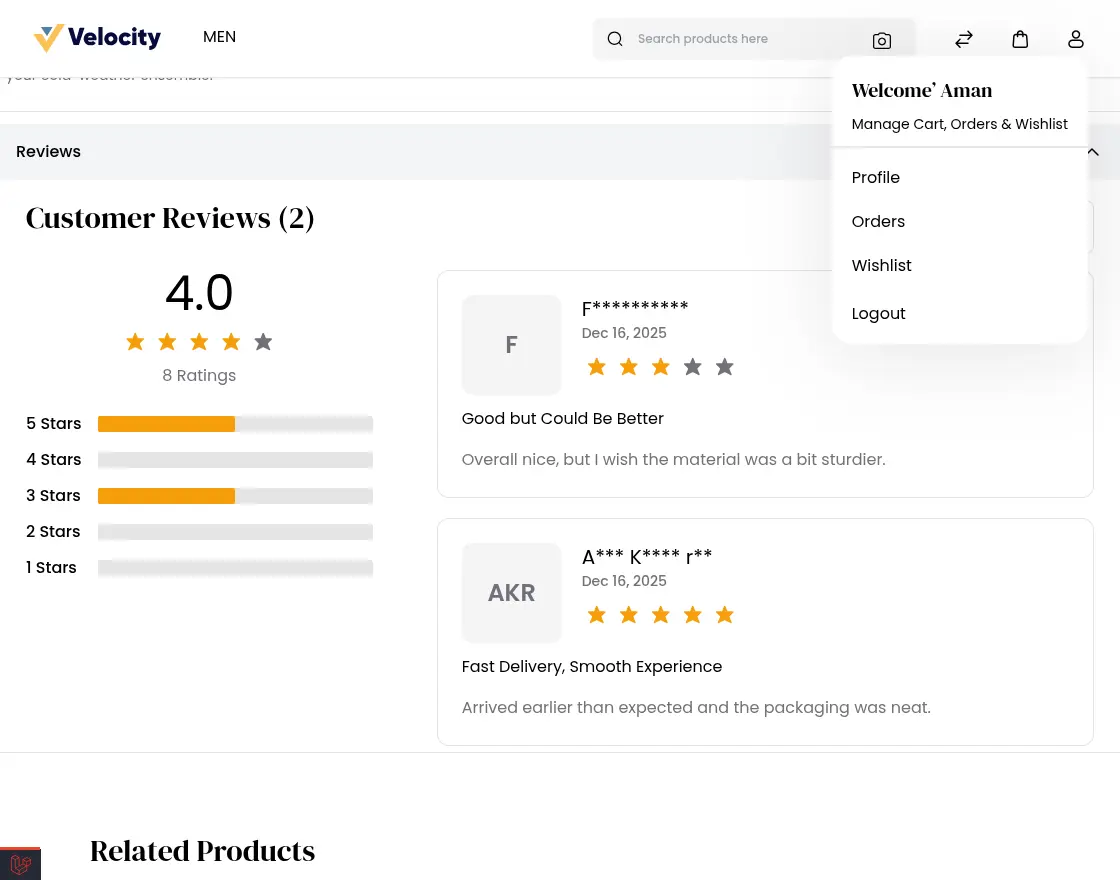
Censoring Reviewer Name
- Enable this to hide reviewer names for privacy.
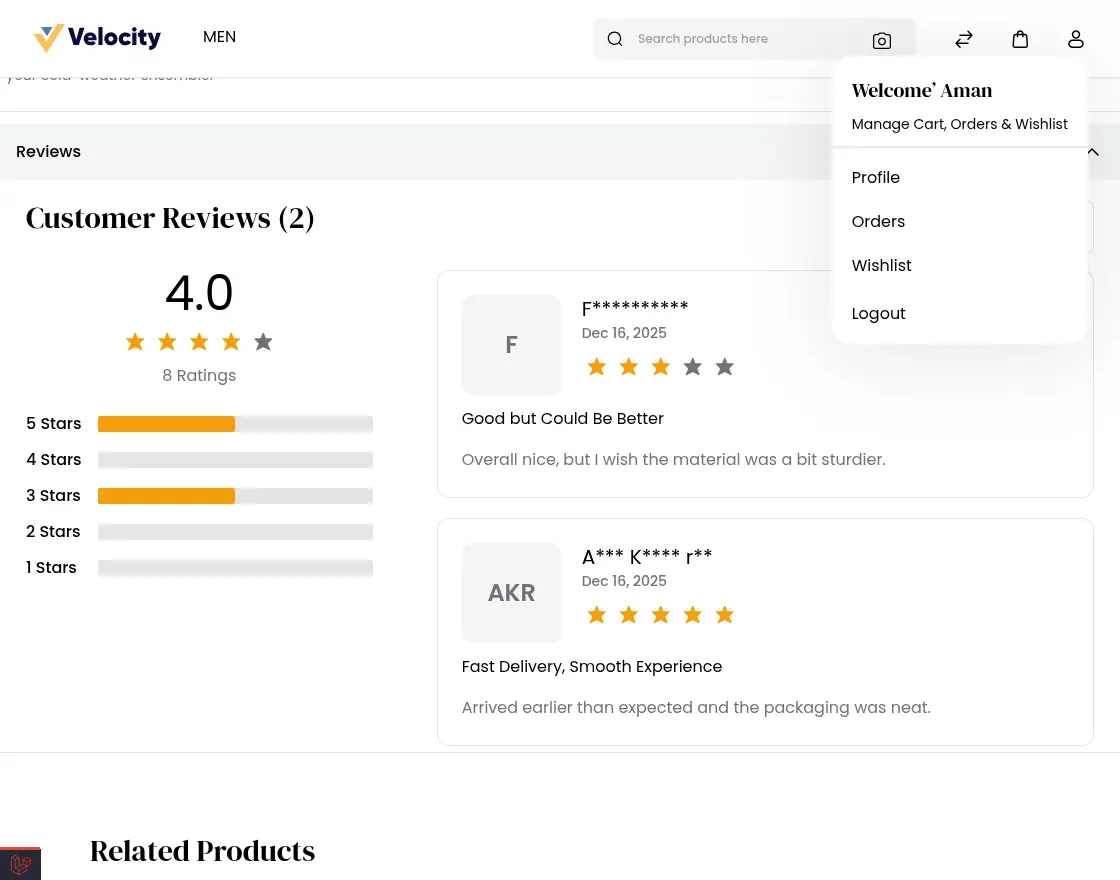
- Disable to show full names.
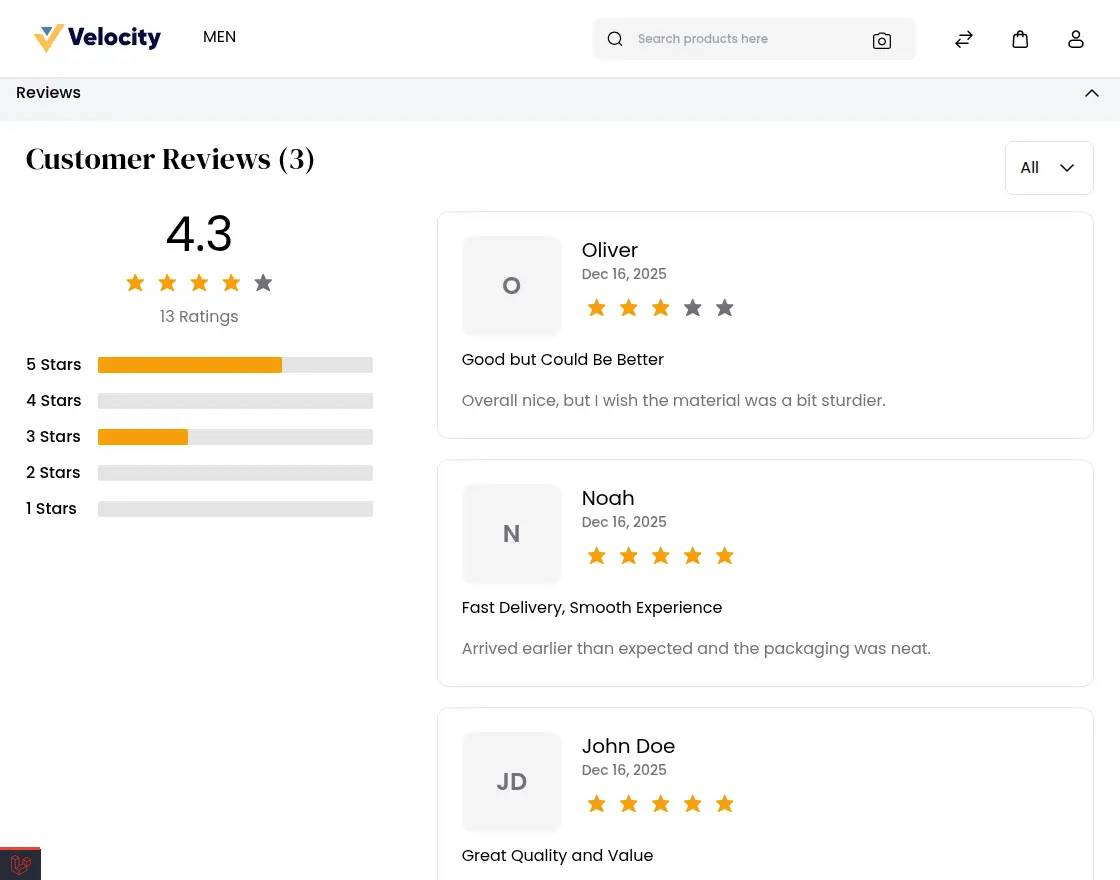
Review Rating Display Settings
Select how product ratings should appear on the storefront.
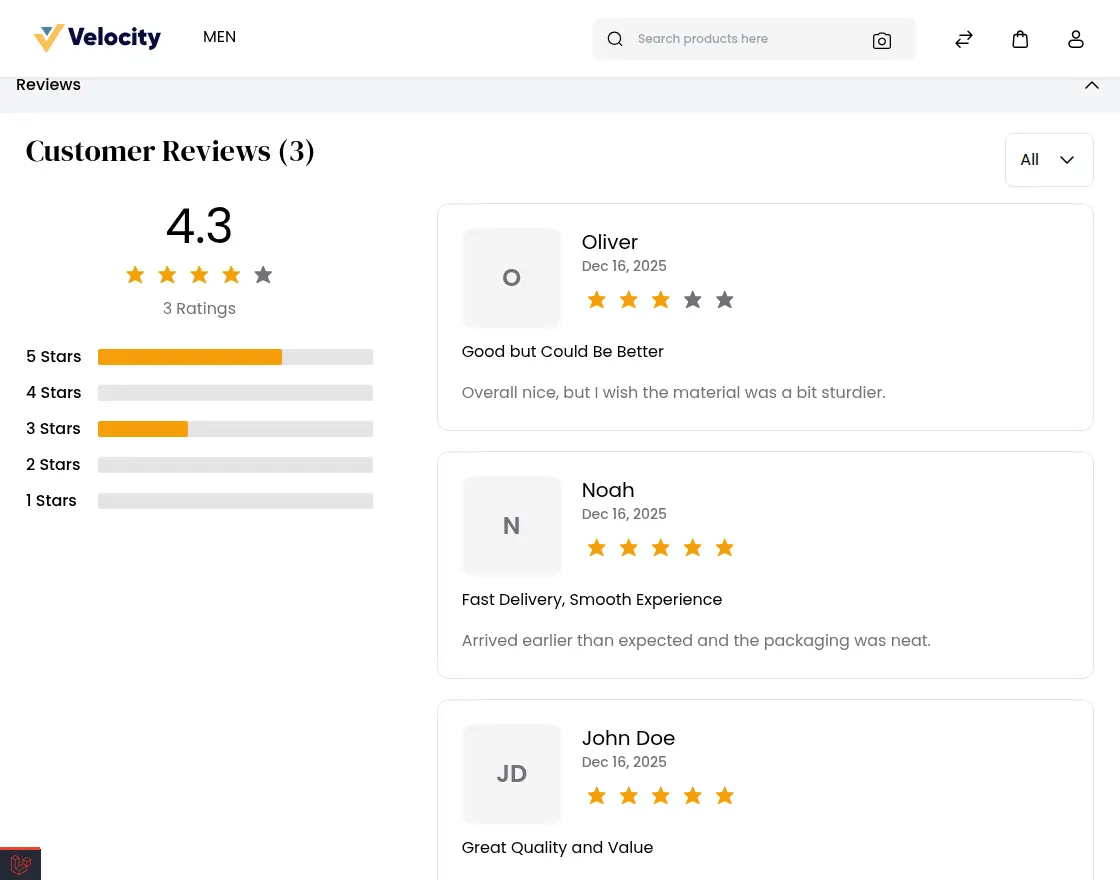
- Star Count: Shows a quick visual score with stars.

Star Count in the Review Section
Displays the total star rating count given by customers for a product on the product page.
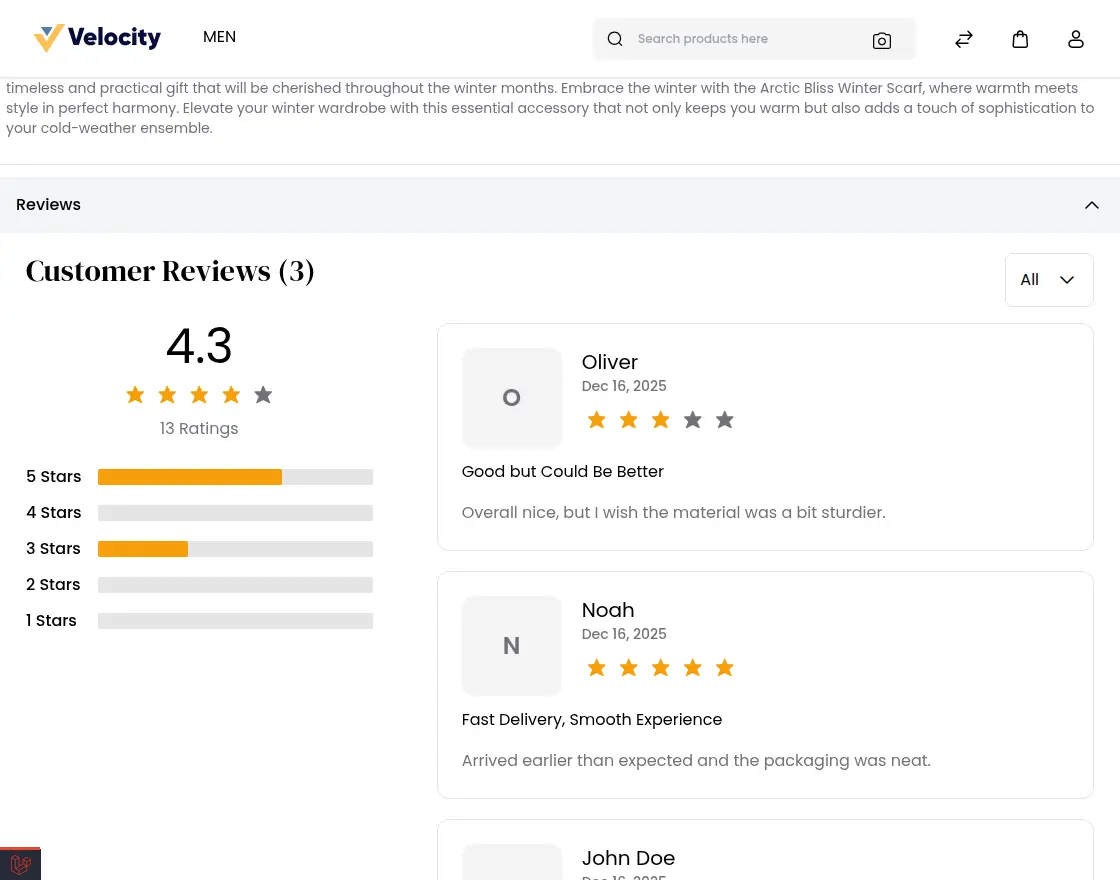
- Review Count: Shows the total number of reviews submitted.

Review Count in the Review Section
Displays the total number of customer reviews submitted for a product on the product page.
Customer Reviews in Admin Panel
When a customer submits a product review, it appears in Admin → Customers → Reviews.
Here, admin can easily view, manage, and control all customer feedback.
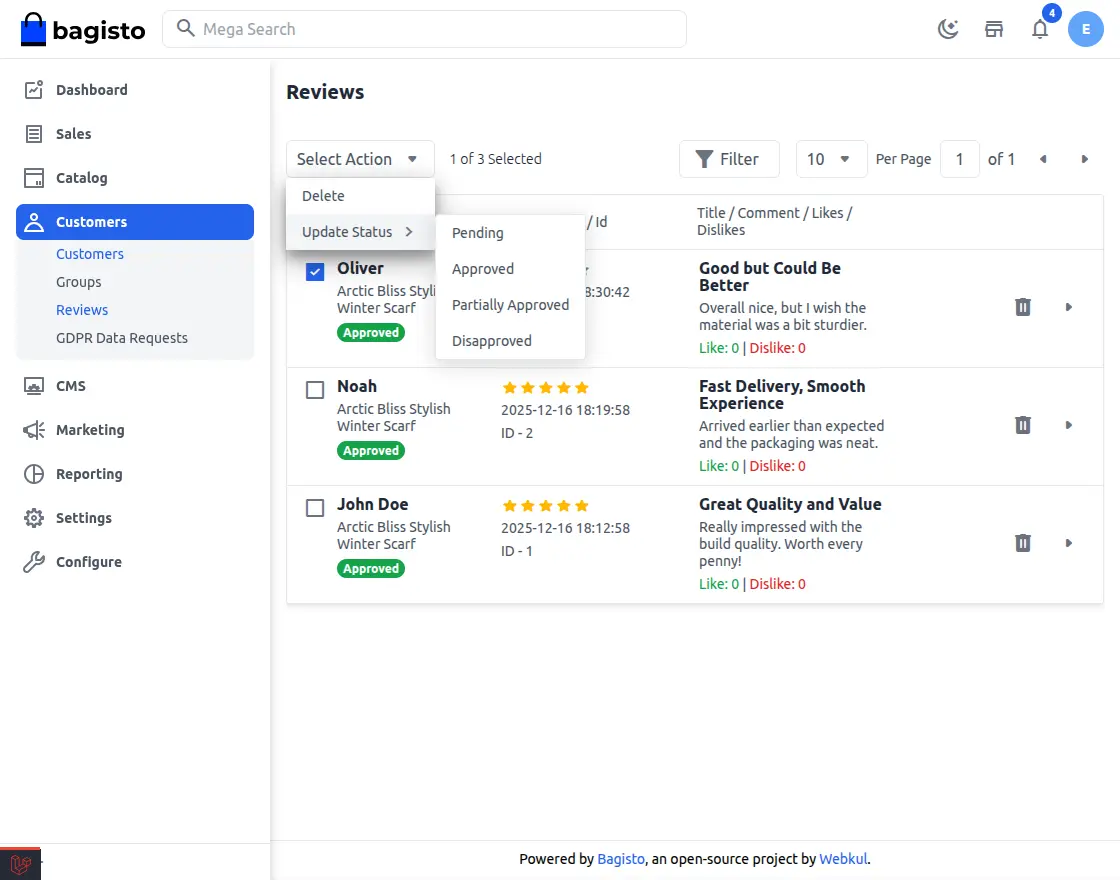
Admin Review Control Features
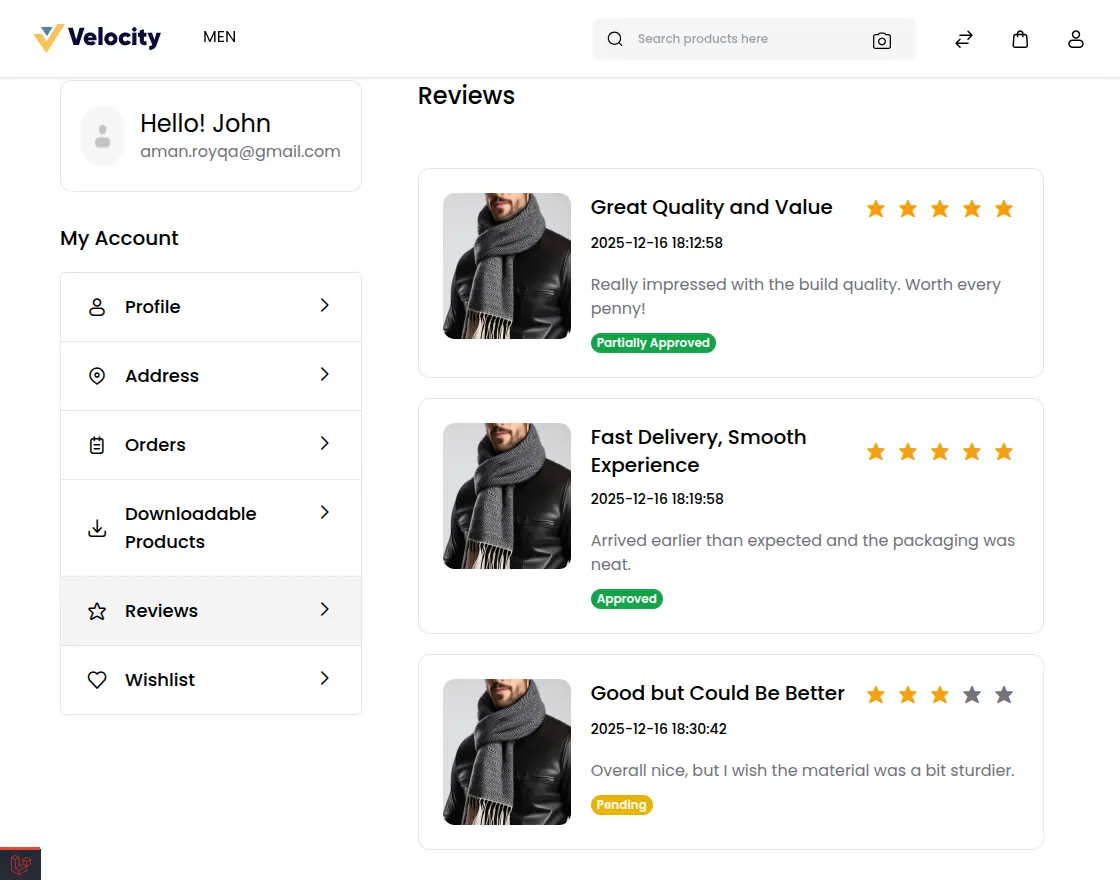
All Reviews Visible: Customers can see all the reviews they have submitted. Each review links to its product.
- Approval Workflow: Admins can manage each review by setting its status:
- Approve: Shows the review on the store.
- Disapprove: Hides or rejects the review from the storefront.
- Partial Approve: Shows only part of the review.
- Approve: Shows the review on the store.
- Review Details: Each review shows details, rating, and feedback.
- Content Control: Admins show only useful reviews.
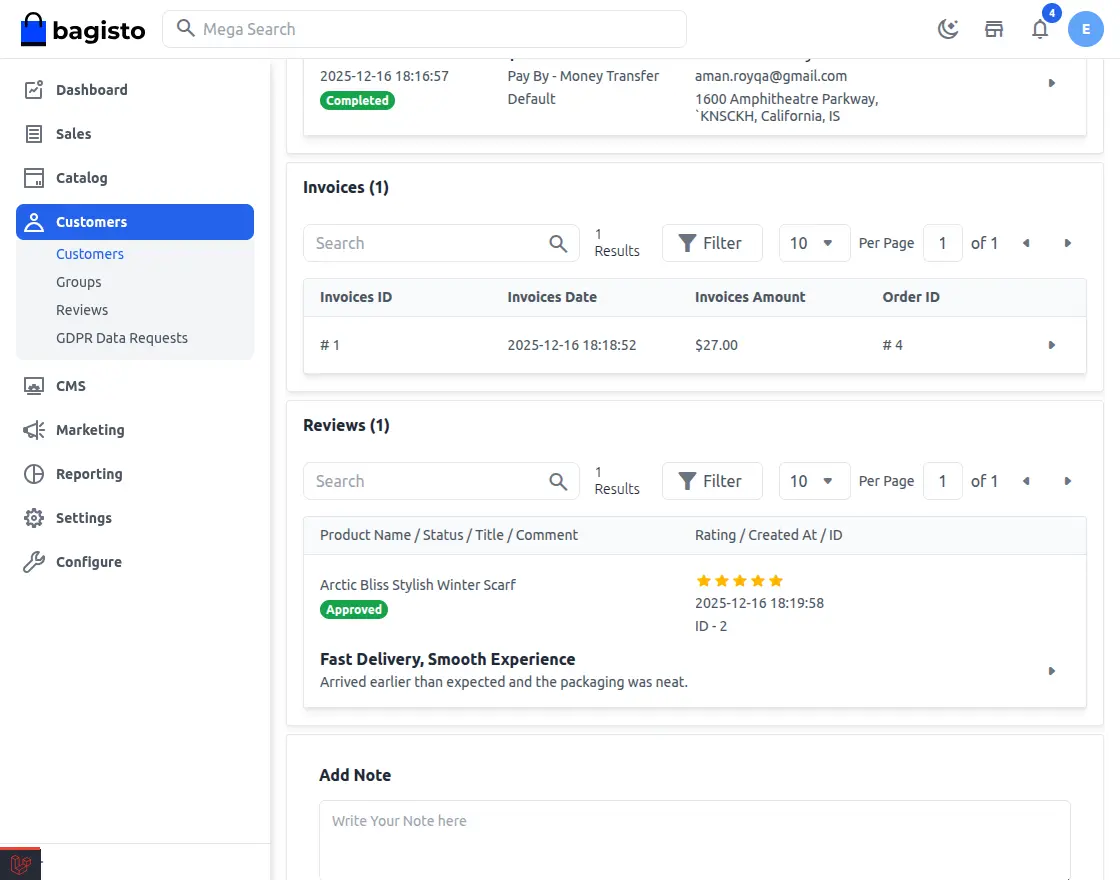
In Admin → Customers → View, the Review section shows all reviews submitted by that customer.
Customer Reviews
Customers can view their submitted reviews and their approval status in the My Reviews section.
Support
For any queries or doubts, reach out to us at [email protected]. You can also raise a ticket at our HelpDesk System.
Current Product Version - v2.3.x
Supported Framework Version - v2.3.6


Be the first to comment.