A developer can migrate PrestaShop Back Office controllers from legacy to Symfony by building a demo module wkdemomodule with a simple create, save, and list form.
Migrating PrestaShop legacy Controllers to Symfony
From PrestaShop 1.7, the Back Office uses Symfony. Migrating legacy module controllers to Symfony provides clean routing, dependency injection, and reusable Twig templates for easier maintenance.
We will create wkdemomodule, featuring a Symfony-based grid (list) and a form to manage custom data.
1. Module Structure
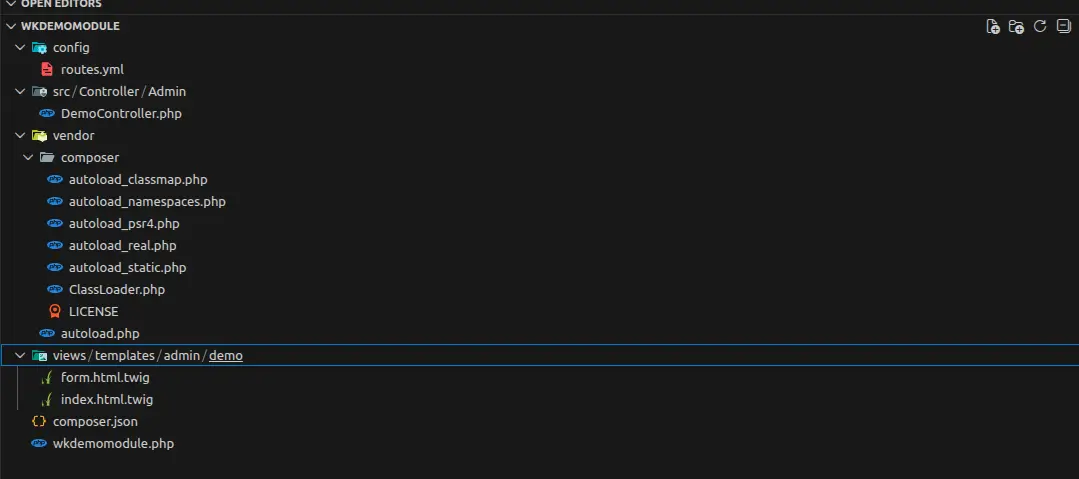
Your module folder should look like this:
wkdemomodule/
├── config/
│   └── routes.yml
├── src/
│   └── Controller/
│       └── Admin/
│           └── DemoController.php
├── views/
│   └── templates/
│       └── admin/
│           └── demo/
│               ├── index.html.twig
│               └── form.html.twig
├── wkdemomodule.php
└── composer.json
2. Setting up Autoloading
In your composer.json, define the namespace for your src directory:
{
  "name": "wk/wkdemomodule",
  "type": "prestashop-module",
  "autoload": {
    "psr-4": {
      "WkDemoModule\\": "src/"
    }
  },
  "config": {
    "prepend-autoloader": false
  }
}
After creating the file, run composer dump-autoload to refresh the autoloader.
After running the command, the vendor A folder is created inside the module directory.
3. Defining Symfony Routes
Create config/routes.yml. This tells PrestaShop which URL maps to your Symfony controller.
wk_demo_list:
  path: /wk-demo/list
  methods: [GET]
  defaults:
    _controller: 'WkDemoModule\Controller\Admin\DemoController::indexAction'
    _legacy_classname: AdminWkDemo
    _legacy_module_name: wkdemomodule

wk_demo_create:
  path: /wk-demo/create
  methods: [GET, POST]
  defaults:
    _controller: 'WkDemoModule\Controller\Admin\DemoController::createAction'
    _legacy_classname: AdminWkDemo
    _legacy_module_name: wkdemomodule

wk_demo_edit:
  path: /wk-demo/edit/{id}
  methods: [GET, POST]
  defaults:
    _controller: 'WkDemoModule\Controller\Admin\DemoController::editAction'
    _legacy_classname: AdminWkDemo
    _legacy_module_name: wkdemomodule
4. The Symfony Controller
Create src/Controller/Admin/DemoController.php. This controller will handle the logic for displaying the list and saving the form.
<?php

namespace WkDemoModule\Controller\Admin;

use PrestaShopBundle\Controller\Admin\FrameworkBundleAdminController;
use Symfony\Component\HttpFoundation\Request;
use Symfony\Component\HttpFoundation\Response;

class DemoController extends FrameworkBundleAdminController
{
    public function indexAction(): Response
    {
        $data = $this->getDemoData();

        return $this->render(
            '@Modules/wkdemomodule/views/templates/admin/demo/index.html.twig',
            [
                'gridData' => $data,
                'layoutHeaderToolbarBtn' => [
                    'add' => [
                        'href' => $this->generateUrl('wk_demo_create'),
                        'desc' => $this->trans('Add New', 'Modules.Wkdemomodule.Admin'),
                        'icon' => 'add_circle_outline',
                    ],
                ],
            ]
        );
    }

    public function createAction(Request $request): Response
    {
        if ($request->isMethod('POST')) {
            $name = $request->request->get('demo_name');

            // Normally you would save data here
            // This is kept simple for demo purposes

            $this->addFlash(
                'success',
                $this->trans('Item created successfully.', 'Admin.Notifications.Success')
            );

            return $this->redirectToRoute('wk_demo_list');
        }

        return $this->render(
            '@Modules/wkdemomodule/views/templates/admin/demo/form.html.twig'
        );
    }

    public function editAction(Request $request, int $id): Response
    {
        $data = $this->getDemoData();

        if (!isset($data[$id])) {
            throw $this->createNotFoundException('Item not found');
        }

        $item = $data[$id];

        if ($request->isMethod('POST')) {
            $name = $request->request->get('demo_name');

            // Demo update logic (normally DB update here)
            $item['name'] = $name;

            $this->addFlash(
                'success',
                $this->trans('Item updated successfully.', 'Admin.Notifications.Success')
            );

            return $this->redirectToRoute('wk_demo_list');
        }

        return $this->render(
            '@Modules/wkdemomodule/views/templates/admin/demo/form.html.twig',
            [
                'demoItem' => $item,
                'isEdit' => true,
            ]
        );
    }

    private function getDemoData()
    {
        return [
            1 => ['id' => 1, 'name' => 'Demo Item 1', 'status' => 'Active'],
            2 => ['id' => 2, 'name' => 'Demo Item 2', 'status' => 'Inactive'],
        ];
    }
}
5. Main Module file
In wkdemomodule.php, you must register the tab so it appears in the Back Office menu, linking it to your Symfony route.
<?php

if (!defined('_PS_VERSION_')) {
    exit;
}

class WkDemoModule extends Module
{
    public function __construct()
    {
        $this->name = 'wkdemomodule';
        $this->tab = 'administration';
        $this->version = '1.0.0';
        $this->author = 'WK';
        $this->bootstrap = true;

        parent::__construct();

        $this->displayName = $this->l('WK Demo Module');
        $this->description = $this->l('Demo module using Symfony Back Office controller.');
    }

    public function install()
    {
        return parent::install() && $this->installTab();
    }

    public function uninstall()
    {
        return parent::uninstall() && $this->uninstallTab();
    }

    private function installTab()
    {
        $tab = new Tab();
        $tab->active = 1;
        $tab->class_name = 'AdminWkDemo';
        $tab->route_name = 'wk_demo_list';
        $tab->module = $this->name;
        $tab->id_parent = (int) Tab::getIdFromClassName('AdminParentCustomer');

        foreach (Language::getLanguages(true) as $lang) {
            $tab->name[$lang['id_lang']] = 'WK Demo Module';
        }

        return $tab->add();
    }

    private function uninstallTab()
    {
        $idTab = (int) Tab::getIdFromClassName('AdminWkDemo');
        if ($idTab) {
            $tab = new Tab($idTab);
            return $tab->delete();
        }
        return true;
    }
}
6. List View (Twig)
Create views/templates/admin/demo/index.html.twig. Symfony controllers use Twig instead of Smarty.
{% extends '@PrestaShop/Admin/layout.html.twig' %}

{% block content %}
<div class="card">
  <h3 class="card-header">
    <i class="material-icons">list</i>
    {{ 'Demo Data List'|trans({}, 'Modules.Wkdemomodule.Admin') }}
  </h3>

  <div class="card-body">
    <table class="table">
      <thead>
        <tr>
          <th>ID</th>
          <th>Name</th>
          <th>Status</th>
          <th>Actions</th>
        </tr>
        </thead>
        <tbody>
        {% for item in gridData %}
        <tr>
          <td>{{ item.id }}</td>
          <td>{{ item.name }}</td>
          <td>{{ item.status }}</td>
          <td>
            <a href="{{ path('wk_demo_edit', {id: item.id}) }}"
              class="btn btn-sm btn-primary">
              <i class="material-icons">edit</i>
              Edit
            </a>
          </td>
        </tr>
        {% endfor %}
        </tbody>
    </table>
  </div>
</div>
{% endblock %}
7. Create Form View
Create views/templates/admin/demo/form.html.twig. Symfony controllers use Twig instead of Smarty.
{% extends '@PrestaShop/Admin/layout.html.twig' %}

{% block content %}
<div class="card">
  <h3 class="card-header">
    <i class="material-icons">edit</i>
    {{ isEdit is defined ? 'Edit Demo Item' : 'Add Demo Item' }}
  </h3>

  <div class="card-body">
    <form method="post">
      <div class="form-group">
        <label>{{ 'Name'|trans({}, 'Admin.Global') }}</label>
        <input type="text"
               name="demo_name"
               class="form-control"
               value="{{ demoItem.name|default('') }}"
               required>
      </div>

      <button type="submit" class="btn btn-primary">
        {{ 'Save'|trans({}, 'Admin.Actions') }}
      </button>
    </form>
  </div>
</div>
{% endblock %}
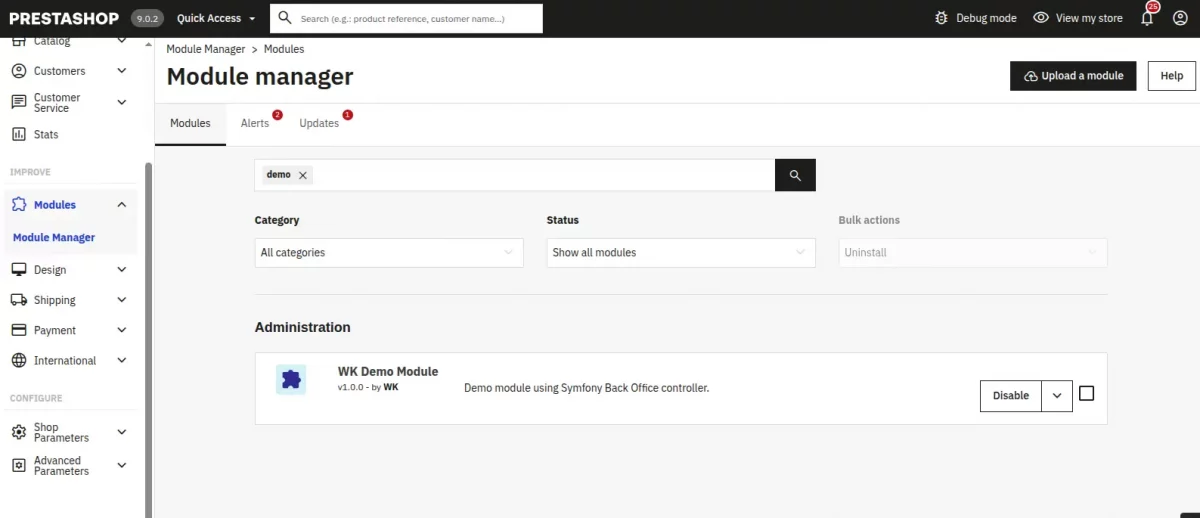
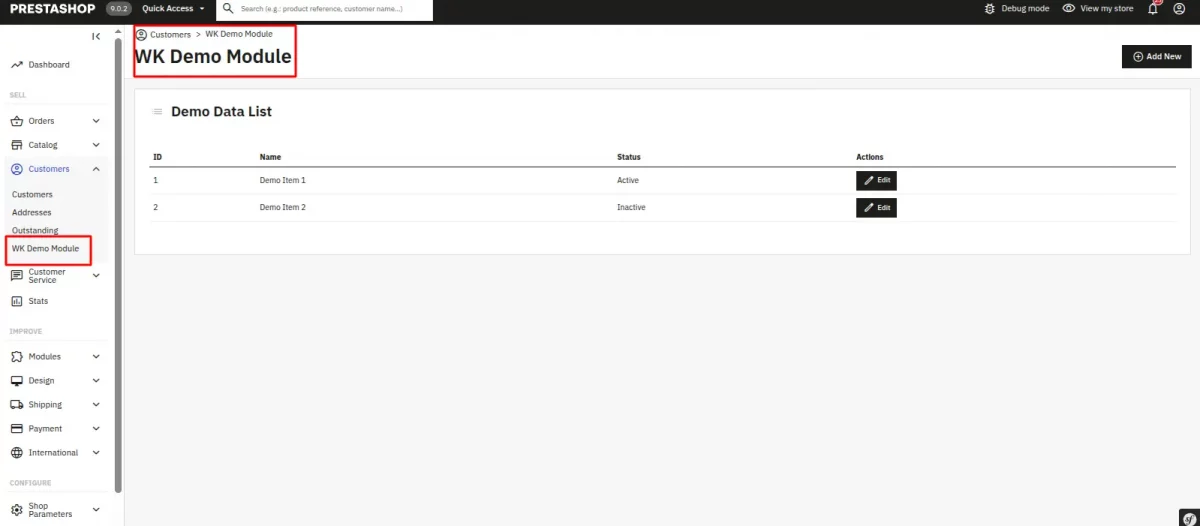
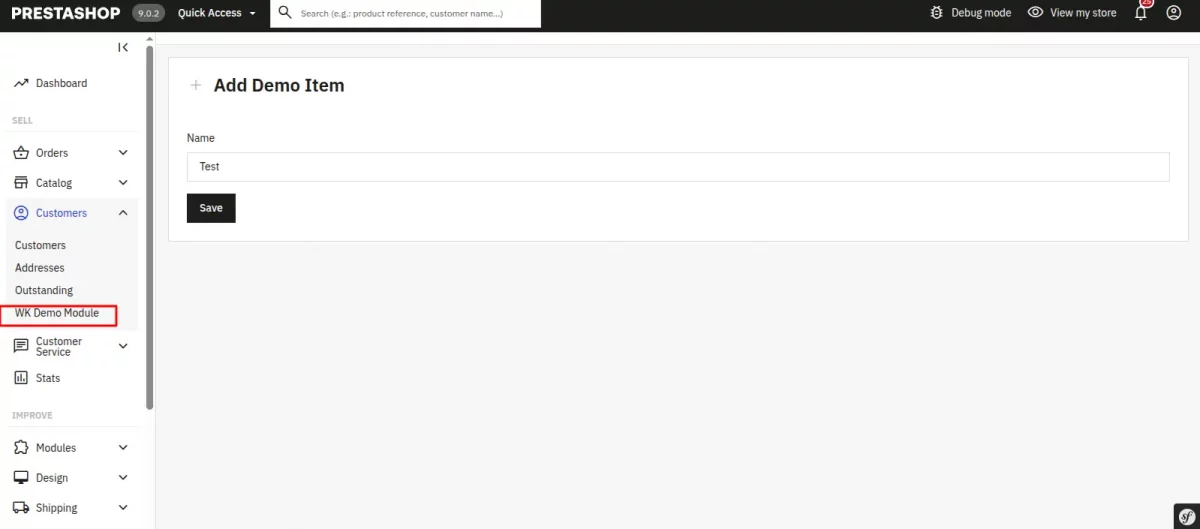
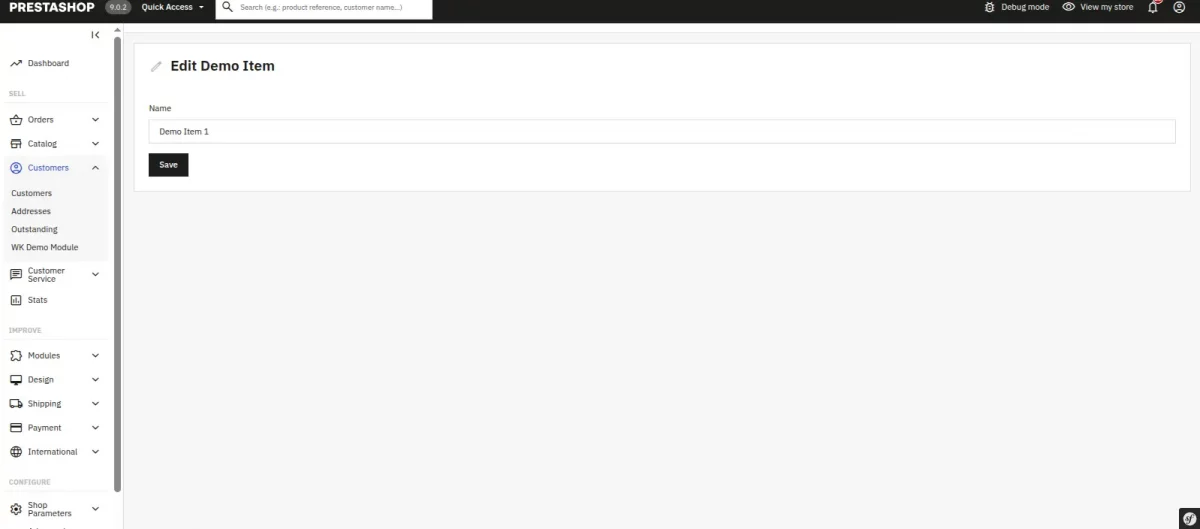
Reference Screenshots for the PrestaShop Module
Support
If you are facing any issues or have any doubts about the above process, please feel free to contact us through the comment section.
Also, you can explore our PrestaShop Development Services and a large range of quality PrestaShop Modules.
For any doubt, contact us at [email protected]

Be the first to comment.