CS-Cart Product Availability By Pincode/Zipcode add-on will enable Product availability by pincode/zipcode in your CS-Cart store.
With the support of this magnificent add-on, the customers can easily find out whether the product they want to order can be delivered in the desired postal address.
It is as simple as entering the zip code and checking the availability, which also helps in decreasing the abandonment rate of the site.
Check a brief overview of the add-on –
Features
-
Customers can check Cash on Delivery (COD) availability by entering their Pincode/Zipcode directly on the product detail page.
-
The add-on allows customers to verify COD availability from the Quick View page without opening the full product page.
-
The system validates the shipping address at checkout and automatically restricts the COD option based on the entered Pincode/Zipcode.
-
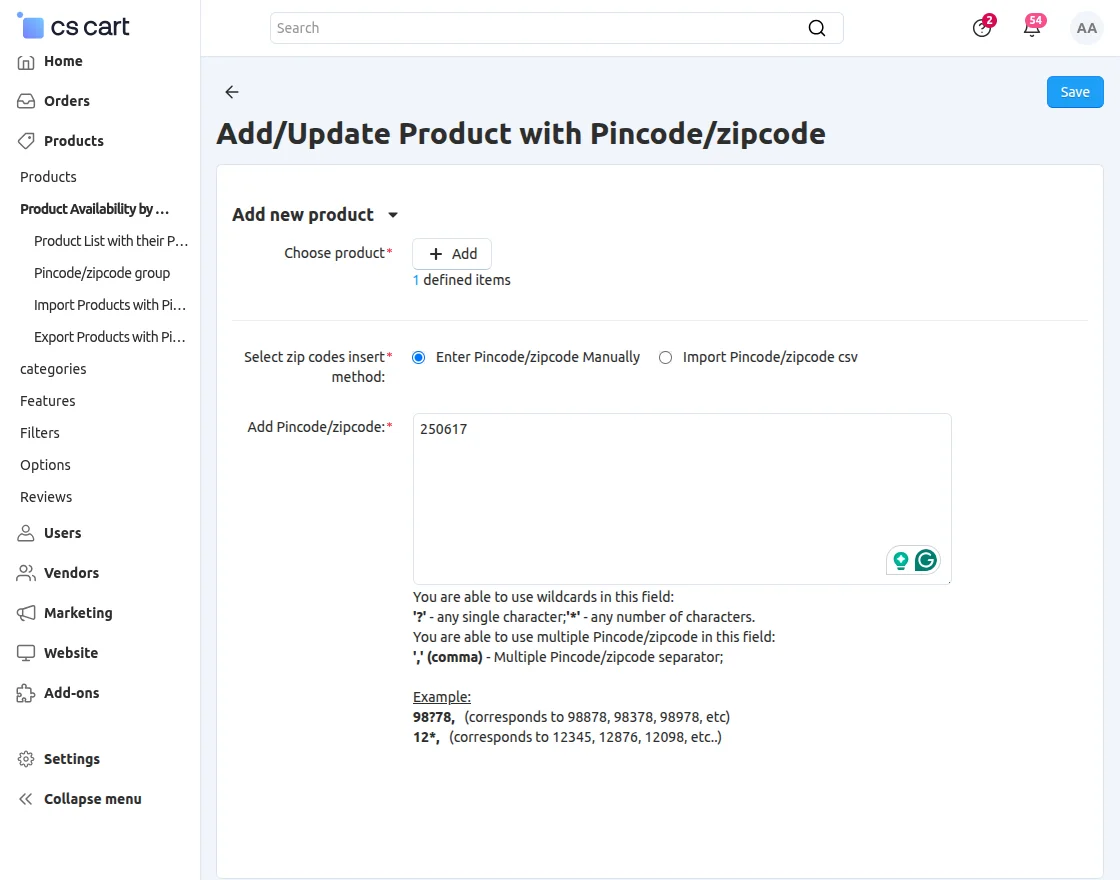
Admins and vendors can easily import or export CSV files containing Pincode/Zipcode and product IDs for bulk management.
-
The add-on fully integrates with CS-Cart Multi-Vendor, ensuring smooth marketplace operations.
-
The admin can enable or disable COD for specific listed products as needed.
-
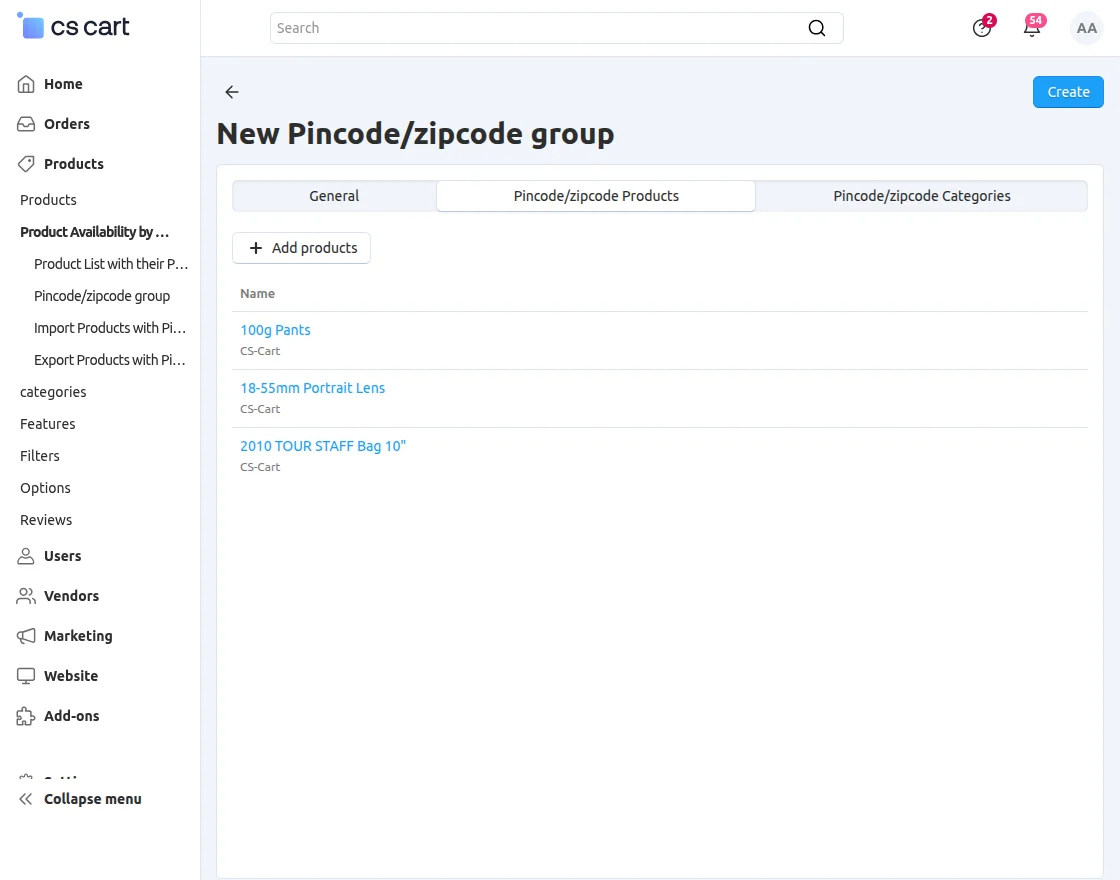
The admin can assign multiple products to a Pincode/Zipcode in a single action.
-
The module offers a simple and flexible configuration from the admin panel.
-
The system provides a user-friendly interface for managing product availability by location.
-
The add-on works without modifying any core files, ensuring safe upgrades and long-term compatibility.
Installation
After downloading the COD Availability by Pincode/zipcode add-on, you’ll get one zip file, one install.txt file, and a relevant User Guide manual doc.
Please read it carefully for proper configuration.
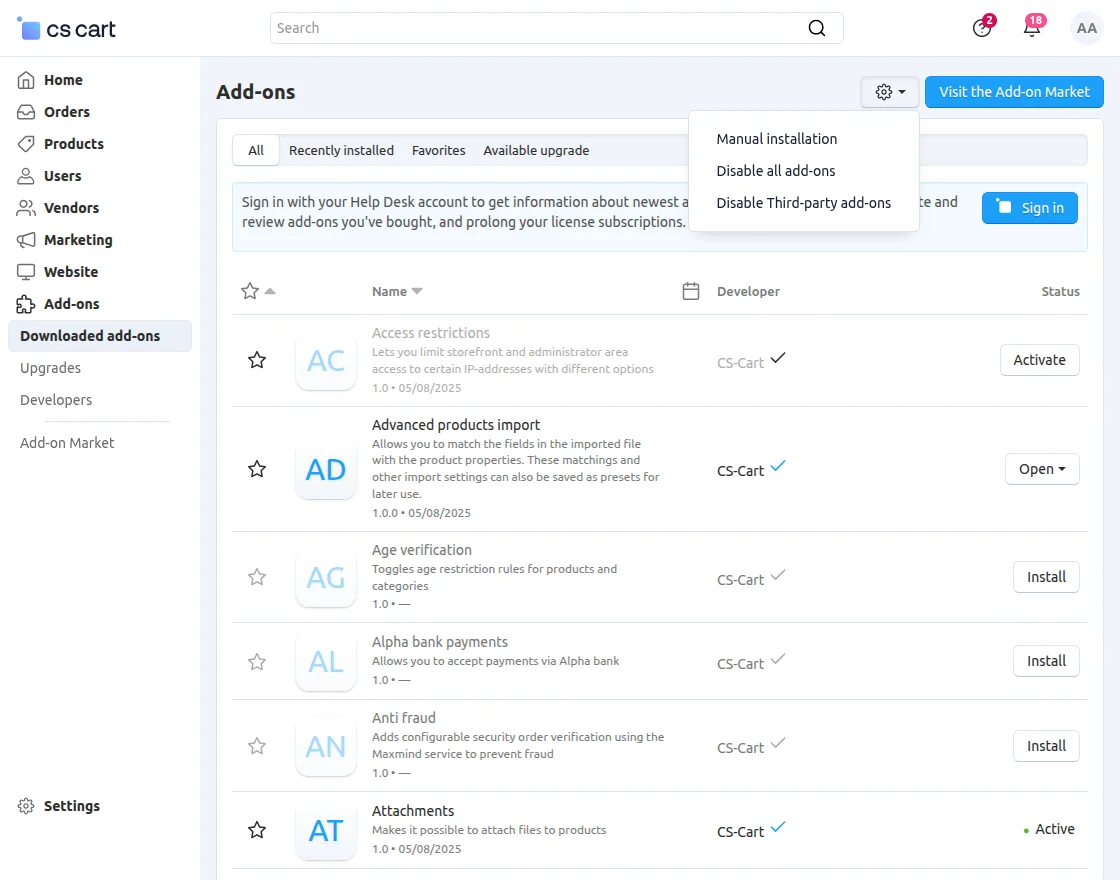
Go to Manage Add-ons, and click on “Manual Installation” as shown below in the snapshot.
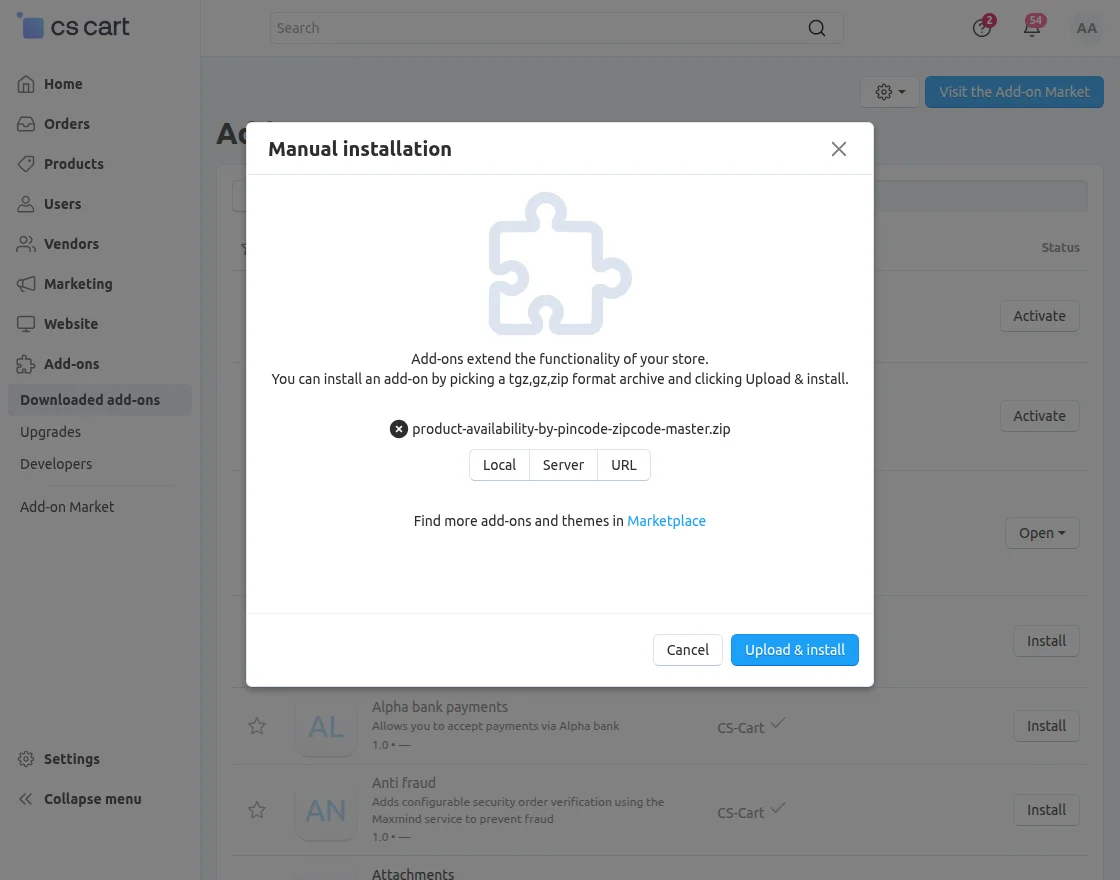
Click on “Local” to browse the zip file, and then click on “Upload & Install” as shown below in the snapshot.
Module Configuration | Admin
To configure the module, go to the Add-Ons >> Developers >> Webkul Software Pvt Ltd. >> COD Availability by Pincode/zipcode >> Settings.

- COD for Selected Pincode/Zipcode: Enable this option to allow COD for selected Pincode/Zipcode areas.
- Min Price: Set the minimum order value required to allow COD.
- Max Price: Set the maximum order value up to which COD will be available.
- Multi Seller Checkout: Check the checkbox to allow COD for multi-seller checkout.
- Customer Login: Check the checkbox to enable COD only for logged-in customers.
- Start Date: Enter the start date and time to make COD available.
- End Date: Enter the end date and time to disable COD automatically.
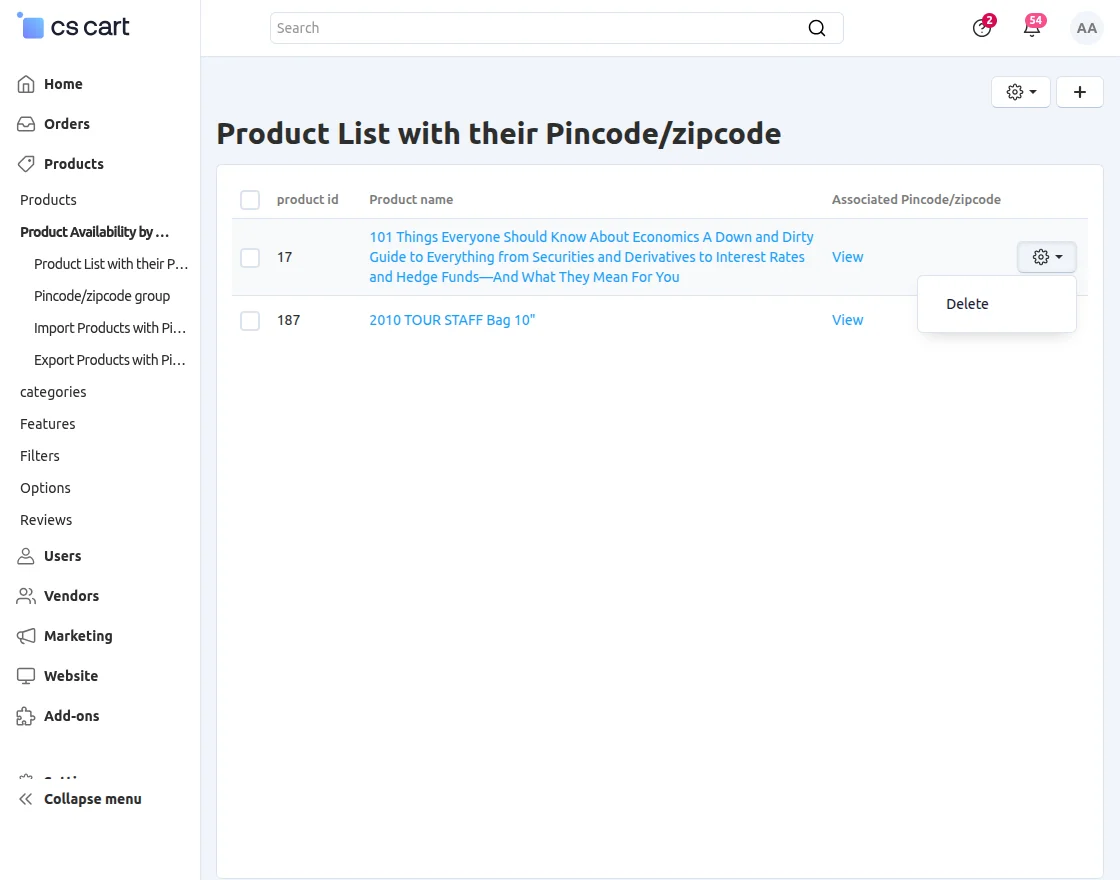
Product List with their Pincode/zipcode
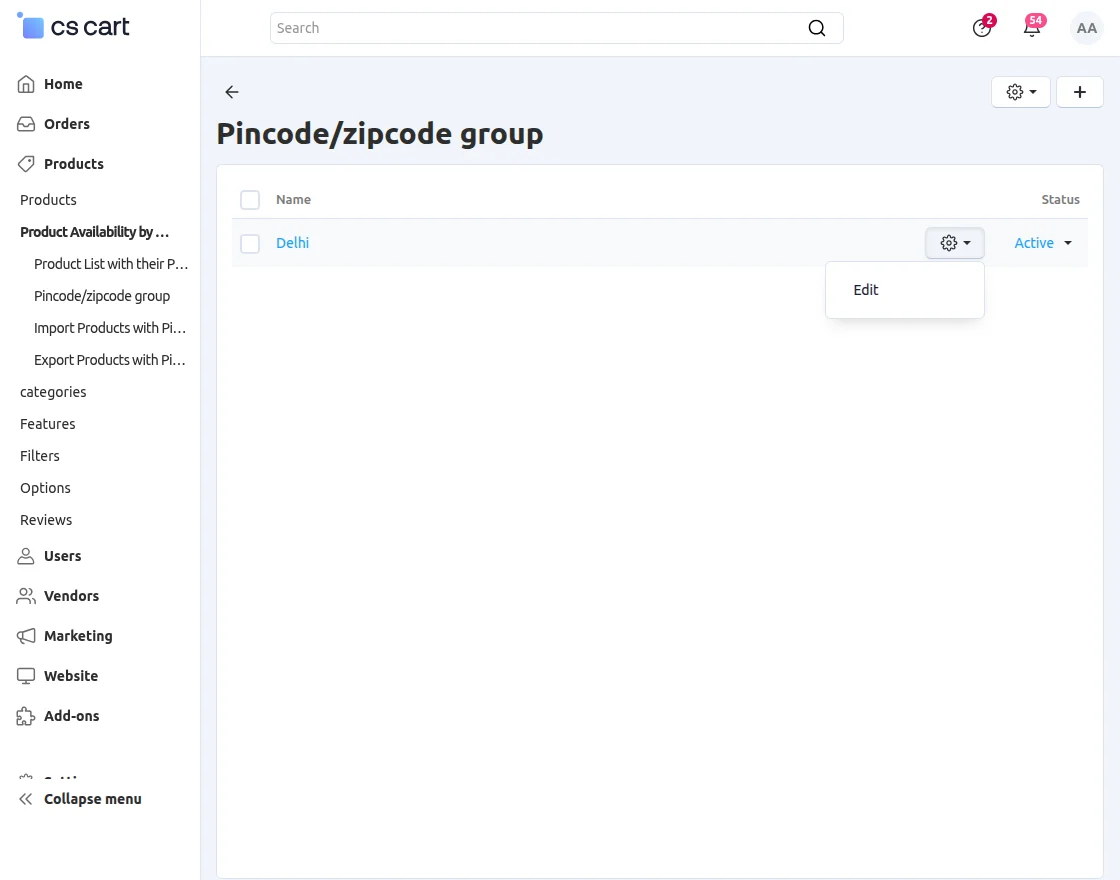
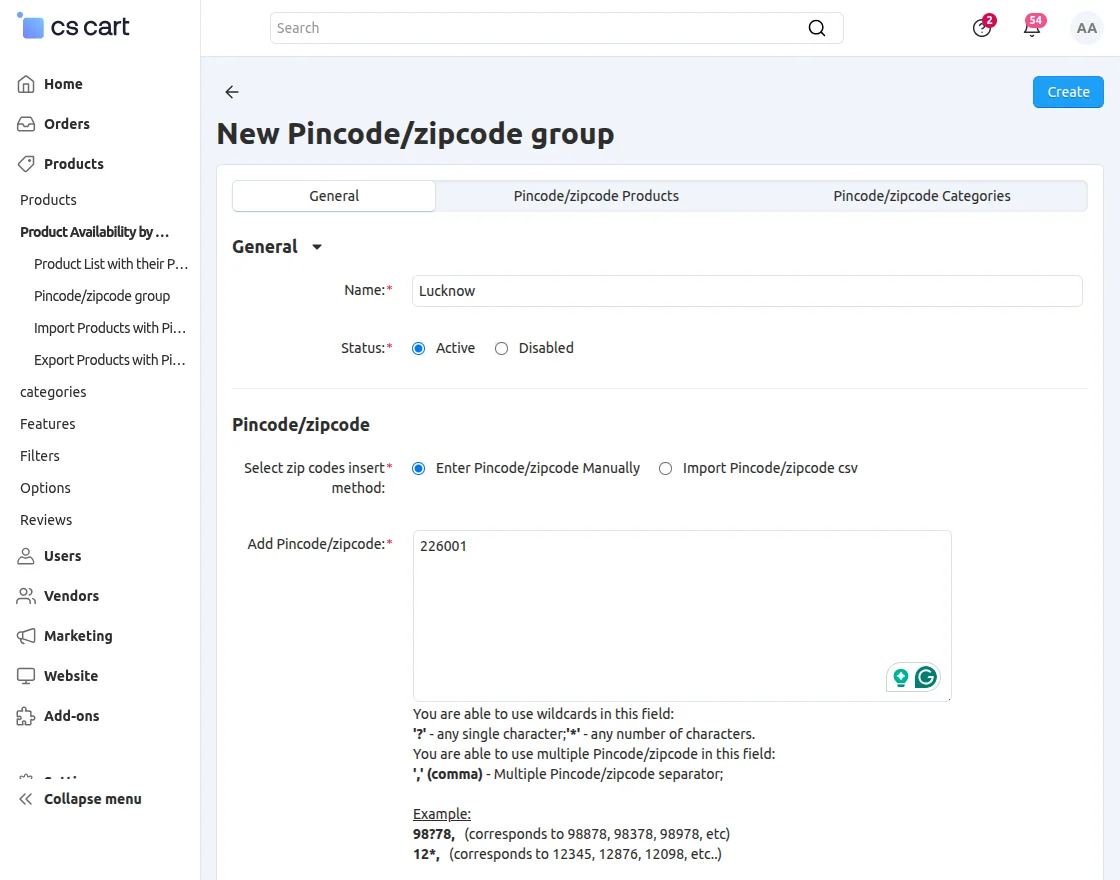
Pincode/Zipcode Group:
To create a product group, navigate to Products >> COD Availability by Pincode/Zipcode >> Manage Pincode/Zipcode Group.

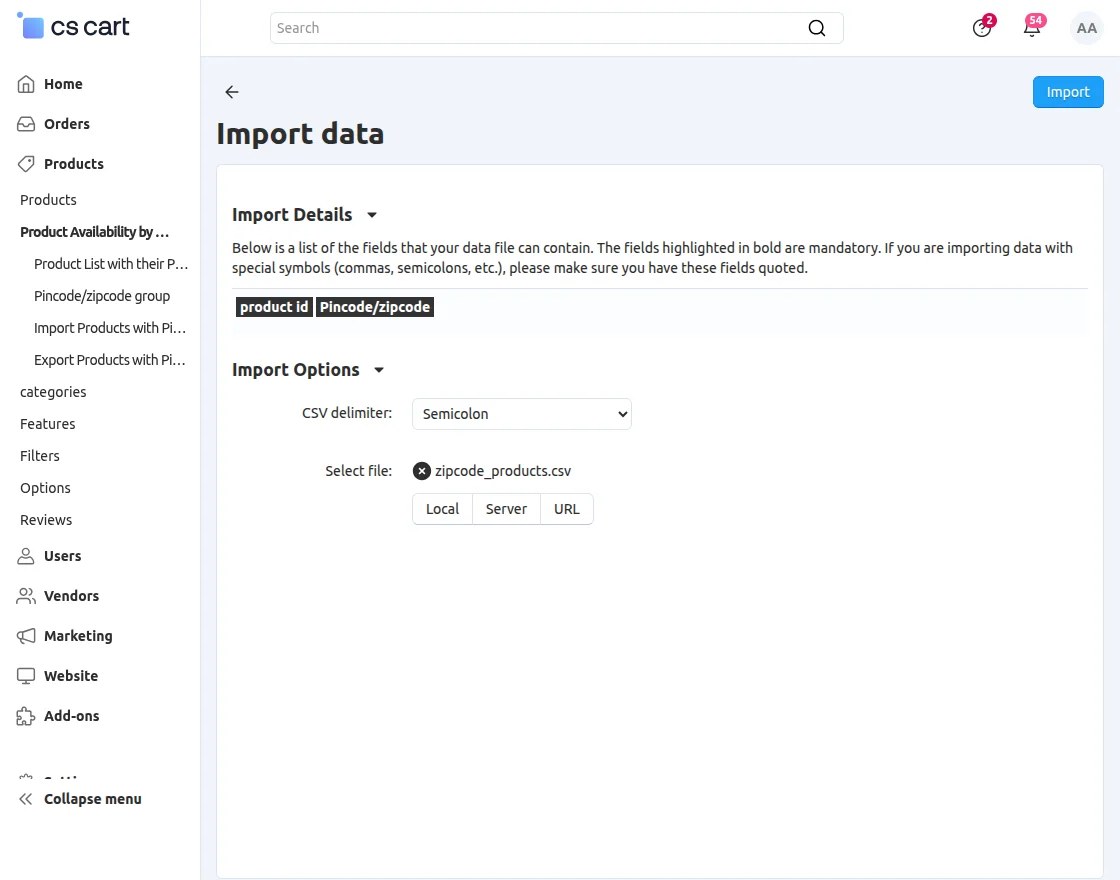
Import data:
To import content of CSV file which must contain “product id” and “Pincode/zip code”. Click on the “Import products with Pincode/Zipcode” at the right side. For better understanding please view the snapshot below. To import data, users have following options by which he can import CSV file. The functionality of CSV delimiter is provided. A delimiter is a sequence in which a user can separate two terms i.e. Product ID and Pincode/zipcode. Here three delimiters are provided that includes a semicolon, tab, and comma. A user can select either of these options accordingly. The upload of CSV file can be done via local, server and URL. Then Click on “Import” to import the file.
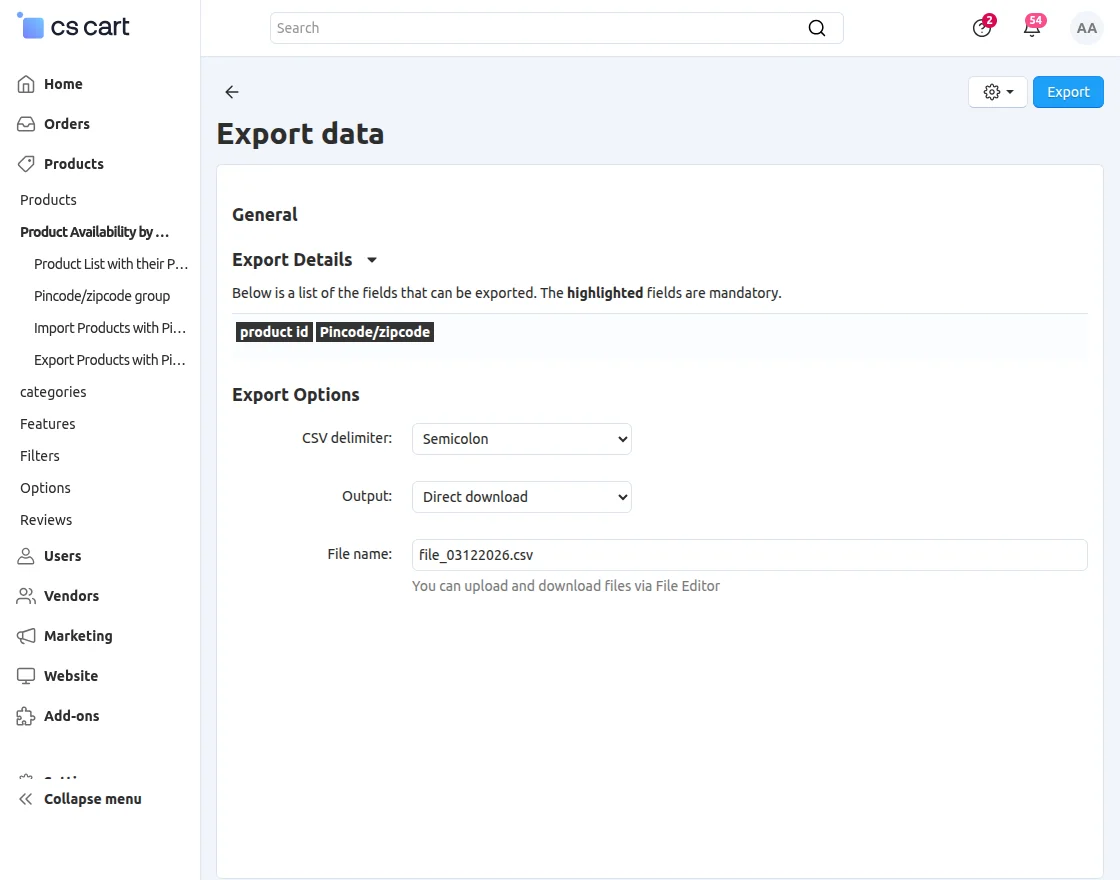
How to export data:
Click on “Export products with Pincode/Zipcode”. To export data user needs to select CSV delimiter for a file to export, select output which contains direct download, screen, and server. At last user needs to enter a name for his CSV file.
Frontend View
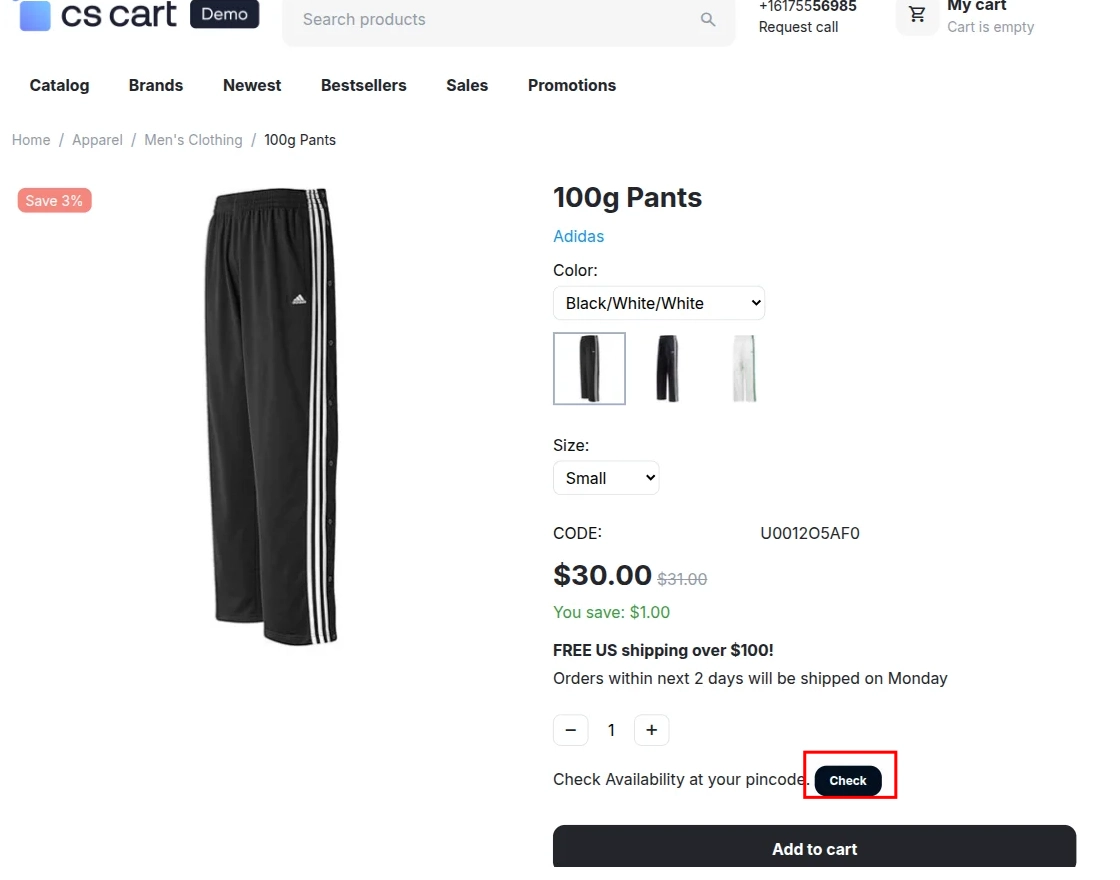
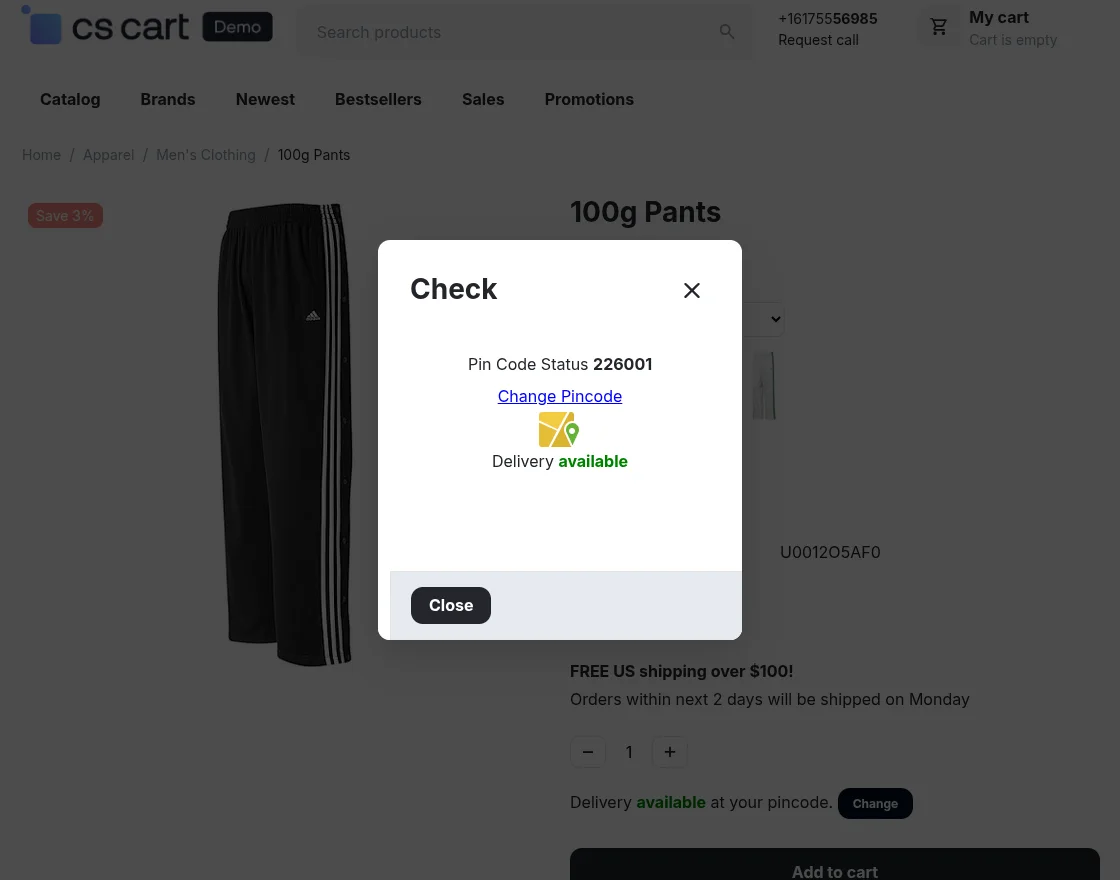
Product Availability in “Product View” page view:
Pincode/Zipcode check availability in the product view page at the front end.

Support
If you have any questions, suggestions, or customization requests, feel free to contact us at [email protected] or submit a ticket at webkul.uvdesk.com.
Explore our premium-quality CS Cart Extensions to enhance your store functionality.
You can also explore our CS-Cart Development Services and Quality CS-Cart add-ons.
Current Product Version - 1.4
Supported Framework Version - 4.18


2 comments
We have created a ticket on your behalf and our team will connect with you soon regarding your queries.
Thanks and Regards,
Team Webkul