CS-Cart Geolocation Language and Currency Converter add-on automatically adjusts your store’s language and currency based on the visitor’s location.
It performs these changes in real time using geolocation.
This feature helps you deliver a smoother and more personalized shopping experience.
It also improves your website’s overall usability and customer engagement.
Features
-
Well integrated with CS-Cart and CS-Cart Multi-Vendor.
-
Admin can set a default currency and language for the storefront.
-
Admin can configure geolocation settings for different countries.
-
Storefront language and currency change dynamically based on the visitor’s location.
-
Admin can add new geolocation entries.
-
Admin can delete or update existing geolocation entries.
-
Easy for the admin to configure and manage from the backend.
Video Tutorial
Installation
After downloading the Geolocation Language and Currency Converter add-on, you’ll get one zip file, one install.txt file, and a relevant User Guide manual doc.
Please read it carefully for proper configuration.
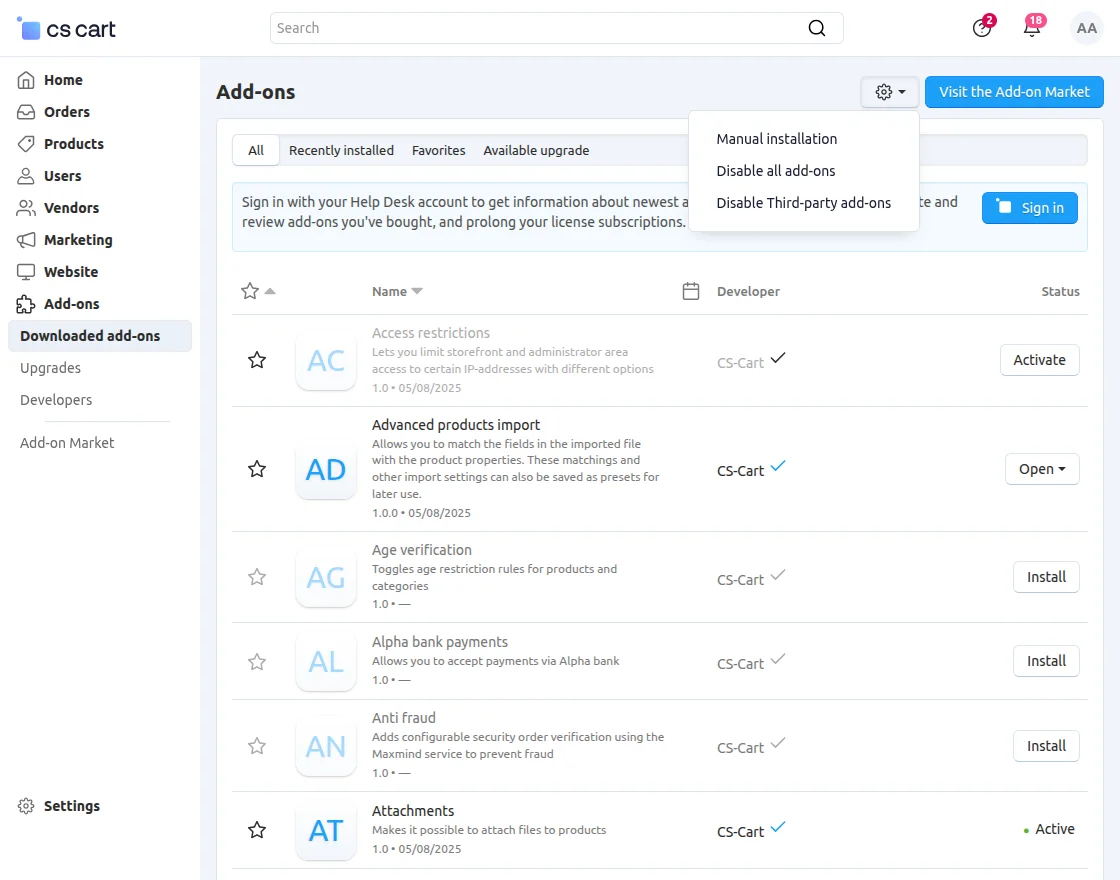
Go to Manage Add-ons, and click on “Manual Installation” as shown below in the snapshot.
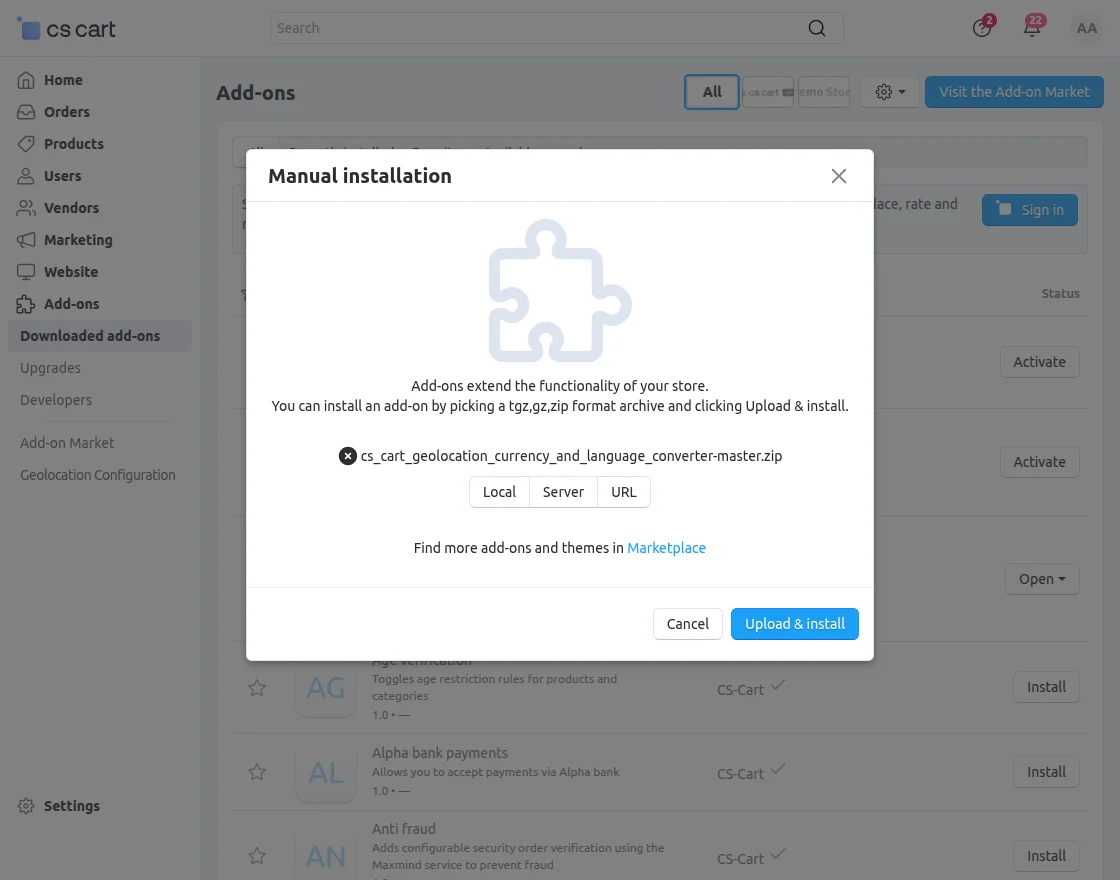
Click on “Local” to browse the zip file, and then click on “Upload & Install” as shown below in the snapshot.
Module Configuration | Admin
To configure the module, go to the Add-Ons >> Developers >> Webkul Software Pvt Ltd. >> Geolocation Language and Currency Converter >> Settings.
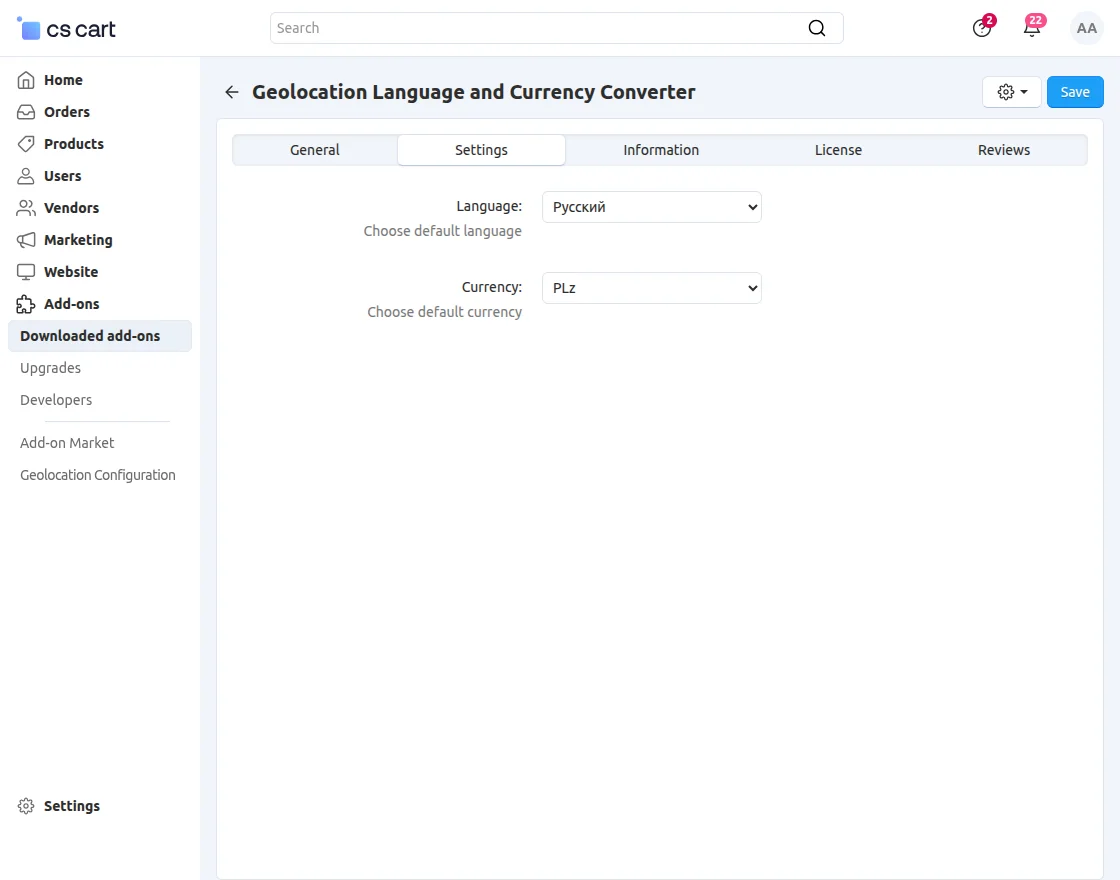
- Language: Choose the storefront language used when no geolocation match is found.
- Currency: Choose the storefront currency used when no geolocation match is found.
Geo-Location Configuration
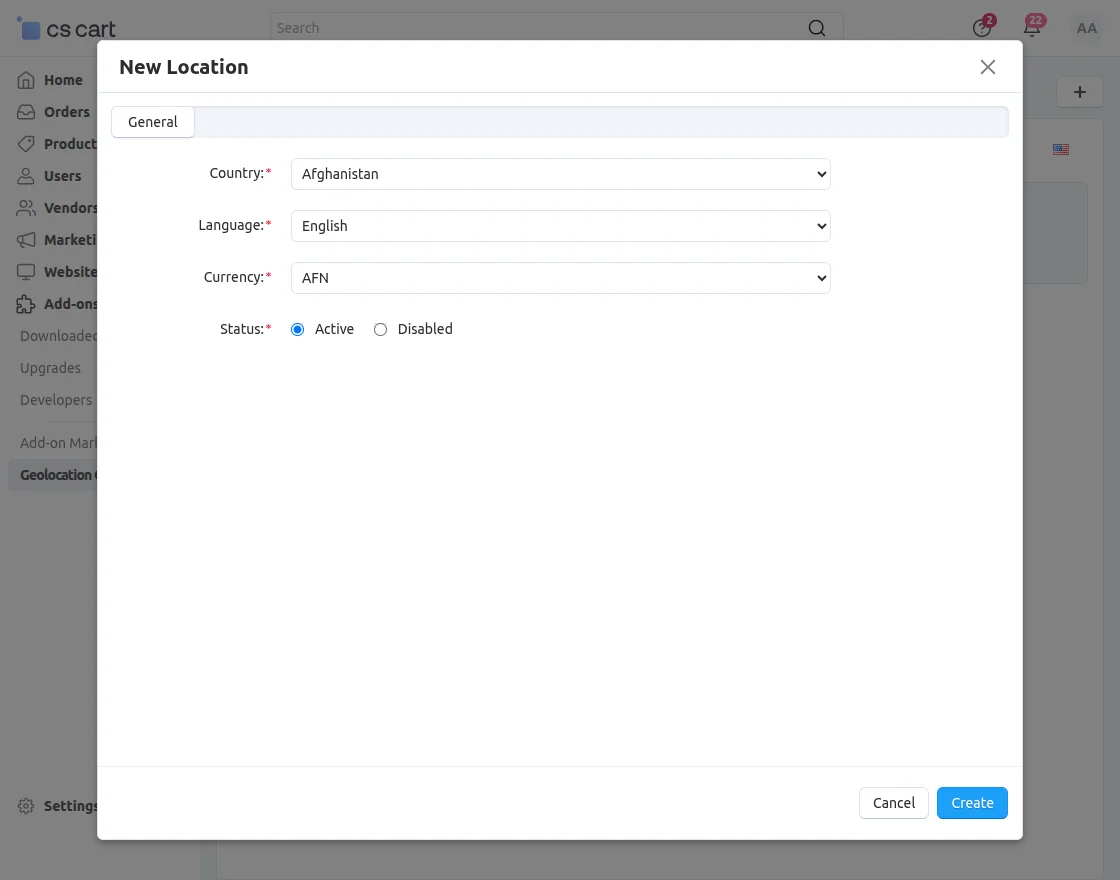
To configure geolocation settings, go to Add-ons → Geolocation Configuration.
-
Country: Pick the country to show.
-
Language: Choose the language to display.
-
Currency: Select the desired currency.
-
Status: Set the status to active for visibility.
Front End View
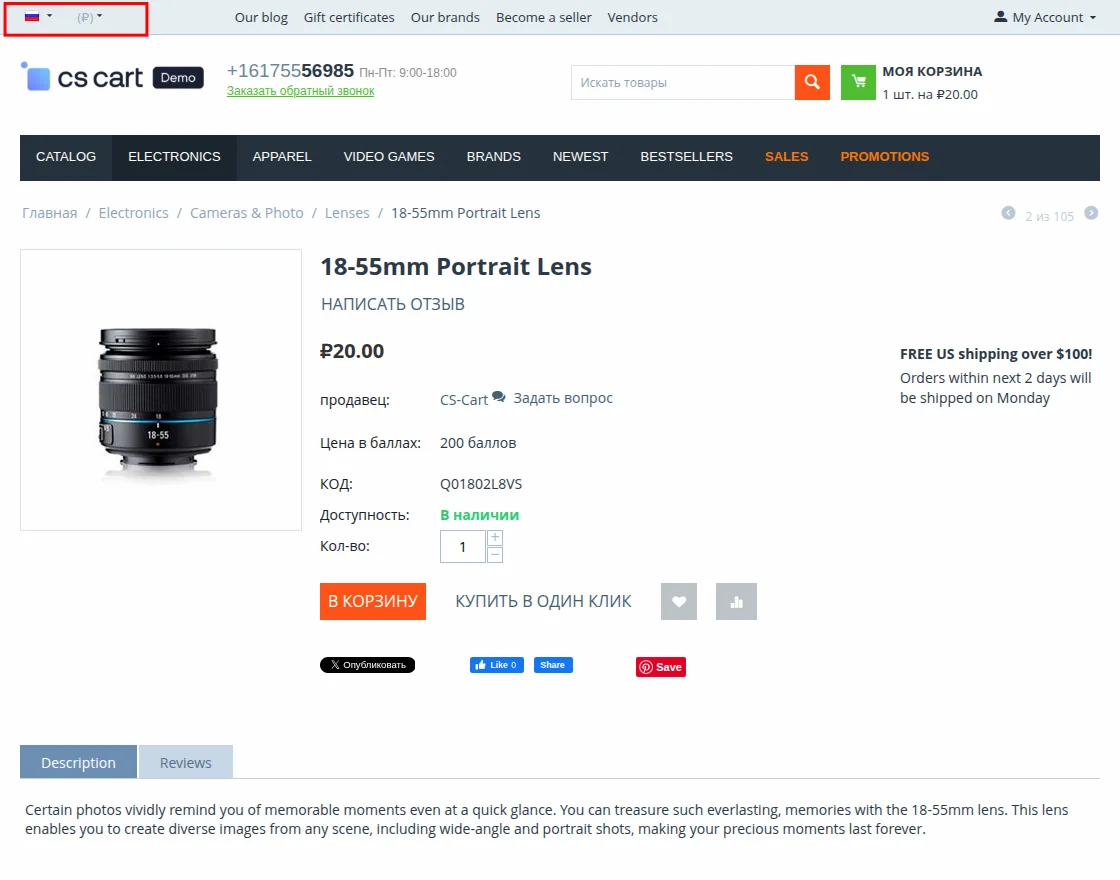
The storefront’s currency and language are automatically updated based on the user’s location.
Current Product Version - 1.5
Supported Framework Version - 4.16.x, 4.17.x, 4.18.x, 4.19.x


Be the first to comment.