CS-Cart Delivery Confirmation Request allows the admin to send delivery confirmation requests to customers and keep a record of product receipt for each order.
CS-Cart Delivery Confirmation Request Features
- Indeed, well integrated with CS-Cart/Multivendor.
- Users receive a delivery confirmation request from the admin end.
- Besides this Option to set the validity of the request link sent.
- In addition functionality of auto-confirmation of the request by the system on the basis of the validity period is available.
- Automatic mail is generated based on the order status and time frame selected at the admin end.
- The option to send and resend requests manually to an individual customer is provided.
- Functionality to resend request mail is provided to both the admin and the vendors of the site.
- Also Option of an email template is provided.
- Generate the confirmation request mail based on the order.
- Moreover, a separate tab has been provided for both the admin and the vendor to view the confirmation request log.
Video Tutorial
Installation
To install CS-Cart Delivery Confirmation Request, follow these steps:
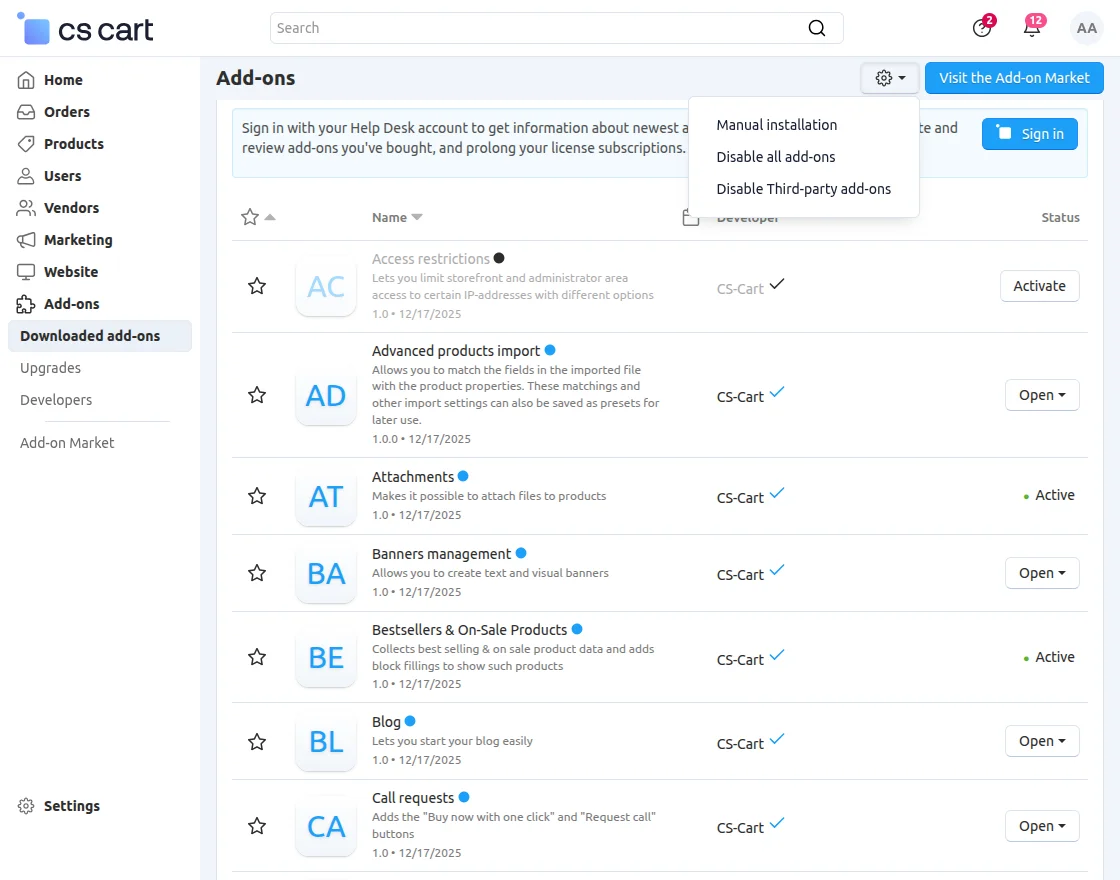
- Go to Manage Add-ons, click on the gear drop-down, and select Manual Installation.
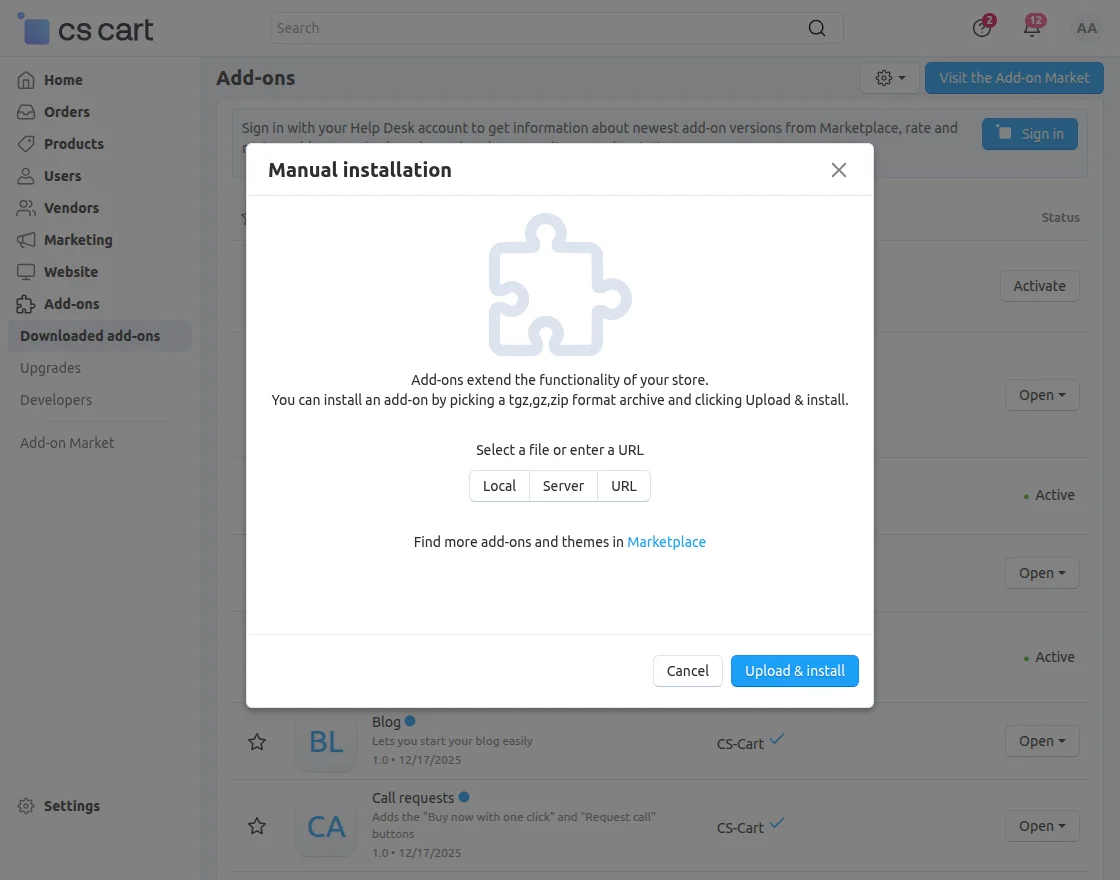
2. Select the zip File and click on Upload&install.
Add-on Configuration
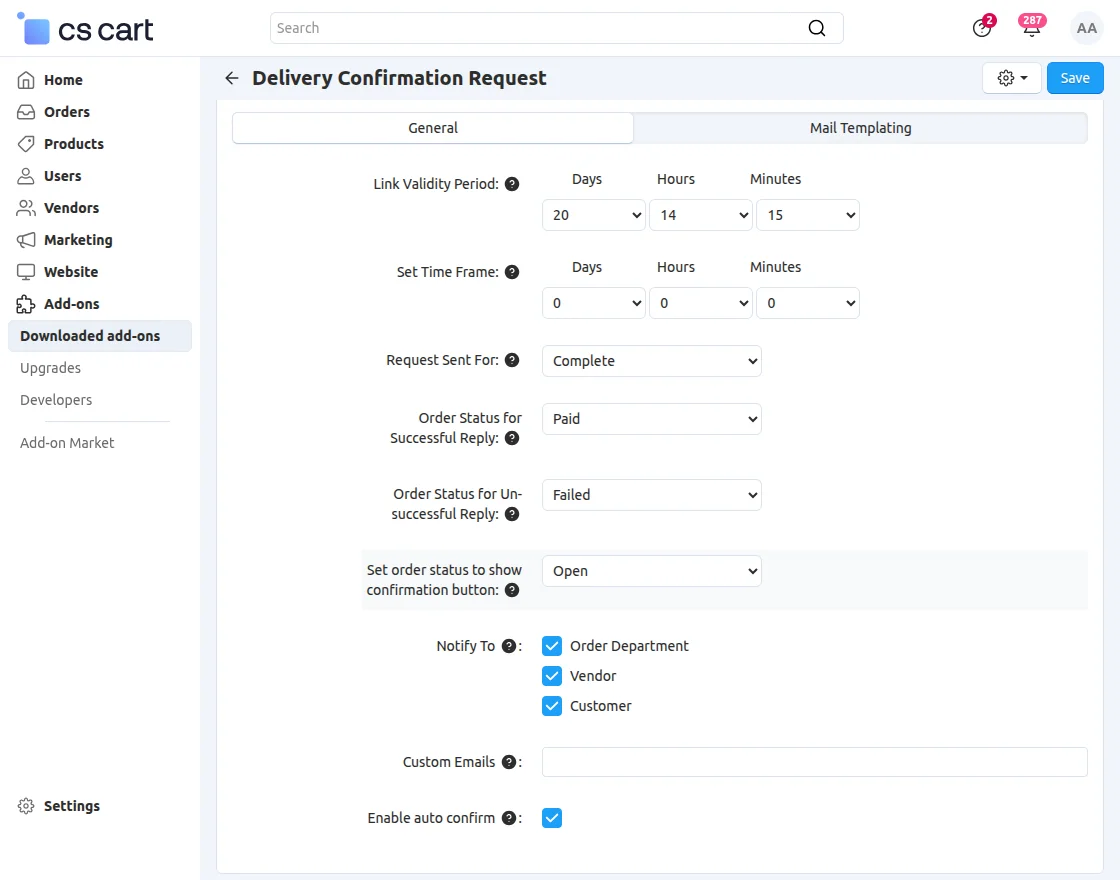
After installation of the add-on, you will find Delivery Confirmation Request in the list of available add-ons.
-
Link Validity Period: Set the validity period for the delivery confirmation request link.
-
Set Time Frame: Define when the system sends the delivery confirmation request to the customer.
-
Request Sent For: Choose the order status that triggers the delivery confirmation request email.
-
Order Status for Successful Reply: Set the order status when the customer confirms successful delivery.
-
Order Status for Unsuccessful Reply: Set the order status when the customer reports an unsuccessful delivery.
-
Set Order Status to Show Confirmation Button: Choose the order status on which the delivery confirmation button appears for the customer.
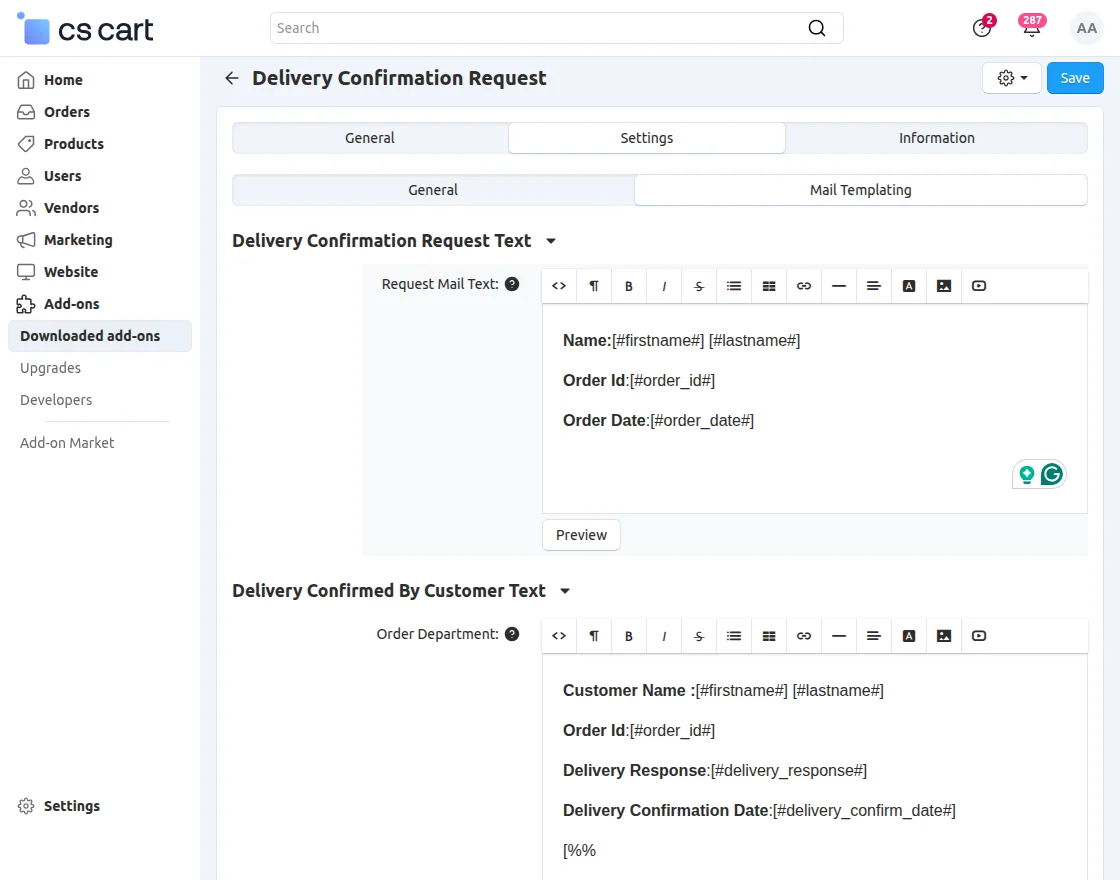
Mail Templating
Set the email to be sent to the customer.
Admin end
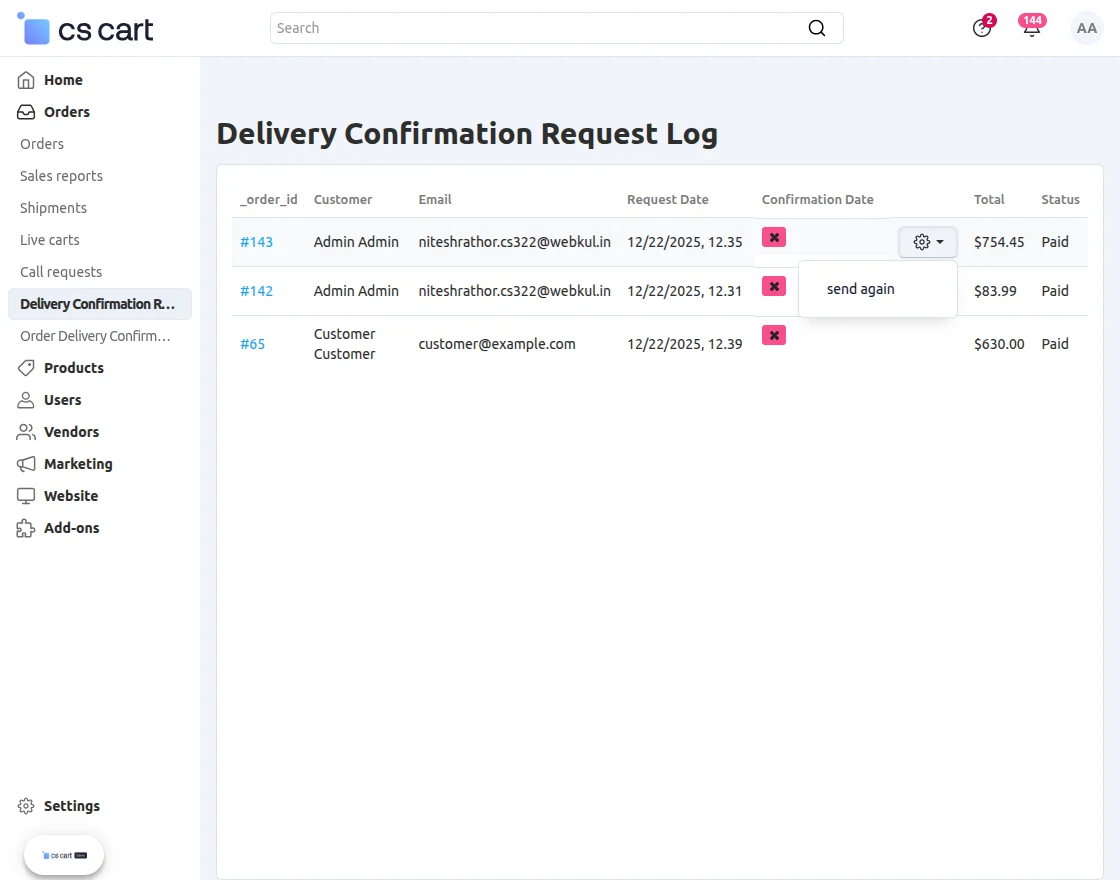
Click on the Delivery Confirmation Request Log Section.
Click the “settings” icon to resend the order request email.
Moreover, for a better understanding, please check the snapshot below.
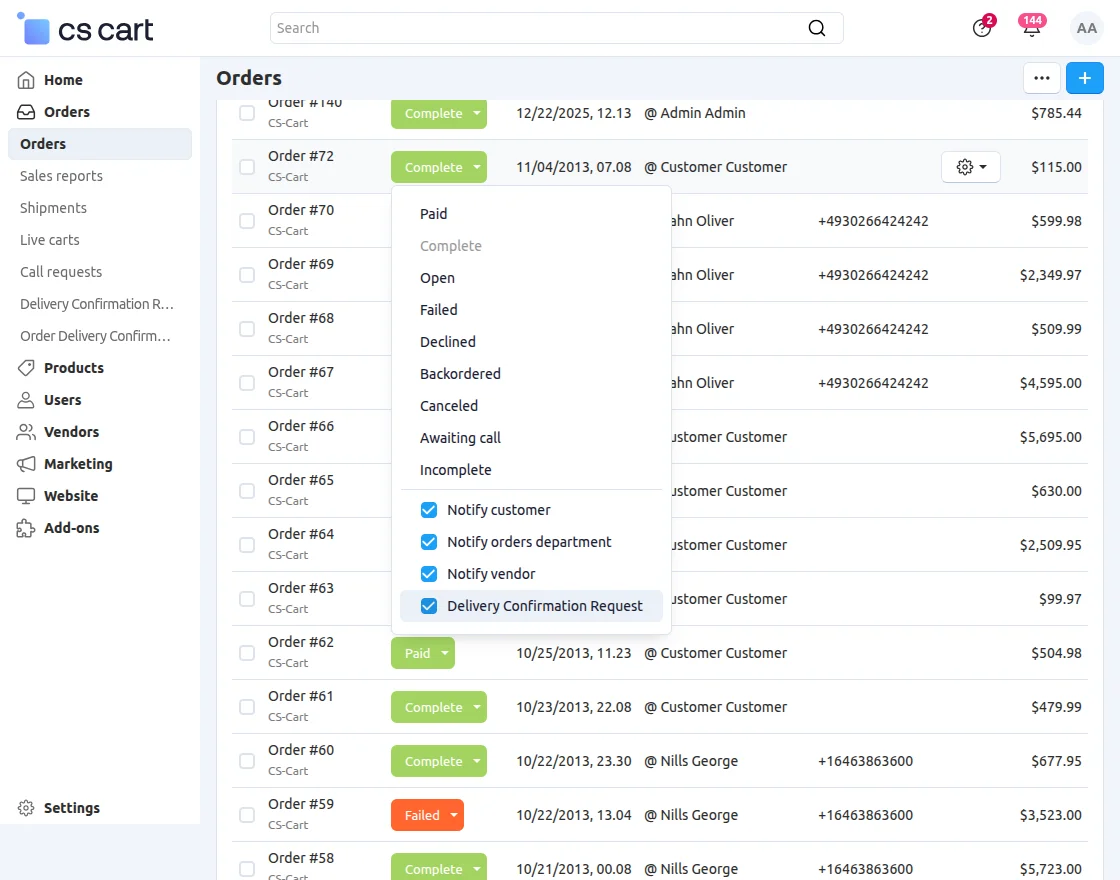
Then, click on Orders to set the Delivery confirmation status and check the box for confirmation request.
View of confirmation request mail at the user’s end.

Support
That’s all for the CS-Cart Delivery Confirmation Request. For any query or issue, please create a support ticket here http://webkul.uvdesk.com/.
Besides this you can explore our cs-cart Development Services and Quality cs-cart add-ons.
Current Product Version - 1.3
Supported Framework Version - 4.16.x, 4.17.x, 4.18.x, 4.19.x


Be the first to comment.