Multivendor Marketplace for Shopify | Canada Post
Live Demo
As we have updated the theme of our
Multi Vendor Marketplace app for Shopify,
so please head over to the provided link to get the updated blog for this app:
Multivendor Marketplace for Shopify-Canada Post- New Theme
Presenting the Multivendor Marketplace for Shopify | Canada Post where you can enable and have Canada post Shipping rates within Multivendor Marketplace App for Shopify.
With this, the sellers/vendors can ship the products with Canada Post and can also generate the ‘shipping label’ from their account on the app.
This feature will have additional charges of USD10 per month over and above your current multivendor plan.
Also, it is mandatory to have a Shopify Plan in which Carrier calculated shipping feature is enabled to make this feature work.
Let’s understand this feature in detail.
Enabling Canada post
The activation of this Feature needs to be done at both the admin and the seller end. The admin needs to manage the app configuration this way :

Activation Steps: Admin End

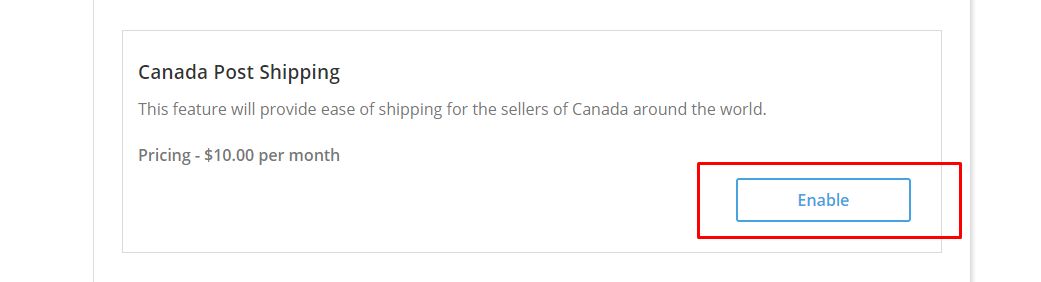
First, you need to enable this Feature from the “Feature Apps” menu in the Multivendor App.
The app is chargeable at 10$ per month in addition to the Multivendor App charges and other feature apps (if enabled).
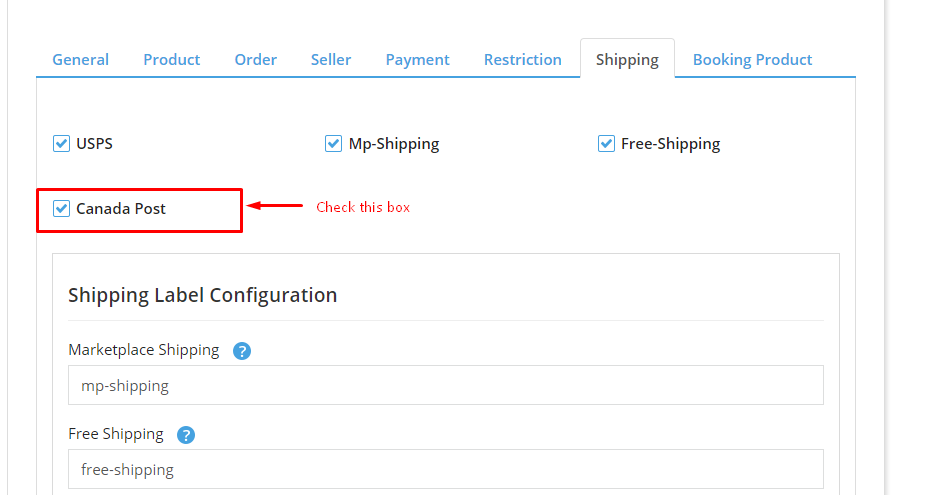
Admin needs to enable this feature from the app configuration menu.
Once you have enabled this shipping, you need to “agree” on the additional charges every month which will be over and above your current multivendor plan charges.

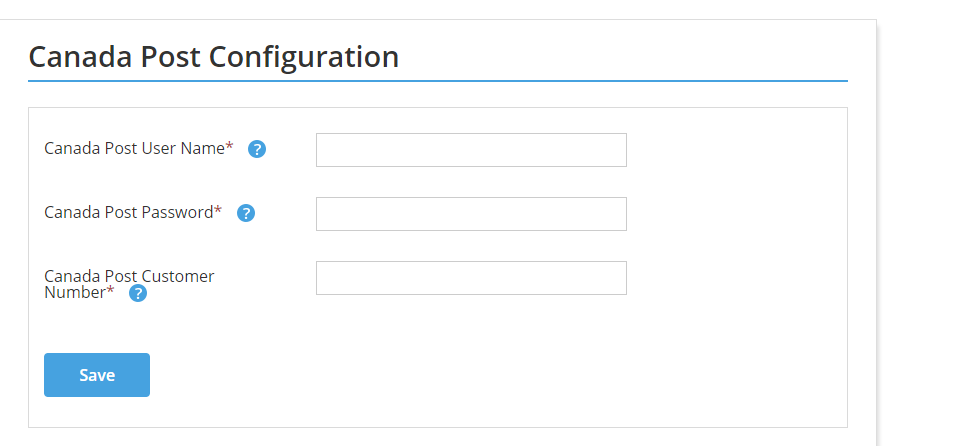
Canada Post: configuration
A menu with the name “Canada Post Configuration” will add on the admin’s end. The admin will have to configure the feature by entering the Canadapost details.

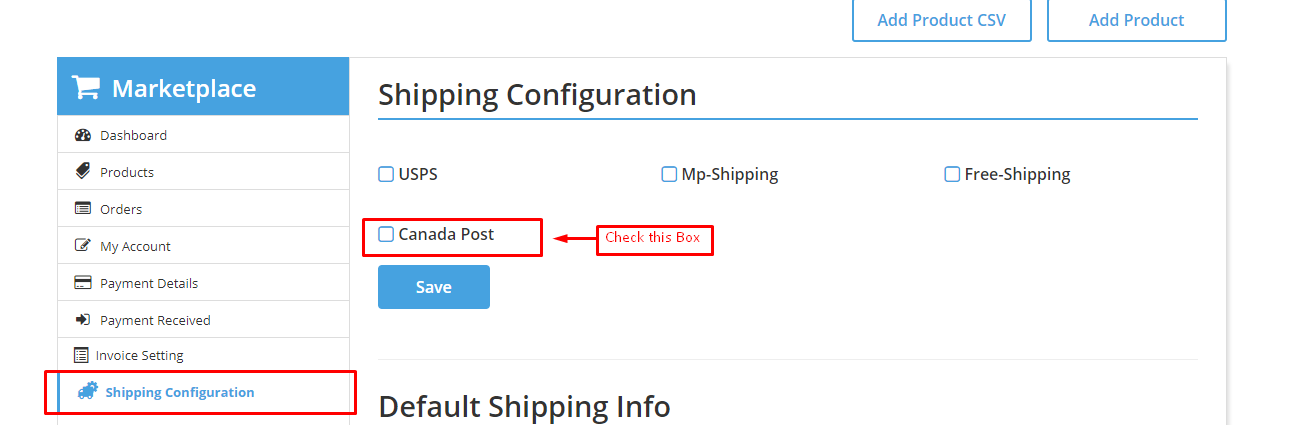
seller end
On the seller end, the seller will have to enable this Shipping from the “shipping configuration” menu.

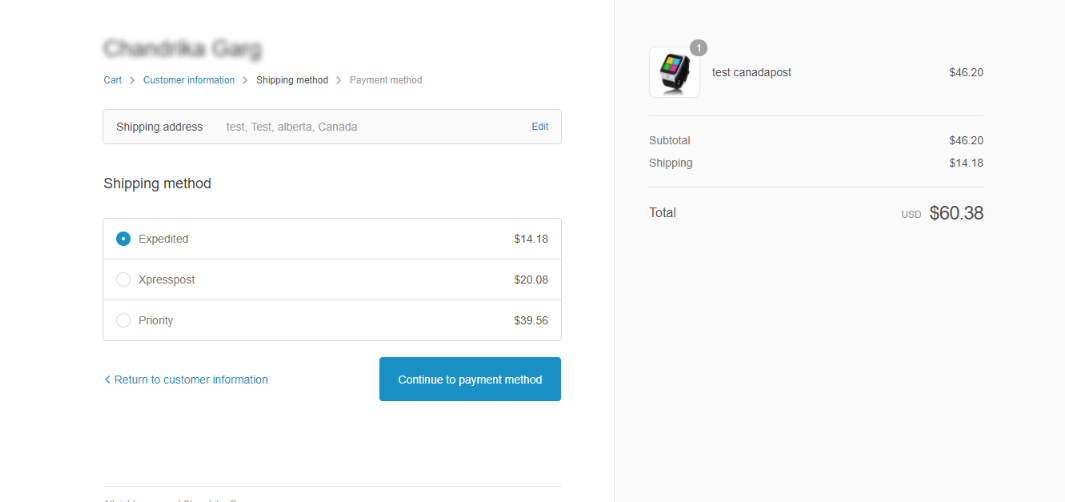
The checkout page will appear like this:

Shipping label
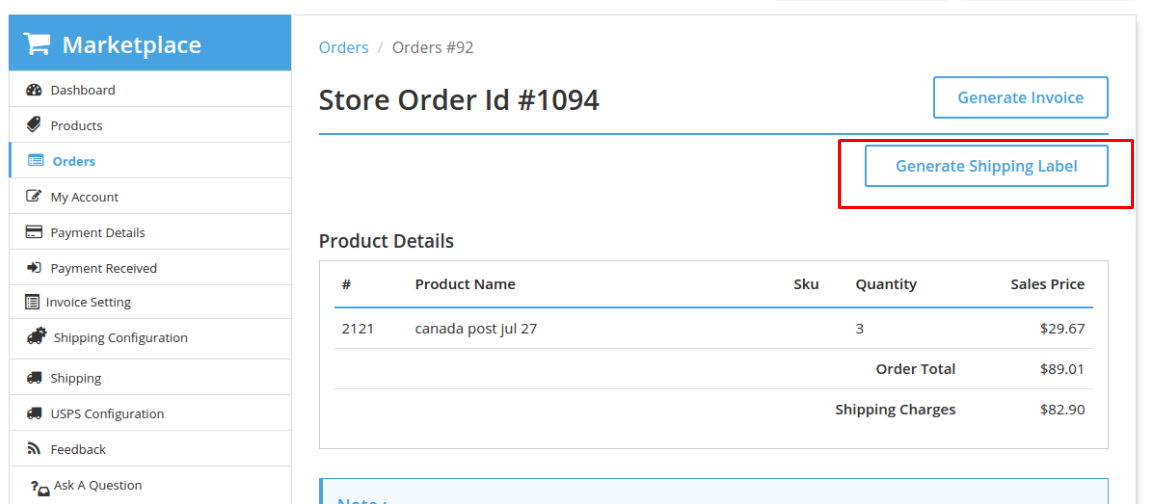
Moreover, the vendor can view the order and generate a label after fulfilling the order.

support
For any kind of technical assistance, just raise a ticket at http://webkul.uvdesk.com/ and for any doubt contact us at support@webkul.com