How to Build a B2B marketplace on Shopify
B2B commerce is rapidly transforming the way businesses engage with each other. If you’re wondering how to build a B2B marketplace on Shopify, you’re in the right place.
With Shopify’s flexibility, businesses can create scalable, feature-rich B2B marketplaces to stay ahead in this trillion-dollar industry.
Driven by businesses moving online to streamline operations, reduce costs, and expand reach.
For entrepreneurs looking to capitalize on this trend, building a B2B marketplace is one of the most lucrative opportunities today.
If you’re considering setting up your own B2B marketplace platform on Shopify, the Multivendor Marketplace app offers a powerful, scalable, and cost-effective solution.
In this blog, we’ll guide you through the process of creating a B2B marketplace on Shopify and explain why this combination is a winning choice.

Why B2B Marketplaces Are Thriving
- Evolving B2B Buyer Expectations: Buyers now seek consumer-like experiences with self-service, intuitive design, and broad choices, which marketplaces provide through advanced search and vendor consolidation.
- Streamlined Operational Efficiency: B2B marketplaces streamline operations by letting buyers easily compare vendors in one place while helping sellers cut acquisition costs through direct access to a qualified audience.
- Unlocking Scalability and Global Reach: B2B marketplaces enable businesses to scale efficiently and reach global markets, giving SMEs access to international buyers and leveling the playing field in global trade.
- Digitizing the Procurement Lifecycle: B2B marketplaces digitize the entire procurement cycle from discovery to logistics, unifying offline processes into one platform to improve efficiency and reduce overhead.


Why Use Shopify for Your B2B Marketplace?
Shopify is one of the most popular eCommerce platforms in the world, trusted for its easy-to-use interface, scalability, security, and support for extensive integrations.
For B2B, Shopify is particularly useful because:
- High-Level Security and Reliability
- Offers great scalability as your marketplace grows.
- Has robust payment and shipping solutions.
- A rich app ecosystem to extend marketplace functionality.
But Shopify, by default, is designed for single-seller stores. This is where the Multivendor Marketplace app for Shopify comes in.
Introduction to Multivendor Marketplace App for Shopify
Create a scalable B2B marketplace on Shopify with the Multivendor Marketplace app and transform your store into a thriving multi-seller platform.
Making it possible to create a B2B ecosystem where multiple vendors can sell their products. The app empowers marketplace admins to:
- Enable vendor onboarding & management.
- Assign commission structures.
- Allow bulk product uploads.
- Offer advanced features like MOQ (Minimum Order Quantity), slot pricing(set different product prices for different customers), and minimum order amount functionality.
- Manage logistics and payments with flexibility.
Step-by-Step Guide to Creating a B2B Marketplace on Shopify
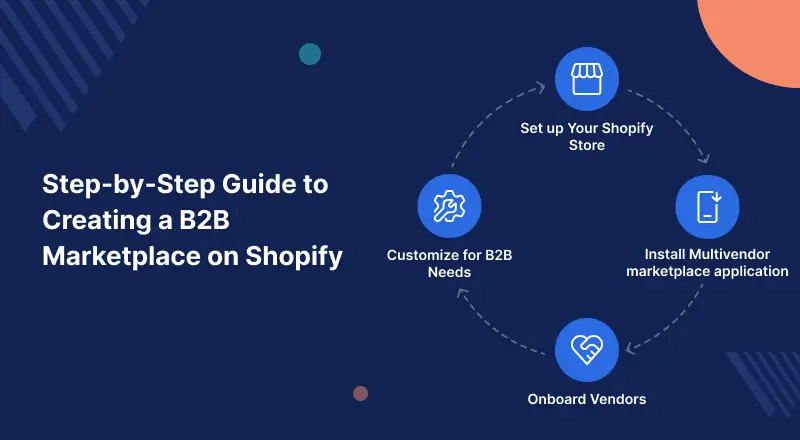
Now, let’s walk you through, step by step, how to build a B2B marketplace on Shopify with the Multivendor Marketplace app.
1. Set up Your Shopify Store
First, create your Shopify store with a professional B2B-centric theme. Ensure that your design reflects trustworthiness, ease of product discovery, and bulk-ordering options.
2. Install Multivendor Marketplace App for Shopify
From the Shopify App Store, install and configure the marketplace application. This is the backbone that turns your store into a marketplace platform.
3. Onboard Vendors
Invite suppliers and manufacturers to join your marketplace. The app features dedicated dashboards for vendors, enabling them to upload catalogs, set pricing, and manage their inventory.
4. Customize Your B2B Marketplace on Shopify
Use built-in features or add-ons tailored for B2B commerce:
Slot Pricing: The Slot Pricing app enables customer-specific pricing through tags managed by the admin and is offered as a paid add-on.


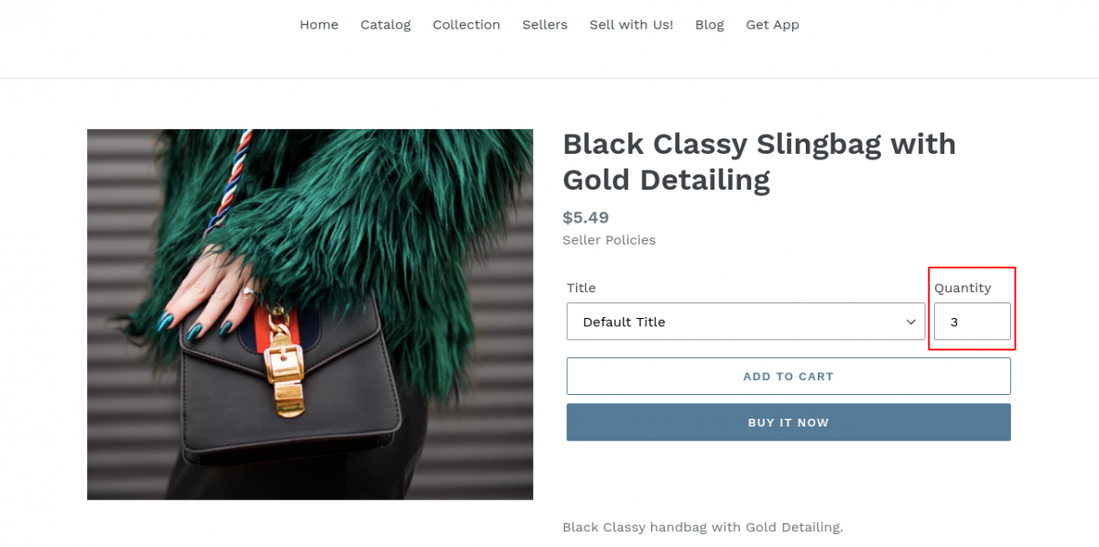
Minimum Purchase Quantities: The Minimum Purchase Quantity feature allows admins and sellers to set product or variant limits, requiring customers to meet minimums to ensure profitable bulk sales.

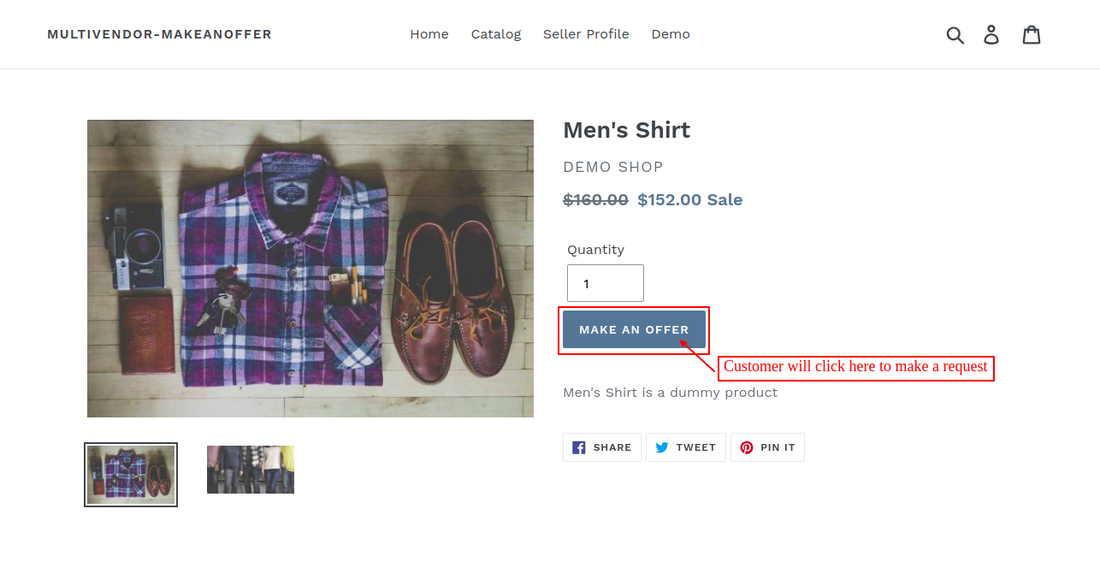
Request for Quote (RFQ): Webkul’s “Make an Offer” feature app, allowing buyers to submit negotiation requests directly to sellers.
Enabling negotiation and custom deals while replicating traditional B2B workflows.

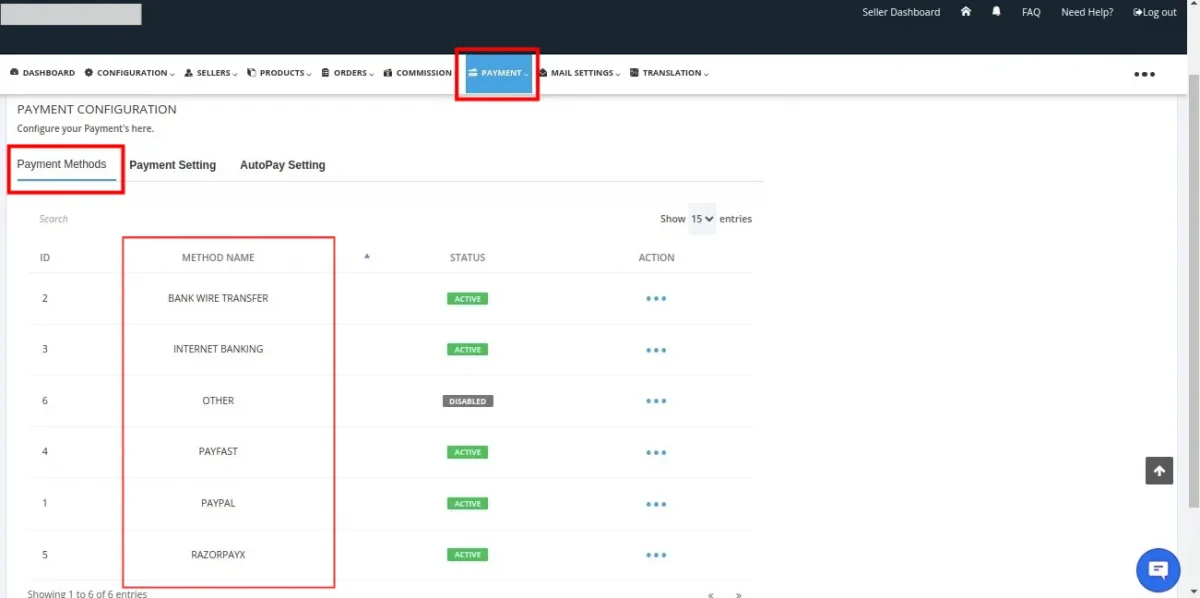
Payment Flexibility: The platform offers flexible payment options, including automated payouts and payment methods like Razorpay, PayPal, bank transfers, and internet banking.

5. Streamline Operations for B2B marketplace on Shopify
Set commission, payouts, taxes, and shipping rules, and track vendor performance with the Multivendor Marketplace app’s reports.
6. Ensure Compliance & Trust
Establish clear policies around vendor approvals and product authenticity
A reliable B2B marketplace is built on trust between buyers and sellers.
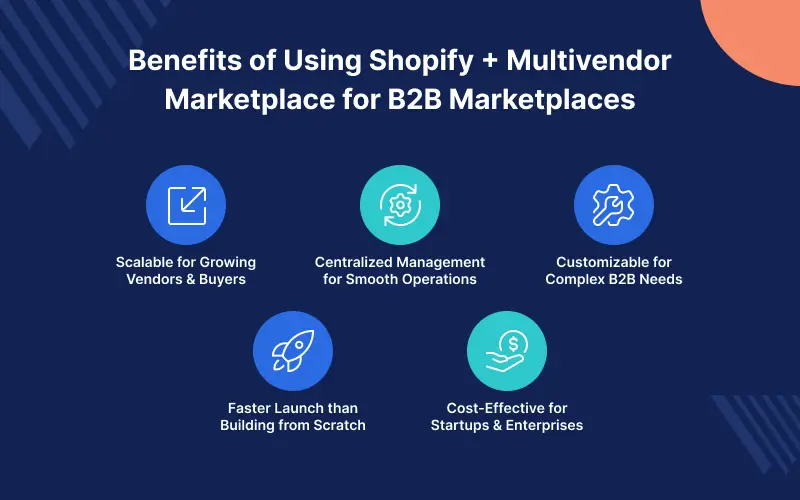
Benefits of Using Shopify + Multivendor Marketplace for B2B Marketplaces
- Scalable foundation for a growing number of vendors and buyers.
- Centralized management for smooth operations.
- Customization options to meet complex B2B requirements.
- Quick go-to-market compared to building from scratch.
- Cost-effective solution for startups and established businesses alike

Final Thoughts
As B2B commerce continues to dominate the digital landscape, now is the perfect time to learn how to build a B2B marketplace on Shopify and launch your own platform.
With Shopify’s robust platform and Webkul’s specialized Multivendor Marketplace app, you can create a tailored,
feature-rich B2B platform that connects suppliers with buyers, enabling seamless transactions on a global scale.
Whether you’re aiming to build a general-purpose wholesale marketplace or a niche B2B industry hub,
this combination gives you the flexibility and power to thrive in the competitive commerce ecosystem.
Support
Moreover, if you need any kind of support/Consultancy, then please raise a ticket at http://webkul.uvdesk.com/ or drop an email at support@webkul.com
Thanks for reading this blog!!! 🙂