Multivendor Marketplace: Top 5 Key Features
A multivendor marketplace brings sellers together in one store, so shoppers can choose from a wider range of products.
This guide covers five key features, with examples from Webkul’s Multivendor Marketplace app for Shopify.
What is a Multivendor Marketplace?
In this model, sellers share one online store, while the store owner manages how it runs.
Sellers handle their own products and orders, while the store owner sets the rules and commission rates.

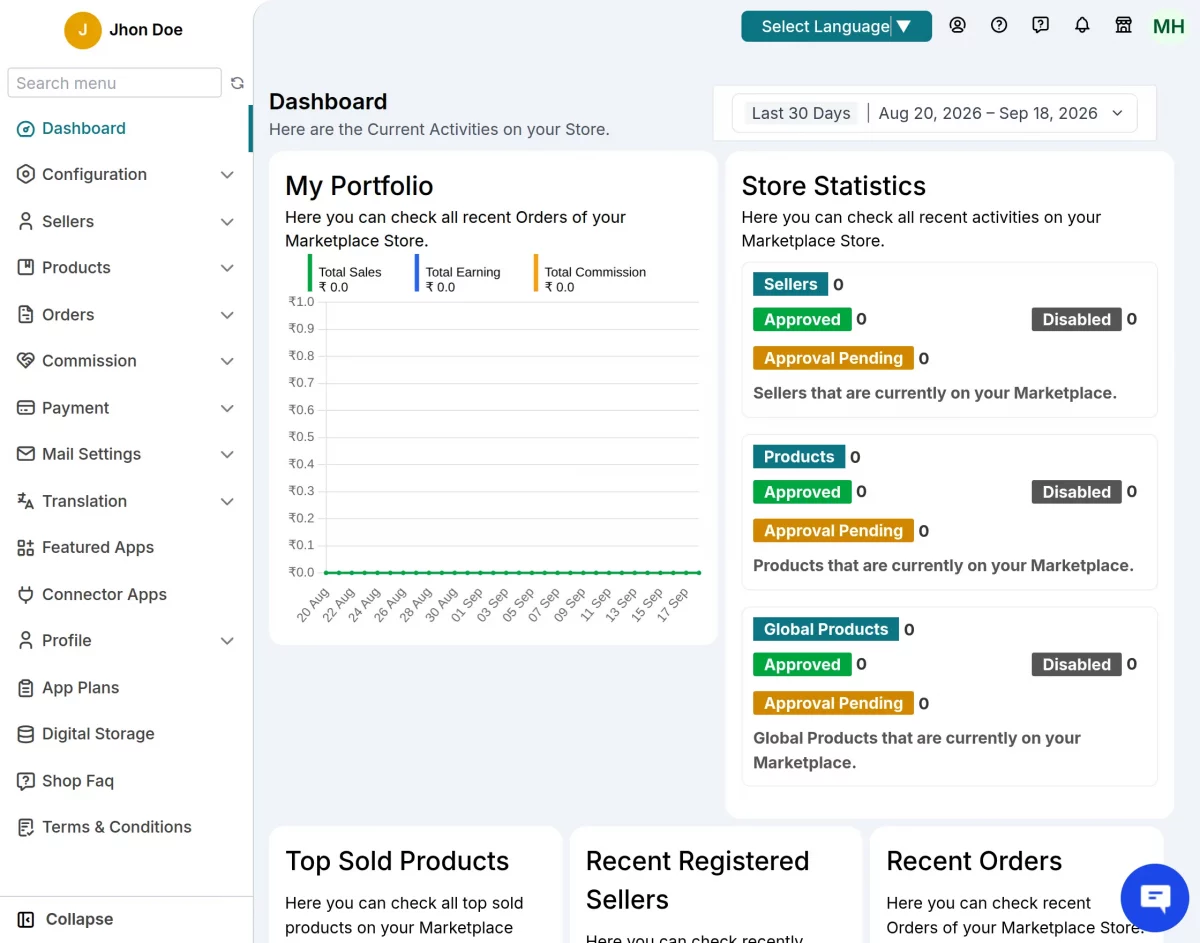
As a result, sellers can reach more shoppers without having to build and run their own online store.
Importance of Multivendor Marketplaces in eCommerce
Adding vendors can help a store offer more products without sourcing every item itself.
For customers, this means more choice and the chance to compare offers from different sellers.
Similarly, a hyperlocal marketplace connects shoppers with nearby sellers who serve their area.
For example, Amazon and Etsy bring many independent sellers together, while Walmart also operates a marketplace.
Key features of a multivendor marketplace
The following sections show how Webkul’s Multivendor Marketplace for Shopify supports sellers and store owners.
1. Vendor dashboard and management
Each seller has a dashboard to manage their work without needing access to the store owner’s admin account.
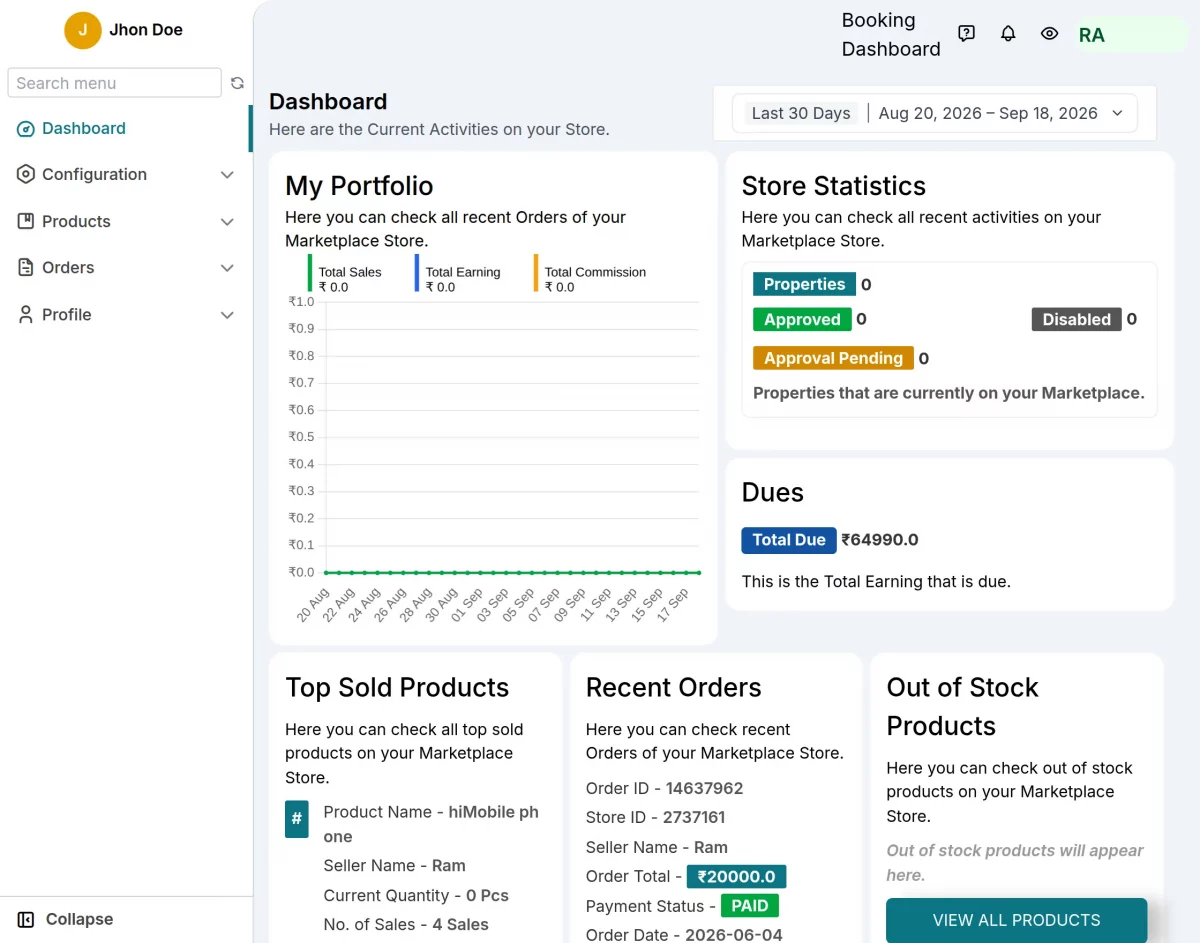
Sellers can also update products and check orders from their panel, where they manage stock.
In addition, sellers can see how much they are owed if the store owner enables this dashboard setting.
2. Commission settings
Set one commission rate for all sellers or choose a rate for each seller and product.
For example, you can charge a different rate for each product category to match the type of goods sold.

You can then agree on seller fees that help cover the costs of running your store.
3. Product management and approval
An admin-controlled approval workflow lets you check each seller’s products before they go live in your store.

Before you approve a listing, check that its details follow the rules you have set for your store.
As a result, listings can follow the same rules, although a review alone does not prove the goods are high quality.
For setup details, read the multivendor marketplace products guide before choosing your approval settings.
4. Shipping and fulfillment
Seller shipping is part of the app’s Pro plan, with shipping feature apps used to set up delivery options.
However, displaying these rates at checkout also requires Shopify’s carrier-calculated shipping feature.
Once set up, sellers can set rates for the areas served by their chosen shipping method.

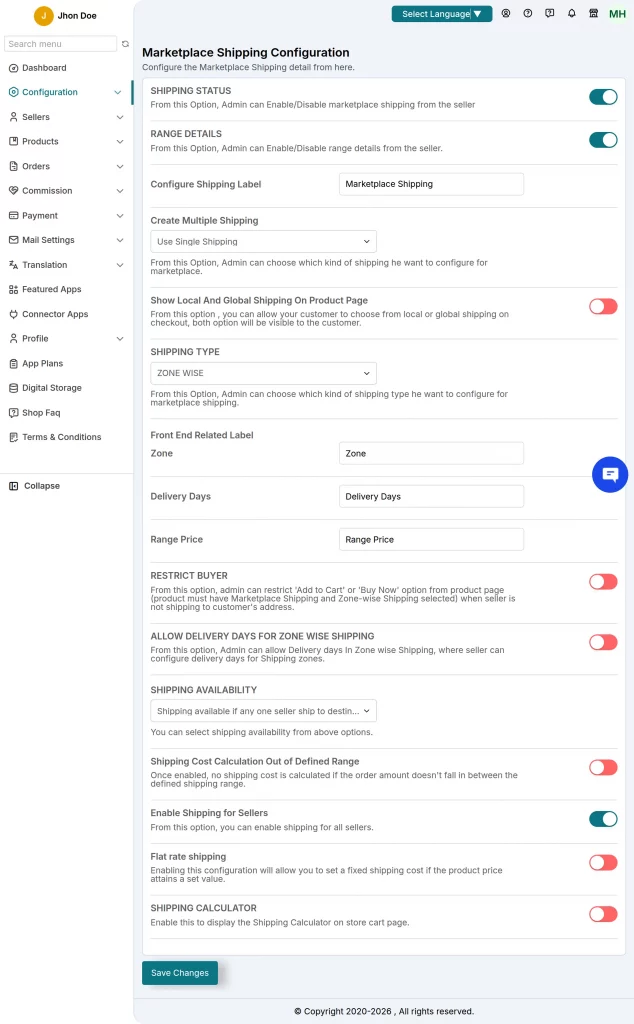
The shipping feature in the linked guide supports one shipping profile and location; check this limit when planning your setup.
Some carrier apps may cost extra, so check the fees for each one you need before you turn it on.
For setup steps and supported methods, read the Shopify Multivendor Marketplace Shipping guide.
5. Vendor reviews and ratings
Shoppers can leave feedback for each seller, which helps others choose who to buy from.
For example, a review of a seller’s service can help a shopper decide whether to place an order.


Sellers can also use these reviews to find problems and improve the service they offer.
Conclusion
These five features help you manage the main tasks of running a store with more than one seller.
Before you choose a setup, check which app plan and extra features your sellers will need.
Need help?
If you need help with setup or have a question, create a support ticket with Webkul.
Alternatively, email support@webkul.com to ask our team about the setup you need for your store.