User Guide for Odoo Employee Loan Management (Enterprise)
Table of Content
INTRODUCTION
Odoo Employee Loan Management (Enterprise) is a simple and helpful tool that lets companies manage employee loans in an easy way.
It lets HR create loan types, set experience-based rules, and offer quick, interest-free loans while automating the entire loan process.
FEATURES
- HR can create different loan types with rules based on employee experience.
- Employees can apply for more than one loan at the same time if eligible.
- EMIs are automatically added to the monthly salary slips in Odoo Employee Loan Management (Enterprise)
- HR can adjust or shift EMIs in special cases like unpaid leave.
- HR can set who can apply based on work duration and role.
- Employees can take one loan per category; extra loans require a different category.
INSTALLATION
- Once you purchase the App from Webkul store, you will receive a link to download module’s zip file.
- Extract the file on your system after download finishes. As a result, you will be able to see a folder named- ‘hr_loan_enterprise’
- Copy and paste this folder inside your Odoo Add-Ons path.
- Now, open Odoo App and click on the Settings menu. Here, click on Activate Developer Mode.
- Then, open Apps menu and click on ‘Update Modules List.’
- In the search bar, remove all the filters and search ‘hr_loan_enterprise’
- You will be able to see module in the search results. Click on ‘Install’ to install it.
WORKFLOW
- Go to Employee Loan in Odoo Employee Loan Management (Enterprise) >> Click on Dashboards to see all Loan types you have configured.

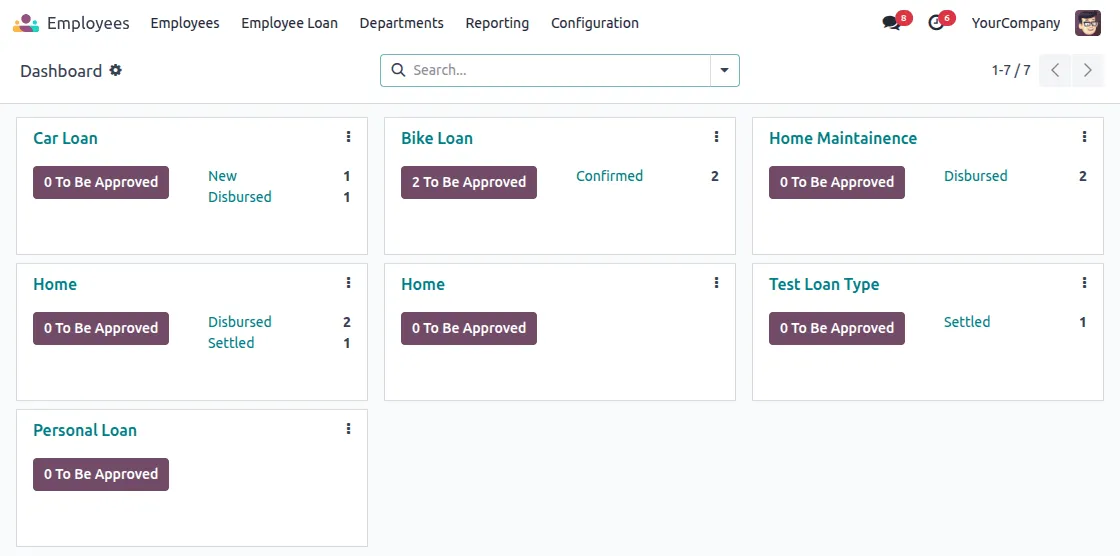
2. Go to the Loan Types menu in Odoo Employee Loan Management (Enterprise) and click on ‘New’ to create a new loan type.

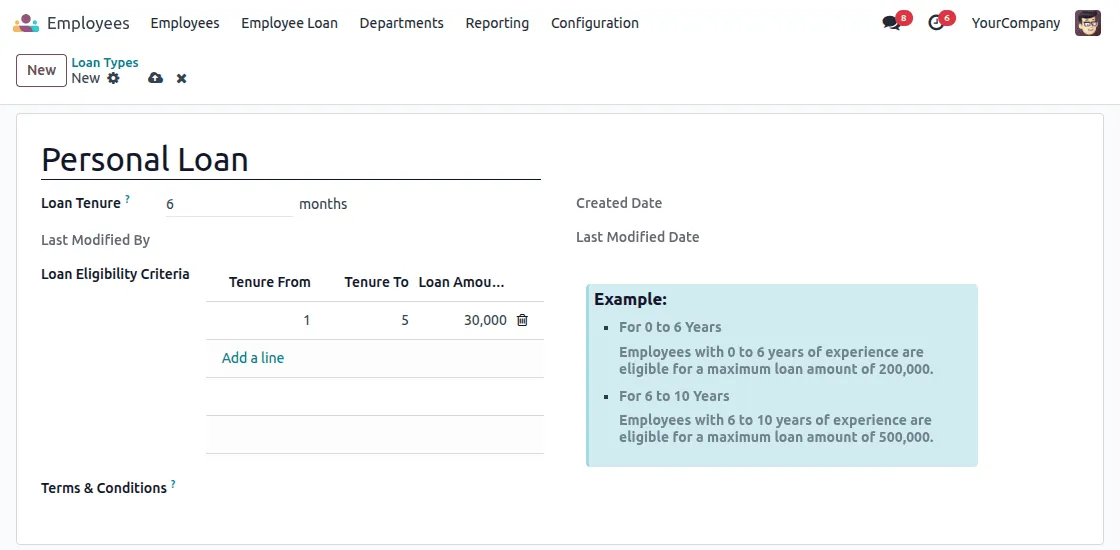
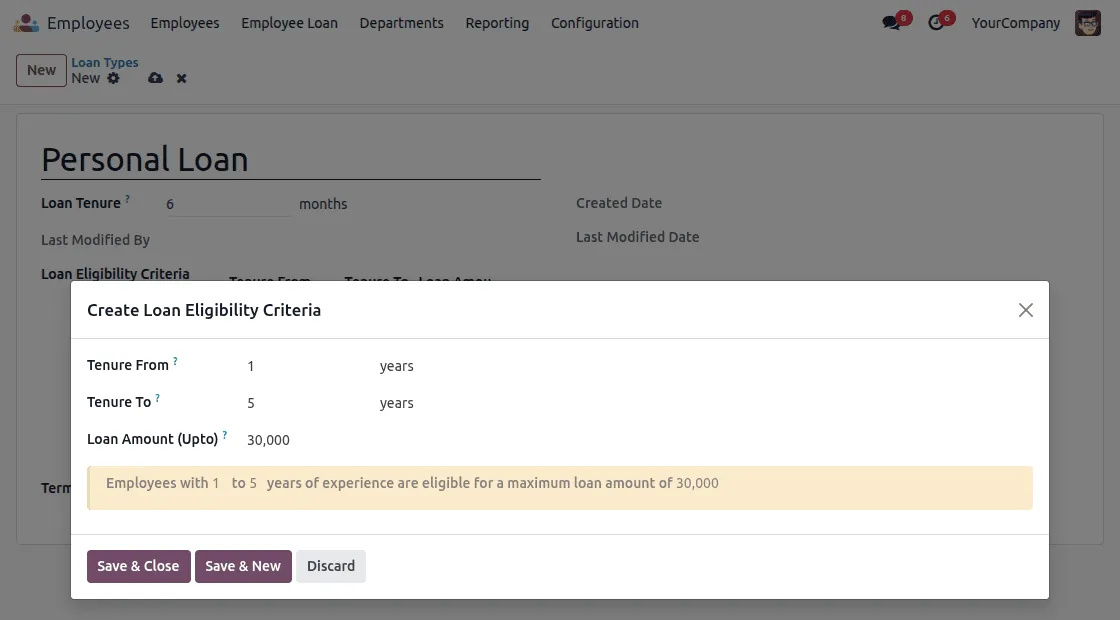
3. Set the Eligibility criteria for employees to provide loans

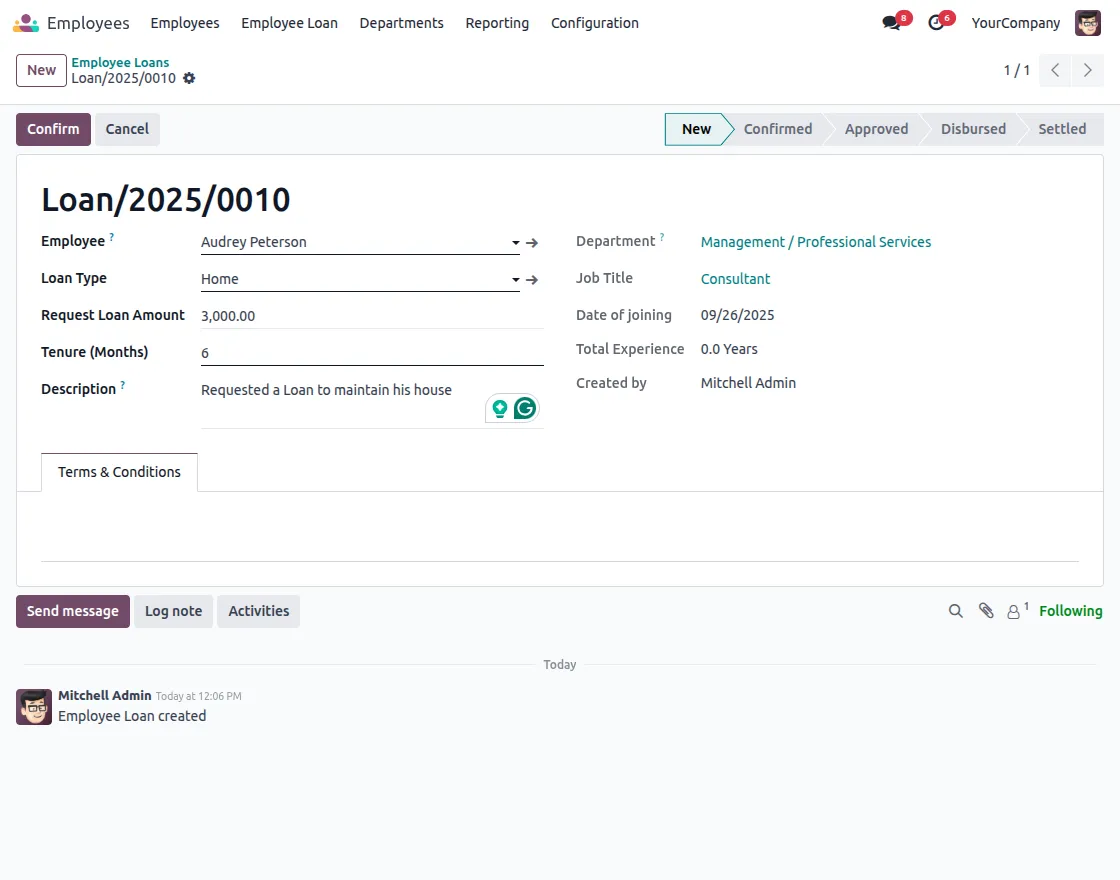
4. See Employee Loans and create New Loans for Employees.

5. Once a Loan is approved, you can check for the EMIs through a smart button present on top, and the Loan details are present on the bottom.
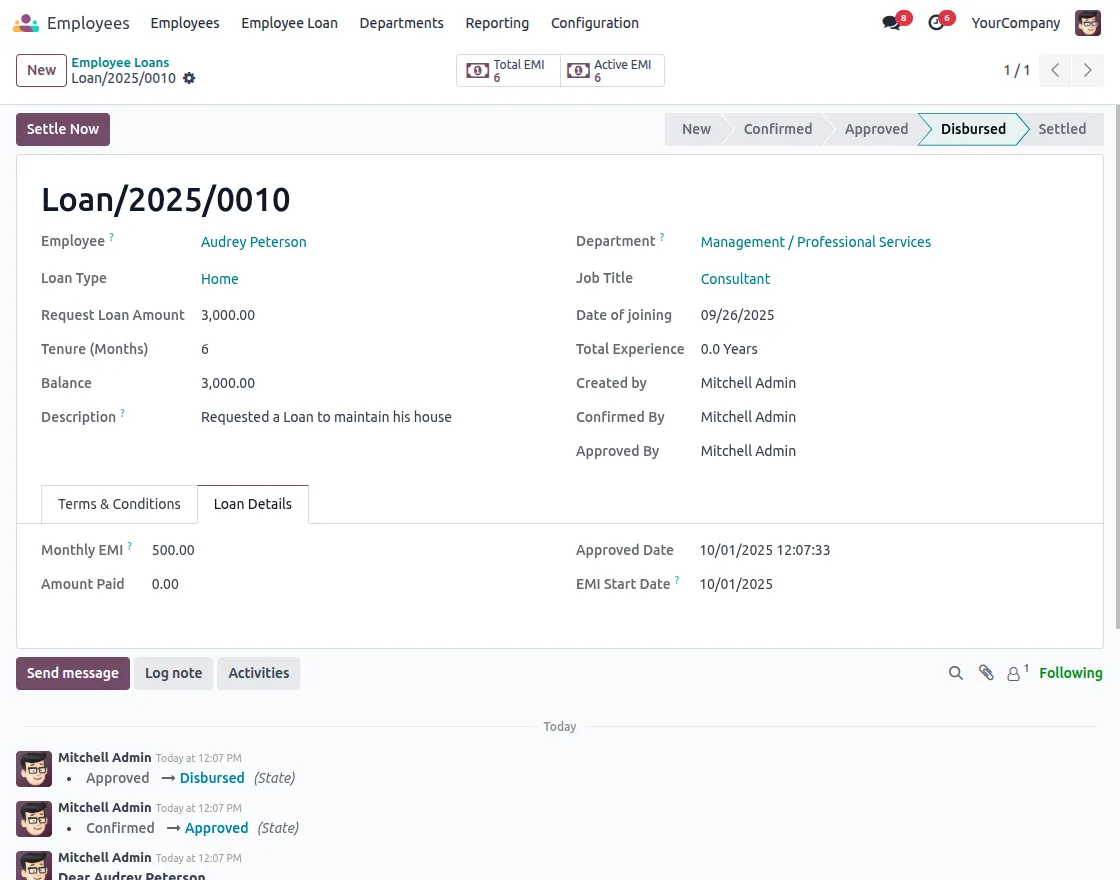
6. You can check the EMIs in the active EMI section.

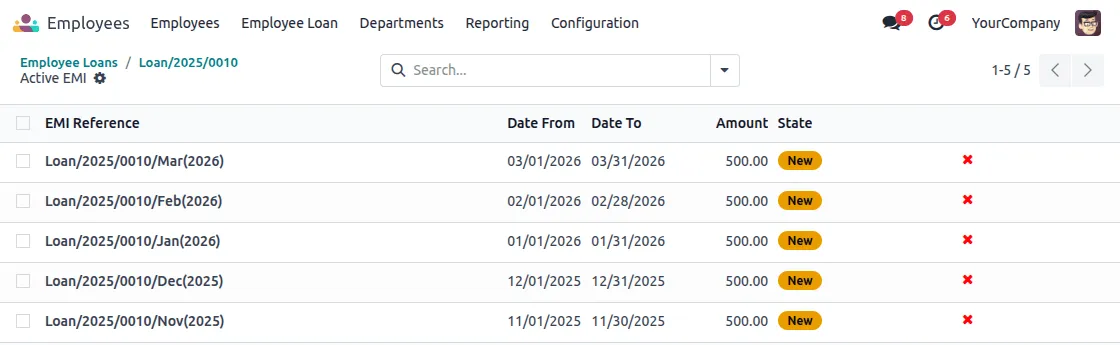
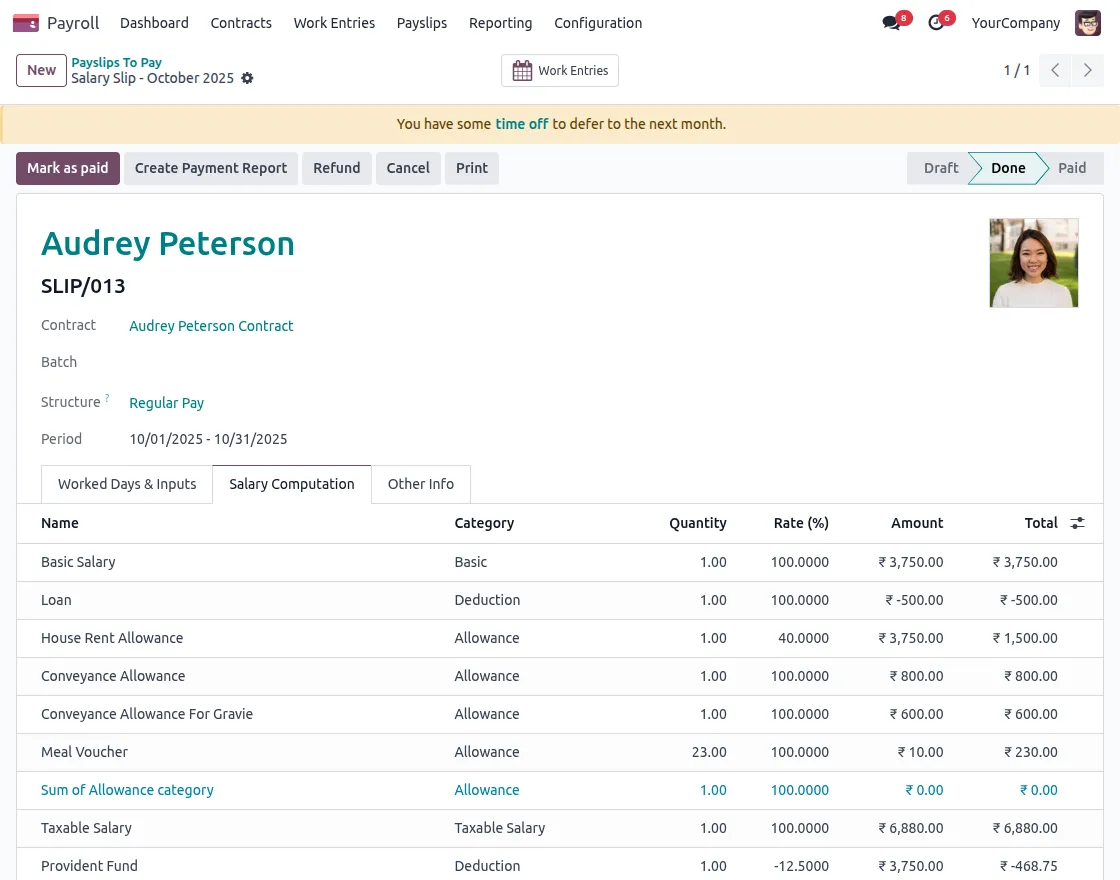
7. Once you compute a payslip for employee, you can see the loan deduction there. You can mark them as paid once everything seems fine.
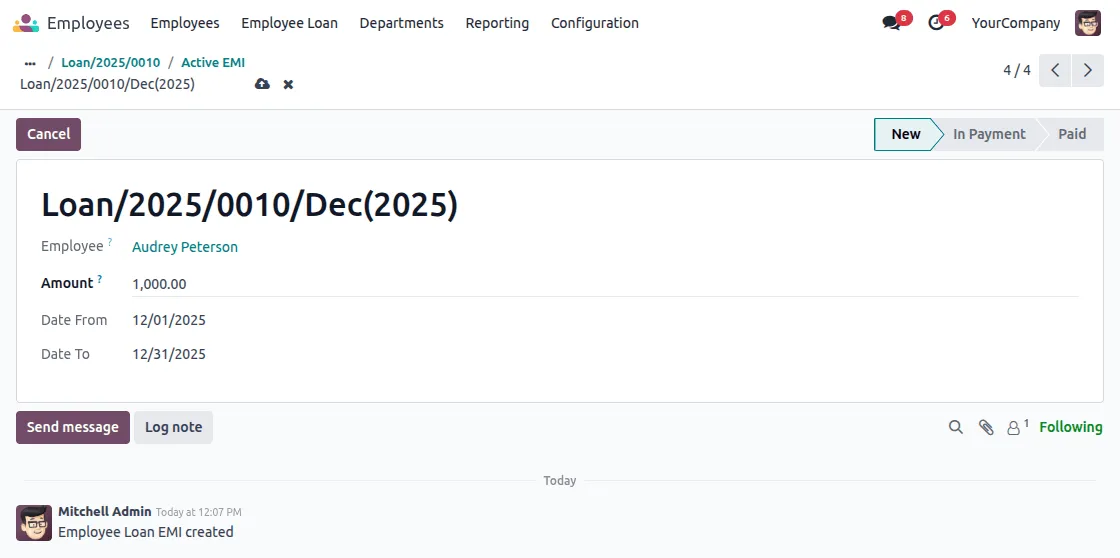
8. If an employee wants to skip an EMI for a month, HR can shift that amount to another month or extend the tenure by adding one extra month.

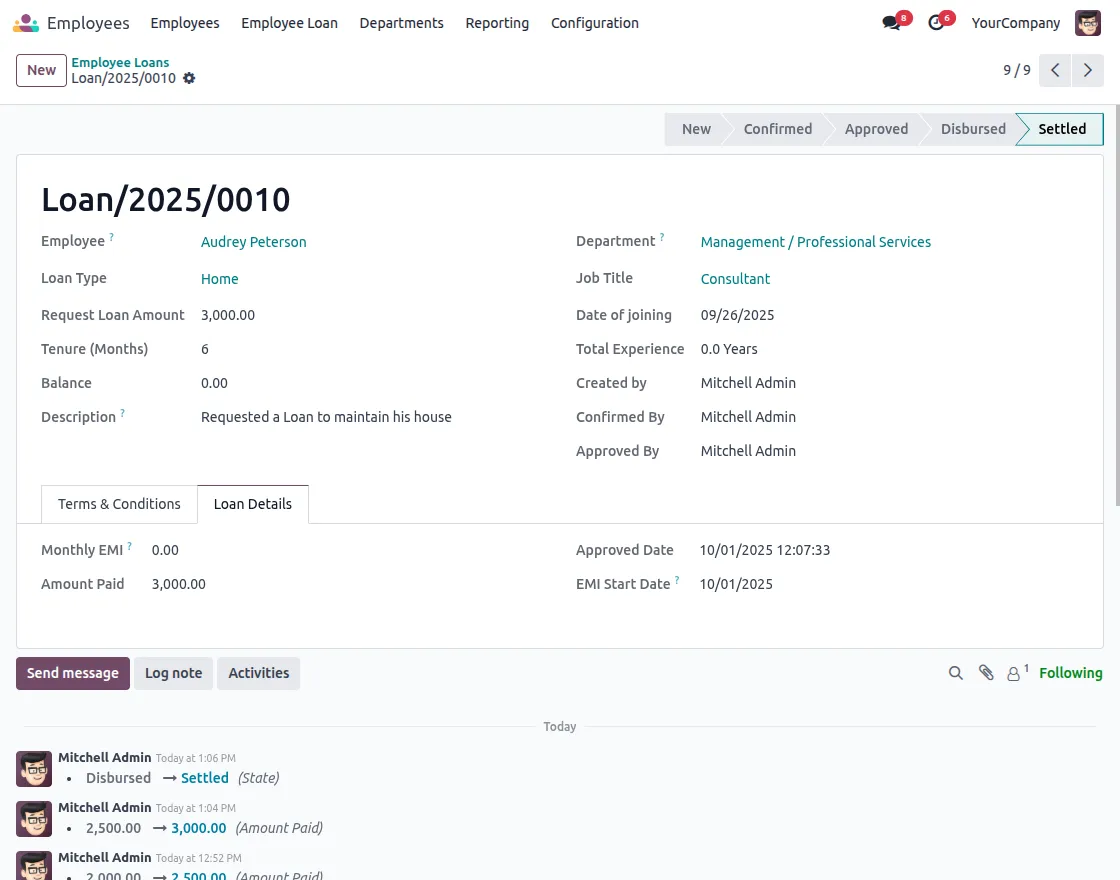
9. Once the loan balance of the employee becomes zero and there is no active EMI, HR can settle the loan for the employee.
NEED HELP?
Hope you find the guide helpful! Please feel free to share your feedback in the comments below.
If you still have any issues/queries, please create a ticket at the UV Desk.
I hope this helps. In case of any further queries, contact us at our support mail.
Thanks for paying attention!!