Bid On Multiple Units: Product Auction for Shopify
Live Demo
Do you want your customers to place a bid for multiple units of the auctioned products?
If yes, then the Product Auction App for Shopify has got this feature for you!
How winners are picked in case of multiple-unit bidding?
Suppose, a product with 50 units was set on auction. Now, here is the bidding scenario:
- A Bidder makes a bid for 30 units for $4 each.
- B Bidder makes a bid for 20 units for $6 each.
- C Bidder makes a bid for 20 units for $4 each.
- D Bidder makes a bid for 10 units for $5 each.
Now, to sell all the units (50), the priority list of winners will be decided on the basis of who bids the highest price:
- So, the first 20 units will go to B as he is the highest bidder ($6).
- Now, the left units are 30. So, the next 10 units will go to D since he is the second-highest bidder.
- A & C bids the same price but since the number of units left= 20, it will go to C.
Moving on, let’s see how you can configure this feature within the app!
Configuration
Visit the Product Auction App from the Shopify app section > Click on Configuration > Auction Configuration:


Scroll down a bit to get the following option: Allow Bid For Multiple Unit.
Once you enable this option, you’ll be able to allow your bidders to bid on multiple units of the auctioned product.
Moreover, as soon as you enable this feature, you’ll get another option below this one.
This option will let you allow your bidders to bid less than the current bid amount.
Example: A bidder places a bid of $30. Now, usually, the next bidder is allowed to bid more than the current bid amount, i.e., $30 in this case (as per the increment rule set).
But, if you enable this feature, the next bidder will be able to bid for an amount lesser than the current bid amount ($30 in this case).
Once done with the configuration save the settings!
1. Sealed Bidding
With Sealed Bidding enabled, bidders can place their offers without knowing the absolute highest bid amount in the traditional sense.
Instead, the visible “highest bid” is displayed based on the quantity bid.

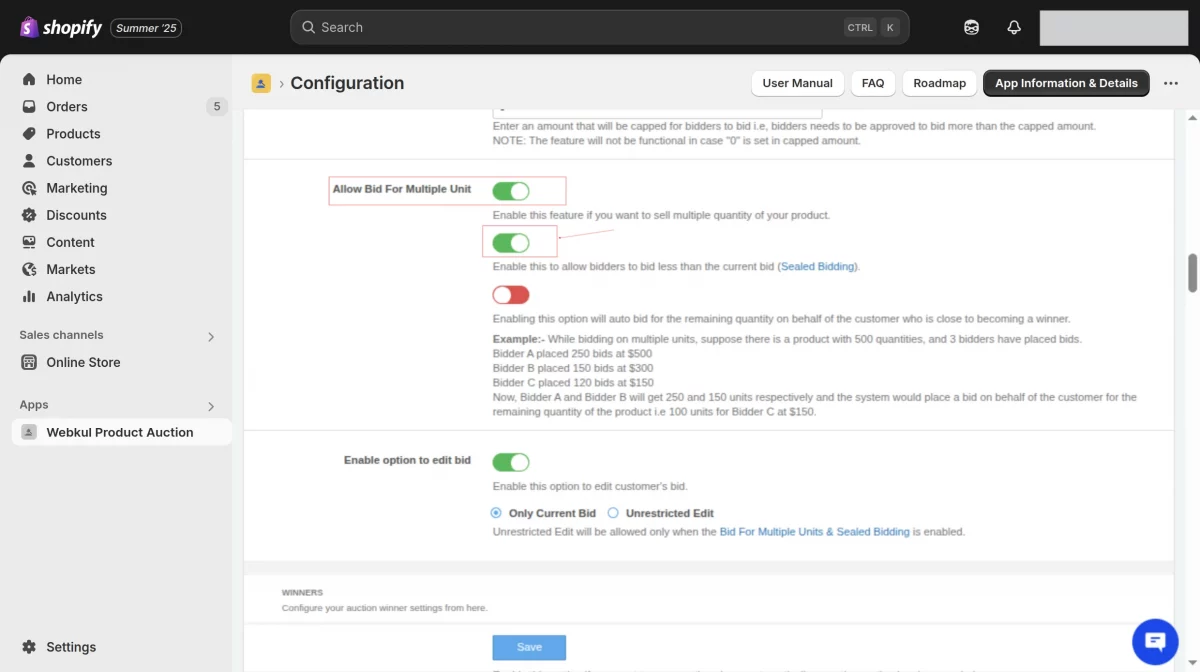
For example, if one bidder places a bid of $60 for 3 units, another bidder can still place a lower bid—say $40 for 2 units—and still win, provided the bid is above the reserve price.
This is because Sealed Bidding does not follow the increment rule—all qualifying bids above the reserve price are counted, regardless of whether they’re lower in value or quantity.
This ensures a more flexible and confidential bidding environment where multiple bidders can win based on their chosen quantity and price combination.
2. Auto Bid for Remaining Quantity
This new feature automatically places bids for any remaining product quantity on behalf of the customer who is close to becoming a winner.
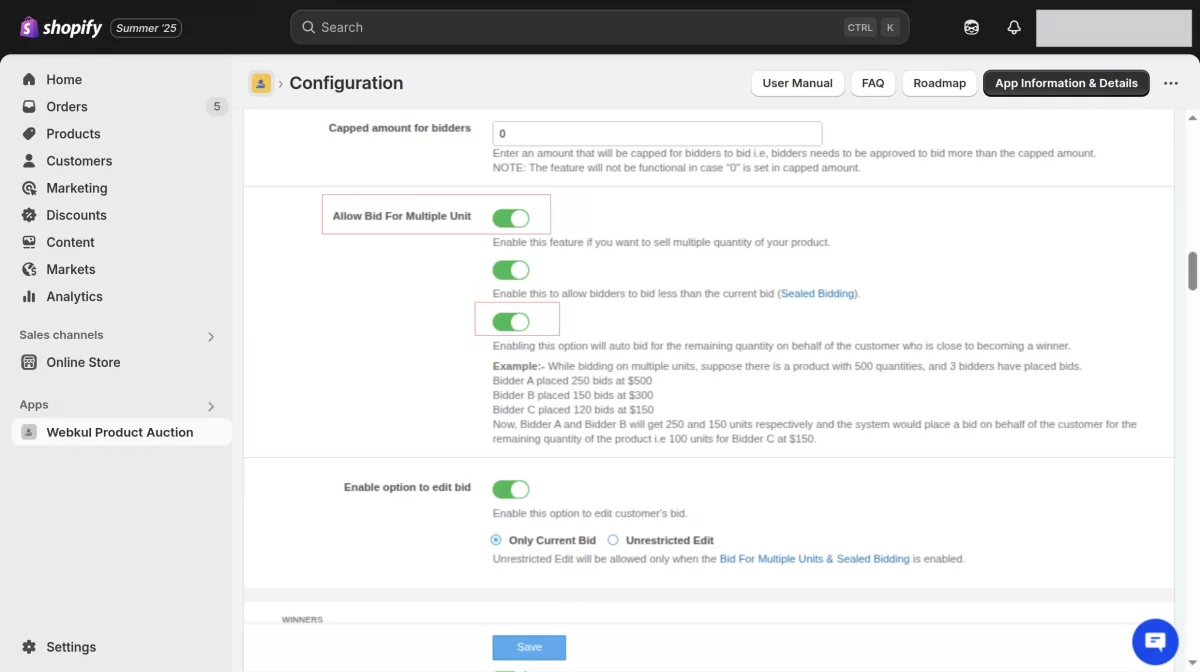
Example:
Let’s say there’s a product with 500 units and 3 bidders:
- Bidder A: 250 units at $500
- Bidder B: 150 units at $300
- Bidder C: 120 units at $150
Here’s what happens:
- Bidder A wins 250 units.
- Bidder B wins 150 units.
- The system then automatically places a bid for the remaining 100 units for Bidder C at their existing bid price of $150.
This helps maximize sales while ensuring fair allocation of all available units.
Frontend
This is how the bidders will have the storefront look.
Here, they’ll have an option to enter the bid amount per unit and then enter the number of units he wants to purchase of that particular auctioned product.


Need Help?
Lastly, if you can drop your query/suggestion at support@webkul.com or create your ticket at Webkul UV Desk.