Guide for Laravel Custom Ring Builder
Laravel Custom Ring Builder enables jewellery store admins to provide tailored ring customization options.
This functionality allows buyers to seamlessly choose their desired ring style and diamond type before finalizing their order.
Store admins can efficiently add various product attributes, aligning with the wide-ranging selections typically available in a physical jewellery shop.
This adaptability connects the online platform with the in-store customization experience, offering a tailored and engaging shopping journey.
Features
- Admin can add configurable products organized by attribute steps.
- Laravel Custom Ring Builder enables the admin to include multiple product attributes.
- Buyers can personalize rings to their preferences with a real-time preview feature.
- A dynamic top navigation bar guides users through each step of the customization process.
- Users can review and modify their selected ring design or diamond at any stage.
- Offers ring style options like Antique, Halo, Pave, Solitaire, Three Stone, and Twisted.
- Includes metal choices such as 14K, 18K, PA, PL, and so on.
- Provides stone shapes including Asscher, Cushion, Emerald, Heart, Marquise, Oval, Pear, Princess, Radiant, and Round.
Requirements
- This module works with Bagisto v2.2.3
- Jewellery Adornments Theme.
Installation
Download and unzip the extension, then merge the “packages” folder into the project’s root directory.
- Open the composer.json file and add the following line under the ‘psr-4’ section:
"Webkul\\RingBuilder\\": "packages/Webkul/RingBuilder/src",
"Webkul\\Adornments\\": "packages/Webkul/Adornments/src"
- Add the following line to the ‘providers’ section in config/app.php:
Webkul\RingBuilder\Providers\RingBuilderServiceProvider::class,
Webkul\Adornments\Providers\AdornmentsServiceProvider::class,
- Run the following commands to complete the setup:
composer dump-autoload
php artisan ring-builder:install
php artisan adornments-theme:install
Congratulations! The Bagisto project now has both the Ring Builder and Jewellery Adornments Theme fully installed and ready to use.
Configuration of Laravel Custom Ring Builder
After successfully installing the Bagisto Custom Ring Builder, the admin can navigate to the backend panel option Configure -> Ring Builder Configuration Settings
Now, the admin is required to simply enable the status to use the extension on his Laravel store.


Once the status is enabled, the Laravel Custom Ring Builder extension is ready to use on your Bagisto store.
Manage Product Attributes
Admin will get some product attributes provided automatically by the Custom Ring Builder module.
These attributes can be utilized and edited, or new attributes can be created by the admin as per the requirement.
By navigating to Bagisto admin backend panel Catalog > Attributes

New Product Creation
In order to create a new ring or diamond product, the admin must select the attribute family as “Ring Attribute” and “Stone Attribute.”
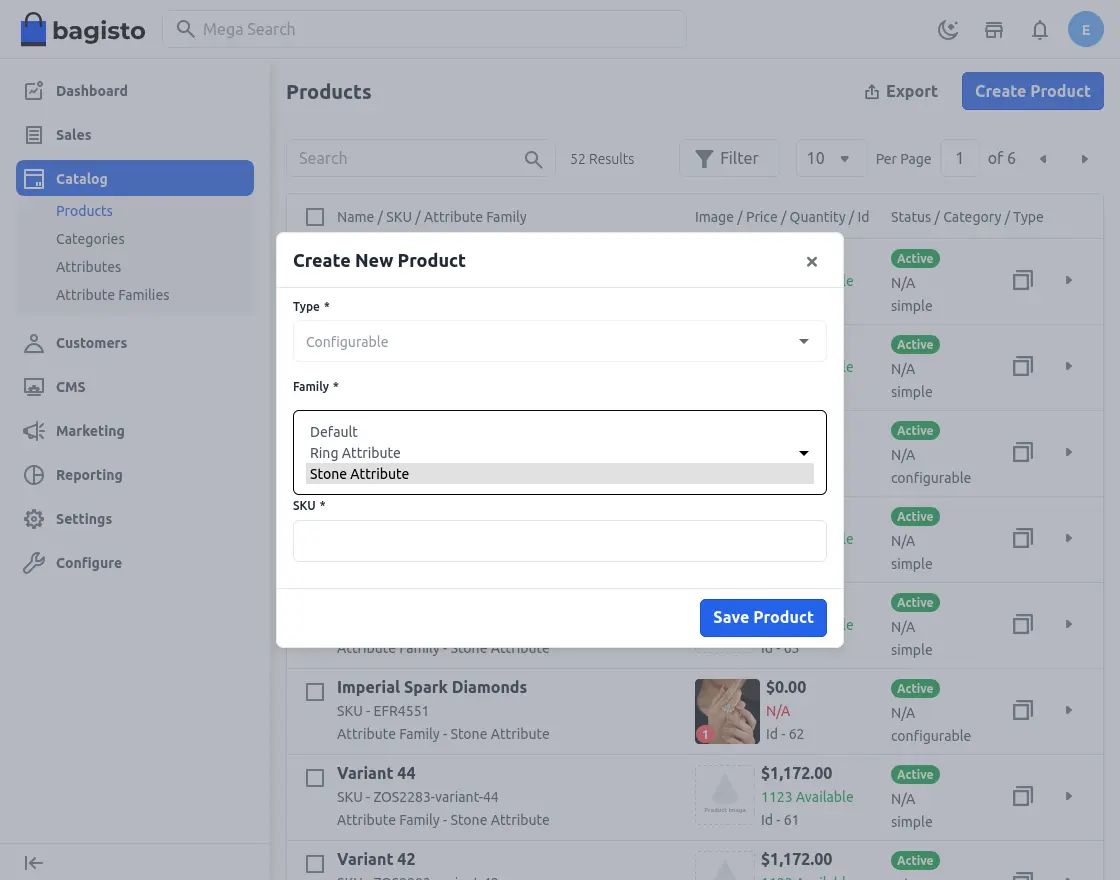
Choose Ring Attributes Family
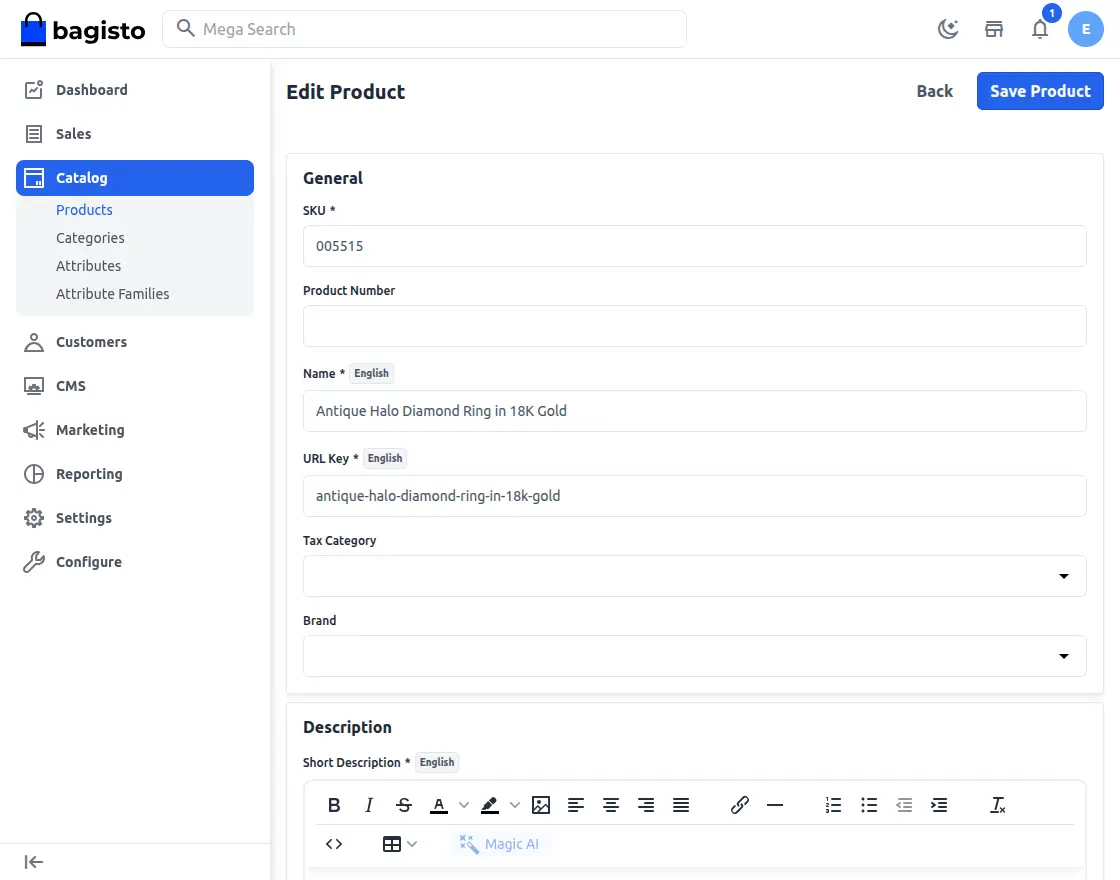
When creating a product, the admin must define the attributes that will be available for customer customization in the custom ring builder.
These attributes include Style variations such as Antique, Halo, Pave, Solitaire, Three Stone, and Twisted.
They also include Metal choices such as 14K, 18K, Palladium, and Platinum, allowing customers to personalize their ring as per their needs.
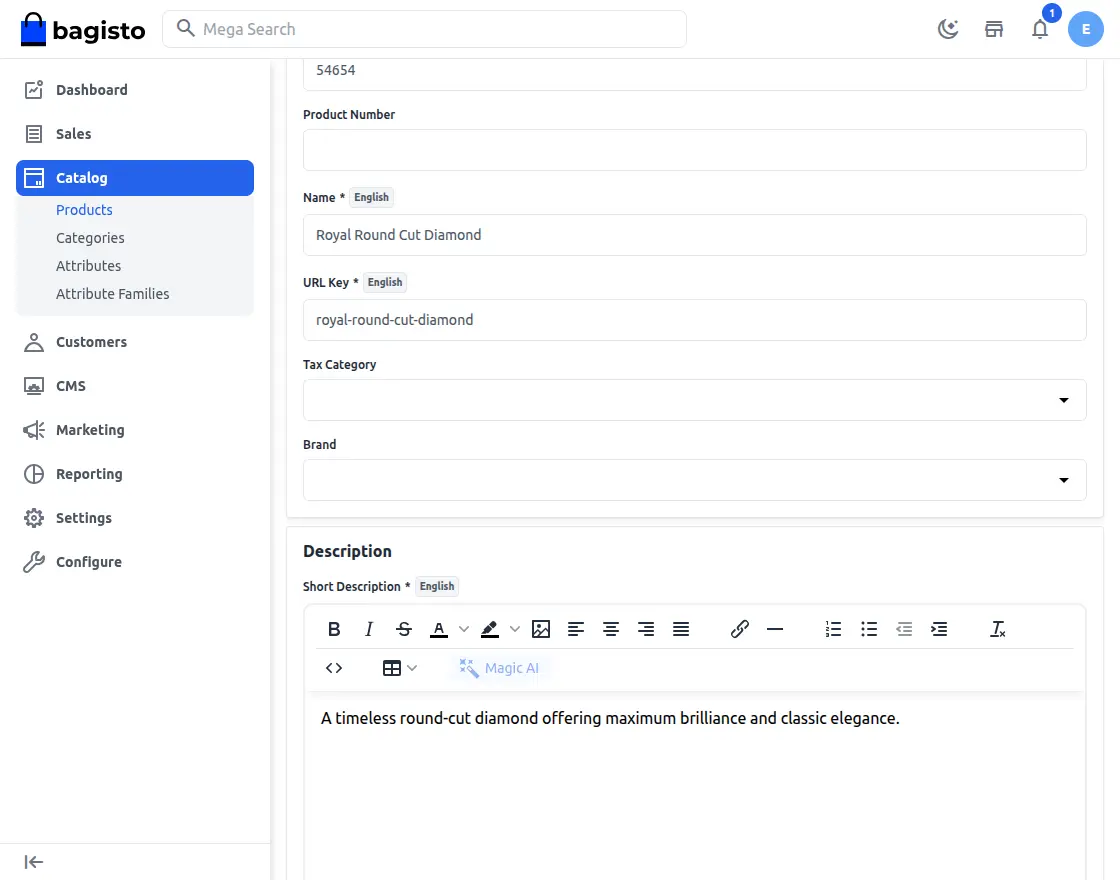
Choose Stone Attributes Family
When creating a product, the admin must configure the Shape attributes that will be available for customer customization in the custom ring builder.
These attributes include common stone shapes such as Asscher, Cushion, Emerald, Heart, Marquise, Oval, Pear, Princess, Radiant, and Round.
By defining these options, the admin ensures that customers can select the stone shape that best matches their design preference when building their ring.
Frontend
Once product attributes are configured in the admin backend, customers can easily use the ring builder to customize their rings.
bagisto configure module Laravel Custom Ring Builder
Ring Page
Customer needs to select the ring product by clicking on it from below, then he will be redirected to the product page.
Here, he can choose the metal, style, and ring size before clicking on the ‘Add to Ring’ option.
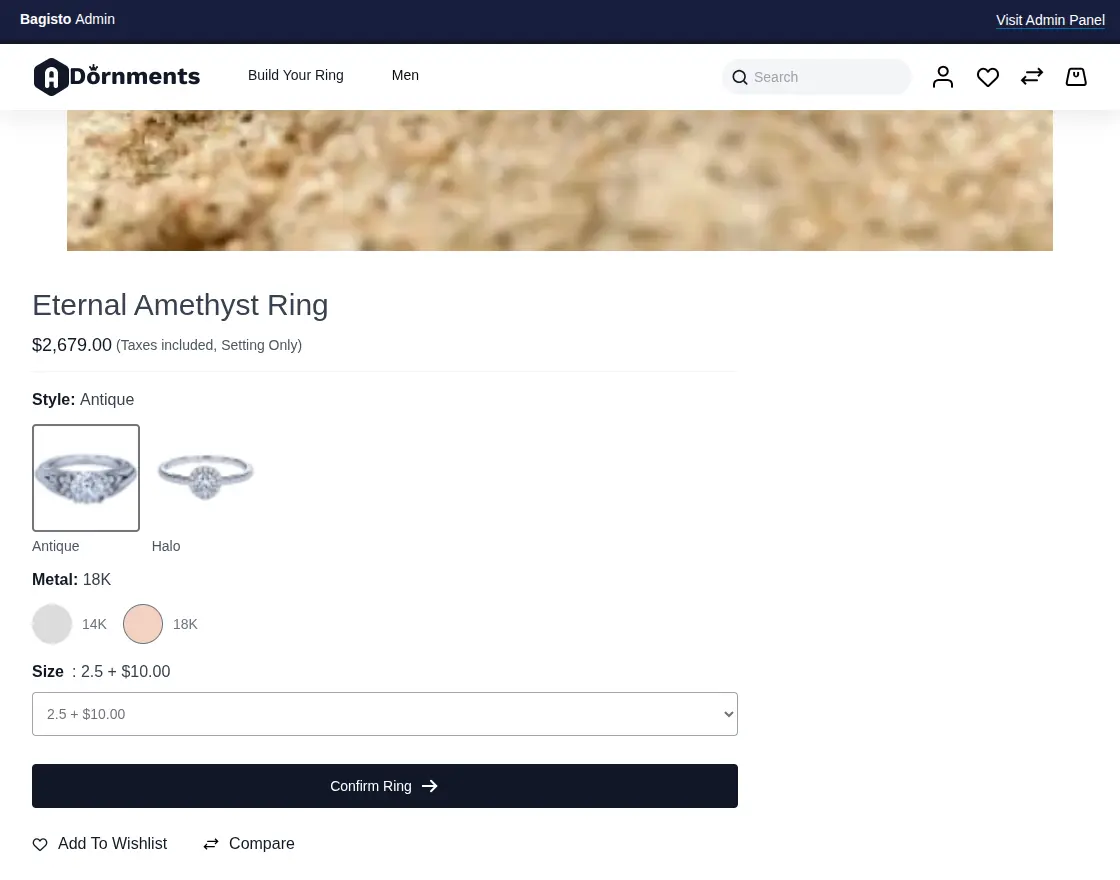
Choose the Diamond
The next step for the customer is to finalize their diamond selection by choosing the shape, cut, clarity, color, carat, and price.
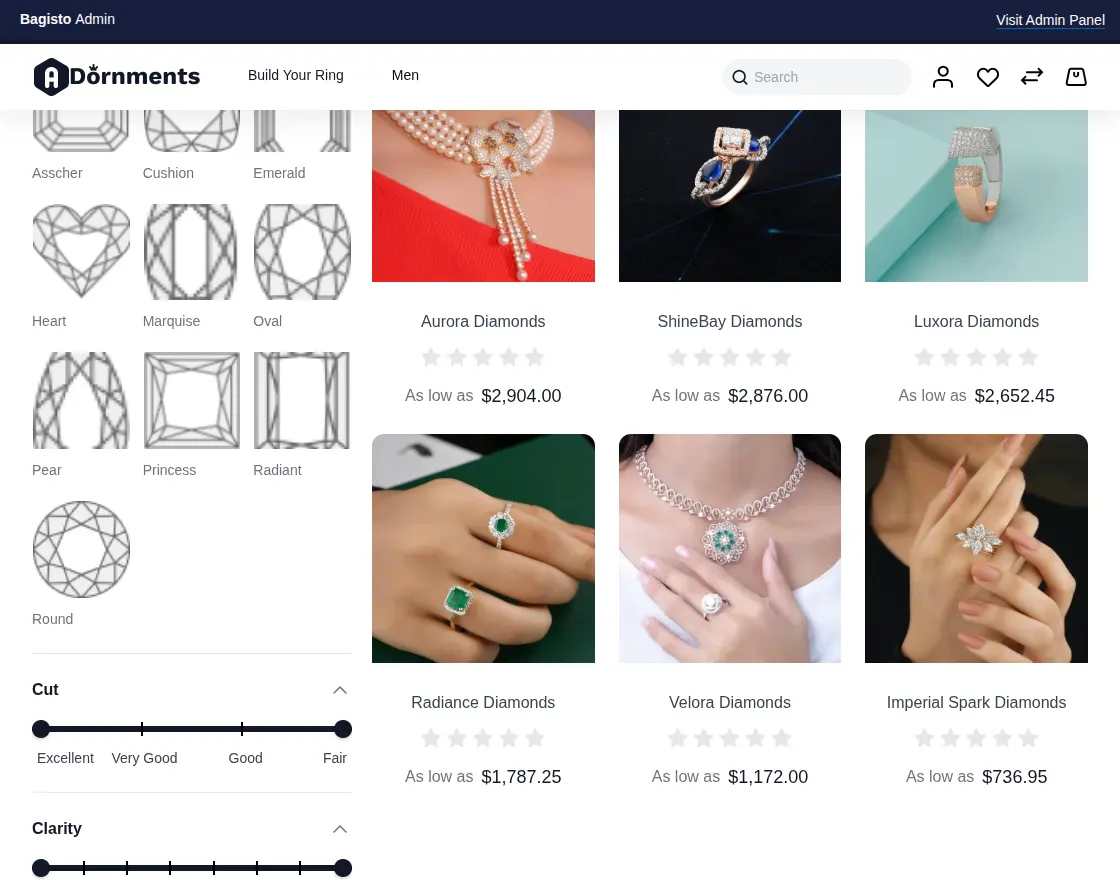
Diamond Page
Customers need to select the diamond product by clicking on it from the list below, after which they will be redirected to the product page.
Here, they can choose the diamond’s shape, cut, clarity, color and carat before clicking on the ‘Confirm Diamond’ option.
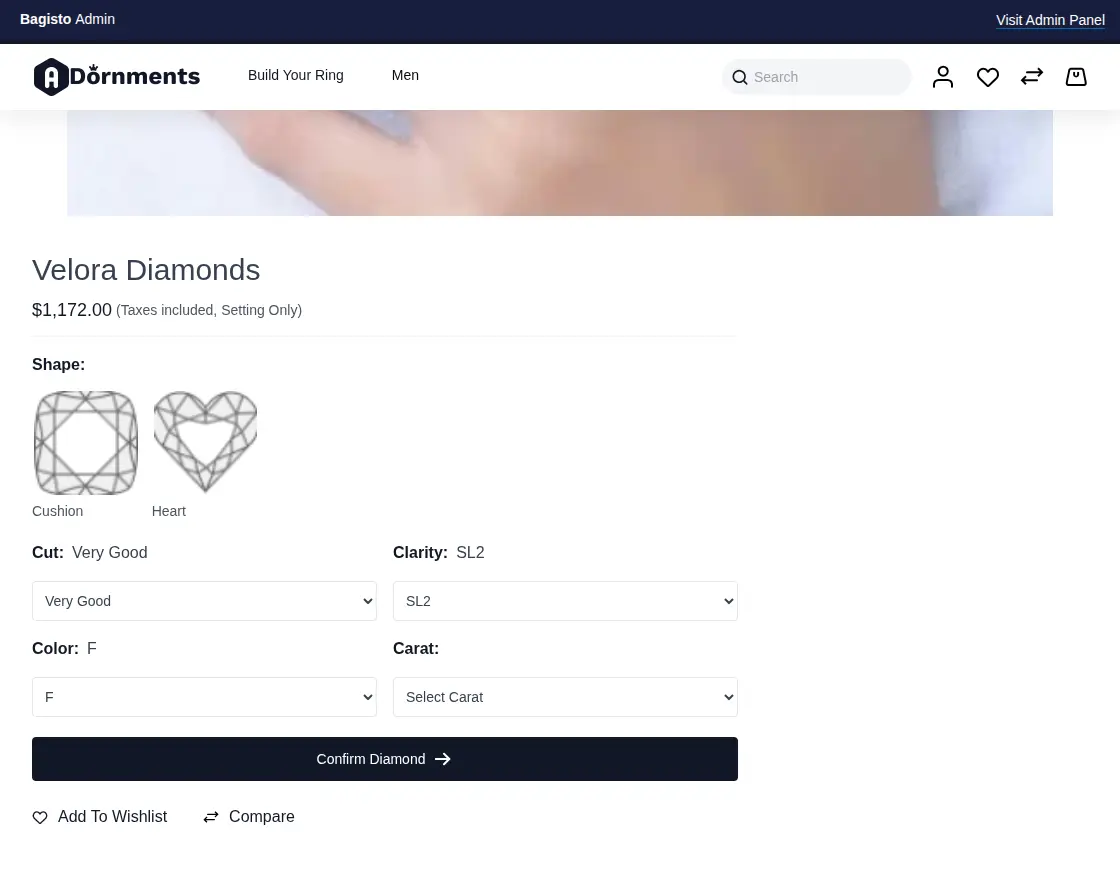
Complete Your Ring
Here, customers can review the details of their customized ring before finalizing to order.
If they wish to make changes, such as selecting a different ring or diamond, they can click “Change”, “Delete” or “Rebuild Ring”
Once it seems fine, they can proceed by clicking “Add to Bag” to finalize their selection.
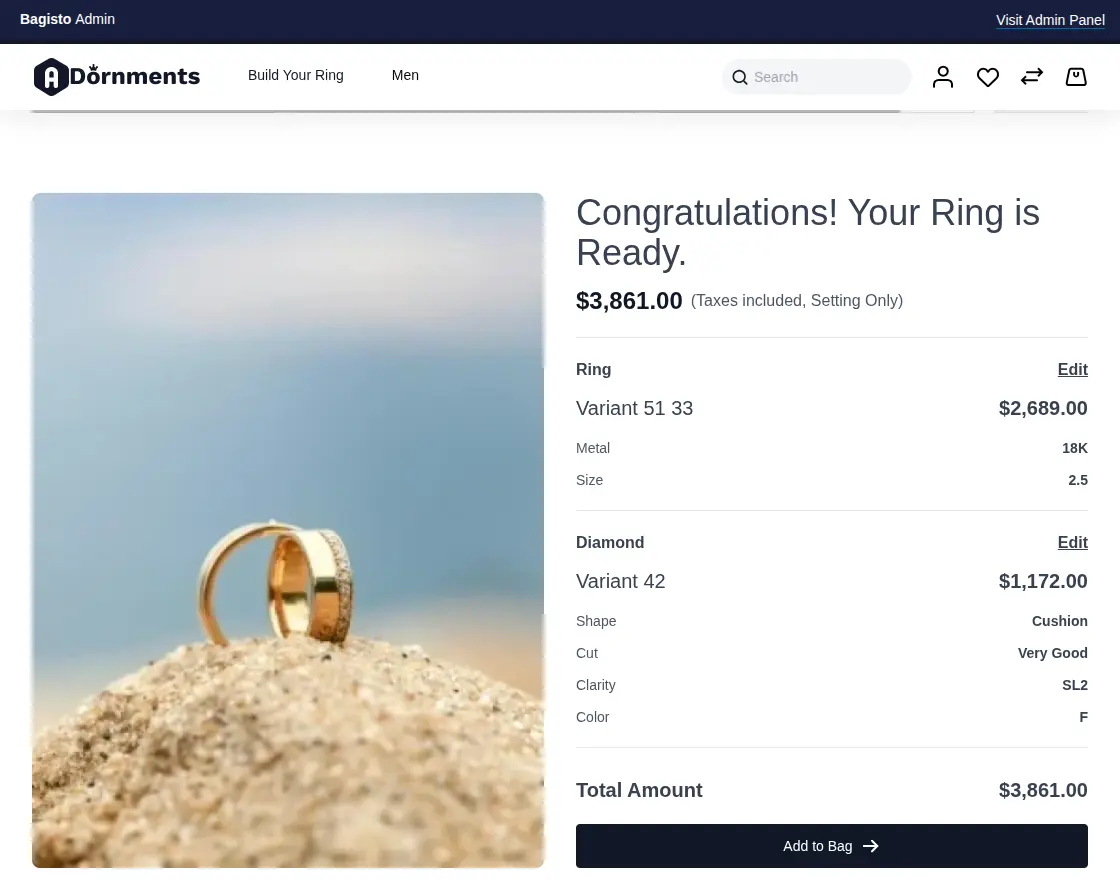
Checkout Final Custom Ring
After adding the item to the cart, the customer can review their custom ring details and proceed to checkout.
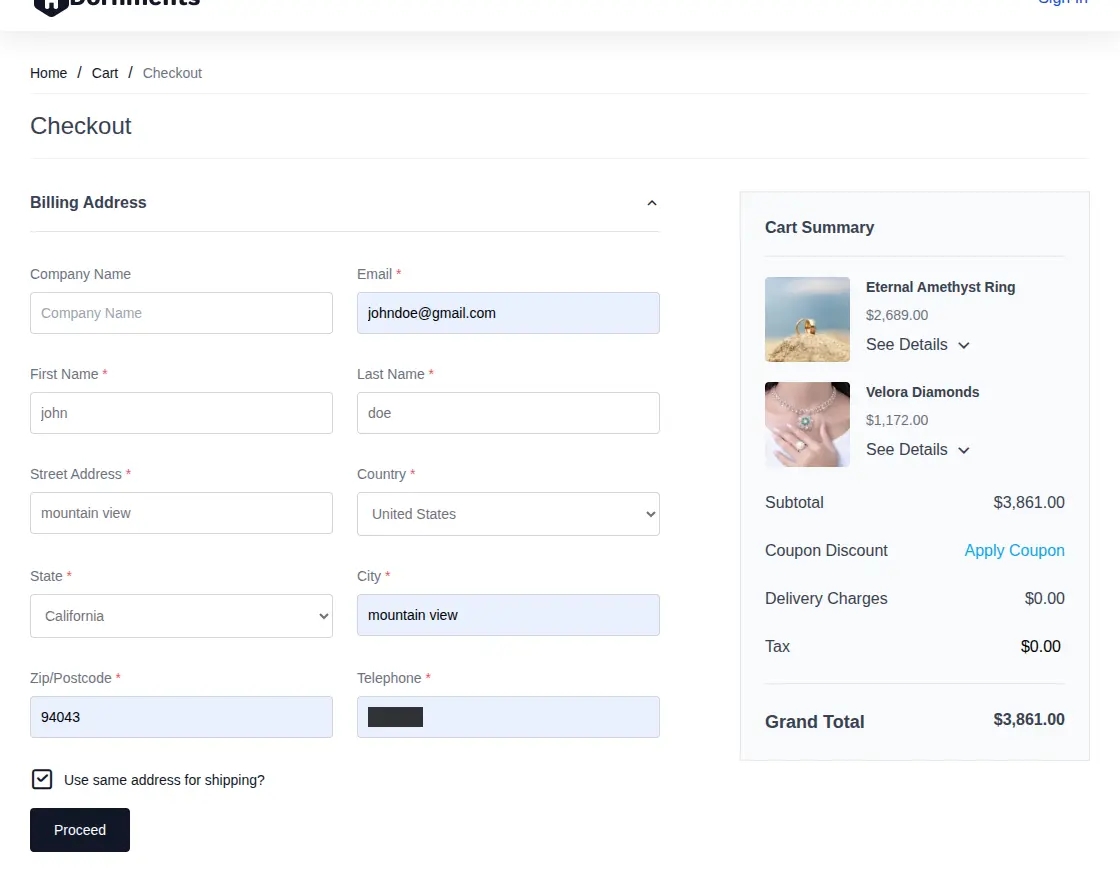
Support
So, that is all about the Laravel Custom Ring Builder extension for the Bagisto Open Source eCommerce platform.
If you have any queries regarding the plugin, please contact us at Webkul Support System.