User Guide for Laravel Purchase Order Management
Purchase Order Management is an activity for sourcing goods & services from various suppliers. With the help of this module, you can perform purchase management functions within your store.
Add various suppliers to a product, create purchase orders, and manage quotations and incoming shipments.
Purchase order management allows suppliers to create purchase orders, request quotations, manage incoming shipments, and update incoming product information easily.
The product automatically creates a purchase order when it goes out of stock.
Features:
- Set the procurement method: Auto or Manual
- Define a default prefix for purchase order numbers
- Send quotation and purchase order emails to suppliers
- Add comments to purchase orders and shipments, and notify suppliers
- Create custom attributes for purchase order products
- Assign multiple suppliers to a product with:
- Cost price
- Quantity
- Priority
- Manage incoming shipments and products from suppliers
- Update details for partial shipments
- Manually create new purchase orders for any supplier
- Support multiple language translations
- Automatically generate quotations when a product goes out of stock
- Automatically generate quotations based on inventory threshold
- Generate Request for Quotation (RFQ) for each purchase order
- Track the status of incoming products and shipments
- Easily merge two or more purchase orders
- Auto Procurement according to threshold and default quantities.
- Admin can update product price after receiving the purchase order.
Installation of Purchase Order Management
Bagisto Version: v2.4.10
Step 1: Extract Package
Unzip the extension package and merge the packages folder into your project root.
Step 2: Register PurchaseOrder Package Namespace
Go to composer.json file and add the following line under psr-4
"Webkul\\PurchaseOrder\\": "packages/Webkul/PurchaseOrder/src"
Run the following command to regenerate Composer Autoloader
composer dump-autoload
Step 3: Register Service Provider
Go to: bootstrap/providers.php file and add the following line under ‘providers’
use Webkul\PurchaseOrder\Providers\PurchaseOrderServiceProvider;
Add inside return [ … ];
PurchaseOrderServiceProvider::class,
Step 4: Run the commands to install PurchaseOrder module
php artisan purchase-order:install
Admin Configuration
After successfully installing the module, the admin can go to Admin Panel → Configure →Purchase Order.

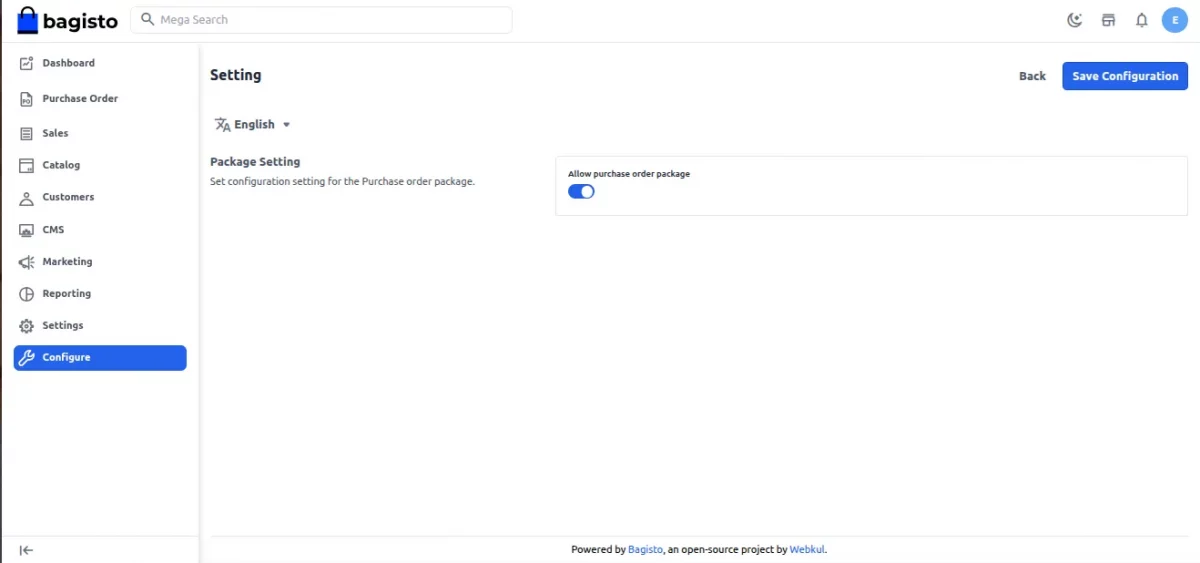
Setting – The admin can enable or disable the allow purchase order package.
General Settings
In the General setting for the purchase order, we have two options
- General Option
- Email Option
In the general configuration, the store admin has to do the below configuration.
Procurement method: Admin can set the procurement method as per their need– Auto or Manual.
Default Prefix: Set the default prefix for the purchase order number.
Default Padding: Padding refers to the spacing required for the quotation.
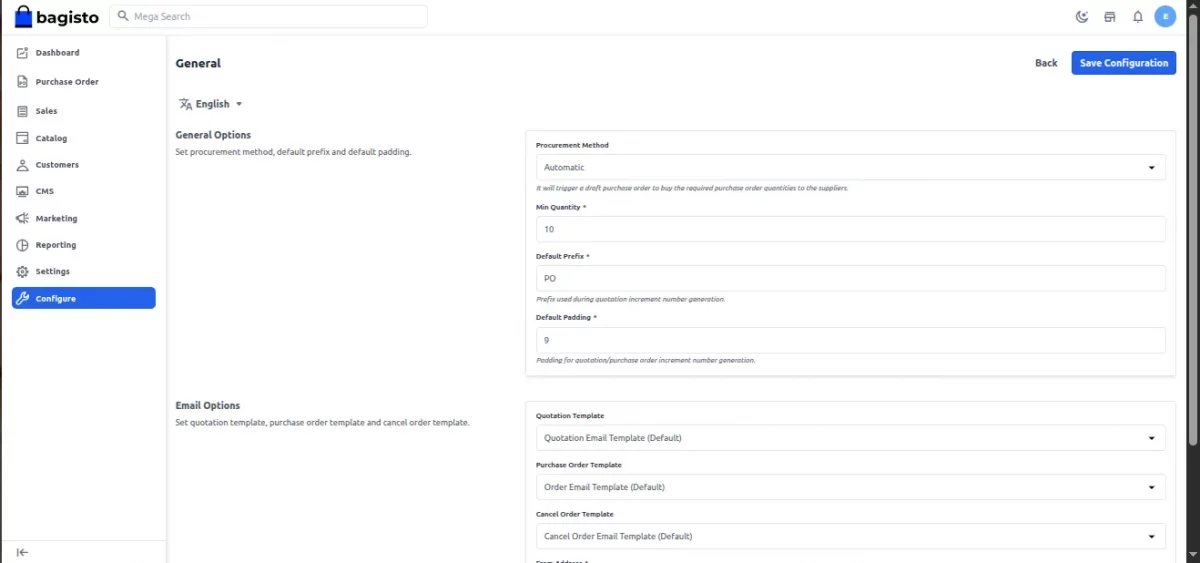
The admin also needs to fill in all the details for the purchase order configuration as shown above.
In Email Option
- Quotation Template: Admin sends a quotation email template to the suppliers.
- Purchase Order Template: The store Admin sends the suppliers a Purchase Order Template email.
- Cancel Order Template: Admin sends the suppliers a Purchase Order Template email template.
Note: Email should be correct and clearly filled for receiving the emails and notifications.
Buy products with the required quantity
In Purchase Order Management customers can buy a product from the shop with the required quantity when the shop product’s quantity is in Stock.
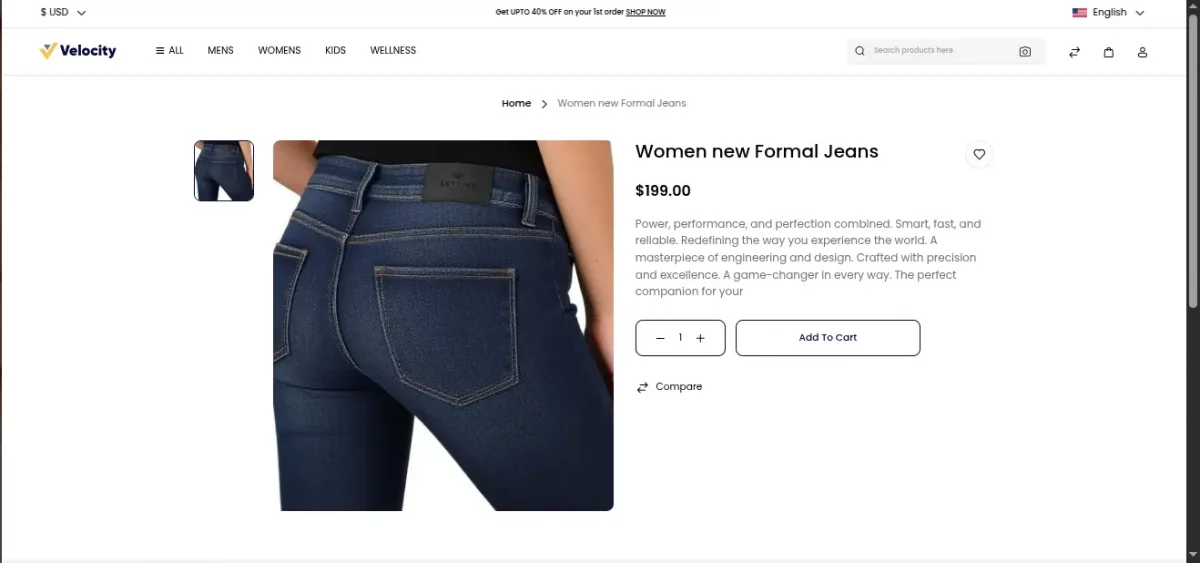
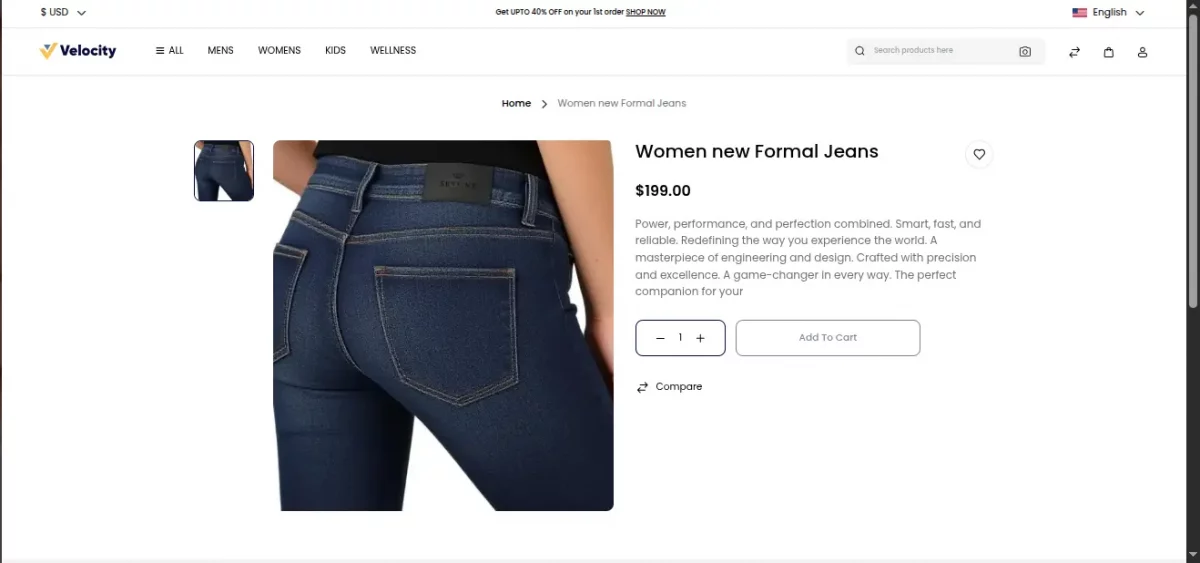
When the admin product goes out of stock from the shop the admin can create a purchase order by setting the procurement method by auto or manually.
Manage Suppliers
The admin manages the suppliers who supply products or services to the store within the manage suppliers section as mentioned below
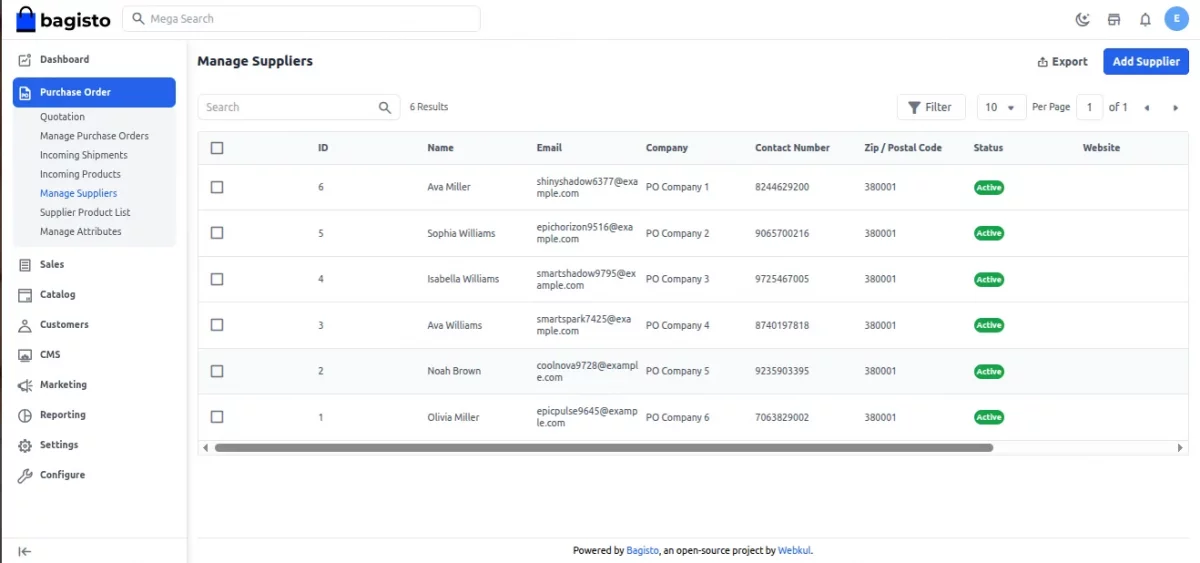
In the manage suppliers section, the shop admin can add, delete, and update suppliers.

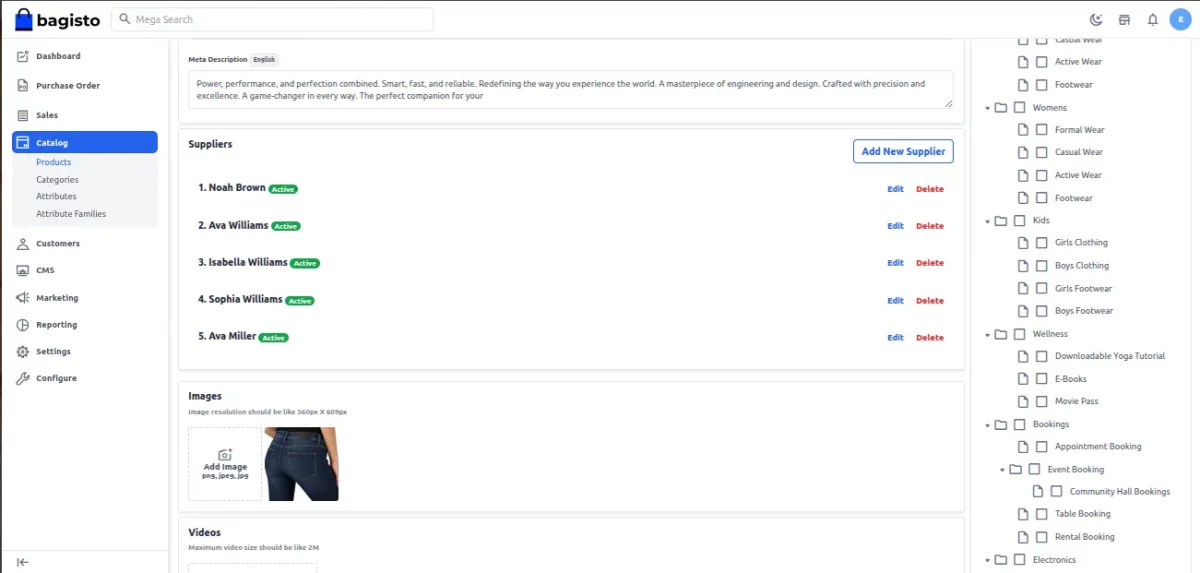
For the automatic procurement method, we can manage the suppliers in the products themselves by editing the product profile we can see add suppliers as mentioned above.
Manage Attributes
Under the manage attribute section, our store admin manages the attributes for the supplier’s products that can be used in the catalog.
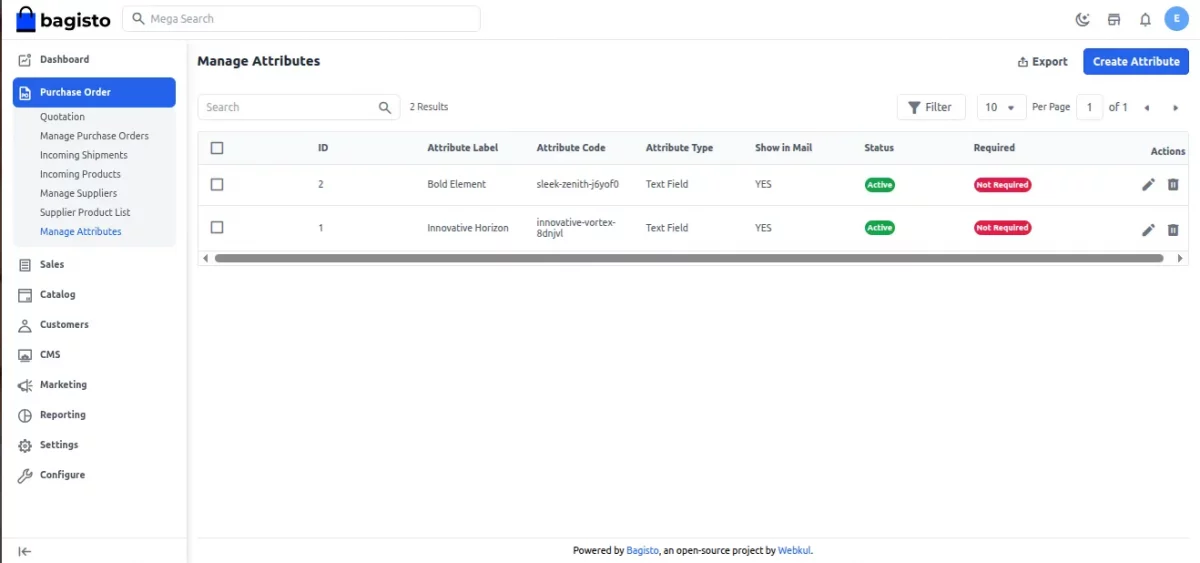
Admin Create additional attributes for the purchase order products.
Manage Quotations for the Purchase Order Management
When products go out of stock, the admin manages and prepares the quotation from the Purchase order section.
first, prepare the quotation for the required supplier’s products as mentioned below.
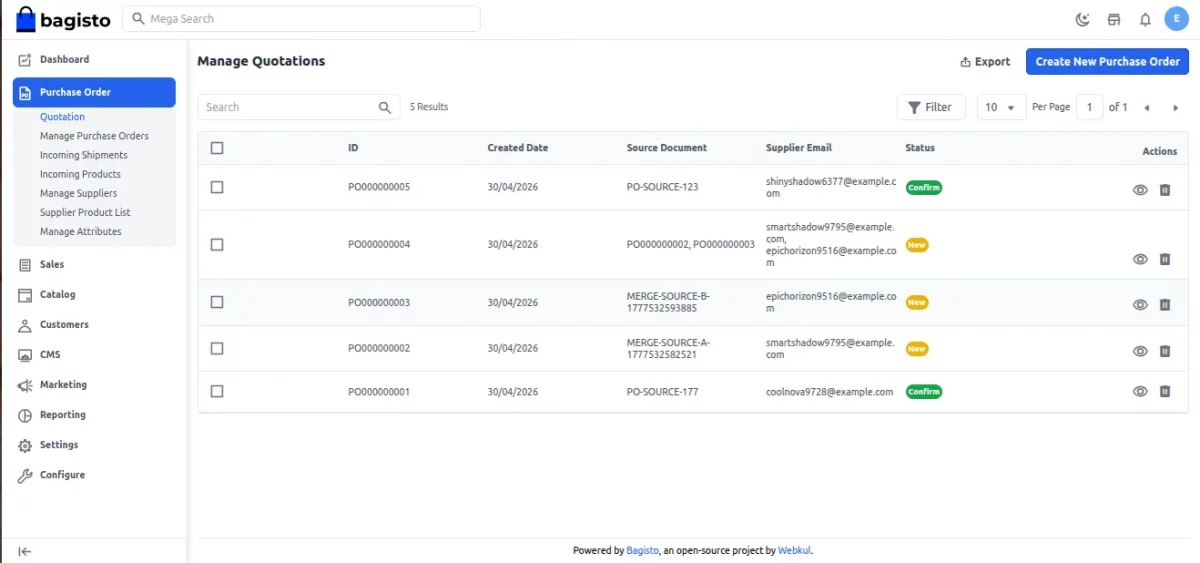
Click on “Create New Purchase Order” and fill the appropriate quotation details

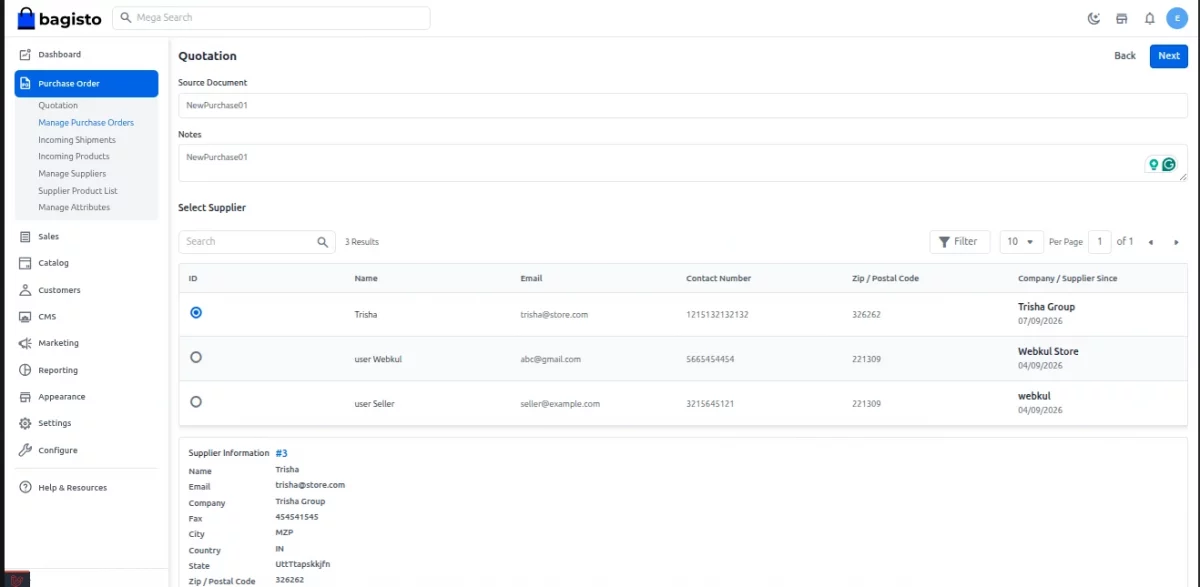
After creating a new purchase order, add Selected Products for the Quotation as mentioned below.
Prepare quotation from purchase order after that send email to supplier and verify the details for the quotation.
Add selected product to quotation
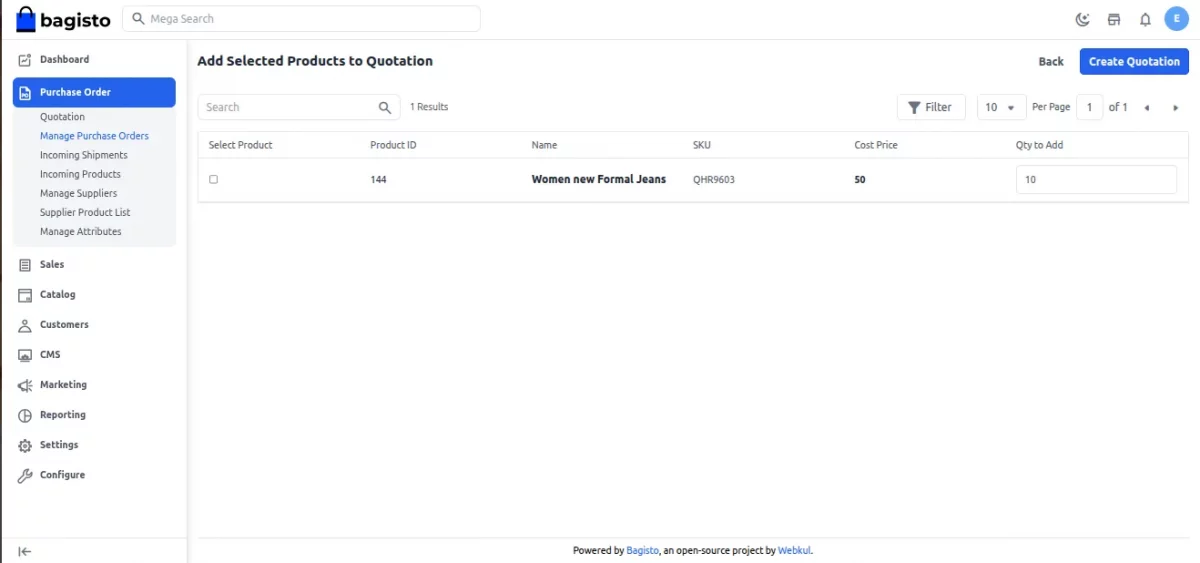
Now check the quotation and confirm it, once the quotation is confirmed it’s the supplier’s duty to prepare and update the admin about the product supply.
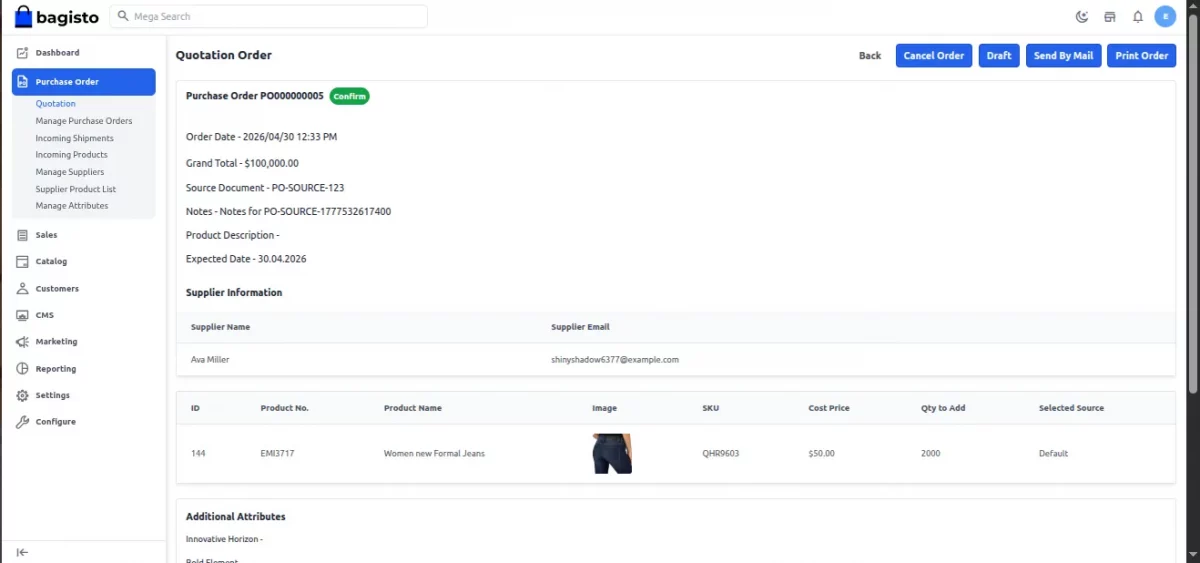
After the product is successfully assigned for the quotation, the admin can see the Quotation Order, supplier information and additional attribute in the purchase order section as shown above once the quotation is verified the admin will confirm the quotation. Also the seller is notified by email about the quotation being made towards their products.
Incoming Shipments
Under incoming shipment, the admin manages and schedules the shipment and delivery as well as checks the stock details and Updates information about the partial shipments.
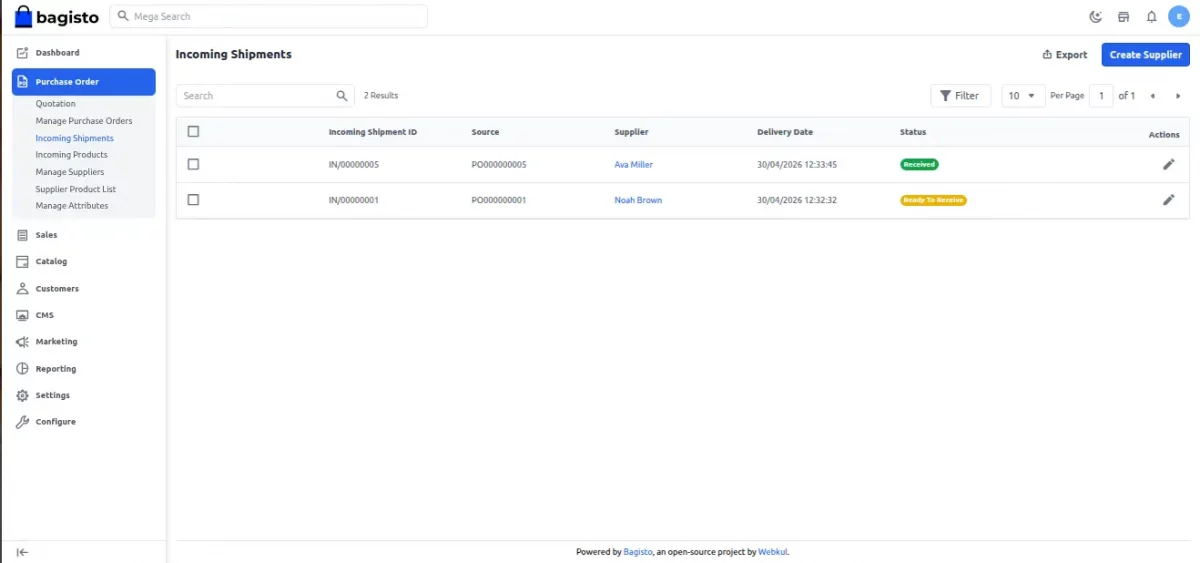
Once the shipment is successfully made then move to incoming products, where the admin verifies the products and their details and sends an email to the required suppliers.
Incoming Products
Once the incoming products are verified the admin can manage the stock as per his/her need.
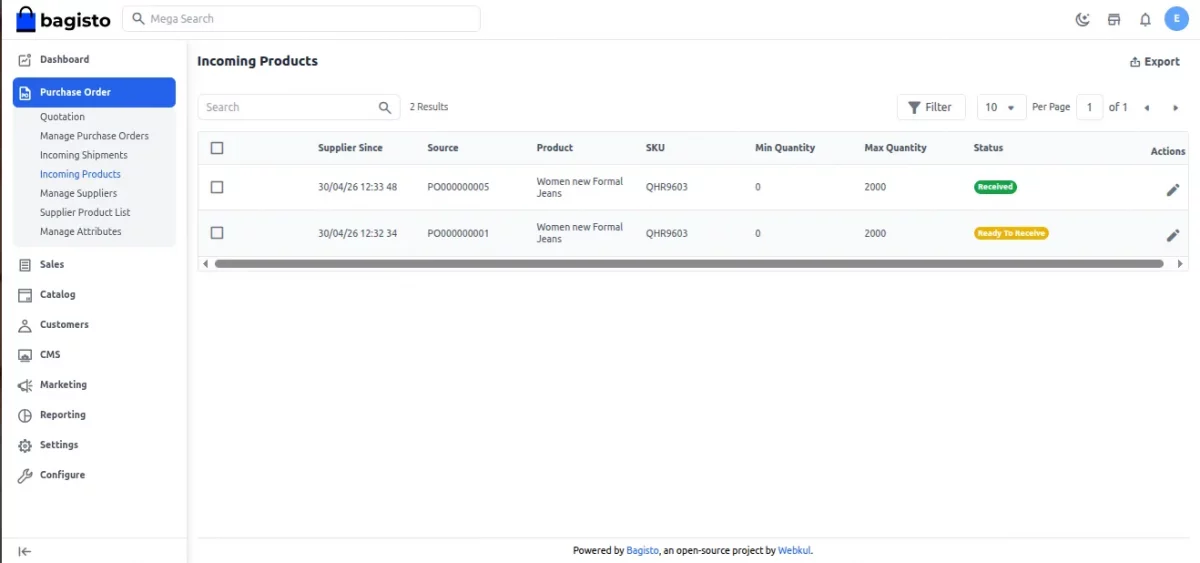
However, The store admin can add or delete the attribute for the particular supplier’s products.
Support
So, it’s all about the User Guide for the Purchase Management Module for any queries or doubts reach out to us at support@webkul.com. You can also raise a ticket at our HelpDesk System.
Please explore our Laravel Development Services and Quality Bagisto Extensions.