How to integrate Odoo with ReactJS frontend
Introduction
Odoo is no longer just a monolithic ERP with server-rendered views.
With its mature API layer and flexible authentication, Odoo can serve as a headless backend for modern frontends like React, Next.js, and mobile apps.
This guide explains a modern, tested approach to integrating Odoo 18 with a React frontend – focusing on scalability, performance, and production-ready best practices.
Why Use React with Odoo?
Using React as a frontend and Odoo as a backend provides:
- Faster UI using client-side rendering or SSR
- Complete control over UX/UI without QWeb limitations
- Independent deployments of frontend and backend
- Better performance for high-traffic apps like headless eCommerce
This architecture is commonly referred to as Odoo Headless.
High-Level Architecture
- React / Next.js Frontend
- Vite Proxy (Dev) / Nginx (Prod)
- JSON-RPC API Layer
- Odoo Backend
The frontend never interacts with Odoo views or templates directly. All communication occurs via APIs.
API Options in Odoo
Odoo does not expose a standard REST API by default.
JSON-RPC (Native and Recommended)
- Default protocol used by Odoo’s web client
- Uses
/jsonrpcor/web/dataset/call_kw - Session-based authentication (cookies)
- Provides full access to all Odoo models
- No third-party modules required
This guide uses the native JSON-RPC approach.
Modern Frontend Stack
| Layer | Technology |
|---|---|
| Framework | React + Vite + TypeScript |
| Styling | Tailwind CSS |
| State Management | React Hooks / Context |
| HTTP Client | Axios |
| Authentication | Odoo Session-Based Auth |
Step-by-Step Implementation
Step 1 – Create React App (Modern Setup)
Using Vite with TypeScript is recommended for structured Odoo model handling.
npm create vite@latest odoo-connect -- --template react-ts
cd odoo-connect
npm install axios
npm run dev
Step 2 – Tailwind CSS Setup
Install Dependencies
npm install -D tailwindcss postcss autoprefixer
npx tailwindcss init -p
Configure tailwind.config.js
export default {
  content: ["./index.html", "./src/**/*.{js,ts,jsx,tsx}"],
  theme: {
    extend: {
      colors: {
        primary: "#714B67",
      },
    },
  },
  plugins: [],
};
Step 3: Set up Env Variables
Create .env File
VITE_ODOO_BASE_URL=http://localhost:8069
VITE_ODOO_DB=your_database_name
Configure Proxy in vite.config.ts
import { defineConfig, loadEnv } from "vite";
import react from "@vitejs/plugin-react";

export default defineConfig(({ mode }) => {
  const env = loadEnv(mode, process.cwd(), "");
  return {
    plugins: [react()],
    server: {
      proxy: {
        "/web": {
          target: env.VITE_ODOO_BASE_URL,
          changeOrigin: true,
          secure: false,
        },
      },
    },
  };
});
This proxy routes API calls through Vite’s dev server, preventing CORS issues during development.
Step 4 – Create JSON-RPC API Layer
Create src/api/client.ts to centralize communication with Odoo.
import axios from "axios";
export const api = axios.create({
  baseURL: "/",
  headers: { "Content-Type": "application/json" },
  withCredentials: true,
});
export const odooCall = async <T>(
  model: string,
  method: string,
  args: any[] = [],
  kwargs: any = {}
) => {
  const response = await api.post("/web/dataset/call_kw", {
    jsonrpc: "2.0",
    method: "call",
    params: { model, method, args, kwargs },
    id: Math.floor(Math.random() * 1000000000),
  });
  if (response.data.error) {
    throw response.data.error;
  }
  return response.data.result as T;
};
This reusable helper keeps your API layer clean, maintainable, and scalable.
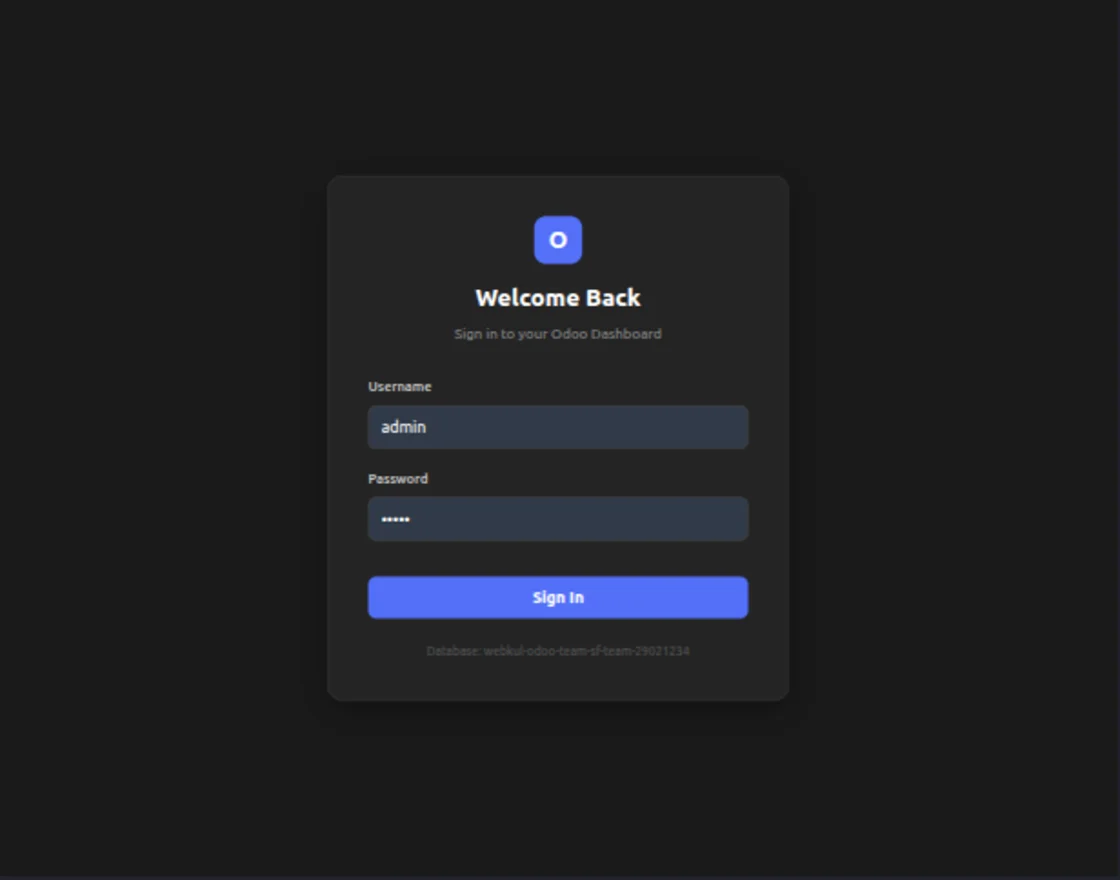
Step 5 – Authentication (Session-Based)
Odoo uses session-based authentication. Once logged in, the browser automatically manages cookies.
Login Example
const handleLogin = async (username: string, password: string) => {
  try {
    const response = await api.post("/web/session/authenticate", {
      jsonrpc: "2.0",
      params: {
        db: import.meta.env.VITE_ODOO_DB,
        login: username,
        password: password,
      },
    });

    const result = response.data.result;

    if (result && result.uid) {
      console.log("Logged in as", result.username);
      localStorage.setItem("odoo_session", JSON.stringify(result));
    }
  } catch (error) {
    console.error("Login Failed", error);
  }
};
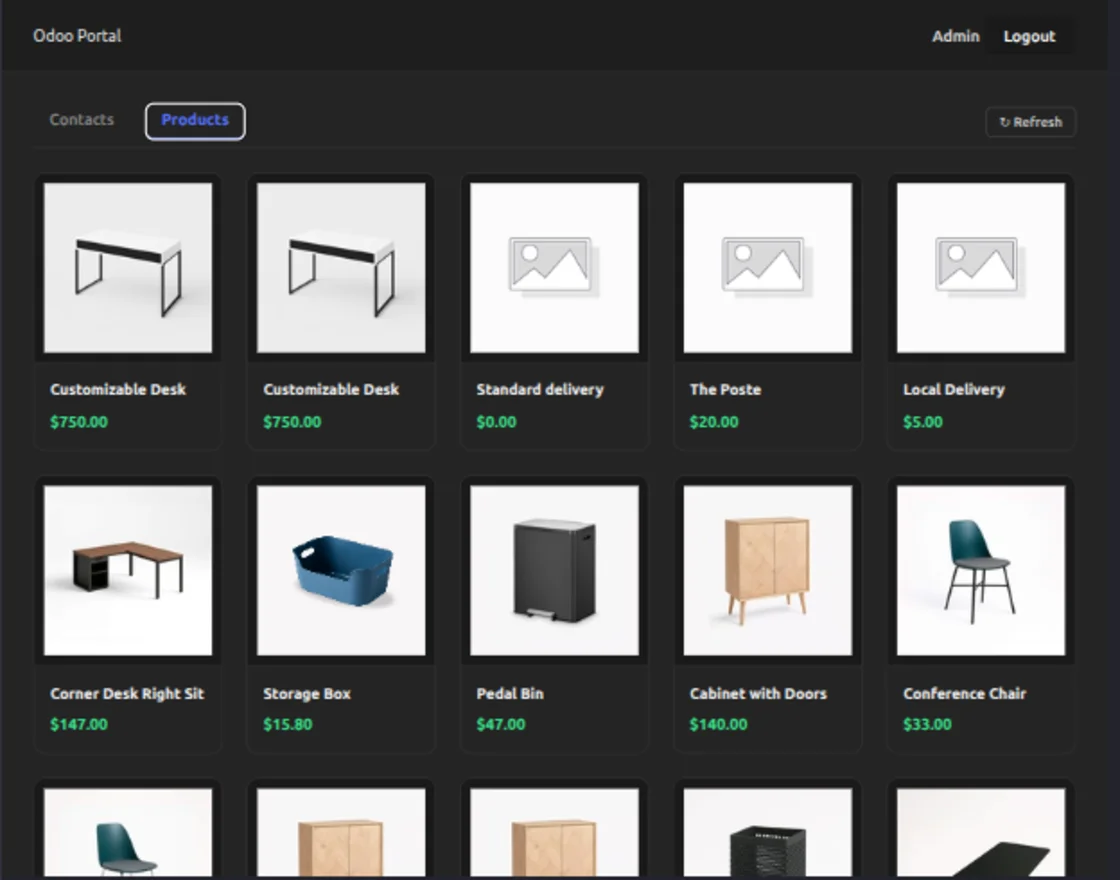
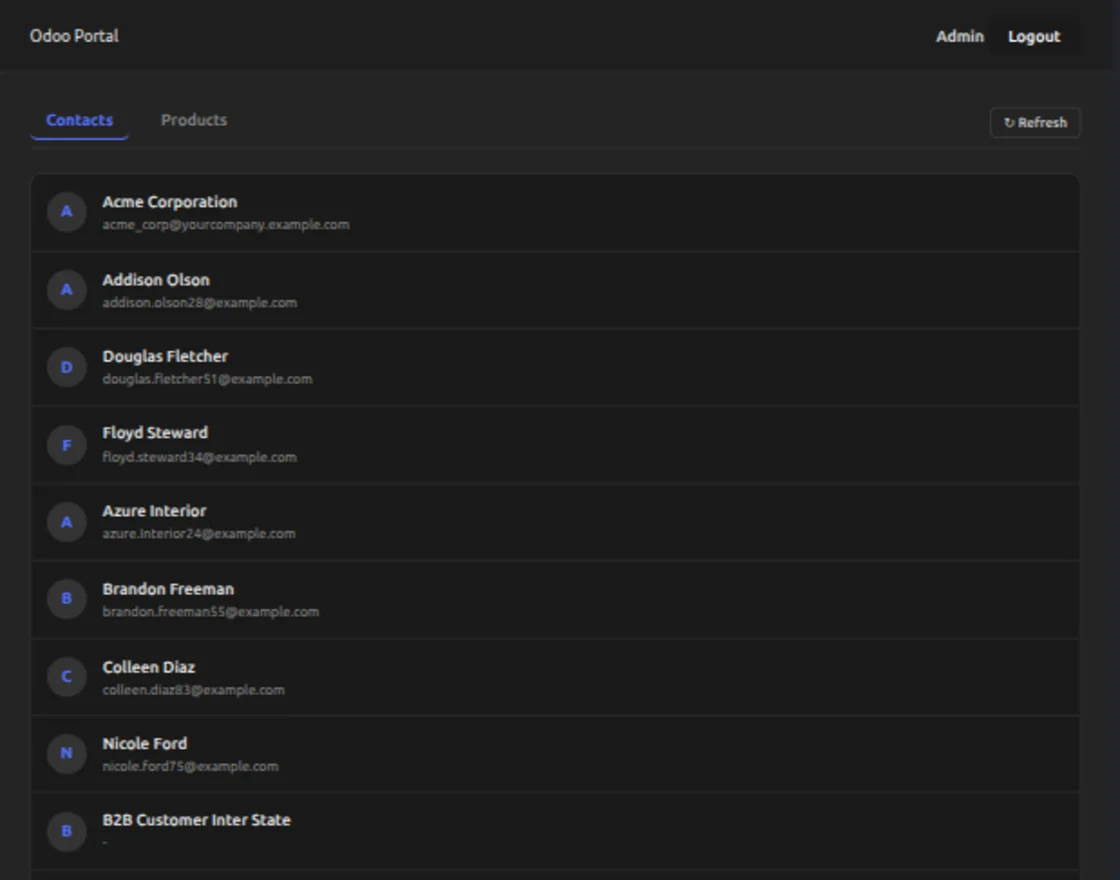
Step 6 – Fetching Data & Images
Fetch Products
const fetchProducts = async () => {
  const products = await odooCall("product.product", "search_read", [], {
    fields: ["name", "list_price"],
    limit: 20,
  });

  return products;
};
Always request only the required fields and apply limits to improve performance.
Display Product Images
const getImageUrl = (id: number) =>
  `/web/image?model=product.product&id=${id}&field=image_128`;

<img src="{getImageUrl(product.id)}" alt="{product.name}">;
Use resized image fields like image_128 or image_256 to optimize loading speed.
Step 7 – Session Persistence
React state resets on refresh. Persist the session using localStorage.
const [session, setSession] = useState(() => {
  const saved = localStorage.getItem("odoo_session");
  return saved ? JSON.parse(saved) : null;
});
Logout
localStorage.removeItem("odoo_session");
Screenshots (Demo App)
Production Best Practices
Security
- Always use HTTPS in production
- Do not expose Odoo port 8069 publicly
- Use Nginx or Apache as a reverse proxy
- Configure CORS properly when using different domains
Performance
- Request resized images (
image_128,image_256) - Use
limitandoffsetinsearch_read - Always specify required fields
- Avoid fetching unnecessary relational fields
Conclusion
Integrating Odoo 18 with React using native JSON-RPC enables a scalable, secure, and upgrade-safe headless architecture.
By separating the frontend and backend, you gain full control over UX while leveraging Odoo’s powerful business logic and data management.
With a proper Vite proxy, session-based auth, a structured API layer, and Nginx in production – you can deploy high-performance apps without any third-party REST modules.
This approach is stable, future-proof, and fully suitable for enterprise-level implementations.
If you are planning to implement advanced headless solutions, explore the Webkul Odoo REST APIs for headless development services.
You can also check out our open-source Odoo React headless eCommerce app to accelerate your development process.
Webkul, an official Odoo partner and Odoo development company, offers custom module development, SaaS solutions, mobile apps, system integrations, and data migrations.
Thank you for reading! We hope this guide helps you confidently build modern headless applications powered by Odoo.
And that’s a wrap – you now have everything you need to integrate Odoo 18 with a modern React frontend.
Happy Coding!