User Guide for CS-Cart Etsy Connector
CS-Cart Etsy Connector is a powerful add-on that helps you seamlessly manage your Etsy store and CS-Cart website from a single platform.
Managing products and orders separately on Etsy and your CS-Cart store can be time-consuming and challenging. To simplify this process, we have developed the CS-Cart Etsy Connector.
With this add-on, you can manage Etsy products and orders directly from your CS-Cart admin panel. It allows you to export products to Etsy, update product information, and synchronize order data effortlessly.- Install the add-on.
- Enter the license key.
- Follow the license activation steps.
CS-Cart Etsy Connector Features
- Well integrated with CS-Cart and Multi-Vendor.
- Import/Export the CS-Cart products to Etsy and vice versa. Admin / Seller can import product listing from Etsy store to Cs-cart store with variations(Product Variation Add-on Required).
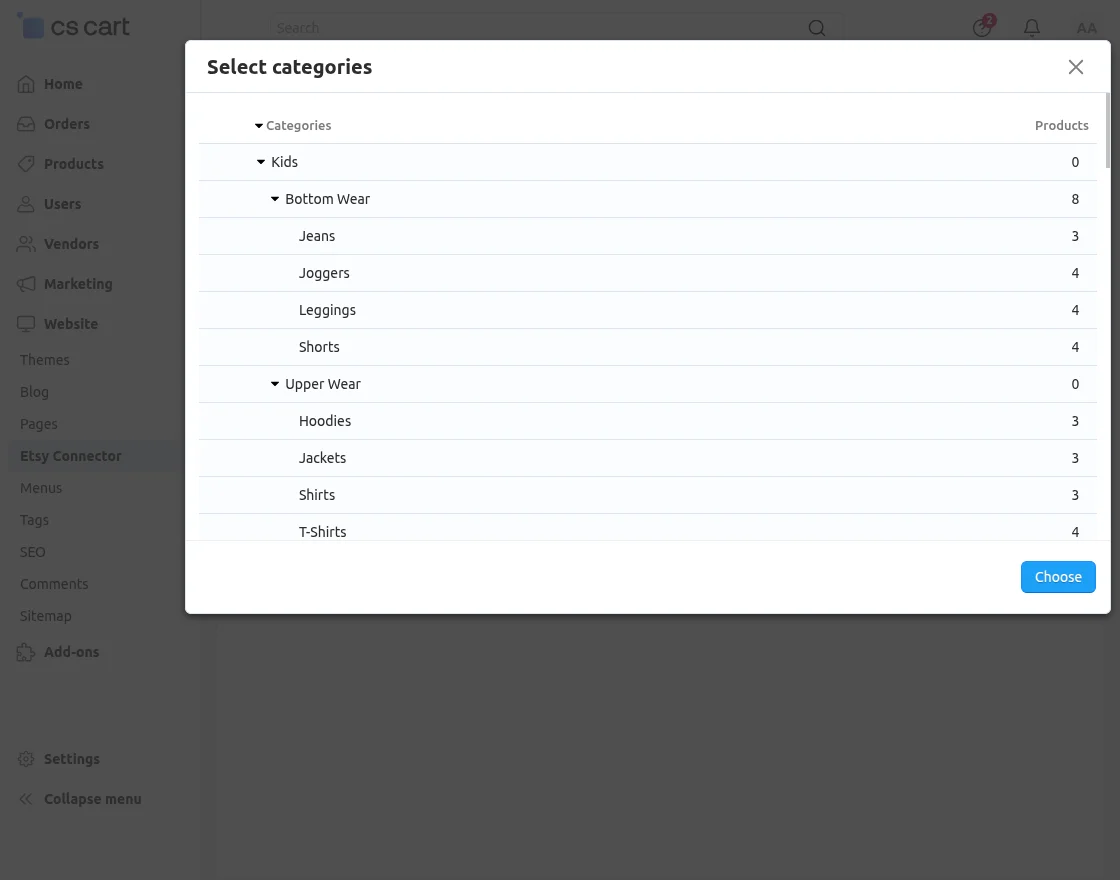
- Admin can set a default category for the imported products in the CS-Cart store.
- The product information like main image, name, price, and quantity get imported along with the product.
- The admin can add & connect multiple Etsy shops to Import/Export from each shop separately.
- The product information like title, price, and quantity etc get exported along with the product.
- Option to export product individually or in bulk is provided. So that admin can export CS-Cart products which are not in his/her Etsy account.
- Admin/Seller can create or update product shipping template.
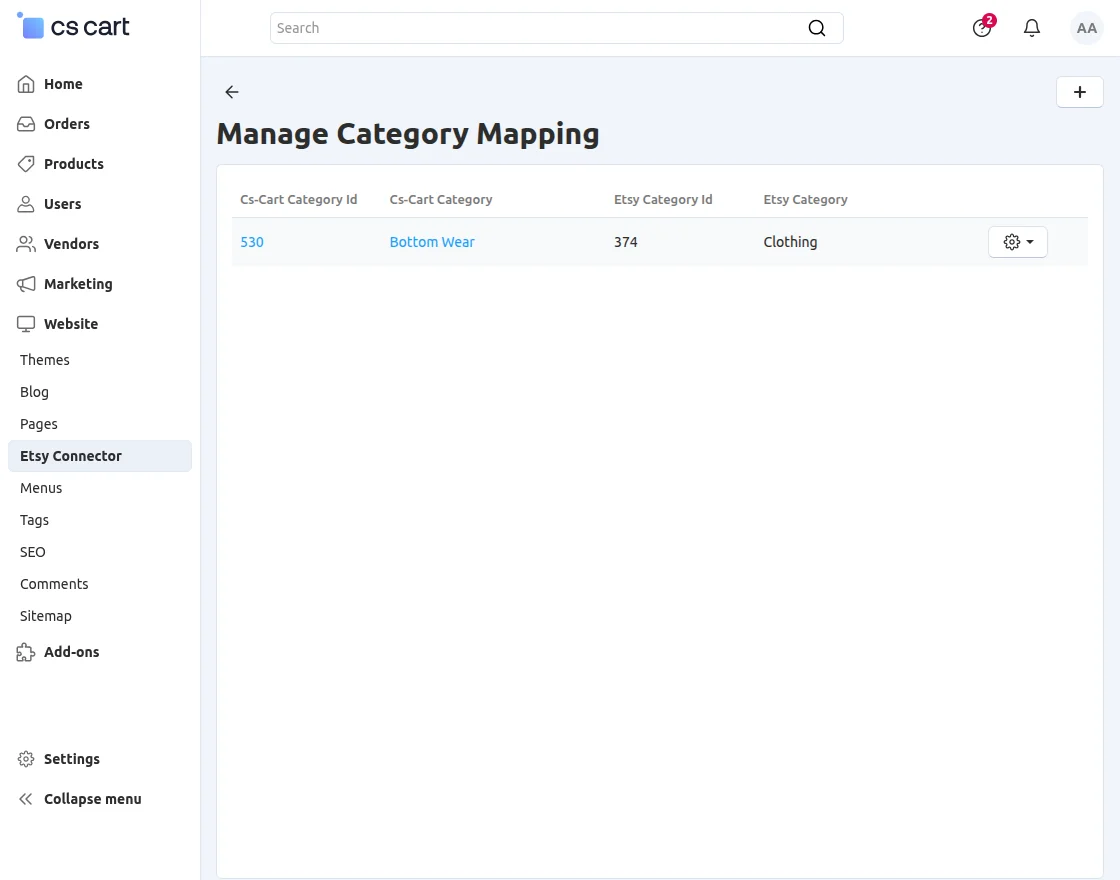
- Functionality to map Etsy category with CS-Cart category.
- Cron feature is available for importing product and orders from Etsy.
- Functionality to import Etsy orders to CS-Cart store.
- The admin can manage & process the imported Etsy orders from CS-Cart.
- Admin/seller can fetch & sync the orders between the desired date range.
- Admin/seller can import all the orders of Etsy by given date range, by Etsy Receipt id and by Order status (No data available due to unavailability of live credentials).
- Option to update products on Etsy in real-time.
- Enable/disable the real-time synchronization of imported products’ details on Etsy shop.
- Enable/disable the real-time synchronization of exported products’ details on Etsy shop.
- An option to update product Inventory only on Etsy when order placed in CS-Cart.
How To Upload And Install
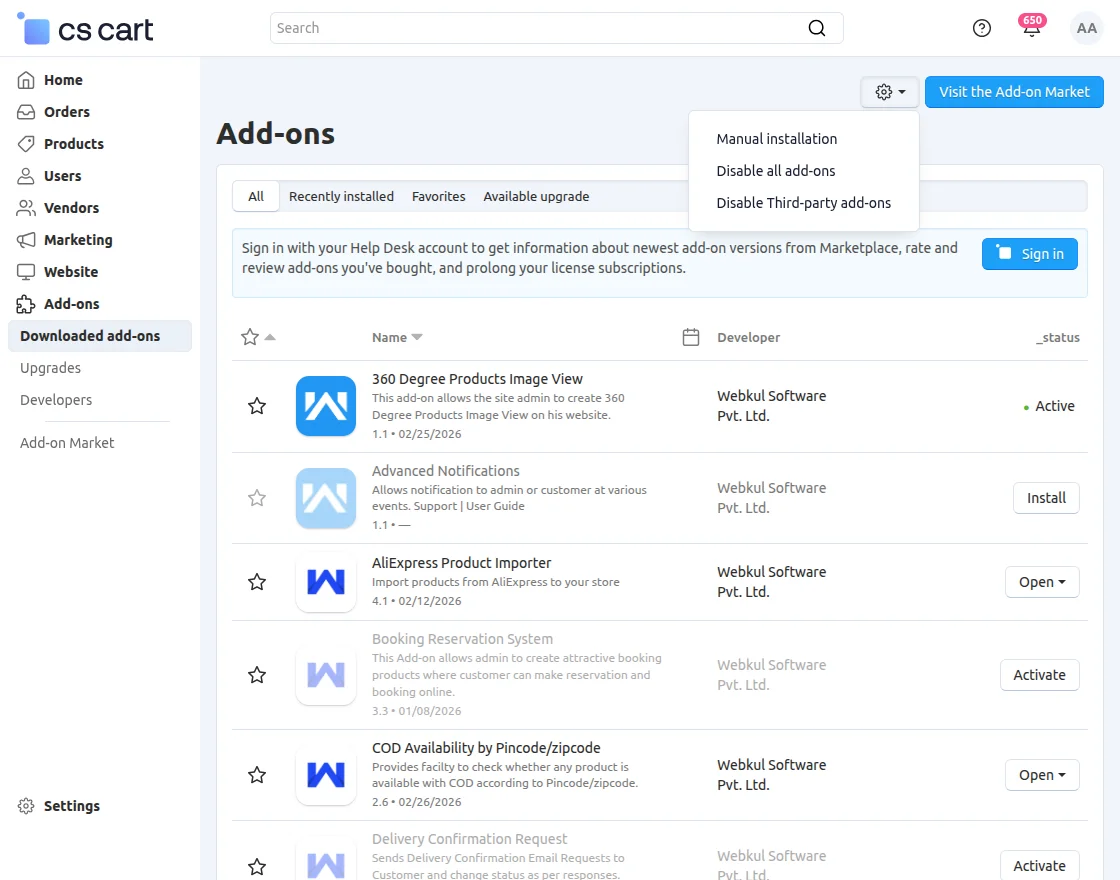
- Go to Manage Add-ons, click on the gear drop-down, and select Manual Installation.

Add-on Settings
The General Settings section includes the following configuration options:
- Cron Key – Enter a unique key to secure the cron URLs used for Etsy synchronization.
- Enable Queue Handler – Enable or disable the queue handler for processing synchronization tasks.
- Etsy Cron Info – Provides the cron URLs required to automate synchronization between CS-Cart and Etsy:
- Product Synchronization Cron URL – Imports and updates Etsy products in CS-Cart.
- Order Synchronization Cron URL – Imports Etsy orders into CS-Cart.
How to Get Etsy Credentials


While creating the app fill the following details:
- Application Name- Enter the name of the application, it will be visible to the user while authenticating for getting OAuth Token and OAuth Secret.
- Describe your Application- Enter the description for your app, it will be visible to the user during authentication.
- Application Website- In this field, you have to enter the URL of your CS-Cart website.
- What type of Application are you building?- In this field, you have to select Seller Tools option.
- Who will be the users of this application?- Select Just myself or colleagues option.
- Is your application commercial?- Select No in this field.
- Will your app do any of the following?- You have to select all the three options i.e Upload or edit listings, Read sales data and Send email.


Etsy API Credentials
After completing the above-mentioned steps, your app will get created in Etsy developer account for accessing your Etsy data using REST API.


Etsy Connector Configuration
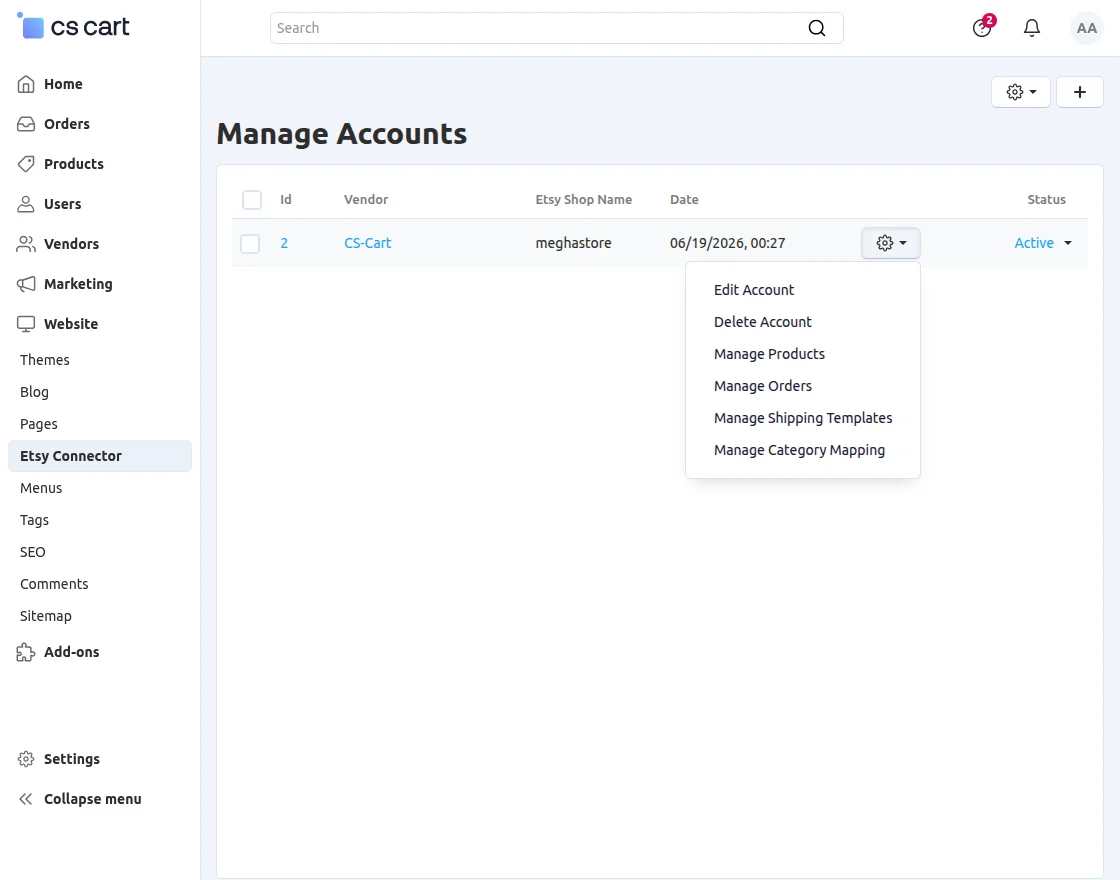
- API Key
- Secret Key
- Shop Name
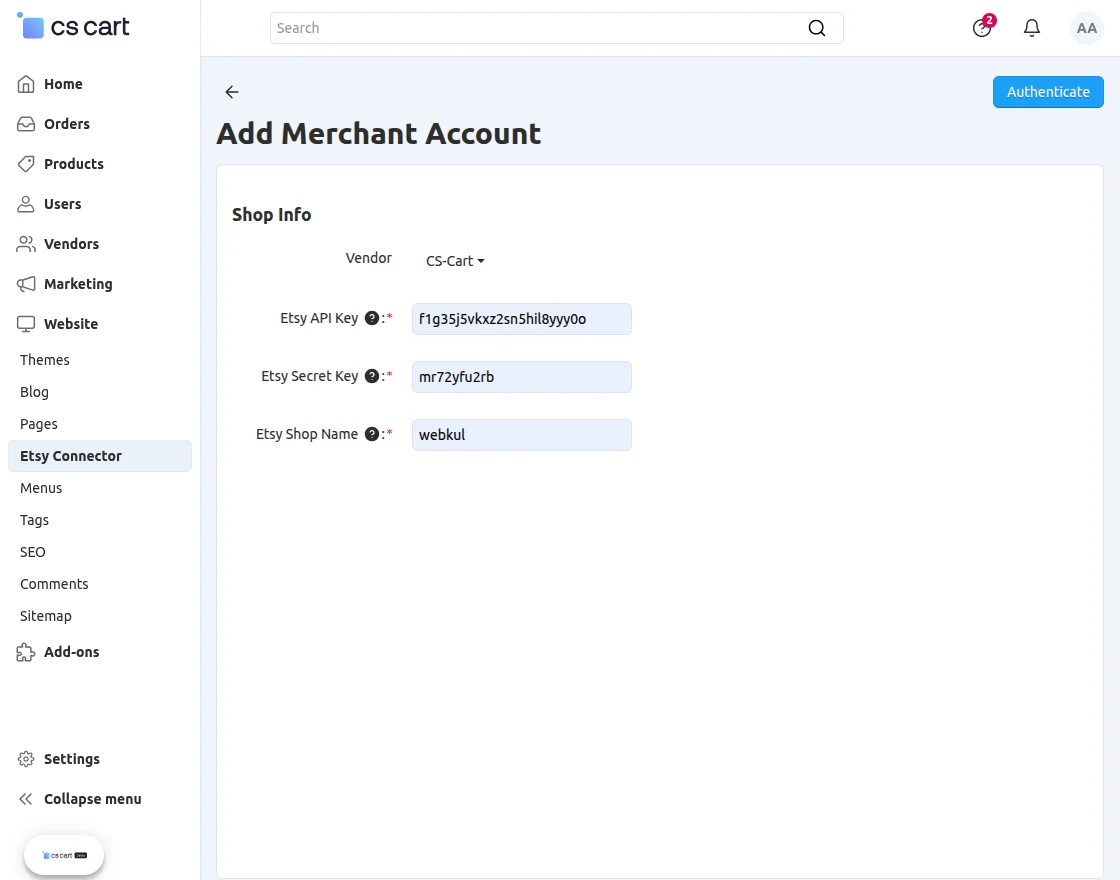
- Product Import Settings:
- Choose the default category of CS-Cart store to import the Etsy Products.
- Product Export Settings:
- Choose the default category of Etsy to export the CS-Cart Products. There is also an option to map categories. We will check the functionality later in this documentation. If no any CS-Cart category is mapped with Etsy Category, then the product will be exported in this default category.
- Select the default shipping template for the exported products. You can add/import and manage the Etsy shipping templates and cost from CS-Cart itself. There is a separate manage page for shipping templates as shown below.
- Select the default state (Draft/Active) of the exported product.
- Select from the drop-down who actually made the item being listed.
- Set Yes if the product is a supply.
Order Settings
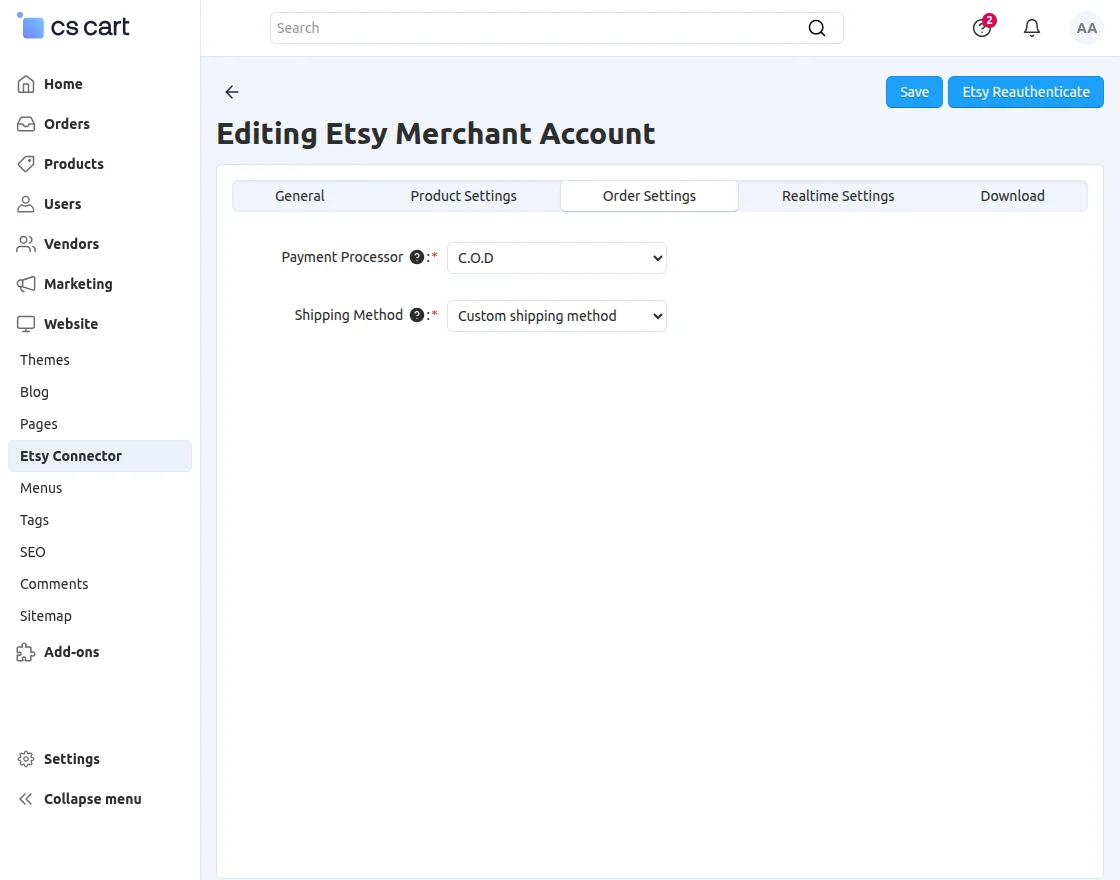
The Order Settings tab allows you to configure the default payment and shipping methods for orders imported from Etsy.
- Payment Processor – Select the payment method that will be assigned to imported Etsy orders in CS-Cart. For example, C.O.D.
- Shipping Method – Select the shipping method that will be applied to imported Etsy orders. For example, Custom Shipping Method.
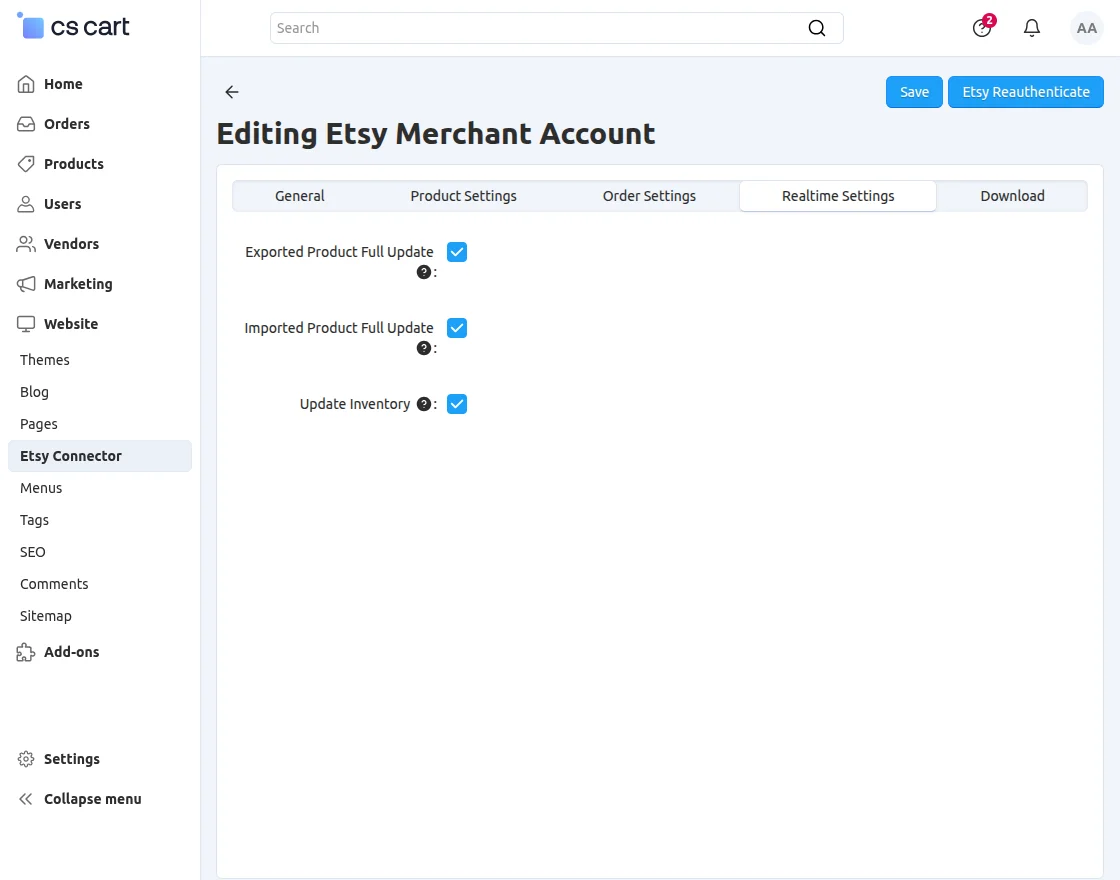
- Check the box if you want to update the imported product in real time.
- Check the box if you want to update the Exported product in real time.
- If you want to update the product inventory in real time whenever an order is placed then you can check the third checkbox. If you have not checked the fields for Update Imported Product/Update Exported Product. Then it will not work. So even if you have checked this box but have not checked any of the aforementioned, the inventory will not be updated on order placement.
Download:
This tab provides an option to download all the Etsy Countries. You can simply click on download button for the same. Also, there is an option to map Etsy Categories with CS-Cart Categories.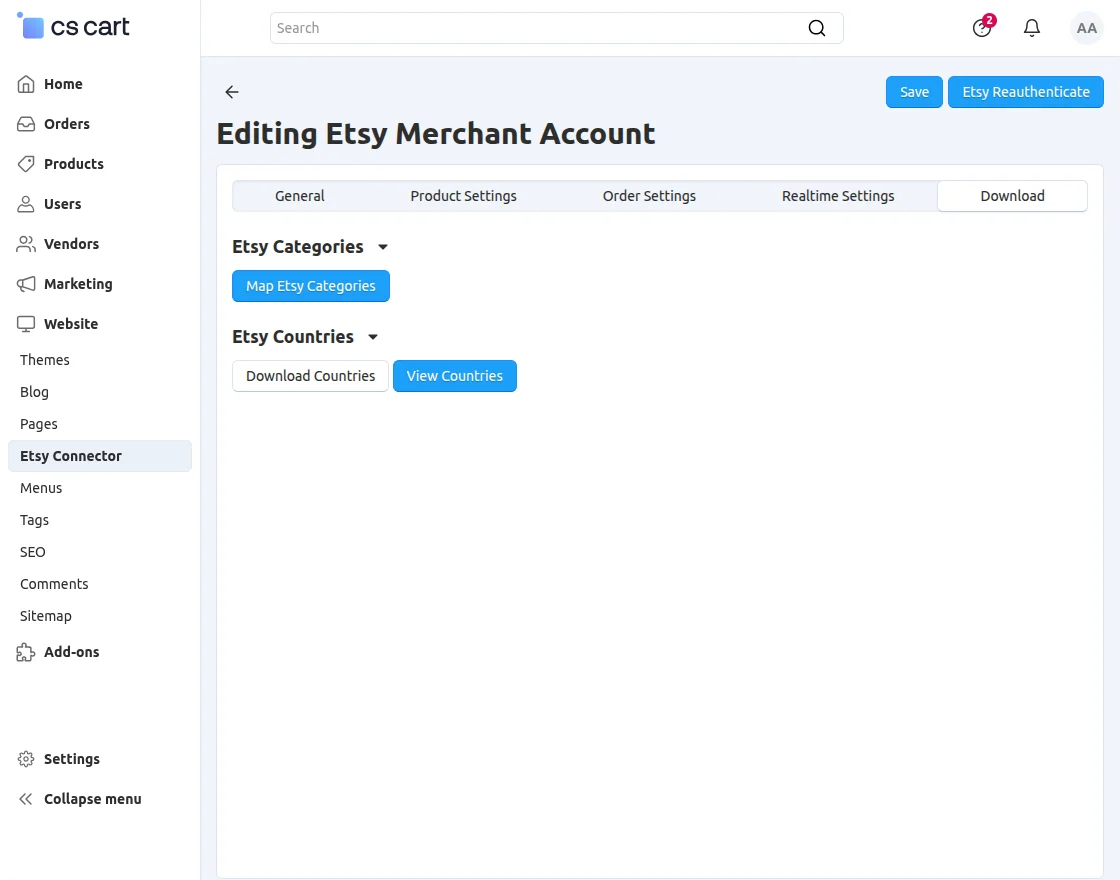
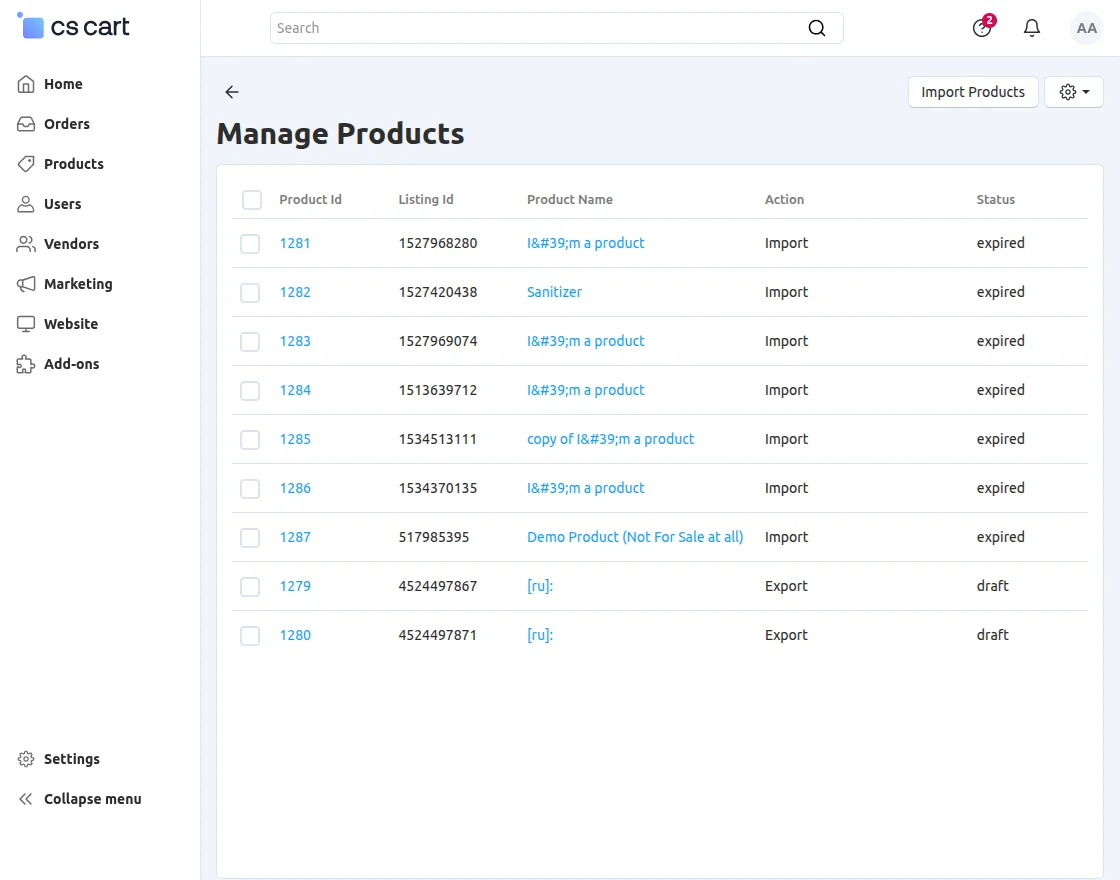
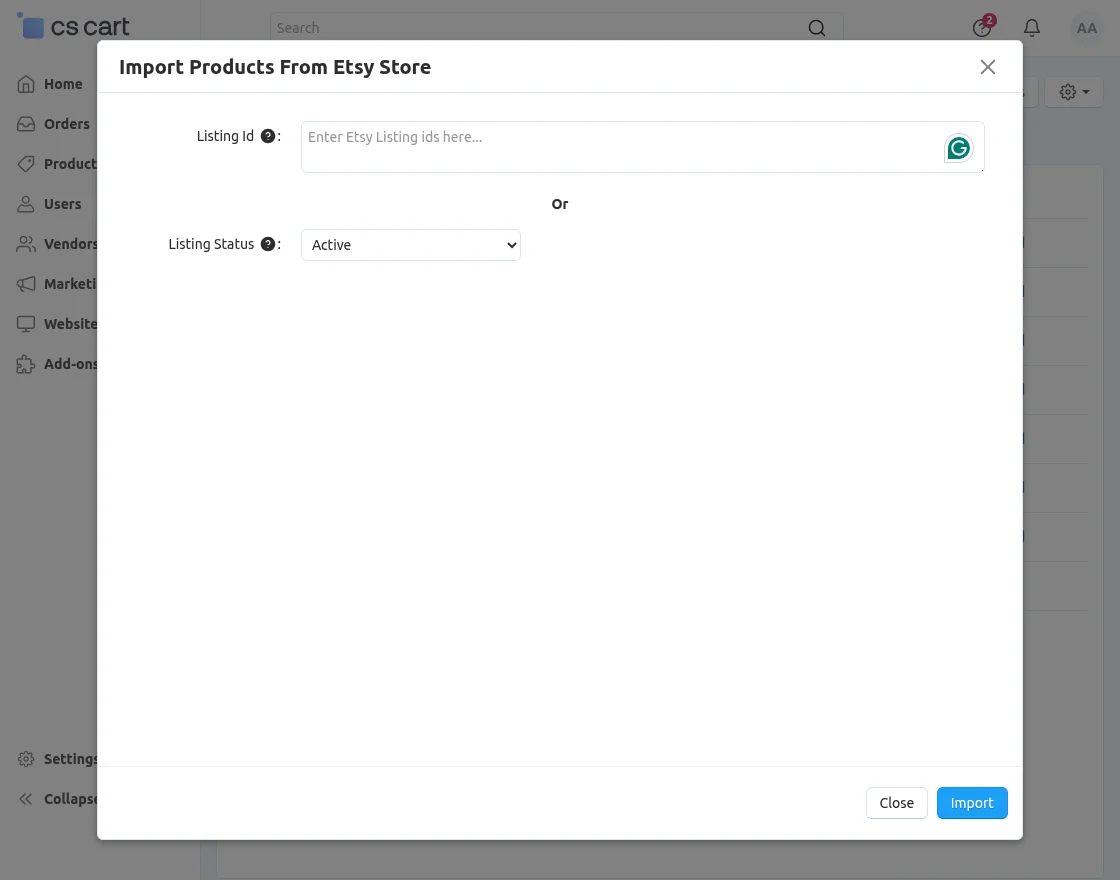
How To Import Products From Etsy?
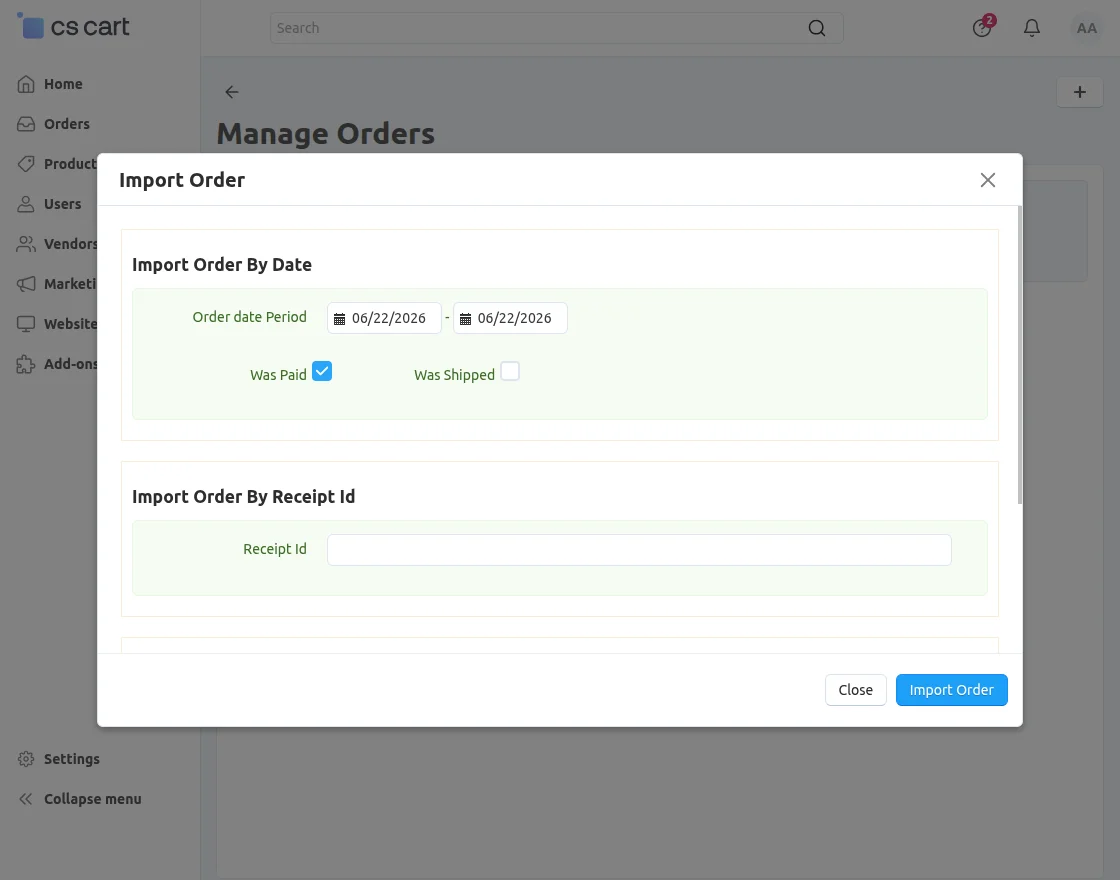
How To Import Order Details From Etsy?
- Import Orders By Date:
- Import orders placed within a specific date range.
- Check the boxes if you want to import the paid or shipped orders.
- Import Orders By Receipt Id: Option to import individual order by order id.
- Import Orders By Order Status: Option to import orders with specific order status.
Manage Shipping Templates
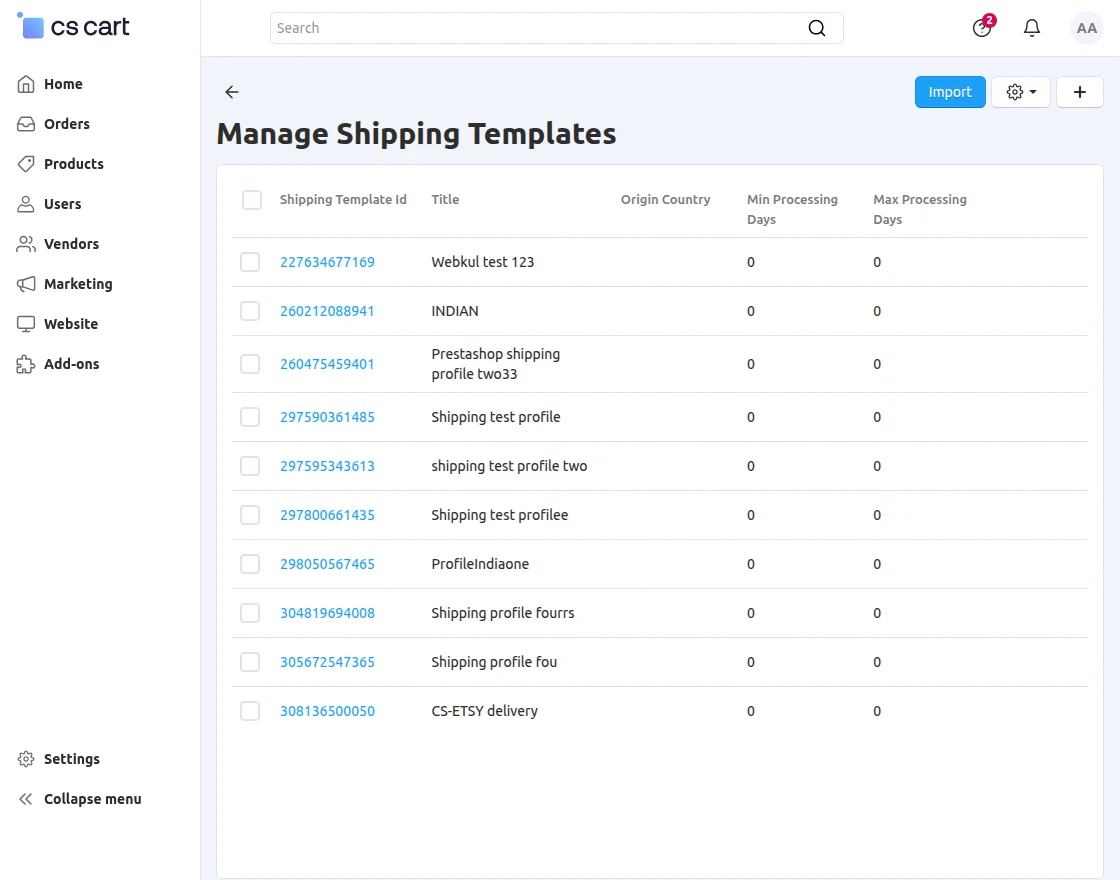
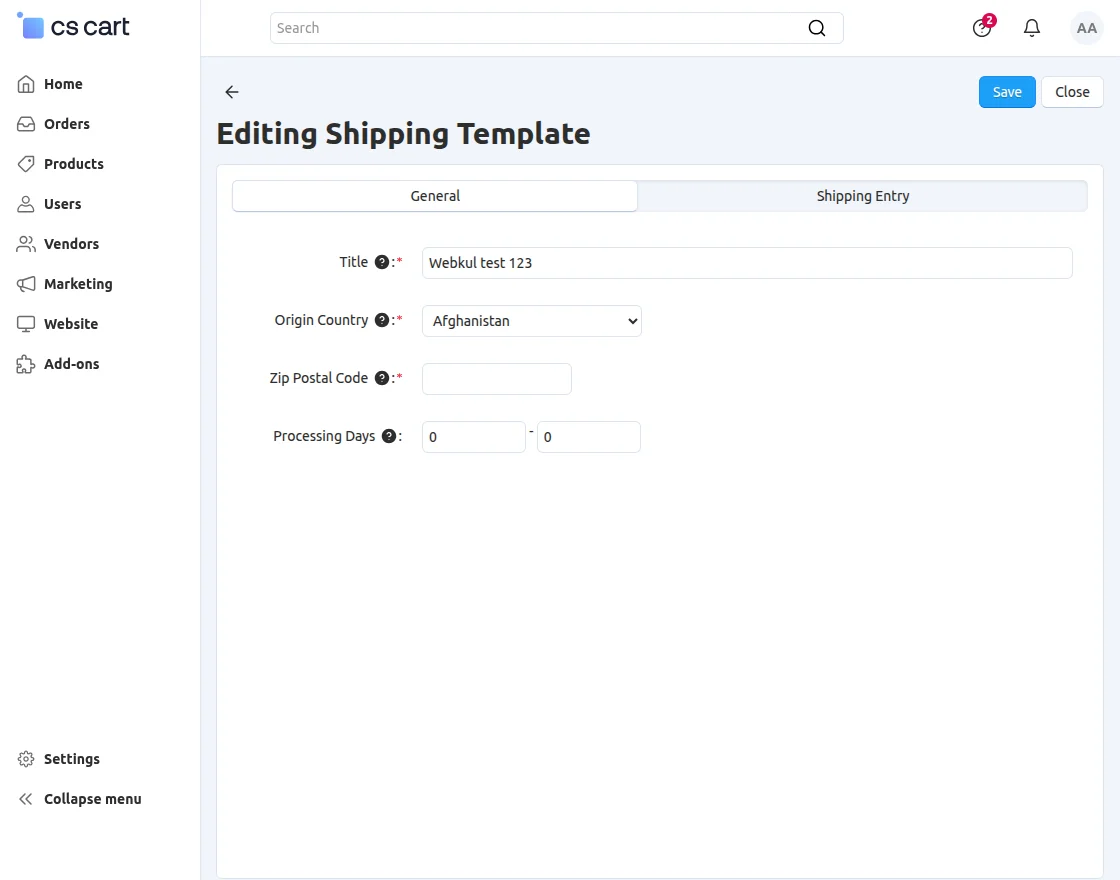
- Title- The name of this shipping template
- Origin Country- The country from which the listing will be shipped.
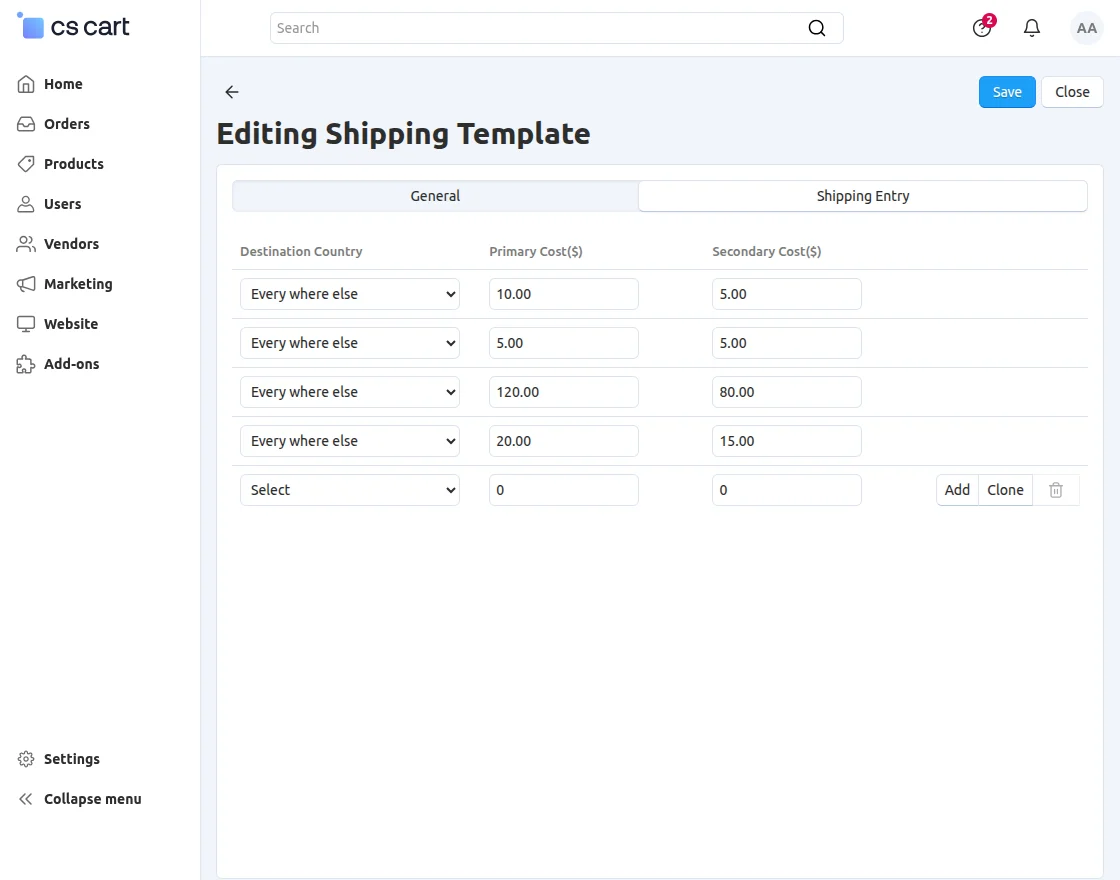
- Destination Country- The country to which the listing will be shipped.
- Primary Cost- The shipping fee for the item, if shipped alone.
- Secondary Cost- The shipping fee for the item, if shipped with another item.
- Processing Days- The minimum & maximum number of days for processing the listing.
How To Export Products To Etsy?
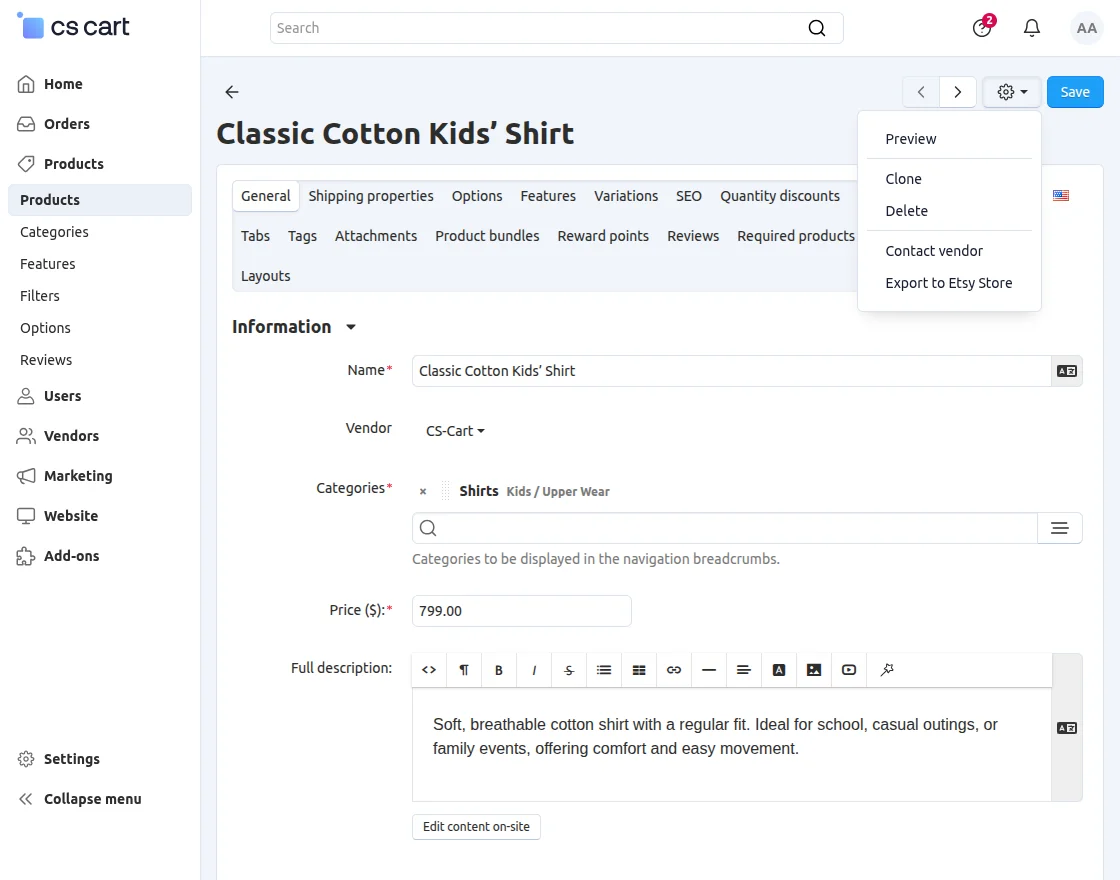
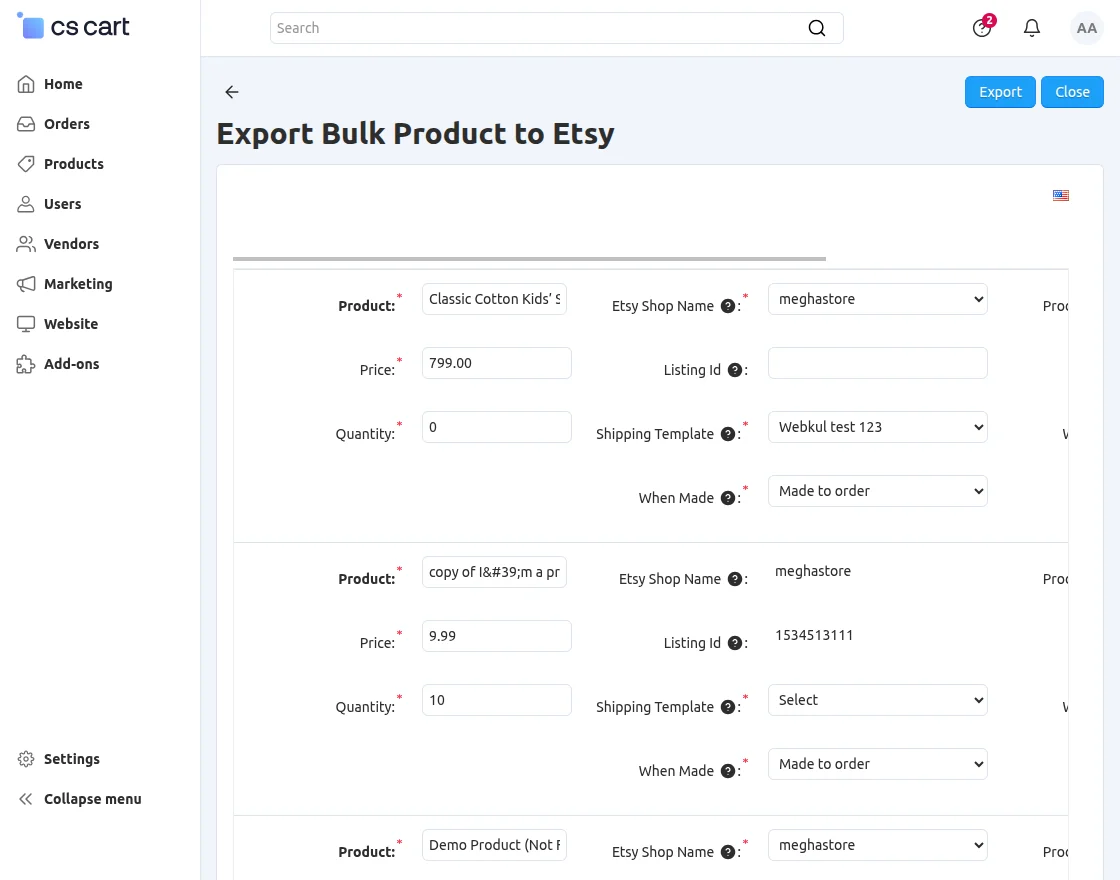
- Choose Etsy Shop you want to export the product to.
- Select the shipping template for this particular product.
- Set the state of the product.
- Set the other mandatory fields related to the listing which includes :
- Who made the item being listed
- When was the item made
- True if the listing is a supply
- What is the occasion for this listing
- Who is this listing for
After filling in these details, clcik on export button to export this product to Etsy shop.
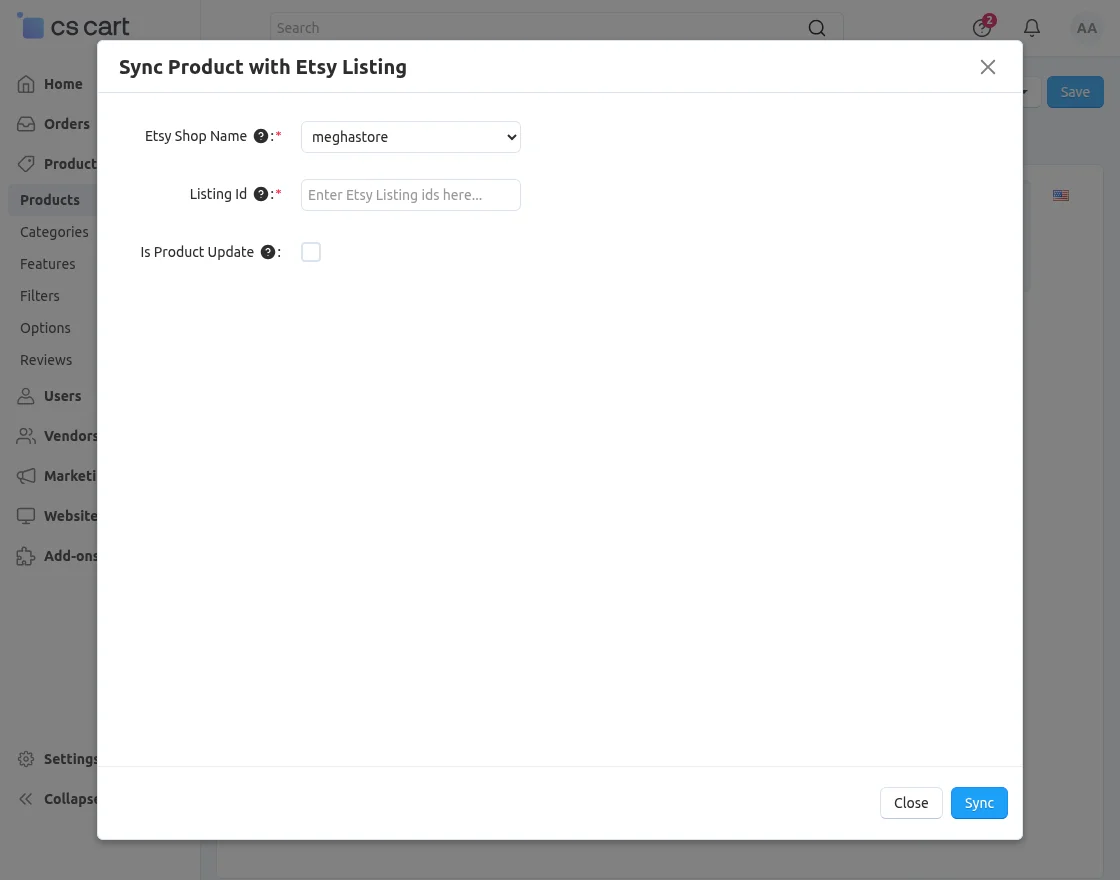
- Select the shop where the product is available.
- Enter the listing id of the shop.
- If you want to update the product details as per the details at the CS-Cart end then check the box provided & click to sync.
Support
That’s all for the add-on “CS-Cart Etsy Connector“, still, have any issue, feel free to write here http://webkul.uvdesk.com and let us know your views to make the module better.
Please explore our cs-cart Development Services and Quality cs-cart add-ons