CS-Cart Auto Guest Registration
CS-Cart Auto Guest Registration automatically creates a customer account when a guest customer places an order.
The add-on uses the email address entered during checkout to create the account and generates a password for the customer.
After the order is placed successfully, the customer can access the newly created account without completing a separate registration process.
Note:
- Install the add-on.
- Enter the license key.
- Follow the license activation steps.
Check a brief overview of the plugin –
Features & Benefits
- Well integrated with CS-Cart & CS-Cart Multi-Vendor.
- Creates an account for the user placing an order as a guest.
- In addition, functionality to sync previously placed orders as a guest with the respective email account.
- Generates a password and shares the account login details with the user.
- Customer logs into the account automatically right after successful order placement.
- Also easily configurable – Do some settings and it is ready to use.
- Moreover Easy to manage on the admin end.
How To Upload and Install
After downloading the CS-Cart Guest Registration add-on, you’ll get one zip file, one install.txt file, and a relevant User Guide manual doc.
Please read it carefully for proper configuration.
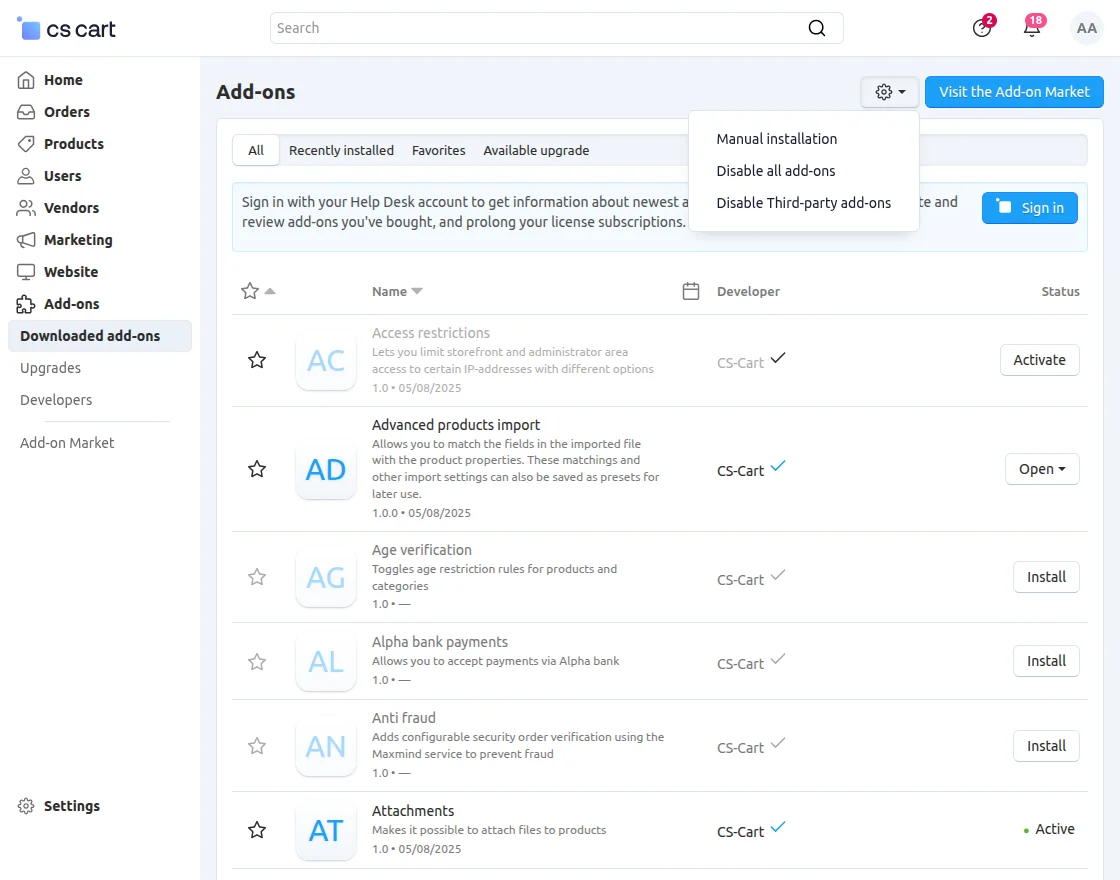
Go to Manage Add-ons, and click on “Manual Installation” as shown below in the snapshot.

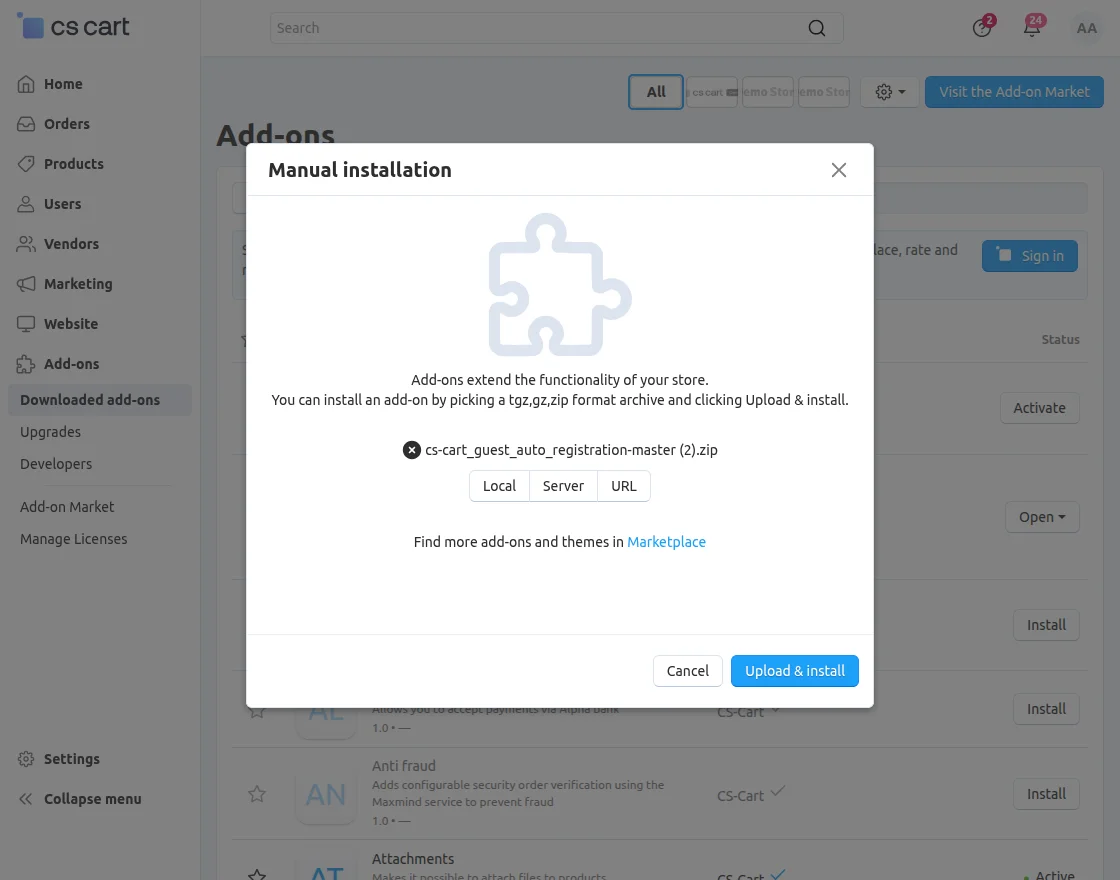
Click on “Local” to browse the zip file and then click on “Upload & Install” as shown below in snapshot.
Configuration
To configure the module, go to the Add-Ons >> Developers >> Webkul Software Pvt Ltd. >> Accordian Slider >> Settings
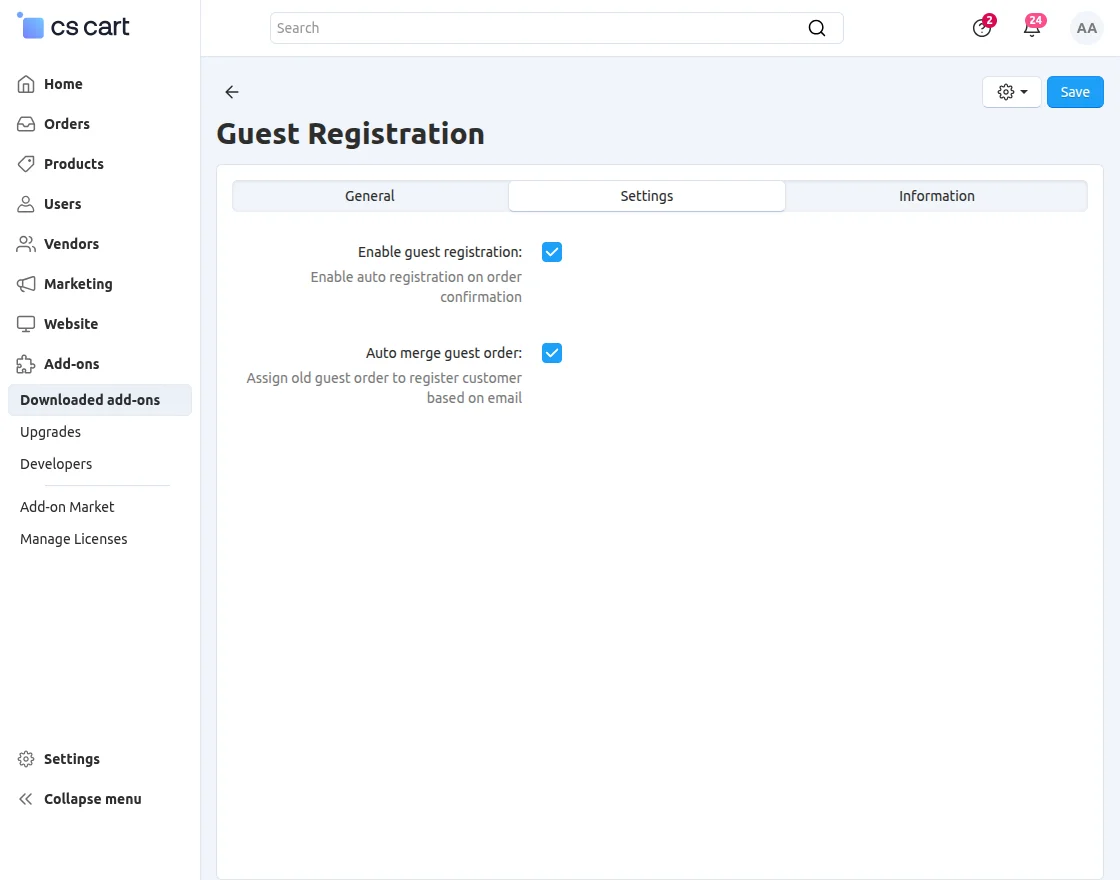
- Click the checkbox to enable guest registration. If enabled, the user will get registered automatically upon successful order placement.
- Tick the checkbox to merge the previously placed order as a guest email with the newly created account associated with the same email.
Work Flow
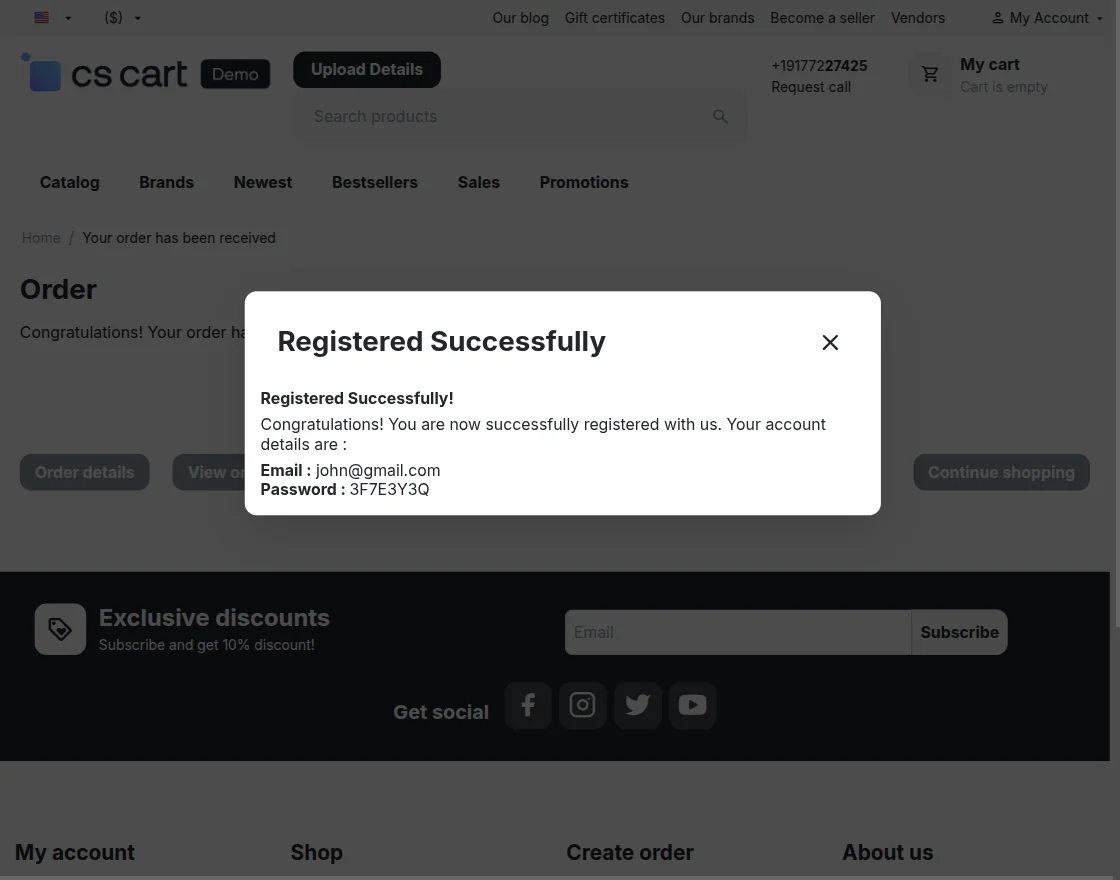
When a guest customer places an order, the add-on automatically creates a customer account using the details provided during checkout.
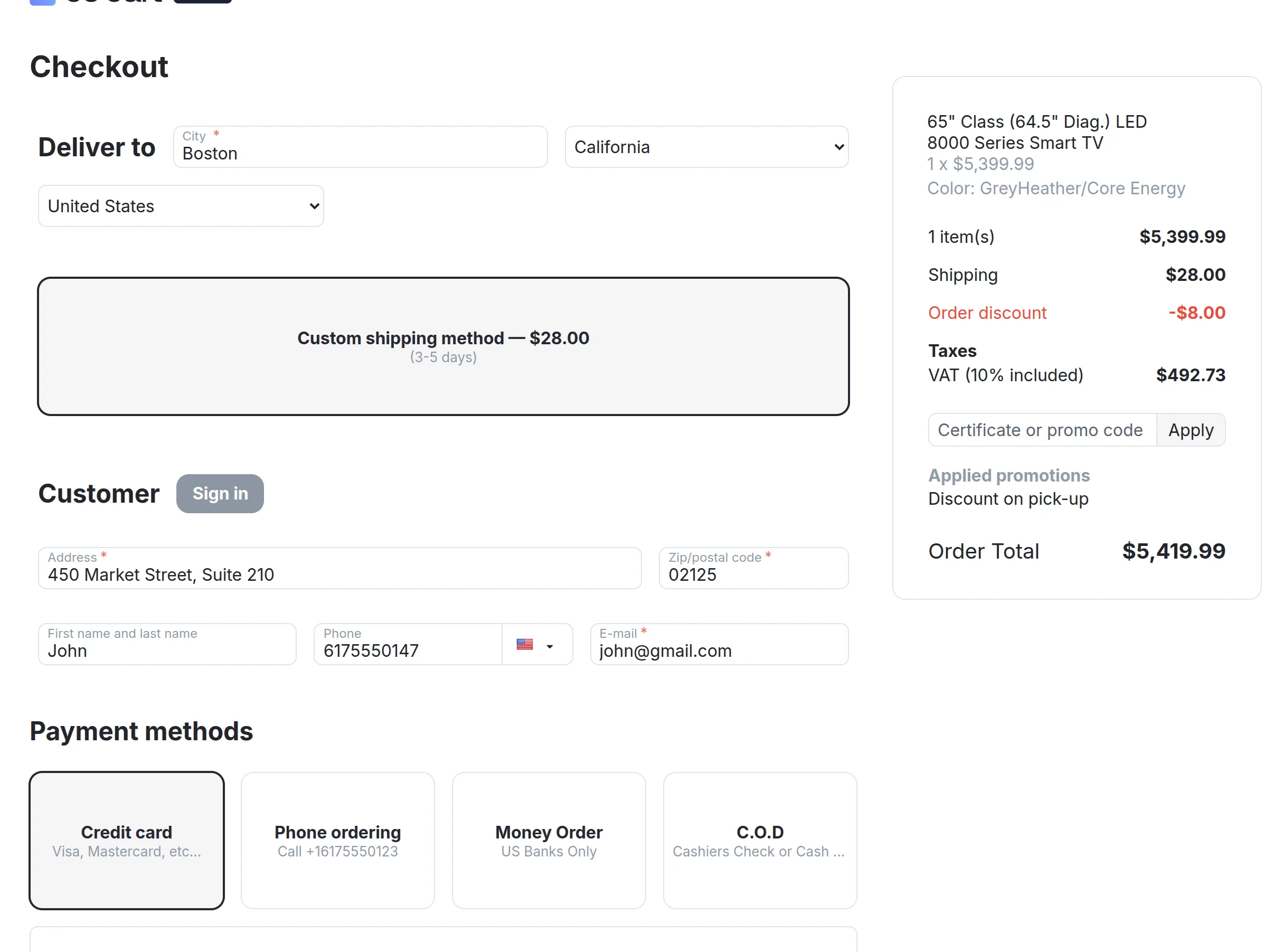

And the user will be able to view the user id and password of the newly created account on successful order placement.
Support
If you have any questions, suggestions, or customization requests, feel free to contact us at support@webkul.com or submit a ticket at webkul.uvdesk.com.
Explore our premium-quality CS Cart Extensions to enhance your store functionality.
You can also explore our CS-Cart Development Services and Quality CS-Cart add-ons.