Duke Fotografía Builds an Odoo Multichannel Integration with Webkul
Project Snapshot
- URL: dukefotografia.com
- Country: Spain
- Industry Vertical: Photography and Electronics Retail
- Platform: Magento 2 and PrestaShop storefronts running against one Odoo database
- Solution Provided: An Odoo multichannel integration covering order and stock sync, custom warehouse routing by postal code, marketplace reference mapping, and posted-invoice downloads.
Merchant Story: Duke Fotografía
Duke Fotografía has sold photography gear in Las Palmas de Gran Canaria since 1974. The business trades as Duke Trading S.L. and serves walk-in customers alongside online buyers.
Its range covers cameras, lenses, drones, lighting kits, tripods and studio gear. Shoppers reach the brand through its PrestaShop store and through Spanish marketplaces.

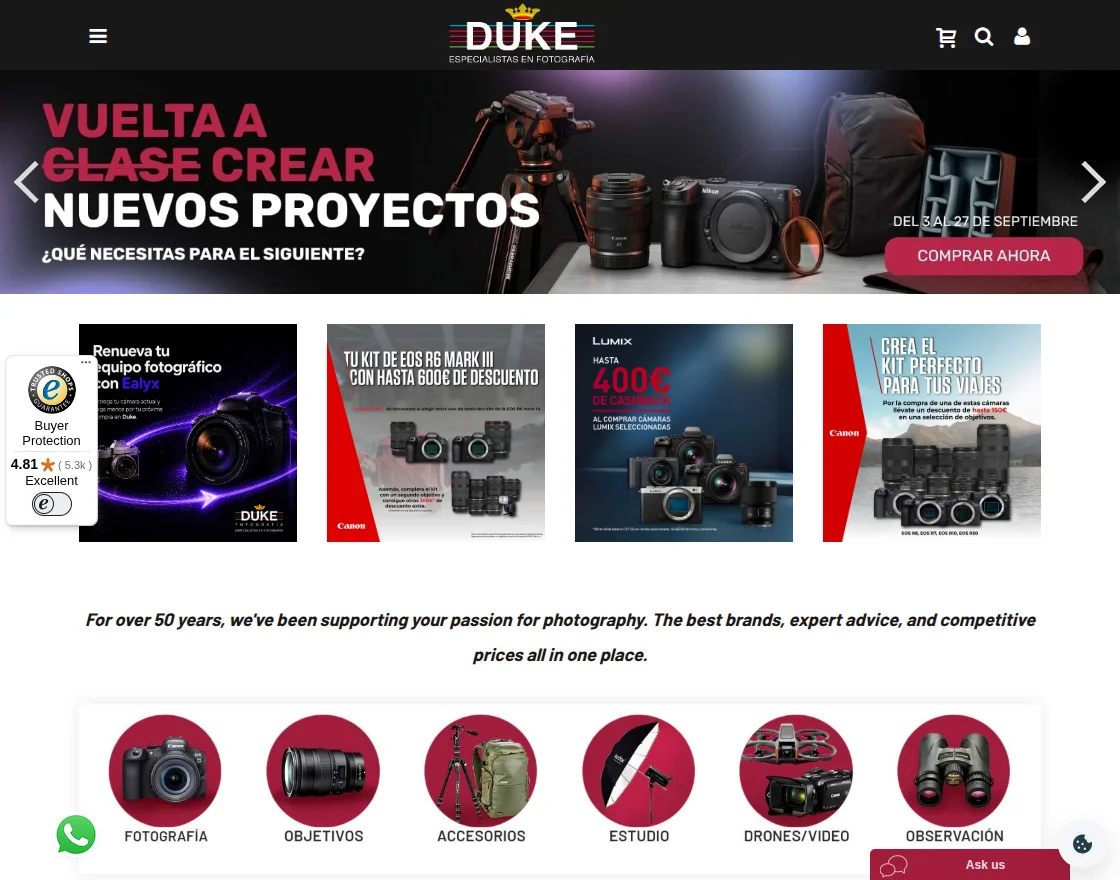
A Magento 2 storefront sells the same catalogue, so two shops trade side by side. Because Duke sits in the Canary Islands, its delivery rules differ from those on mainland Spain.
Why Did Duke Fotografía Need an Odoo Multichannel Integration?
Duke sells on its storefronts but keeps stock, deliveries and accounts inside Odoo. Yet staff still made three decisions by hand every time an order crossed between the two.
First, stock sits in two places: an island warehouse and a mainland Spanish one. Sending an island parcel from the peninsula is not a plain domestic delivery, so the pick location matters.
Second, orders coming from marketplaces lost their source reference on the way into Odoo. Staff could no longer tell which channel an order came from without opening the storefront again.
Third, Odoo raises the invoice, yet customers ask for it on the shop where they bought. A draft invoice is not final, so showing one to a customer hands them a file that may change.
Duke wanted all three rules inside the order sync rather than in a daily staff routine.
How Webkul Built the Odoo Multichannel Integration
Webkul delivered an Odoo multichannel integration that ties both storefronts to a single Odoo database.
The connector carries products, stock, customers and orders between the shops and Odoo.
Webkul then wrote three custom rules on top of that order sync to fit how Duke trades.
The matching PrestaShop Odoo bridge handles the second shop, so an order looks the same in Odoo either way.
Which Warehouse Should Ship the Order?
The integration picks the warehouse from the shipping postal code and the stock on hand. Duke holds stock in two Odoo locations: IS/STOCK on the islands and PE/STOCK on the mainland.
Postal codes from 35000 to 35999 and from 38000 to 38999 mark a Canary Islands address. Those orders always create their delivery from IS/STOCK.
The rule skips PE/STOCK for them, even when the item sits there in quantity. Every other Spanish and European postal code follows a stock-first rule instead.
If PE/STOCK holds the item, Odoo creates the delivery there. If not, the order falls back to IS/STOCK and ships from the islands.
That way each order routes itself, and nobody reopens a delivery to correct its source location.
Carrying the Marketplace Reference into Odoo
Marketplace orders arrive with a reference that names the channel and its order number. Webkul captures that marketplace reference during sync and writes it into the matching Odoo field.
Warehouse and accounts staff can then trace an Odoo order back to the channel it came from. Matching a marketplace payout no longer means checking two systems side by side.
Letting Customers Download the Posted Odoo Invoice
Duke raises every invoice in Odoo, which stays the record for its books. Customers, though, expect to download that file from the shop where they placed the order.
Webkul joined the two, so the storefront checks Odoo whenever a customer asks for an invoice. The shop offers only an invoice that Odoo has already posted.
Drafts stay hidden, because a draft can still change before the accounts team confirms it. Once Odoo posts the invoice, the shop fetches it and the customer downloads that copy.
So Odoo stays the source of truth, while the storefront only mirrors its status.
Results of the Odoo Multichannel Integration
Duke now runs two storefronts, its warehouses and its accounting from one Odoo database. Orders choose their own warehouse, so island and mainland buyers follow one written rule.
Marketplace orders reach Odoo still carrying the reference they came in with. Invoice downloads follow Odoo’s own status, which keeps draft paperwork away from customers.
The Odoo multichannel integration took three manual checks out of the gap between shop and back office.
Webkul has built the same single-Odoo setup for other merchants, including an Italian maker selling on WooCommerce and Amazon.
- Routed each delivery to IS/STOCK or PE/STOCK from the postal code and stock on hand
- Treated postal codes 35000-35999 and 38000-38999 as Canary Islands orders every time
- Carried the marketplace reference from the storefront into the matching Odoo field
- Offered customers only invoices already posted in Odoo, never drafts
- Ran one Odoo database behind both the Magento 2 and the PrestaShop shop