Prestashop Admin Login as Customer {User-Guide}
Prestashop Admin Login as Customer allows the admin to see his customer’s front end by logging in to their account. Admin can access the entire account of a customer.
The objective of this module is to allow admin to help customers in case they face any difficulty in creating the order, during checkout, generating the invoices or any other reason.
Note: Prestashop Admin Login as Customer module is compatible with and PrestaShop multi-store feature.
Check the video mentioned below for an overview of the workflow of this extension:
Features of Prestashop Admin Login as Customer
- Login to customers account from the back office.
- Admin can view the entire customer’s panel.
- Create orders on the behalf of customer from the customer’s account.
- Admin can control the entire customer front office.
How to Install PrestaShop Admin Login as Customer
- Firstly, go to the module manager in the back office and click on ‘upload a module’.
- After that, drag and drop the module file or select the file from the system.
- In this way, the module installation will be successful.


Configuring the Module
After the successul installation of the module, click on the configure button. On clicking the button, the admin gets redirected to the log page.
Here the admin can view a list of all the customers whose account they have logged in.

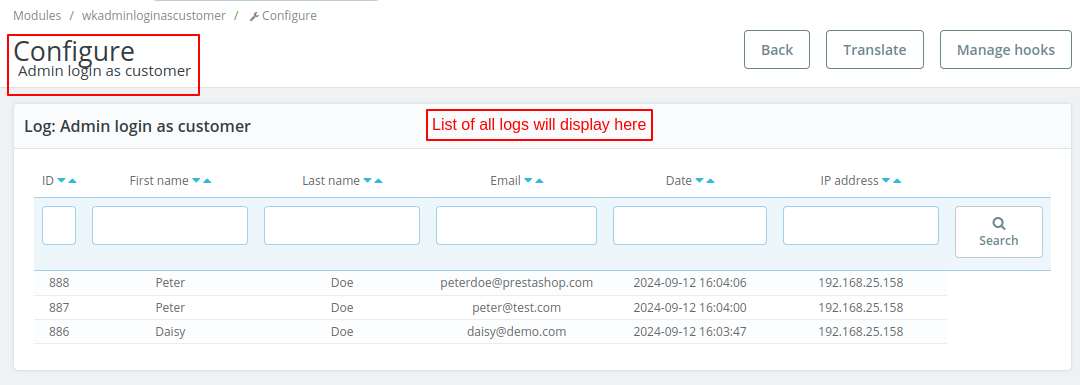
Note: The admin cannot delete the logs.
Log in to Customer Account
After the successful installation of the module, a new column ‘Login as customer’ gets available in “Customers” section. Admin can log in to the customer’s account by clicking on the ‘Log in’ button.

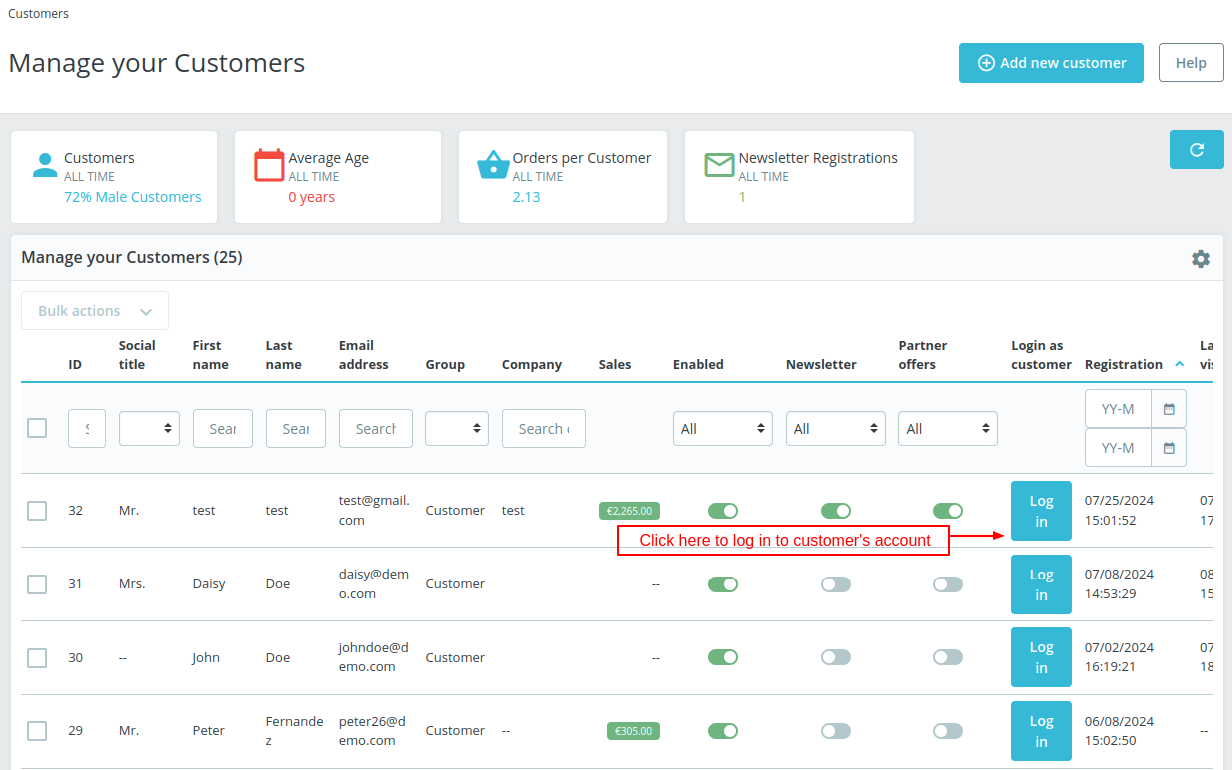
Note: Login option will only be available for registered customers and not for unregistered customers like Visitors or Guests.
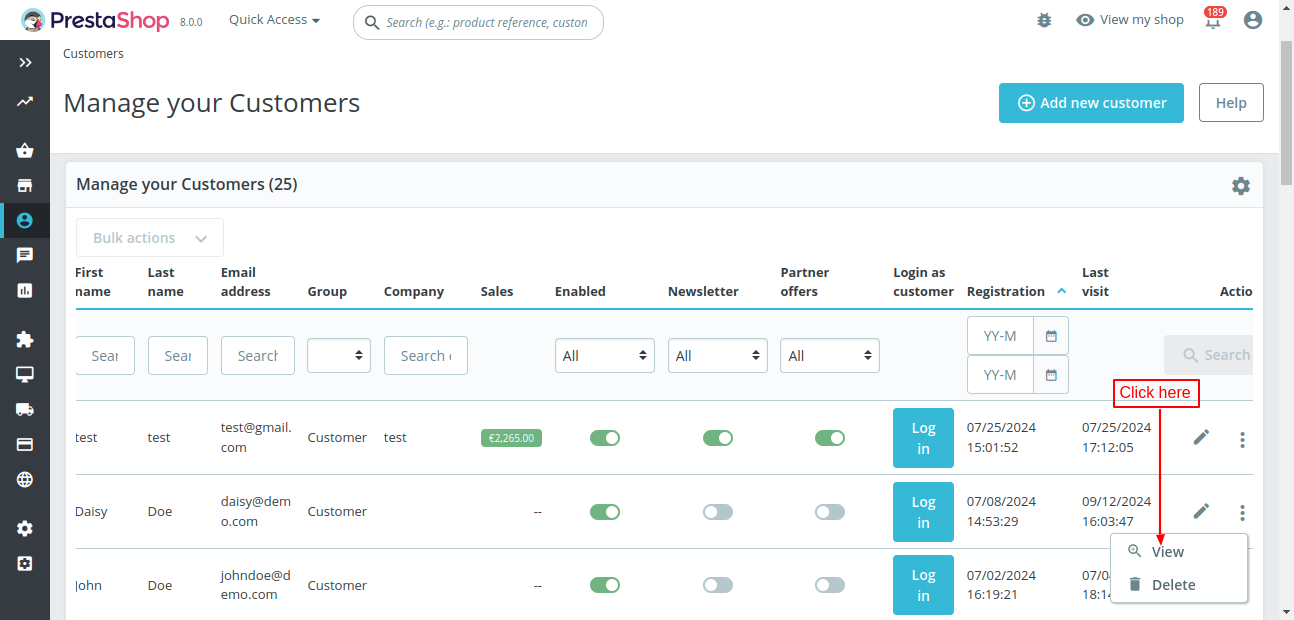
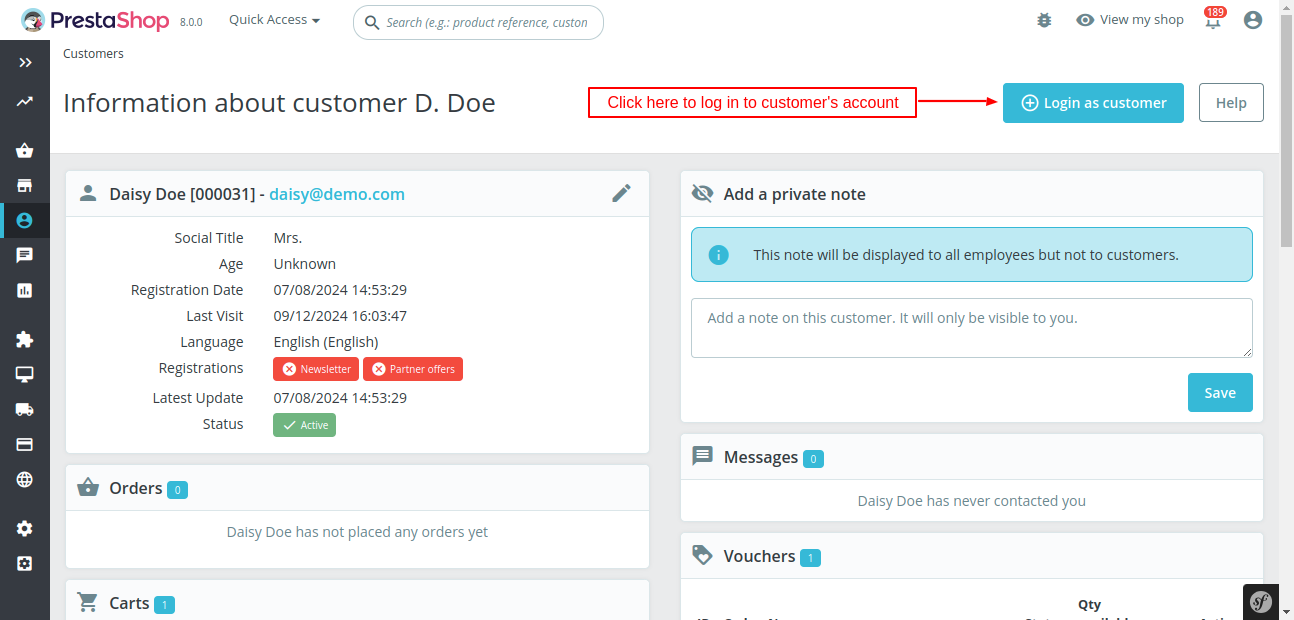
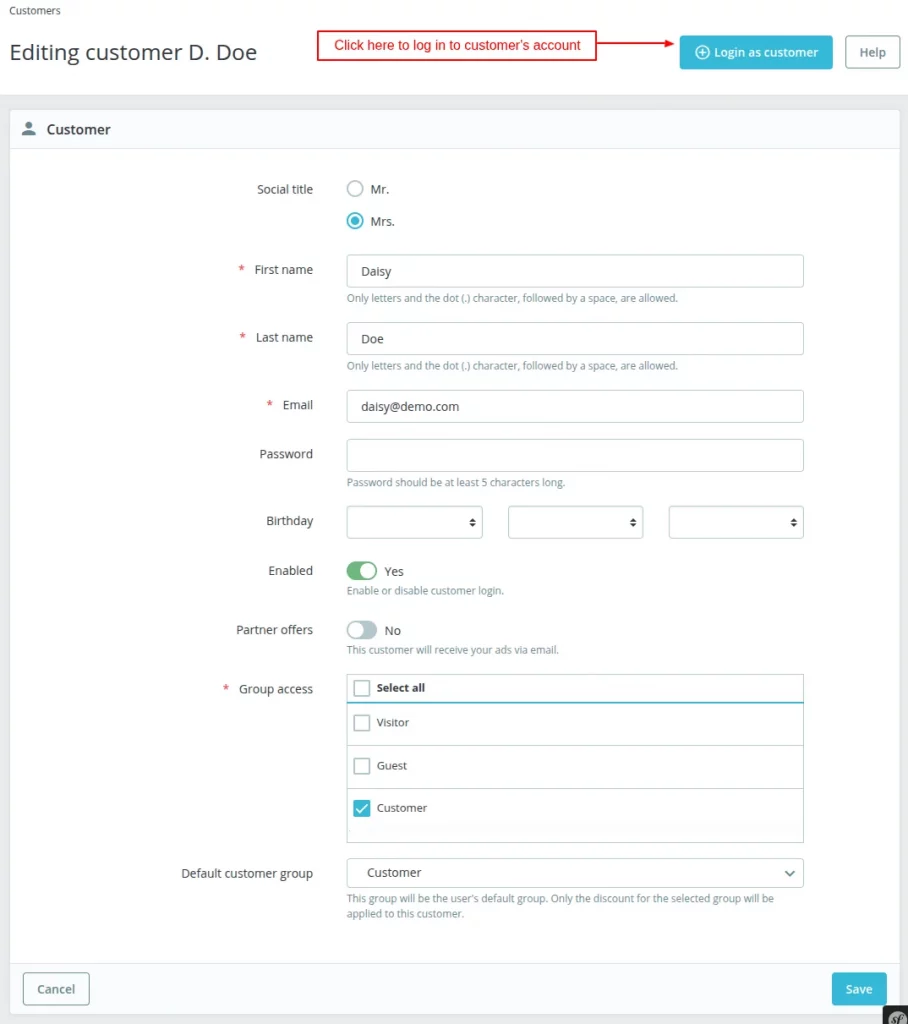
Admin can also login to the customers account by clicking on the “View” Button in “Edit” option or from edit customer page.


Front End View
On clicking ‘Login As Customer’, the admin gets redirected to that particular customer’s account.

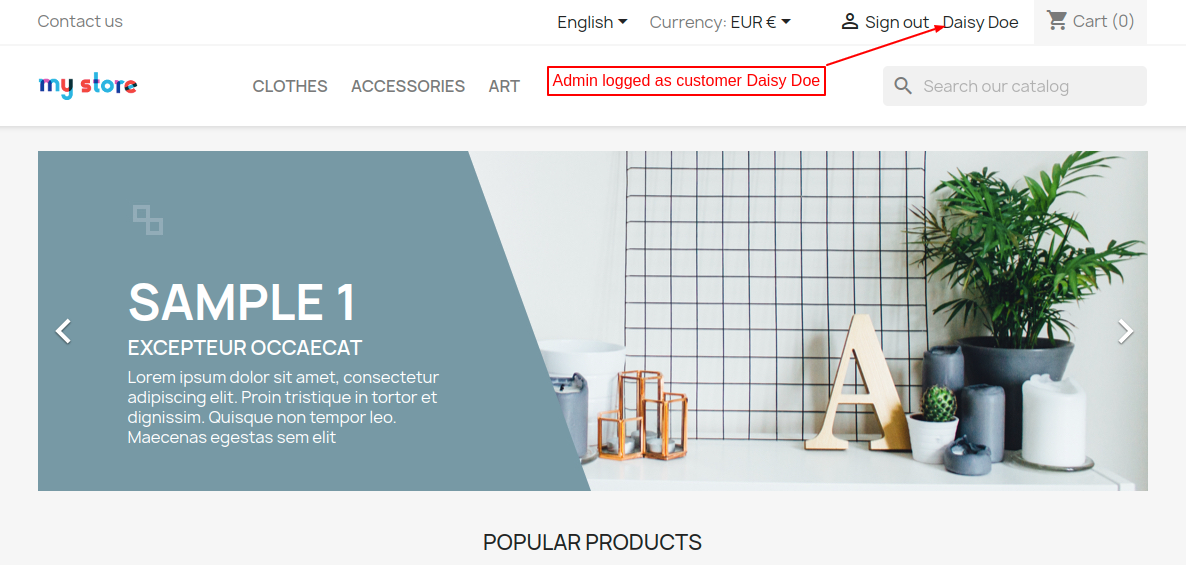
So, this was all about PrestaShop Admin Login As Customer Module. I hope this document will help you in checking the functionality of the module in a better way.
SUPPORT
For any kind of technical assistance or query, please raise a ticket or send us a mail at support@webkul.com
Also, please explore our Prestashop development services and vast range of quality Prestashop addons.