Protect Your Store with Customer Verification
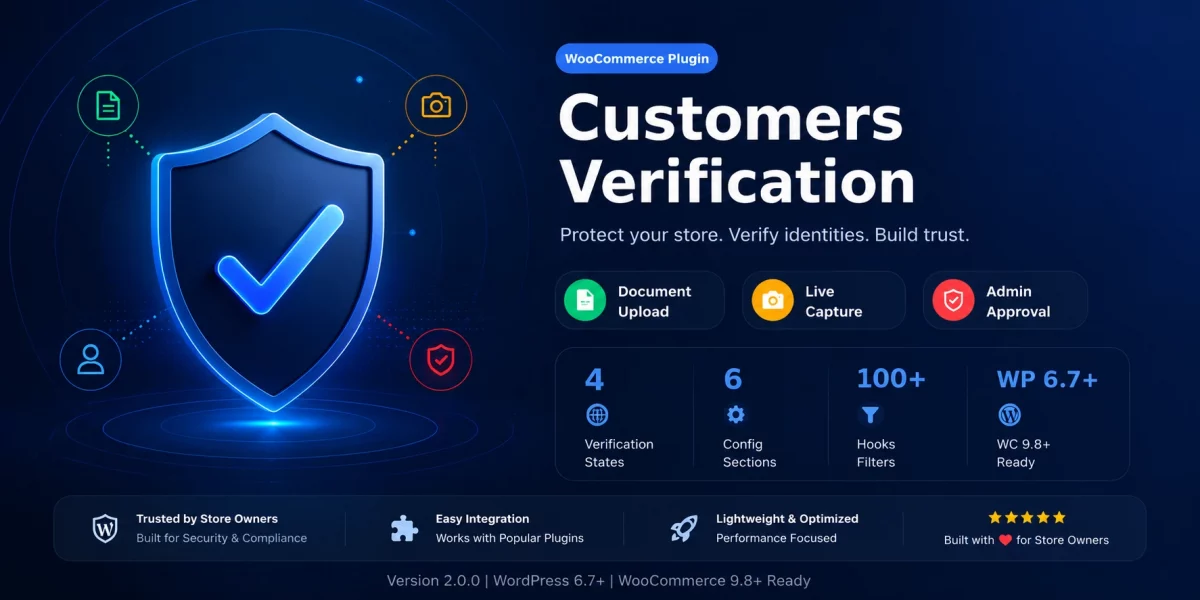
WooCommerce Customers Verification helps online stores prevent fraud by verifying customer identities before allowing purchases of protected products.
Fake accounts, stolen payment cards, and purchases of regulated goods can all create financial and legal risks.
By adding identity verification directly to WooCommerce, the plugin helps businesses build trust while protecting their stores.
This guide explains how customer verification works, why it matters, and the key features that help protect your WooCommerce store.

What Is WooCommerce Customer Verification?
WooCommerce customer verification is a process that confirms a customer’s identity before allowing purchases of selected products.WooCommerce provides a flexible framework for extending customer registration and checkout experiences through plugins and customizations.
With WooCommerce Customers Verification, customers upload identity documents during registration or from My Account.
Depending on your configuration, they can also upload a selfie or short verification video. Administrators review submissions and approve or reject them from a centralized dashboard.
Only verified customers can purchase products that require identity verification.
Why Identity Verification Matters for Your Store
Identity verification offers several benefits:
- Reduces fake customer registrations
- Helps prevent payment fraud and chargebacks
- Supports compliance for regulated products
- Builds trust with genuine customers
- Gives store owners complete control over protected purchases
Instead of blocking every shopper, verification applies only where needed.
How WooCommerce Customers Verification Works
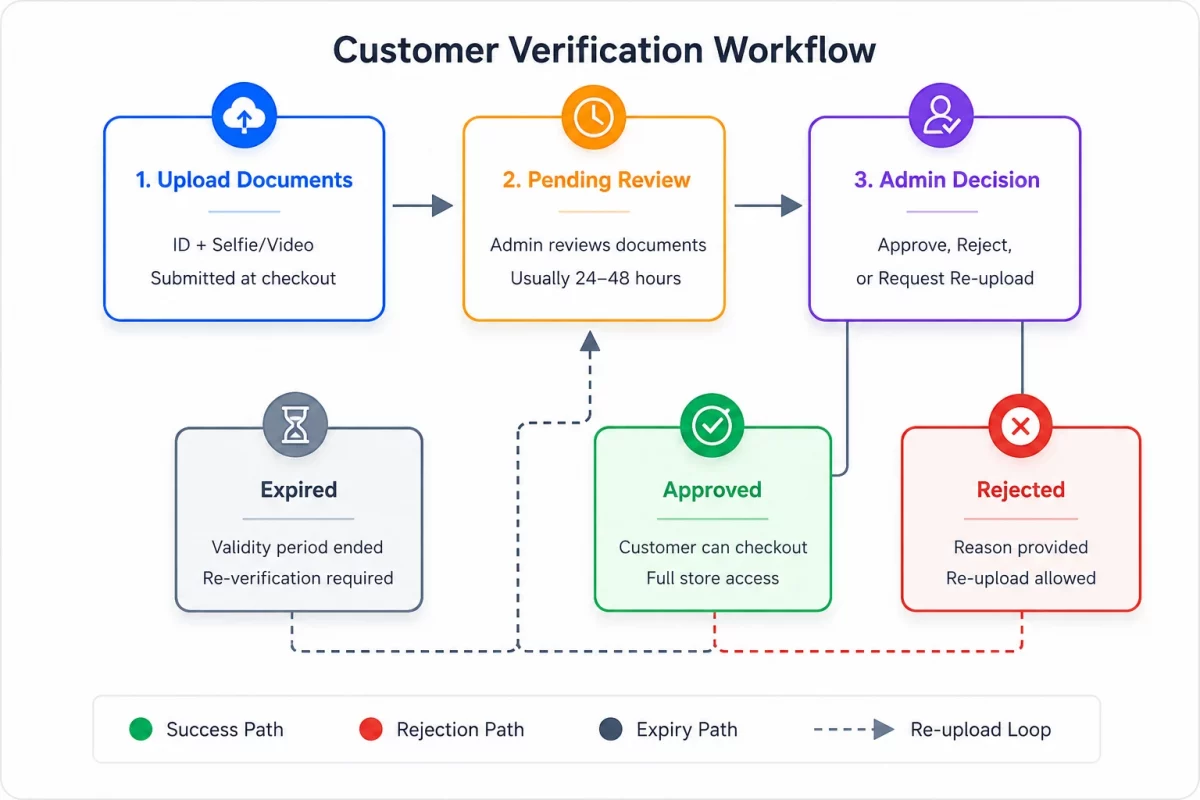
1. Customer registers or updates their account.
2. Identity documents are uploaded.
3. Optional selfie or video is submitted.
4. Verification status becomes Pending.
5. Admin reviews the submission.
6. Customer is Approved or Rejected.
7. Approved customers can purchase protected products.
The workflow is simple while keeping administrators in control.

Core Features That Make WooCommerce Customer Verification Stand Out
1. Identity Document Upload
Customers can upload one or multiple identity documents. Store owners define allowed document types, file size limits, and supported formats.
Server-side and client-side validation help ensure only valid files are accepted.
2. Selfie and Live Verification
For additional security, customers can upload a selfie or record a short video. This helps confirm that the person matches the submitted identity document.
3. Admin Approval Dashboard
Administrators review all verification requests from one dashboard.
They can:
- Approve requests
- Reject submissions
- Request new documents
- View uploaded files
- Manage verification status
This keeps the review process organized even for growing stores.
4. Product Verification Rules
Not every product requires identity verification.
Store owners can apply verification to:
- Individual products
- Product categories
- Product types
Products that do not require verification remain available to all customers.
5. Verification Expiry
Identity documents eventually expire.
The plugin allows administrators to define verification validity periods and request customers to renew their documents when required.
6. Email Notifications
Automatic email notifications keep customers informed whenever their verification status changes.
Real-World Use Cases of WooCommerce Customer Verification
Customer verification is valuable for stores selling:
- Age-restricted products
- High-value electronics
- Luxury goods
- Digital licenses
- Wholesale products
- Memberships
- B2B products
It can also reduce abuse of promotional offers by discouraging fake account creation.
Benefits for Store Owners
Using WooCommerce Customer Verification helps you:
- Reduce fraud
- Lower chargeback risks
- Improve compliance
- Protect high-value products
- Build customer trust
- Simplify verification management
Because the verification workflow is integrated directly into WooCommerce, administrators can manage everything from the WordPress dashboard.
Conclusion
Customer verification is becoming an essential part of modern eCommerce. It protects businesses from fraud while giving genuine customers a secure purchasing experience.
WooCommerce Customer Verification combines document uploads, optional facial verification, approval workflows, product-level restrictions, and verification expiry into a single WooCommerce solution.
If your store sells products that require identity verification, implementing a verification workflow can help reduce fraud, improve trust, and simplify customer management without adding unnecessary complexity.