Odoo Marketplace Multi Step Vendor Signup User Manual
Note: The User Guide describes the workflow of Odoo Marketplace Multi Step Vendor Signup only. To know how the base module: Odoo Multivendor Marketplace works; kindly refer to the User Guide Of Odoo Multivendor Marketplace.
INTRODUCTION
Simplify Signup with Our Redesigned Odoo Form!
Odoo Marketplace Multi Step Vendor Signup module allows you to customize the registration form to meet your specific needs and gather the necessary information. This initial step ensures you stay connected with your registered vendors.
Maintaining accurate vendor information is crucial. The registration form serves as the primary method to keep your vendor records up to date.
Before approving a vendor as a seller on your Marketplace, it’s essential to collect all necessary details to establish their credibility and trustworthiness.
FEATURES
- This module enables you to revamp the vendor signup form on Odoo Marketplace.
- Users can convert the original signup form into a multi-step registration process.
- The form features multiple steps with fields for vendors to complete.
- Each step functions as a Registration group, accommodating multiple fields.
- Clear headings categorize each step of the Odoo marketplace form.
- Users can also customize the sequence of each step from the Odoo backend.
- Easily incorporate additional fields into the form at any stage directly from the backend.
- Every field is configured as an attribute within the Odoo backend.
- Users have the flexibility to designate fields as mandatory or optional within the Vendor Multi-Step registration form.
- Enhance the user experience by providing helpful placeholder text for each field, guiding vendors through the form-filling process effortlessly.
INSTALLATION
- Once you purchase the App from the Webkul store, you will receive the link to download the zip file of the module.
- Extract the file on your system after the download finishes. As a result, you will be able to see a folder named- ‘marketplace_vendor_signup’.
- Copy and paste this folder inside your Odoo Add-Ons path.
- Now, open the Odoo Apps and then, click on the Settings menu. Here, click on Activate the Developer Mode.
- Then, open the Apps menu and click on the ‘Update Modules List’.
- In the search bar, remove all the filters and then, search ‘marketplace_vendor_signup’.
- As a result, you will be able to see the module in the search result. Click on ‘Install’ to install it.
WORKFLOW
Register as a Seller
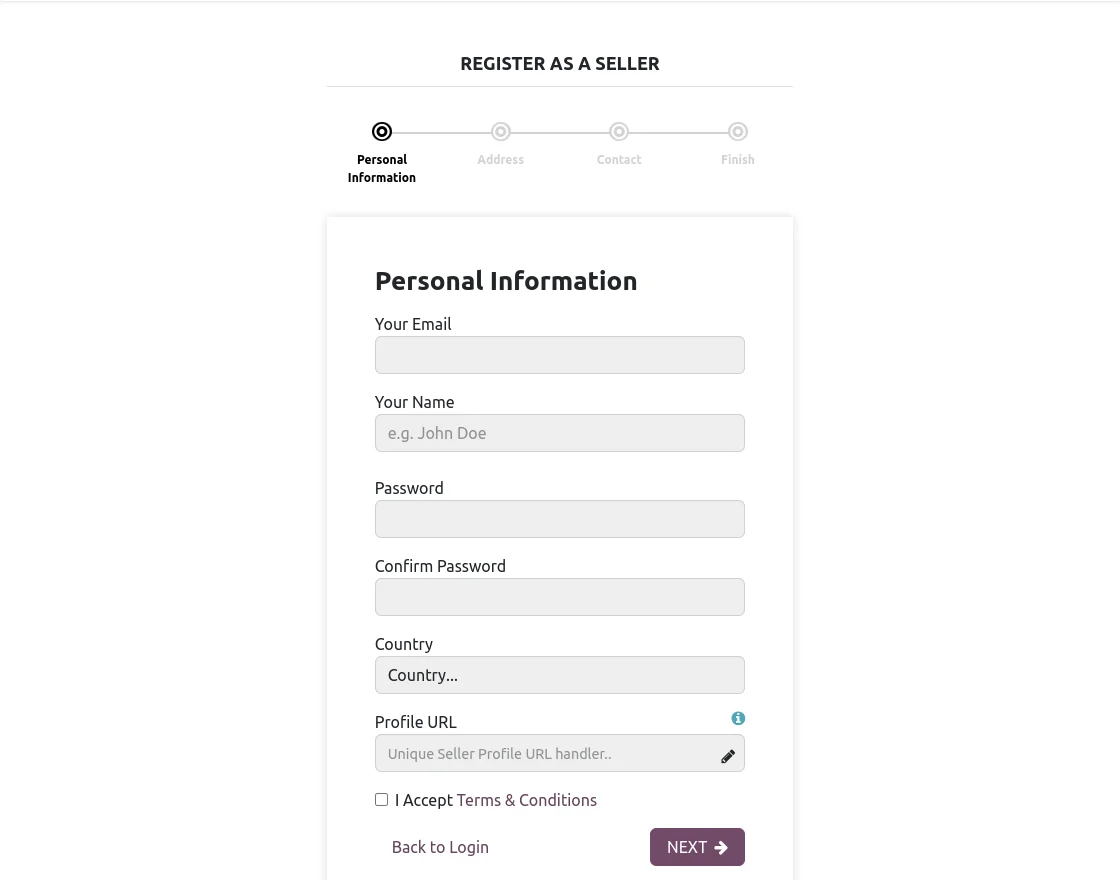
- The form guides the seller through a series of sequenced steps. First, the seller provides their personal information, then clicks the ‘Next‘ button to proceed to the following step.

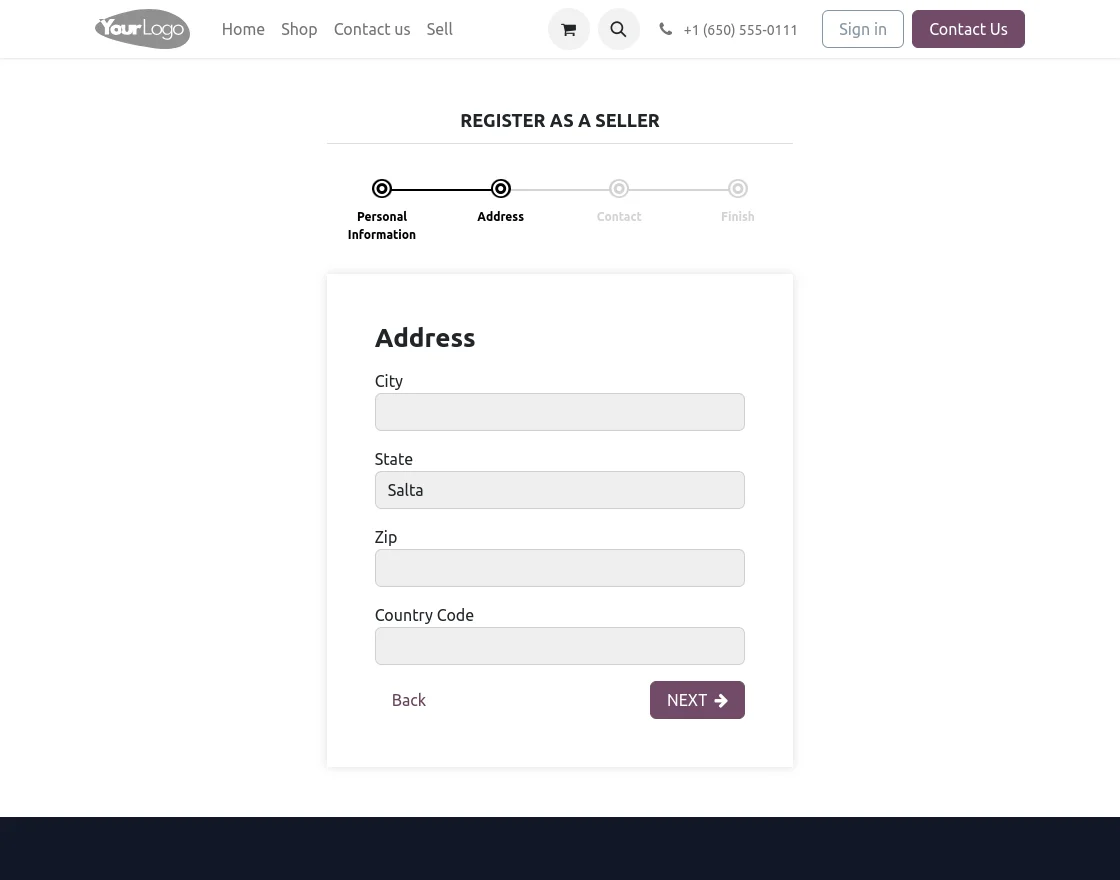
2. Now, enter the required information in the second step and click ‘Next’ to proceed to the following signup stage.
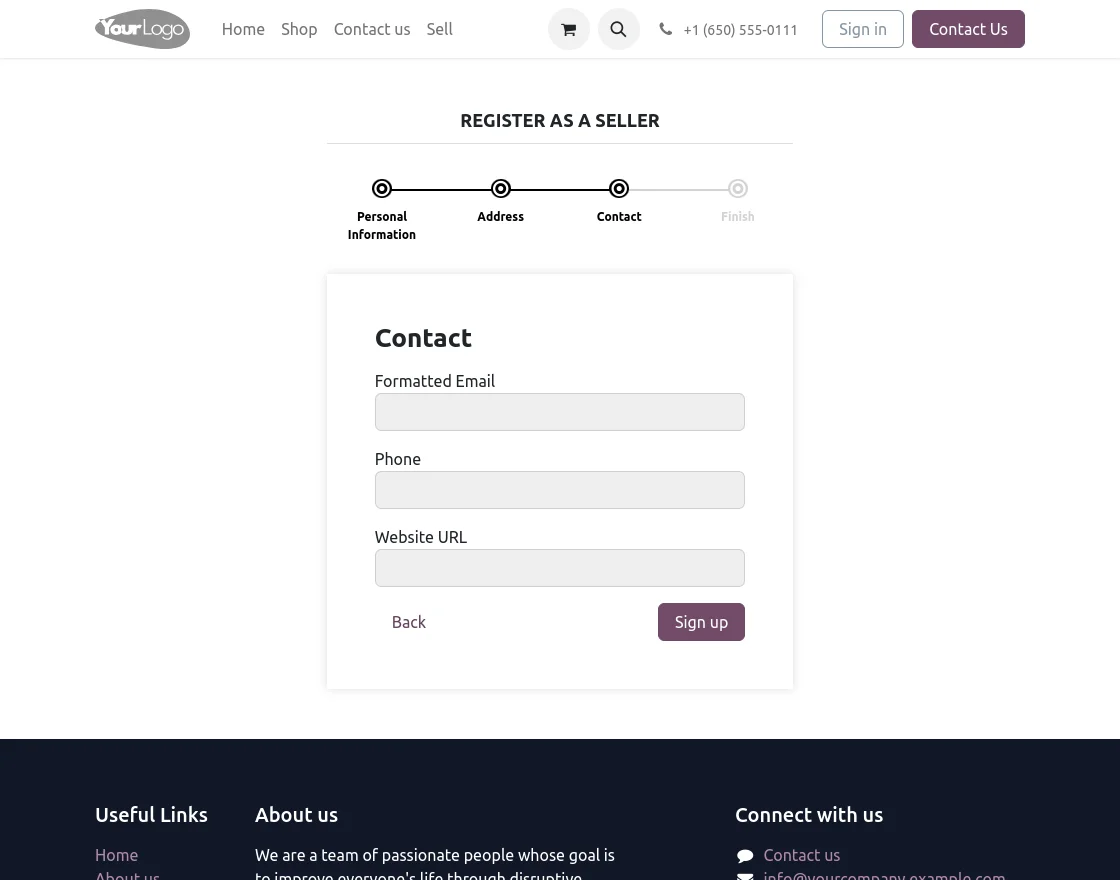
3. Add the ‘contact’ information and click the ‘Signup’ button.
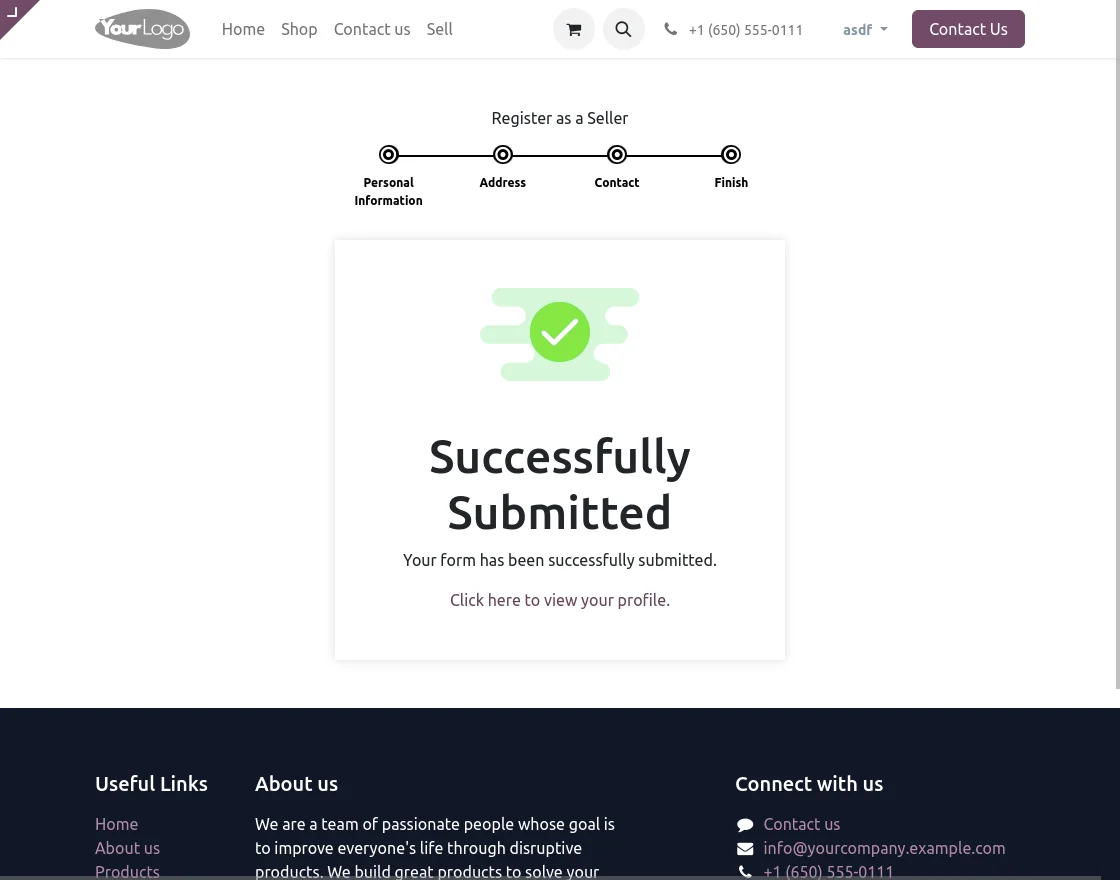
4. A pop-up will appear confirming your submission has been successfully received.
Admin View
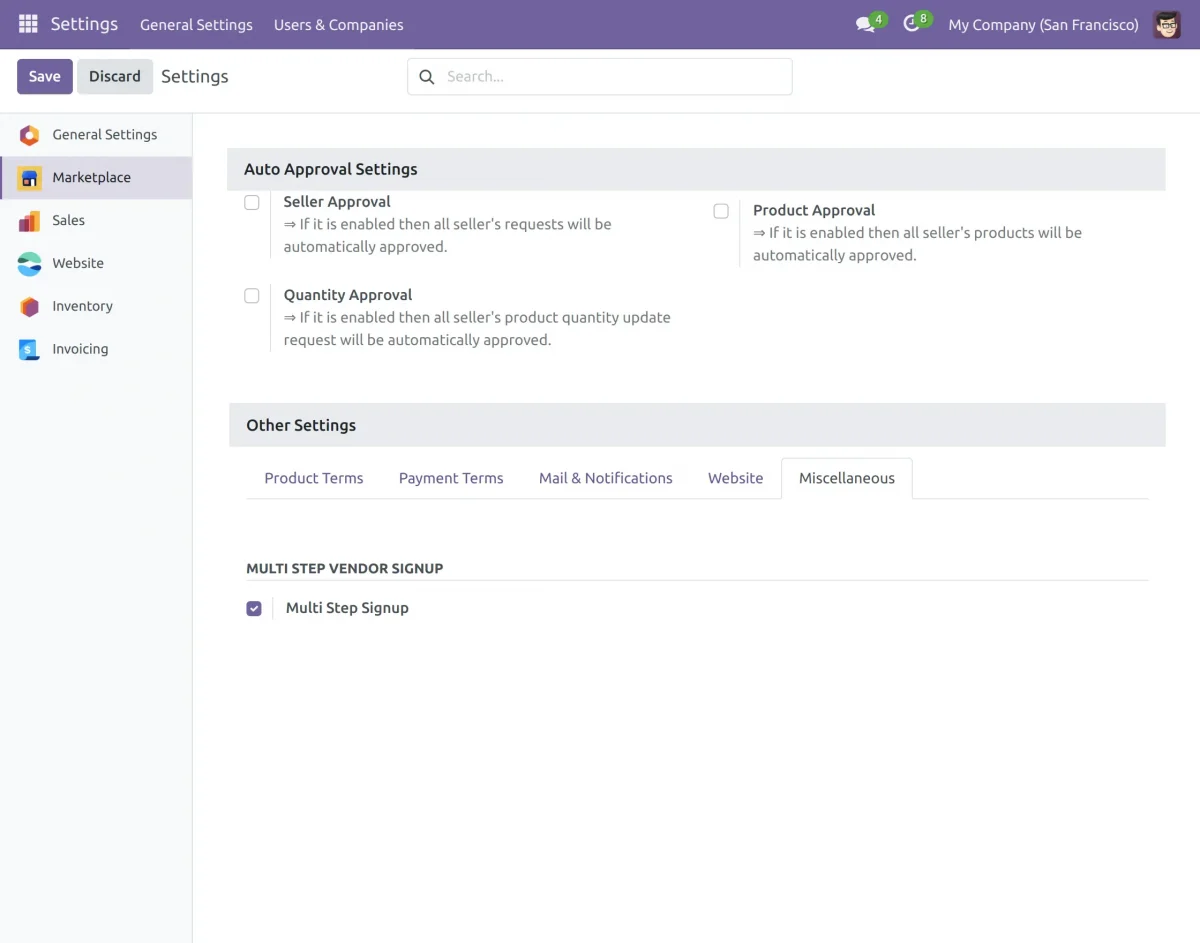
5. Log in as an admin, go to ‘Settings> Marketplace> Miscellaneous’ and enable the ‘Multi-Step Signup’ for sellers.

6. Administrators can easily create attributes directly from the backend to customize the registration form. Navigate to the Vendor Signup menu and access the Registration Attributes tab to get started.
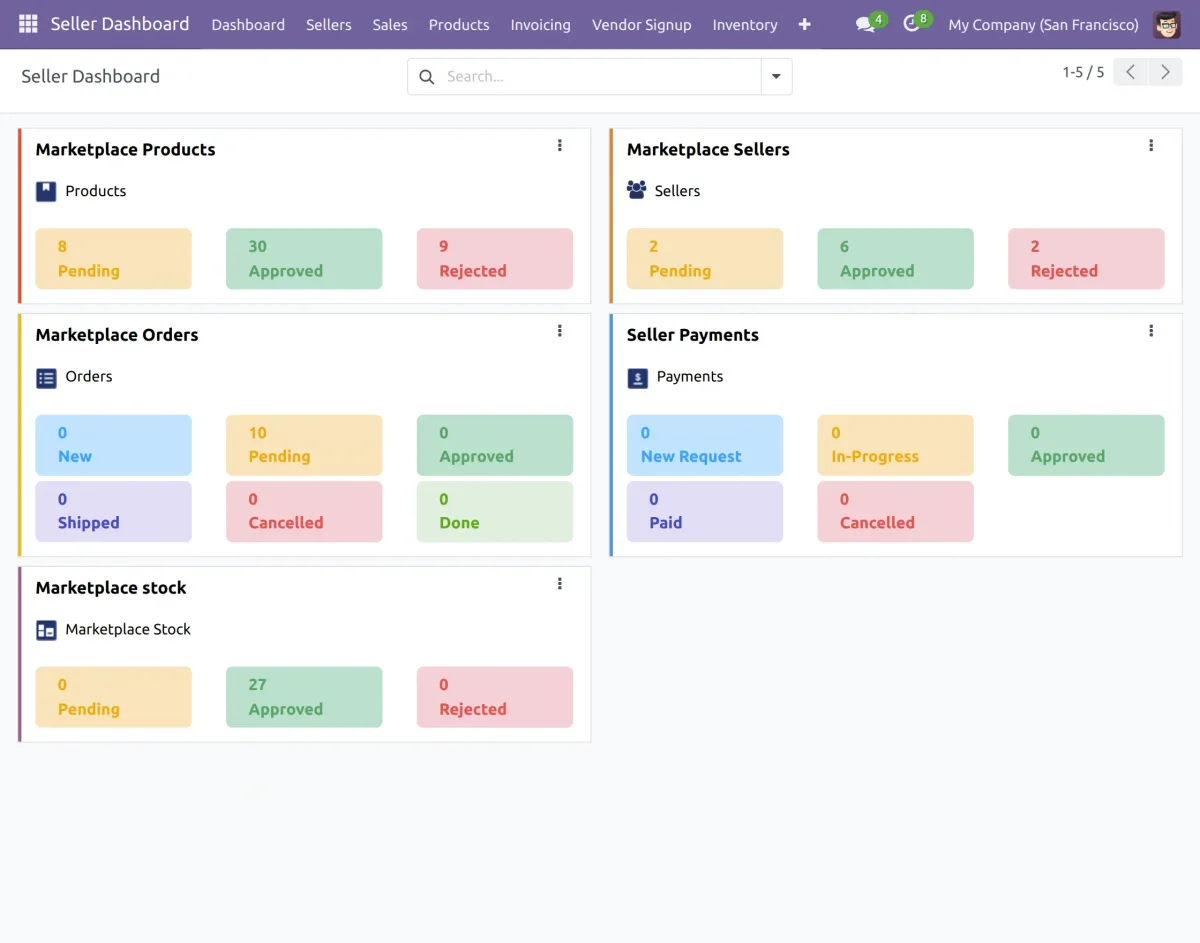
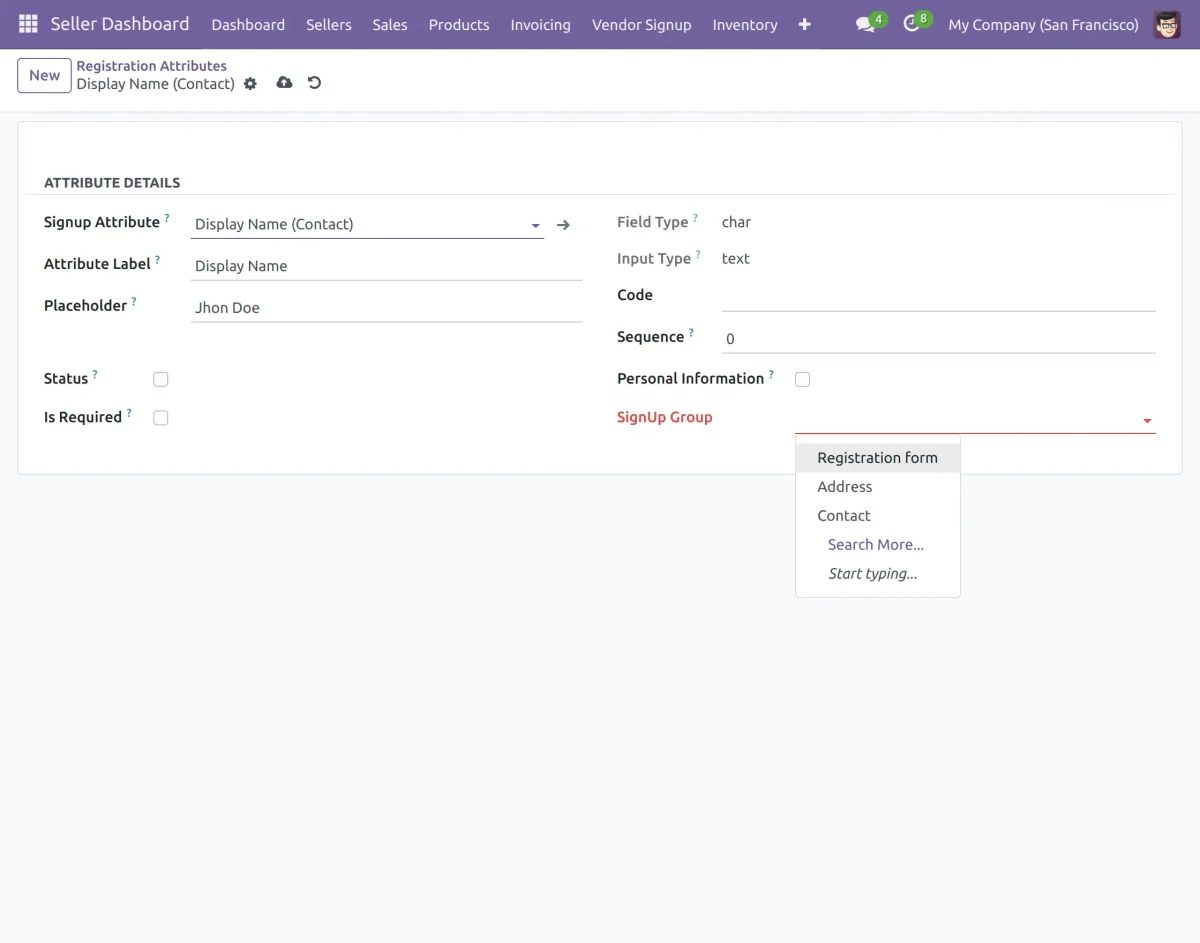
7. Create the attribute by clicking on the Create button.
8. Choose your signup attribute, input the attribute label and sequence, and mark the checkbox ‘Is Required‘ if it’s mandatory. Assign the attribute to a registration group, then save your settings with a click.
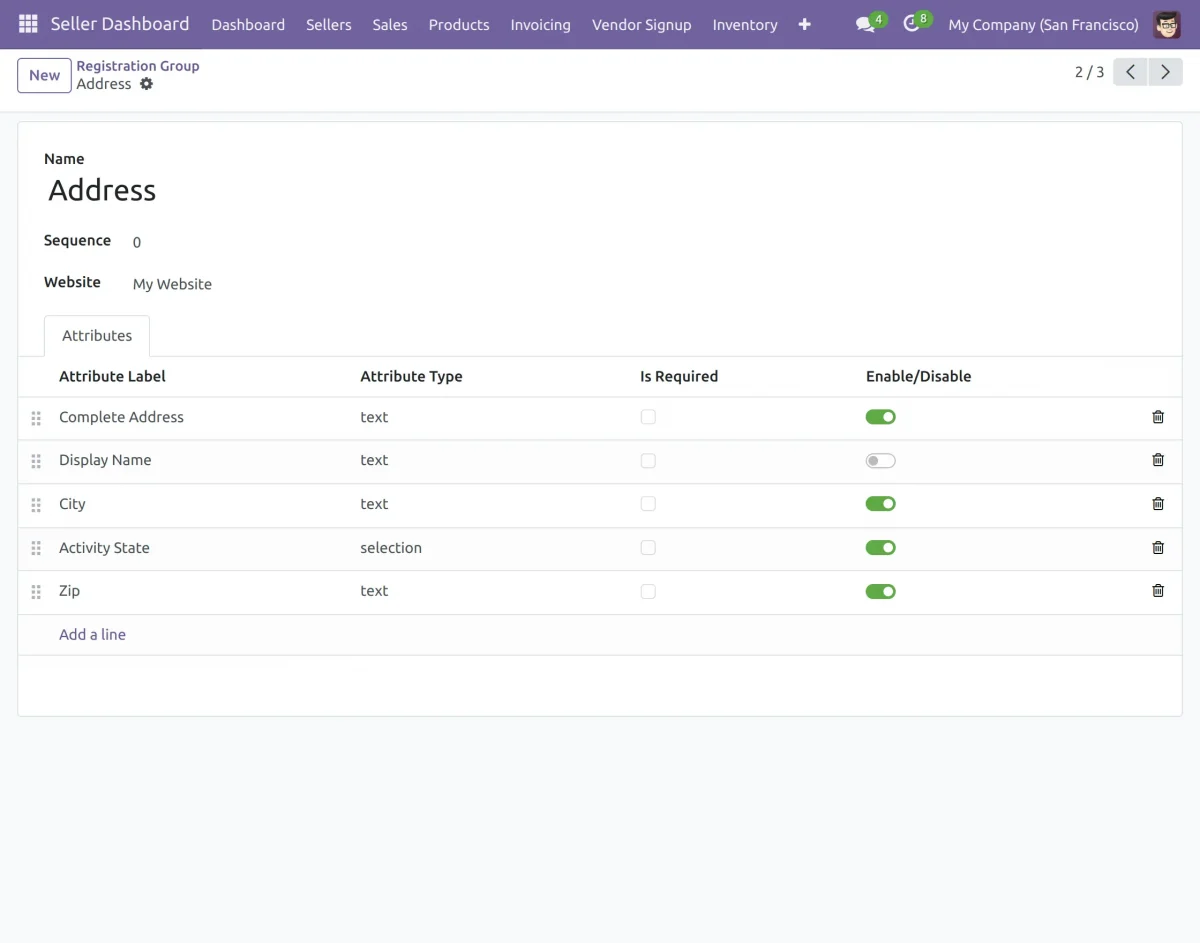
9. To get started, navigate to the Registration Groups tab within the Vendor Signup menu. Next, click on the Create button to begin setting up a new Registration Group.
10. Easily customize your registration group by adding group names, sequences, and required attributes with a simple click using the “Add a Line” tab.
11. Enable or disable registration groups on the website with a simple click using the Activate/Deactivate button.
NEED HELP?
If you have any issues/queries regarding the module please raise a ticket at UvDesk.
Did you find the guide helpful? Please feel free to share your feedback in the comments below.
For any doubt contact us at support@webkul.com.
Thanks for paying attention!!