User Guide For CS-Cart – EU Price Indication Directive
Table of Content
CS-Cart-EU Price Indication Directive module allows customers to view the product’s minimum price and compare it with the current price.
The admin can set the duration in days to display the minimum price for that time range.
The admin can also configure the cron to automatically display the minimum price and specify the frequency with which the cron is activated – daily, weekly, or monthly.
Check the video mentioned below for an overview of the extension:
Features
- Well integrated with CS-Cart/CS-Cart Multivendor.
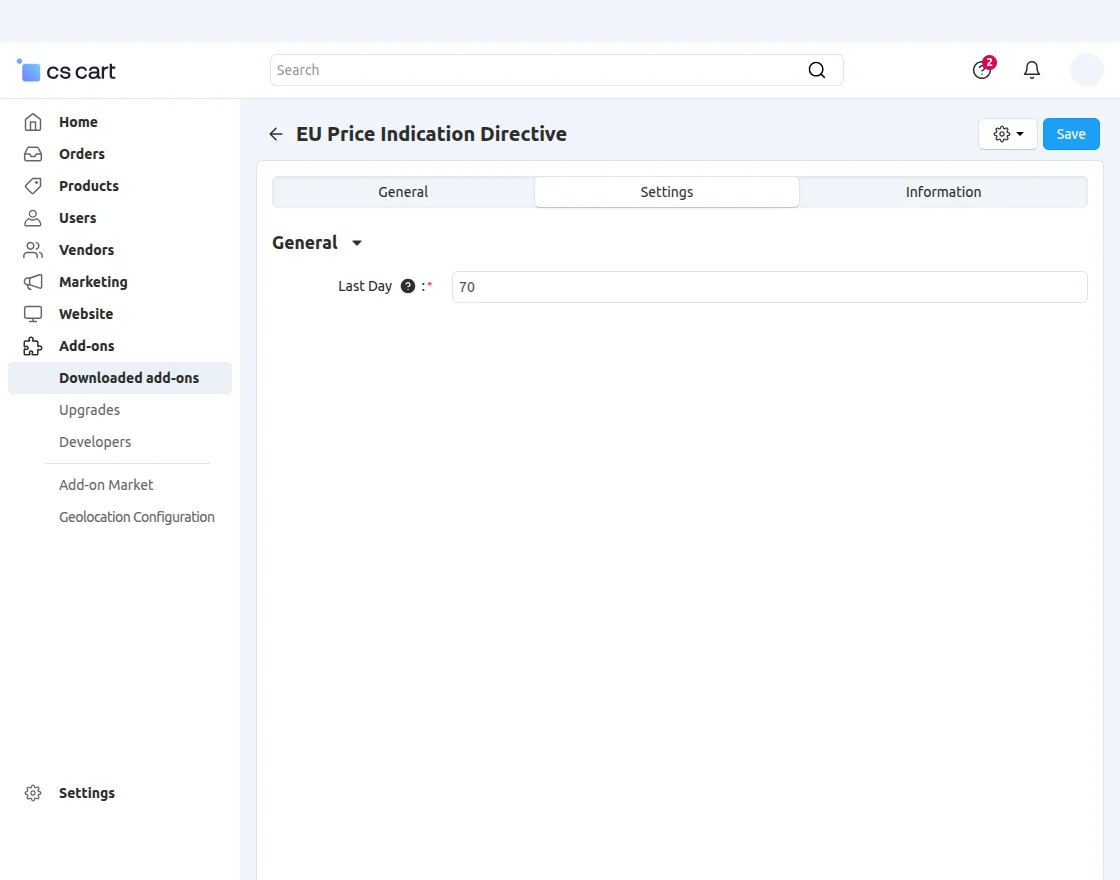
- Admin can set between(1-90)days.
- Customers can make a comparison of the latest price from the last selected days.
- Admin can set the price of any product
- If Admin can set 0 prices for any product, then no price will show on the front end.
- Customers can make a comparison of prices from previous days
- Sellers can also set the lowest price for any product.
How To Upload And Install The Add-on
After downloading the CS-Cart EU Price Indication Directive add-on, you’ll get the zip file, an install.txt file, and a relevant User Guide manual doc.
Read it carefully for proper configuration. Go to Manage Add-ons, and click on the settings icon as shown below in the snapshot.

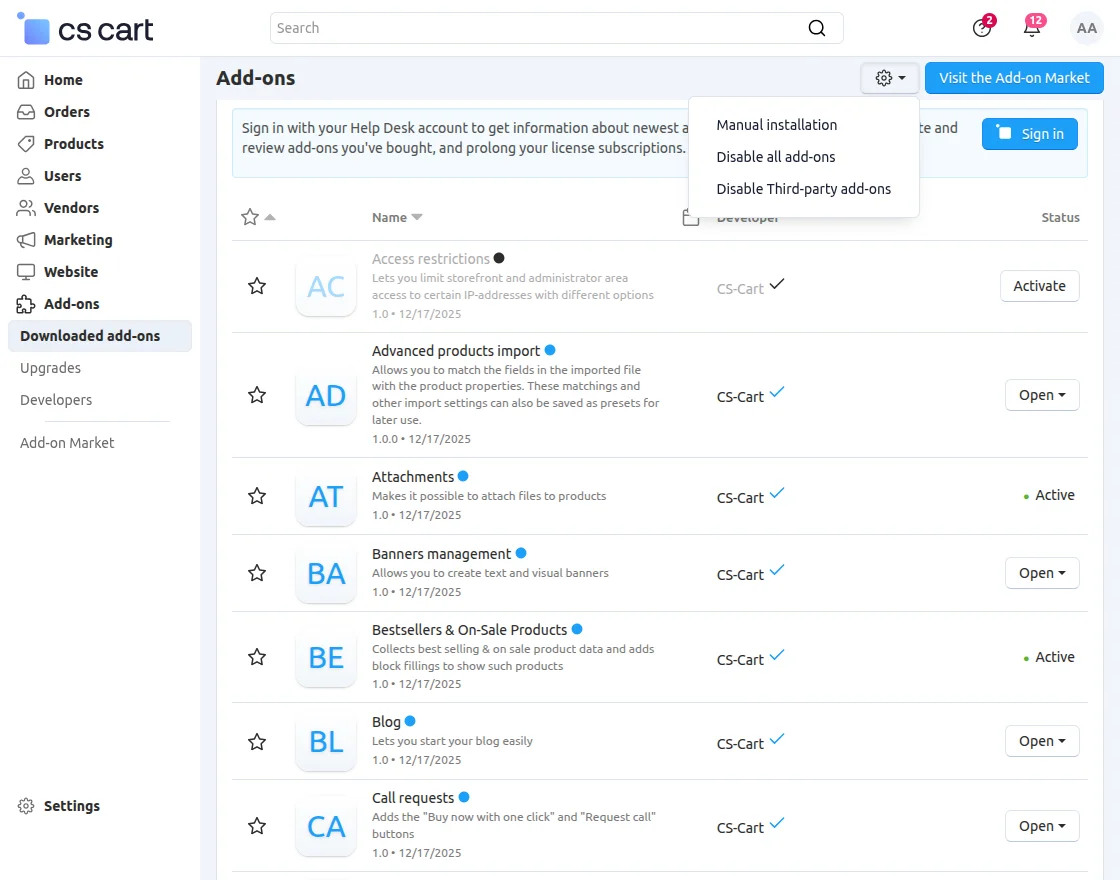
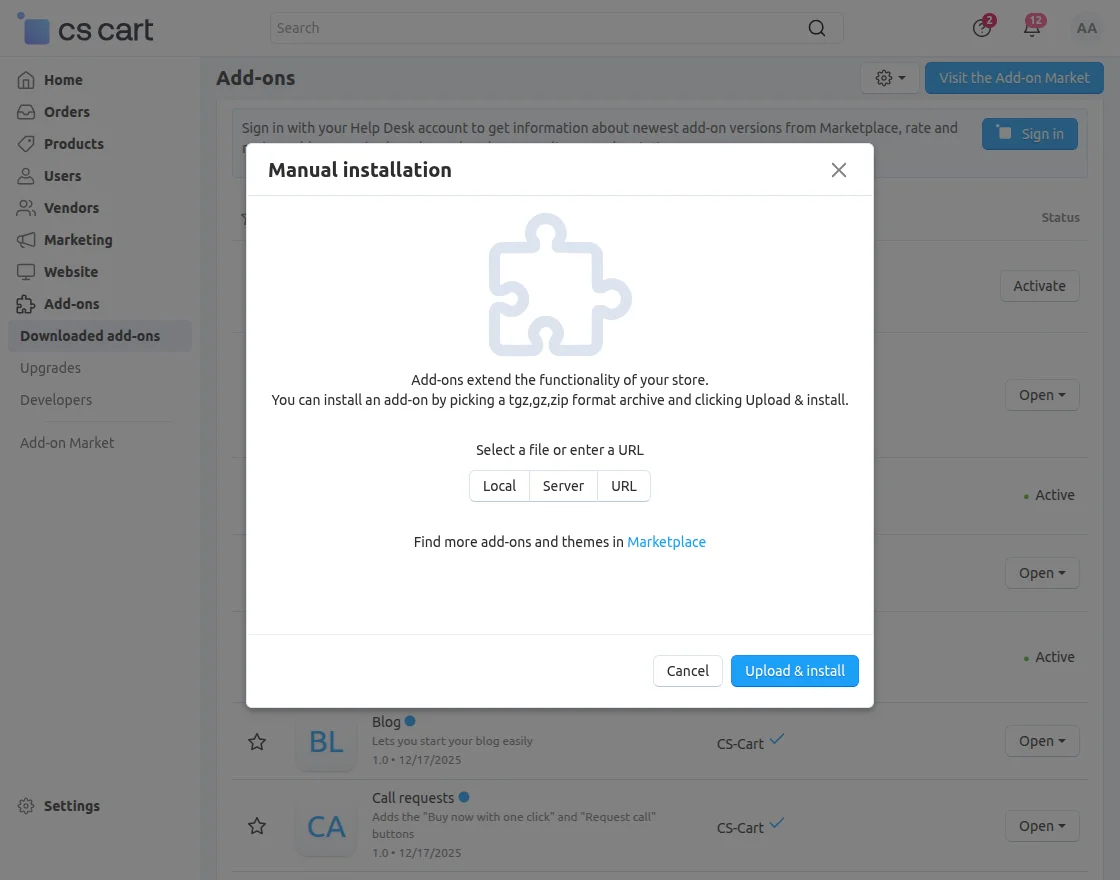
Click on “Manual installation” to browse the zip file and then click on “Upload & Install” as shown below in the snapshot.
Add-On Configuration
After the add-on installation, we need to configure the settings.
For that admin needs to click on the EU Price Indication Directive, and then a new tab will open for configuration.
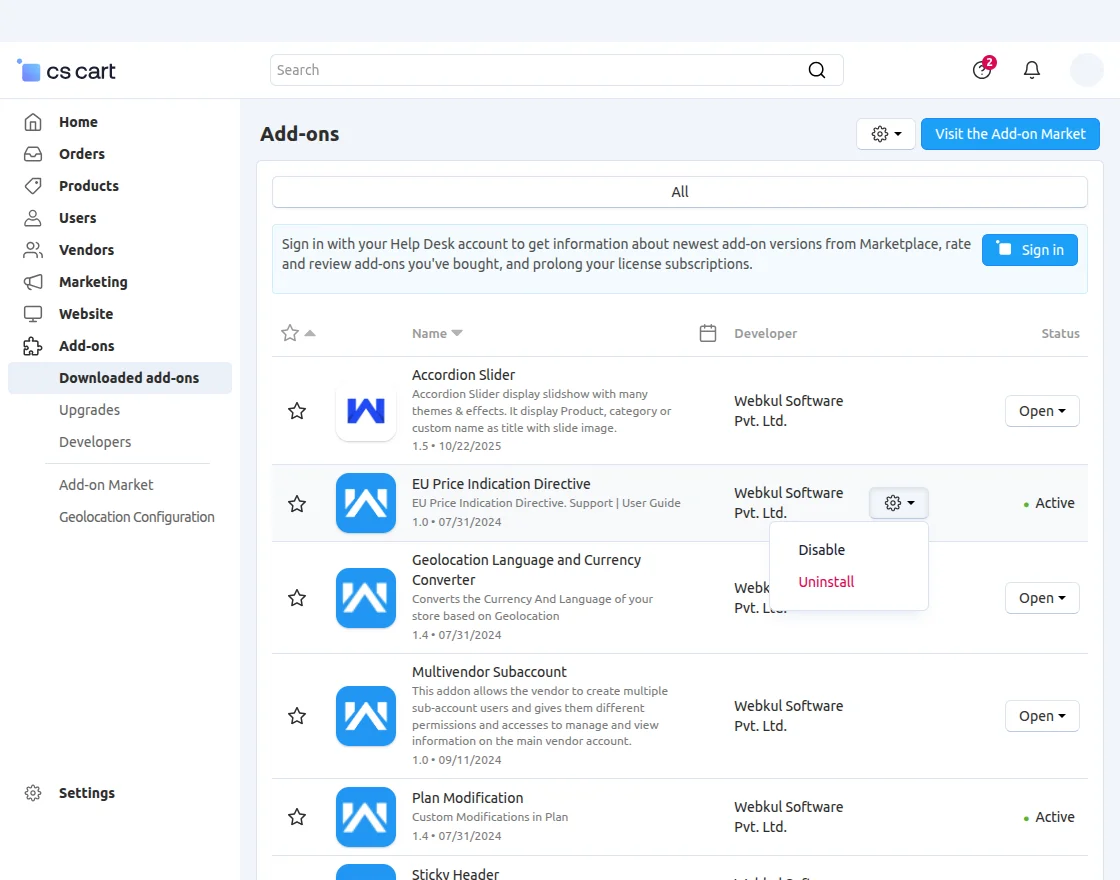
In the add-on configuration setting, the Admin can select the “Last Day” to make the comparison of current prices to the selected last-day price.
Admin can select the product to make any changes and change the price for any advertisement or promotional purpose.
Front View
Here, customers can see the lowest price in the last selected days, as shown image below:


Support
For any further query, feel free to contact us at http://webkul.uvdesk.com.
Please explore our Cs-Cart Development Services and Quality CS-Cart add-ons.