Quick Commerce on Shopify: Website, Theme & Marketplace
Table of Content
Quick commerce on Shopify is how many brands now respond to changing customer habits.
Ten years ago, customers were happy to wait two days for a parcel. Today, they expect groceries, medicines, gifts, and gadgets at their doorstep in just 10 to 30 minutes.
That shift has a name: quick commerce, and it is changing how brands approach online retail.

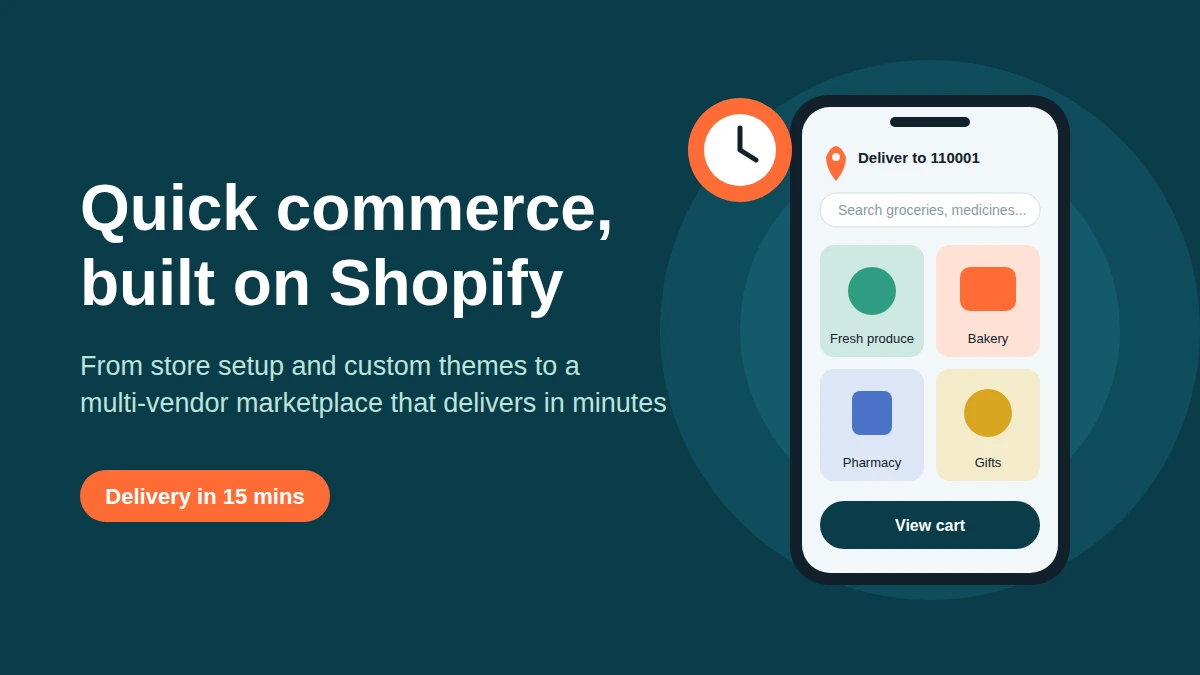
This guide explains how to build a quick commerce business on Shopify, step by step.
If you are planning to launch a quick commerce business or add fast delivery to an existing brand, one question comes up repeatedly: What should you build it on?
In this guide, we will explore how Shopify supports quick commerce and why theme development matters more than most founders expect.
We will also explain how to transform a single Shopify store into a multi-vendor marketplace using the Webkul Multivendor Marketplace app.
Whether you are starting from scratch or upgrading an existing store, the goal is simple: to help you make clear, informed decisions before investing in development.
What Is Quick Commerce, Really?
Quick commerce (q-commerce) is an evolution of e-commerce built around speed and proximity.
Instead of shipping from a distant warehouse, orders are fulfilled from nearby stores, dark stores, or local sellers, so delivery happens in minutes, not days.
A successful quick commerce experience usually rests on four pillars:
- Hyperlocal availability: customers only see products that can actually be delivered to their pincode or area.
- Fast, frictionless ordering: few taps from landing page to payment, especially on mobile.
- Real-time inventory: nothing frustrates a buyer more than paying for an item that is out of stock.
- Reliable fulfilment: whether by your own riders or local sellers, orders must move quickly and predictably.
Notice that only one of these is about logistics.
The other three are about how your store is designed, built, and managed, and that is where your choice of platform and development approach makes the difference.
Why Quick Commerce on Shopify Works So Well
Many founders assume quick commerce needs a fully custom-coded platform. In practice, a large number of them start on Shopify, and for good reasons:
- Speed to market. You can go live in weeks rather than months, which matters when you are testing demand in a new city or category.
- Reliable hosting and checkout. Shopify handles uptime, security, and a well-tested checkout, so your team can focus on operations.
- Flexible architecture. Themes, apps, metafields, and APIs let you extend the store far beyond a basic template.
- Strong ecosystem. Payment gateways, shipping and delivery tools, ERP and inventory integrations are easy to plug in.
- Mobile-first by nature. Since most quick commerce orders come from phones, a platform that handles mobile performance well is a real advantage.
The catch? A default Shopify setup is not a quick commerce store. It needs to be planned and shaped for this model, and that starts with how the store is developed.
Plan Your Quick Commerce on Shopify Store for Speed
Good Shopify store development begins long before any code is written. Before you pick a theme or install a single app, get clarity on these basics:
1. Your catalog and categories. Quick commerce customers shop by need (“breakfast”, “cold and flu”, “party snacks”), not by long product lists.
Structure collections and navigation around how people actually search.
2. Your delivery model. Will you run your own dark stores, rely on partner sellers, or both?
This single decision shapes your inventory logic, your checkout rules, and whether you need a marketplace at all.
3. Your service area. Pincode or location-based serviceability checks should appear early, ideally before a customer adds anything to the cart.
4. Payments and checkout. For Indian audiences, UPI, cards, wallets, and cash on delivery are often expected. Plan them from day one rather than patching them in later.
5. Store performance. Page speed is non-negotiable here. Compress images, limit heavy apps, and keep scripts lean. A slow store defeats the purpose of fast delivery.
6. Integrations. Inventory sync, order routing, rider or delivery partner tools, WhatsApp or SMS notifications, and analytics should all be mapped out before development starts.
A store planned this way costs less to fix later, because the expensive mistakes (wrong data structure, wrong app stack) are caught on paper instead of in production.
Why Custom Themes Matter for Quick Commerce on Shopify
Shopify’s ready-made themes are a great starting point, and for a simple brand store they may be enough. But quick commerce has needs that most templates simply do not cover.
Custom theme development lets you build the shopping experience around your model, for example:
- Location and pincode selector in the header, so customers see only deliverable products.
- Delivery time badges (“Arrives in 15 mins”) on product cards and the cart.
- Quick add-to-cart from collection pages without opening product pages.
- Sticky mini-cart and one-tap reorder for repeat purchases, which are the lifeblood of quick commerce.
- Category-first homepage with horizontally scrollable collections, designed for thumbs, not mice.
- Smart search with suggestions, spelling tolerance, and recently searched items.
- Seller or store information on product pages when multiple vendors are involved.
Behind the scenes, a well-built custom theme uses Shopify’s Online Store 2.0 architecture.
It includes reusable sections and blocks that your team can edit directly through the theme editor, without needing a developer every time.
Clean Liquid code keeps the theme organised, while metafields store additional product information, such as preparation time and storage type.
Shopify’s own developer documentation covers theme customization in depth, and a good development partner will build on those standards rather than working around them.
A quick test: if a customer cannot find, add, and pay for an item in under a minute on a mid-range phone, the theme is not ready for quick commerce, however good it looks.
From Single Store to Multi-Vendor Marketplace
Here is where many quick commerce plans either scale or stall.
If you stock and deliver everything yourself, you carry all the inventory, all the cost, and all the risk.
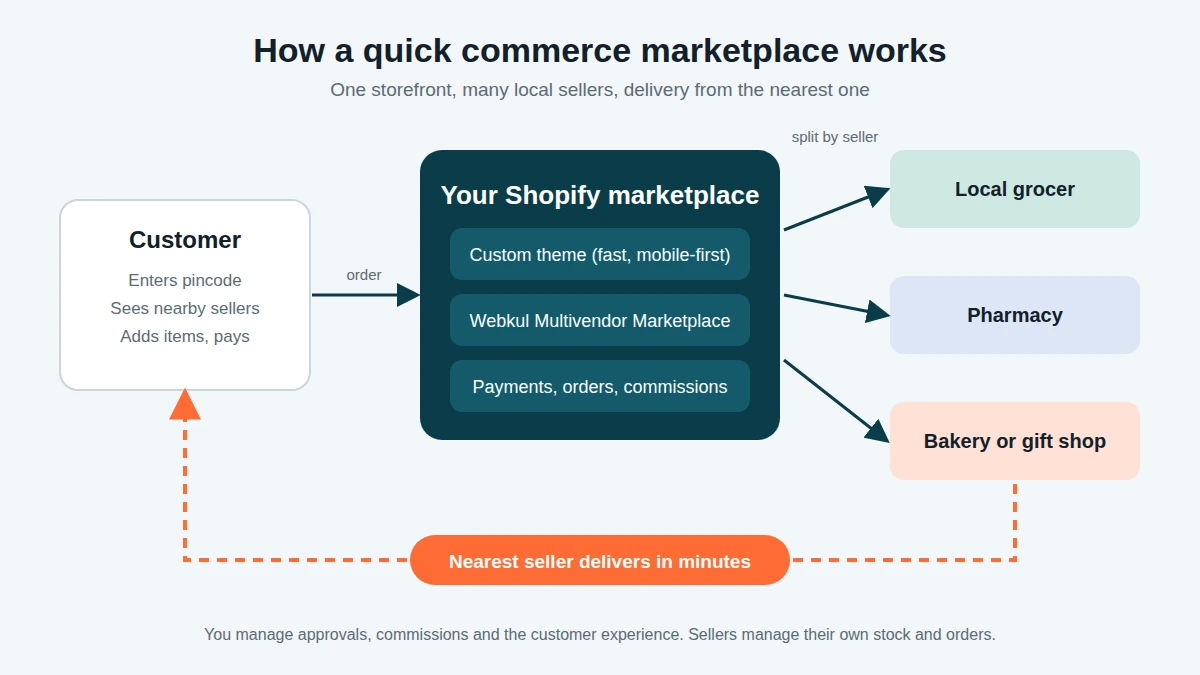
A marketplace model works differently. You invite multiple local sellers to list their products on your platform. You manage the customer experience, commissions, and overall relationship.
This suits quick commerce well because:
- Sellers are already close to customers, which supports hyperlocal, fast delivery.
- Your catalog grows without you buying inventory.
- You earn through commission instead of carrying stock.
- You can expand into new areas by onboarding sellers there, not by building new warehouses.
Shopify does not offer multi-vendor functionality out of the box, and this is exactly the gap that a marketplace app fills.
Meet the Webkul Multivendor Marketplace App for Shopify
The Webkul Multivendor Marketplace app is designed to convert a standard Shopify store into a full marketplace where many sellers can run their own shops under your brand.
Here is how it supports a quick commerce business.
Onboarding multiple sellers
Sellers can register through a dedicated sign-up flow, submit their details, and be reviewed and approved by you as the admin.
This gives you control over quality, which is crucial when customers expect speed and reliability. You decide who gets to sell on your marketplace.
Seller dashboards and product management
Each seller gets their own panel to add and manage products, update stock and prices, and handle their own orders.
For quick commerce, where stock changes by the hour, sellers being able to keep inventory current without your team’s help is a major operational win.
Seller profile and storefront pages
Every vendor can have a profile or shop page, so customers know who they are buying from. Trust builds faster when buyers can see seller details, ratings, and their other products.
Commission and payout management
You configure how much commission the marketplace earns, and the app helps you track seller earnings and payouts. Transparent accounting keeps sellers happy and keeps your finance team sane.
Order management across vendors
A single customer cart can contain products from different sellers. The system keeps those orders organized so each seller sees and fulfils their own part, while you keep the overall view.
Location-based, hyperlocal selling
Webkul also offers hyperlocal marketplace capabilities for Shopify, which let customers see sellers and products available in their area.
This is the feature that makes the marketplace behave like a true quick commerce platform rather than a generic multi-seller store.
Admin control
From approving sellers and products to managing commissions and policies, the admin retains control of how the marketplace runs, so growth does not mean losing oversight.
Note: exact features and plan options vary by app version, so it is wise to confirm the current feature list against your requirements before finalizing your build.
How the Marketplace Build Works: A Simple Roadmap
Converting a Shopify store into a quick commerce marketplace is easier when you break it into clear stages:
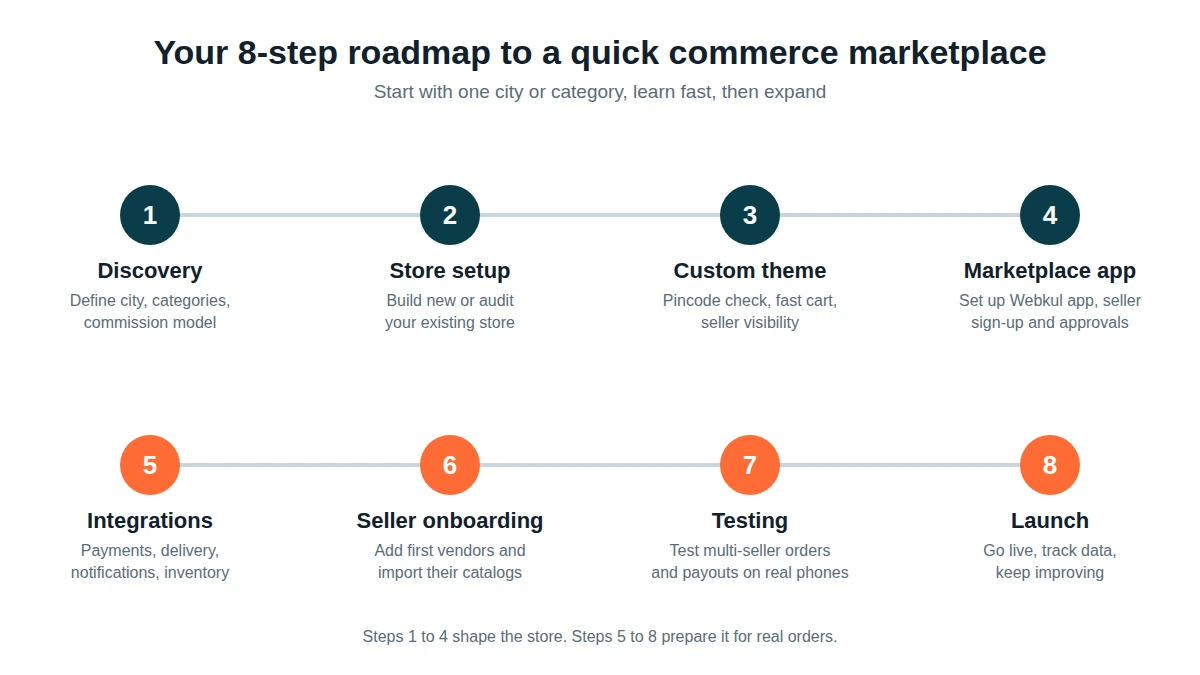
- Discovery and planning. Define your categories, delivery radius, seller types, commission model, and launch city.
- Store setup or audit. Build a fresh Shopify store, or review your current one for speed, structure, and app conflicts.
- Custom theme development. Design and build the front end around quick commerce behavior: pincode checks, fast cart, seller visibility.
- Marketplace app installation and configuration. Set up the Webkul Multivendor Marketplace app, seller registration, commission rules, and approval workflow.
- Integrations. Connect payments, shipping or delivery partners, notifications, and any inventory or ERP tools.
- Seller onboarding. Add your first set of vendors, train them on the dashboard, and import their catalogs.
- Testing. Place test orders across multiple sellers, check payouts, test on real phones and slow networks.
- Launch and optimization. Go live, watch the data, and keep improving search, speed, and conversion.
The businesses that do well tend to launch with one city or one category, learn quickly, and then expand.
Common Mistakes to Avoid
- Installing too many apps. Every extra app can slow your store. Choose carefully.
- Ignoring mobile. Design and test for phones first.
- Onboarding too many sellers too early. Start with a small number of reliable vendors and grow.
- Skipping the commission and payout design. Decide it before launch, not after the first dispute.
- Treating the theme as an afterthought. A generic theme will make your marketplace feel like every other store.
- Underestimating post-launch support. Marketplaces evolve constantly, so plan for ongoing maintenance.
What Affects the Cost?
There is no single price for a Shopify build, because every project is different. These are the factors that move the number most:
- Whether you are building a new store or upgrading an existing one
- Level of theme customization (modified template vs fully custom)
- Number of integrations (payments, logistics, ERP, CRM)
- Marketplace complexity (number of seller features, commission rules, hyperlocal setup)
- Data migration and catalog volume
- Ongoing support and maintenance needs
The smartest first step is a short scoping conversation. It saves you from both overpaying for features you do not need and underbuilding the ones you do.
Is Quick Commerce on Shopify Right for You?
It is worth serious consideration if:
- You want to sell across many categories without holding all the inventory yourself
- You have access to local sellers or want to build a network of them
- You are targeting a specific city or neighborhood with fast delivery
- You want a scalable model where growth comes from adding sellers, not warehouses
If you are still unsure, that is completely fine. Many of the best marketplaces started as a simple Shopify store and evolved once the founder understood their customers better.
Planning a Launch for This Black Friday Season?
Black Friday is one of the biggest shopping events of the year. Brands that prepare early with faster pages, smoother checkout, better navigation, and clear offers are more likely to succeed.
If you have been thinking about building or upgrading your Shopify store, or turning it into a marketplace, now is a sensible time to start.
Our team specialises in Shopify store development, custom theme development, and multi-vendor marketplace development.
“You can explore our Shopify store development services, custom theme development, and multi-vendor marketplace development services to see how we work.”
We would be happy to review your idea and suggest the right approach, even if you are still in the planning stage.
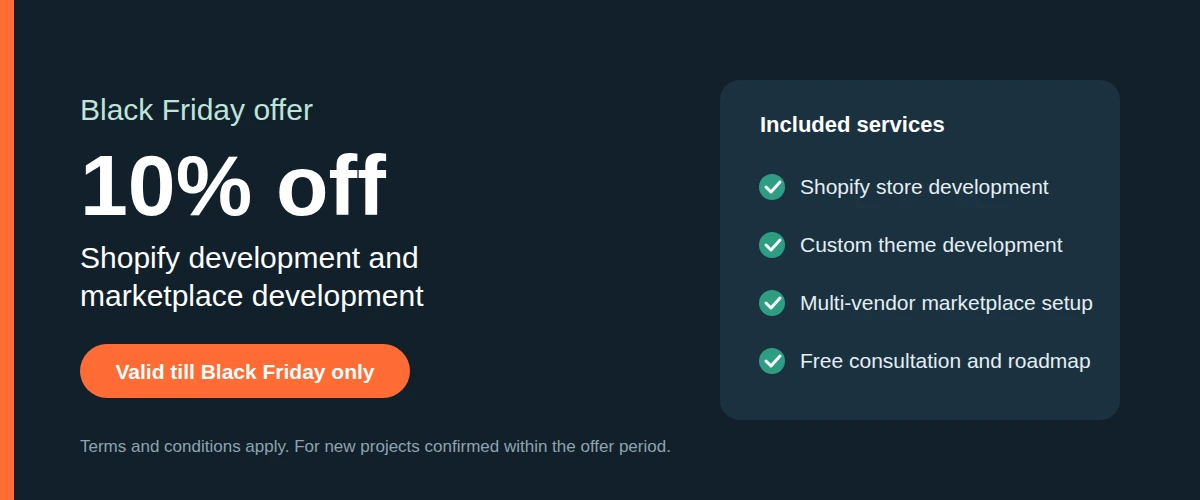
Black Friday offer: enjoy 10% off on our Shopify development and marketplace development services. Valid till Black Friday only.

Ready to talk? Share your idea with us for a free consultation and a clear roadmap for your Shopify store or quick commerce marketplace.
Terms and conditions apply. The offer applies to new projects confirmed before the offer period ends.
Final Thoughts
Quick commerce is not a passing trend. It reflects a lasting change in what customers expect from online shopping.
Shopify provides a fast and dependable foundation for your store. Custom theme development creates an experience tailored to your business model.
With a multi-vendor marketplace app like Webkul’s, you can expand your business by onboarding sellers instead of managing all the inventory yourself.
Get the planning right, start focused, and build for speed, and you will be in a strong position to compete not just this Black Friday, but long after it.
Support
If you need any kind of support/assistance, then kindly raise a ticket at http://webkul.uvdesk.com/ or drop a mail at support@webkul.com