Prestashop Product Custom Field
Prestashop Product Custom Field allows you to provide additional product information to your customers by adding custom fields to your product pages.
Add different types of fields like text, text area, checkbox, file type, radio button, dropdown, and TinyMCE to make your product pages more informative.
- Add as many custom fields as required and showcase them on product pages.
- Add product custom field data to products via CSV
- File field type to provide a user manual for products that require instructions to use.
- Support file types like gif, jpg, png, jpeg, doc, PDF, and zip.
- Easily add, edit, delete, enable, or disable the custom fields.
- Enhance engagement and boost conversions with detailed product pages.
Note: Prestashop Product Custom Field module is compatible with multi-store feature of PrestaShop.
Check the video mentioned below for an overview of the workflow of this extension:
Features of Prestashop Product Custom Field
- Add multiple custom fields on the product page: text, text area, checkbox, file type, radio button, dropdown, and TinyMCE.
- Add custom fields to multiple products at once by uploading a CSV file.
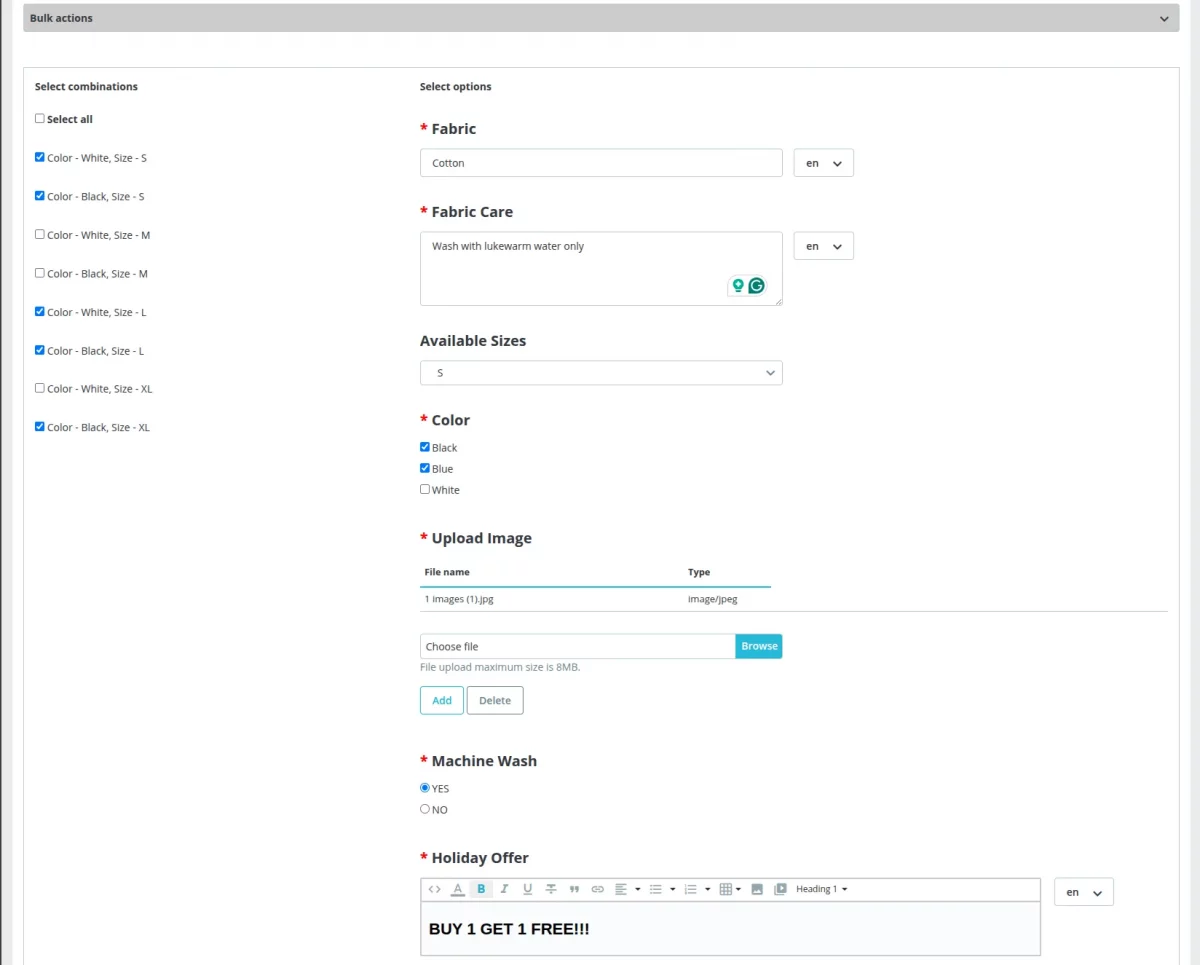
- Set custom field value for multiple combinations of a product at once using bulk actions feature.
- Set text, email, or number to validate the fields(text and text area).
- Add custom fields(text and text area) in multi-language.
- Enable/disable or edit/delete the custom fields.
- Admin can set the character limit within which an admin can enter the text in the field.
- Add various types of image and document files to provide extra information.
How to Install Prestashop Product Custom Field
- Go to Modules -> Module Manager -> Upload a module.
- After that, drag and drop the module file or select the file from the system
- In this way, the module installation will be successful.

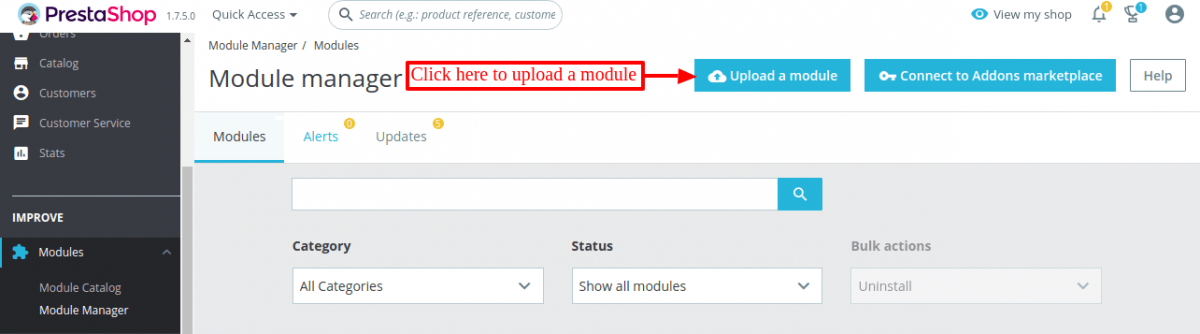

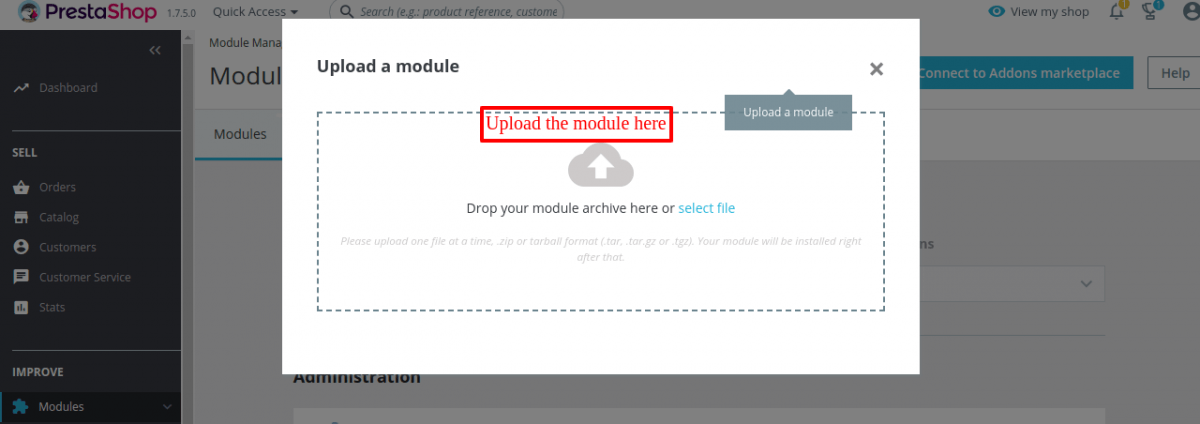

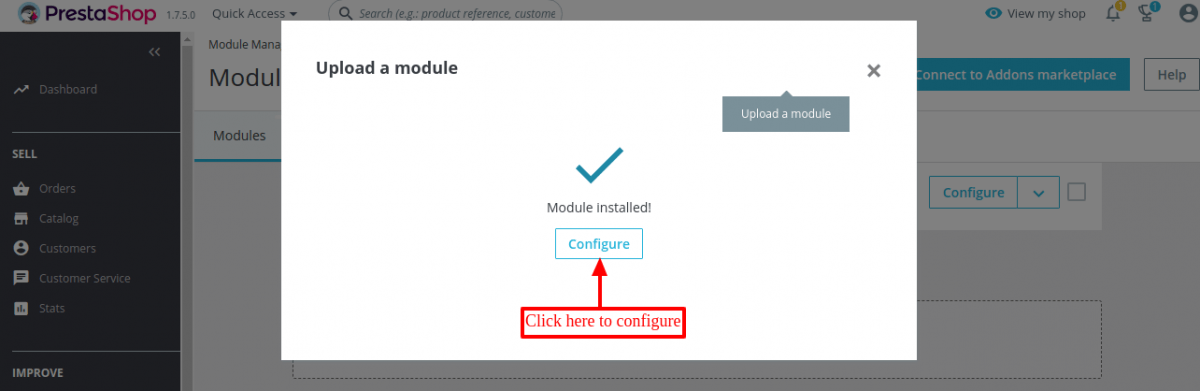
Add Custom Fields
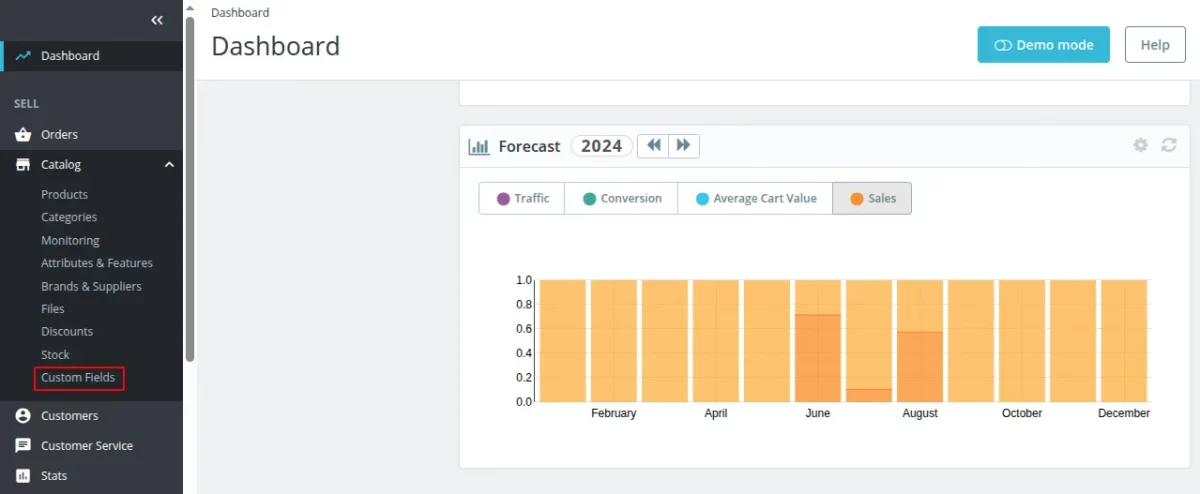
After the successful installation of the module, a new tab ‘Custom Fields’ under Cataog gets available in the back office. From here, the admin can add and manage custom fields.

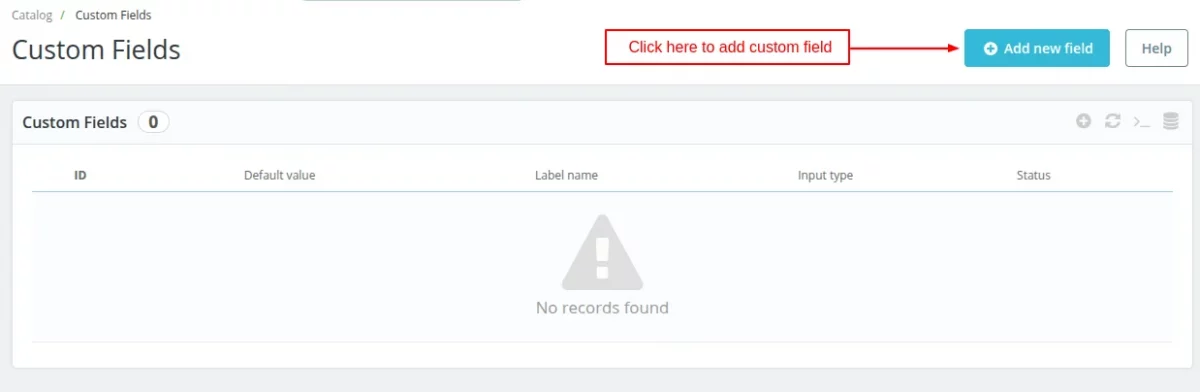
Prestashop Product Custom Field allows the admin to add 7 types of custom fields to a product page. These are:
- Text
- Text Area
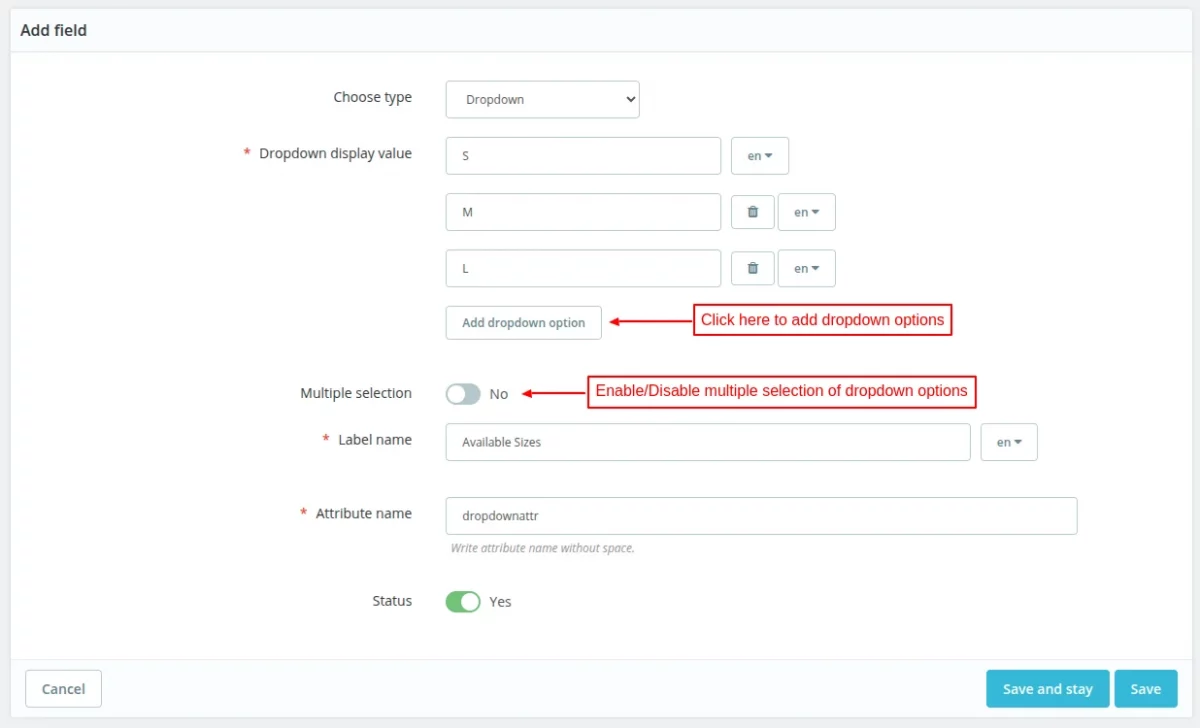
- Dropdown
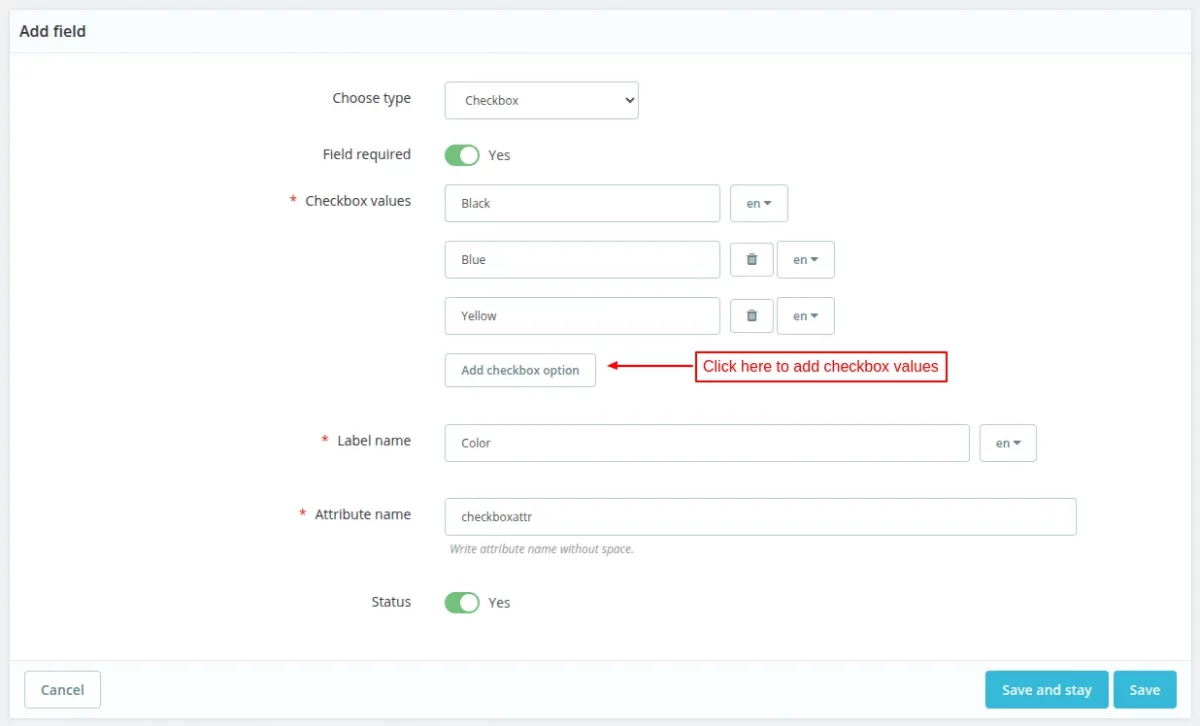
- Checkbox
- File Type
- Radio Button
- TinyMCE
Text Field

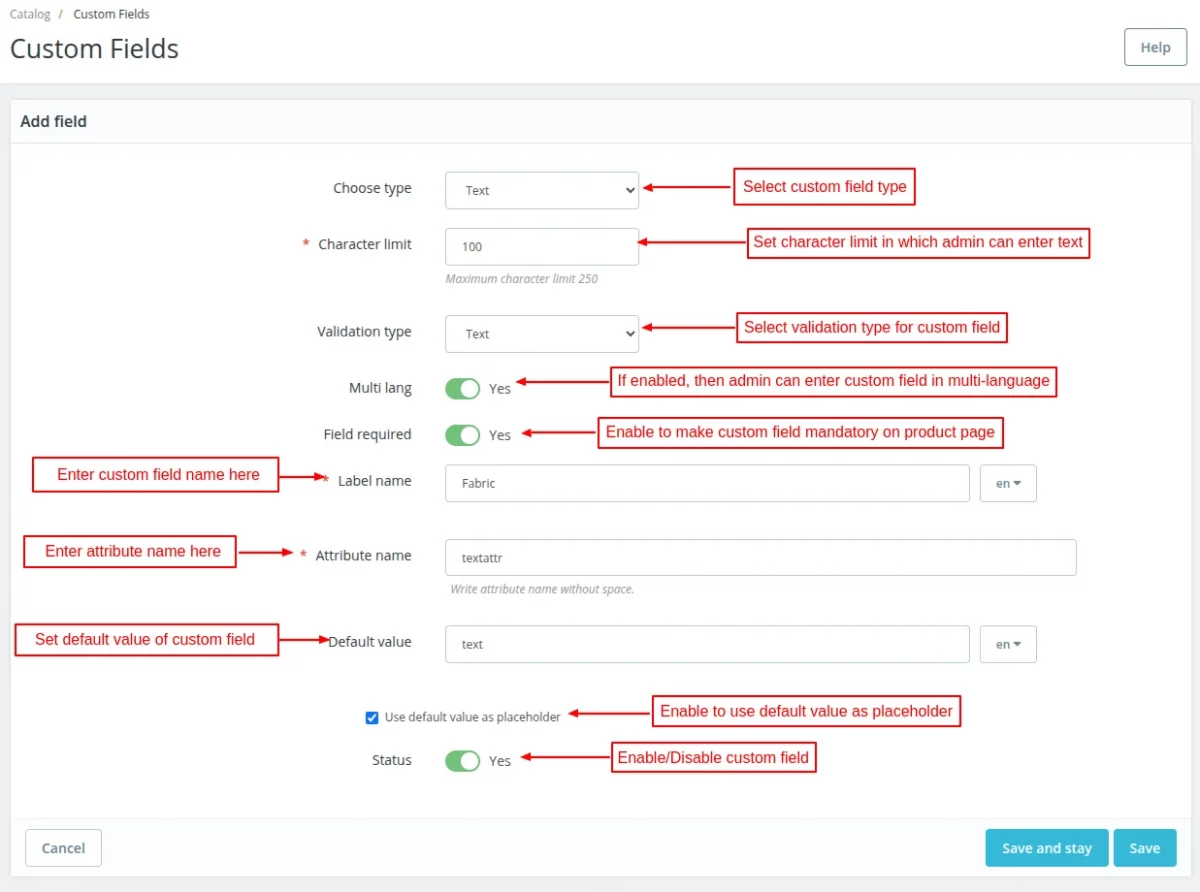
- Validation Type – Admin can set text, email, or number to validate the custom field.
- Attribute Name – In this field, admin can set a unique identity for the custom field.
Once admin has added a custom field then he cannot change the custom field type.
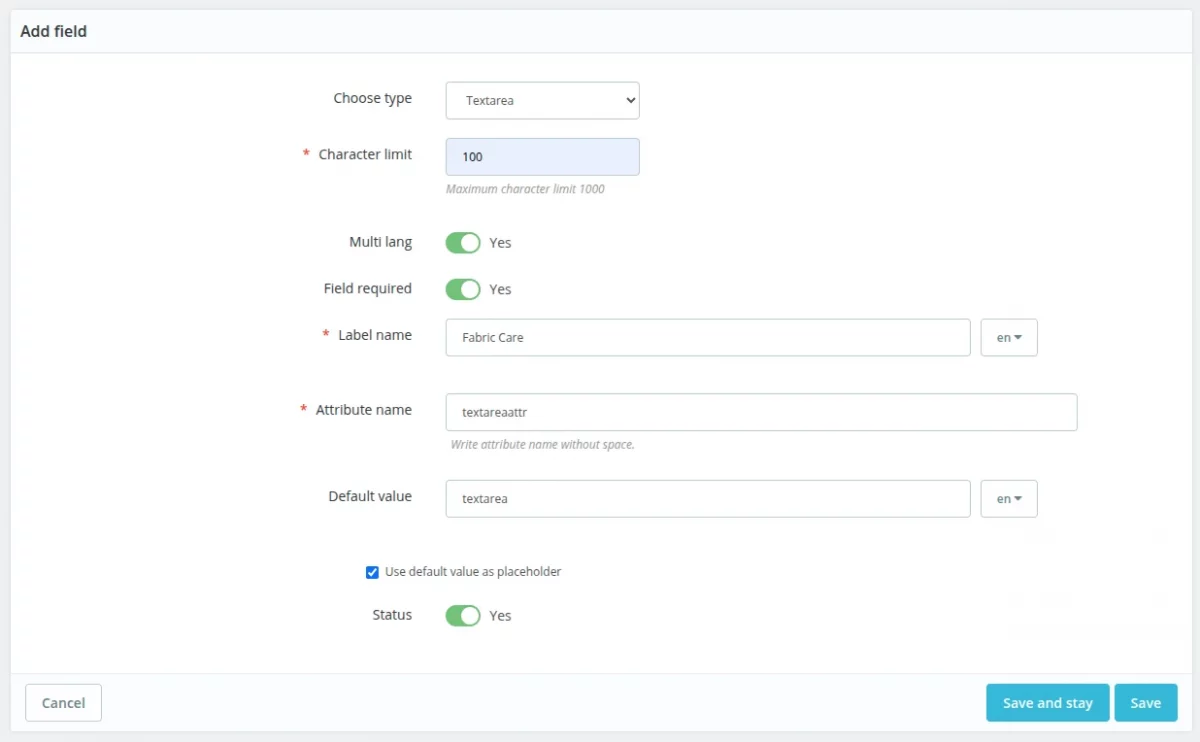
Text Area Field
Adding text area field is very similar to adding text field. While adding text area field, admin does not have to set the validation type.

Dropdown Field

Checkbox Field

File Type Field


Radio Button Field


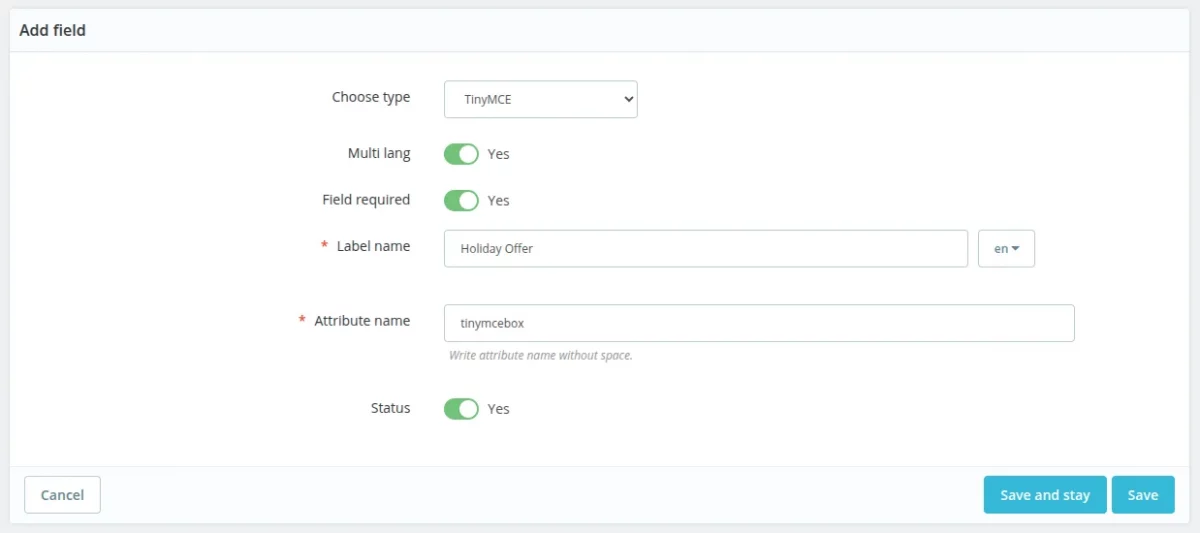
TinyMCE Field

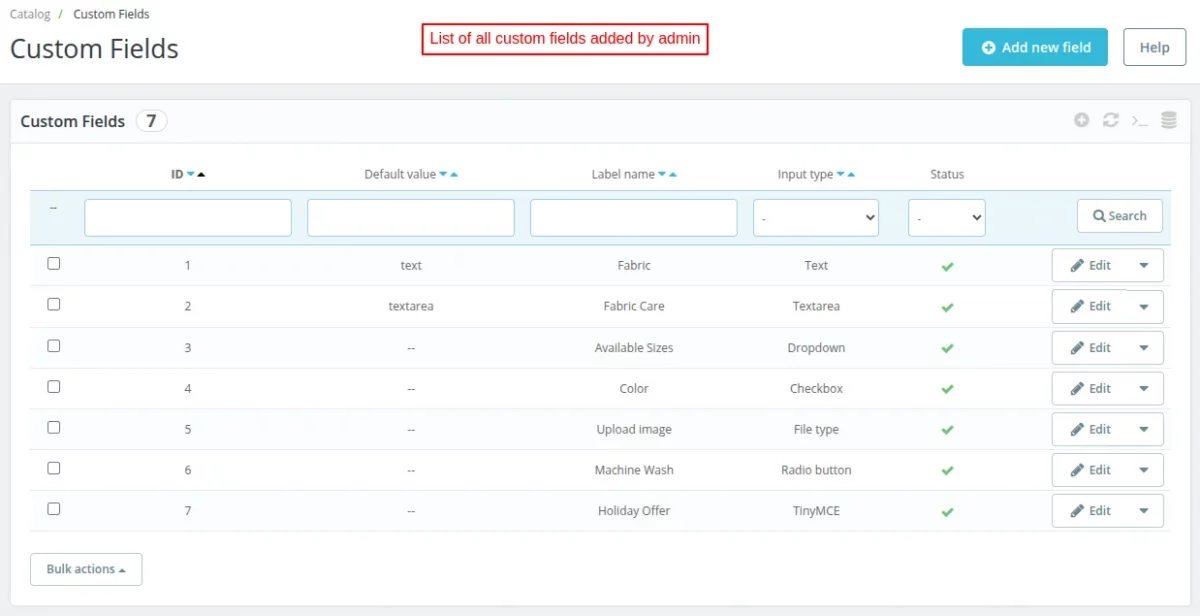
After saving custom fields, the admin can view all the custom fields he has added under “Custom Fields” tab.

From here, the admin can:
- View label name and default value of custom field.
- Edit/Delete the custom field, and
- Enable/Disable the custom field.

Set Custom Fields for a Product
Go to Catalog -> Products -> Edit Product -> Modules.

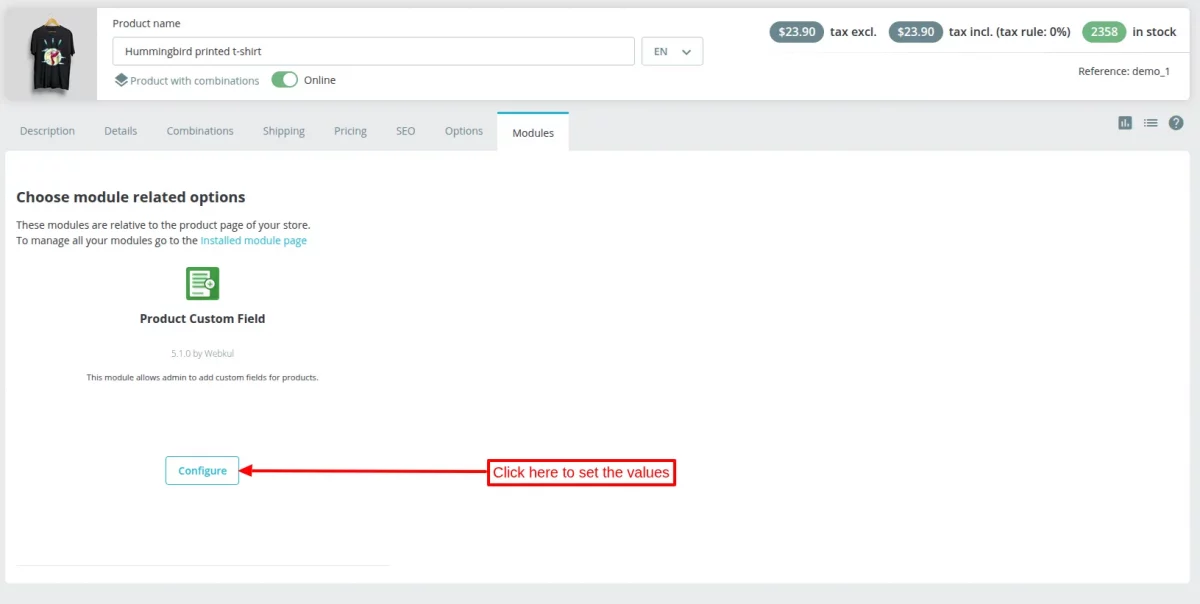
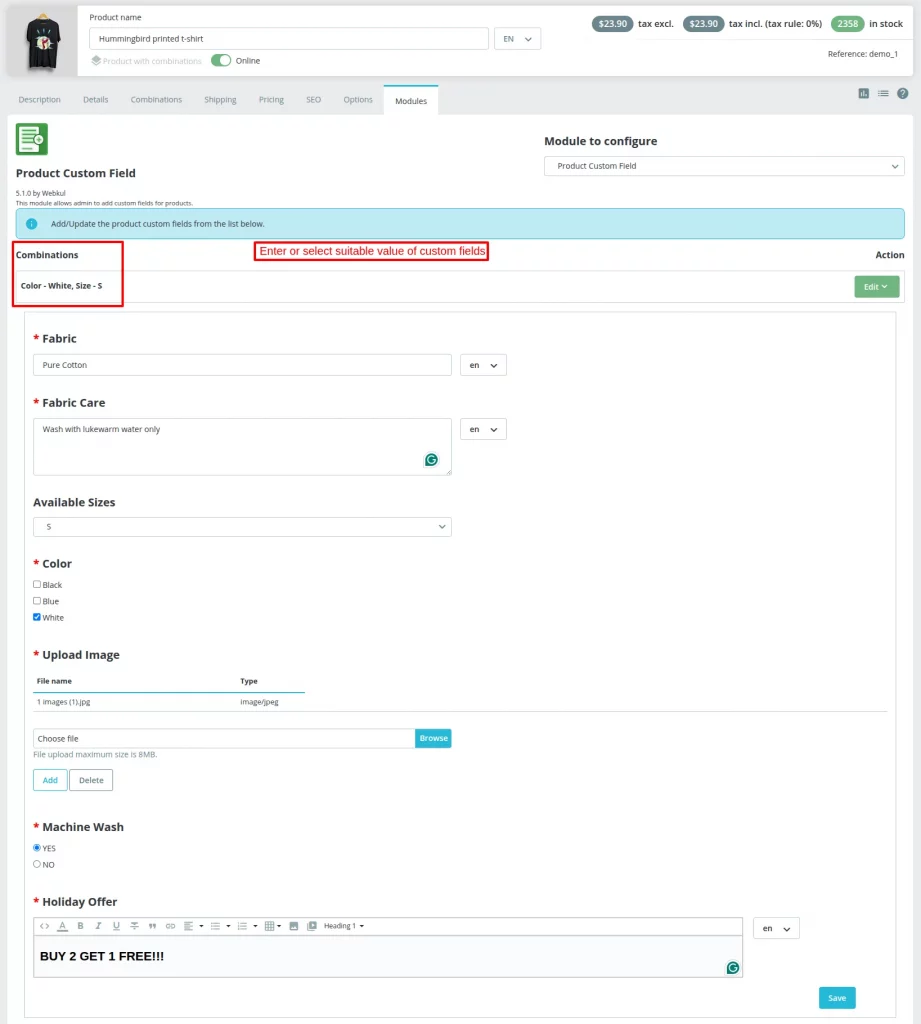
Click on the configure button to assign custom fields to product combinations.


On clicking the Edit button, available custom fields will display and the admin can set values in these fields.

The admin can also set custom fields for multiple combinations of a product using bulk actions feature.


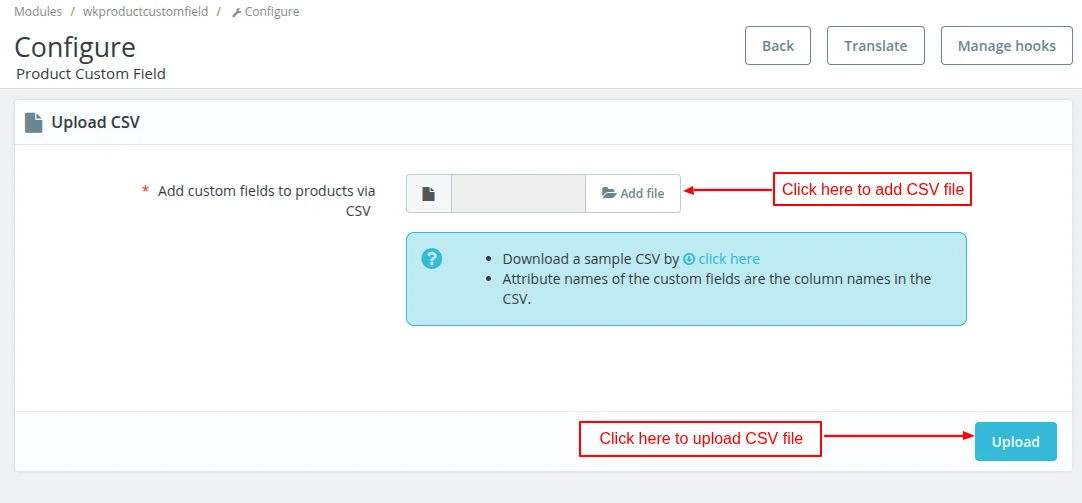
Product Custom Field Configuration
On the module configuration page, the admin can upload CSV file to add custom fields in bulk to products.

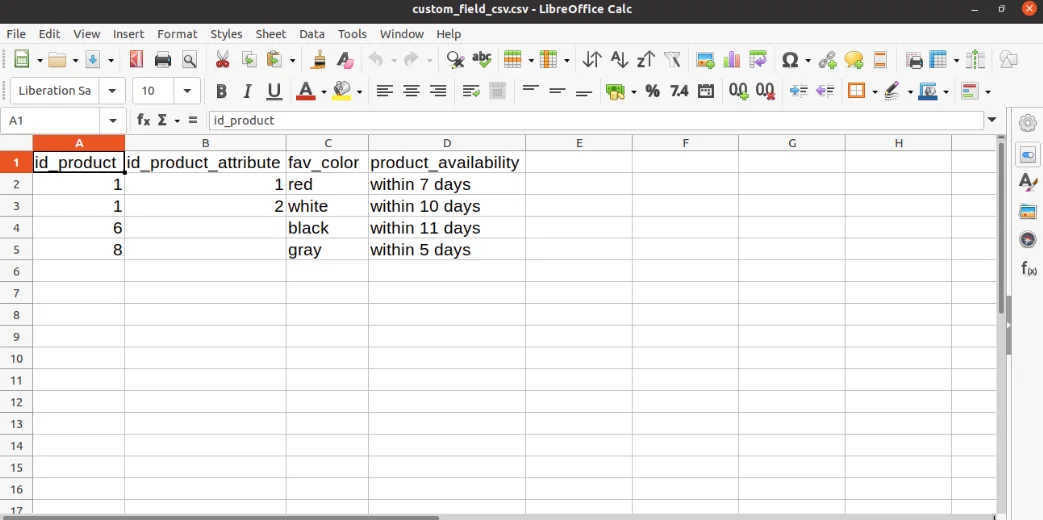
In a CSV file, the admin needs to enter product id and custom fields he would like to add to the product.

Front End Flow
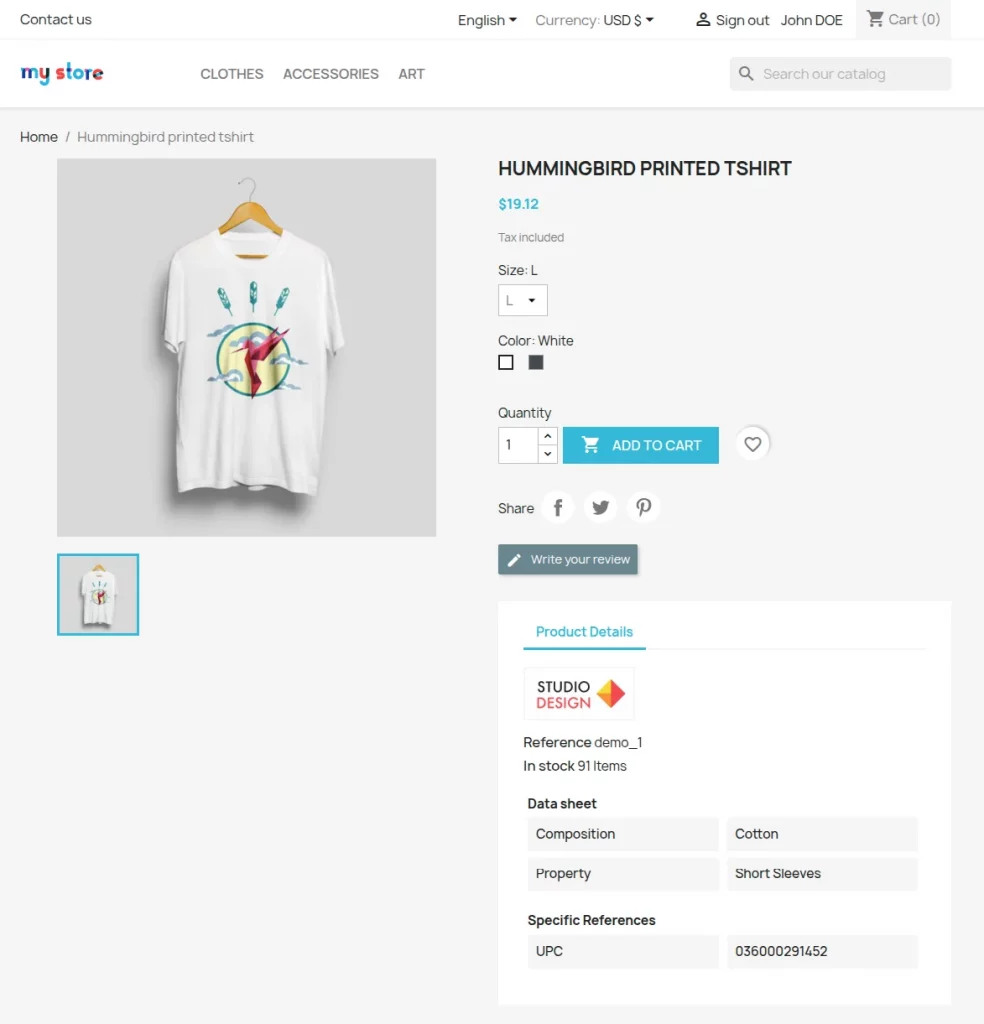
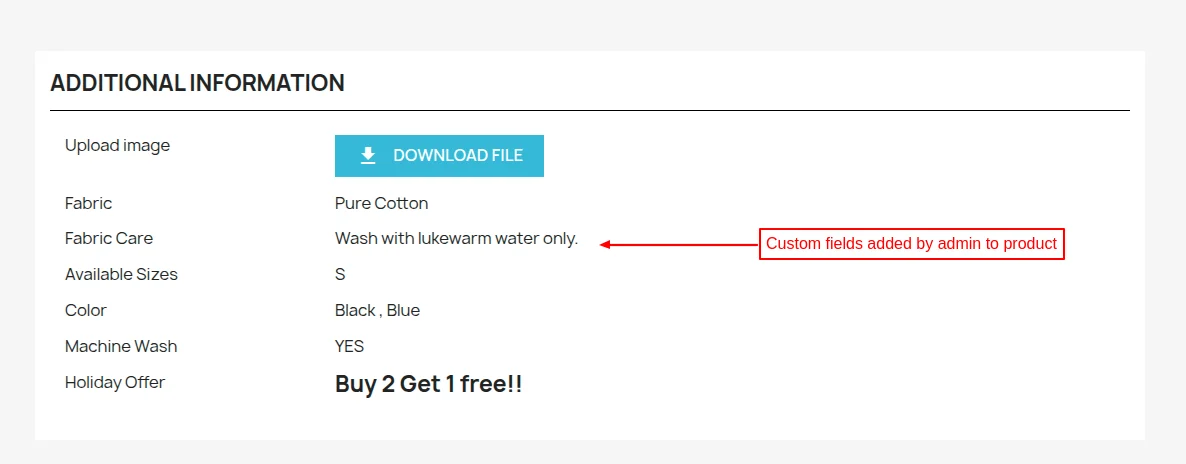
When a user visits the product page on the store he can view custom fields and the values added by admin under “Additional Information”.


This was all about Prestashop Product Custom Field Module. I hope this document will help you in checking the functionality of the module in a better way.
Also, do let us know about your views in the comments.
Support
For any kind of technical assistance or query, please raise a ticket or send us a mail at support@webkul.com
Also, please explore our Prestashop development services and vast range of quality Prestashop addons.