User Guide for Odoo Quality Check & Inspection MRP
Introduction
Odoo Quality Check & Inspection MRP enables factories to ensure that every product is safe and meets quality standards. It checks items in real-time and alerts teams quickly if anything goes wrong.
The module lets you set up inspection teams with clear roles and use easy-to-customize templates. All data is tracked in one dashboard with charts and reports for better visibility.
It also keeps complete records, handles failures smoothly, and supports audits and compliance. This way, businesses save costs, improve trust, and deliver reliable products every time.
Prerequisites for Using Odoo Quality Check & Inspection MRP
Odoo Quality Check & Inspection MRP works in conjunction with the following module:
Quality Control Management. You must install the mentioned module to use Odoo Quality Check & Inspection MRP.
Features
- Run detailed real-time inspections during various ongoing production stages.
- Create customizable inspection templates with flexible and adaptable fields.
- Assign clearly defined roles and responsibilities to inspection teams.
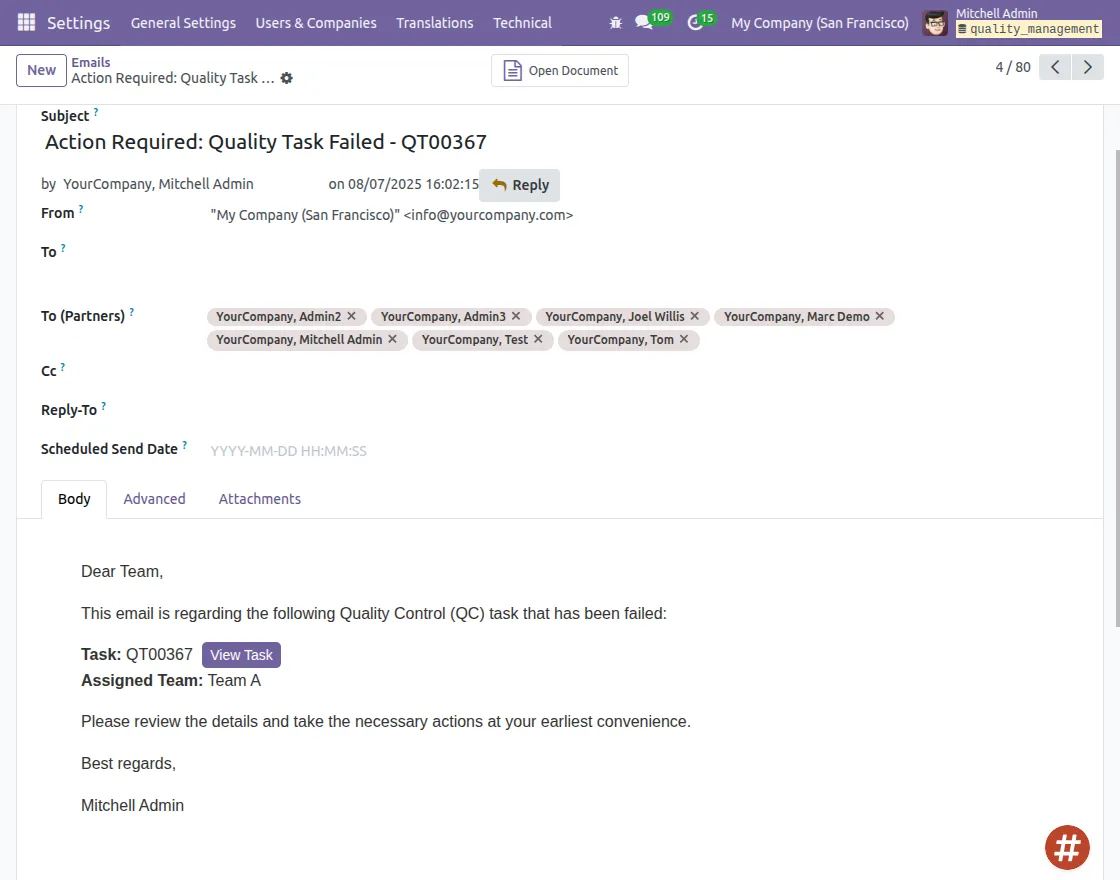
- Receive instant system alerts whenever inspections fail during production.
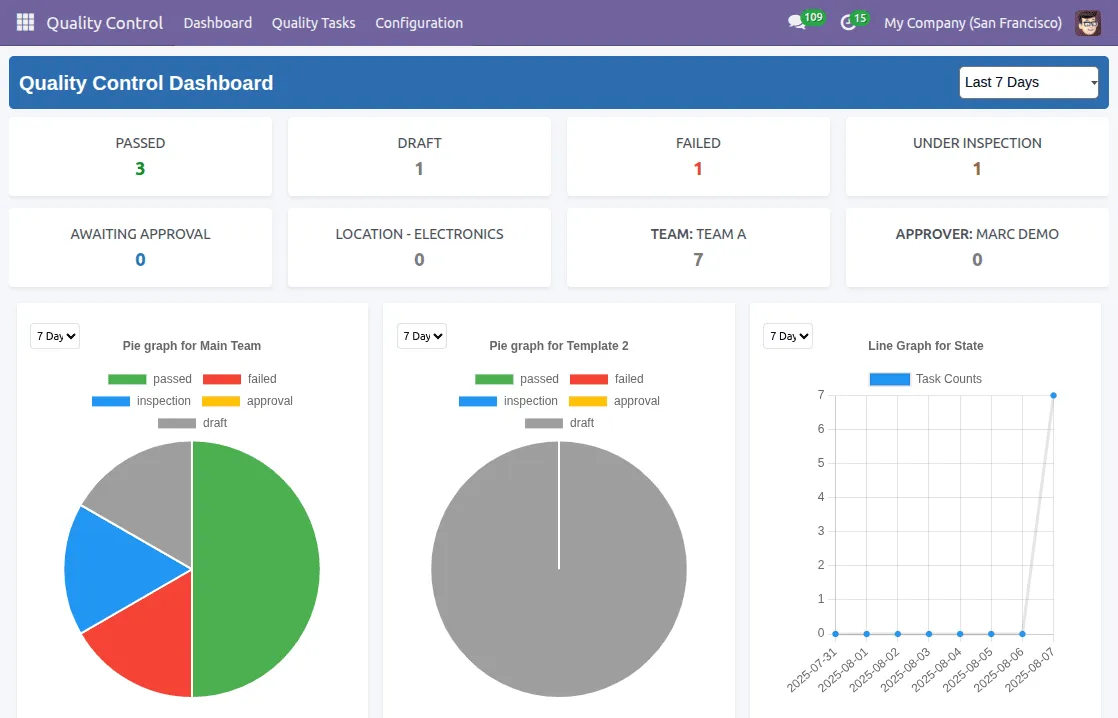
- Track, manage, and analyze quality data in a centralized dashboard.
- Maintain accurate audit-ready records for compliance and regulatory needs.
- Odoo Quality Check & Inspection MRP ensures reliable product quality.
Installation
- Once you purchase the App from Webkul store, you will receive a link to download module’s zip file.
- Extract the file on your system after download finishes. As a result, you will be able to see a folder named- ‘wk_quality_management_mrp’ (you can get the technical name from odoo app of the respective module)’
- Copy and paste this folder inside your Odoo Add-Ons path.
- Now, open Odoo App and click on the Settings menu. Here, click on Activate Developer Mode.
- Then, open Apps menu and click on ‘Update Modules List.’
- In the search bar, remove all the filters and search ‘wk_quality_management_mrp’
- You will be able to see module in the search results. Click on ‘Install’ to install it.
Workflow
- Define Inspection Templates.


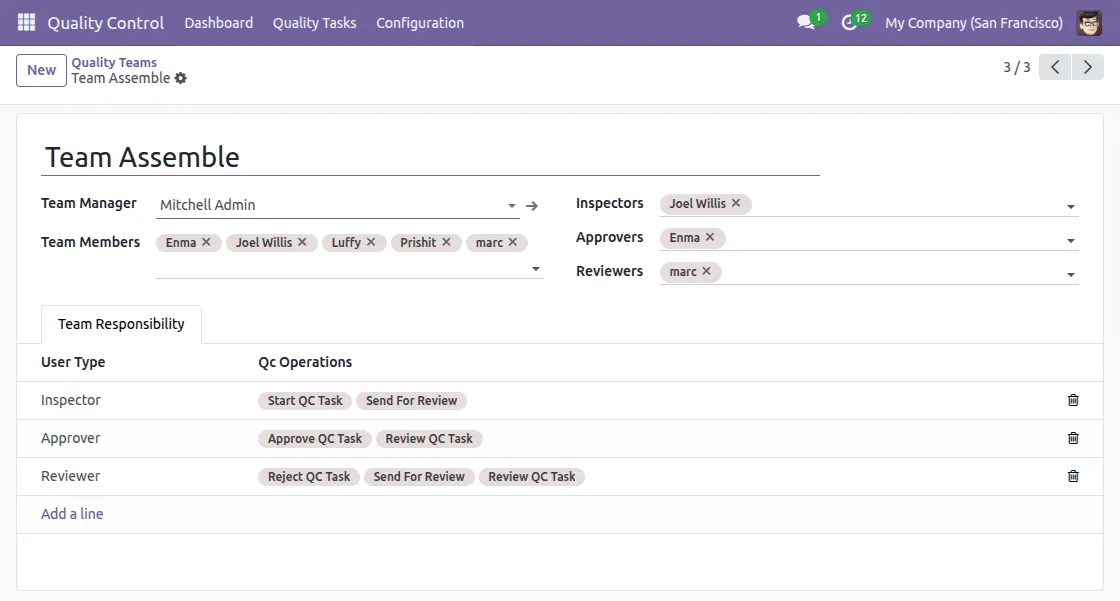
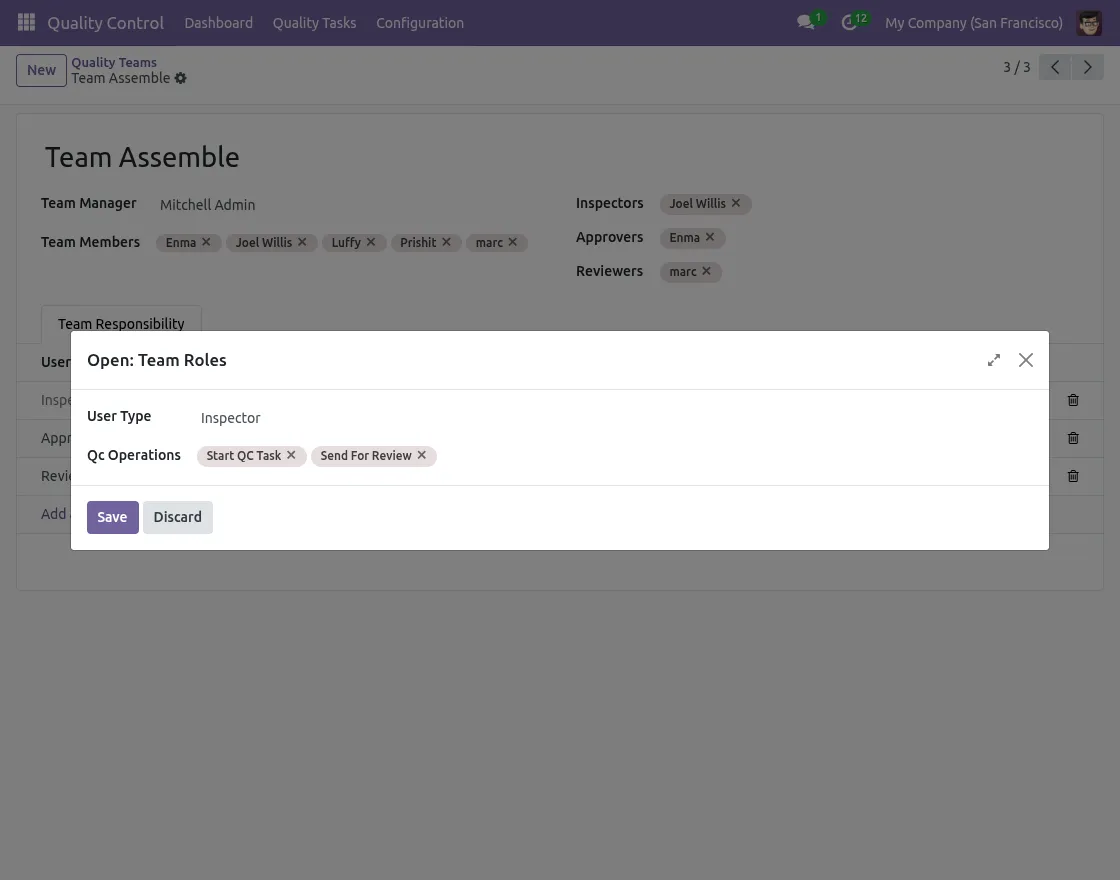
2. Define Teams and their roles for every team member.

3. Set parameter to pass/fail and pass/fail based on custom values for Products.

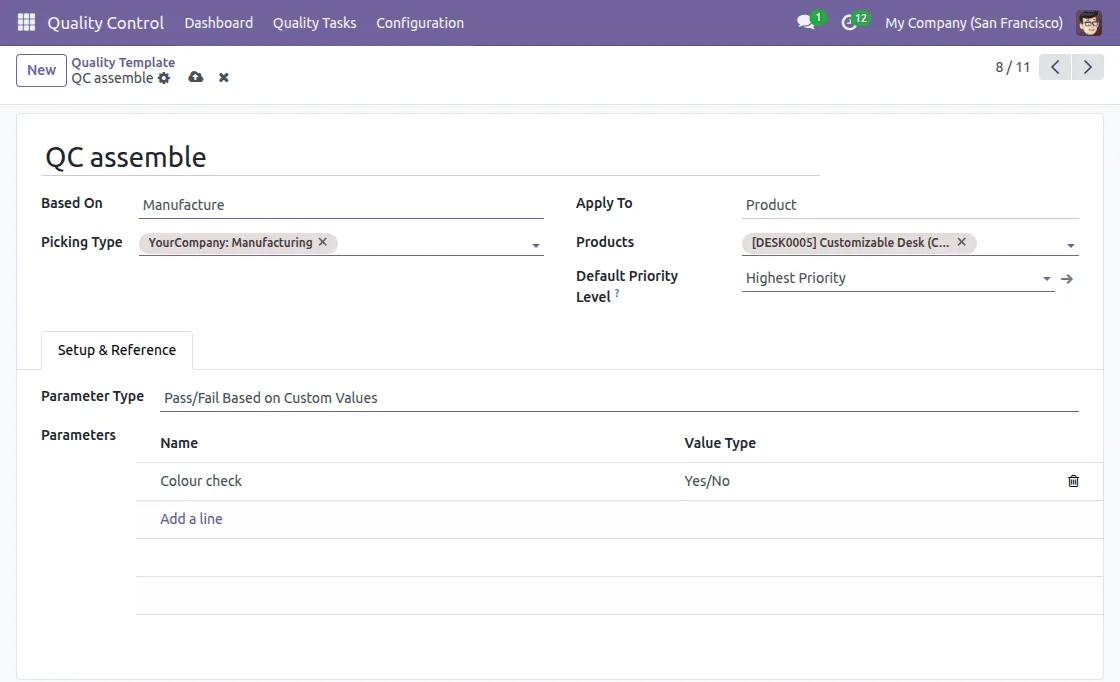

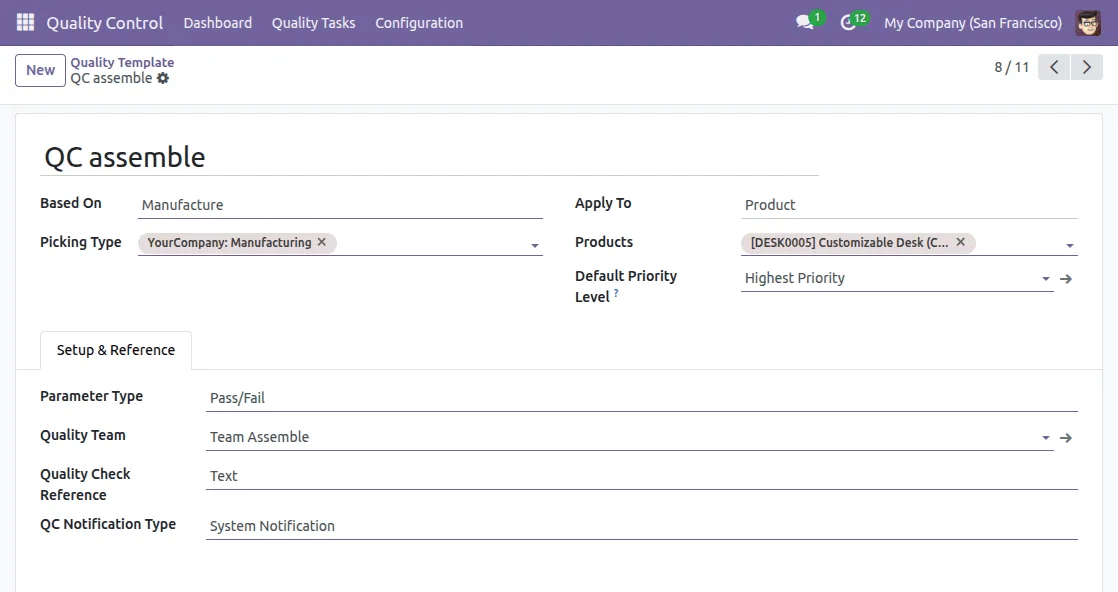
4. Define parameters for the product to pass in manufacturing.


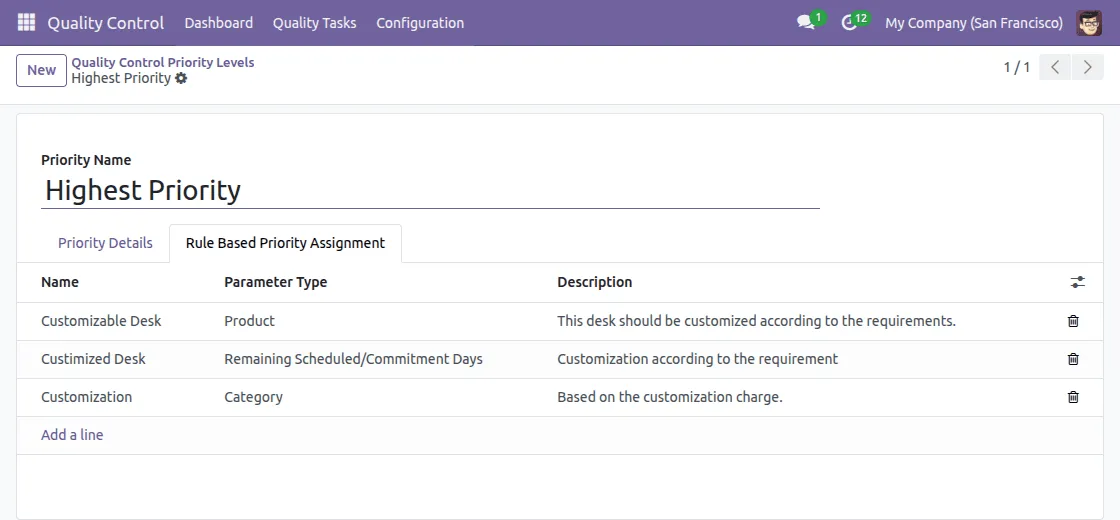
5. Define priorities to manufacture products quickly.

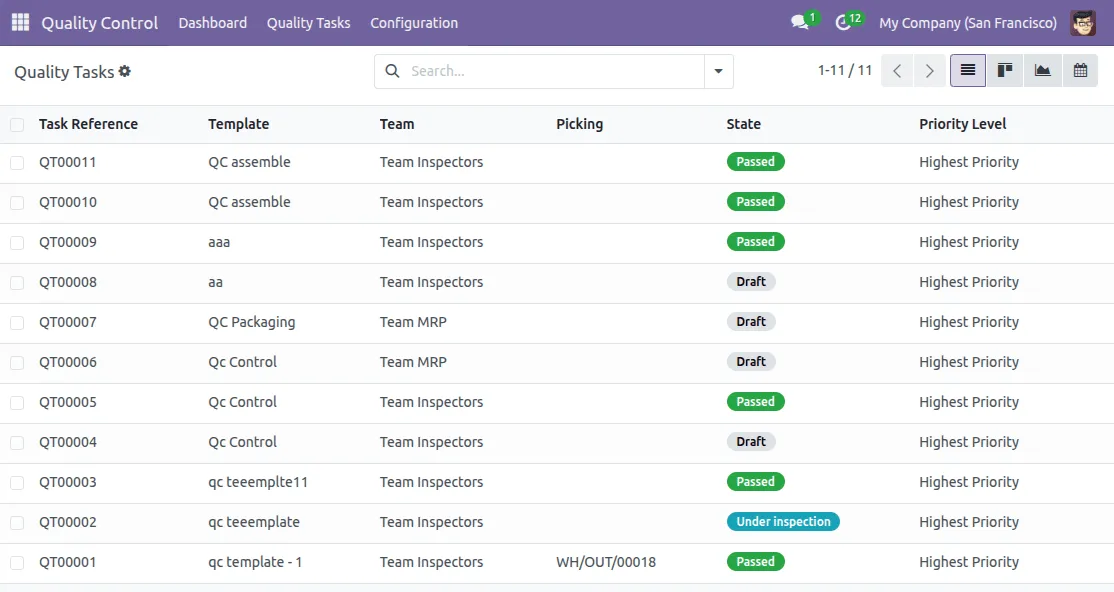
6. See quality tasks in one place for easy management.

7. Define Operations to complete the task based on the product requirements.
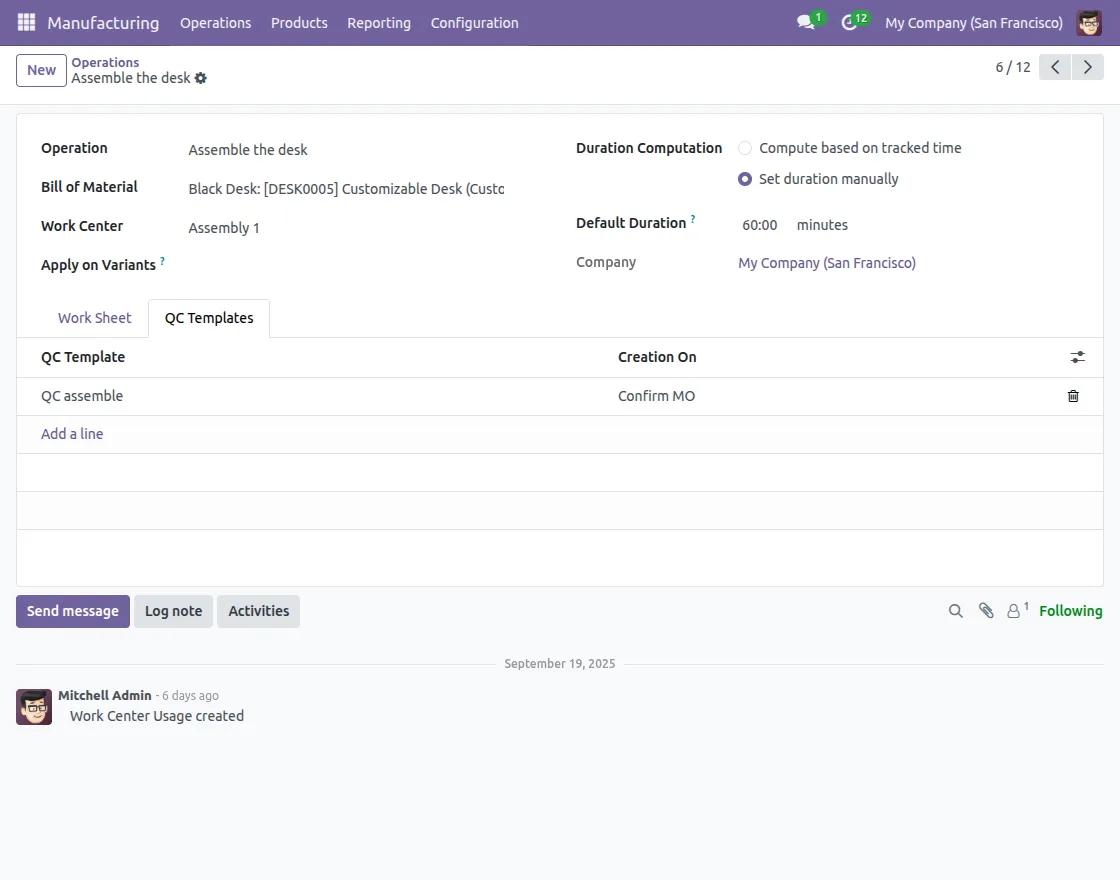
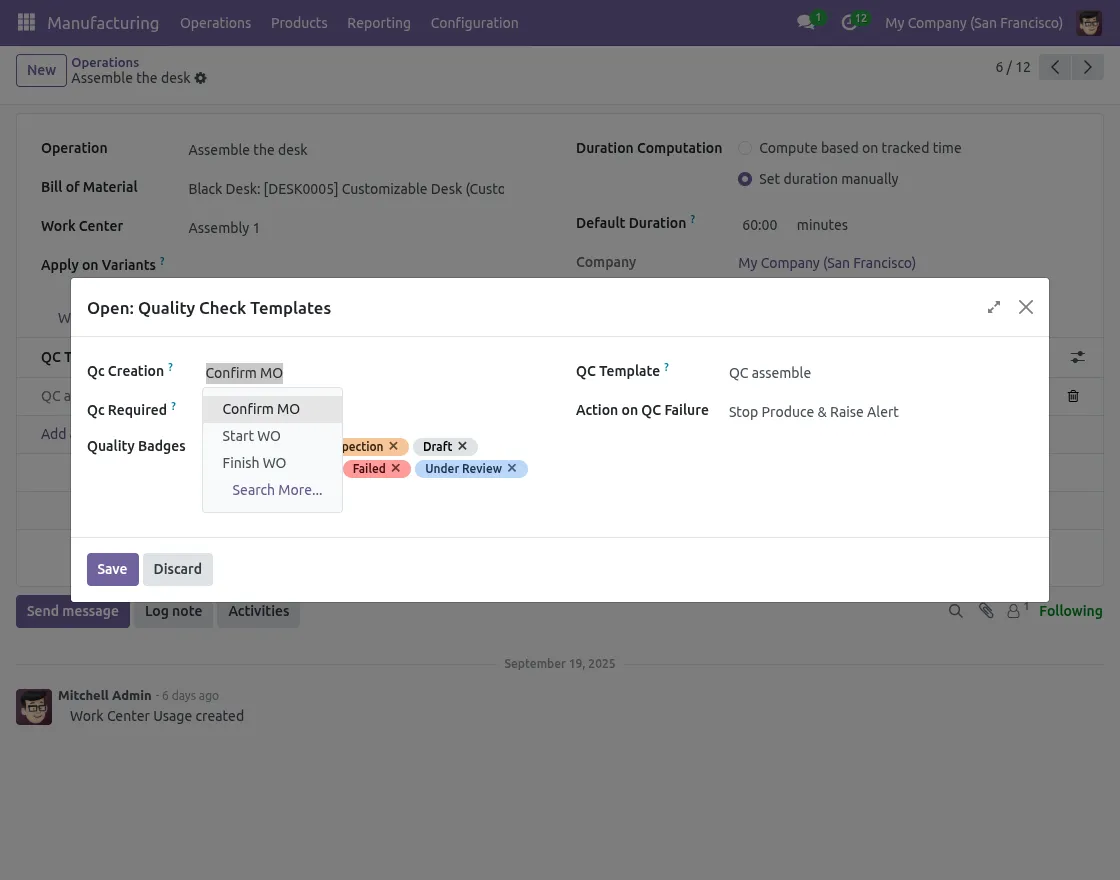
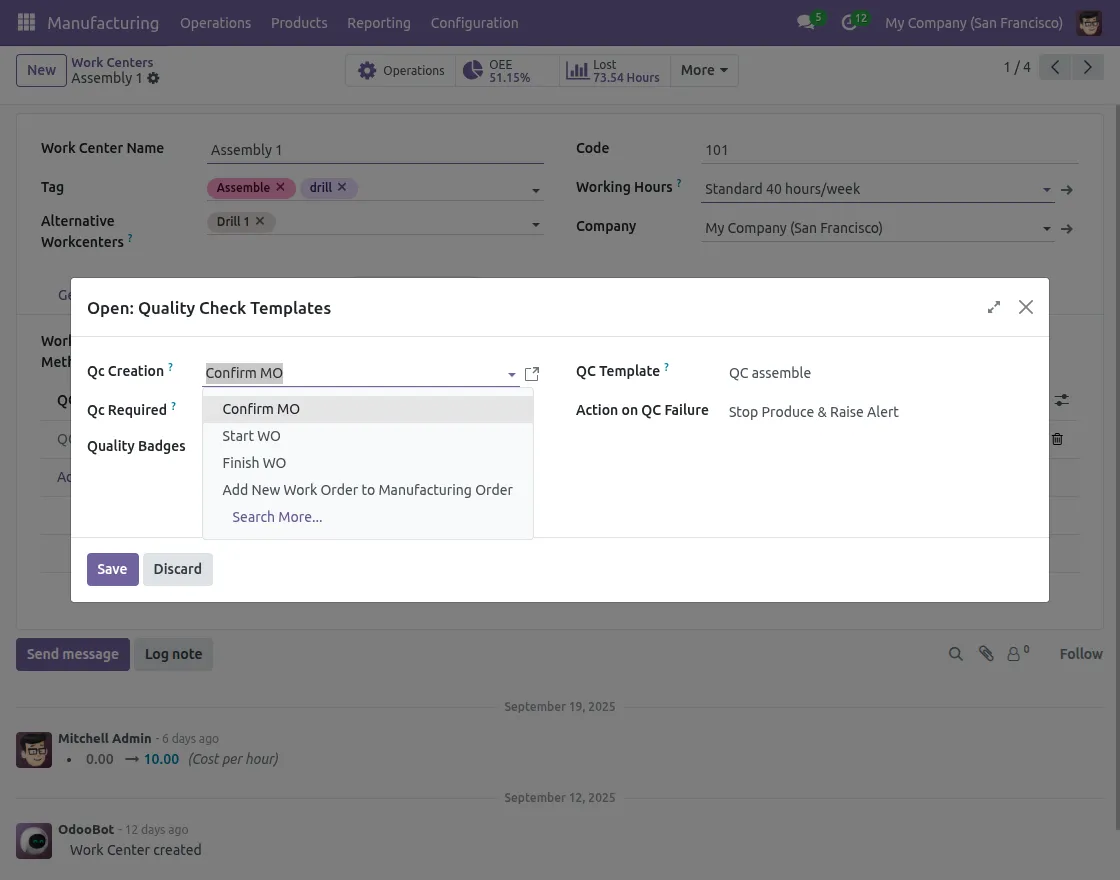
8. Set Quality Templates for different operations.
9. Define Work Centres to complete different operations.
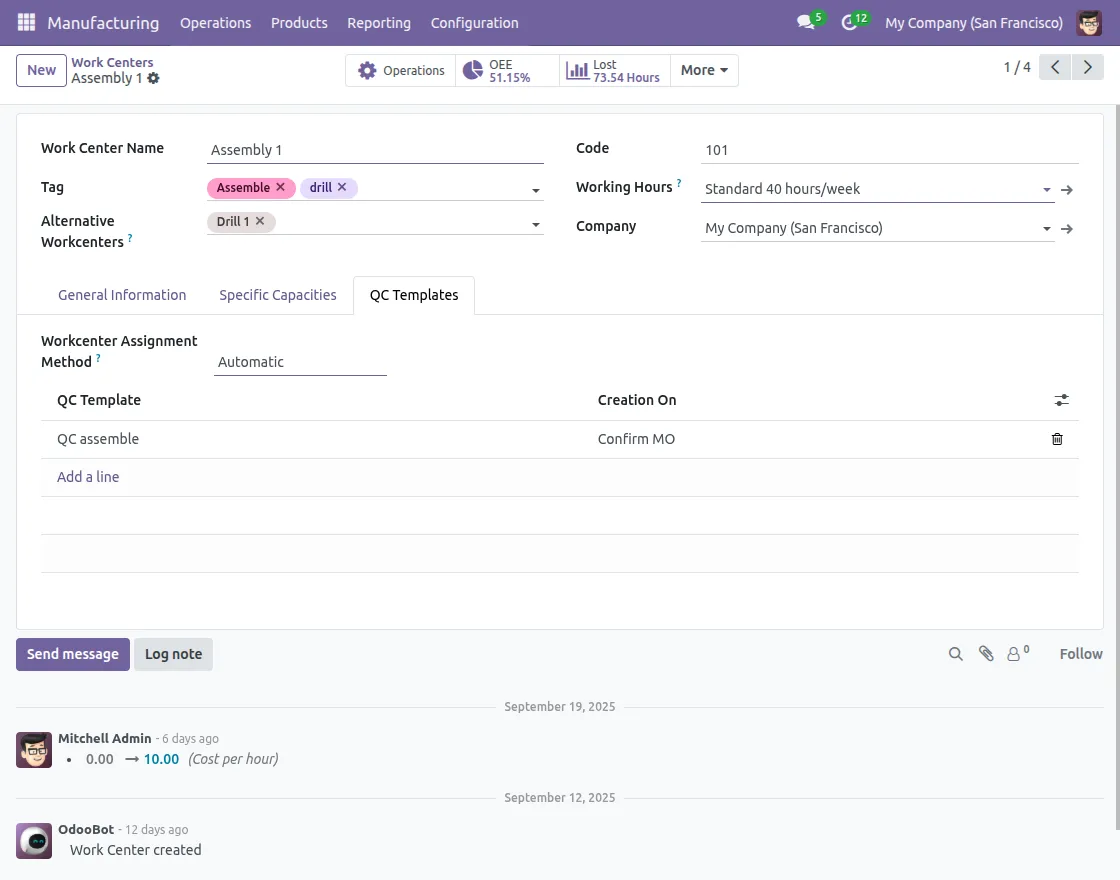
10. Configure the template according to the product requirement.
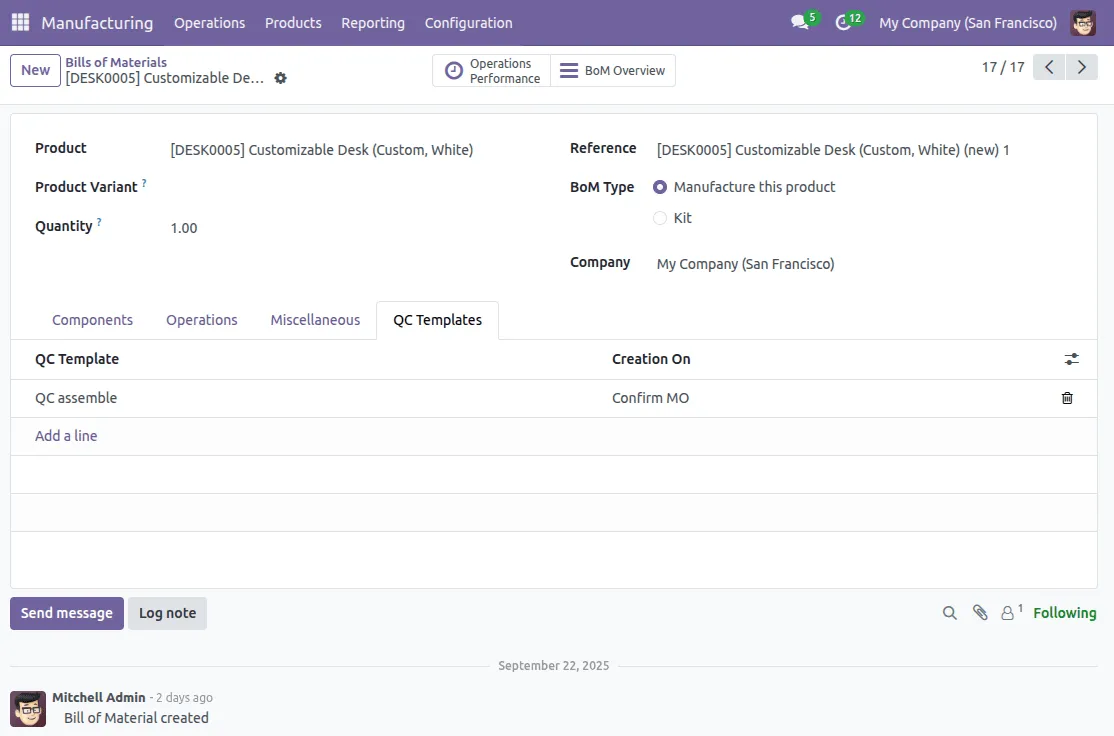
11. Create a different Bill of Materials for your manufacturing products.

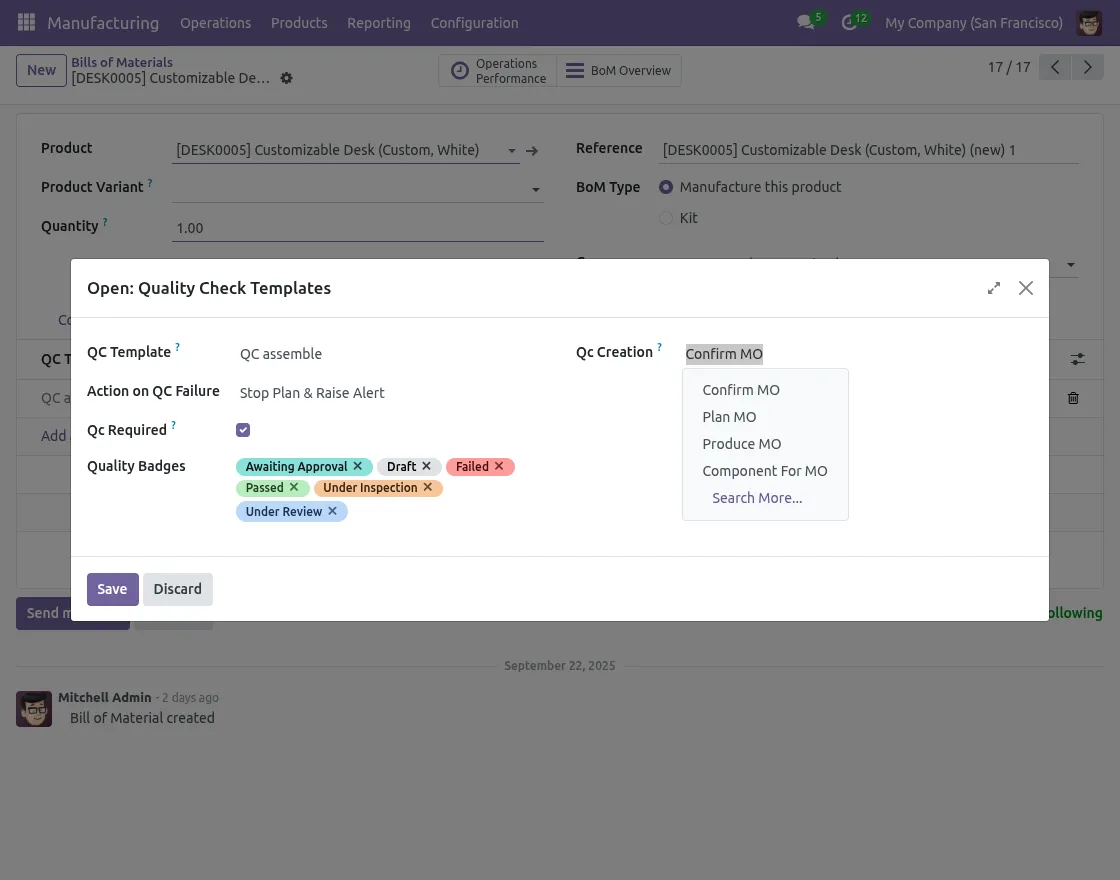
12. Trigger Bill of Materials for the manufacturing order based on the template.
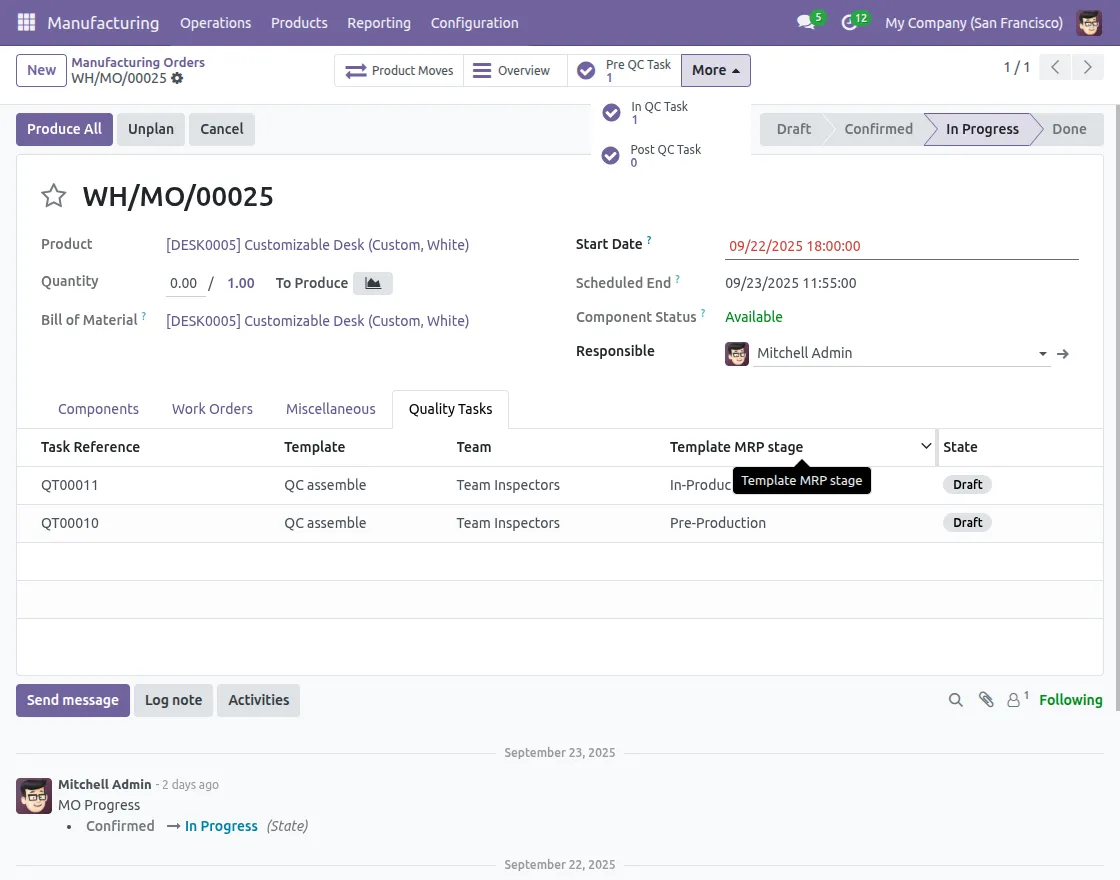
13. Maintain and manage manufacturing orders with the help of smart buttons for quality tasks and track progress.
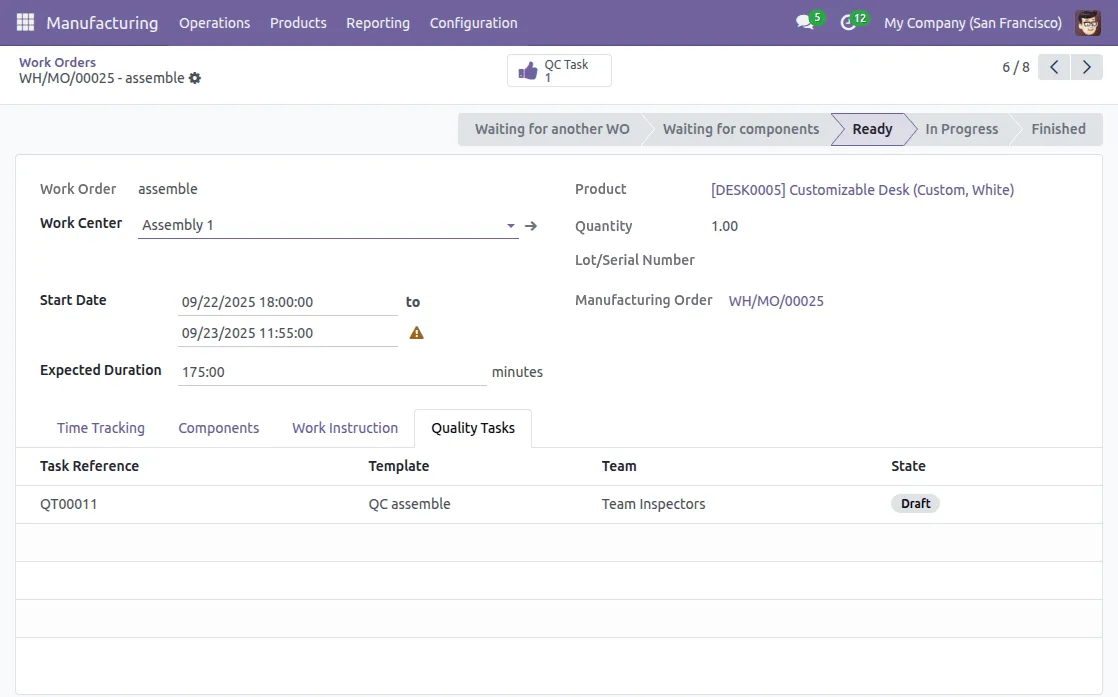
14. Track progress for the work orders.

15. See all the details on quality dashboards of Odoo Quality Check & Inspection MRP.

16. Get all the details for quality tasks with through email and system notifications.
Need Help?
Hope you find guide helpful! Please feel free to share your feedback in the comments below.
If you still have any issues/queries, please create a ticket at the UV Desk.
I hope this helps. In case of any further queries, contact us at our support mail.
Thanks for paying attention!!