User Guide for Laravel Marketplace Sendcloud Shipping
Laravel Marketplace Sendcloud Shipping integrates your Bagisto Marketplace with Sendcloud to provide live shipping rates,parcel creation, shipping labels, and inventory source-based shipping.
It intelligently handles orders from multiple sellers and warehouses, ensuring accurate shipping calculations based on the actual product origin.
With address validation, tracking synchronization, combined and multishipping support, and carrier customization, this extension simplifies shipping for marketplace owners, sellers, and customers.
This extension is an add-on for Laravel Multi Vendor Marketplace and requires Marketplace package to be installed and configured.
Features of Laravel Marketplace Sendcloud Shipping
- Integrates Sendcloud with Bagisto Marketplace for seamless shipping management.
- Displays live shipping rates during the checkout process.
- Calculates shipping based on the product’s inventory source.
- Supports multiple inventory sources for both admin and sellers.
- Automatically creates parcels in Sendcloud after an order is placed.
- Generates shipping labels directly from Sendcloud dashboard.
- Synchronizes tracking numbers with Bagisto orders automatically.
- Supports shipping for both admin and marketplace seller products.
- Provides a combined shipping rate for the entire marketplace order.
- Supports multishipping with separate shipping rates for each seller.
- Validates sender and recipient addresses before shipment creation.
- Allows customization of the shipping method title and description.
- Offers a sandbox mode for testing the complete shipping workflow.
- Supports multiple carriers available through Sendcloud.
- Filters out unavailable shipping methods automatically.
- Simplifies order fulfillment with automated shipping operations.
Installation of Laravel Marketplace Sendcloud Shipping
- Unzip the respective extension zip and then merge “package” folder into the project root directory.
- Open the root
composer.jsonand add the namespace underautoload.psr-4:
"Webkul\\MpSendcloudShipping\\": "packages/Webkul/MpSendcloudShipping/src"
- Refresh the autoloader:
composer dump-autoload
- Register the service provider in
bootstrap/providers.php
Webkul\MpSendcloudShipping\Providers\MarketplaceSendcloudServiceProvider::class,
- Run the install command — it runs migrations and clears caches
php artisan mp-sendcloud:install

php artisan optimize:clear
Laravel Marketplace Sendcloud Shipping Configuration
After installing the extension, navigate to Configure → Sales → Shipping Methods and select Marketplace Sendcloud Shipping to configure the module.

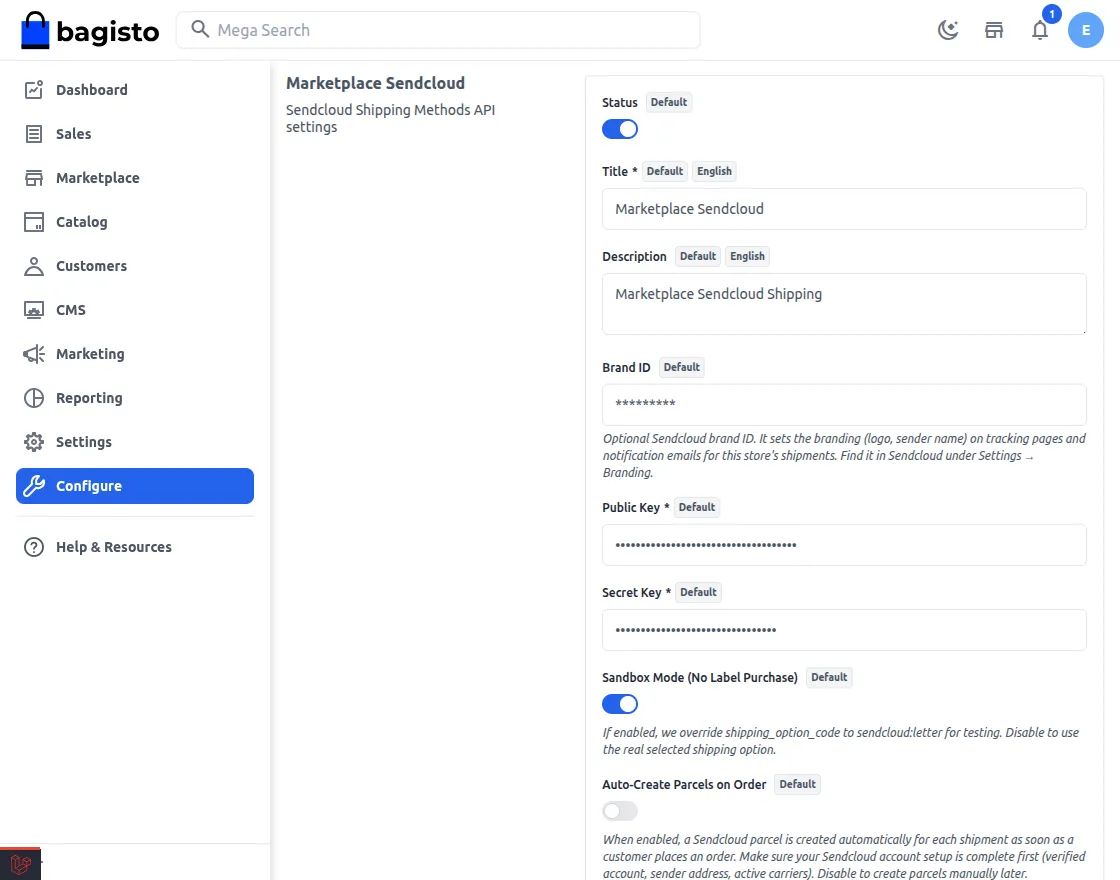
The admin can configure the following settings:
- Status: Enable or disable Marketplace Sendcloud Shipping method from this option.
- Default: Choose whether this shipping method should be used as the default shipping option.
- Title: Enter the title that will be displayed to customers during checkout.
- Description: Provide a description for the shipping method that will appear on the storefront.
- Brand ID: Enter the optional Sendcloud Brand ID to apply your configured branding, such as the sender name and logo, on tracking pages and shipping notification emails. You can find the Brand ID in your Sendcloud account under Settings → Branding.
- Public Key: Enter your Sendcloud Public API Key to establish a secure connection between your marketplace and Sendcloud.
- Secret Key: Enter the Sendcloud Secret API Key for API authentication and secure communication.
- Sandbox Mode (No Label Purchase): Enable this option to test the complete shipping workflow without purchasing actual shipping labels. Disable it to use the selected live shipping services.
- Auto-Create Parcels on Order: Enable this option to automatically create Sendcloud parcels as soon as a customer places an order. Before enabling it, ensure your Sendcloud account is fully configured with a verified account, sender address, and active carriers.
- Validate Addresses with Sendcloud: Enable this option to validate sender and recipient addresses through Sendcloud. The extension verifies admin and seller inventory source addresses, customer addresses, and checkout shipping addresses before shipment creation.
- Error Message: Enter a custom error message that will be displayed to customers whenever the Sendcloud shipping method is unavailable or a shipping rate cannot be retrieved.
Seller Configuration
After the admin has configured Marketplace Sendcloud Shipping module, sellers can manage their shipping origin by configuring their inventory source addresses.
Navigate to Marketplace → Inventory Sources to add or update the warehouse address from where products will be shipped.
If Validate Addresses with Sendcloud is enabled, the seller’s inventory source address is automatically verified before saving. This ensures accurate shipping rates and successful parcel creation.
The configured inventory source is then used as the shipment origin for the seller’s products, allowing the extension to fetch shipping rates and create parcels based on the actual warehouse location.
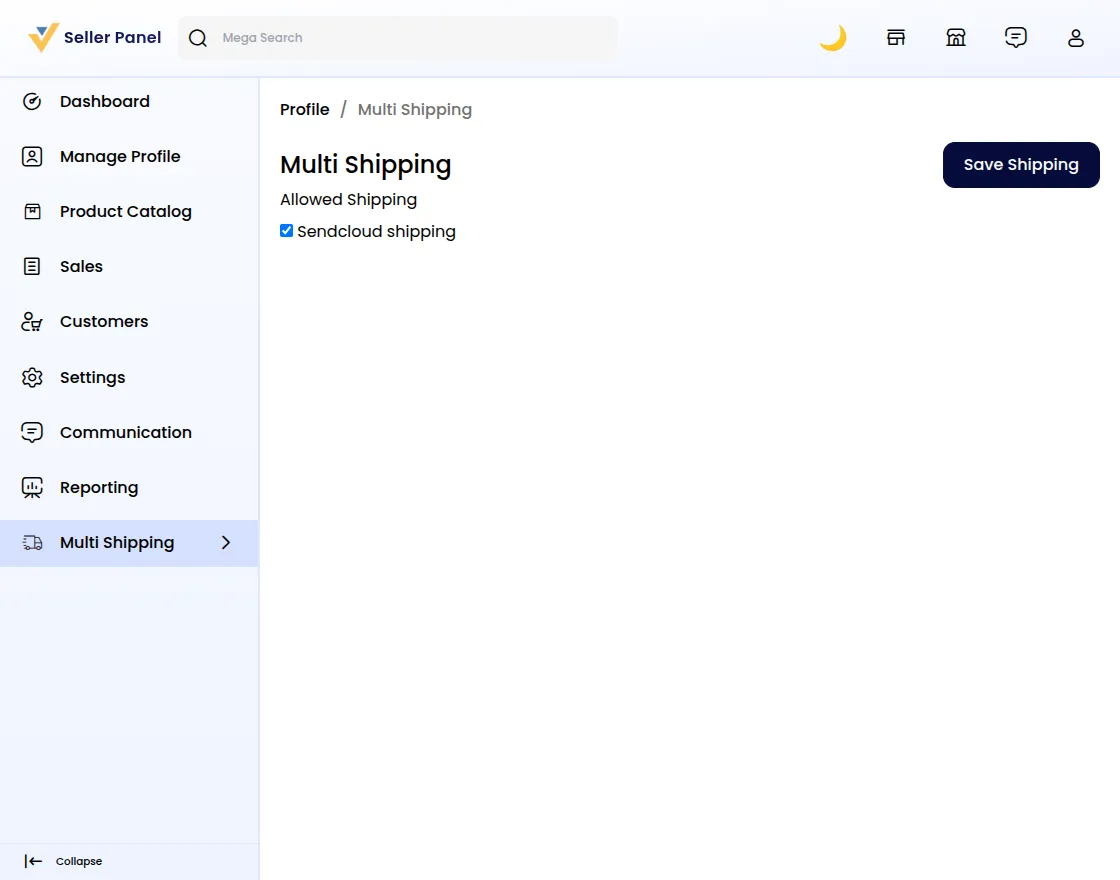
Click on the Save button.
Front End
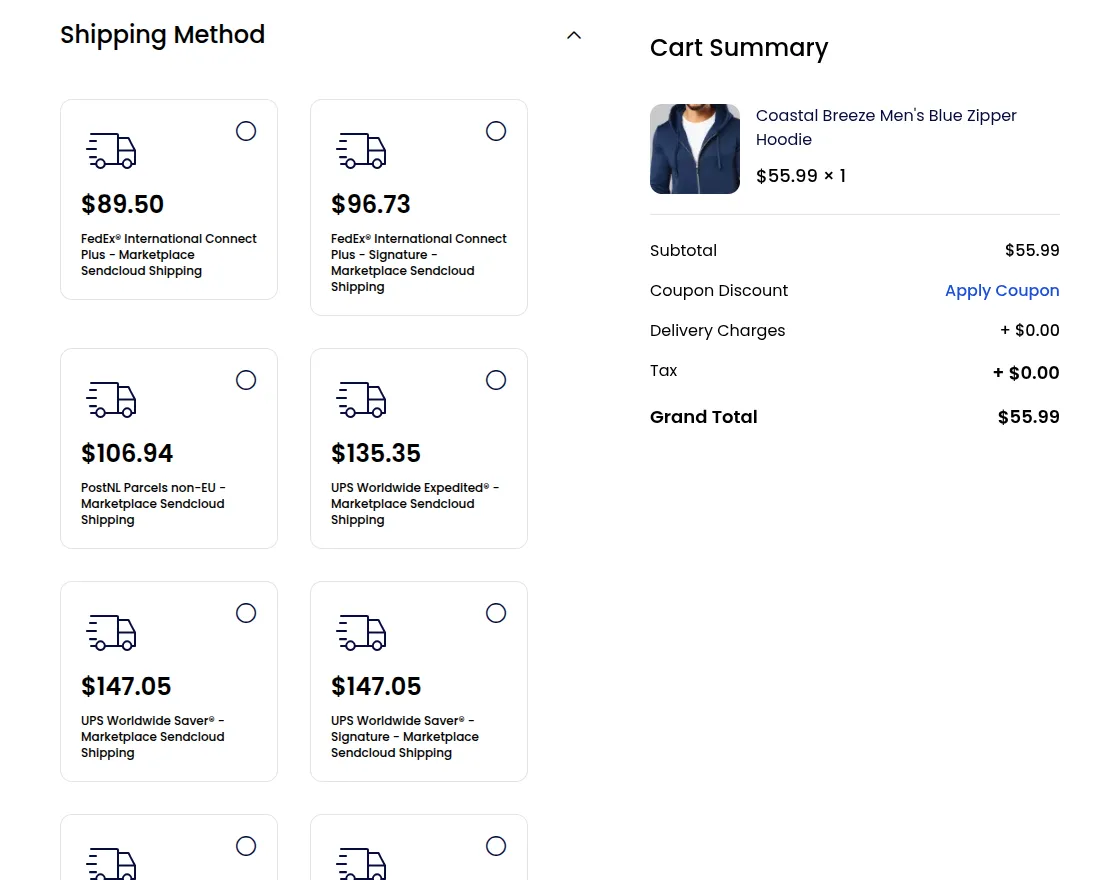
After the installation and configuration of the module, customers can view Marketplace Sendcloud Shipping method during checkout.
This extension fetches live shipping rates from Sendcloud by considering the customer’s shipping address and the inventory source that holds the products.
For marketplace orders with products from multiple sellers or warehouses, the extension calculates accurate shipping charges and displays only the shipping methods available for the entire order.
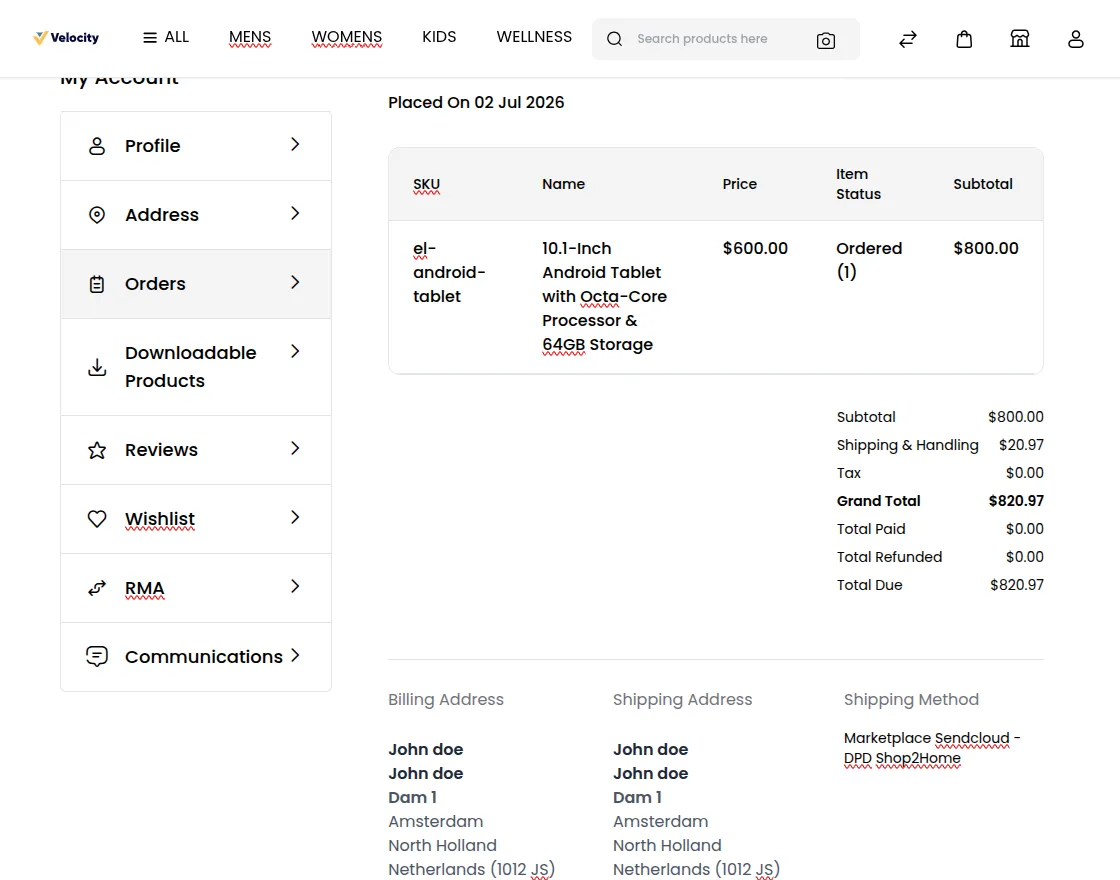
The customer can see all the details regarding the order in the order summary page including the shipping method used by the customer as shown in the below image:-
Support
That’s all for Laravel Marketplace Sendcloud Shipping User Guide. For queries, email us at support@webkul.com or raise a ticket at our HelpDesk System.
Please explore our Laravel Development Services and Quality Bagisto Extensions.