Laravel eCommerce Product Questions And Answers Module
Laravel eCommerce Product Questions and Answers module allows the admin to let the customers ask the queries related to the products of the Webstore.
If someone has a query related to the product before buying or after purchasing, he can ask his query and will get answered.
Customers can review answers as well for any question by giving them an upvote or downvotes.
The admin can enable the module along with the approval of questions. These questions are visible to the customers in the front end along with the answers.
Complete Features List
- Customers can ask a question on any product page and answer existing questions from other customers.
- Customers can like and dislike answers — votes are toggled per customer and reflected in the storefront’s “Most Helpful” sort order.
- Three sort modes on the storefront — All (chronological), Most Recent, and Most Helpful — each producing a distinct ordering.
- Admin can approve, disapprove, or delete any question or answer; bulk-status updates are available on the questions DataGrid.
- Admin can post answers directly from the admin panel — those replies are tagged with an “Admin” badge in the storefront.
- Email notifications use Laravel Notifications (multi-channel ready) and ship in two visual styles — formal admin-branded layout or a simpler customer-friendly layout, switchable from settings.
- Accessible storefront UI — semantic markup, keyboard-friendly toggle buttons, and
aria-*attributes on like/dislike, expand/collapse, and tab controls. - Translated for 21 locales (ar, bn, ca, de, en, es, fa, fr, he, hi_IN, id, it, ja, nl, pl, pt_BR, ru, sin, tr, uk, zh_CN) and validated by
php artisan bagisto:translations:check.
Installation
Download and unzip the extension, then merge the “packages” folder into the project’s root directory.
- Goto bootstrap/providers.php file and add the following line under ‘return‘ array
Webkul\QuestionAnswer\Providers\QuestionAnswerServiceProvider::class,
- Goto composer.json file and add following line under ‘psr-4‘
"Webkul\\QuestionAnswer\\": "packages/Webkul/QuestionAnswer/src"
- Run the following commands to complete the setup:
composer dump-autoload
php artisan question-answer:install
After following these steps, Bagisto Questions and Answers should be successfully installed and ready for use in your project.
Admin Configuration
After the successful installation of the module, the admin can navigate to Admin Dashboard >> Configure >> QuestionAnswer.

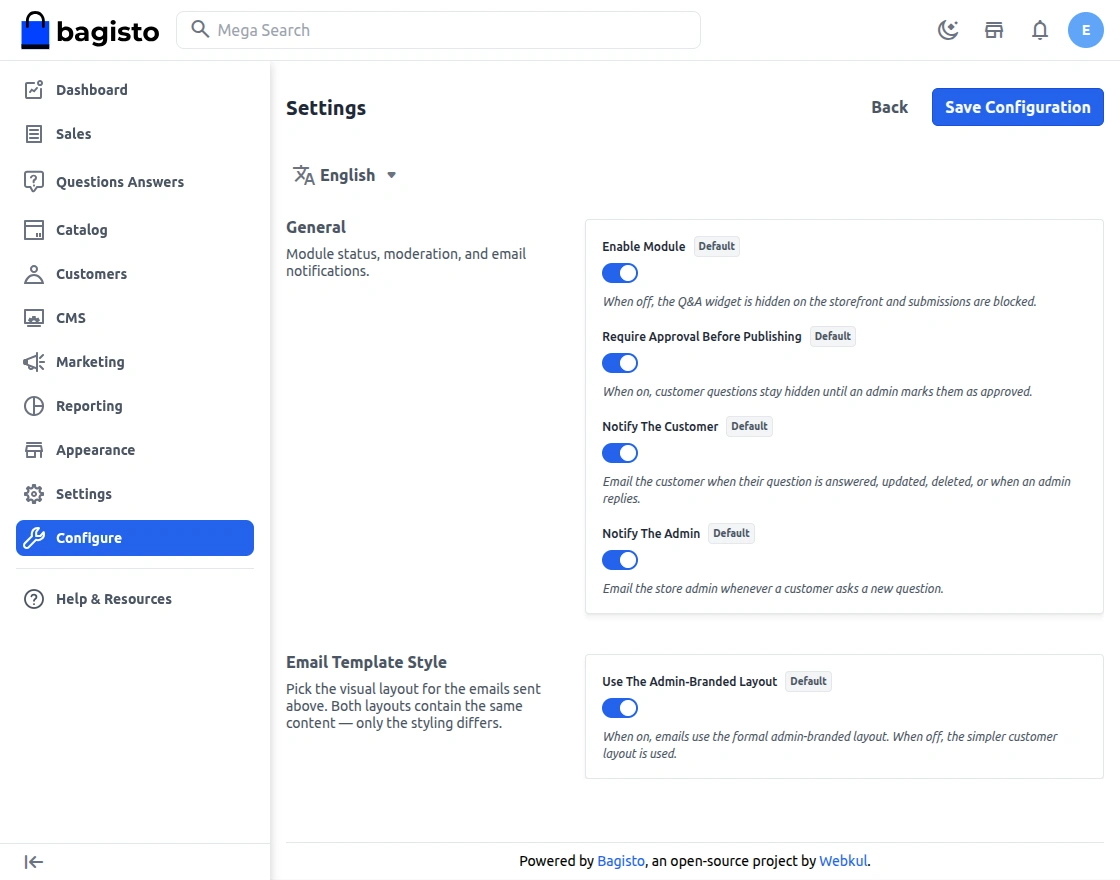
General Settings
Enable – By the toggle button, the admin can active or inactive this module.
Question Approval Required – From the drop-down, the admin can allow the approval for the questions to the Customers by selecting “Yes” else they can choose “No”.
Email Notification To Customer and Admin – The admin can select “yes” or “no” for sending the email notification to the customer and admin.
Email templates
The admin can select “yes” or “no” for email notification to the admin and the customer template.
Customer Front End Panel
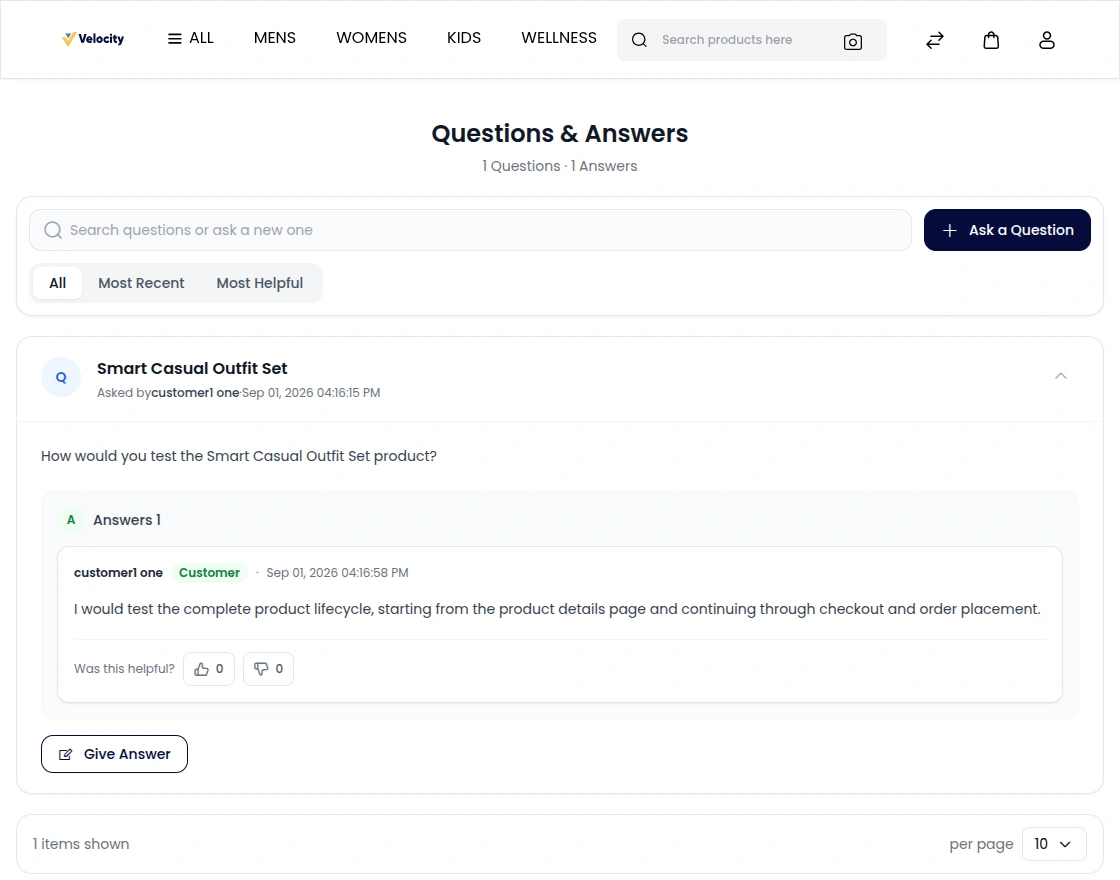
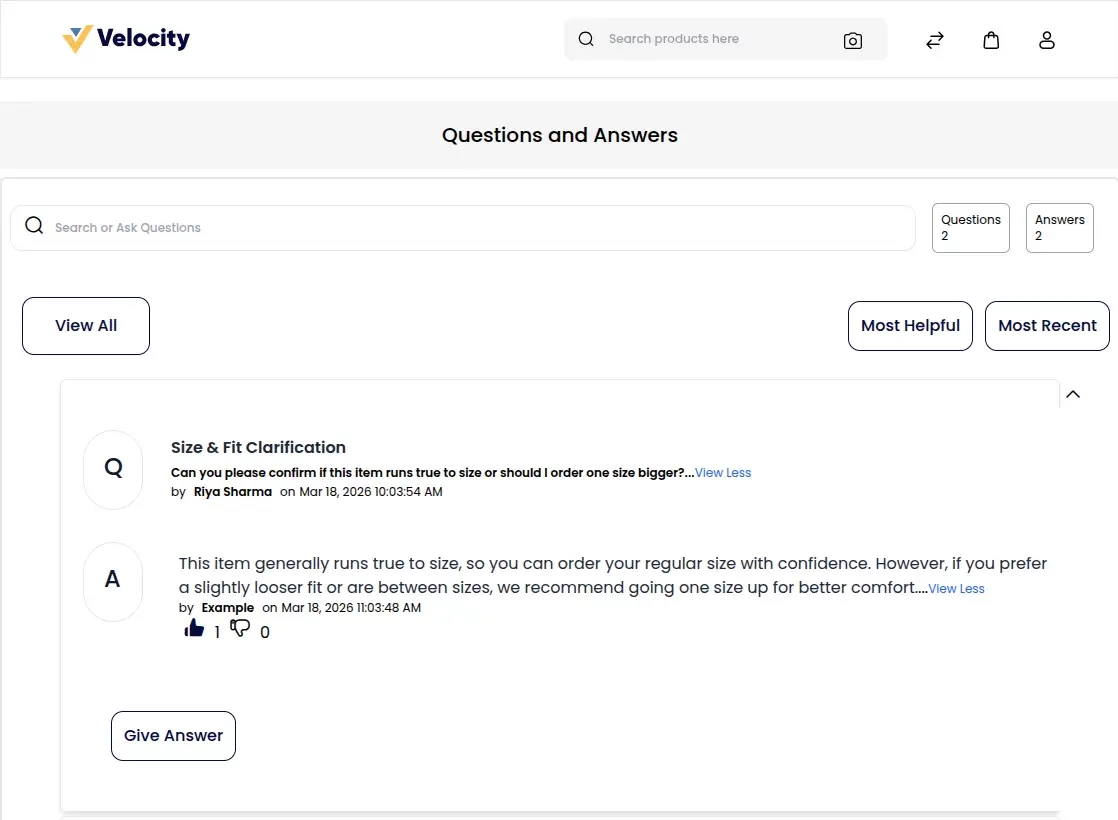
Once the customers sign in to the store after that at the product page they can see the section for question and answer.
Where they can see the posted questions of other customers and can check other questions using view all.
Click “Most Helpful” to see answers liked by the most customers, or “Most Recent” to view the latest questions submitted.
Note – Only logged-in customers can raise the questions.
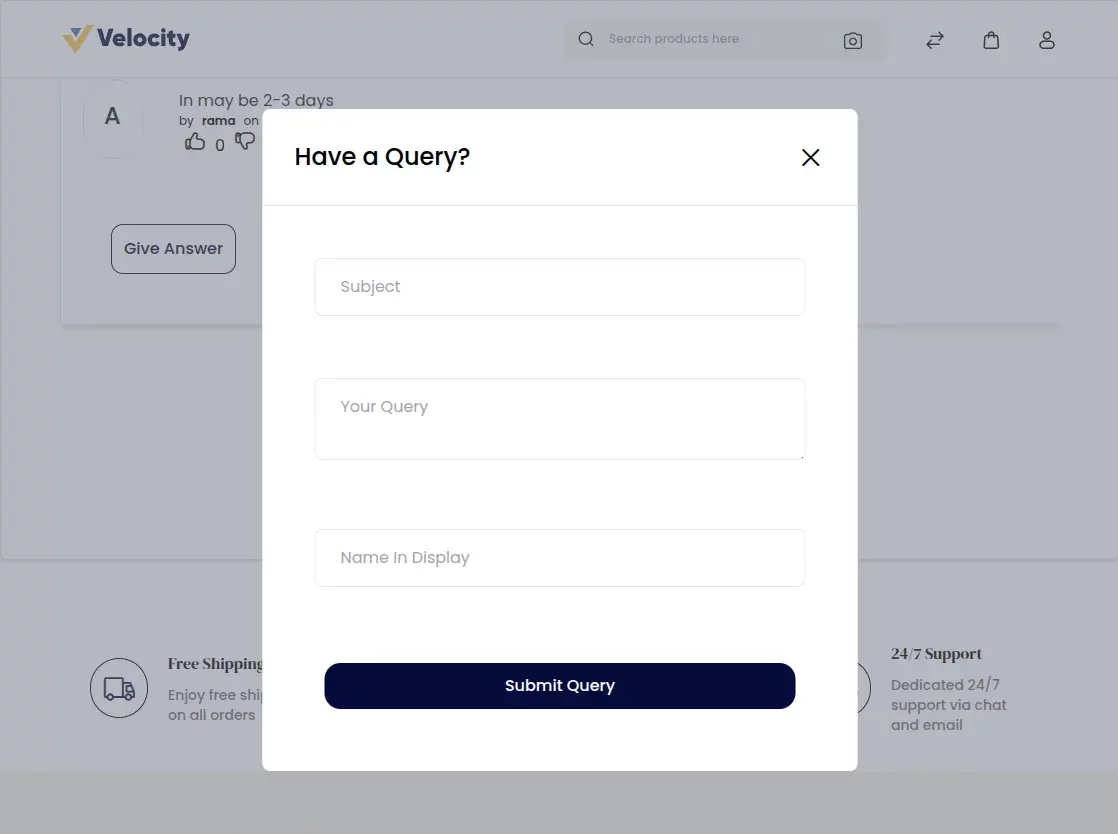
After logging in, the customer clicks “Ask Question” to open a pop‑up. By entering details like subject, query, and display name, the question can be submitted.

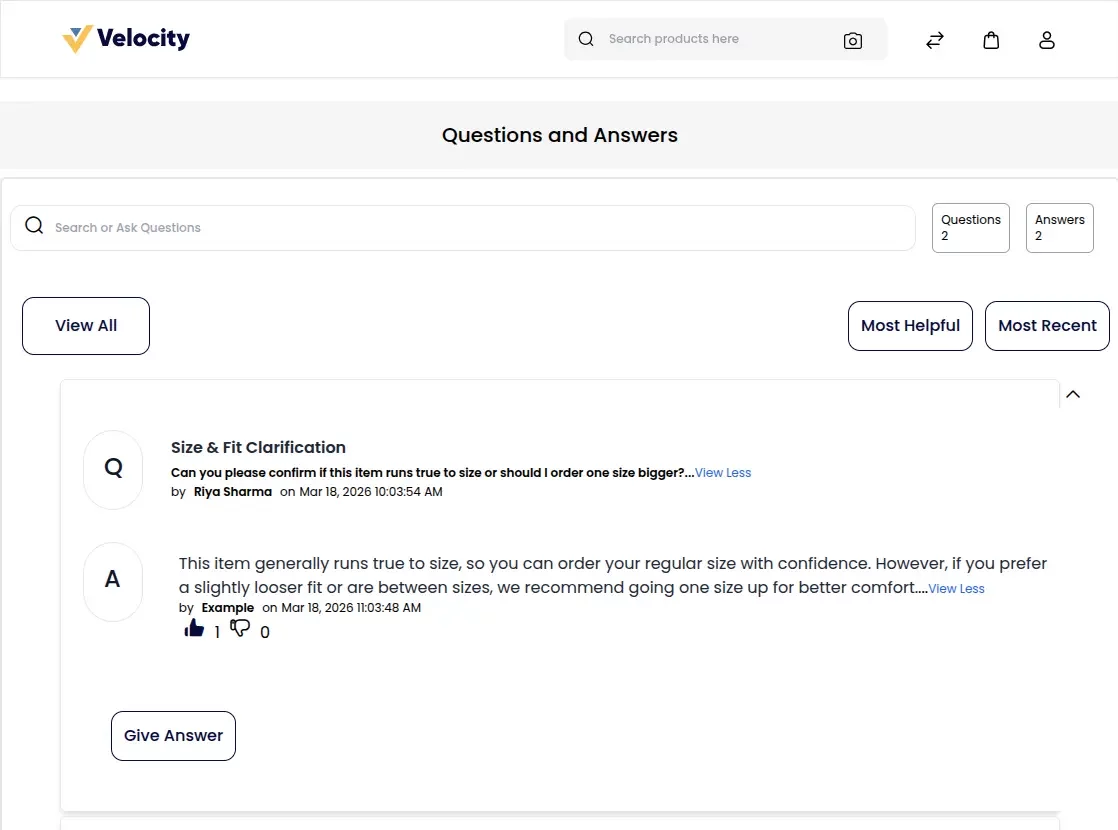
And in the same way, the customer is able to see the answer on the product page following their question.

Customer Questions in Admin Panel
When a customer submits a product question, it appears in Admin → Questions Answers → Questions, where the admin can view all queries along with their subjects and related product names.
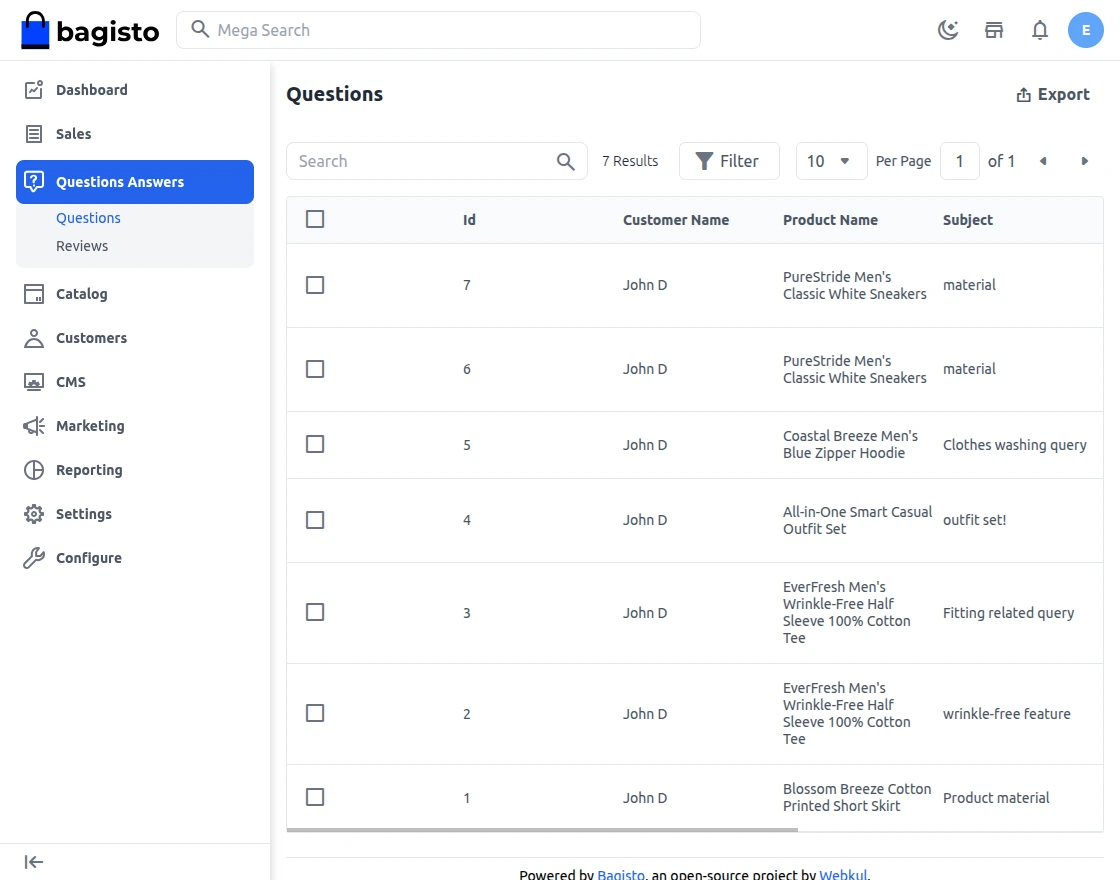
Navigate to the Answer section to view all submitted answers. From here, you can add a response to any question.
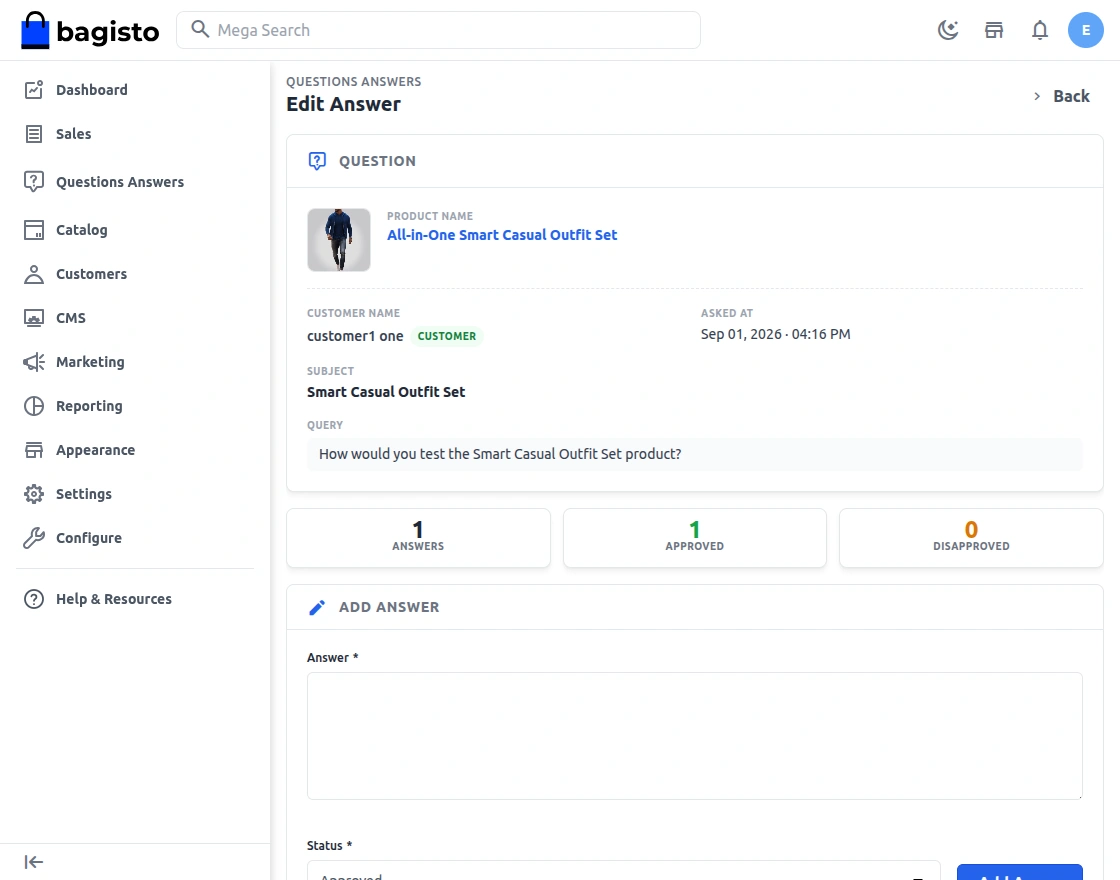
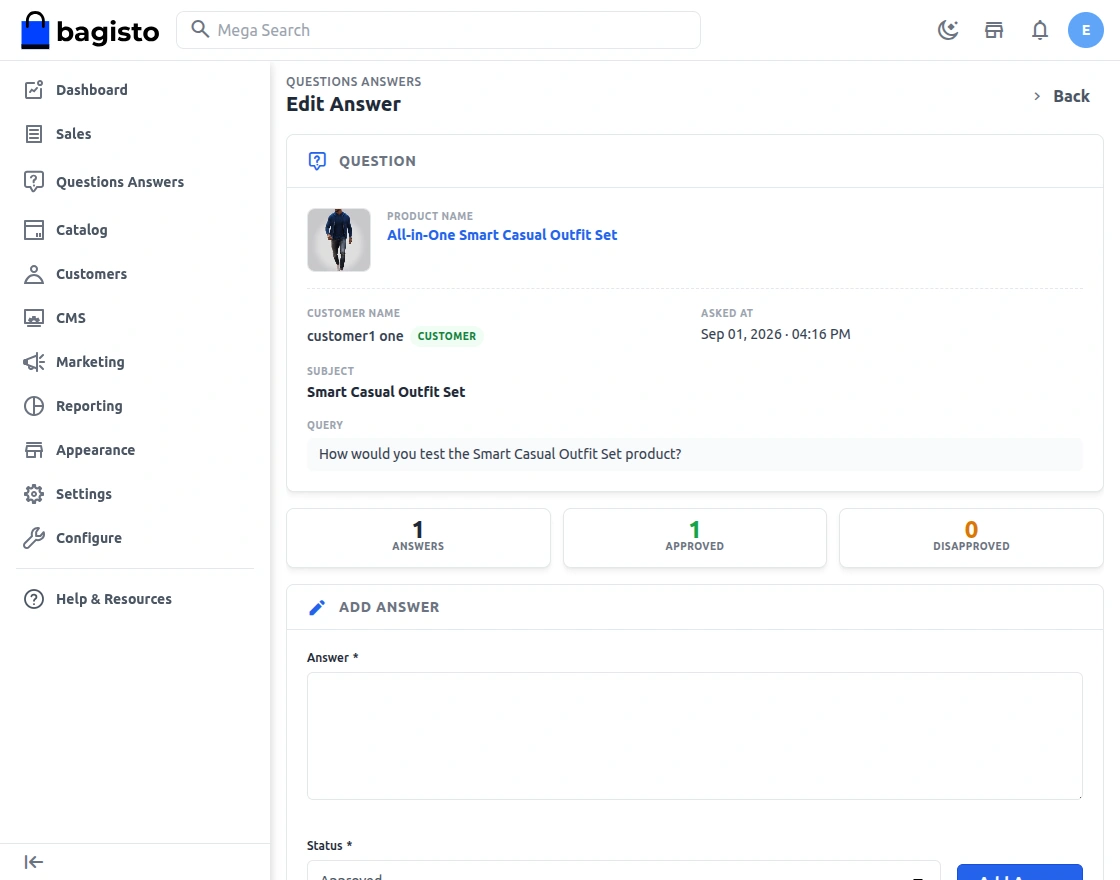
Click on the “A” icon for a question to open the Answer section. Here, the admin can add a reply and manage submitted answers.
In this section, the admin can also approve, disapprove, or delete answers related to that specific question.
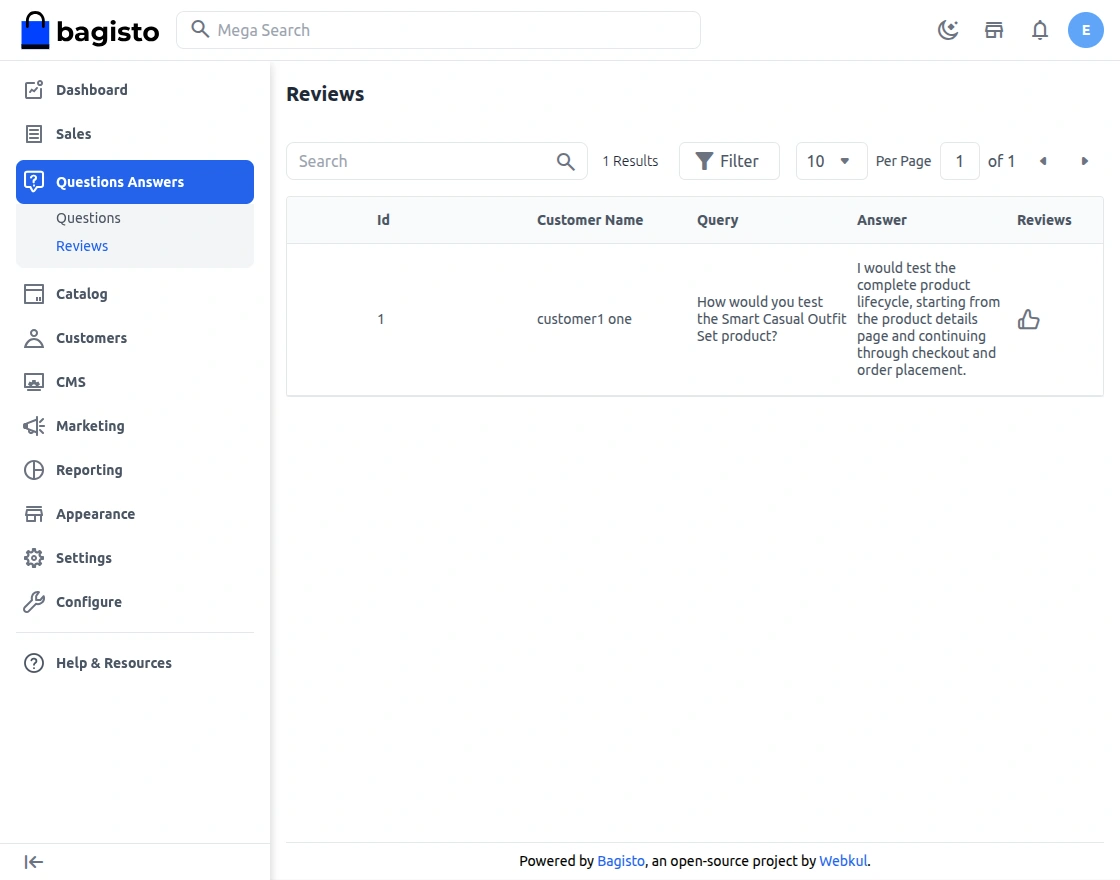
Reviews –
Under reviews, the admin can view all the reviews given to the answers by the customers – it can be like or dislike.
Front end-
And on the front end, at the product page, the customer can view the answer where he can like or dislike the answer and can answer the questions of other queries too.

Support
So, that was much about the User Guide of Bagisto Question and Answer Module for any queries or doubts reach out to us at support@webkul.com.
Please explore our Laravel Development Services and Quality Bagisto Extensions.