Krayin CRM new features
We’re rolling out Krayin CRM new features focused on faster workflows — including Quick Add, drag-and-drop calendar, and fixes across leads, quotes, and contacts.
Before we get into what’s new, one important note up top.


🔒 Security First: Installer Access Control Fixed
We’ve patched an authentication bypass vulnerability as part of the latest Krayin CRM new features update, caused by improper access control in the installer.
If you self-host Krayin, this update is non-optional — please upgrade at your earliest opportunity.
Existing installations are unaffected by this change beyond the fix itself; no data migration or reconfiguration is required.
✨ What’s New
Quick Add — One Button, Five Workflows
One of the Krayin CRM new features upgrades the + button into a Quick Add modal, letting admins create records without leaving the page.
When you click +, you now get a single tabbed modal with:
- Lead — title, value, description, pipeline, stage, type, source, owner, expected close date
- Person — name, emails, contact numbers, job title, sales owner, organization
- Organization — name, address, sales owner
- Product — name, description, SKU, quantity, price
- Email — to / cc / bcc, subject, rich-text body, attachments

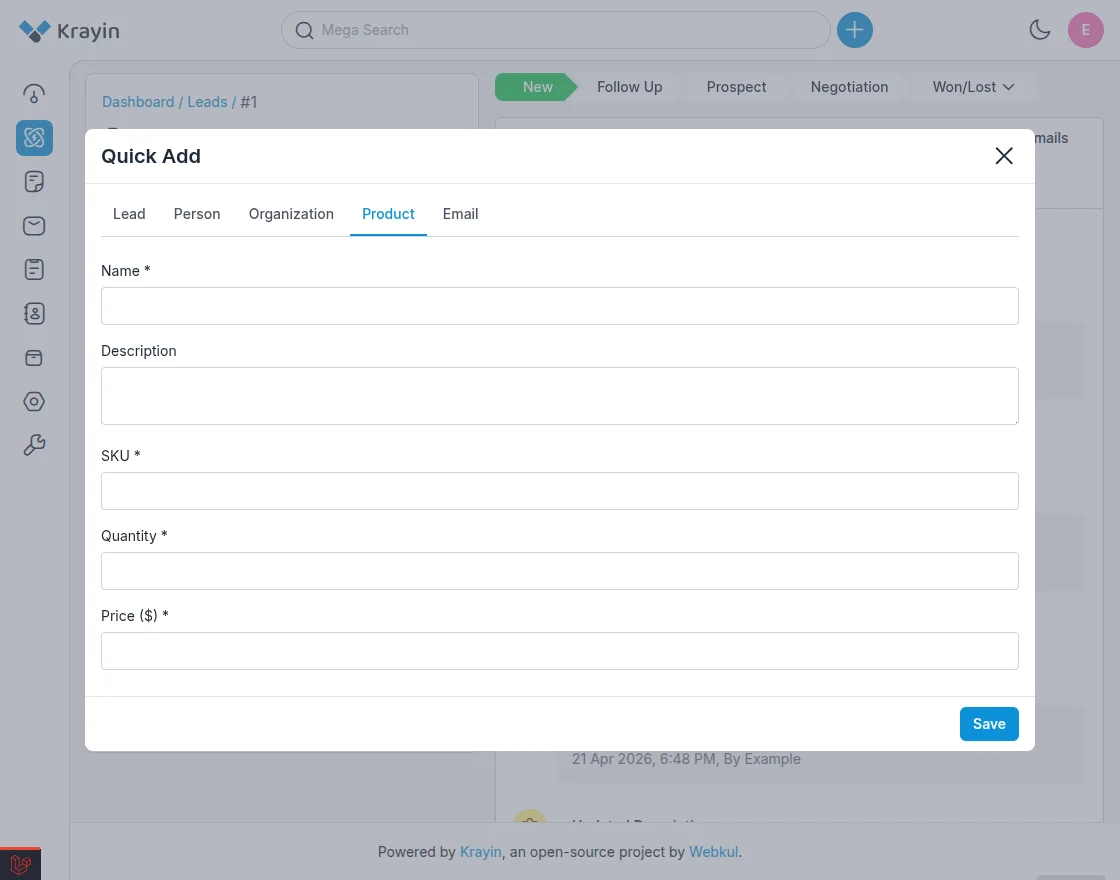
Each tab is permission-gated — admins only see the entities they’re allowed to create — and the form fields are driven by Krayin’s attribute system.
Mark any attribute as quick_add in Settings → Attributes and it’ll appear in the modal automatically. No code, no template overrides.
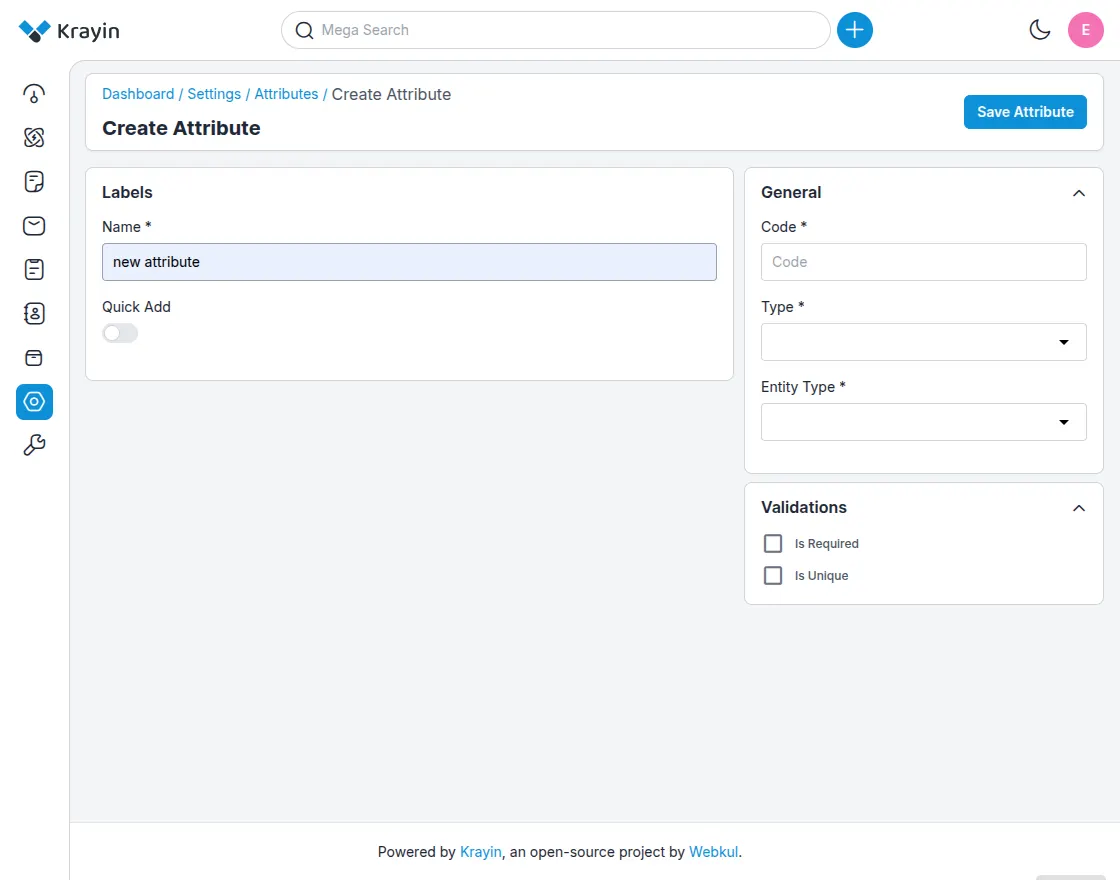
Submissions go through the same validation as the full create page, but stay on whatever screen you launched them from.
Reviewing a lead and need to drop in a contact you just got off a call with? Three clicks, no navigation, no lost context.
Add or Update a Person Directly From the Lead View
Speaking of lost context — you can now add a new contact person or update an existing one without leaving the lead detail page.
Inline editing on the contact panel removes a couple of round-trips that used to interrupt the deal-review flow.
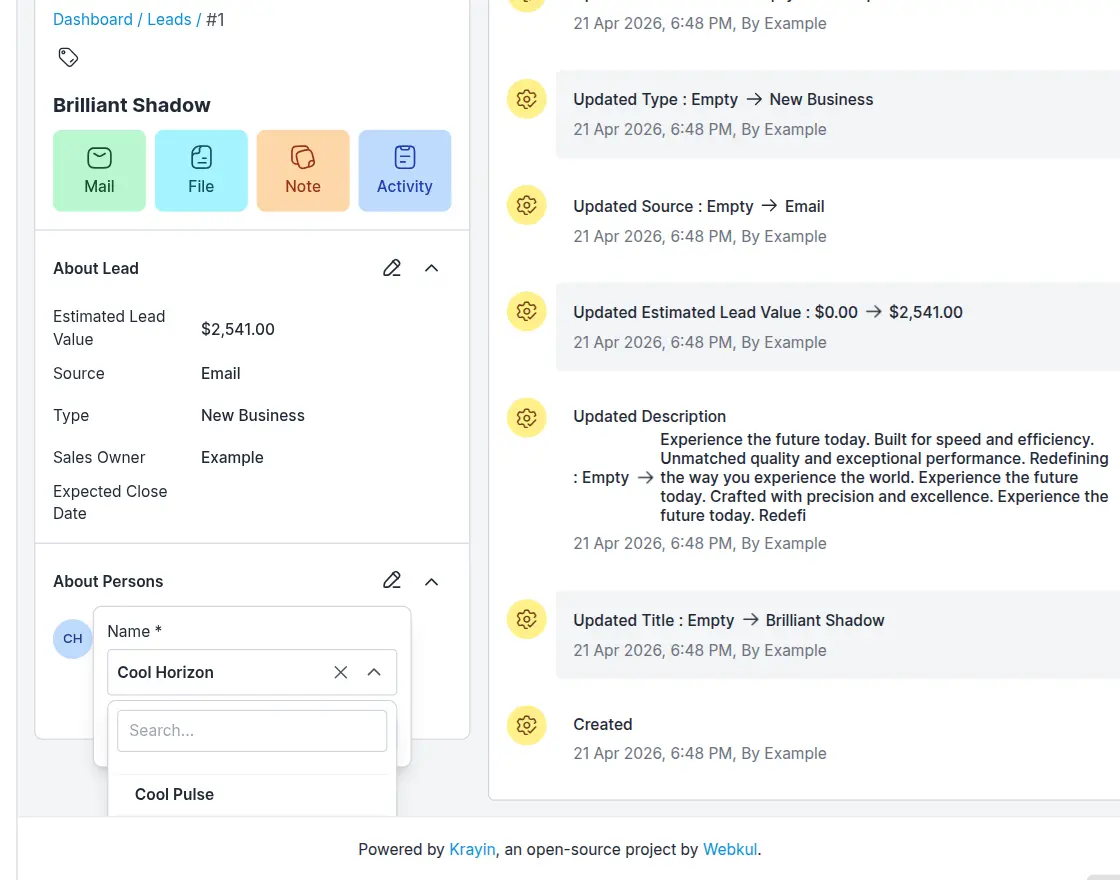
⚡ Update Activity via Drag-and-Drop on the Calendar
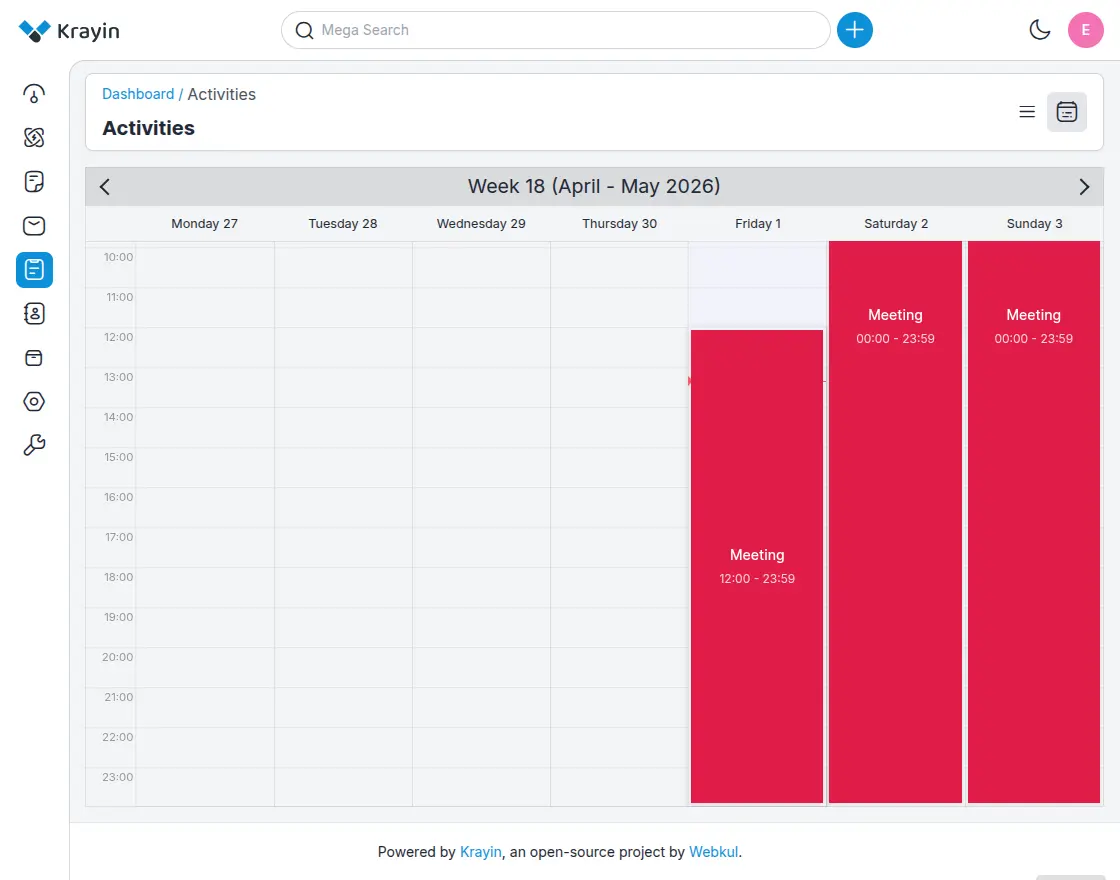
Calendar views look great until something needs to move. Then suddenly you’re clicking into the activity, opening the edit form, finding the date picker, changing two values, saving, and going back.
Now you just drag the activity to a new slot. Date, time, both — drop it where it should be and Krayin updates it. Same calendar you already use, fewer clicks to manage it.
This is one of those changes that sounds small in a changelog and feels huge after a week of using it.
🐛 Bug Fixes & Polish
A focused round of cleanup work across the parts of Krayin you touch every day:
Leads & Quotes
- Quote fields now auto-fill correctly when a quote is linked to a lead — no more re-entering customer details that already exist on the lead.
- Price formatting issue resolved.
- Lead Kanban list ordering is now stable across reloads.
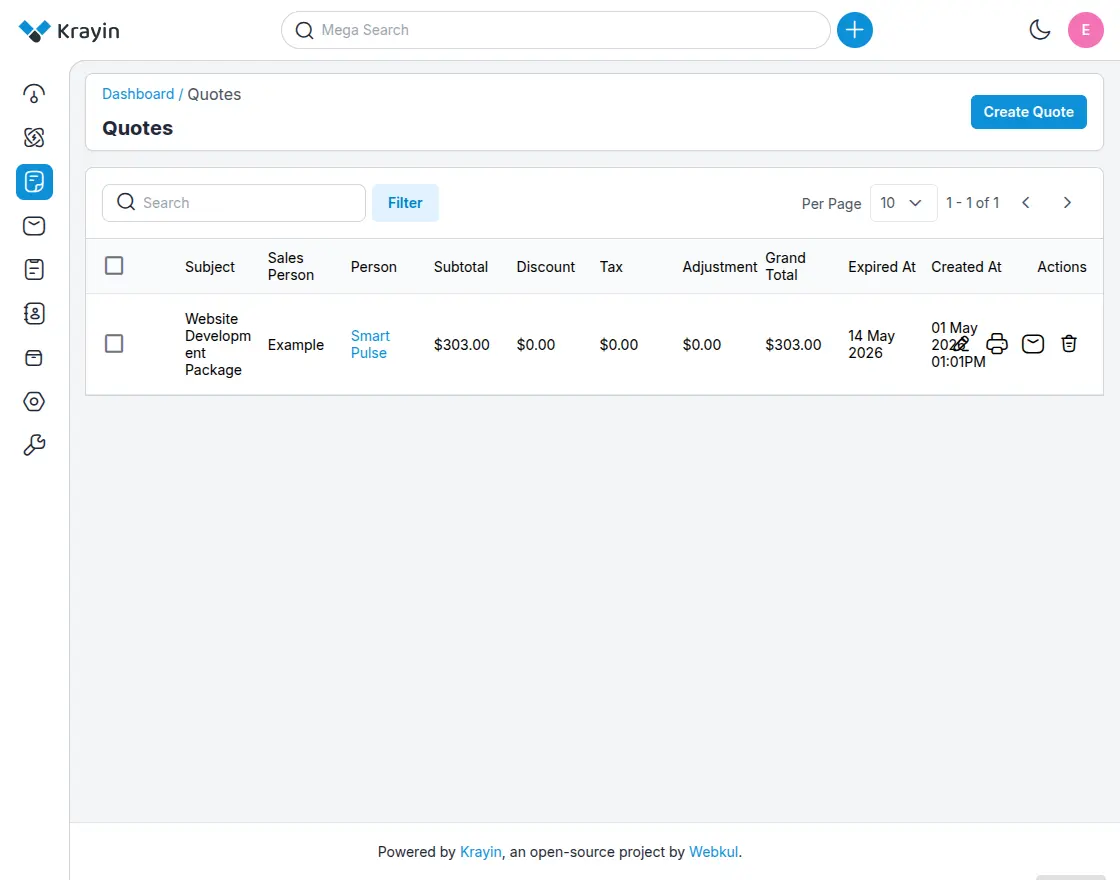
- Quote details can now be viewed and shared with a person directly from the quote list — no need to open the quote first.
- Admin can send details to attached person from quote list on mail.
UI & Layout
- Header block stays pinned to the top correctly across all admin pages.
- Activity UI refreshed for better readability.
- Activity display in the Calendar view now renders consistently.
- Logo update issue resolved.
Forms
- Web form submission issue fixed.
Upgrading
Standard upgrade path — pull the latest, run migrations, clear caches:
git pull
composer install
php artisan migrate
php artisan view:clear
php artisan config:clear
Because of the installer security fix, please upgrade as soon as you can, even if you’re not actively using the new features yet.
Try It Out
The Quick Add modal is the most noticeable update — open any admin page, click +, and use the new tabbed UI. To customize it, go to Settings → Attributes and enable Quick Add for your fields.
As always, file issues and feature requests on GitHub. Thanks to everyone who reported bugs, sent PRs, and pushed on the calendar UX — this release leans heavily on community feedback.
Happy selling. 🚀
Notes on tone & framing
A few things you might want to tune before publishing:
- The security fix — I led with it because it’s the one thing readers must act on. If you’d rather bury it (some companies do, to avoid drawing attention to the CVE before patch adoption is high), move it to a “Maintenance” section near the bottom.
- “Quick App” → “Quick Add” — your release notes called it “Quick App” but the actual feature is “Quick Add.” I assumed that was a typo and used the real name throughout. Confirm before publishing.
- Issue link — I linked
#2194as a GitHub issue. Replace the URL if you track issues elsewhere. - CTA — I closed with “file issues on GitHub.” Swap in your community channel (Discord, forum, etc.) if that’s a better fit.