Hide Product Tab For Specific Product Type in Magento 2
Here we will learn “How to Hide a Product Tab for a specific type of product on product edit form”.
First create ‘di.xml’ in location Webkul/HideProductTab/etc/adminhtml/
<?xml version="1.0"?>
<config xmlns:xsi="http://www.w3.org/2001/XMLSchema-instance" xsi:noNamespaceSchemaLocation="urn:magento:framework:ObjectManager/etc/config.xsd">
    <virtualType name="Magento\Catalog\Ui\DataProvider\Product\Form\Modifier\Pool">
        <arguments>
            <argument name="modifiers" xsi:type="array">
                <item name="advancedCustomOptions" xsi:type="array">
                    <item name="class" xsi:type="string">Webkul\HideProductTab\Ui\DataProvider\ProductForm</item>
                    <item name="sortOrder" xsi:type="number">20</item>
                </item>
            </argument>
        </arguments>
    </virtualType>
</config>
Then create ‘ProductForm.php’ in location Webkul/HideProductTab/Ui/DataProvider/
<?php
namespace Webkul\HideProductTab\Ui\DataProvider;

use Magento\Catalog\Ui\DataProvider\Product\Form\Modifier\AbstractModifier;
use Magento\Catalog\Model\Locator\LocatorInterface;
use Magento\Framework\App\RequestInterface;
use Magento\Framework\View\LayoutFactory;

class ProductForm extends AbstractModifier
{
    /**
     * @var LocatorInterface
     */
    protected $locator;

    /**
     * @var RequestInterface
     */
    protected $request;

    /**
     * @var LayoutFactory
     */
    private $layoutFactory;

    public function __construct(
        LocatorInterface $locator,
        RequestInterface $request,
        LayoutFactory $layoutFactory
    ) {
        $this->locator = $locator;
        $this->request = $request;
        $this->layoutFactory = $layoutFactory;
    }

    public function modifyMeta(array $meta)
    {
        if ($this->getProductType() == "simple") {
            $meta["custom_options"] = [
                "arguments" => [
                    "data" => [
                        "config" => [
                            "componentType" => "fieldset",
                            "collapsible" => false,
                            "sortOrder" => 1,
                            'opened' => false,
                            'canShow' => false,
                            'visible' => false
                        ]
                    ]
                ]
            ];
        }
        return $meta;
    }

    /**
     * {@inheritdoc}
     */
    public function modifyData(array $data)
    {
        return $data;
    }

    /**
     * Get product type
     *
     * @return null|string
     */
    private function getProductType()
    {
        return (string)$this->request->getParam('type', $this->locator->getProduct()->getTypeId());
    }
}
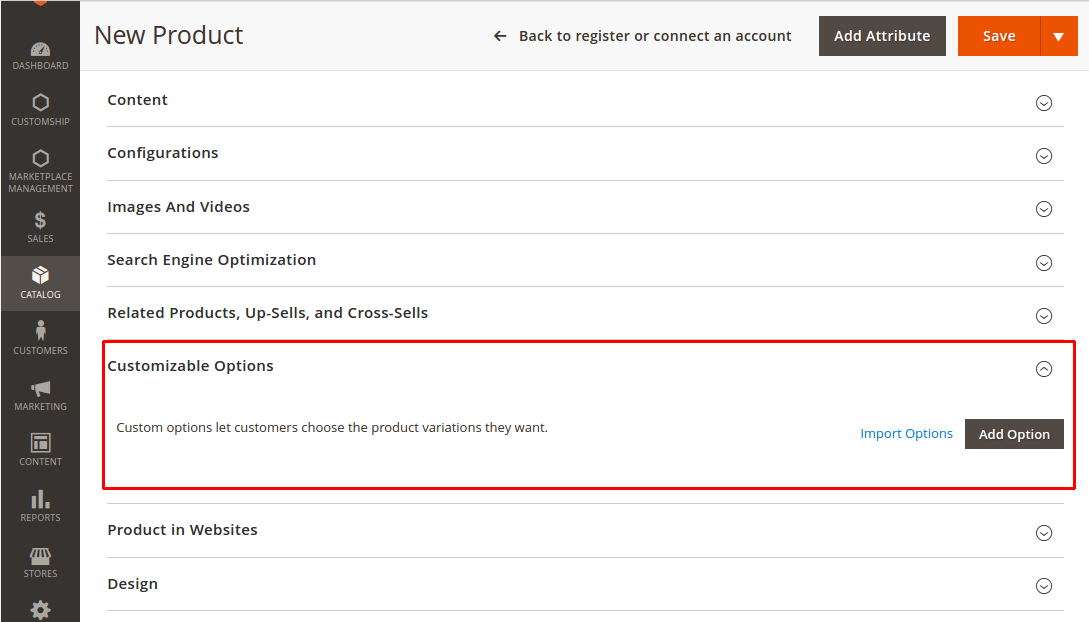
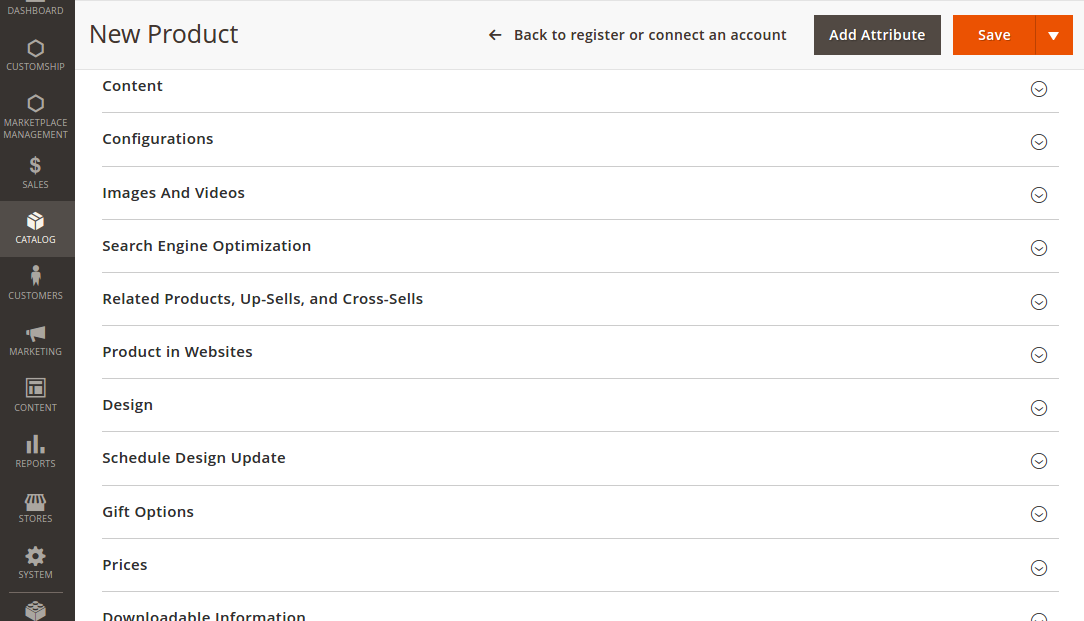
Here we have hidden the Custom Options tab for Simple type product.
Before removing the tab

After removing the tab

If you want to add a tab then checkout Add Product Tab For Specific Product Type In Your Custom Module Magento 2
Categories:
Magento2
View Comments (2)
Comment or Ask a Question
Quick Links