User Guide for CS-Cart Special Promotion Condition
With the help of our CS-Cart Special Promotion Conditions add-on, you can increase your customers, your sales, and your business easily without making a lot of effort.
This enables you to provide a lot of promotional conditions of offers/bonuses to your customers which will definitely going to make your customers happy and will increase your sales.
Basically, the add-on allows to create various promotional conditions for the new customers.
The buy x get y offer condition, adding the conditions based on total order placed by the customers, and many more.
Note:
- Install the add-on.
- Enter the license key.
- Follow the license activation steps.
Check a brief overview of the plugin –
Features of CS-Cart Special Promotion Conditions
- Well integrated with CS-Cart Multi-Vendor.
- Functionality to provide the cart promotion conditions for the new customers.
- Functionality to provide the cart promotion condition of buy X get Y offer, so that the customers can get the bonus of “Y” as a free product.
- Functionality to provide the cart promotion condition based on total order placed by the customer.
- Functionality to provide the cart promotion condition for the customer so that the promotion can be used once per day/week/month/year.
- The feature available of adding the promotion condition at some selected dates of the calendar.
The flow of Installation and Configuration
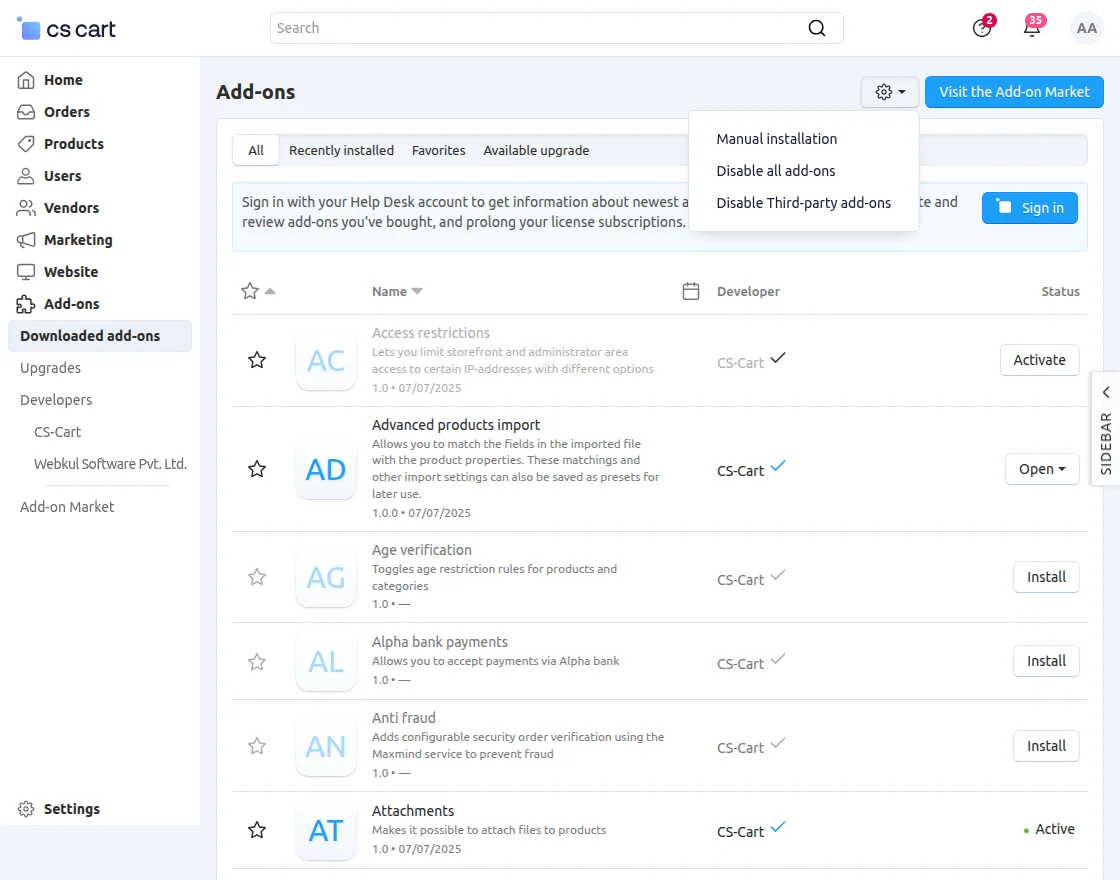
- Go to Manage Add-ons, click on the gear drop-down, and select Manual Installation.

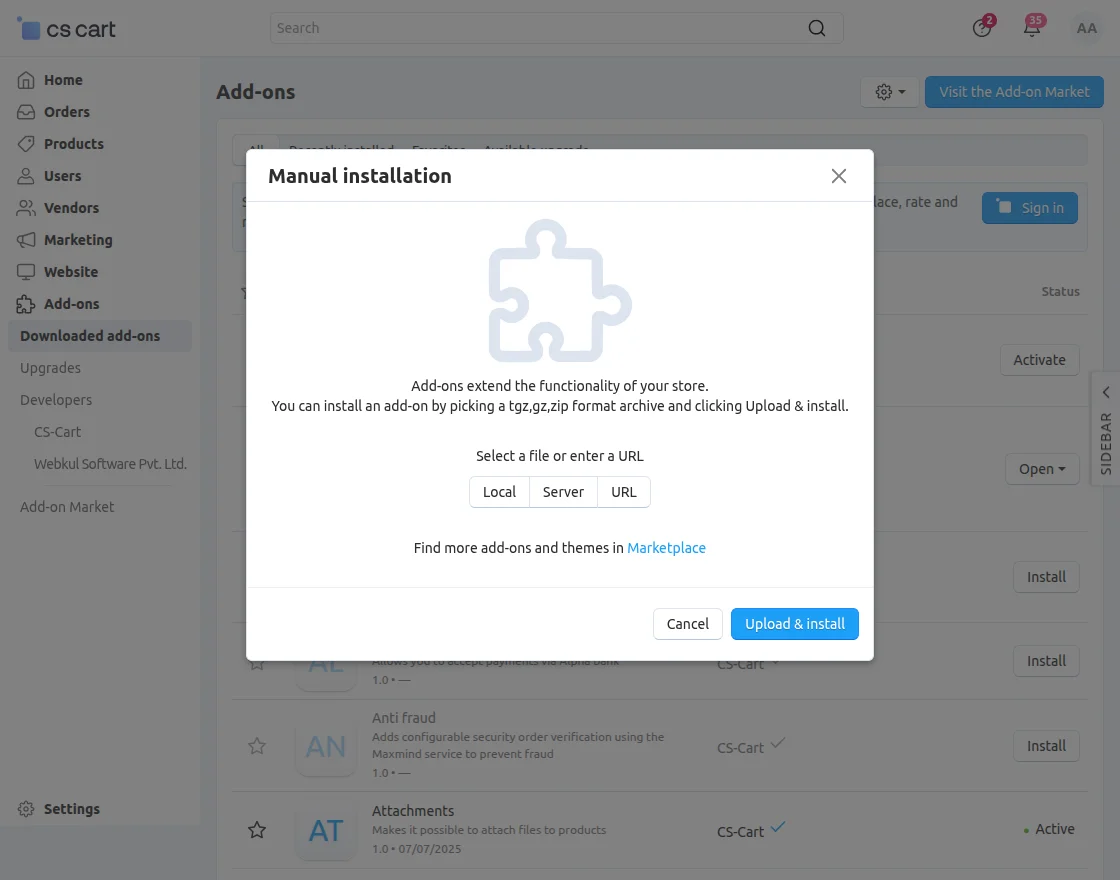
2. Click on Local to select the zip file.
Then click on “Upload & Install” as shown below in the snapshot.
Add-on installed successfully!
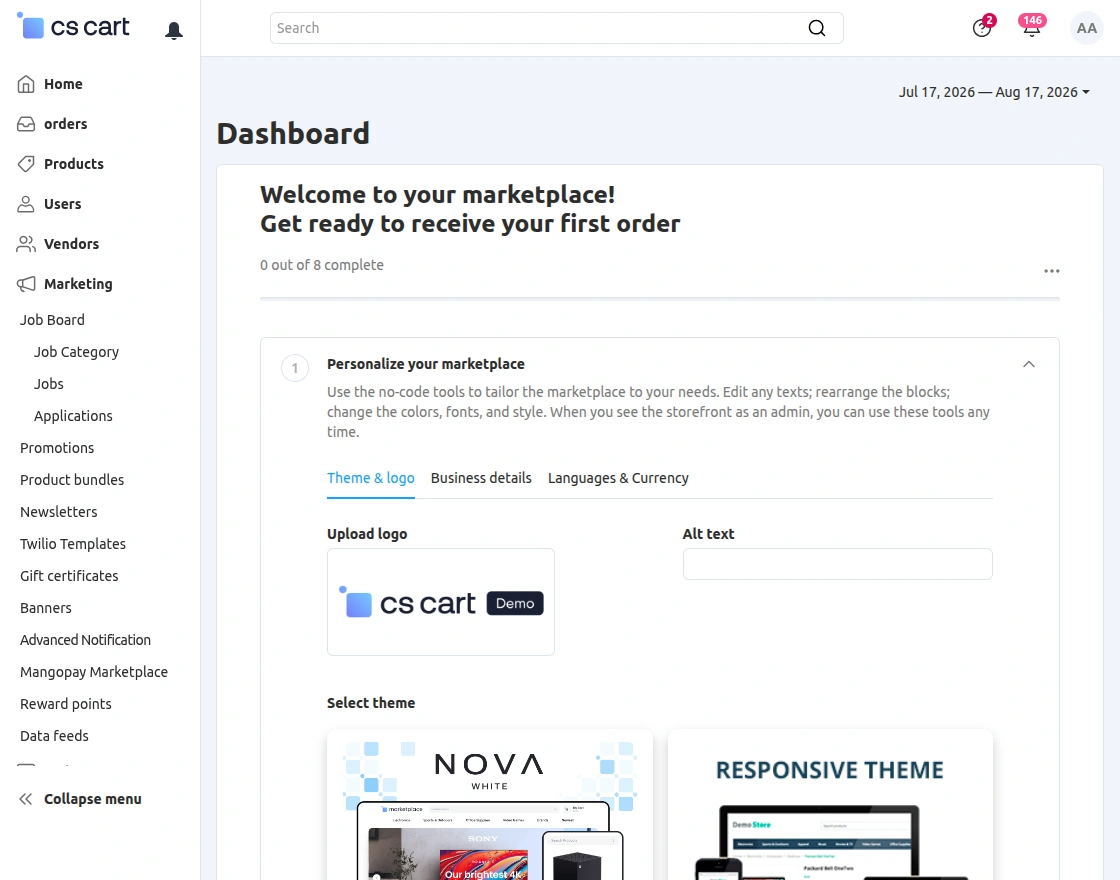
Now after the installation, go to marketing > Promotions to create different promotions.
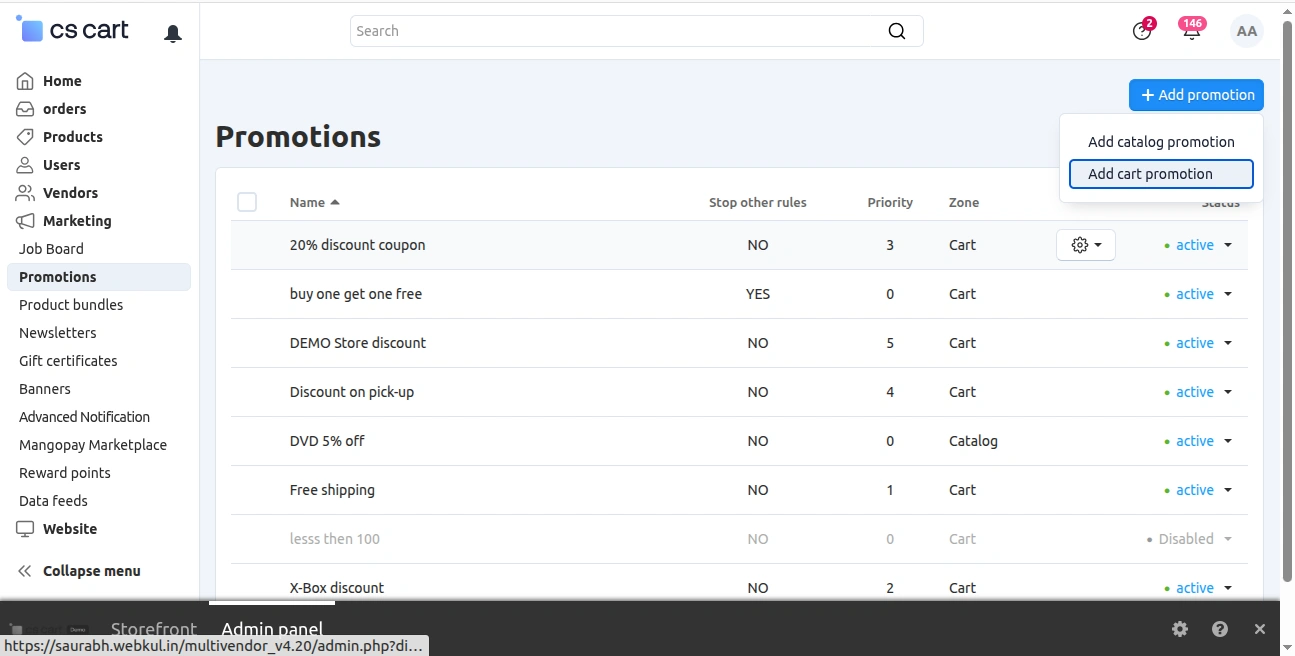
Click on the plus icon to create the new promotion as shown –

-
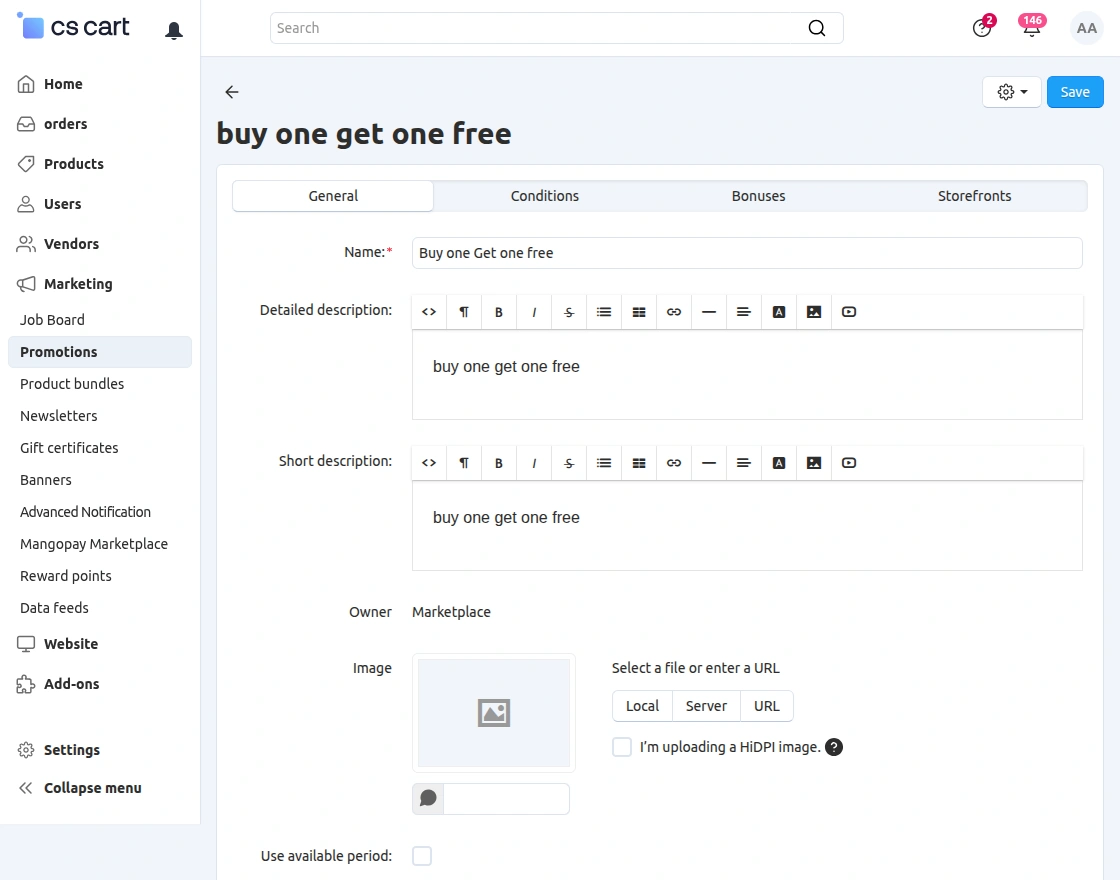
- In general tab, fill all the given fields accordingly –
-
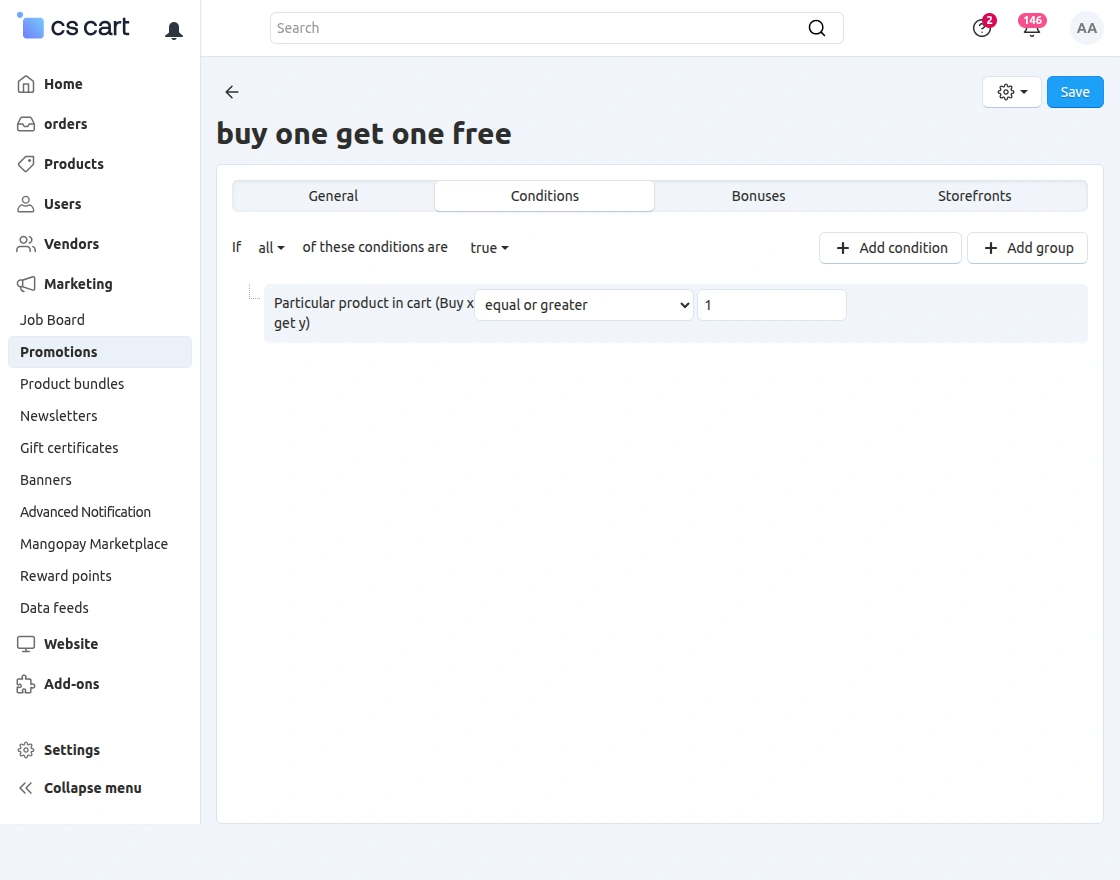
- In conditions tab, click on add conditions option to add the conditions for promotions as shown –
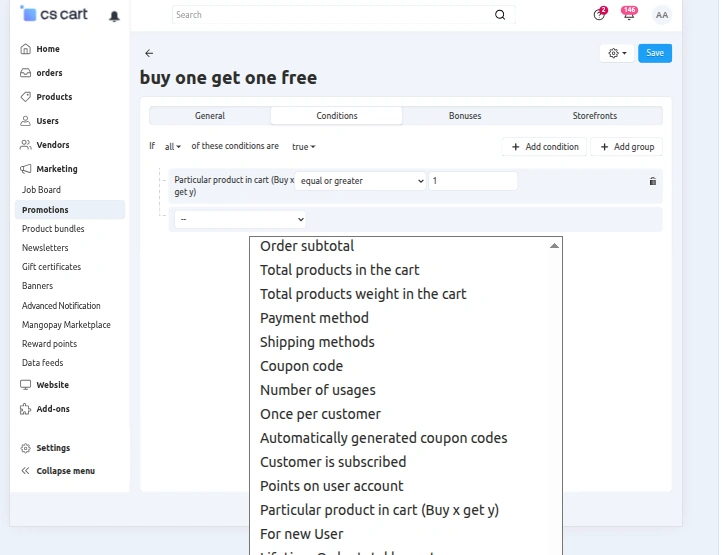
When you will click on Add condition option, you will see the different conditions in the dropdown as shown, you can select any conditions from here –

-
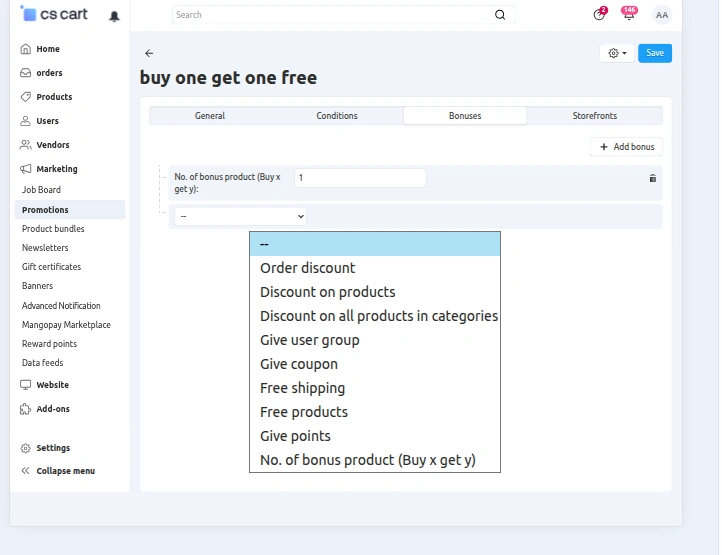
- After adding the conditions for promotion, next one is the bonus tab. From here you can add the bonus, you want to give to your customers as shown –
- Now, click on create in order to create the promotion.
Front-End View
Now on the cart page you can see the promotion has been applied while we added two products in the cart, and got a free product as the bonus –


Similarly, you can add different conditions and bonuses and can give a boost to your sales by making your customers happy.
Support
That’s all for the add-on, still, have any issue, feel free to write here on Http://Webkul.Uvdesk.Com and let us know your views to make the module better.
Please explore our cs-cart Development Services and Quality cs-cart add-ons