User Guide for CS-Cart Single Step Checkout
Table of Content
CS-Cart Single Step Checkout simplifies the checkout process for online stores. It combines all steps into one page and helps customers place orders faster.
A simple checkout improves user experience and increases conversions.
Note: Before installing the add-on, extract the downloaded package.
- Install the License Manager add-on first.
- Then install the required add-on.
- Follow the license activation steps to generate your license key.
Features
- Combines all checkout steps into a single page for quick order placement.
- Shows a complete order summary before placing the order.
- Supports guest checkout for faster purchases without registration.
- Reduces checkout time and improves overall user experience.
- Minimizes cart abandonment with a simple and clear checkout flow.
- Provides a clean and structured layout for easy navigation.
Installation
After downloading the Single Step Checkout add-on, you’ll get one zip file, one install.txt file, and a relevant User Guide manual doc.
Please read it carefully for proper configuration.
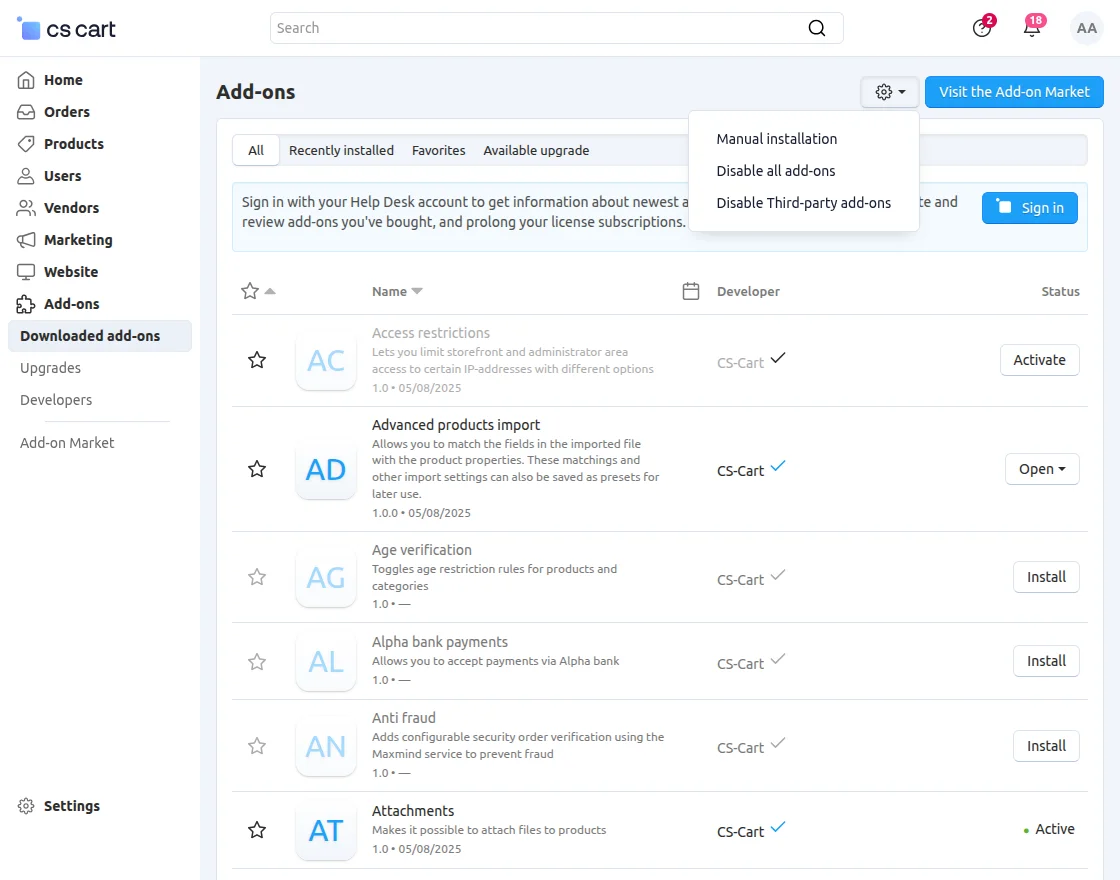
Go to Manage Add-ons, and click on “Manual Installation” as shown below in the snapshot.

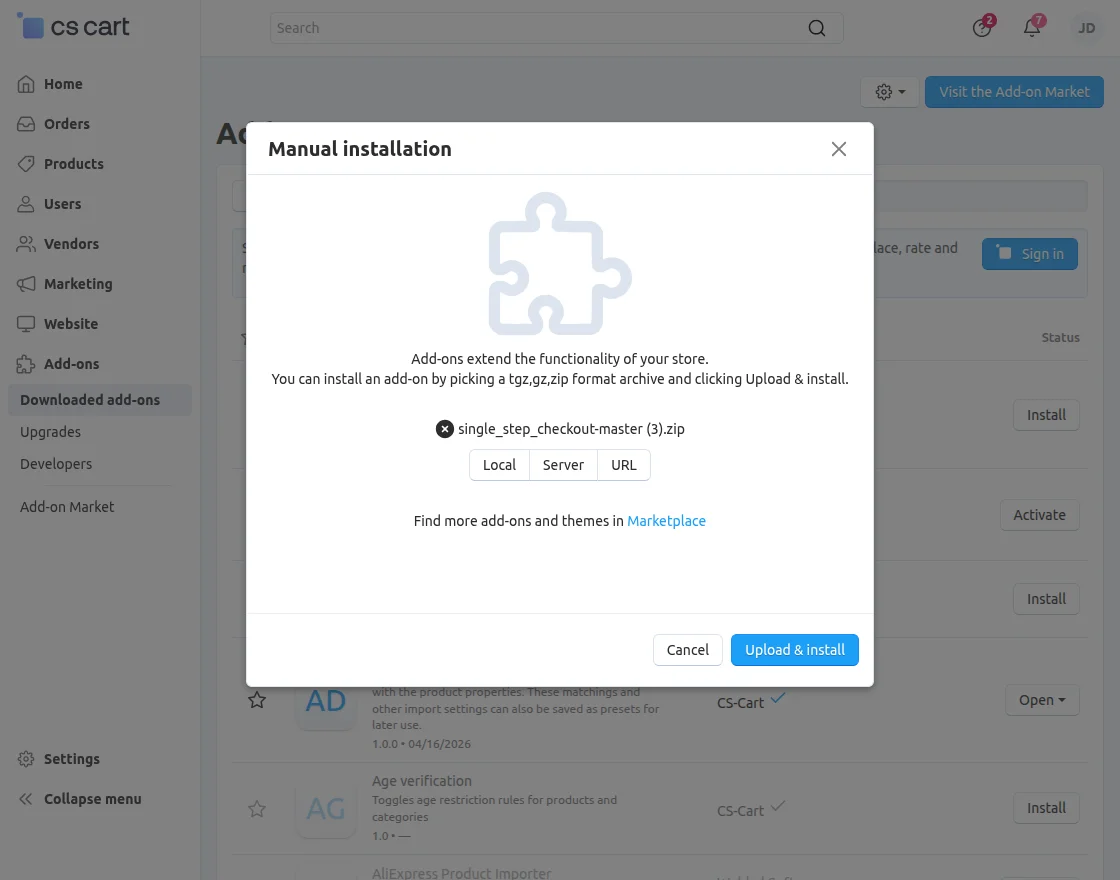
Click on “Local” to browse the zip file, and then click on “Upload & Install” as shown below in the snapshot.
Module Configuration
To configure the module, go to the Add-Ons >> Developers >> Webkul Software Pvt Ltd. >> Single-Step Checkout >> Settings.
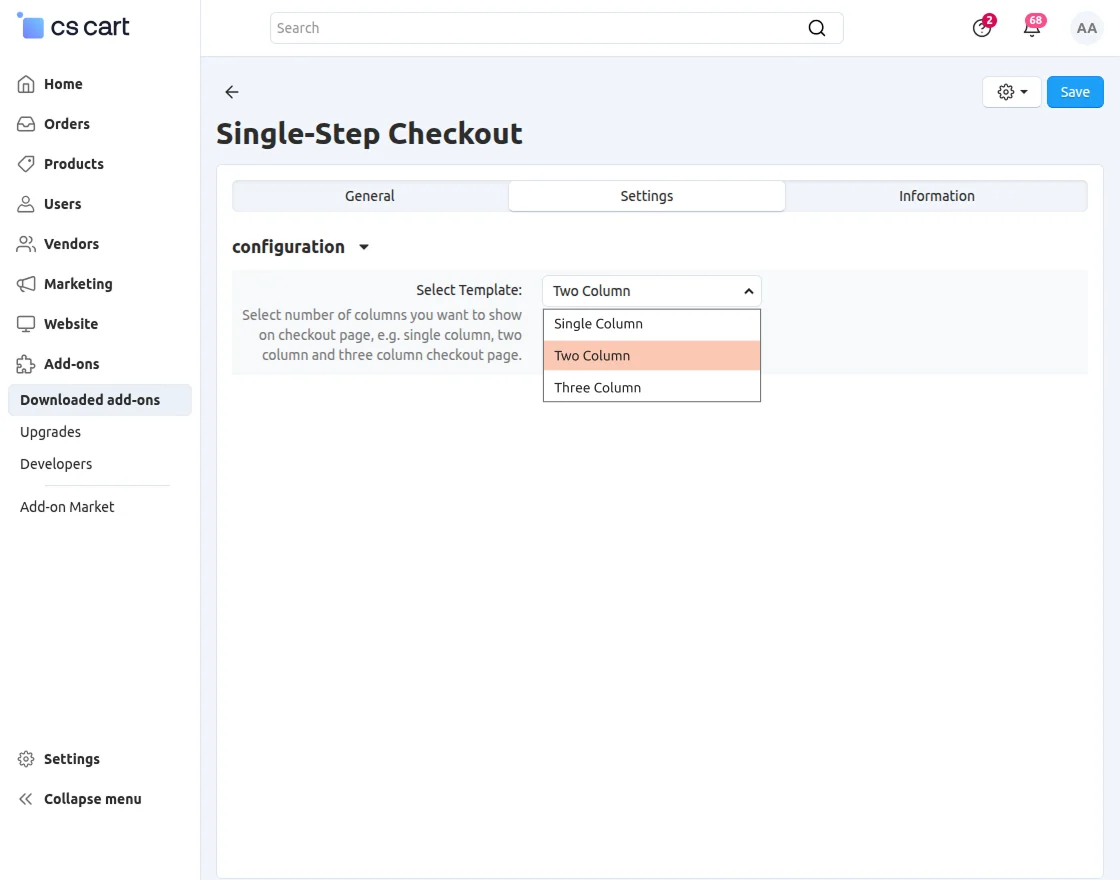
- Select Template: Choose from available templates.
Customer View
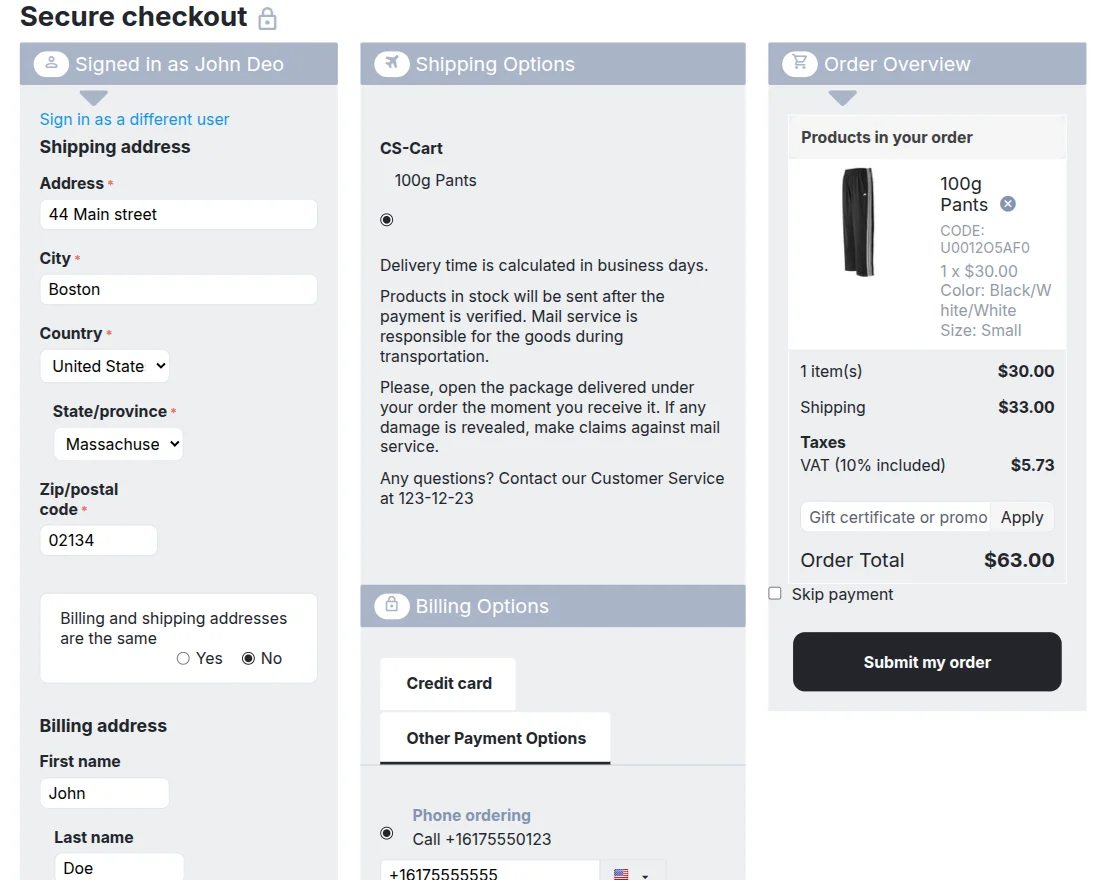
When customers proceed to checkout, they can complete the entire process on a single page.
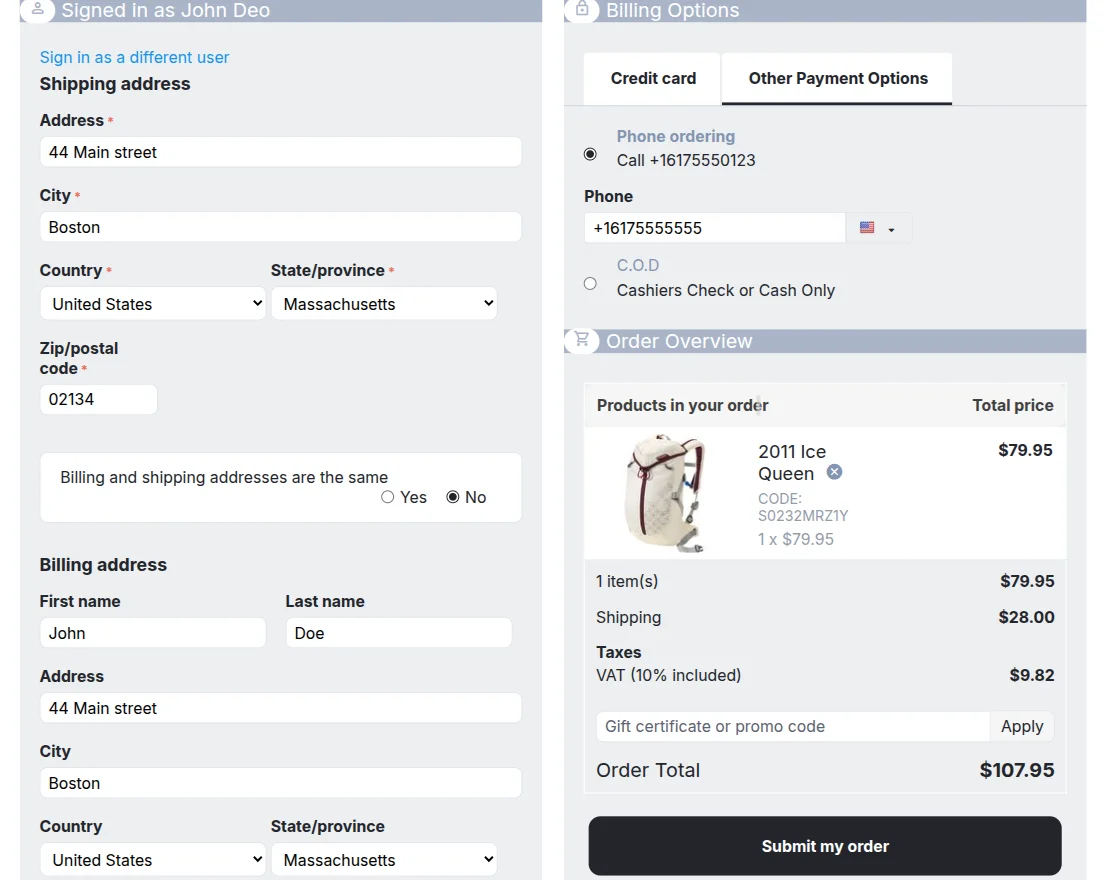
When the three-column layout is selected, the checkout page displays sections in three structured columns for better visibility.
Support
If you have any questions, suggestions, or customization requests, feel free to contact us at support@webkul.com or submit a ticket at webkul.uvdesk.com.
Explore our premium-quality CS Cart Extensions to enhance your store functionality.
You can also explore our CS-Cart Development Services and Quality CS-Cart add-ons.