User Guide for CS-Cart Product Page Shipping Cost
CS-Cart Product Page Shipping Cost: This splendid extension allows users to display available shipping methods and prices on the product view page based on the location specified.
The addon permits customers to calculate their product shipping before adding the desired product to the cart.
Features
- Well integrated with CS-Cart/Multivendor.
- Shipping info displayed at product view page.
- Option to calculate shipping cost based on location, cost of product, weight, and quantity of product.
- Ability to pick the default shipping days if the shipping method is not defined for any desired product.
- Easy to configure and use at the admin end.
Video Tutorial

Installation
To install CS-Cart Product Page Shipping Cost, follow these steps:
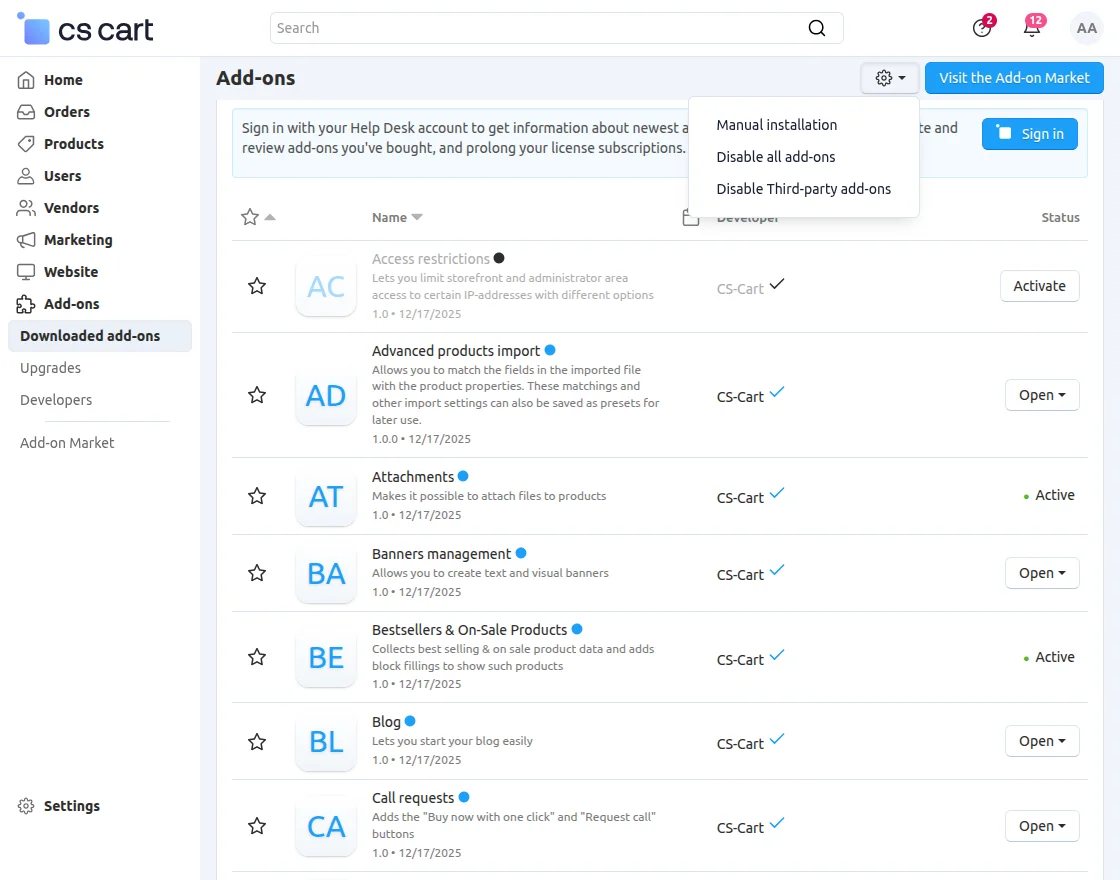
- Go to Manage Add-ons, click on the gear drop-down, and select Manual Installation.

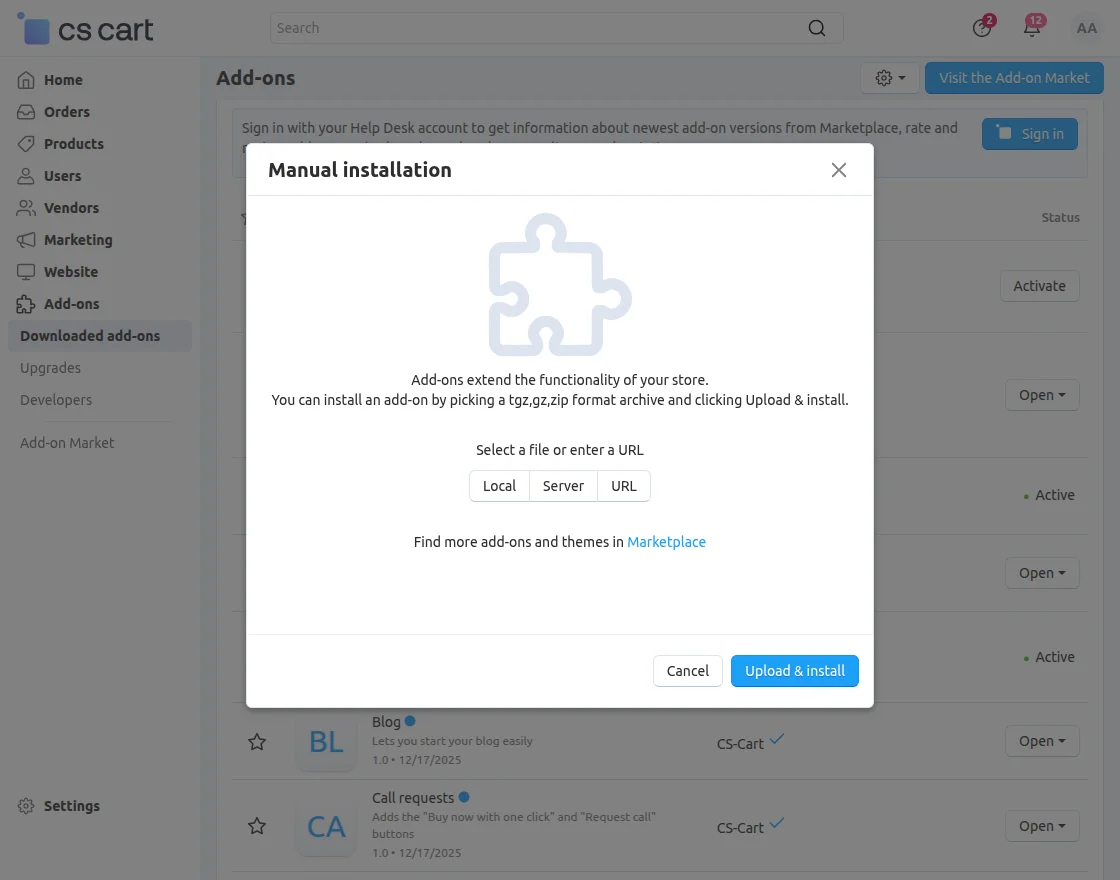
2. Now, select the zip File and click on Upload&install.
Add-on Configuration
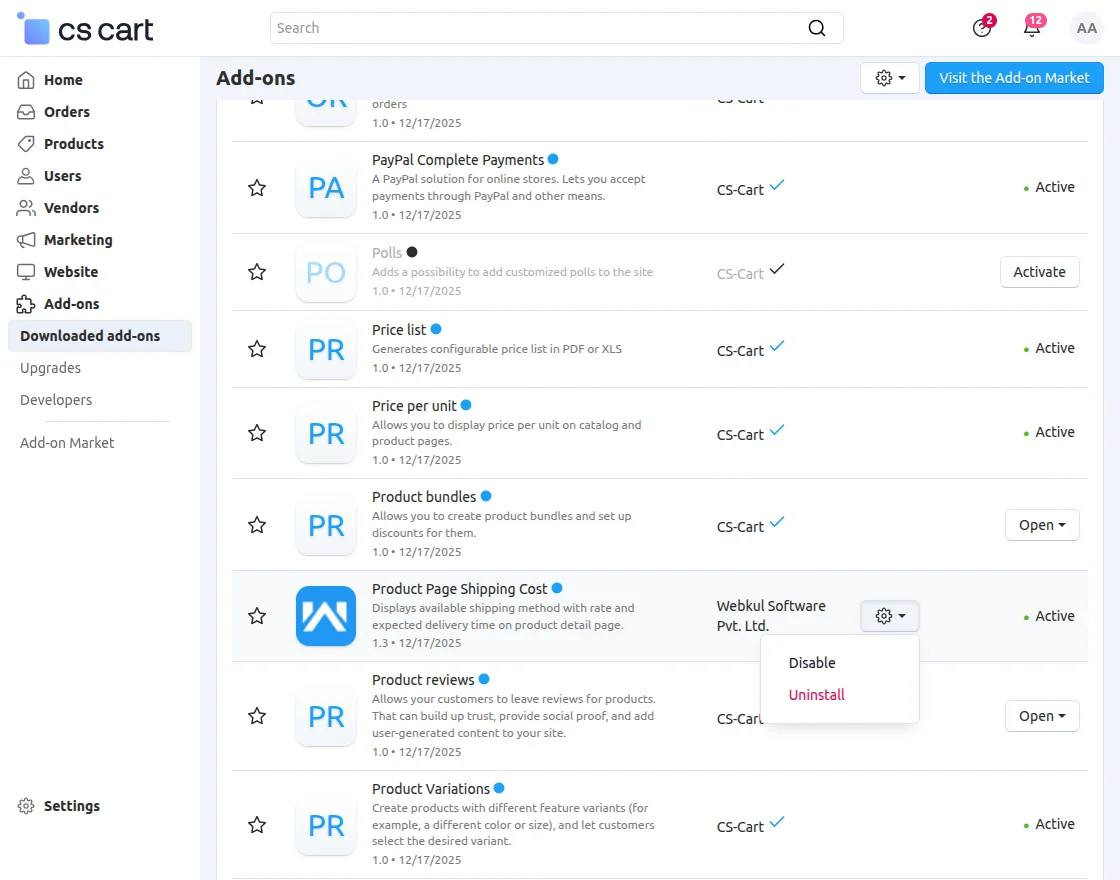
After installation of the add-on, you will find Product Page Shipping Cost in the list of available add-ons.
Now, click on “settings” to enable, disable, install, or refresh.
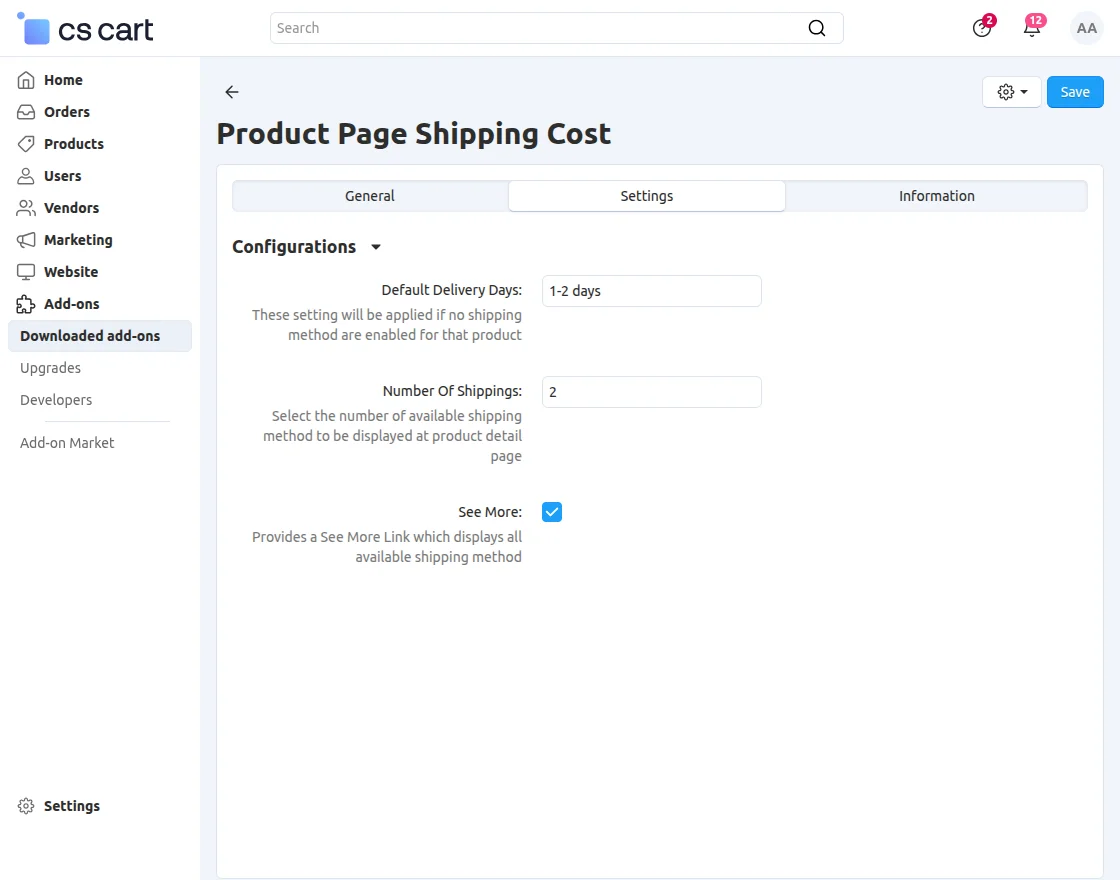
CS-Cart Product Page Shipping Cost Configuration is easy to configure from the Add-ons section in the admin panel.
Now, set the parameters as shown below in the snapshot.
- Enter the default number of days for shipping of products that do not have any shipping method selected.
- Enter the number of shipping methods to exhibit on the product page.
- Select the “see more” option to let users view all shipping methods for the product.
Frontend
Display of the shipping cost of the product.
Now, click on “change Shipping Address” to calculate the rate of the shipping method as per the location.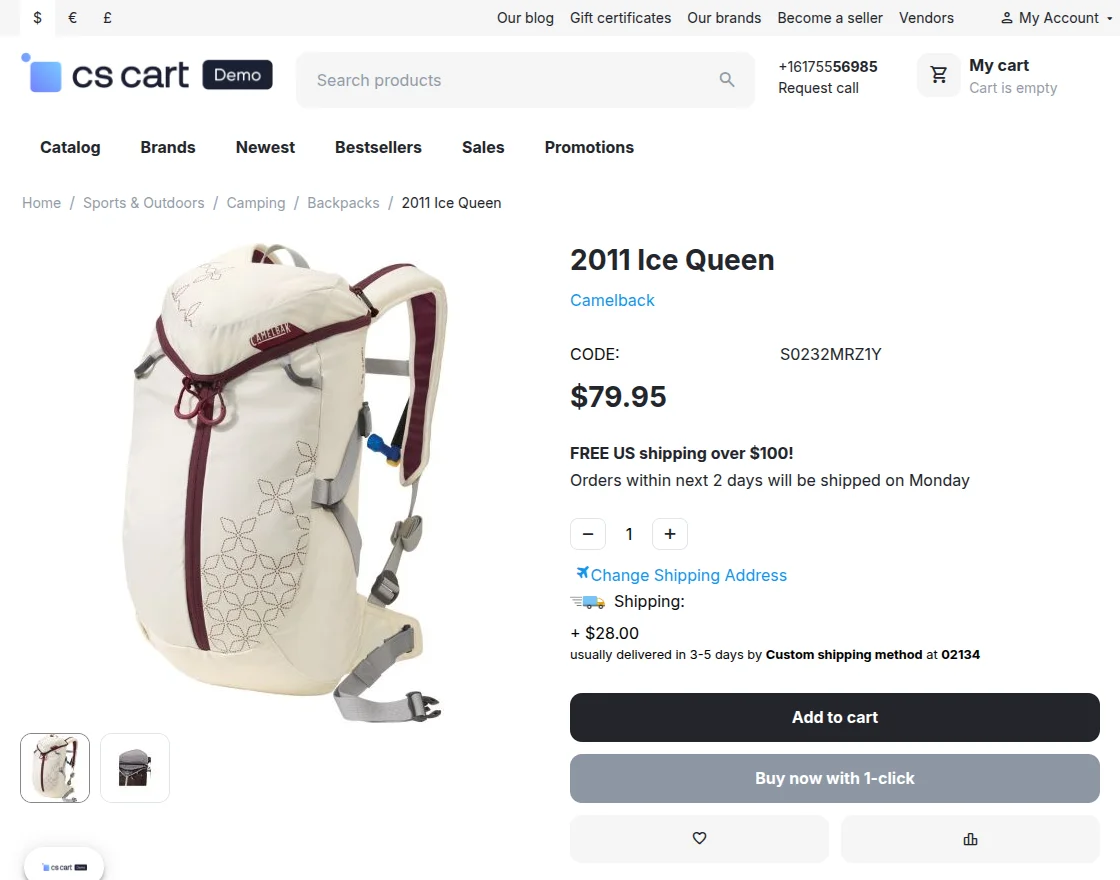
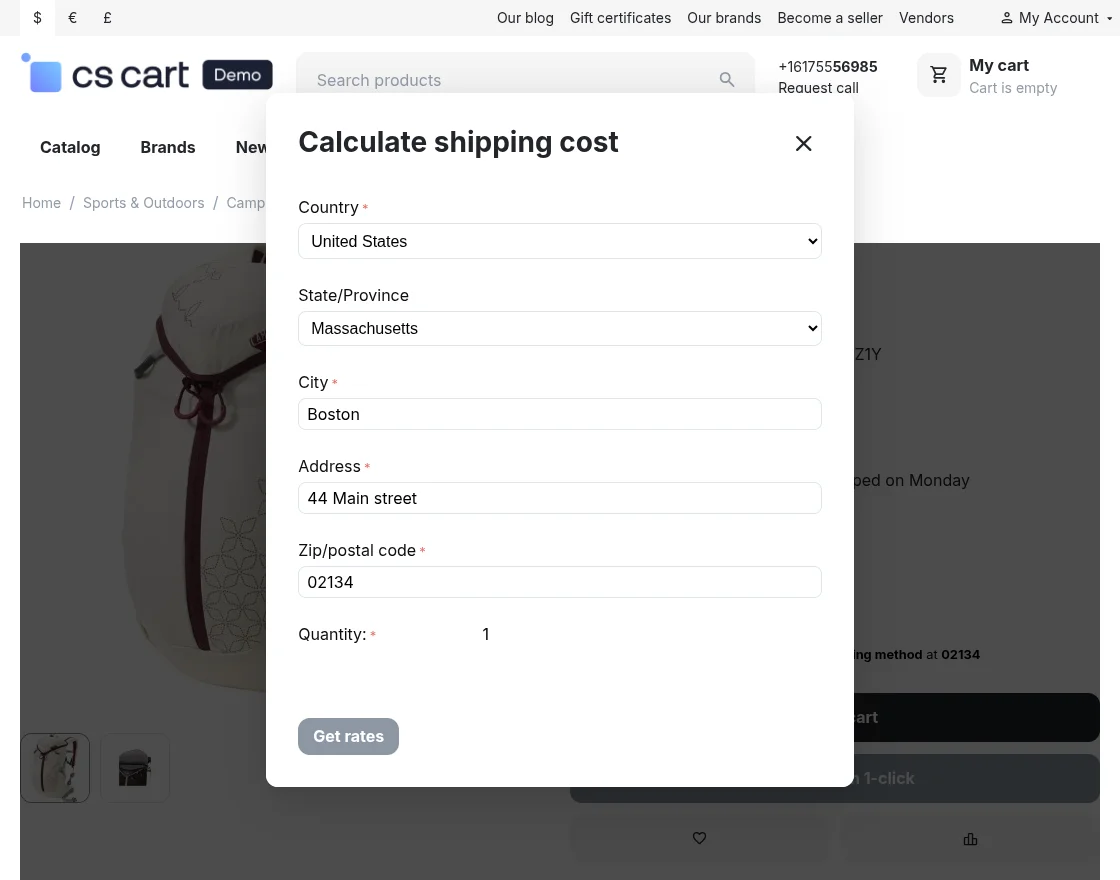
Set the parameters as shown below in the snapshot.
- The user needs to enter the details of the address where he/she wants to ship.
- Need to specify the quantity of product and click on “get rates” to check the shipping cost.
Support
For assistance with CS-Cart Product Page Shipping Cost setup or customization, contact support@webkul.com or Webkul Support.
Discover more powerful CS-Cart extensions to enhance your store’s functionality!